

Table of contents

Abstract
The Gift-O-Tron is a gift idea generator that will help you find the perfect gift... or, not.
Project
Birth of the Gift-O-Tron!
This project is something I’ve had in my backlog for a while, but I kept forgetting about it. When I first thought of it, I envisioned it as a system that would give you gift ideas, provided some possible interests of the "giftee" and maybe a price range. In my mind it made sense as a webpage of sorts, but I think that turning it into a standalone electronic device was a lot better, as it forced me to simplify it, and bring the idea down to Earth a bit.
Now, as silly as it sounds, I never realized how apt this was as a Christmas project until the first week of December. My group of friends had decided to organize a "Secret Santa" among us, and I was really struggling to come up with a gift for the person I got. Then it dawned on me that I could build a simpler version for the E14 Holiday Event! both as a challenge, but also as an aid for future gift-giving seasons!
Making Of
Once I decided to give life to this project, I had to define how the system was going to work. I knew that I wanted to combine different attributes to produce the gift ideas, but it took me a while to truly narrow down the characteristics I wanted to handle, and refining the system to combine them in amusing and unique ways. I wanted the system to be simple, but not as simple as to be a “static” combination of the same attributes every single time. That would have been boring and a lot less useful. You would get a lot more nonsensical combinations, and attributes would repeat a lot more if every item is forced to have every attribute as well, making the system look more repetitive. At this stage I also decided to require no inputs and just have the machine throw ideas at you. It's a lot faster and more fun to use this way, and who knows, the system might surprise you with something you would've never considered.
Now, I’m not claiming that the current system is perfect as it is. It will still generate nonsense, but some ideas are rather…ok? I don't know, I've liked a lot of the suggestions I've been getting from it, to be honest.
Anyway, after narrowing down the attributes to size, style and theme, I spent a bit over a week writing down base item ideas during my free time and at lunch breaks, creating the core list, and thinking of how likely I wanted the items in the list to be accompanied by each attribute, if at all. These coefficients are all absolutely made up numbers with no science behind them, so feel free to change them if you build this project yourself. At this point I also started building the list of attributes and had a rough version of every list by the end of it.
I have to admit that an embarrassing amount of time went into crafting the lists and generating suggestions just for fun. Coding the system just took a couple of afternoons, and so did putting it together in a box, for a total of around 2 weeks and a half.
The System
There’s (currently) 150 base gift items that get combined with 20 themes, 50 styles and 20 sizes to generate around 1 million combinations. Now, not all items will get a size, or a style or a theme. As previously hinted, for every item, there’s 3 numbers between 0 and 100 that determine how likely that item is to be accompanied by each of the attributes. An item with a 0% chance of having a theme will never have one. An item with a non-zero, but <100% chance of having a size may or may not get one, etc, which gives it a lot of flexibility and makes the suggestions a bit more coherent and varied.
Upon startup the system also computes how many combinations there are with the current list of items and the attributes each one of them can have, so if you change the lists or alter the probabilities, you should get an updated number in the USB console when the system boots.
A note regarding combinations: While you may think that “A real size horse”, “An average size horse” and “A Horse” are all the same suggestion, I politely digress 
Some suggestions generated by the system:
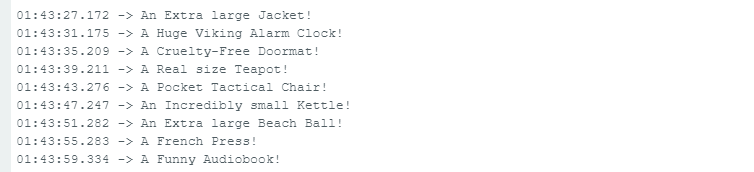
What is a Pocket Tactical Chair you ask? Great question.
By the way, as you might have noticed, I also implemented a very rudimentary system to make sure that it would select "A" or "An" appropriately, depending on the word that comes after. While some gift ideas might not make sense, I put some effort into making them at least grammatically sensible.
I also had to code a simple way of displaying longer strings of text on the LCD, making sure to pause between a screen-full of text until the whole gift idea has been displayed.
Prototype
After being done with the code, I put together everything on a couple of small breadboards with a Raspberry Pi Pico, a 16x2 LCD (A larger LCD would have been better, but I didn't have one at hand) and a push button:

The code can be obtained here, and it includes some comments at the top regarding the required items and how to wire them up.
Putting it together
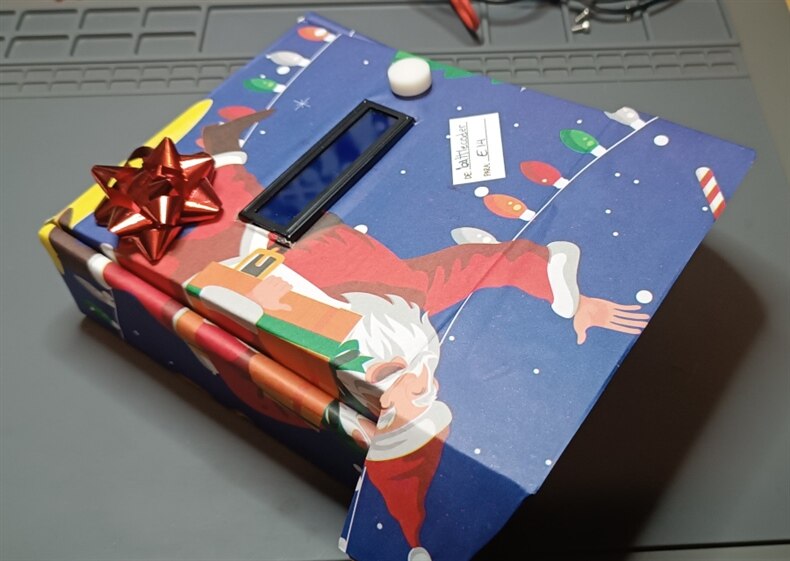
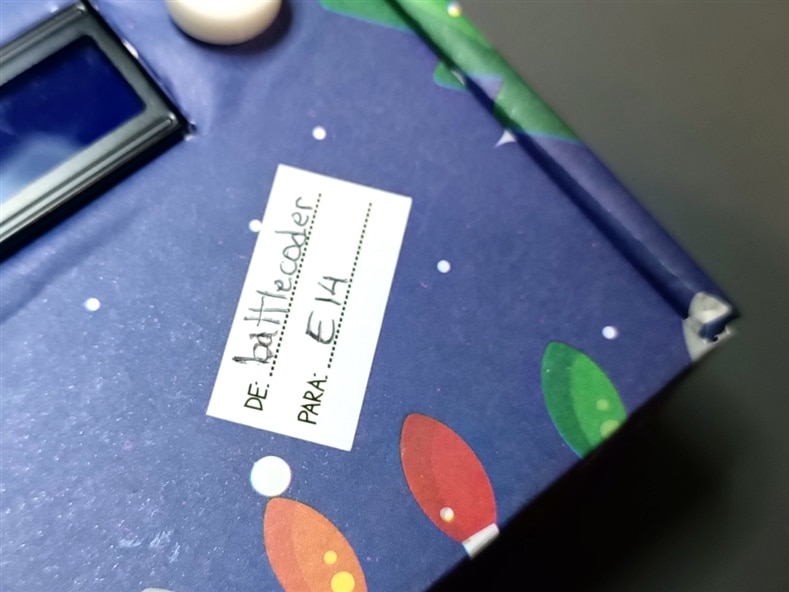
After I was happy with how it was working I soldered cables from the RPI Pico to the LCD and to the button, and mounted them inside a cardboard box that I gift-wrapped to the best of my abilities (I really tried but it's a bit of a mess) and added a 3D printed button cap on top of the push button.
I'm not going to show you the inside of the box because the mess of cables is hideous, and I still haven't fully solved how to make an easy access to the battery pack inside. You have to open the box to change the batteries or turn it off, but luckily that can done very easily, as the box has a sort of lid.
Result
Without further ado, here's a video of the Gift-O-Tron in action!
A note here, the message it prints before giving you a suggestion is absolutely just for flavor. The Gift-O-Tron generates suggestions in a fraction of a second, but I think the pause adds suspense and makes it more dramatic.
If you want to check the other available options, themes, styles and sizes, please check the code. They are very much near the top of the file.
If you just want to play with the project without having to put a real LCD and a button on a breadboard, you can always modify the code to just print gift ideas in the USB console after a delay, with no button required. Removing the waitForButton() and the lcdPrintLongString() calls in the main loop should suffice to give you and endless stream of ideas every two seconds.You can also play with the randomizer seed if you want to introduce more chaos into the system.
All in all I got a kick out of this project, and surprisingly some of the ideas it generates look very reasonable. I'm happy that I decided to tackle this project, and I hope you find it as amusing and somewhat useful as I do.
PS: In case you want to know what's the most random suggestion I've gotten so far, I think it was An Oversized Cyberpunk Sports-themed Rubber Duck.
References
- https://docs.arduino.cc/learn/electronics/lcd-displays/
- https://datasheets.raspberrypi.com/pico/Pico-R3-A4-Pinout.pdf
Top Comments