RoadTest: Read the Reviews of the Avnet ZUBoard 1CG Development Kit
Author: dbkincaid
Creation date:
Evaluation Type: Evaluation Boards
Did you receive all parts the manufacturer stated would be included in the package?: True
What other parts do you consider comparable to this product?: This board is in-between a Digilent Zybo Z7 and an AMD Xilinx ZCU104.
What were the biggest problems encountered?: None, really. This board was a joy to evaluate.
Detailed Review:
Larger applications are great, and they can have a lot of really nice features, particularly around areas where an operating system shines: USB support, storage options, networking, etc.
On the other hand users like myself enjoy running the board in a very low level configuration to control execution of the application precisely, and for this a baremetal application performance is unbeatable.
I will walk through the initial setup of my board and first projects. I will point out some observations that might help future users to save time.
The board ships with an application already set up on the Flash memory (QSPI)
Setup - Out of the box demo
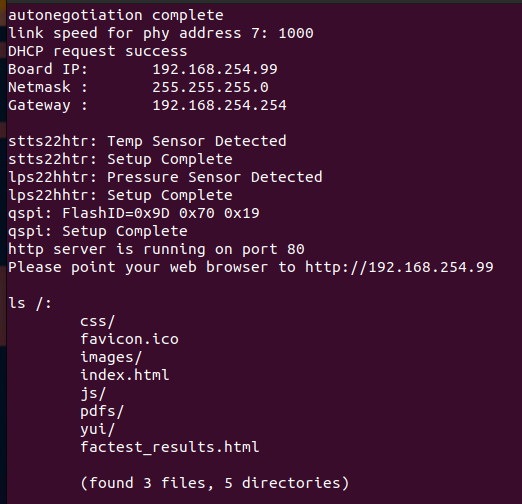
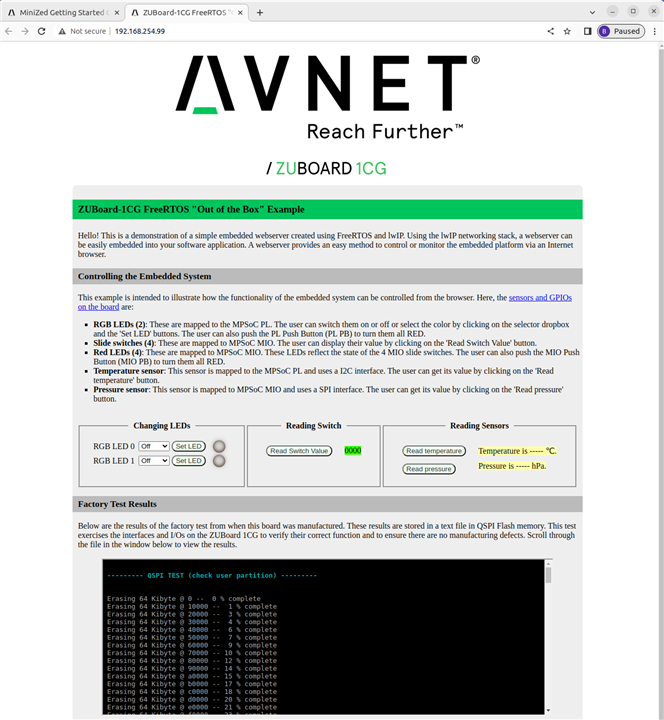
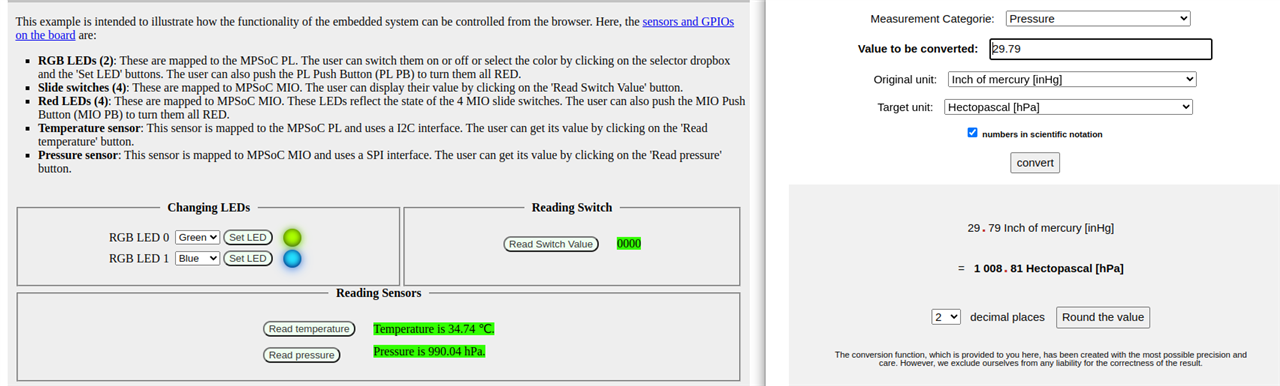
Some initial observations
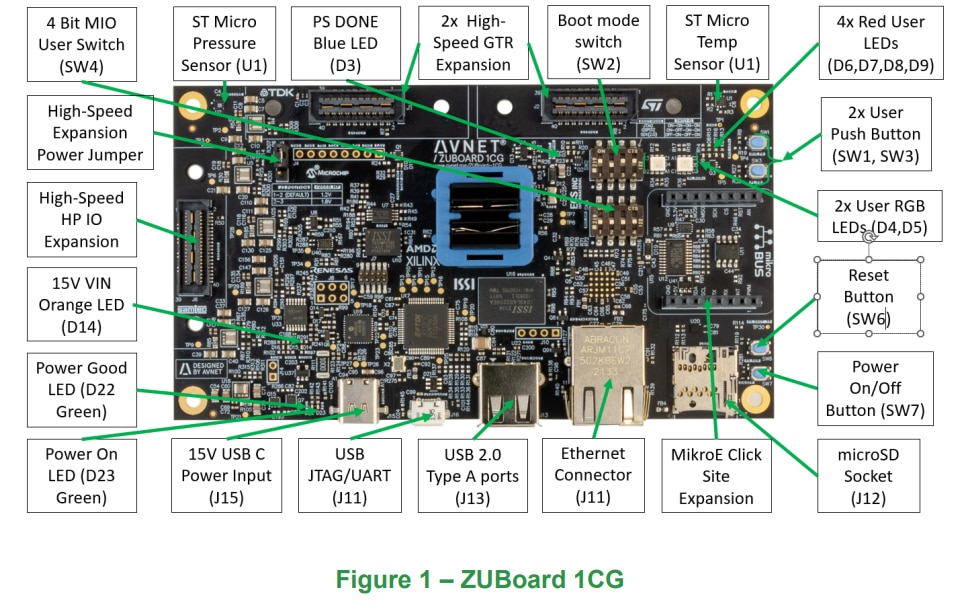
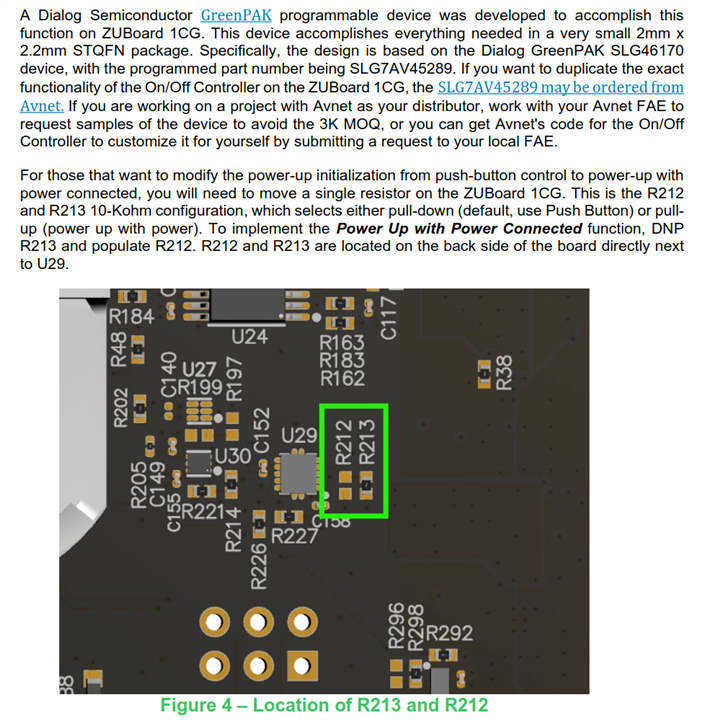
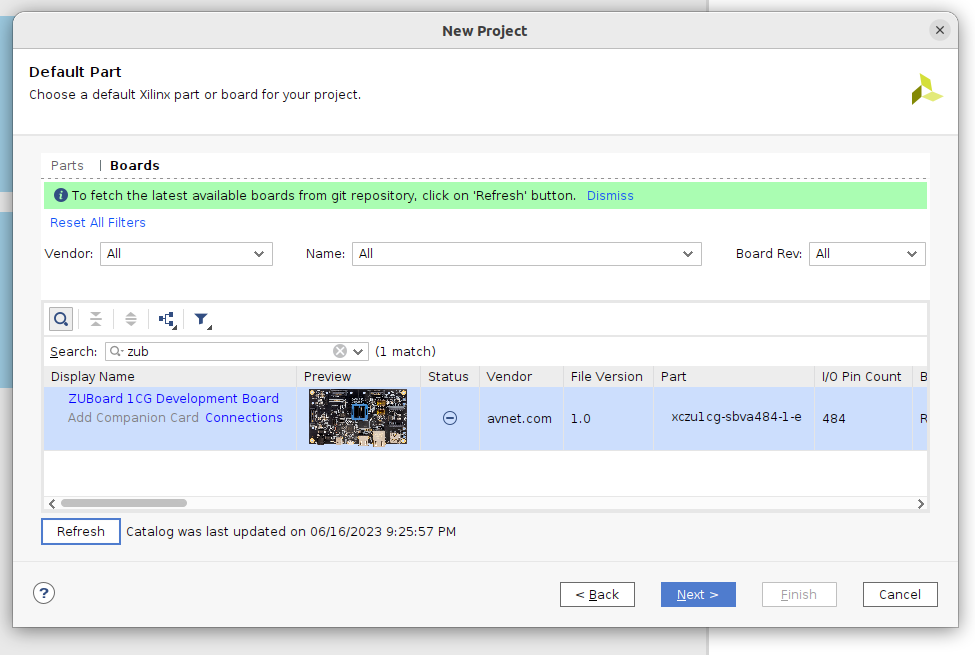
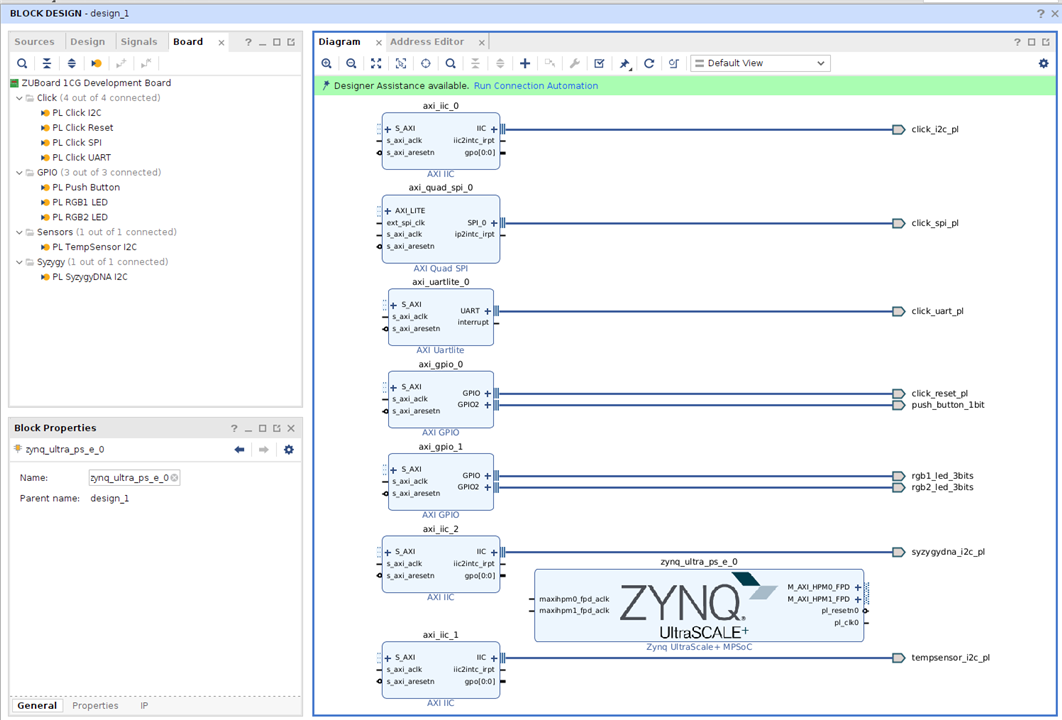
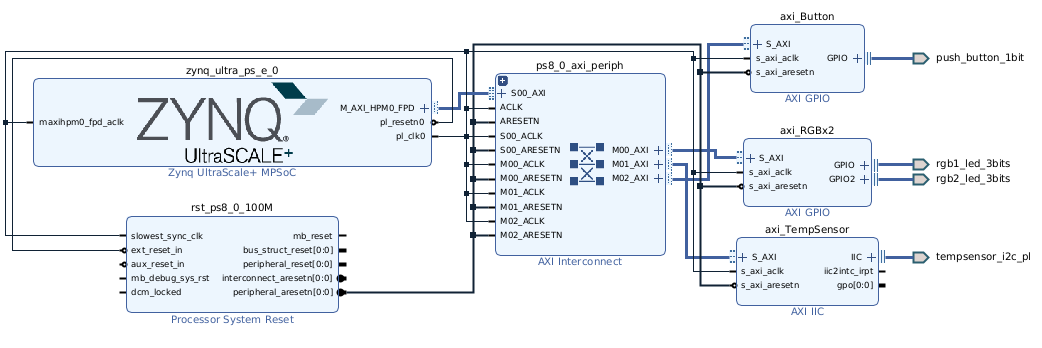


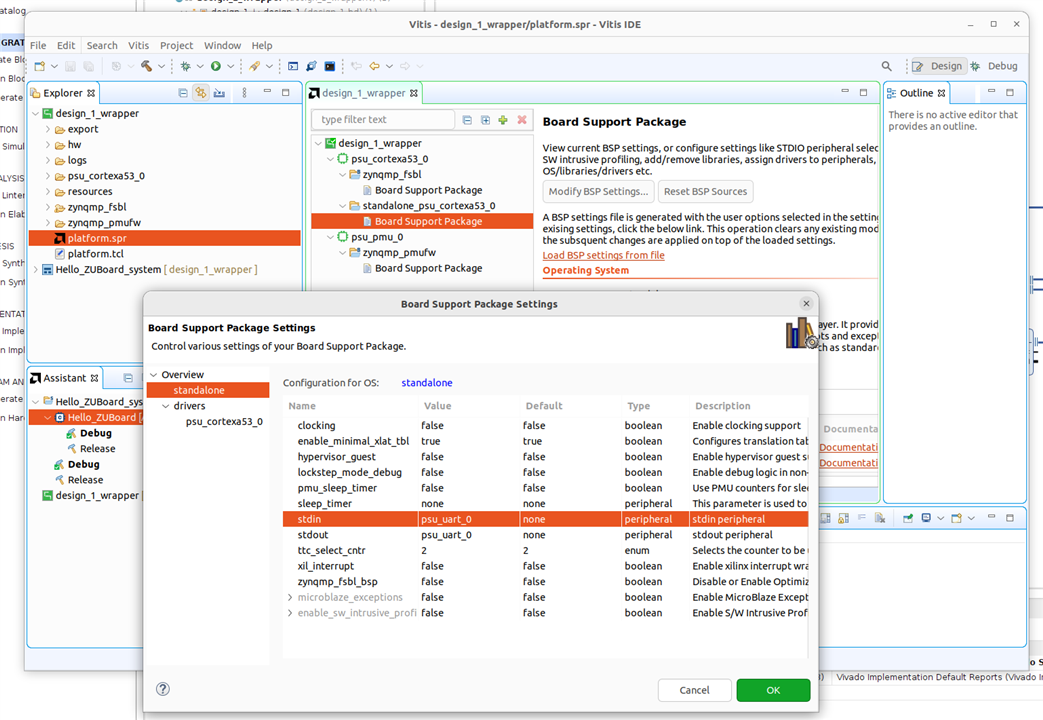

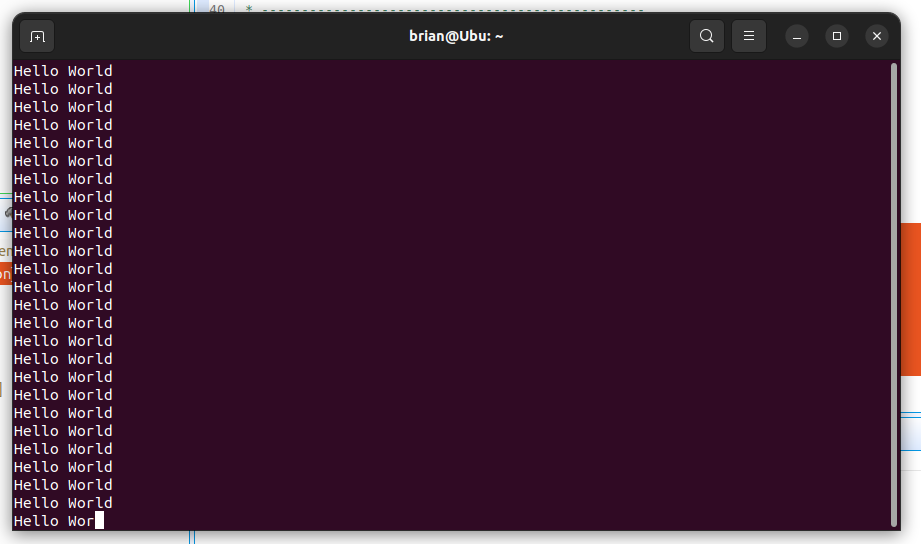
Now we want to integrate the peripherals into a baremetal project. I will attach the application code directly, and make some notes on its use here
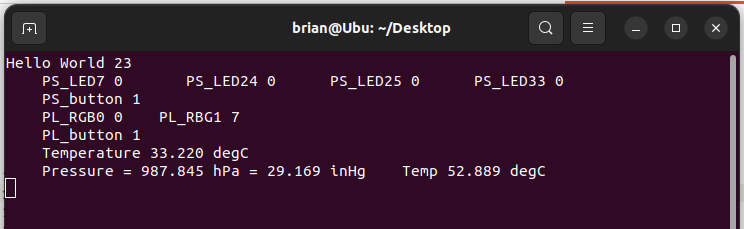
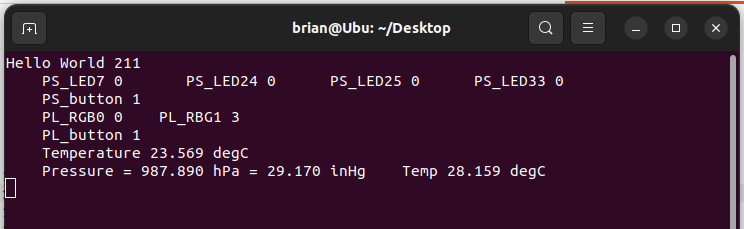
I hope that this review/tutorial helps new users to acclimate to the powerful Zynq architecture. I am excited to deploy some more advanced projects on the new ZUBoard 1CG.
I do like the Click and Syzygy connectors, and I hope that as adoption begins to ramp that they will begin to have a good selection of low-cost add-on boards available.
I would LOVE to see an actual USB3.2 (10Gbps) device-mode deployed on the Syzygy TRX-2.
Very happy to continue my journey with the ZuBoard 1CG eco-system, I had the opportunity to try out the new add-on module
This RoadTest UPDATE is specifically for the DisplayPort feature of AES-ACC-DPEMMC-G board. I will assume familiarity with the ZuBoard and the DUALCAM add-on, we will follow some instructions from that kit.
The DisplayPort module is capable of extending the DUALCAM reference design, so we will use this to get going. I will go through the setup and show some of the things I learned along the way.
In the AES-ACC-DPEMMC-G box:
I found there is also a second web page at http://avnet.me/dpemmc-pdp, with some additional documentation, I expect this page might merge at a later time. It says there is a reference design available, but it links back to the first page again. Actual example design is part of the documentation for ZuBoard, it is also linked below as part of instruction. https://hsio-dualcam.readthedocs.io/en/latest/index.html
Important: Board connection for DisplayPort is a 'MINI DISPLAYPORT' version, so make sure to check this if a cable is required.
Board Features
Tech Docs on site as of 5/31/24
The HSIO-dualcam is available for the ZuBoard 1CG, and it has a reference design available from Avnet.
https://hsio-dualcam.readthedocs.io/en/latest/index.html
Important: Requires at least 16GB microSD card
The image is pretty large: 12GB file, so plan for the download
Following instructions on the page linked to move image onto microSD card, be patient again. It took a little over 6 min to flash and validate my card using balenaEtcher and a good PC.
Connect as shown, and use the added labels as reference.
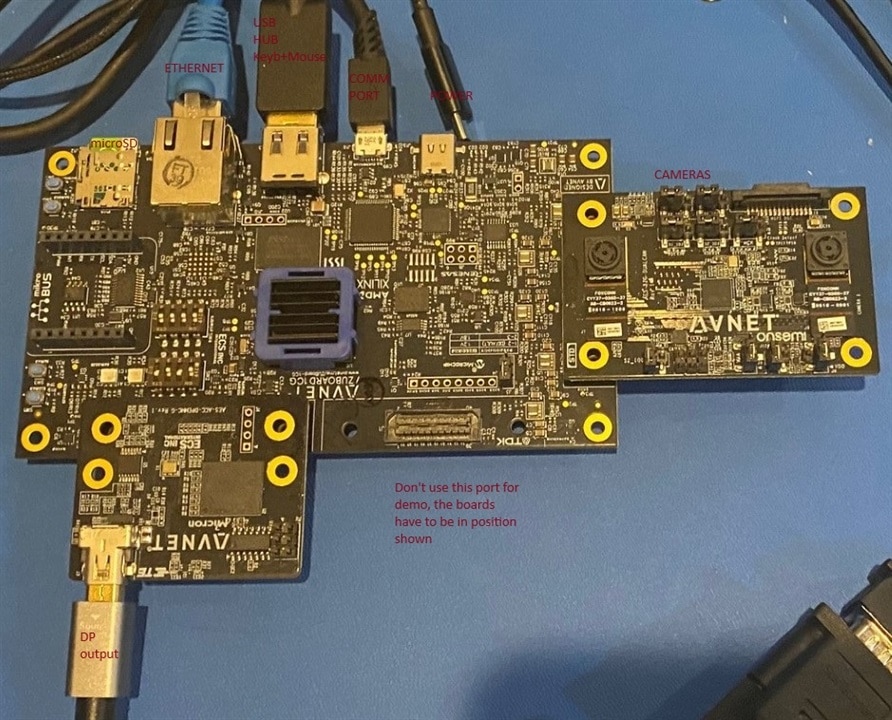
For future reference, confirm the Jumpers on the DualCam module are configured as shown

Continue to follow the guide for HSIO-dualcam until you get MobaXterm X11 connected, and can see the image pop-up from
cd ~/avnet_dualcam_python_examplespython3 ./avnet_dualcam_passthrough.py
The SD card image loads avnet-zub1cg-benchmark by default, but we would like to load avnet-zub1cg-dualcam as default, so we will do this:
nano /etc/dfx-mgrd/default_firmware
Note: change "avnet-zub1cg-benchmark" to "avnet-zub1cg-dualcam"
We can now run the demo after boot and login using MobaXterm over ethernet (so that X11 displays locally)
(from avnet examples folder)
python3 ./avnet_dualcam_passthrough.py --fps
get about 10FPS with dual 640x480 cameras
python3 ./avnet_dualcam_passthrough.py --mode primary --fps
single cam 640x480, about 20FPS
python3 ./avnet_dualcam_passthrough.py --mode dual --width 320 --height 240 --fps
dual cam 320x240, about 60FPS
python3 ./avnet_dualcam_passthrough.py --mode primary --width 320 --height 240 --fps
single cam 320x240, about 60FPS
Now power-down and connect my miniDP to HDMI adapter and ... nothing. I ran some diagnostics using> modetest -D fd4a0000.display
and it showed that the display did not send any information back about screen size supported.
I tried a few workarounds with settings but found no solution. I was confident it would work because of another post where they had deployed Linux to the eMMC
I had some recollection of a blog I read about DisplayPort problems <I would love to cite, but I cannot find it!> I read where they mentioned they specified use of an 'active' DP to HDMI converter. My converter didn't explicitly say this, so I ordered an 'active' version of the device (it is linked at the beginning of article).
Using this new 'active' miniDP to HDMI I got output! The demo will output on DisplayPort as if you had connected a terminal through UART. Then I connected my keyboard and found I could interact with the terminal just like I had connected through COM port with a terminal application.
To get to the GUI, have monitor and keyboard / mouse connected when booting :
do not enter password at prompt!
Leave it for about 5 seconds and the system will launch an OS GUI.
The board launches a full GUI where I could open terminal and run the Python demo again, it will open a vision window within the OS GUI. There even seems to be a modest performance increase:
Default dual cam 640x480 ran at 16FPS instead of 10FPS through MobaXterm. The performance scaled up in all the prior test-cases. In short, it runs might higher performance through native DP than what is possible through ethernet.

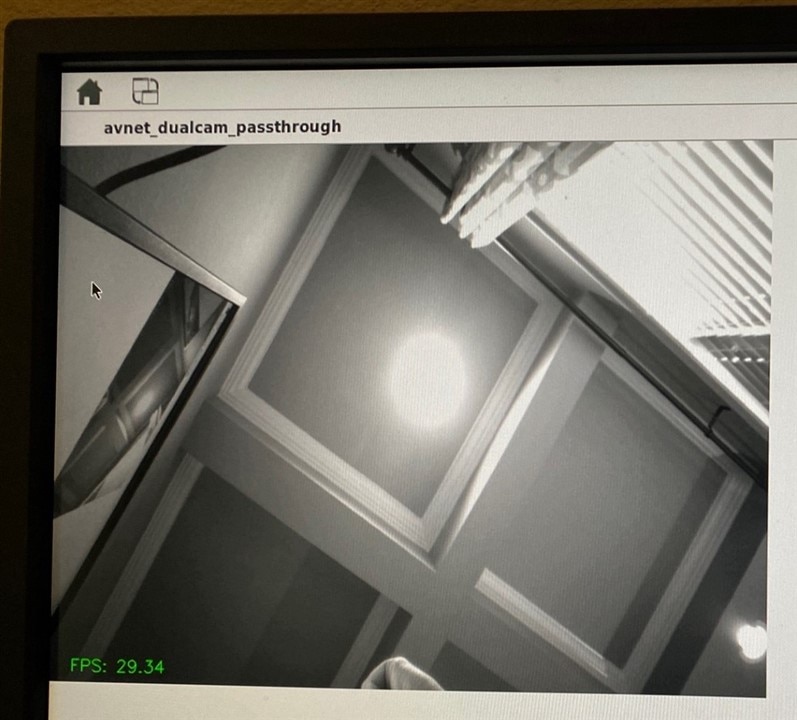
With the addition of the DP module, I have the building blocks of a very nice and programmable embedded system:


