element14 Community
element14 Community
    Register Log In
  • Site
  • Search
  • Log In Register
  • Community Hub
    Community Hub
    • What's New on element14
    • Feedback and Support
    • Benefits of Membership
    • Personal Blogs
    • Members Area
    • Achievement Levels
  • Learn
    Learn
    • Ask an Expert
    • eBooks
    • element14 presents
    • Learning Center
    • Tech Spotlight
    • STEM Academy
    • Webinars, Training and Events
    • Learning Groups
  • Technologies
    Technologies
    • 3D Printing
    • FPGA
    • Industrial Automation
    • Internet of Things
    • Power & Energy
    • Sensors
    • Technology Groups
  • Challenges & Projects
    Challenges & Projects
    • Design Challenges
    • element14 presents Projects
    • Project14
    • Arduino Projects
    • Raspberry Pi Projects
    • Project Groups
  • Products
    Products
    • Arduino
    • Avnet & Tria Boards Community
    • Dev Tools
    • Manufacturers
    • Multicomp Pro
    • Product Groups
    • Raspberry Pi
    • RoadTests & Reviews
  • About Us
  • Store
    Store
    • Visit Your Store
    • Choose another store...
      • Europe
      •  Austria (German)
      •  Belgium (Dutch, French)
      •  Bulgaria (Bulgarian)
      •  Czech Republic (Czech)
      •  Denmark (Danish)
      •  Estonia (Estonian)
      •  Finland (Finnish)
      •  France (French)
      •  Germany (German)
      •  Hungary (Hungarian)
      •  Ireland
      •  Israel
      •  Italy (Italian)
      •  Latvia (Latvian)
      •  
      •  Lithuania (Lithuanian)
      •  Netherlands (Dutch)
      •  Norway (Norwegian)
      •  Poland (Polish)
      •  Portugal (Portuguese)
      •  Romania (Romanian)
      •  Russia (Russian)
      •  Slovakia (Slovak)
      •  Slovenia (Slovenian)
      •  Spain (Spanish)
      •  Sweden (Swedish)
      •  Switzerland(German, French)
      •  Turkey (Turkish)
      •  United Kingdom
      • Asia Pacific
      •  Australia
      •  China
      •  Hong Kong
      •  India
      • Japan
      •  Korea (Korean)
      •  Malaysia
      •  New Zealand
      •  Philippines
      •  Singapore
      •  Taiwan
      •  Thailand (Thai)
      • Vietnam
      • Americas
      •  Brazil (Portuguese)
      •  Canada
      •  Mexico (Spanish)
      •  United States
      Can't find the country/region you're looking for? Visit our export site or find a local distributor.
  • Translate
  • Profile
  • Settings
Bluetooth Unleashed Design Challenge
  • Challenges & Projects
  • Design Challenges
  • Bluetooth Unleashed Design Challenge
  • More
  • Cancel
Bluetooth Unleashed Design Challenge
Blog Blog #2: Getting my feet wet with taBLE Assistant
  • Blog
  • Forum
  • Documents
  • Polls
  • Files
  • Events
  • Mentions
  • Sub-Groups
  • Tags
  • More
  • Cancel
  • New
  • Share
  • More
  • Cancel
Group Actions
  • Group RSS
  • More
  • Cancel
Engagement
  • Author Author: BigG
  • Date Created: 15 May 2018 12:03 PM Date Created
  • Views 1074 views
  • Likes 7 likes
  • Comments 9 comments
  • micro:bit
  • bluetooth le
  • cypress psoc 6 ble pioneer kit
  • table_assistant
  • bluetooth unleashed design challenge
Related
Recommended

Blog #2: Getting my feet wet with taBLE Assistant

BigG
BigG
15 May 2018

Introduction


Well, the past week has flown by pretty quickly.


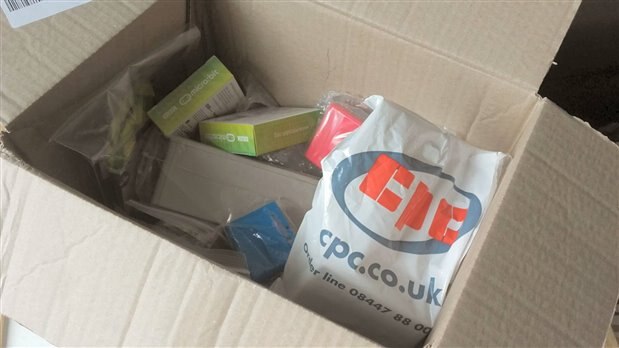
I placed my parts order early in the week and have been waiting for delivering, which finally arrived yesterday. There was a minor delay with a part stock-out but thankfully there was a substitute part. As I had written up most of what I wanted to say in this blog, I'll append some comment about my goodies and show a few pictures at the end.
 

image


3D Modelling and Designing Enclosures


So, for this week I decided to look at the physical side such as designing a table based enclosure for my PSoC 6 Pioneer Kit.


I still use an old version of Sketchup, namely Sketchup 8 Pro, for these sorts of things as I am most familiar with this package, but it does have niggles, especially when doing small stuff like PCB components. Also, a big issue I’ve always had with Sketchup is that there has been no easy way to take a PCB “.brd” file and convert it to a Sketchup file. There are ways for Eagle files through scripts but it is convoluted. What makes this task trickier is that the PSoC 6 .brd files that come with the PSoC 6 Pioneer Board and the E-Ink Display Shield hardware documentation were not designed using Eagle and appears to have been done using Cadence Allegro PCB Designer. I found no conversion shortcuts here unfortunately.


So, I decided to move beyond the familiar and see if there is any new software out there that could be used instead to create 3D diagrams, schematics and any PCB design, should I need them. So after a little online searching I came across some new software, namely FreeCAD and some documentation on their wiki page that described a way to create the PCB footprint from SVG and convert this to a Collada file in order to open up in FreeCAD to then create the 3D design. Thus, the conclusion I reached was that FreeCAD certainly looks interesting and appears to be the way kiCAD is going when it comes to 3D rendering. Hence, it looks to have great potential. A case of watch this space...


Then, I had a bit of luck as I decided to go to the Inkscape website (https://inkscape.org/en/) – only because I wanted to check that I had the correct link for my blog. I discovered that there was a new version out for 2018 and so updated mine.


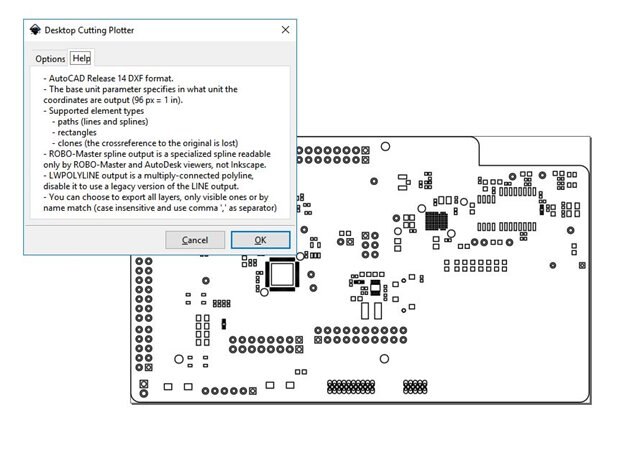
What I then learnt, which made me well pleased, was that you can now save your SVG files as DXF files (AutoCAD plot files). This meant that I could now import these DXF files directly into Sketchup. Suddenly I was back to the land of familiarity and decided to put FreeCAD aside for another day.  I could now make speedy progress as I no longer had to redraw from scratch using Sketchup or go through the hoops with scripts a fixes when converting.
 

image


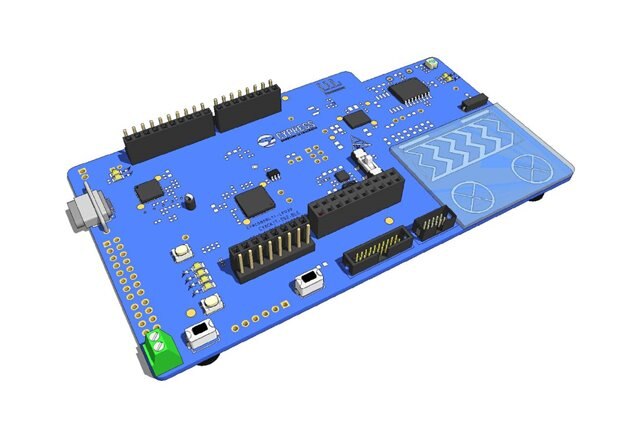
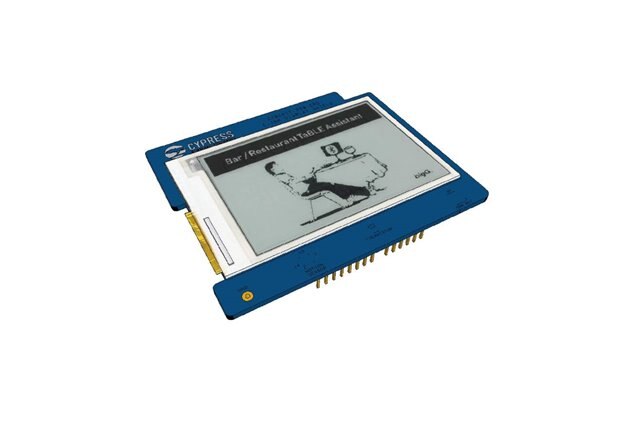
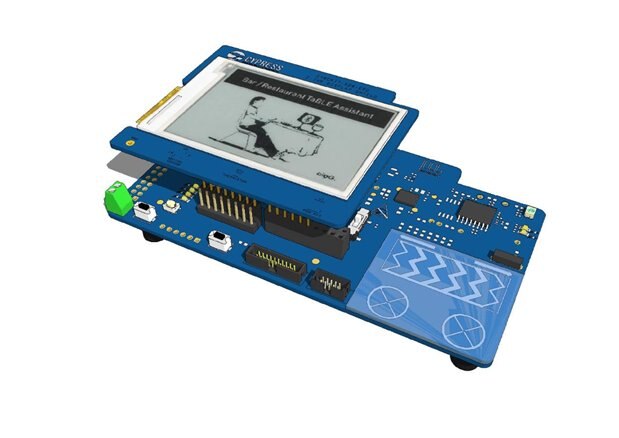
This discovery made life a whole lot easier and I was now able to create a nice accurate 3D representation of my PSoC 6 Pioneer board in a fraction of the time.


{gallery:autoplay=false} 3d Rendering of PSoC 6 BLE Pioneer Kit

image

PSoC 6 Pioneer Board

image

CY8CKIT-028-EPD E-Ink Display Shield

image

PSoC 6 BLE Pioneer Kit


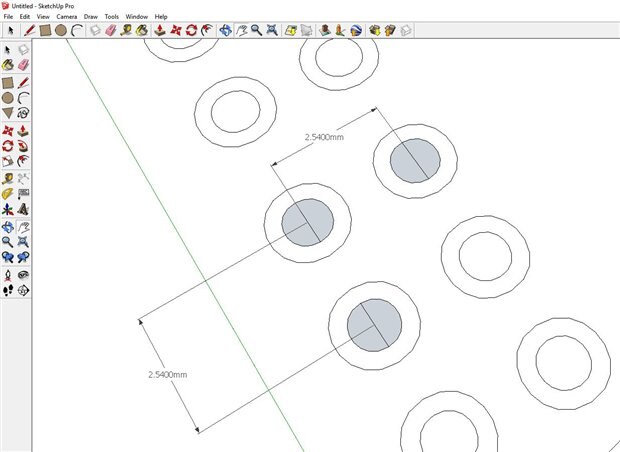
I found this to be very accurate and was able to align the EPD shield with by PSoC 6 Pioneer Board almost perfectly (was dependent of the pin headers and socket components being perfect which is not always the case.


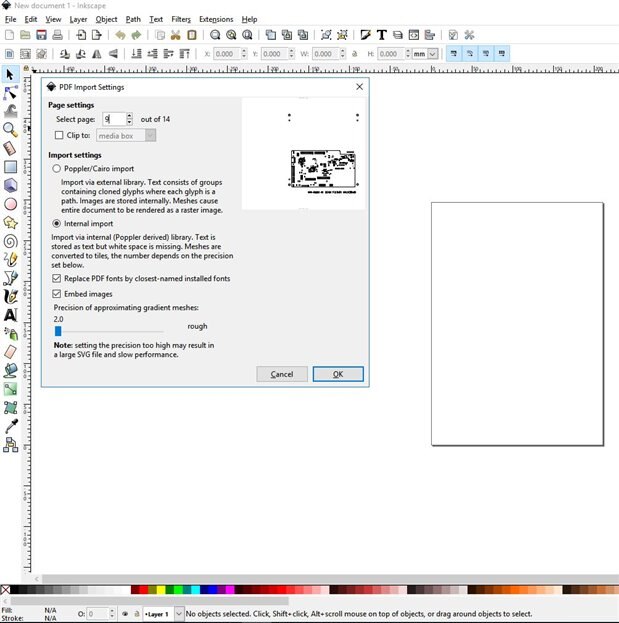
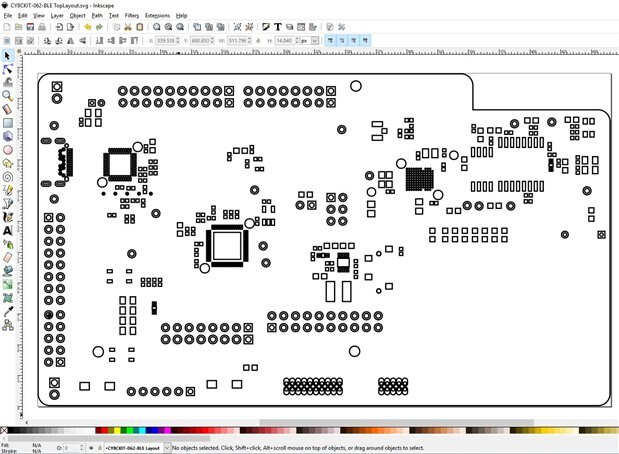
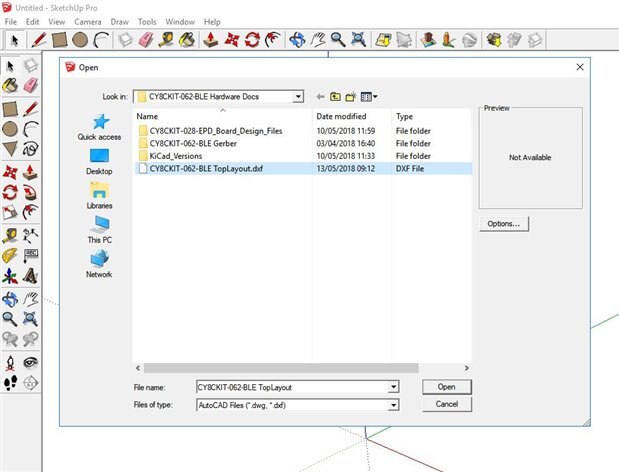
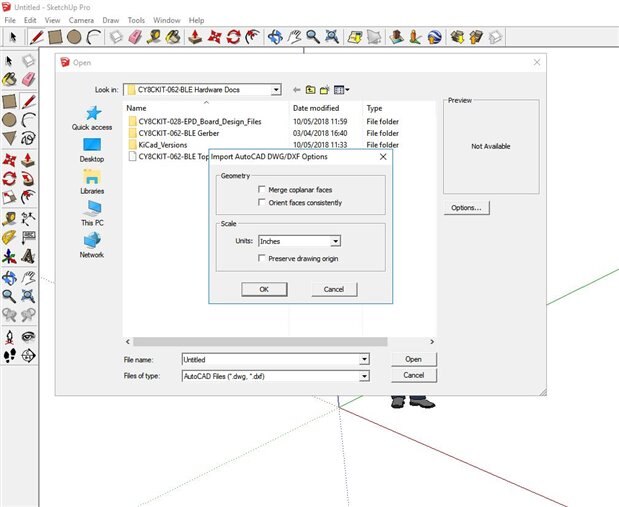
The conversion process starts by opening up the specific PDF pages in Inkscape, such as the solder mask and silkscreen pages, then saving these pages as AutoCAD .dxf file type. Now open up Sketchup 8 Pro and import the dxf file. The import process works seamlessly if you make sure that the dimensions are all in inches (my American friends will be happy with that). At first I had problems with the dimensions and it required a fair bit of trial and error before discovering the magic formula. And that is it.


image

Importing the PDF page into Inkscape

image

Resizing the document in Inkscape before saving as DXF file

image

Importing the saved DXF file into Sketchup 8 Pro

image

Making sure that the Units are set to "Inches"

image

Everything is now to scale.


Now that that I have a good 3D representation of my Pioneer board out the way, I can now work on the enclosure side at a later time as the need arises.  A more pressing task at hand is starting having a play with my new goodies.


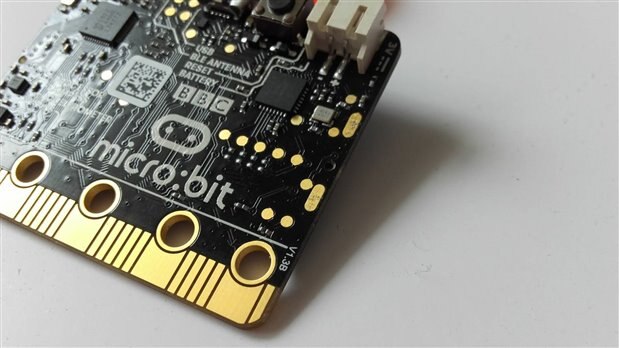
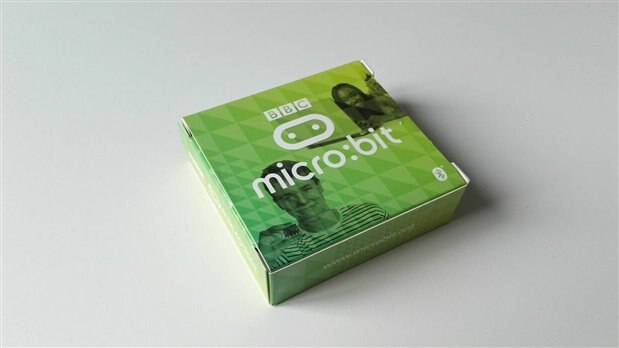
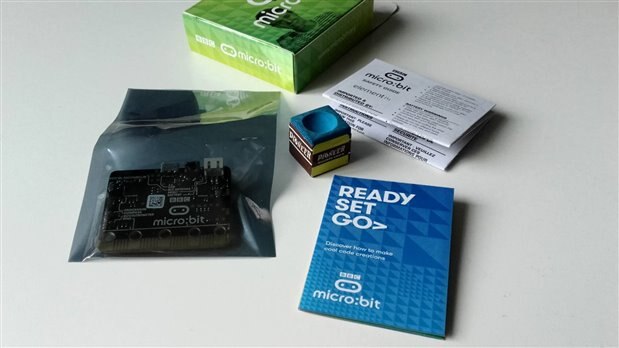
Taking a first glance at my Micro:bit (part inside box of Goodies)


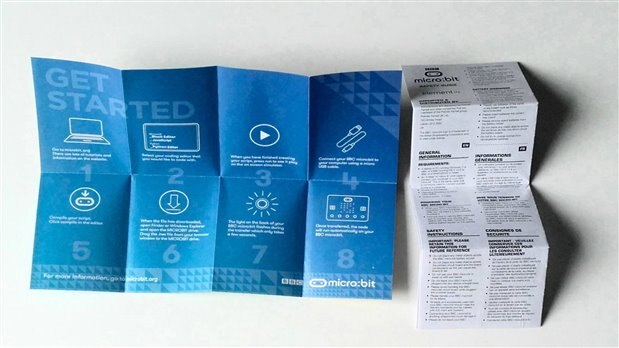
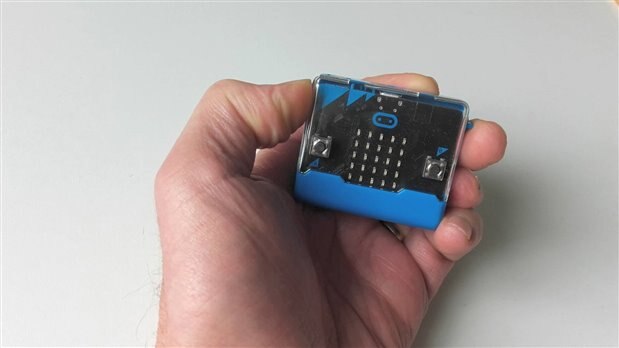
Unboxing is always fun as more often than not I find there is stuff I ordered that is a surprise. In this case it was the micro:bit and the enclosures I ordered for the micro:bit. They are much smaller than expected which I am very pleased about. As you can see the micro:bit comes with the usual leaflets and a getting started guide.


{gallery:autoplay=false} My Gallery Title

image

image

image

image

image
image


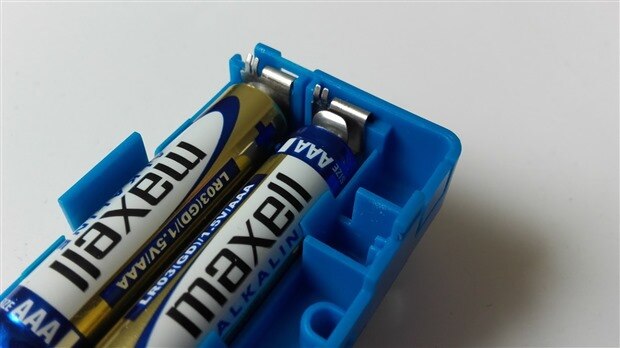
The only issue I have discovered is the battery contact in the enclosure is not great. In my next blog will have a look at this in more detail and go through some of the processes to get up and running with a micro:bit as I have never used one before. Should be fun!

  • Sign in to reply

Top Comments

  • BigG
    BigG over 7 years ago in reply to fvan +2
    Ok, just realised I was too hasty in my previous reply. So, renewals are allowed. Coool.
  • jw0752
    jw0752 over 7 years ago +1
    Hi BigG, Things are looking good. I am glad you are making progress, keep us posted. John
  • DAB
    DAB over 7 years ago +1
    Nice walk through of your board design. DAB
  • BigG
    BigG over 7 years ago in reply to fvan

    image

    Ok, just realised I was too hasty in my previous reply. So, renewals are allowed. Coool.

    • Cancel
    • Vote Up +2 Vote Down
    • Sign in to reply
    • More
    • Cancel
  • BigG
    BigG over 7 years ago in reply to fvan

    I read their entitlement terms and it looks to have changed slightly.  The only free indefinite option available are for those involved in education. Hobbyist/maker/home use is now classed under "startup" and you get one (1) year from the date you are granted access.

    • Cancel
    • Vote Up 0 Vote Down
    • Sign in to reply
    • More
    • Cancel
  • aspork42
    aspork42 over 7 years ago

    I use the free version image

    • Cancel
    • Vote Up +1 Vote Down
    • Sign in to reply
    • More
    • Cancel
  • fvan
    fvan over 7 years ago in reply to BigG

    Unless something changed, you can use Fusion 360 for free as a maker/hobbyist/etc ... it's a one-year license which you can renew for free every year.

    So you CAN afford it image


    • Cancel
    • Vote Up +1 Vote Down
    • Sign in to reply
    • More
    • Cancel
  • BigG
    BigG over 7 years ago in reply to aspork42

    Nice. From what I can see, Fusion 360 looks to be the gold standard for 3D modelling. If only I could afford it $$$$.

    • Cancel
    • Vote Up +1 Vote Down
    • Sign in to reply
    • More
    • Cancel
>
element14 Community

element14 is the first online community specifically for engineers. Connect with your peers and get expert answers to your questions.

  • Members
  • Learn
  • Technologies
  • Challenges & Projects
  • Products
  • Store
  • About Us
  • Feedback & Support
  • FAQs
  • Terms of Use
  • Privacy Policy
  • Legal and Copyright Notices
  • Sitemap
  • Cookies

An Avnet Company © 2025 Premier Farnell Limited. All Rights Reserved.

Premier Farnell Ltd, registered in England and Wales (no 00876412), registered office: Farnell House, Forge Lane, Leeds LS12 2NE.

ICP 备案号 10220084.

Follow element14

  • X
  • Facebook
  • linkedin
  • YouTube