element14 Community
element14 Community
    Register Log In
  • Site
  • Search
  • Log In Register
  • Community Hub
    Community Hub
    • What's New on element14
    • Feedback and Support
    • Benefits of Membership
    • Personal Blogs
    • Members Area
    • Achievement Levels
  • Learn
    Learn
    • Ask an Expert
    • eBooks
    • element14 presents
    • Learning Center
    • Tech Spotlight
    • STEM Academy
    • Webinars, Training and Events
    • Learning Groups
  • Technologies
    Technologies
    • 3D Printing
    • FPGA
    • Industrial Automation
    • Internet of Things
    • Power & Energy
    • Sensors
    • Technology Groups
  • Challenges & Projects
    Challenges & Projects
    • Design Challenges
    • element14 presents Projects
    • Project14
    • Arduino Projects
    • Raspberry Pi Projects
    • Project Groups
  • Products
    Products
    • Arduino
    • Avnet & Tria Boards Community
    • Dev Tools
    • Manufacturers
    • Multicomp Pro
    • Product Groups
    • Raspberry Pi
    • RoadTests & Reviews
  • About Us
  • Store
    Store
    • Visit Your Store
    • Choose another store...
      • Europe
      •  Austria (German)
      •  Belgium (Dutch, French)
      •  Bulgaria (Bulgarian)
      •  Czech Republic (Czech)
      •  Denmark (Danish)
      •  Estonia (Estonian)
      •  Finland (Finnish)
      •  France (French)
      •  Germany (German)
      •  Hungary (Hungarian)
      •  Ireland
      •  Israel
      •  Italy (Italian)
      •  Latvia (Latvian)
      •  
      •  Lithuania (Lithuanian)
      •  Netherlands (Dutch)
      •  Norway (Norwegian)
      •  Poland (Polish)
      •  Portugal (Portuguese)
      •  Romania (Romanian)
      •  Russia (Russian)
      •  Slovakia (Slovak)
      •  Slovenia (Slovenian)
      •  Spain (Spanish)
      •  Sweden (Swedish)
      •  Switzerland(German, French)
      •  Turkey (Turkish)
      •  United Kingdom
      • Asia Pacific
      •  Australia
      •  China
      •  Hong Kong
      •  India
      •  Korea (Korean)
      •  Malaysia
      •  New Zealand
      •  Philippines
      •  Singapore
      •  Taiwan
      •  Thailand (Thai)
      • Americas
      •  Brazil (Portuguese)
      •  Canada
      •  Mexico (Spanish)
      •  United States
      Can't find the country/region you're looking for? Visit our export site or find a local distributor.
  • Translate
  • Profile
  • Settings
Bluetooth Unleashed Design Challenge
  • Challenges & Projects
  • Design Challenges
  • Bluetooth Unleashed Design Challenge
  • More
  • Cancel
Bluetooth Unleashed Design Challenge
Blog [Bluetooth Unleashed] Felo'melorn #4: RGB
  • Blog
  • Forum
  • Documents
  • Polls
  • Files
  • Events
  • Mentions
  • Sub-Groups
  • Tags
  • More
  • Cancel
  • New
  • Share
  • More
  • Cancel
Group Actions
  • Group RSS
  • More
  • Cancel
Engagement
  • Author Author: fvan
  • Date Created: 10 Jun 2018 10:57 AM Date Created
  • Views 1110 views
  • Likes 11 likes
  • Comments 4 comments
  • felomelorn
  • fvan
  • bluetooth unleashed
  • world of warcraft
  • redbear
Related
Recommended

[Bluetooth Unleashed] Felo'melorn #4: RGB

fvan
fvan
10 Jun 2018

I need to catch up. Some field upgrades for work required a lot more attention than originally planned and I ended up spending some nights working.

Anyway ... Last time, I got the BT part of the RedBear to work, and was able to send messages from an app on my phone to the Arduino.
In this post, I build further upon that, by processing the received messages and have them do something.


  • NeoPixels
    • Circuit
    • Test
  • BLE + NeoPixel
    • Code
    • Test
  • Repository
  • Felo'fact


NeoPixels


My prop will use some addressable LED strips, often referred to as NeoPixels, to have the prop light up and create a burning fire effect.


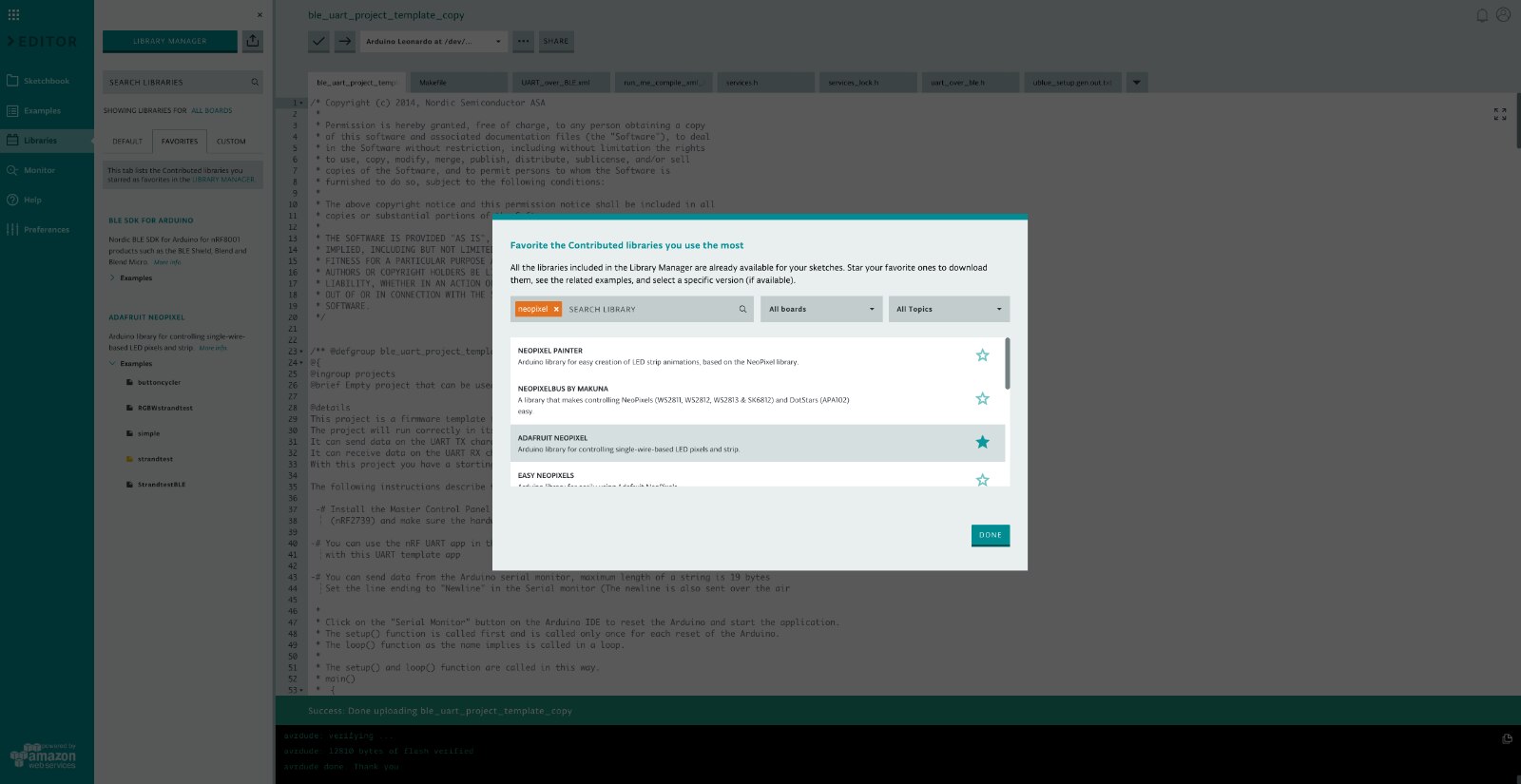
In the Arduino online editor, I searched for Adafruit's NeoPixel library and loaded the strandtest example to test my LED strip.
image


Circuit


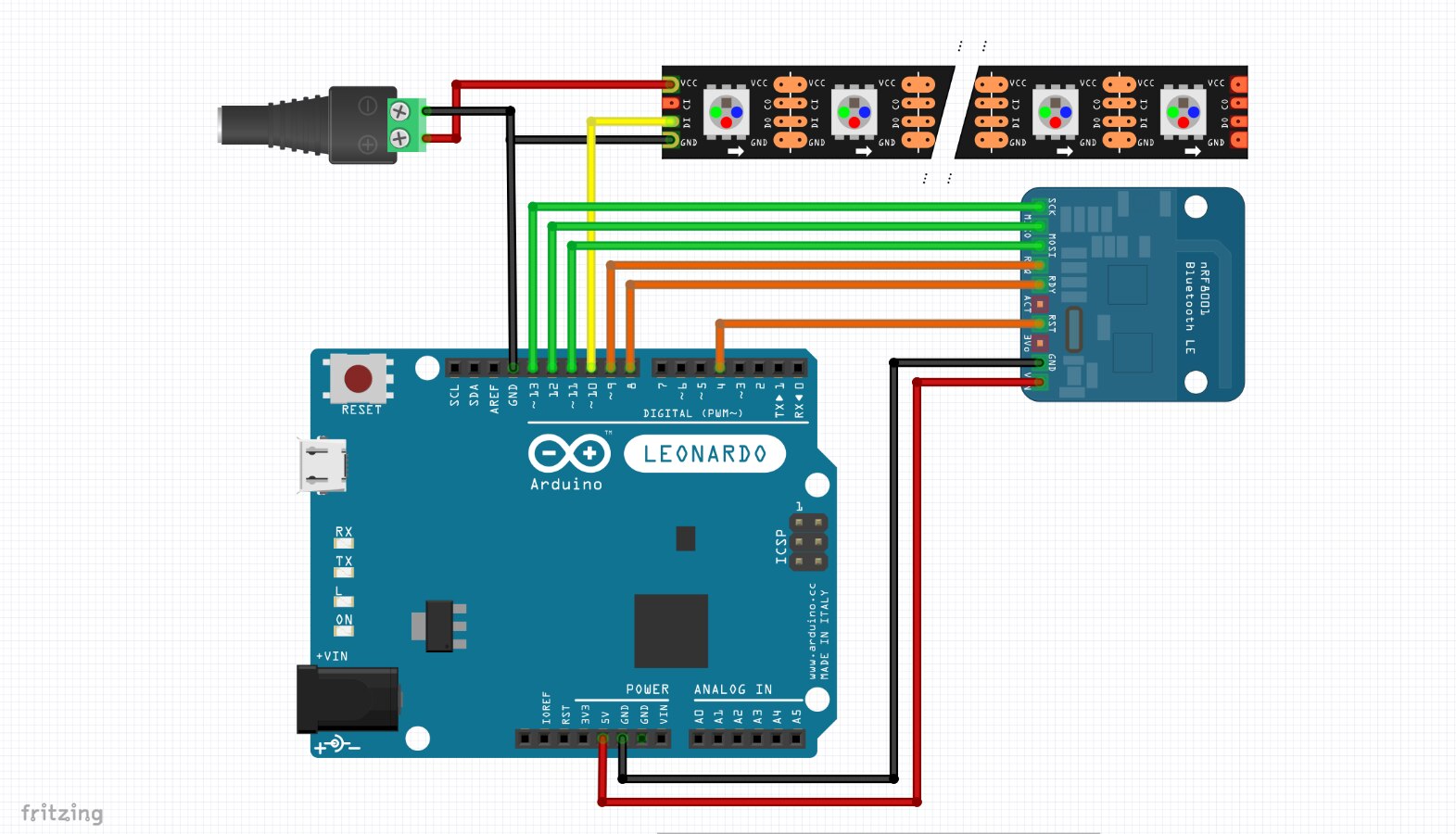
I've created a generic circuit diagram, including the BLE module, using a combination of the RedBear's onboard wiring and Adafruit's nRF8001 wiring guide.
image


The Arduino is currently powered by the microUSB input, as it is still connected for programming. Once the programming is done, the Arduino will be powered from the same power source as the LED strip.


Test


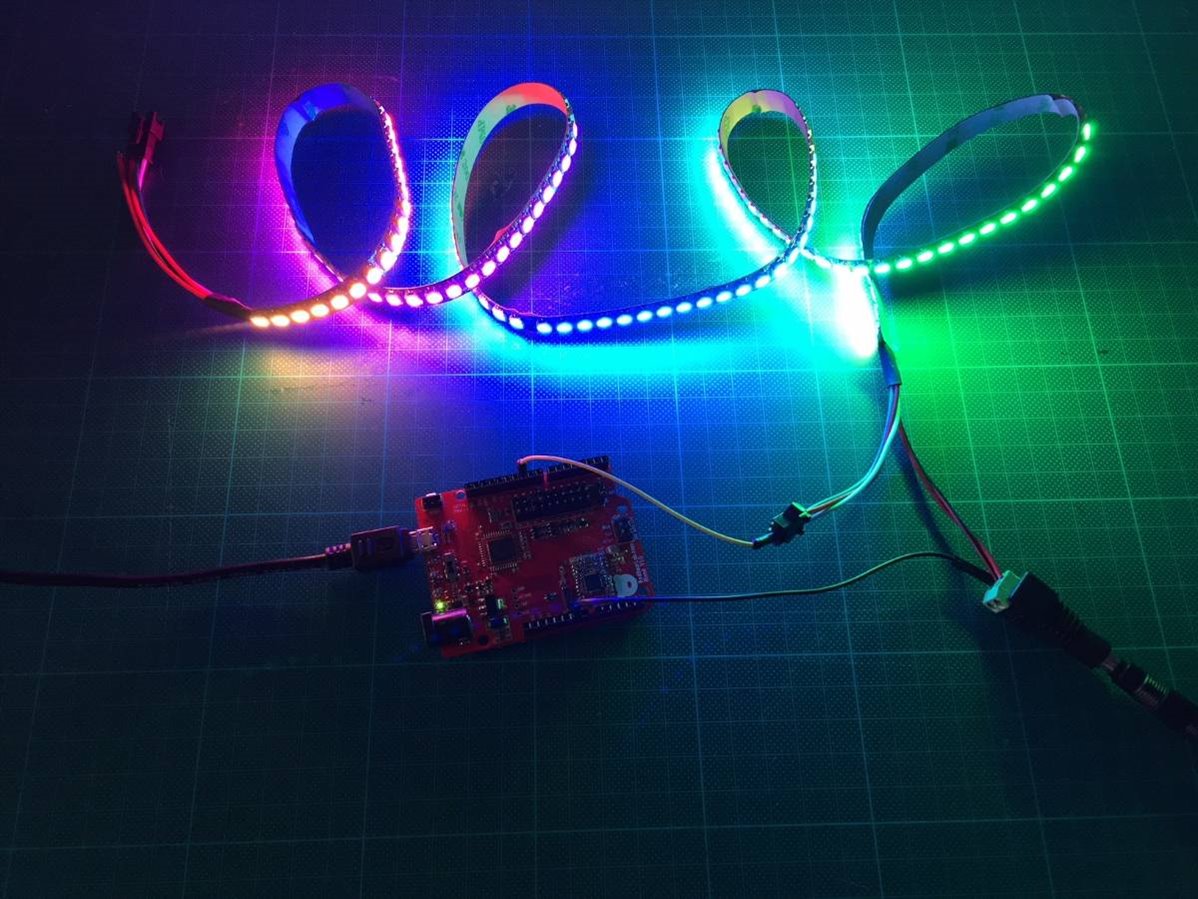
To test my LED strip, I loaded the "strandtest" example and had it run. Luckily, I purchased two strips, as the first one didn't work properly and only lit up 7 of the 150 LEDs.


The second strip worked as expected:
image


BLE + NeoPixel


The next step, was to combine the BLE UART functionality I already had, with the new NeoPixel capability. The general idea is to send characters via BLE UART and trigger different functions for colours and/or animations.


Code


I started merging my "ble_uart_project_template" sketch from last time, with some bits of the "strandtest" example, when I came across a "StrandtestBLE" sketch. Could it be that easy?


I looked at the code, and updated the pin definition to match my setup:

// define pins (varies per shield/board)
#define BLE_REQ   9
#define BLE_RDY   8
#define BLE_RST   4


And sure enough, it worked!


This new sketch reads the incoming characters and triggers functions accordingly. All that's left to do, is implement my own animation functions, link them to the desired characters and we're good to go!


  switch(current_state) {
    case 'a':
      colorWipe(strip.Color(255, 0, 0), 0); // Red
      break;
    case 'b':
      colorWipe(strip.Color(0, 255, 0), 0); // Green
      break;
    case 'c':
      colorWipe(strip.Color(0, 0, 255), 0); // Blue
      break;
    case 'd':
      theaterChase(strip.Color(255, 0, 0), 0); // Red
      break;
    case 'e':
      theaterChase(strip.Color(0, 255, 0), 0); // Green
      break;
    case 'f':
      theaterChase(strip.Color(255, 0, 255), 0); // Green
      break;
    case 'g':
      rainbowCycle(20);
      break;
    case 'h':
      rainbow(20);
      break;
    case 'i':
      theaterChaseRainbow(20);
      break;
  }


Test


A quick modification to the switch case to have some meaningful characters:

  • o: off
  • r: red
  • g: green
  • b: blue


  switch(current_state) {
    case 'o':
      colorWipe(strip.Color(0, 0, 0), 0); // Off
      break;
    case 'r':
      colorWipe(strip.Color(255, 0, 0), 0); // Red
      break;
    case 'g':
      colorWipe(strip.Color(0, 255, 0), 0); // Green
      break;
    case 'b':
      colorWipe(strip.Color(0, 0, 255), 0); // Blue
      break;
  }


Here's the result:

You don't have permission to edit metadata of this video.
Edit media
x
image
Upload Preview
image


Repository


I've created a gist to store my code in. This will be updated regularly to contain the latest version of the code.


Felo'fact


Last time, I explained that Felo'melorn has multiple appearances, but that's not all ...

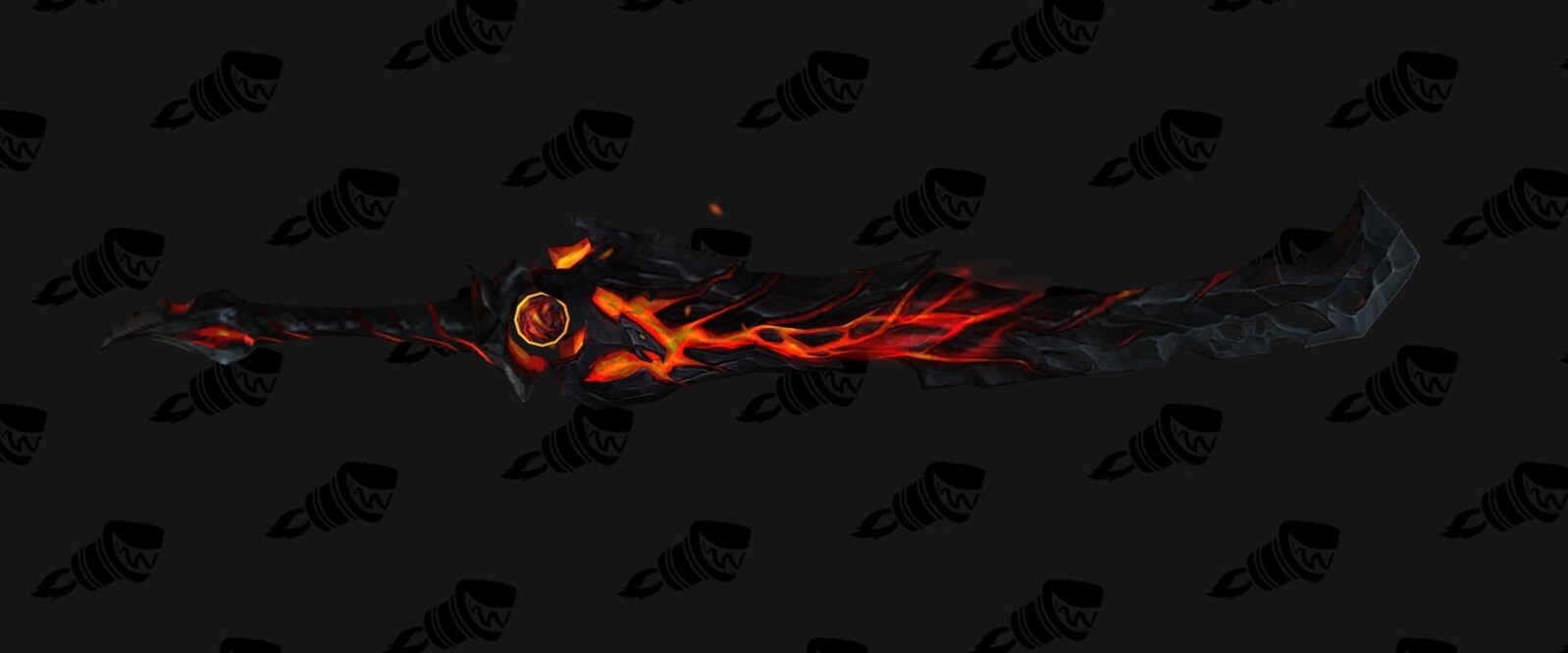
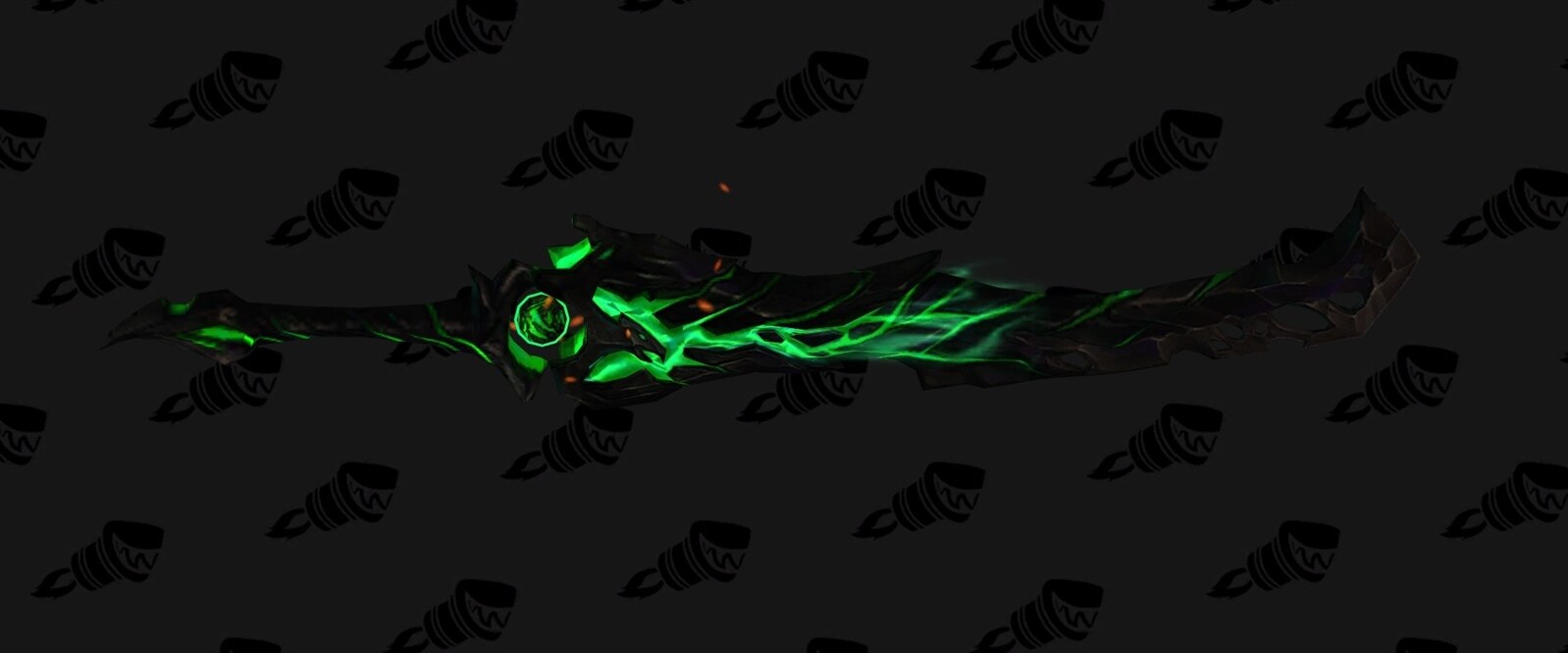
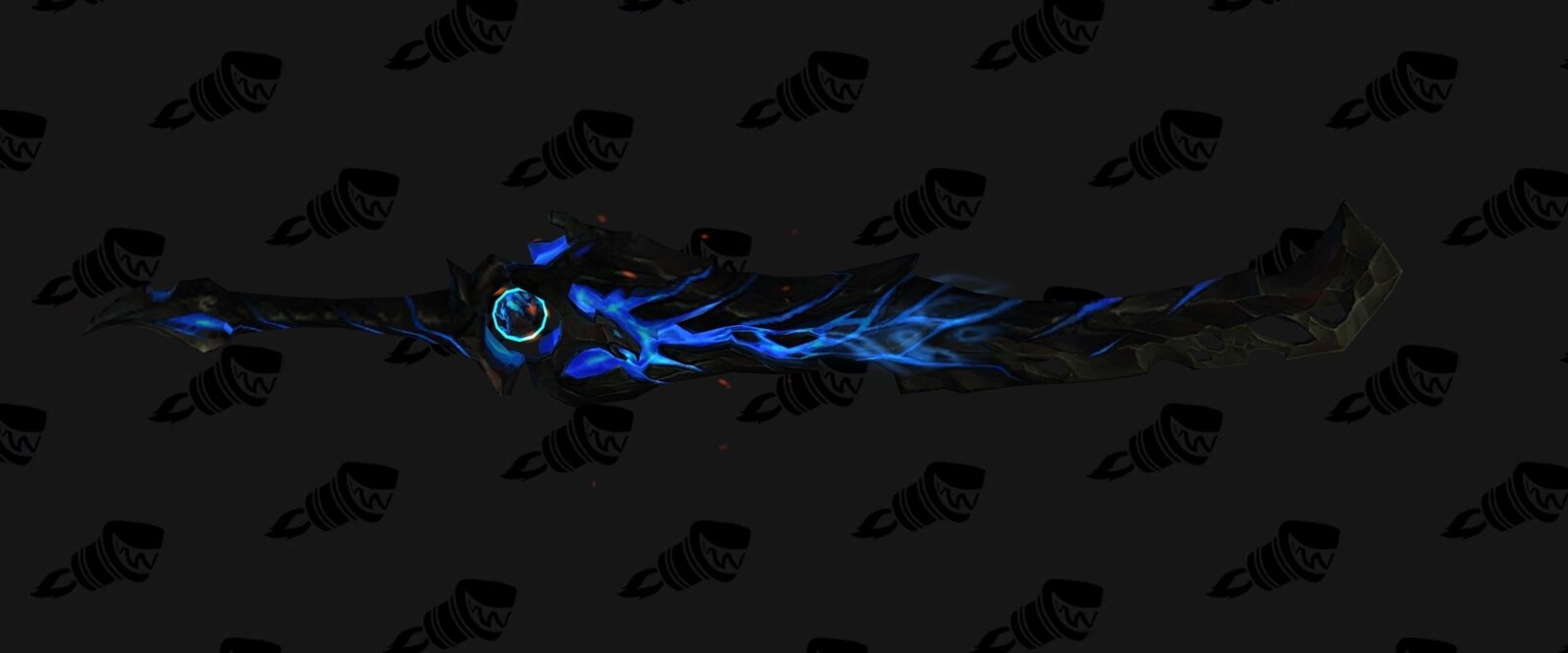
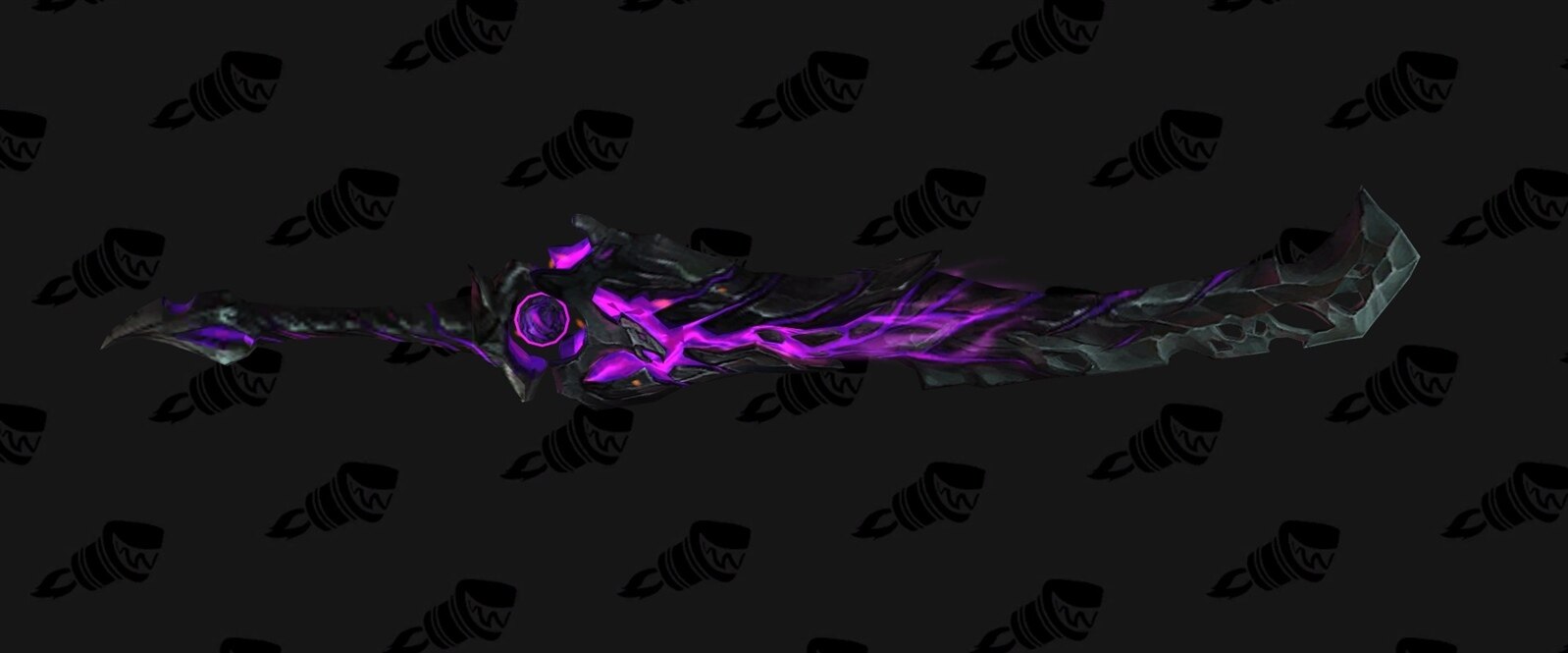
Though purely cosmetic, Felo'melorn has four distinct colour variations.


Have a look:


{gallery} My Gallery Title

image

image

image

image

source: wowhead

  • Sign in to reply

Top Comments

  • DAB
    DAB over 7 years ago +3
    Nice update. DAB
  • genebren
    genebren over 7 years ago +2
    Nice update on your design challenge project. Keep up the good work. Gene
  • mcb1
    mcb1 over 7 years ago +1
    Shame when work gets in the way of your hobby ... Adafruit recommend a capacitor across the supply line to the neoPixels. I found that without it, it did strange things to an ultrasonic detector, but once…
  • aspork42
    aspork42 over 7 years ago

    Great update - you've got the basics pretty much all running it seems! You can start really dialing things in now and start working on the 3D model. Can't wait to see the final result!

    • Cancel
    • Vote Up +1 Vote Down
    • Sign in to reply
    • More
    • Cancel
  • mcb1
    mcb1 over 7 years ago

    Shame when work gets in the way of your hobby ... image


    Adafruit recommend a capacitor across the supply line to the neoPixels.

    I found that without it, it did strange things to an ultrasonic detector, but once added it all came right.


    Cheers

    Mark

    • Cancel
    • Vote Up +1 Vote Down
    • Sign in to reply
    • More
    • Cancel
  • DAB
    DAB over 7 years ago

    Nice update.


    DAB

    • Cancel
    • Vote Up +3 Vote Down
    • Sign in to reply
    • More
    • Cancel
  • genebren
    genebren over 7 years ago

    Nice update on your design challenge project.

    Keep up the good work.

    Gene

    • Cancel
    • Vote Up +2 Vote Down
    • Sign in to reply
    • More
    • Cancel
element14 Community

element14 is the first online community specifically for engineers. Connect with your peers and get expert answers to your questions.

  • Members
  • Learn
  • Technologies
  • Challenges & Projects
  • Products
  • Store
  • About Us
  • Feedback & Support
  • FAQs
  • Terms of Use
  • Privacy Policy
  • Legal and Copyright Notices
  • Sitemap
  • Cookies

An Avnet Company © 2025 Premier Farnell Limited. All Rights Reserved.

Premier Farnell Ltd, registered in England and Wales (no 00876412), registered office: Farnell House, Forge Lane, Leeds LS12 2NE.

ICP 备案号 10220084.

Follow element14

  • X
  • Facebook
  • linkedin
  • YouTube