


In my previous blog, I showed what the local console messages look like when the AWS demo application has been successfully run on the PSoC 6 WiFi-BT Pioneer Kit. How can you quickly prove that the transmitted messages have actually arrived on AWS server?
Here's what you need to do. We can use AWS IoT's quick test capability as shown below. Browse to AWS IoT Test tab, click on Subscribe to a topic tab and type iotdemo/topic/1 as a Subscription topic, then click Subscribe to topic button. As described in Getting Started with Amazon FreeRTOS and PSoC62 + 43xxx, the AWS demo application "publishes messages on four different topics (iotdemo/topic/n, where n=1 to 4) and subscribes to all those topics to receive the same messages back."
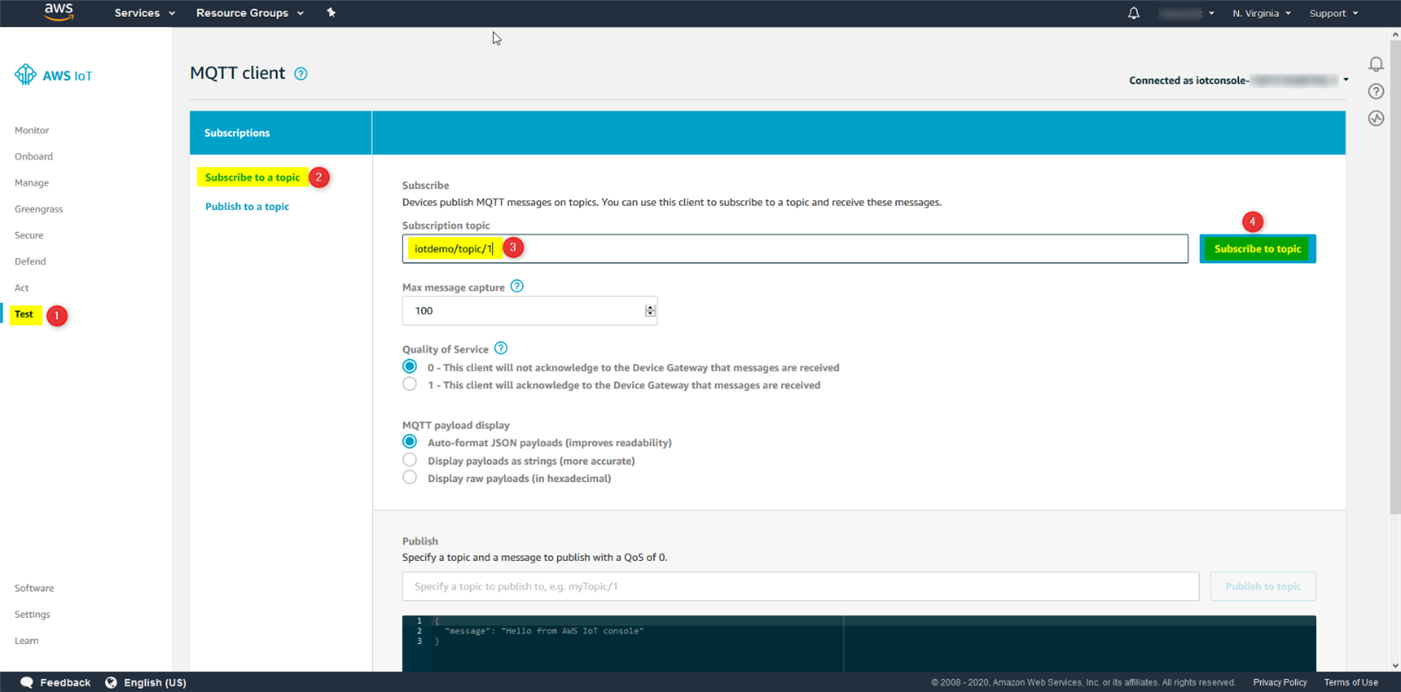
Repeat the above steps to subscribe to topic 2 to 4. After you subscribe all four topics described above, your screen should look like this screenshot.

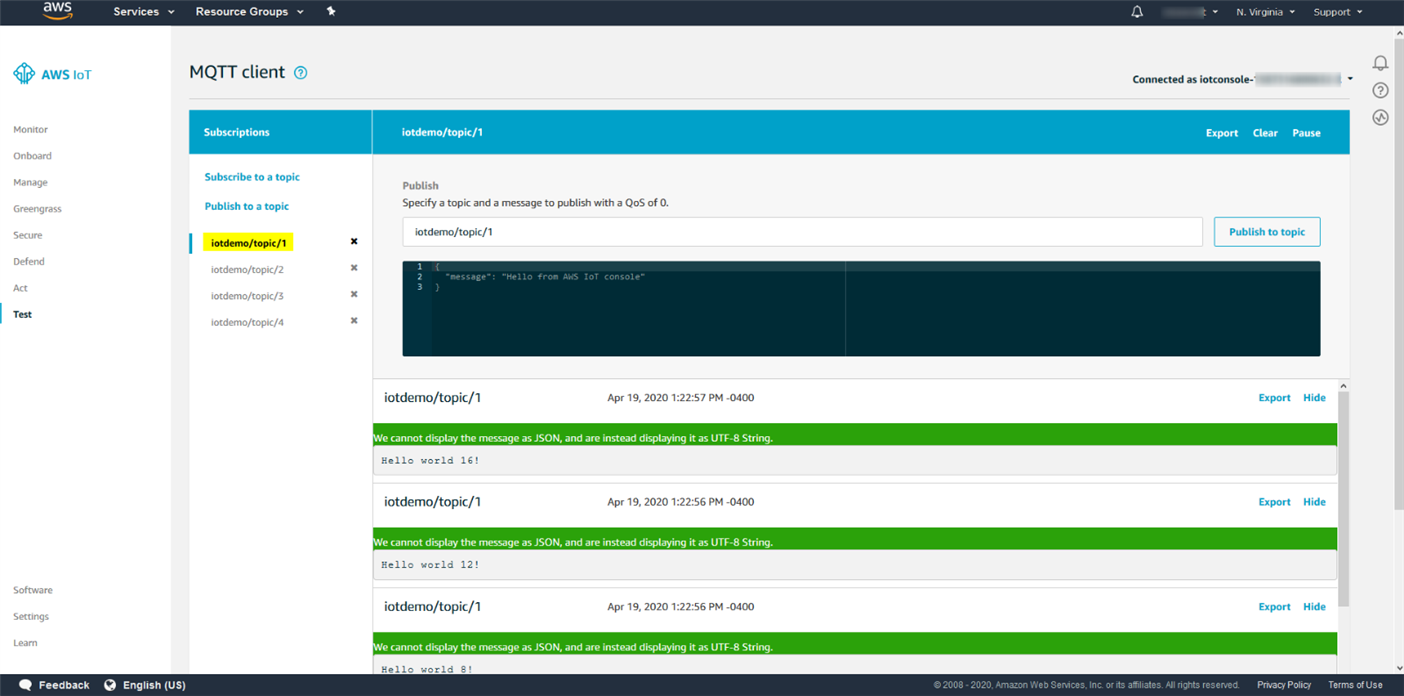
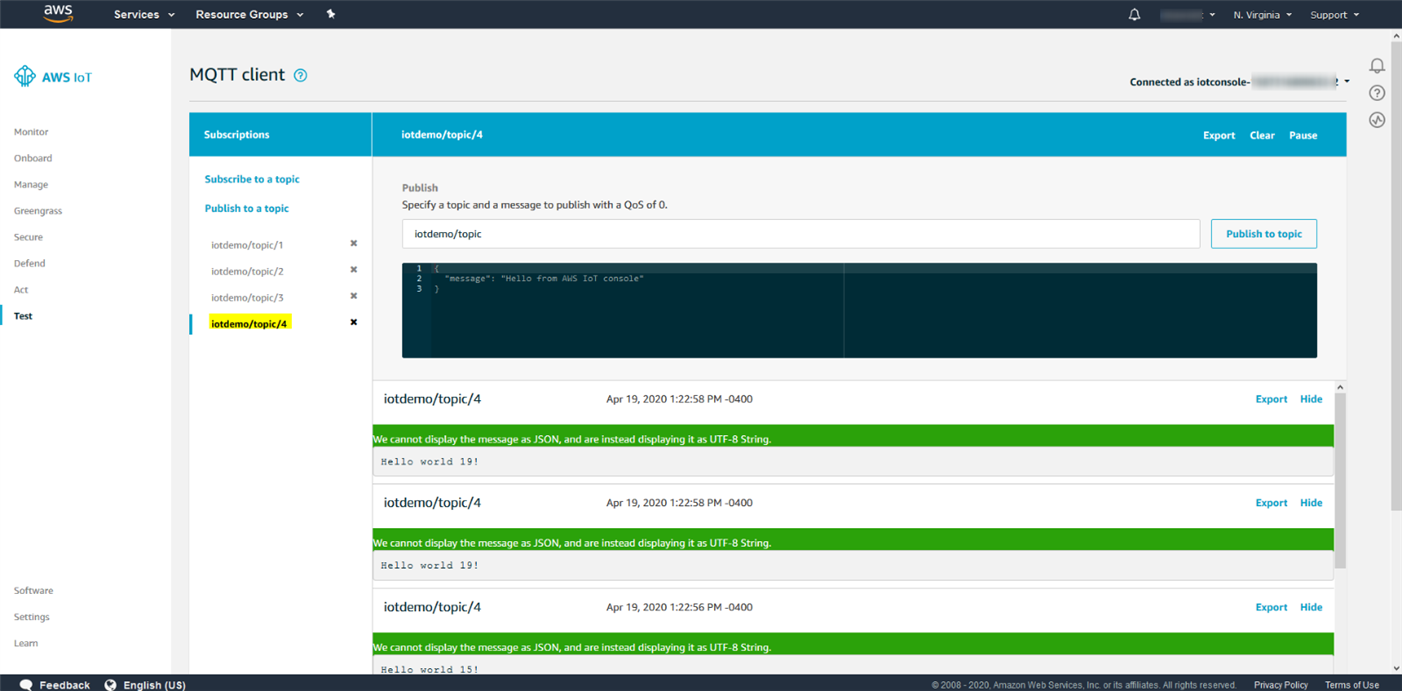
Now, you can power up your pioneer kit board. After a few seconds, you should see some messages shown on each topic (topic 1 to 4) you subscribed before. Here's two example screenshots showing the messages have arrived on the AWS server.
At this point, I feel confident that I have got the demo application run successfully. I am ready to set up some events and notifications. I will blog the SNS service setup in my next blog.