


Working for framework of RTOS threading
Introduction
In order to send of data without blocking and improve the smooth of user interface and background monitoring/tracking, the system required running under thread control provided by Mbed RTOS library.
Challenge of running multi-threading under small embedded
Currently, the mobile phone platform included sufficient few giga byte memory and powerful CPU with good graphic display chips.
Unfortunately, as require very low cost for anywhere and power consumption for long running hours, as currently Android and IOS UI provided data driven which the UI automatically change the behaviour when data changed, the IOT or embedded project mostly without those delicious dishes.
Our devices for this challenge only have 288K SRAM and 1MB memory, we require carefully handle of memory included the stack/heap under old school style, you know every inch of memory usage, compare as modern mobile app which can run hundred thread in a time, the embedded mostly only with few.
Mbed RTOS
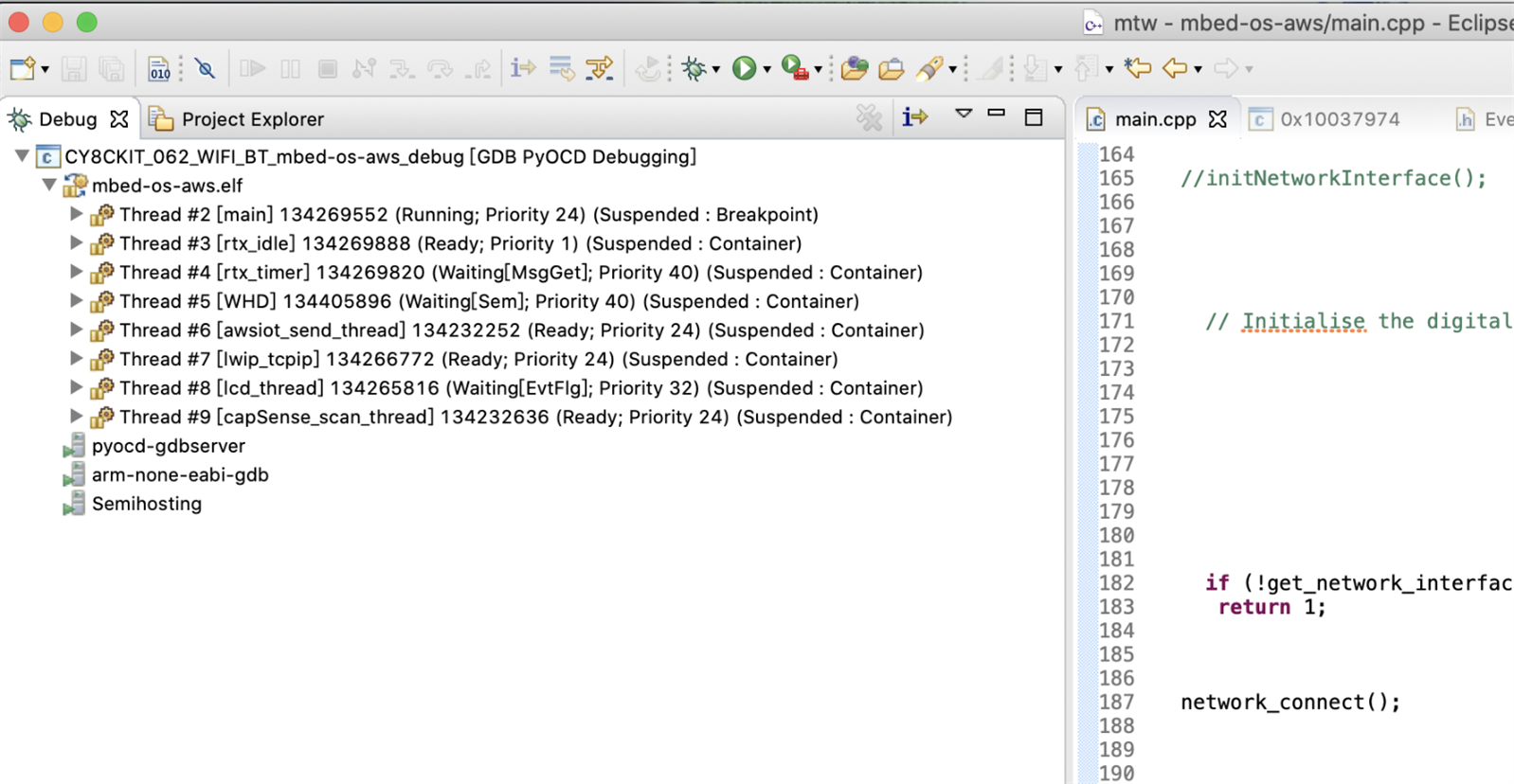
Mbed included a well threading managing under RTOS which simplified our work. The system create server thread such as rtx_idle/rtx_timer. The WIFI driver and Network Interface also create their threading.
The main thread is the start thread of the Mbed program.
Our program create additional threads for:
1. CapSense - scan cypress CapSense touch buttons/sllider every 20ms control by EventQueue capsense_queue run under capsense_thread
2. AWSIOT - run every 2 second control by awsiot_queue run under awsiot_thread, for send the data to the AWS server.
3. LCD - The lcd_queue wait task for update LCD Display with size 16, and rejected additional task if more that 16 drawing jobs waiting.
Capsense
By reference of Cypress example of https://github.com/cypresssemiconductorco/mbed-os-example-capsense and use of capsense-configurator is easy of enable of Touch buttons and sliders.
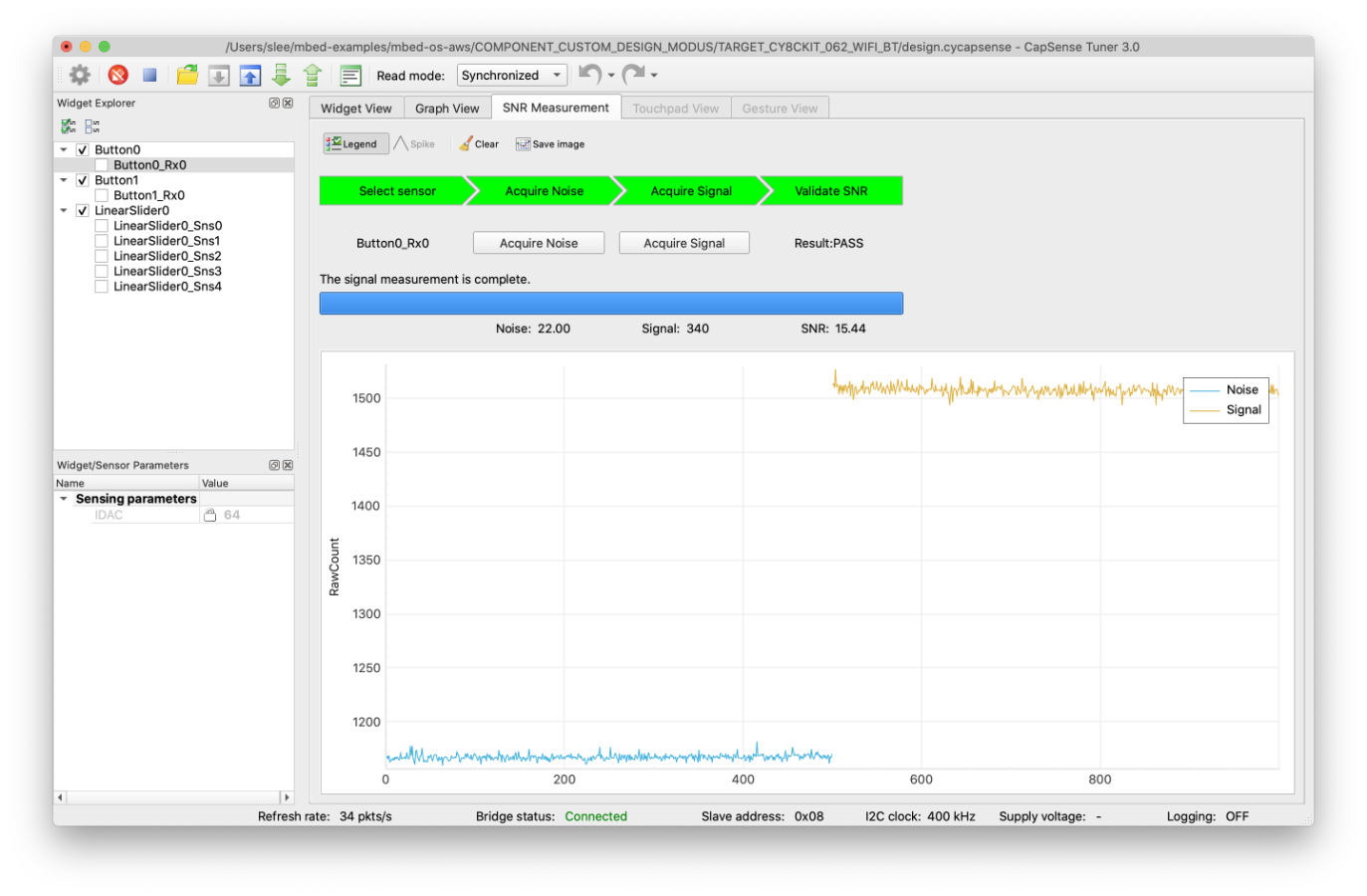
The CapSense Tuner also is helpful for troubleshooting and validate the touch function.
Send to AWS IOT
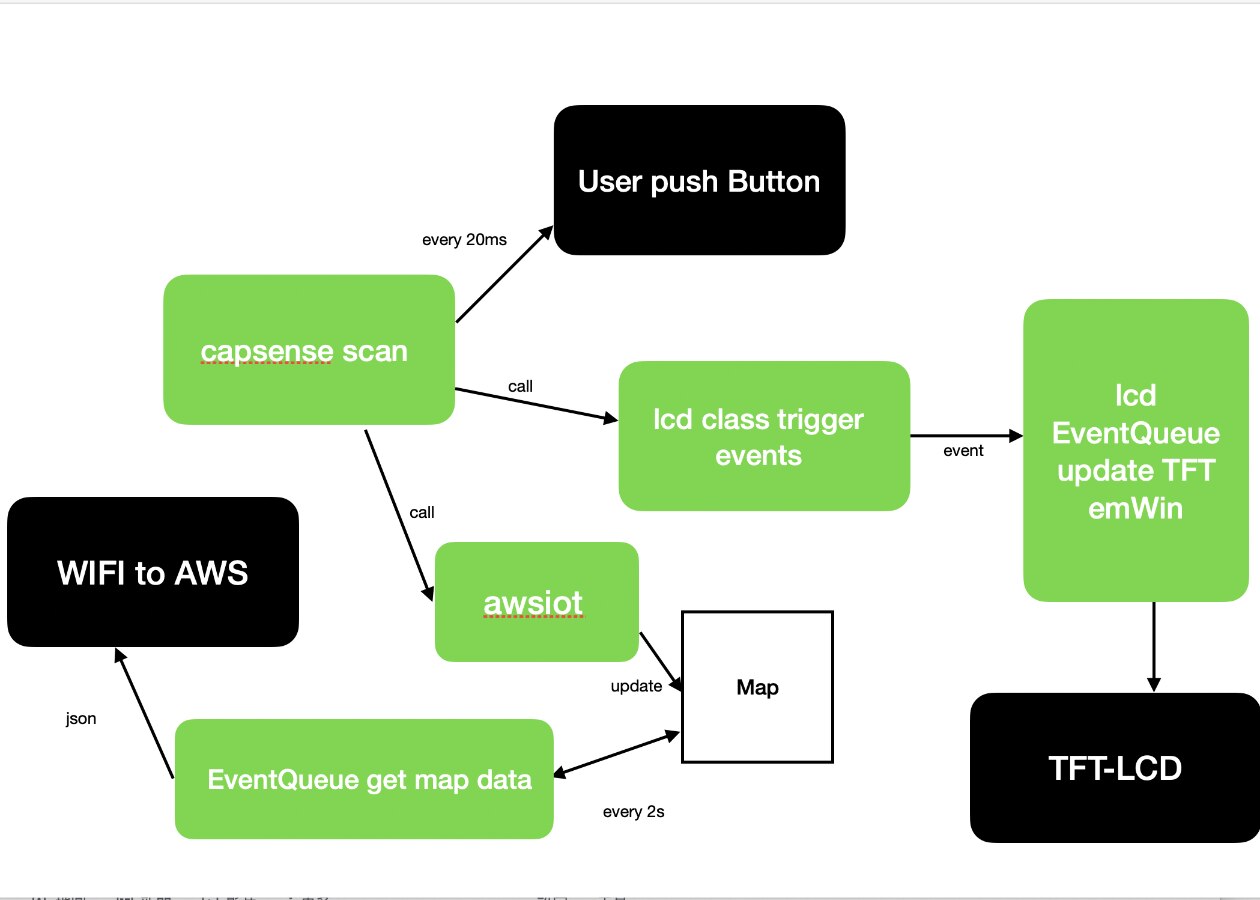
The process from User pushed to AWS is:
1. User push button
2. capsense scan every 20ms
3. lcd_ui received capsense call and build event tasks for update lcd
4. lcd EventQueue work jobs based on FIFO, however some tasks will run by delay such as clear text after one seconds for the short notifications.
5. awsiot received capsense call and write key and value to a c++ map.
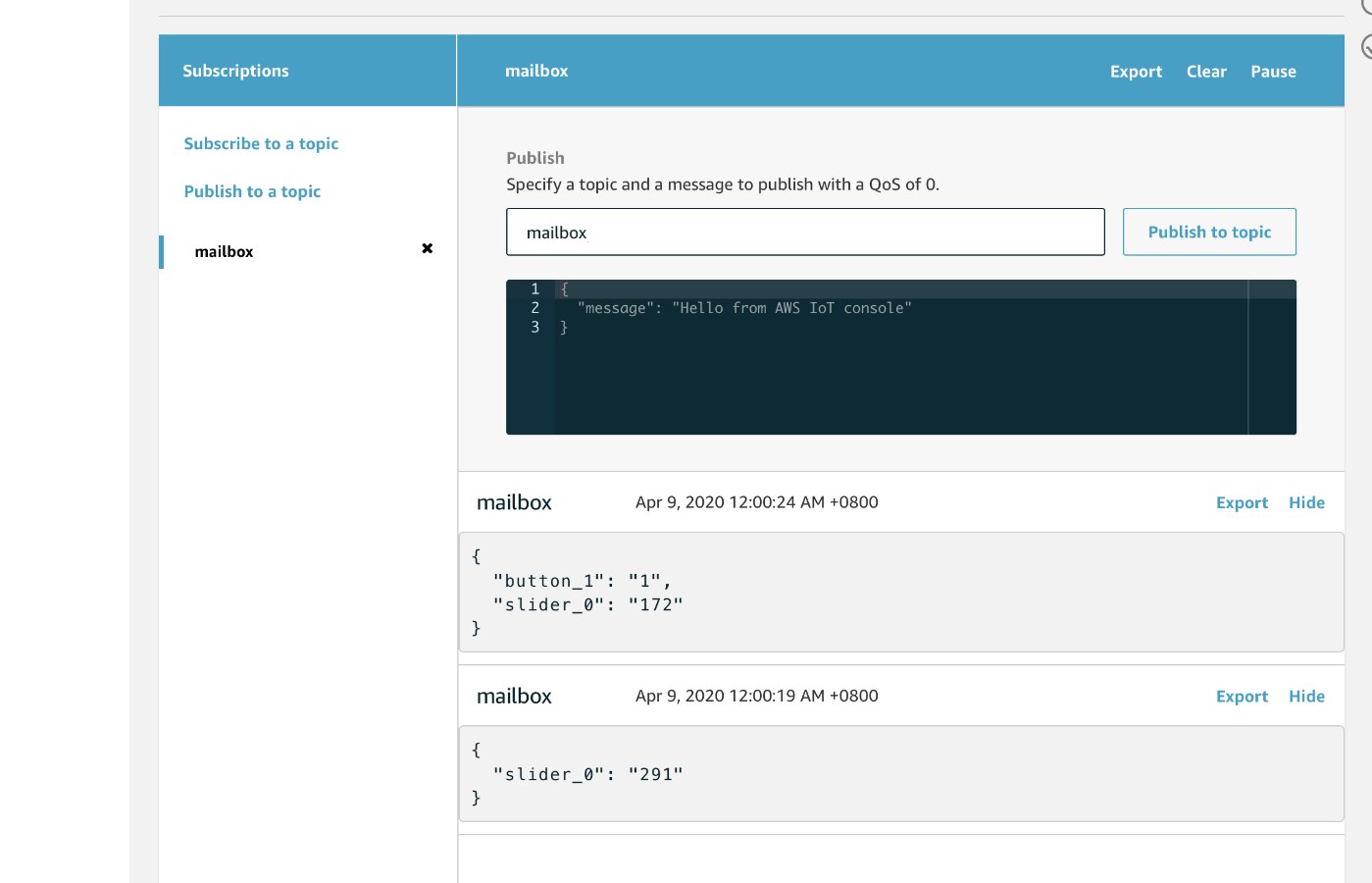
6. awsiot EventQueue read the map every two seconds, if the map empty, the event close immediately, otherwise the event build json string and publish to AWS cloud.
finally clear the map
Code
Our gitHub content the source code of this example.
1. Install mbed cli
2. Clone the source code and to this directory
3. mbed config root .
4. mbed deploy
5. update the aws_config.h for AWS cert and endpoint, update network.h for WIFI SSID and password.
6. mbed compile -t GCC_ARM -m CY8CKIT_062_WIFI_BT -f --sterm
https://github.com/sicreative/mbed-aws-capsense-demo/
WIFI Driver issue under Mbed
Be notice, by reference of latest PSOC6 library, the Mbed
mbed-os/targets/TARGET_Cypress/TARGET_PSOC6/TARGET_CY8CKIT_062_WIFI_BT/SDIO_HOST/SDIO_HOST.c
may require update to following content to solve the problem of WIFI cannot be startup when boot.
void SDIO_SetSdClkFrequency(uint32_t u32SdClkFreqHz)
{
    uint16_t u16Div;
    /*
     * The UDB SDIO implemenation has a extra divider internally that divides the input clock to the UDB
     * by 2. The desired clock frequency is hence intentionally multiplied by 2 in order to get the required
     * SDIO operating frequency.
     */
    u16Div = Cy_SysClk_ClkPeriGetFrequency() / (2 * u32SdClkFreqHz);
    Cy_SysClk_PeriphSetDivider(SDIO_HOST_Internal_Clock_DIV_TYPE, SDIO_HOST_Internal_Clock_DIV_NUM, (u16Div-1));
}
Next
Work for IOS APP for communicated between IOS and Pioneer kits though AWS cloud.