


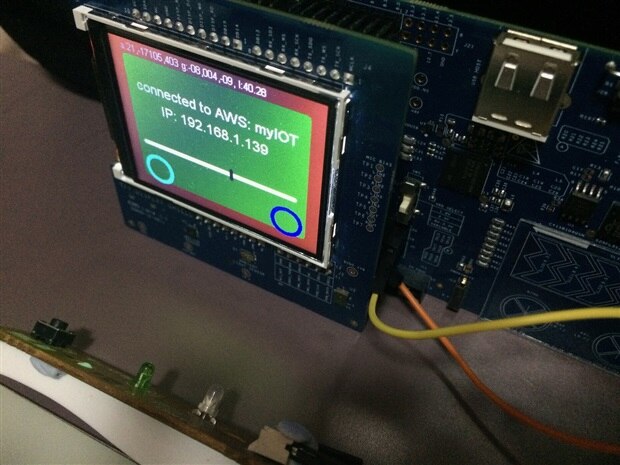
We are working on sense the mail inside the mailbox, In Pioneer kits TFT shield, we have a motion sensor and a Ambient Light Sensor, we could like to use those to sense the mail, so no additional sensor need to use.
BMI160
The BMI160 is connected to PSOC6 though I2C, the https://github.com/cypresssemiconductorco/CY8CKIT-028-TFT git see no support with this currently, we could like to make it work under Mbed, the Bosch provide open source driver, so porting in the Mbed is not very hard
1. Under Mbed project root, add the BMI160 library from Borch
mbed add https://github.com/BoschSensortec/BMI160_driver
2, mbed deploy
3. Add global I2C item:
I2C i2c(P6_1 , P6_0 );
4.Build relative read/wirte function connect between BMI160 driver and Mbed I2C
voidhw_bmi160_delay(uint32_t period){
wait_us(period*1000);
}
int8_t hw_bmi160_read(uint8_t dev_addr, uint8_t reg_addr, uint8_t *data, uint16_t len){
i2c.write(dev_addr,(char*)®_addr,1);
return i2c.read(dev_addr,(char*)data,len);
}
int8_t hw_bmi160_write(uint8_t dev_addr, uint8_t reg_addr, uint8_t *data, uint16_t len){
char writedata[len+1];
writedata[0]= reg_addr;
for(int i=0;i<len;i++)
writedata[i+1]=data[i];
return i2c.write(dev_addr,writedata,len+1);
}
assign function pointer as value of those parameters:
sensor.id = BMI160_I2C_ADDR << 1;
  sensor.interface = BMI160_I2C_INTF;
  sensor.read = hw_bmi160_read;
  sensor.write = hw_bmi160_write;


  sensor.delay_ms = hw_bmi160_delay;
Notice that, I2C address under Mbed is 8bit, so need to left shift 1.
other code is similar to Borch documents, so some as https://github.com/BoschSensortec/BMI160_driver , also the sensor attached the INT to P10_2 and P10_3.
The sample reading output is :
a:00211,-17166,00362 g:-02,003,-01
When moving the device will change the Accelerometer value, rotate the device will increase the Gyroscope value.
In my application, we can use this to detect the mailbox is open or close, however, the sensor attached to whole board so hard to install on the mailbox door.
Ambient Light Sensor
The ambient light sensor also no support on current cypress TFT git, however, very easy to enhance the ALS under Mbed.
Add global AnalogIn item:
AnalogIn als(P10_0);
To calcuate the lux value, from schematic we know the sensor is Vishay TEMT6000X01
The collector light current is 10ua under 20lux and 100ua under 50lux, so 0.5ua for 1lux, our supply voltage is 3.3v and connected a 10k resistor between sensor and input, the Mbed provide analog value between 0 to 1 so the voltage is *3.3。
The TFT board use 10k push-down resistor, so it should work well about under 1000lux.
The lux only approximate but good enough our application.
lux = als.read()*3.3*500;
Sense the Mail
We use this ALS to sense the obstruction, such as the mail, based on
https://www.vishay.com/docs/81579/temt6000.pdf
best use of green LED for highest sensitive.
We connected a LED to 13_6 GPIO and set DigitalOut ext_led for this pin.
  hw_read_als();
  float pre_no_ext_led_lux = lux;
  ext_led = 1;
  wait_us(3000);
  hw_read_als();
  float ext_led_lux = lux;
  ext_led = 0;
  wait_us(5000);
  hw_read_als();

  bool prev_hw_with_mail = hw_with_mail;

  if (abs(ext_led_lux-lux)>50 && abs(ext_led_lux-pre_no_ext_led_lux)>5&& abs(pre_no_ext_led_lux-lux)<20)
  hw_with_mail = false;
  else
  hw_with_mail = true;
We use flash approach to detect the mailbox with or without mail
1. We check brightness before flash LED
2. We switch on LED and with 3ms
3. We check brightness
4. We close on LED
5. Recheck brightness after 5ms
If the LED on brightness is higher that 50 of first and last without LED measure, and the first and last without LED measure different less than 20, mean that the mail inside mailbox and obscure the light.
The detect good enough with the mailbox thickness < 7cm.
Connect With AWS IoT
We are enhanced our iOS APP and AWS IoT shadow facility, so that the APP able to received is any mail inside mailbox.
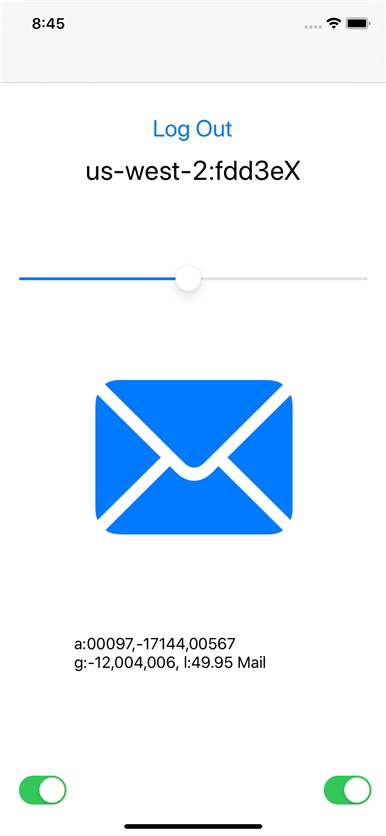
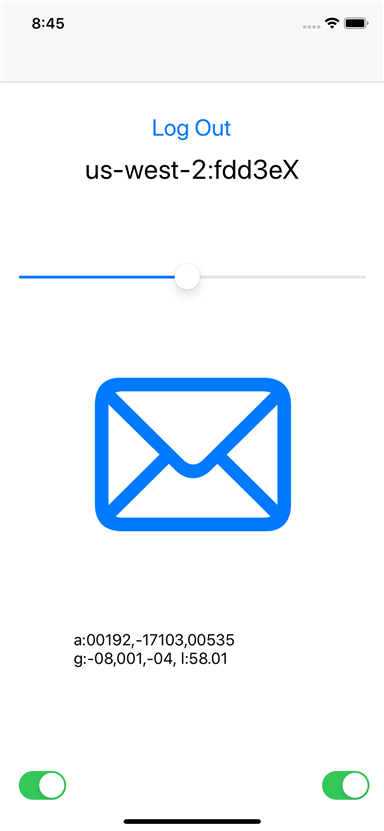
We can also pass the motion sensor data to iOS for additional debug information.
Next
Try use the PDM mic to receive sound for working on the Dog bites detection.