


Prolog
I have measured the power consumption of this detector, that I got recently. Many of you have already checked the energyAware Profiler application from Simplicity Studio and know how to use it, but it is also possible to monitor the power consumption of any of your external applications with the STK, even if your external device does not run EFM32 chip. OK, so maybe not all external applications but the ones that can be power supplied from VMCU domain on STK. Also remember that the maximum measurable current with the AEM and Profiler is 50 mA. I hope this will be helpful to other roadtesters.
Initial Setup
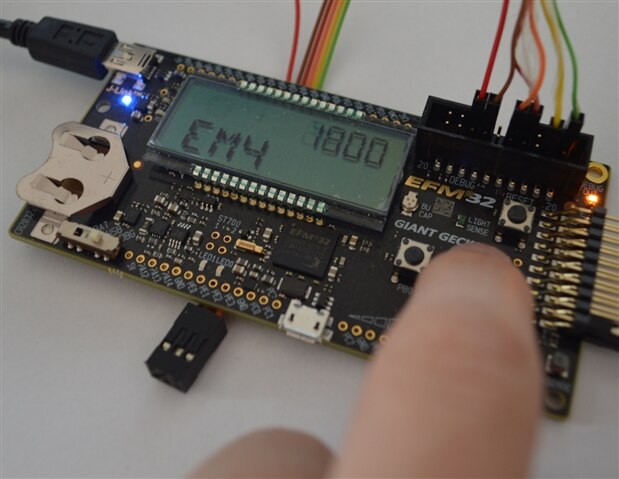
First you have to have your dev or STK board from Energy Micro and Simplicity Studio installed and updated. Since you will be plugging an external device to the VMCU domain pins and measure the power consumption, you need to minimize the current consumption of all components which are on the STK in the VMCU domain, in order to get the most reliable readings for your external device. The greatest VMCU’s current consumer is of course the EFM. So, you have to put it into the best energy saving mode – that is EM4. The quickest way to do that is to flash it with ‘emode demo’ file from Simplicity Studio. After it is programmed and you reset the chip, you will have 4 seconds to set the proper energy mode with user buttons – set the EM4 on the display and wait for the counter to go down from 4000 to 0000 ms. That is it. You are ready to go. You can check the current consumption with the Profiler – it should be on the level of noise, some nAs.
Measurements
I replaced the batteries in my detector with short cables from STK’s EXP port pins – GND (pin 1) and VMCU (pin 2).
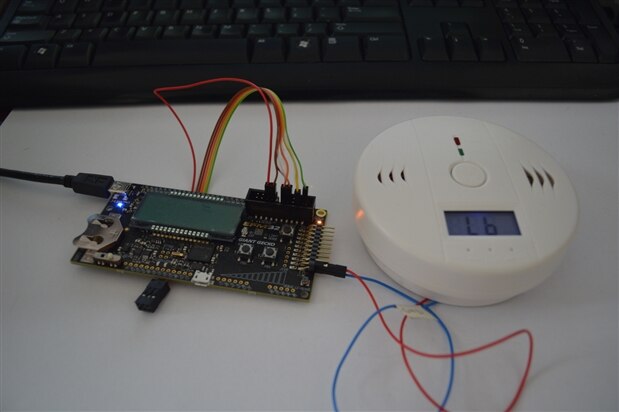
The device started and I saw the current consumption in Profiler … but there was one problem. On the detector’s LCD there was ‘Lb’ sign, meaning that the voltage is too low. I was a little bit surprised, because I had checked the detector with the laboratory power supply, by decreasing the supply voltage from 5 V to 3,2 V and everything was working great on 3,2 V level.
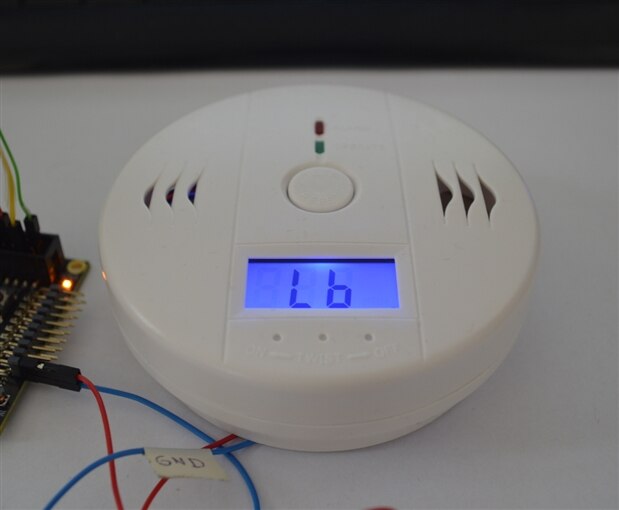
I realized that the detector can work with 3,3 V from VMCU but it cannot start from this voltage level. So, I have started to think how to omit this problem.
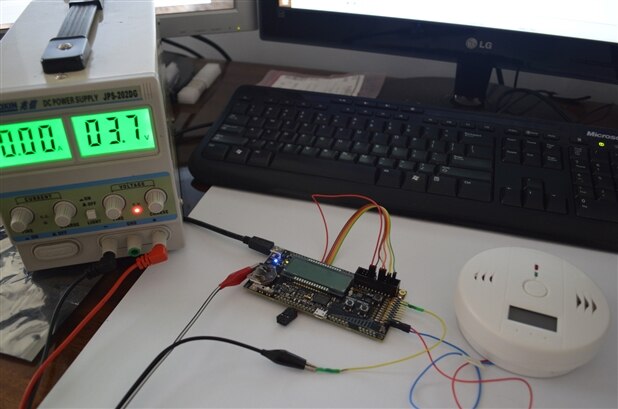
The solution was simple. There is the battery case on the STK and you can select the power source for VMCU with the switch. You can choose if it is battery case, USB or power from debugger (another USB). So, I had connected 3,7 V as the battery, started the detector and quickly changed the position of the switch to DBG to get 3,3 V from USB to the VMCU. Capacitors did the job and now I have the detector working from 3,3 V from VMCU and the Profiler is ready to monitor the power consumption.
The average current consumption is about 500 uA (@3,3 V). There is the periodic peak of current consumption once in the while, when the ‘Operation LED’ blinks. Of course, the power consumption is greater when I test the device, due to the blue backlight of the LCD, but this feature can be disabled … by pliers.
Epilog
I have checked that the program which is run on the EFM32 when testing the harvester (the one that displays temperature) is using about 2 mA (@3,3 V). That is 4 times more that my detector. In conclusion, I believe that with TEGs (not one, but 3-4 connected in series) I will be able to provide and store in a supercap enough energy to run this detector without batteries. Why more than one TEG? The difference between the wall temperature and the ambient temperature is much less that the difference between the ambient and hand temperature. Thus, I would need couple TEG connected in series to get the harvester started (it needs minimum of 20 mV) and to provide enough energy.
If you have some questions about my project or about monitoring the power consumption of your external application, please ask in the comments.
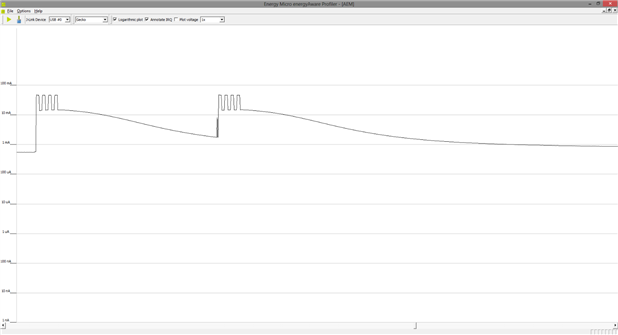
Profiler plot - just after the test button push.
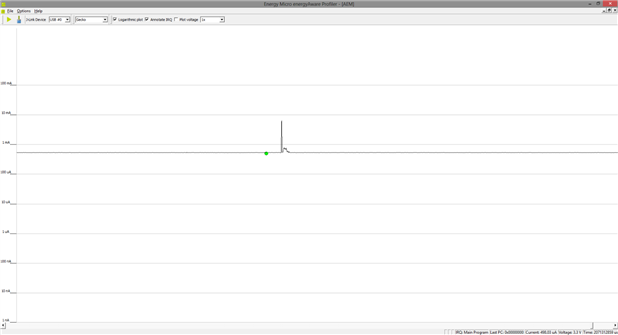
Profiler plot - continous work with current peak when the ‘Operation LED’ blinks.


