Introduction
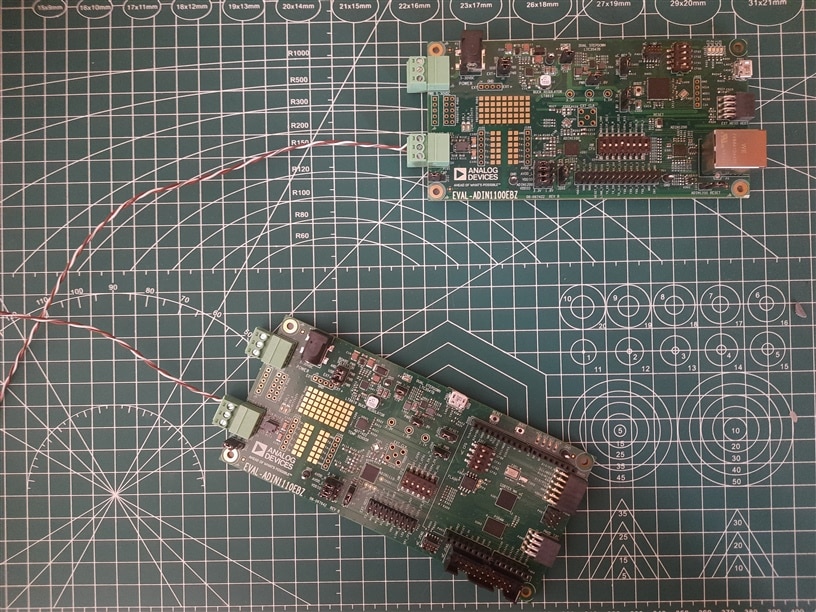
After spending a good amount of time going through the hardware documentation, I finally got to do some real hardware testing! I'm pretty new to this Single Pair Ethernet stuff and was really excited to see how it actually works in practice. So I set up a simple test setup(as shown below) to experiment with it.
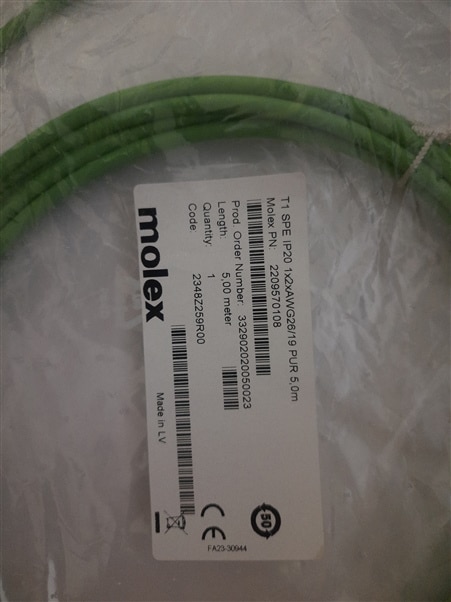
I've used the Molex's Shielded Twisted pair T1 Industrial Single-Pair Ethernet Cable ( 5 meters in length )
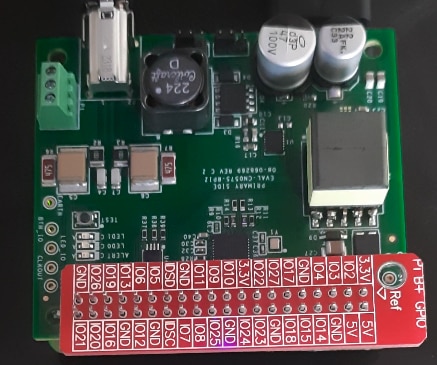
for for this test between the EVAL-CN0575-RPIZ
and the EVAL-ADIN1100EBZ (but I'm curious how the bare twisted pair would fair against it! I'll test both and post a comparison later.)
Setting up the Kuiper Linux Raspberry Pi Zero 2W
I used Kuiper Linux for this project. If you haven't heard of it, it's basically a Debian (the Bookworm variant as per the latest Kuiper image available) that Analog Devices put together specifically for their hardware. It comes with all the ADI libraries and tools already installed and configured, which saved me a ton of time.

Instead of hunting down and installing a bunch of different software components one by one, everything you need is already there and ready to go. I just flashed the image and was up and running.

It works great with the Raspberry Pi Zero 2W, even though it has less RAM compared to the other Pi variants which got ridiculously expensive due to the LPDDR4 memory shortages.
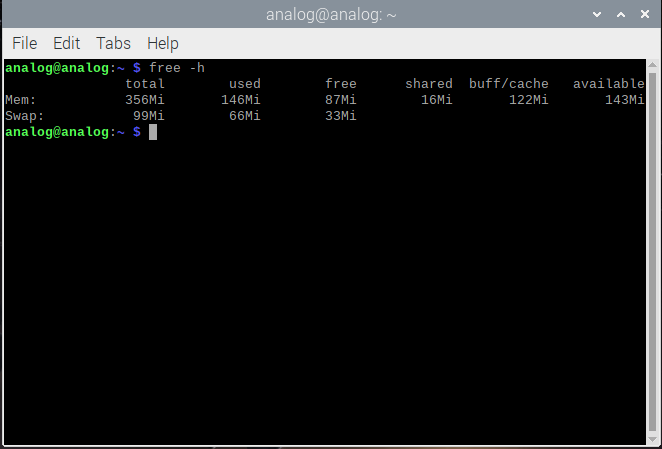
Here's the guide for the connecting and configuring the Pi for the CN0575 hardware. Just flashing the image and adding the "dtoverlay=rpi-cn0575" to the config.txt file and then rebooting the Pi makes it SPE ready, quite simple and quick! I've also increased the memory for the GPU since I'll be connecting Pi Zero 2W to a monitor and using the Desktop GUI for testing.

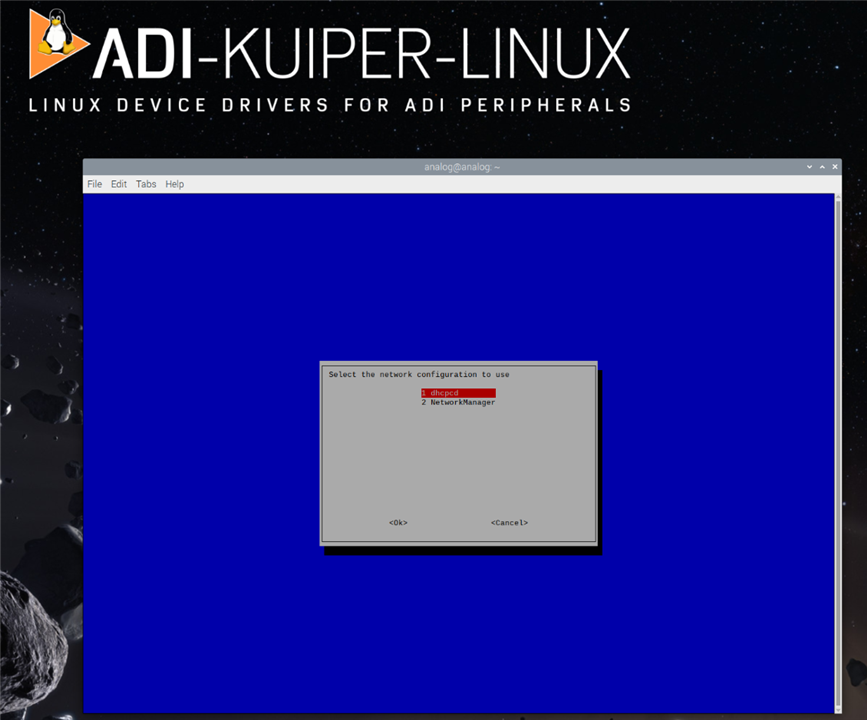
Another interesting feature is that the Kuiper Linux uses the network configuration as dhcpcd (pre-config'd for the analog devices hardware) instead of the Network manager. so you can't access the wireless networks without switching to the NetworkManager ( that might require some additional config when you want to use the AD's hardware over the network) which is enabled by default in the Raspberry Pi OS (BTW, Bluetooth works).
Then, I attached the CN0575 to the Pi Zero 2W's 40 Pin GPIO headers, just like any other RPi HATs and connected all the required cables to it.
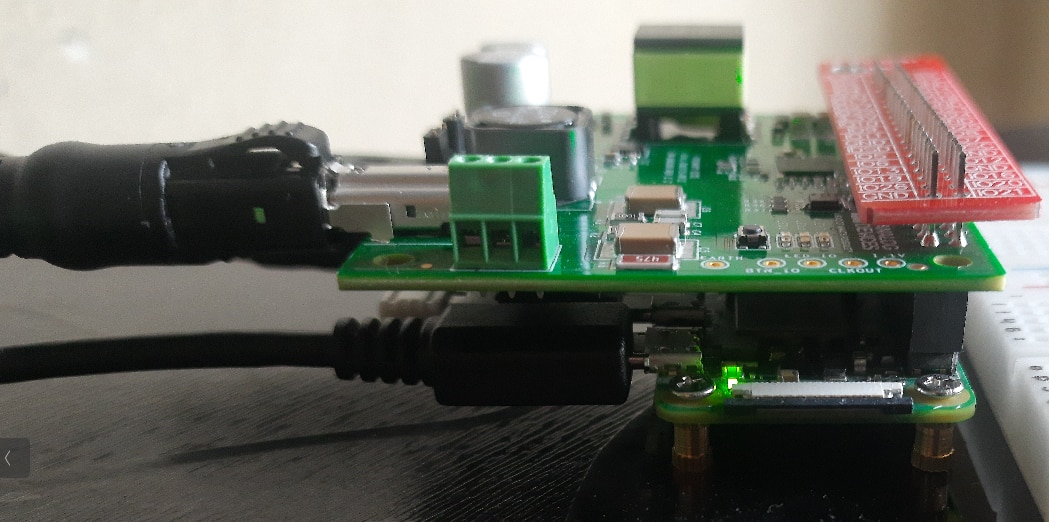
Adapter for connecting the Molex's SPE STP Cable and Screw Terminals
I've used Molex's horizontal SPE jack i.e the 220957-0001
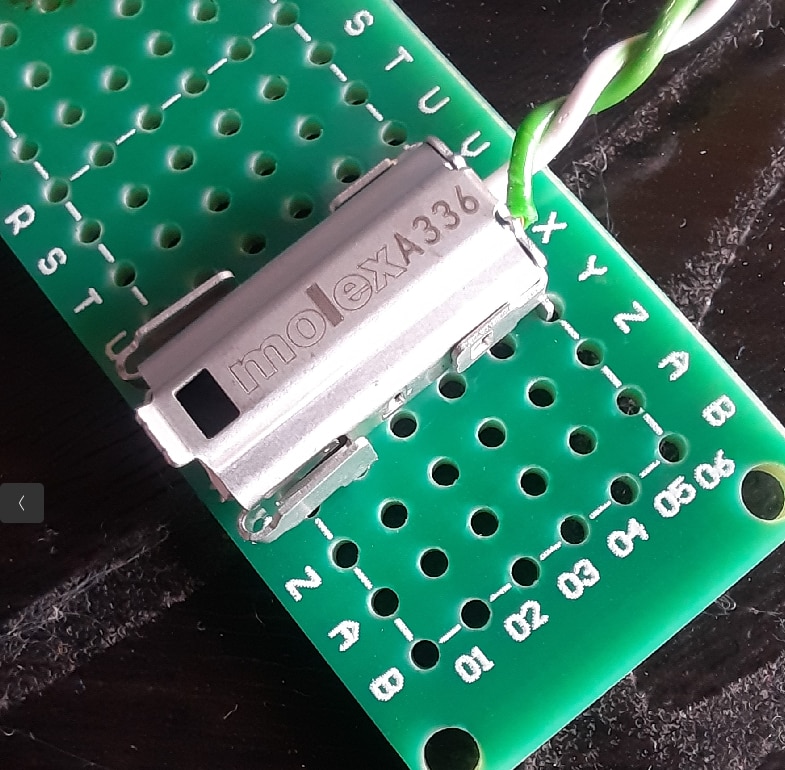
for making an adapter to connect the screw pin headers with the Molex's SPE STP cable

Oh, and I took some care to properly twist the wires I used as it'll be like a proper twisted pair, got them from a CAT6 cable I had sitting around (stripping the insulation was way harder than I expected!). I went with the green pair since it matched the Molex cables and the Perf-Board, so everything looked nice.
Testing the Single Pair Ethernet Network using the Molex STP SPE Cable
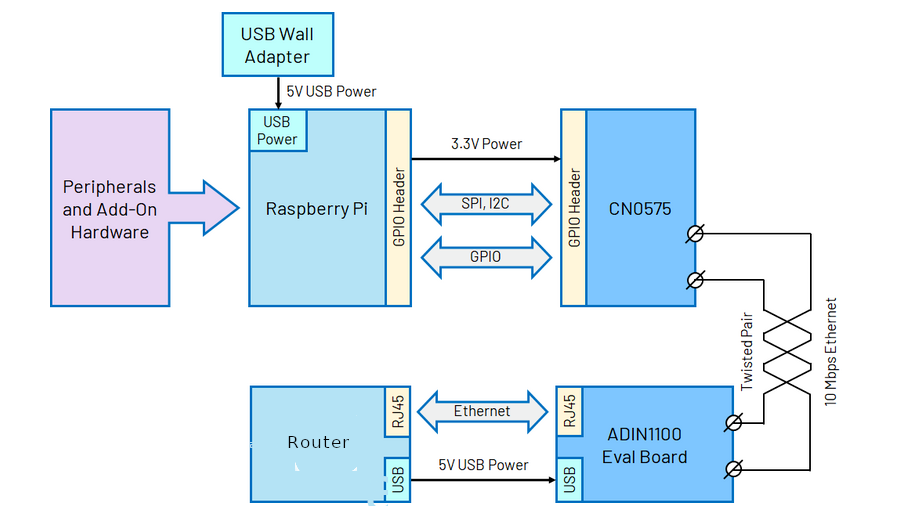
My test setup uses three main devices to evaluate the 10BASE-T1L performance. I have a Raspberry Pi 4 connected to my router over WiFi, which serves as my testing client.
The router also has an ADIN1100 board connected to it via standard Ethernet, this acts as one end of my Single Pair Ethernet link.
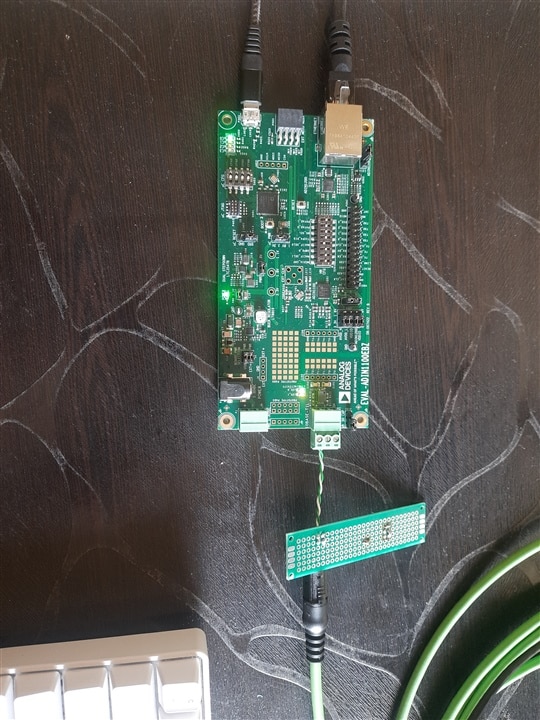
On the other end, I'm using a CN0575 evaluation board with a Raspberry Pi Zero 2W,
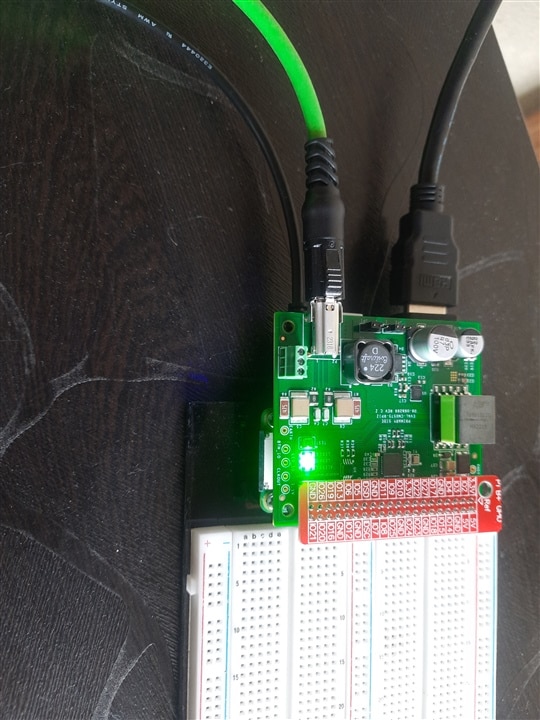
which connects to the ADIN1100 through the Molex's STP SPE cable.The CN0575 has the ADIN1110 on it,
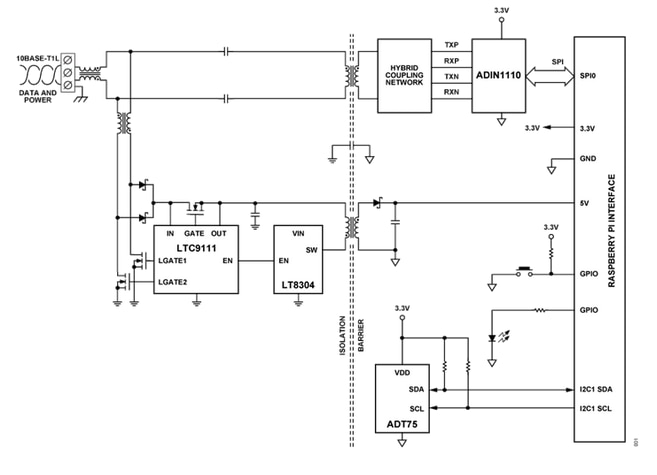
which receives the 10BASE-T1L signals and passes the data to the Pi Zero 2W via SPI interface.
I've did a basic ping test to check the internet connection via the 10BASE T1L SPE ,
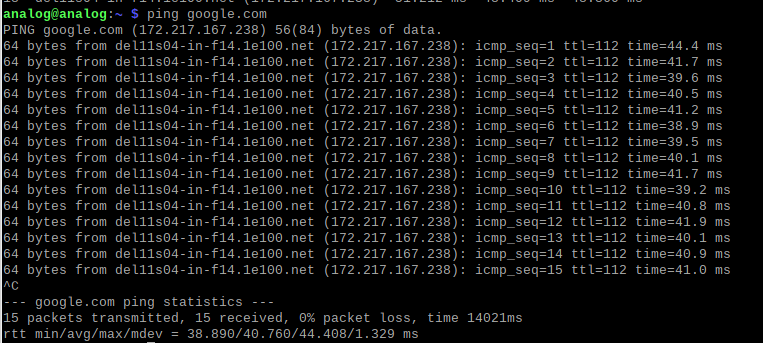
and I got zero packet loss and decent latency around 38 to 44 milliseconds. The only thing that might be adding a tiny bit of overhead is that my test client is going through WiFi instead of directly connected to the ADIN1100.
I also did a local ping test to the Pi Zero 2W, most of of my ping times are hovering around 7 to 8 milliseconds, as it's going through through my WiFi connection and then across the 10BASE-T1L link to reach the Pi Zero 2W. The latency isn't bad at all for that kind of path, it's just not the sub-millisecond response I may get from a direct wired connection (I'll try it the next time without the router).
Here's the log of the local ping
ping 192.168.29.231
PING 192.168.29.231 (192.168.29.231): 56 data bytes
64 bytes from 192.168.29.231: icmp_seq=0 ttl=64 time=11.430 ms
64 bytes from 192.168.29.231: icmp_seq=1 ttl=64 time=7.824 ms
64 bytes from 192.168.29.231: icmp_seq=2 ttl=64 time=8.065 ms
64 bytes from 192.168.29.231: icmp_seq=3 ttl=64 time=7.728 ms
64 bytes from 192.168.29.231: icmp_seq=4 ttl=64 time=7.962 ms
64 bytes from 192.168.29.231: icmp_seq=5 ttl=64 time=7.826 ms
64 bytes from 192.168.29.231: icmp_seq=6 ttl=64 time=7.548 ms
64 bytes from 192.168.29.231: icmp_seq=7 ttl=64 time=7.923 ms
64 bytes from 192.168.29.231: icmp_seq=8 ttl=64 time=7.999 ms
64 bytes from 192.168.29.231: icmp_seq=9 ttl=64 time=7.615 ms
64 bytes from 192.168.29.231: icmp_seq=10 ttl=64 time=7.783 ms
64 bytes from 192.168.29.231: icmp_seq=11 ttl=64 time=8.060 ms
64 bytes from 192.168.29.231: icmp_seq=12 ttl=64 time=7.501 ms
64 bytes from 192.168.29.231: icmp_seq=13 ttl=64 time=8.192 ms
64 bytes from 192.168.29.231: icmp_seq=14 ttl=64 time=8.176 ms
64 bytes from 192.168.29.231: icmp_seq=15 ttl=64 time=8.330 ms
64 bytes from 192.168.29.231: icmp_seq=16 ttl=64 time=8.601 ms
64 bytes from 192.168.29.231: icmp_seq=17 ttl=64 time=4.019 ms
64 bytes from 192.168.29.231: icmp_seq=18 ttl=64 time=4.046 ms
64 bytes from 192.168.29.231: icmp_seq=19 ttl=64 time=8.603 ms
64 bytes from 192.168.29.231: icmp_seq=20 ttl=64 time=8.464 ms
64 bytes from 192.168.29.231: icmp_seq=21 ttl=64 time=8.145 ms
64 bytes from 192.168.29.231: icmp_seq=22 ttl=64 time=7.839 ms
64 bytes from 192.168.29.231: icmp_seq=23 ttl=64 time=8.564 ms
64 bytes from 192.168.29.231: icmp_seq=24 ttl=64 time=4.146 ms
64 bytes from 192.168.29.231: icmp_seq=25 ttl=64 time=8.199 ms
64 bytes from 192.168.29.231: icmp_seq=26 ttl=64 time=8.503 ms
64 bytes from 192.168.29.231: icmp_seq=27 ttl=64 time=3.433 ms
64 bytes from 192.168.29.231: icmp_seq=28 ttl=64 time=8.475 ms
64 bytes from 192.168.29.231: icmp_seq=29 ttl=64 time=4.040 ms
64 bytes from 192.168.29.231: icmp_seq=30 ttl=64 time=8.612 ms
64 bytes from 192.168.29.231: icmp_seq=31 ttl=64 time=8.546 ms
64 bytes from 192.168.29.231: icmp_seq=32 ttl=64 time=8.992 ms
64 bytes from 192.168.29.231: icmp_seq=33 ttl=64 time=8.303 ms
64 bytes from 192.168.29.231: icmp_seq=34 ttl=64 time=8.085 ms
64 bytes from 192.168.29.231: icmp_seq=35 ttl=64 time=10.234 ms
64 bytes from 192.168.29.231: icmp_seq=36 ttl=64 time=4.510 ms
64 bytes from 192.168.29.231: icmp_seq=37 ttl=64 time=4.783 ms
64 bytes from 192.168.29.231: icmp_seq=38 ttl=64 time=3.944 ms
64 bytes from 192.168.29.231: icmp_seq=39 ttl=64 time=8.506 ms
64 bytes from 192.168.29.231: icmp_seq=40 ttl=64 time=8.707 ms
64 bytes from 192.168.29.231: icmp_seq=41 ttl=64 time=8.872 ms
64 bytes from 192.168.29.231: icmp_seq=42 ttl=64 time=8.675 ms
64 bytes from 192.168.29.231: icmp_seq=43 ttl=64 time=8.171 ms
64 bytes from 192.168.29.231: icmp_seq=44 ttl=64 time=8.546 ms
64 bytes from 192.168.29.231: icmp_seq=45 ttl=64 time=8.373 ms
64 bytes from 192.168.29.231: icmp_seq=46 ttl=64 time=8.739 ms
64 bytes from 192.168.29.231: icmp_seq=47 ttl=64 time=8.206 ms
64 bytes from 192.168.29.231: icmp_seq=48 ttl=64 time=8.496 ms
64 bytes from 192.168.29.231: icmp_seq=49 ttl=64 time=8.250 ms
64 bytes from 192.168.29.231: icmp_seq=50 ttl=64 time=8.540 ms
64 bytes from 192.168.29.231: icmp_seq=51 ttl=64 time=8.426 ms
64 bytes from 192.168.29.231: icmp_seq=52 ttl=64 time=8.567 ms
64 bytes from 192.168.29.231: icmp_seq=53 ttl=64 time=8.619 ms
64 bytes from 192.168.29.231: icmp_seq=54 ttl=64 time=4.280 ms
64 bytes from 192.168.29.231: icmp_seq=55 ttl=64 time=8.356 ms
64 bytes from 192.168.29.231: icmp_seq=56 ttl=64 time=8.590 ms
64 bytes from 192.168.29.231: icmp_seq=57 ttl=64 time=4.990 ms
64 bytes from 192.168.29.231: icmp_seq=58 ttl=64 time=4.965 ms
64 bytes from 192.168.29.231: icmp_seq=59 ttl=64 time=8.361 ms
64 bytes from 192.168.29.231: icmp_seq=60 ttl=64 time=8.280 ms
64 bytes from 192.168.29.231: icmp_seq=61 ttl=64 time=8.571 ms
64 bytes from 192.168.29.231: icmp_seq=62 ttl=64 time=8.494 ms
64 bytes from 192.168.29.231: icmp_seq=63 ttl=64 time=7.110 ms
64 bytes from 192.168.29.231: icmp_seq=64 ttl=64 time=8.707 ms
64 bytes from 192.168.29.231: icmp_seq=65 ttl=64 time=8.295 ms
64 bytes from 192.168.29.231: icmp_seq=66 ttl=64 time=8.895 ms
64 bytes from 192.168.29.231: icmp_seq=67 ttl=64 time=4.472 ms
^C
--- 192.168.29.231 ping statistics ---
68 packets transmitted, 68 packets received, 0.0% packet loss
round-trip min/avg/max/stddev = 3.433/7.663/11.430/1.663 ms
Also ran the apt update to check for the connection and it's having no issues.
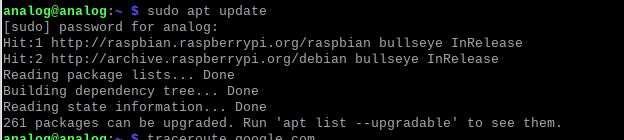
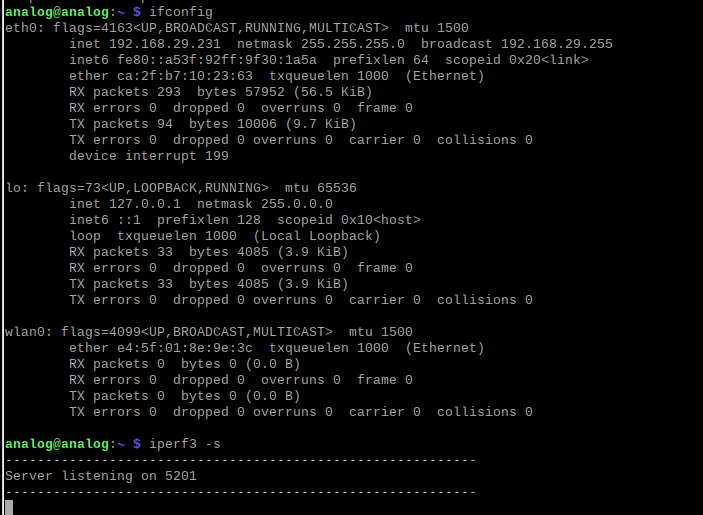
For the LAN testing setup, the Pi 4 acts as an iperf3 client and requests the traffic from the the Pi Zero 2W (at IP address 192.168.29.231) running the iperf3 server.
Here's the results(from the iperf3 server i.e the Pi Zero 2W) of the iperf3 test for the throughput over my local network.
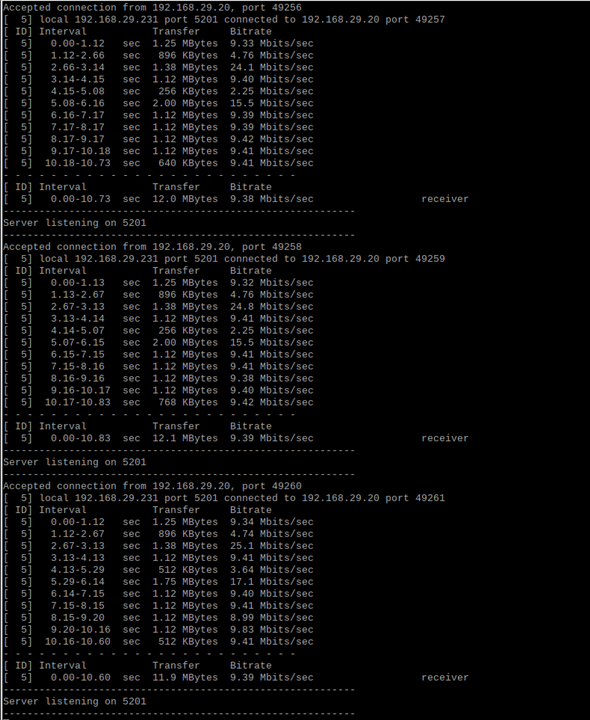
The 10BASE-T1L link is running at about 94% of its theoretical maximum, which seems okay.
What's next ?
Next I'll run some direct connection tests and compare the results. Then I'll try testing out the ADIN1110 ( Thanks for E14Alice for shipping it promptly and resolving the issues with the FedEx
  ) and the ADIN1100.