


Overview
It’s finally time for Single Pair Ethernet, along with a custom battery management and charger control PCB.
The Single Pair Ethernet link will be used to connect the subjects of Part 2 and Part 3, aka. the glovebox mounted Compute Unit, and the battery and charging system in the trunk.
Charger Controller Board
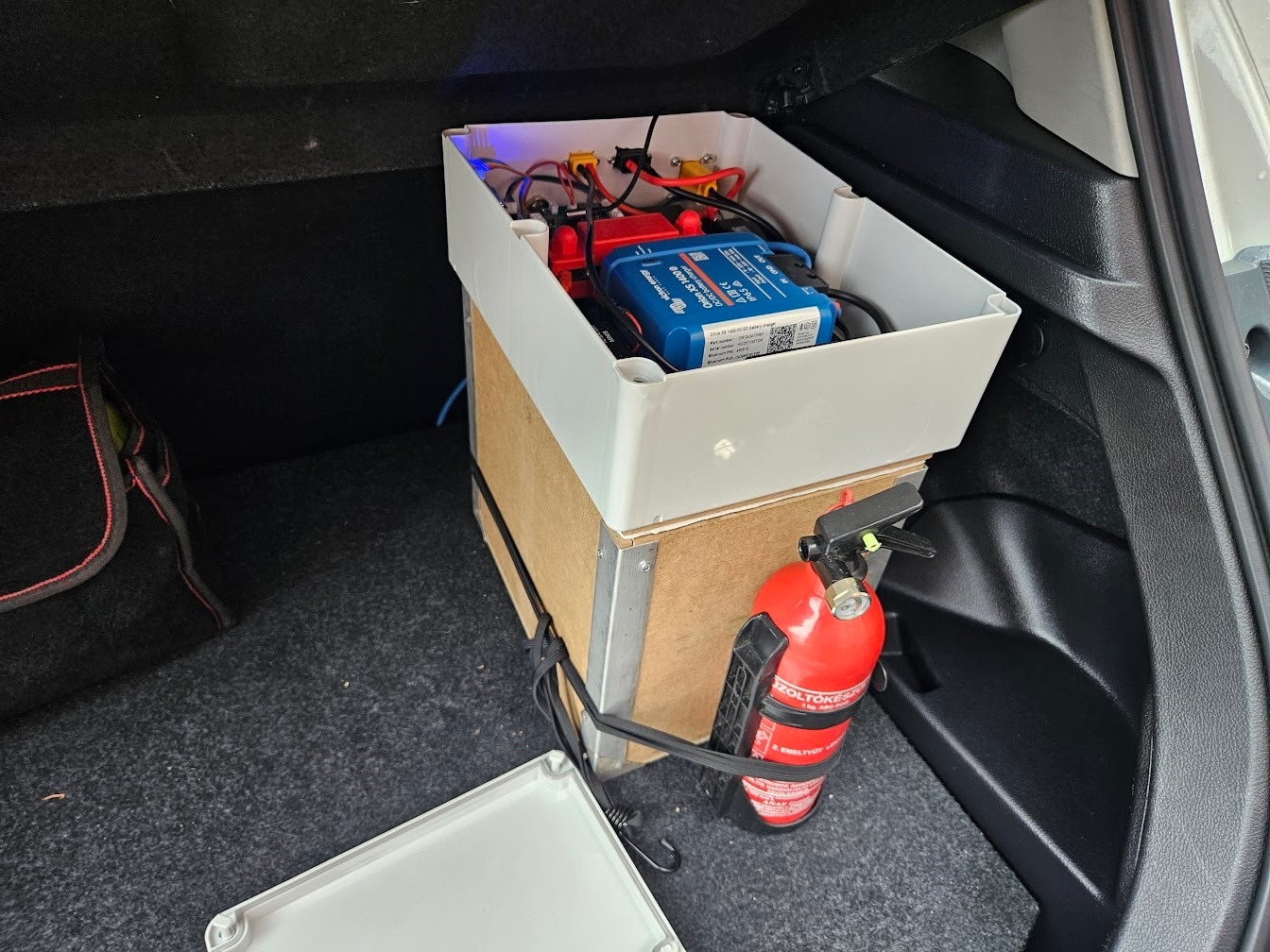
This PCB will be housed in the big grey box mounted on top of the battery. Its responsibilities are the following:
- Communicate over VE.Direct with the Orion XS (50A charger) and SmartShunt
- Control the heating elements in the battery
- Control and monitor fans based on temperature of various components
- Communicate with the Compute Unit over Single Pair Ethernet
- Communicate with the Bluetooth BMS inside the LiFePO4 battery
VE.Direct communication
This is Victron’s custom protocol for communicating with their devices, but electrically, it is just a simple UART, at either 3.3v or 5v. Hooking this up to a microcontroller is trivial, except for potential level shifting and isolation.
I decided to use ADUM1201 dual channel isolators, as they also provide level shifting, and prevent any dangerous oopsies related to ground paths.
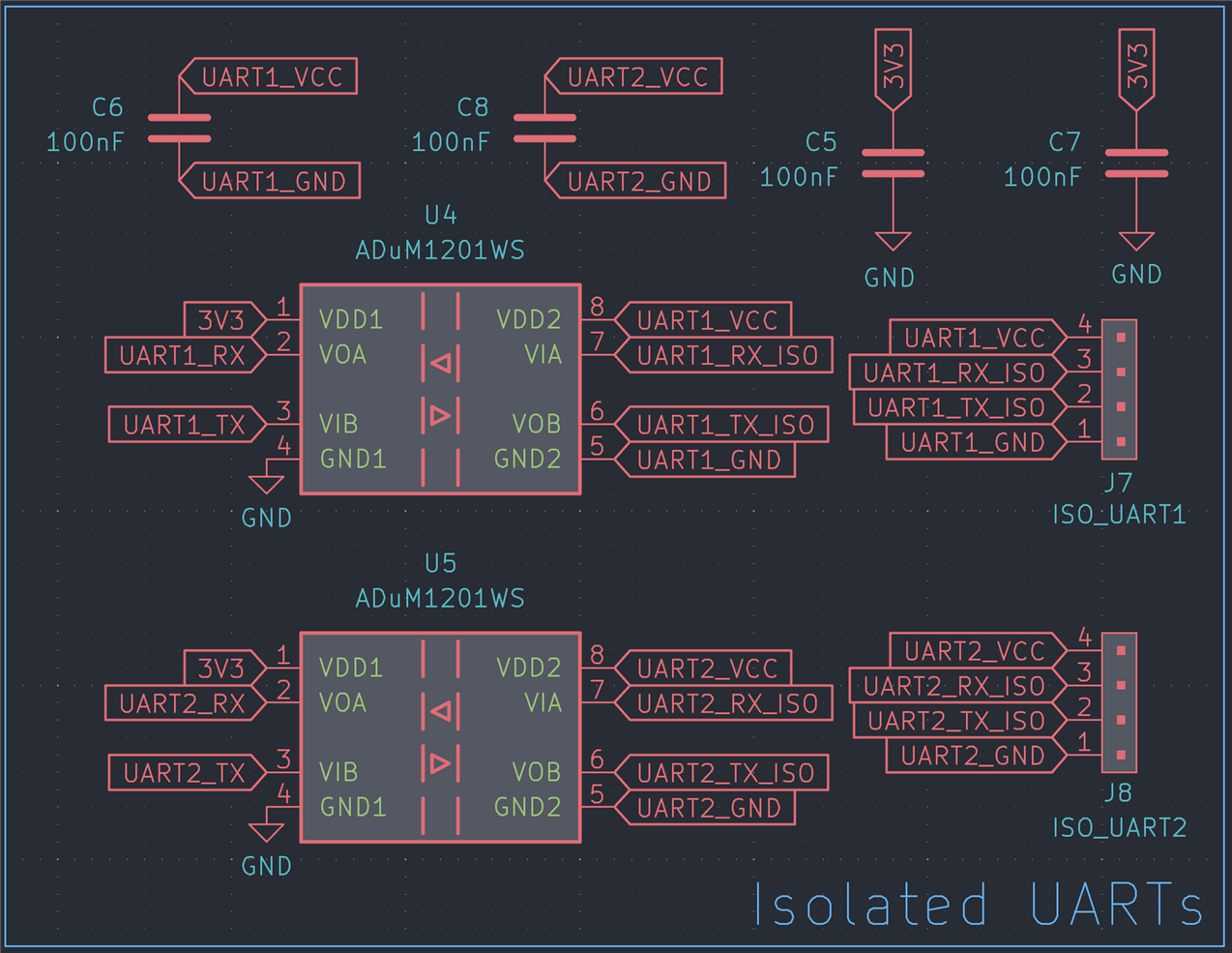
Heating element control
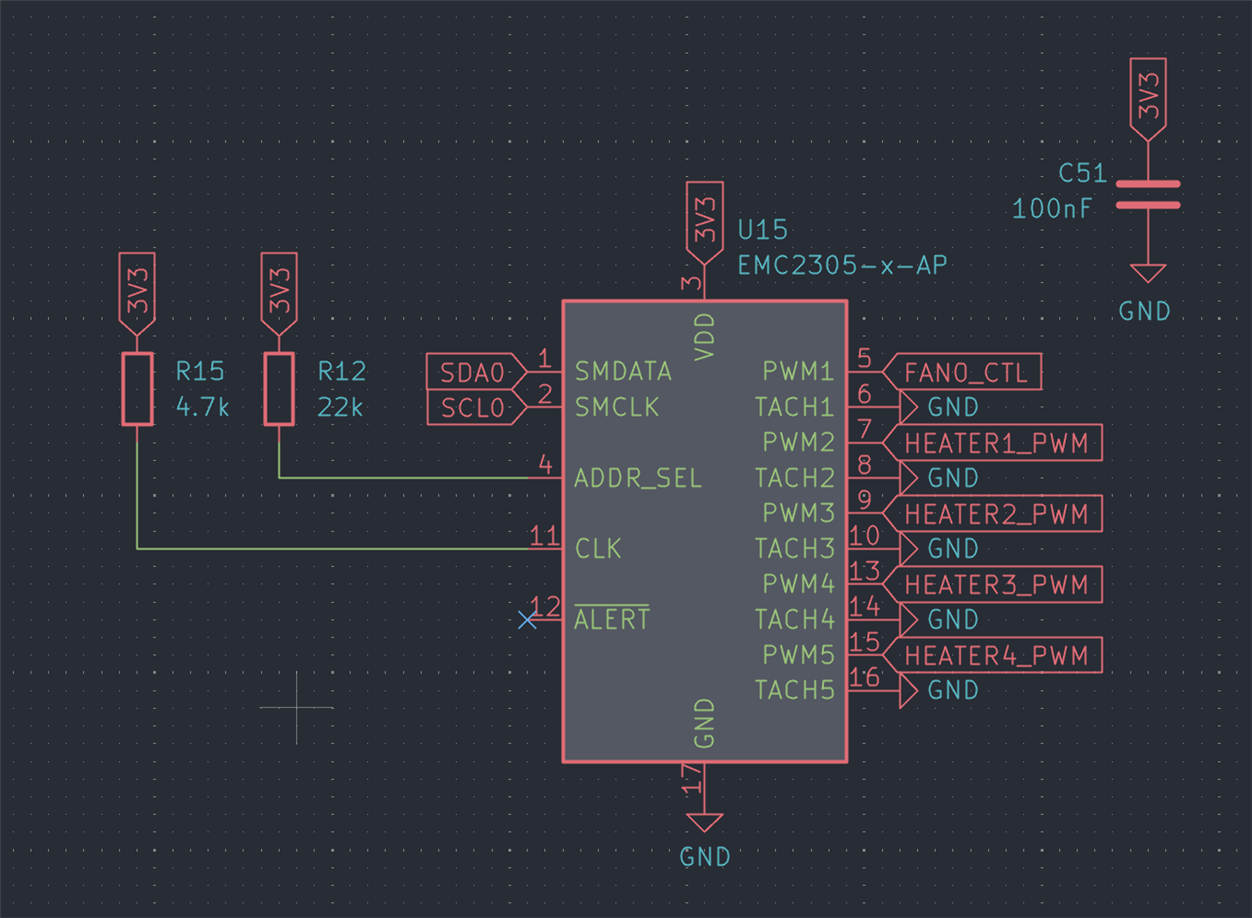
As shown in Part 2, the battery contains two resistive heaters and DS18B20 temperature sensors, needed for preheating in cold weather.
Driving the heating elements is quite simple: just a low side FET per heating element. However, I didn’t want to waste a bunch of IO on my ESP32-S3, so I used an EMC2305 fan controller IC. This has 5 PWM outputs and 5 tach inputs, all controlled and monitored over I2C.

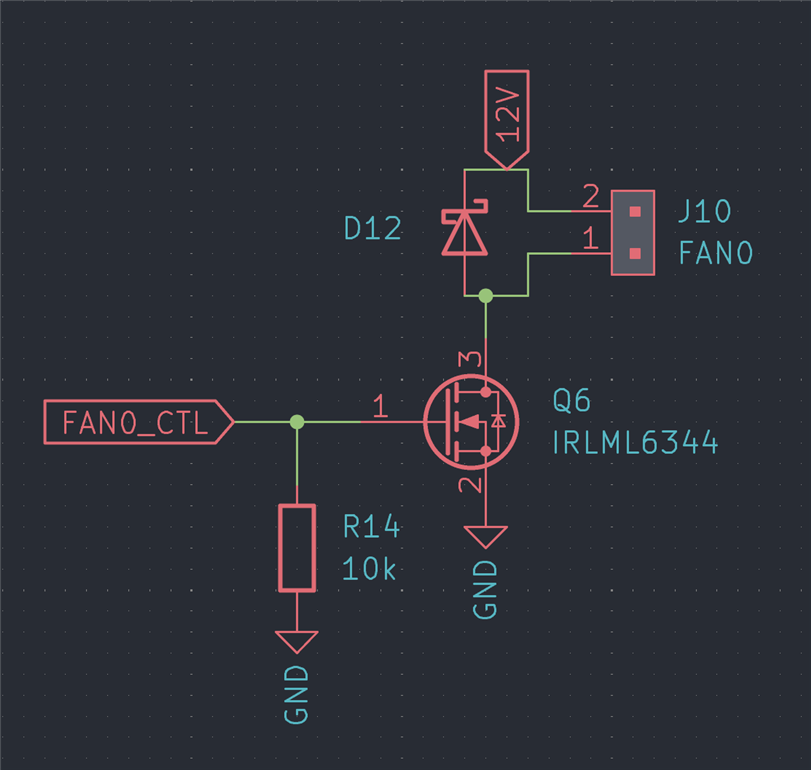
I hooked up a fifth low side FET to control a two wire fan, in case I need to use one of those.
I also added a few OneWire headers to hook up the DS18B20 temperature sensors.

Fan Control
The board supports two 12V, 4-pin fans, using an EMC2302 for control and monitoring. This chip is essentially identical to the EMC2305, except for channel count.
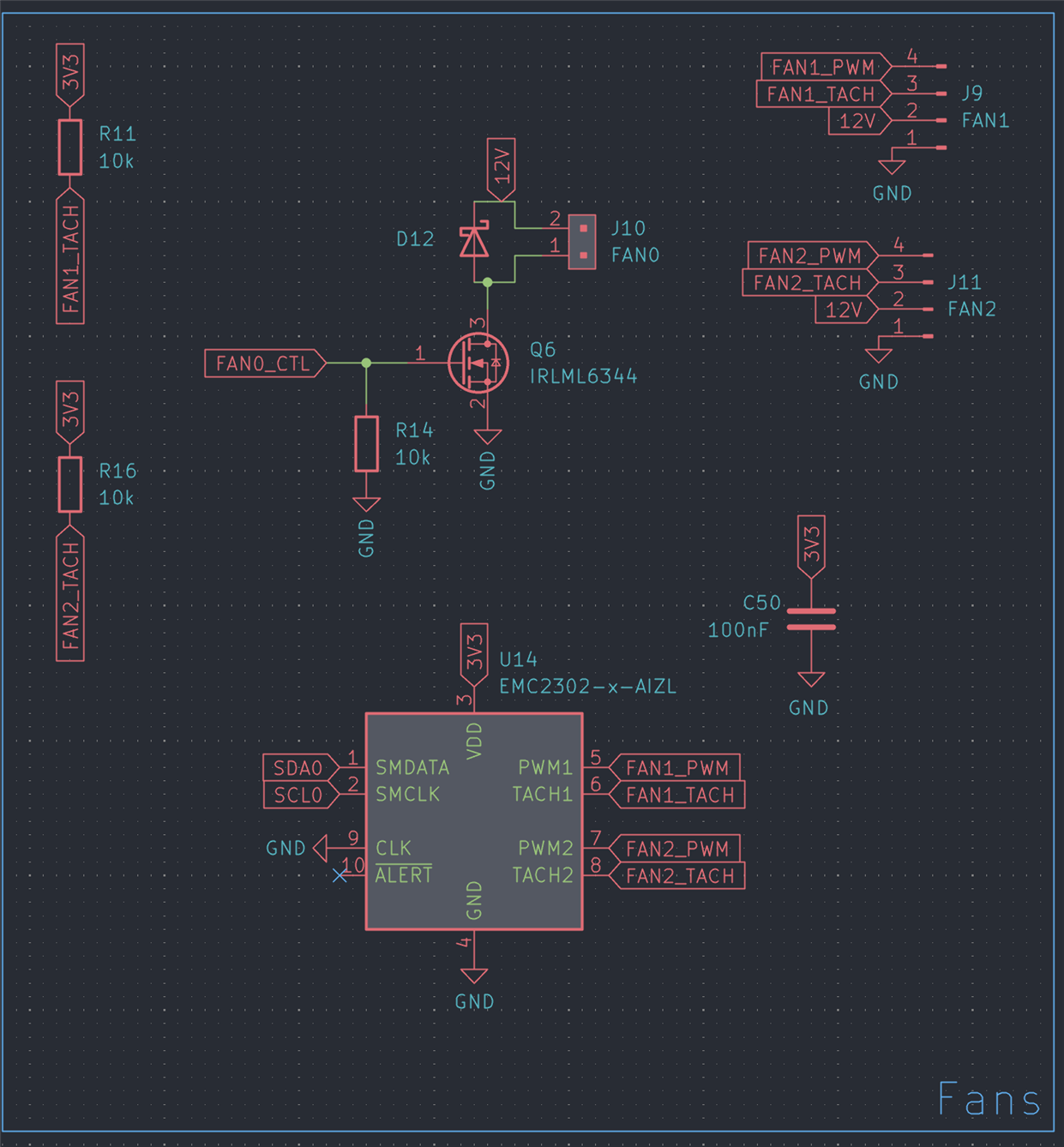
Interfaces
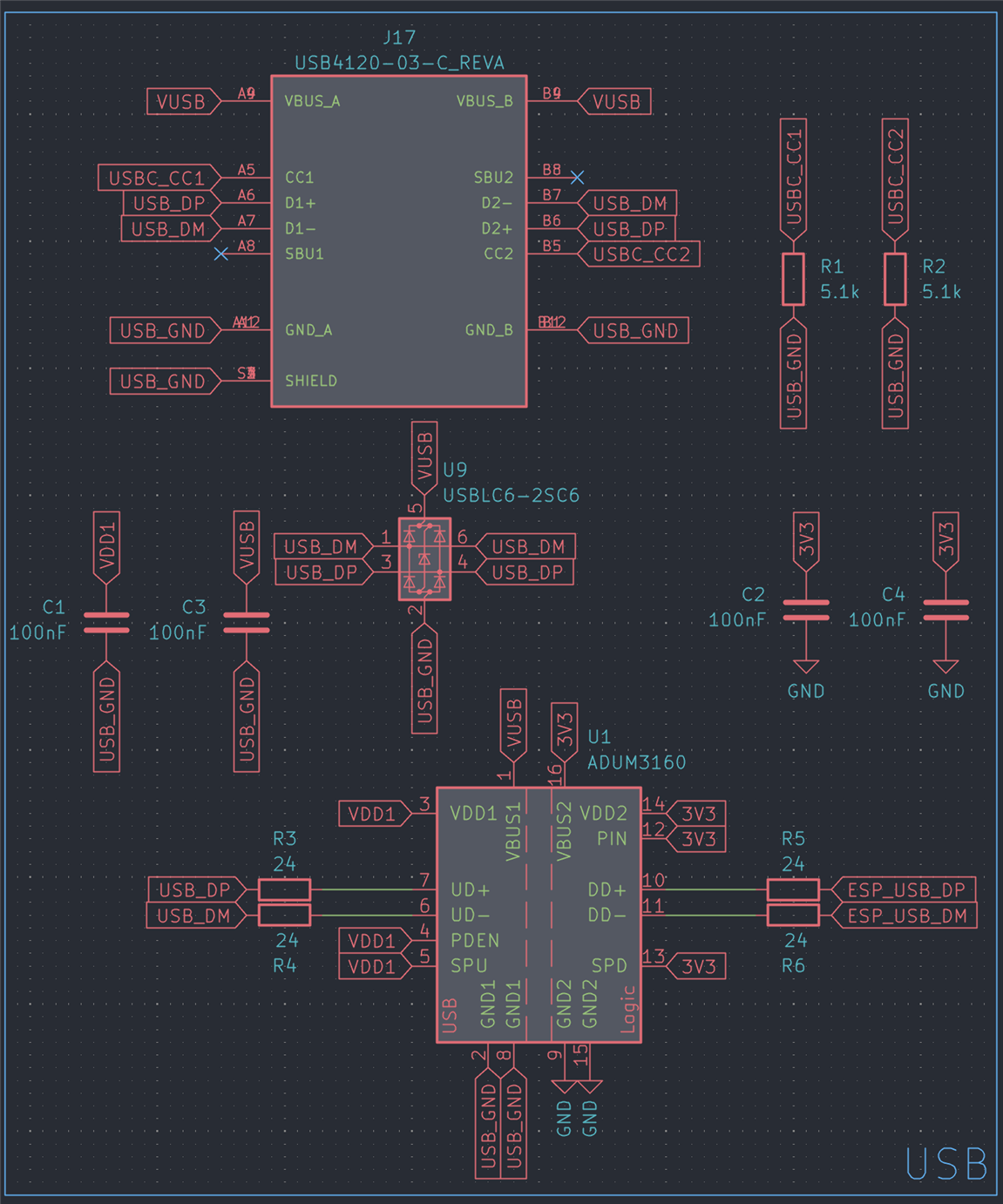
For debugging, I wanted to add USB, but to be safe, I made it isolated as well. My choice ended up being the ADUM3160, which is a USB1.1 isolator IC.
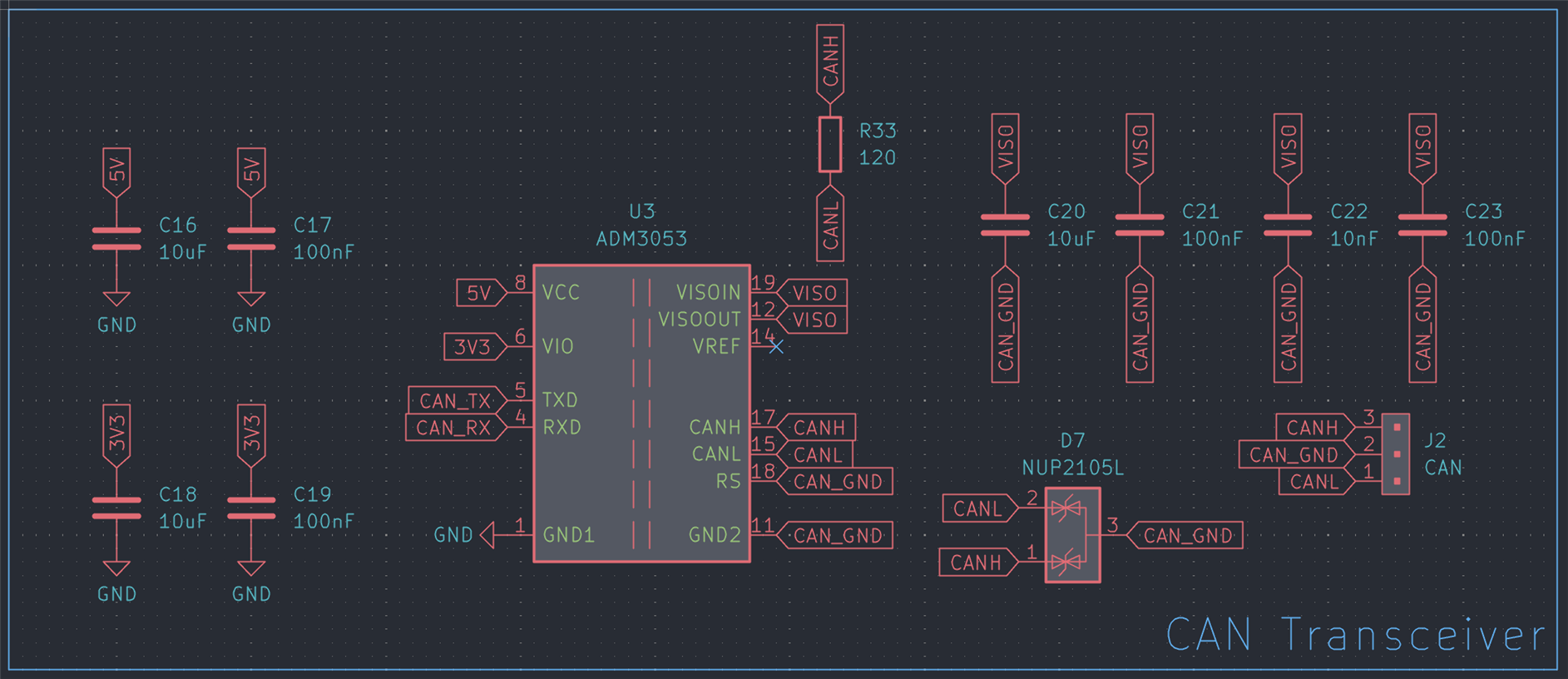
Having a CAN bus interface is always useful, so I added an isolated one for good measure. The choice for this was the ADM3053, which I also used on the Compute Unit, to later hook up to the car’s CAN network.
DC-DC Converters
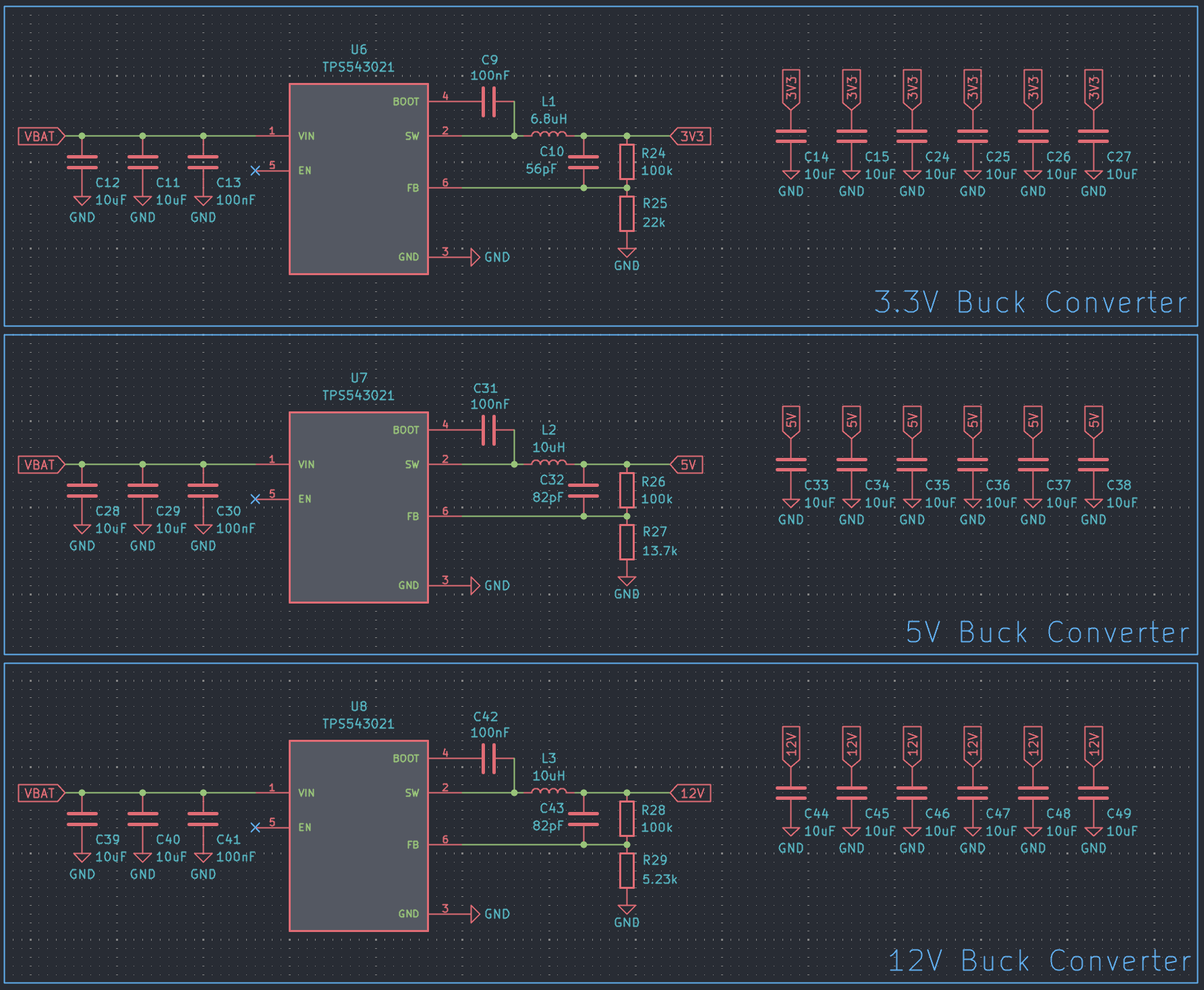
I found a really nice looking buck converter IC some time ago from TI, which I wanted to try out.
The TPS543021 is a 4.5V to 28V input, 3A buck converter IC, which is very cheap (around 60 cents per piece in quantities of 25) and simple to use, and is reasonably easy to solder (although it is quite small with its SOT-563 package).
The BOM cost for a single buck converter, including the inductor and passives, ends up being around 1 USD, so if it works well, this will definitely become my go-to buck converter IC for general purpose applications.
Microcontroller
As mentioned earlier, I went with an ESP32-S3 here too. I needed Bluetooth capability, and it makes sense to use the same MCU as in the Compute Unit, to make code reuse easier, and be able to focus on mastering a single device.

The PCB
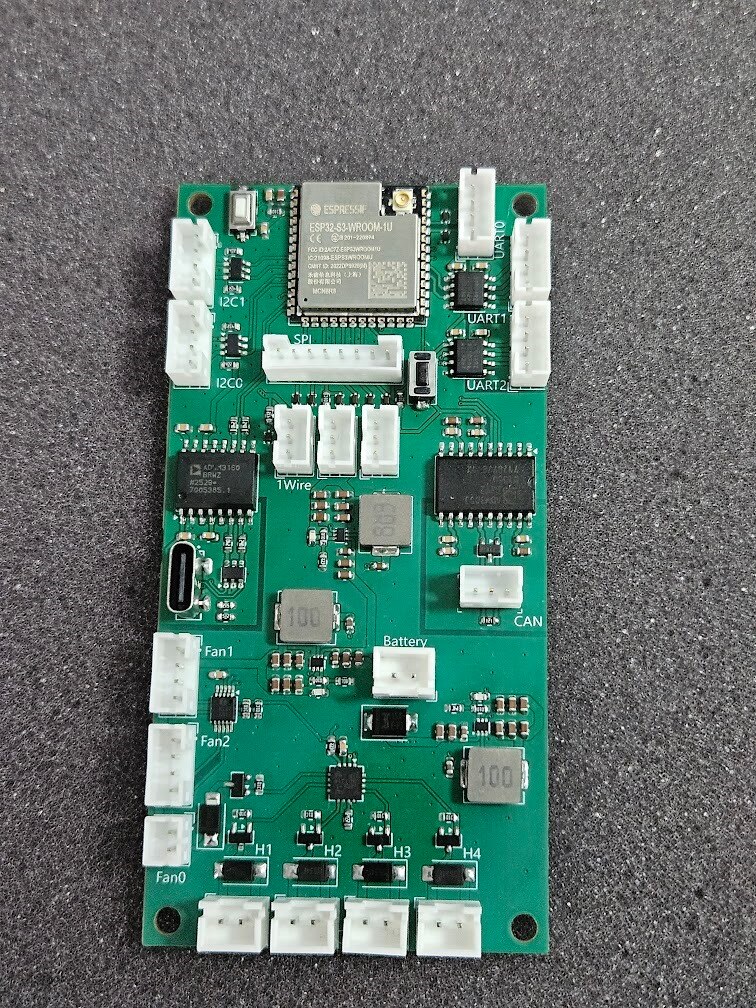
I sprinkled on a generous amount of TVS diodes, and designed this board.
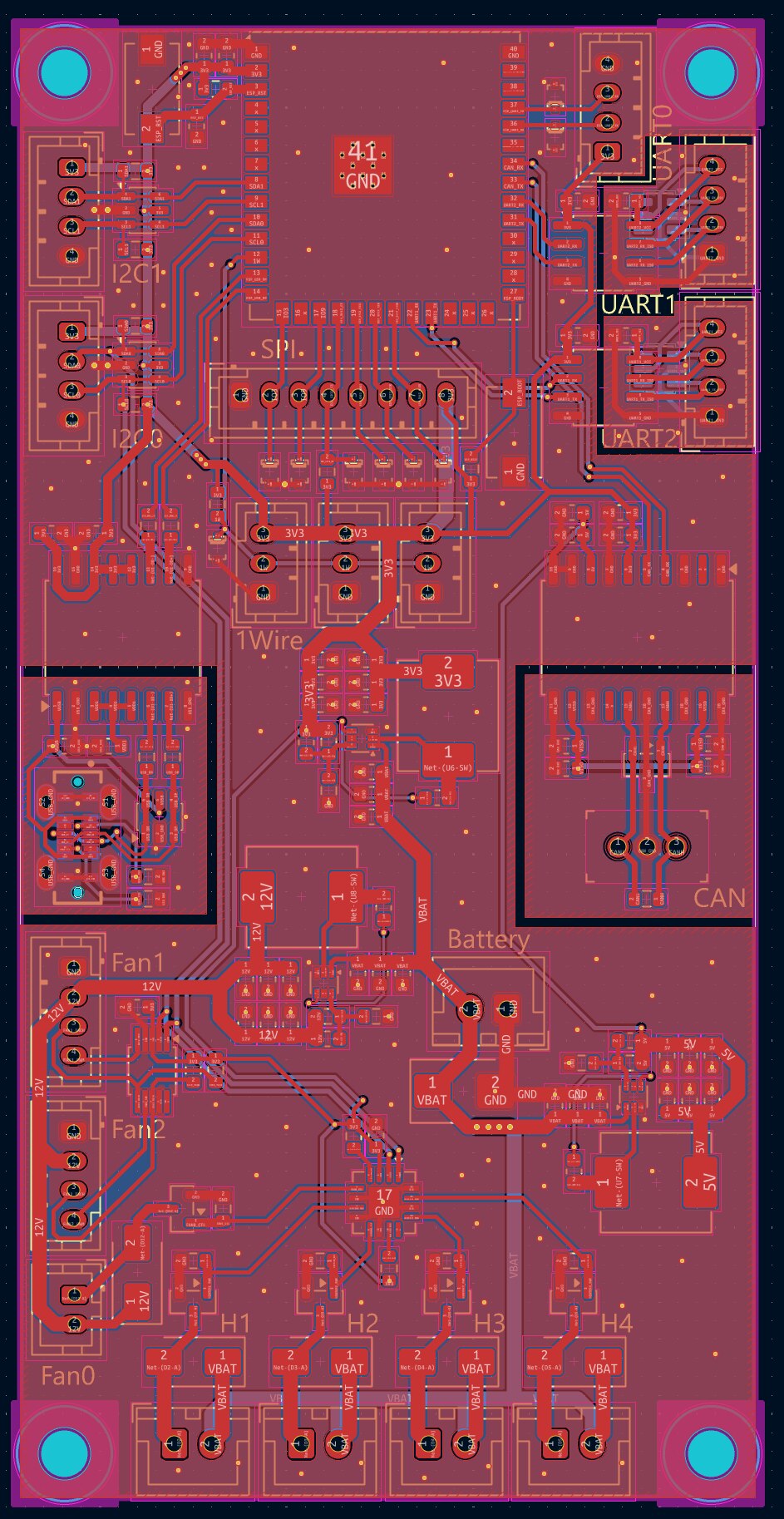
The fan and heater control is in the bottom, power supplies in the middle, MCU at the top. The Single Pair Ethernet transceiver is not on this board, as I didn’t have enough space for it, so I just added an 8 pin JST-PH connector, and a separate PCB will have the ADIN1110 and various other SPE related components.
Single Pair Ethernet PCB
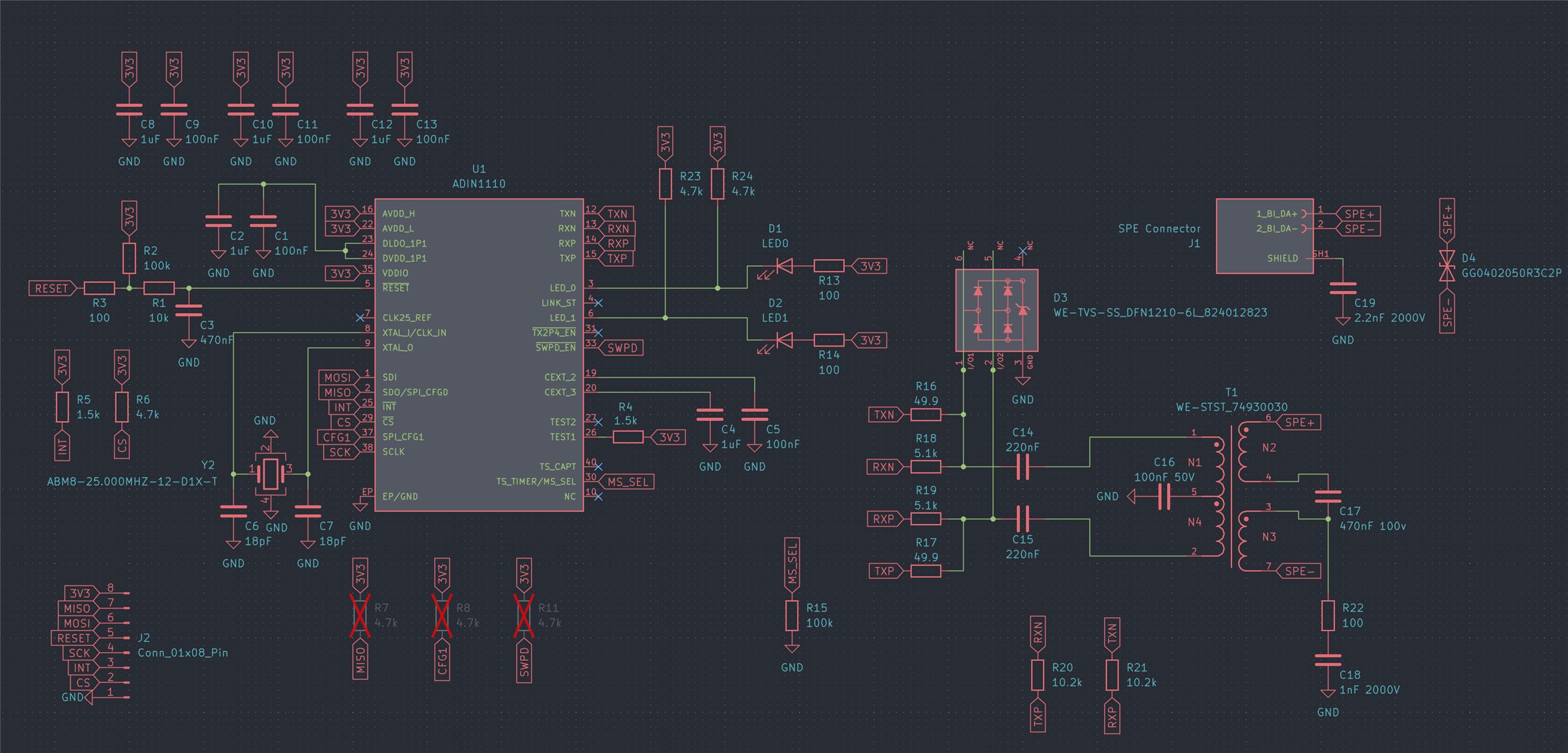
While the supplied kit includes an ADIN1110 development board, the ADI devkit is massive physically, and is full of features I do not need. Since I was ordering a custom PCB anyways, I tried my luck designing a minimal and tiny Single Pair Ethernet module, that I can use in future projects as well.
This is the schematic I ended up with:
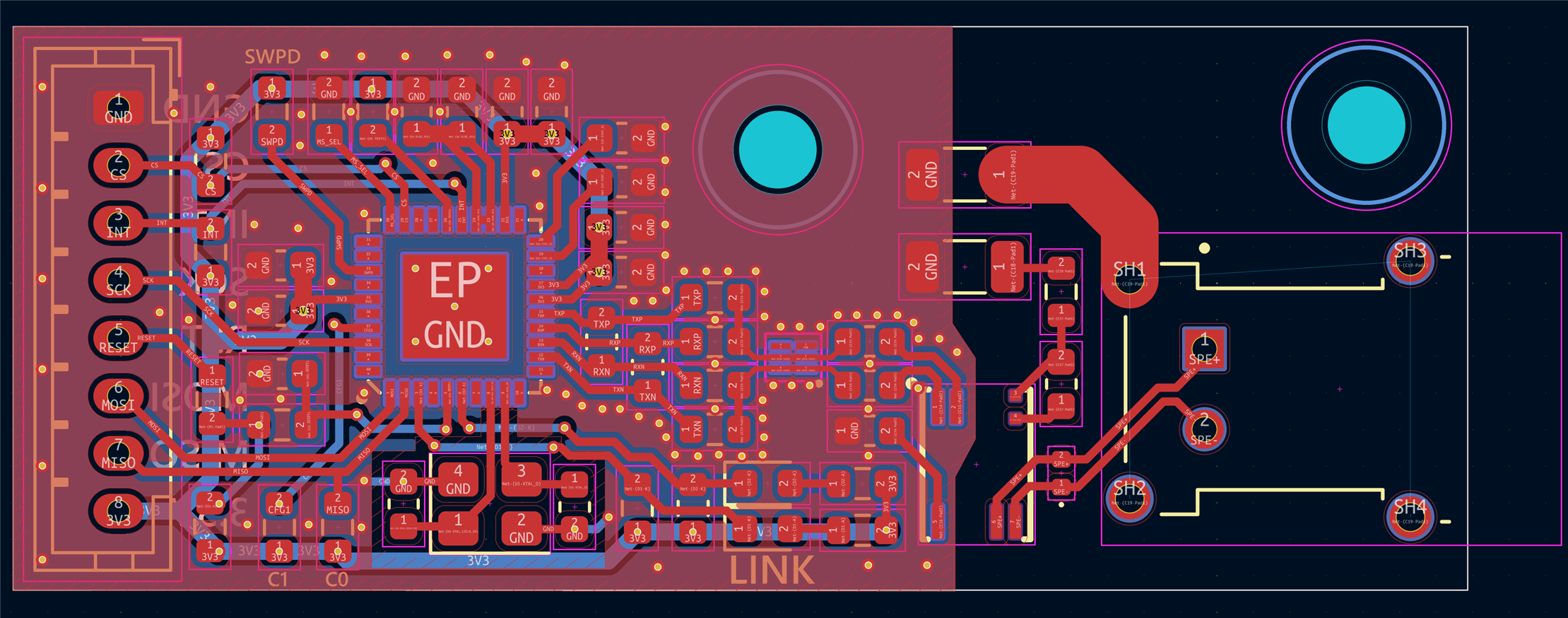
And here’s the PCB design:
The finished module:
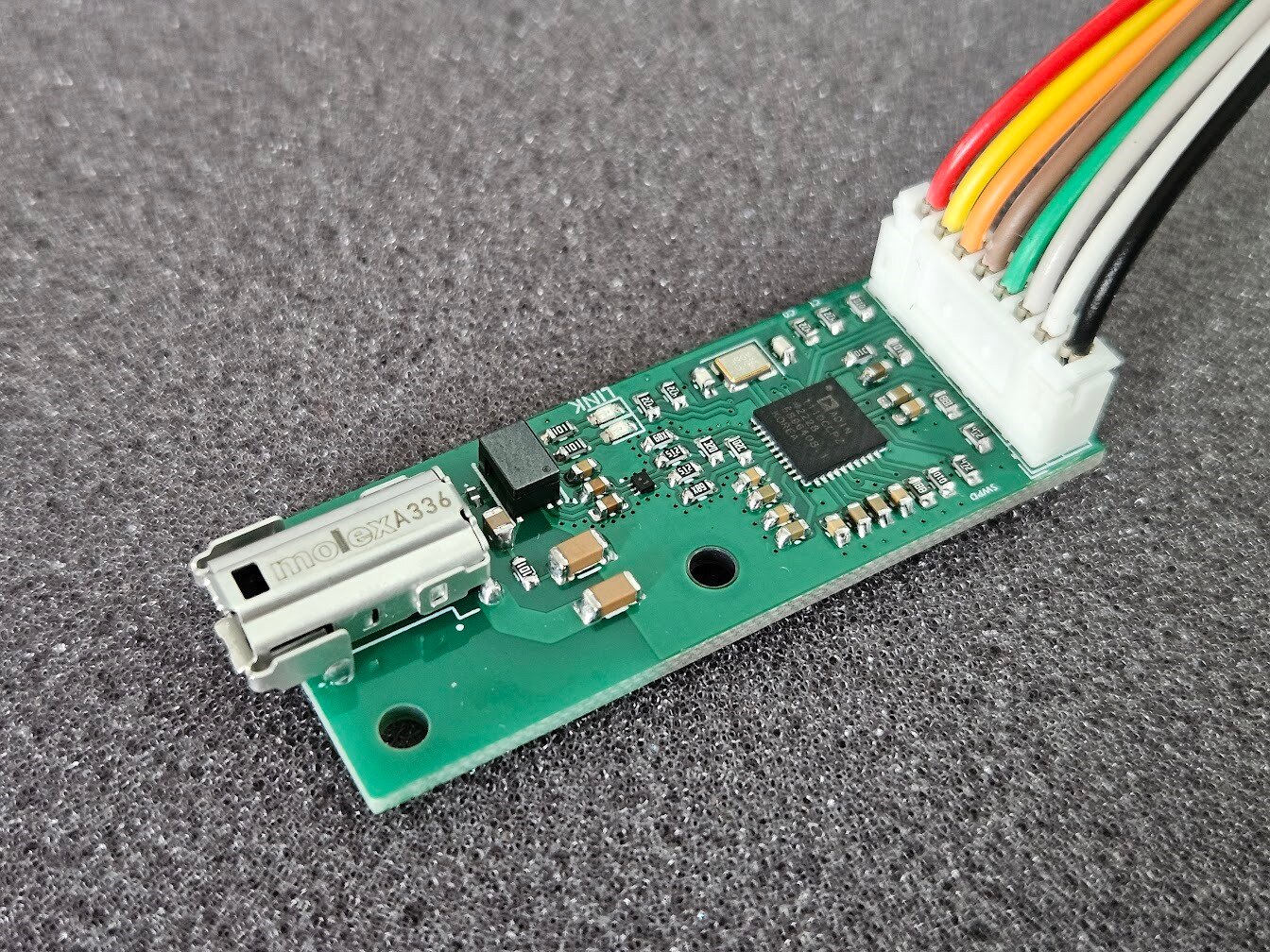
I hooked up my newly built module to the ADIN1100 devkit suppled for the challenge, and thankfully got the Link light lit up on both boards. This is a great sign, and almost guarantees that everything is working perfectly.
The size difference between the two boards is incredibly obvious (although this is the ADIN1100 dev board, and not the ADIN1110, but they have the same dimensions).
I had a Pi Pico on hand, so I used that for some quick testing.
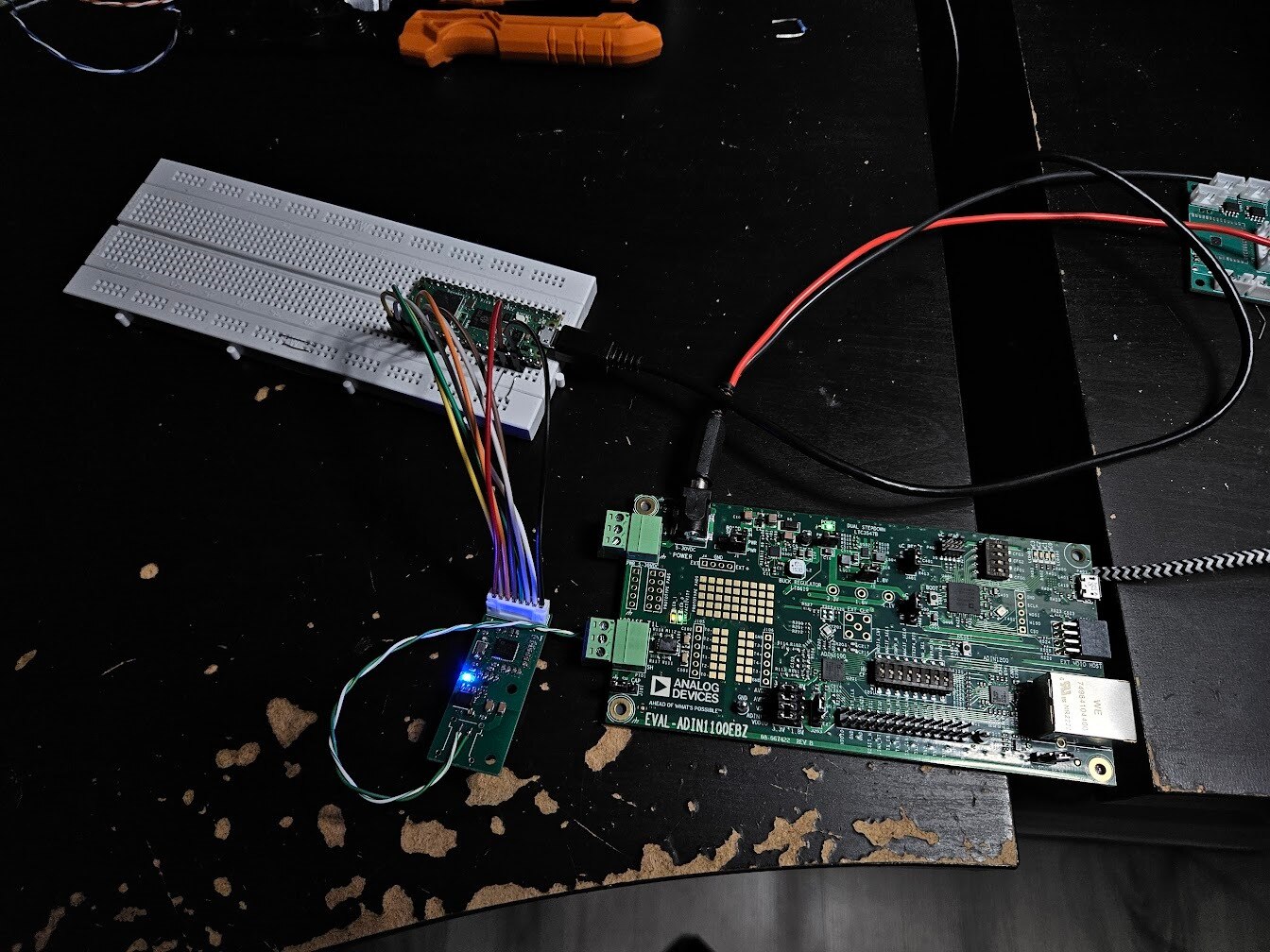
Testing the boards
I hooked up the ADIN1110 module to the Charger Controller PCB, and connected the SPE jack to the ADIN1100 dev board.
The ADIN1100 board itself was connected to my PC through ‘regular’ ethernet, so I could use Wireshark to see what data was being sent over SPE.
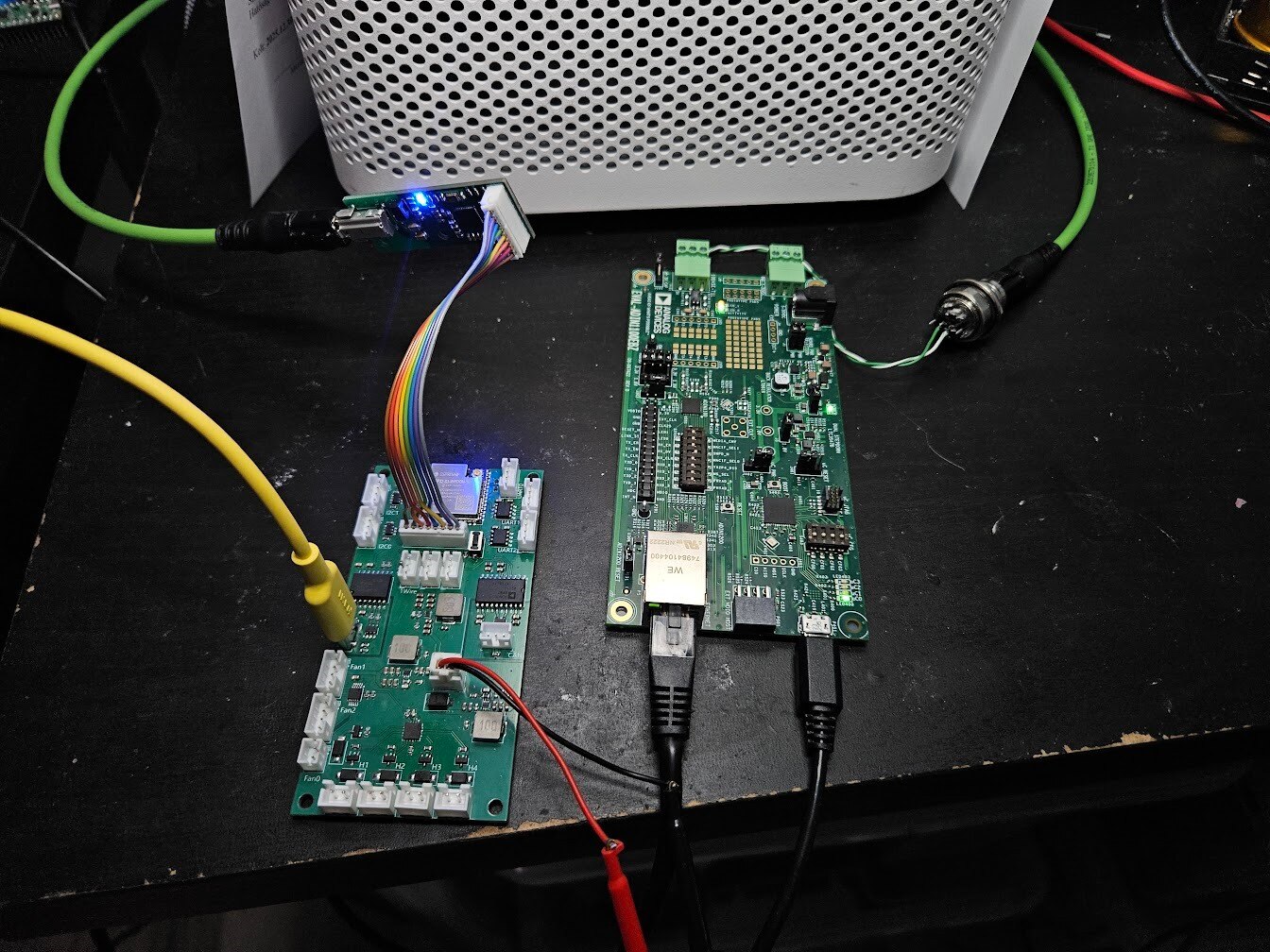
I wrote some minimal testing code for the ESP32-S3, that sent a few frames of data through SPE. I forgot to save either the testing code, or images from Wireshark, I apologize for that, but I’ll have some cleaned up code in the next post.
Installing the PCBs in the Charger Box
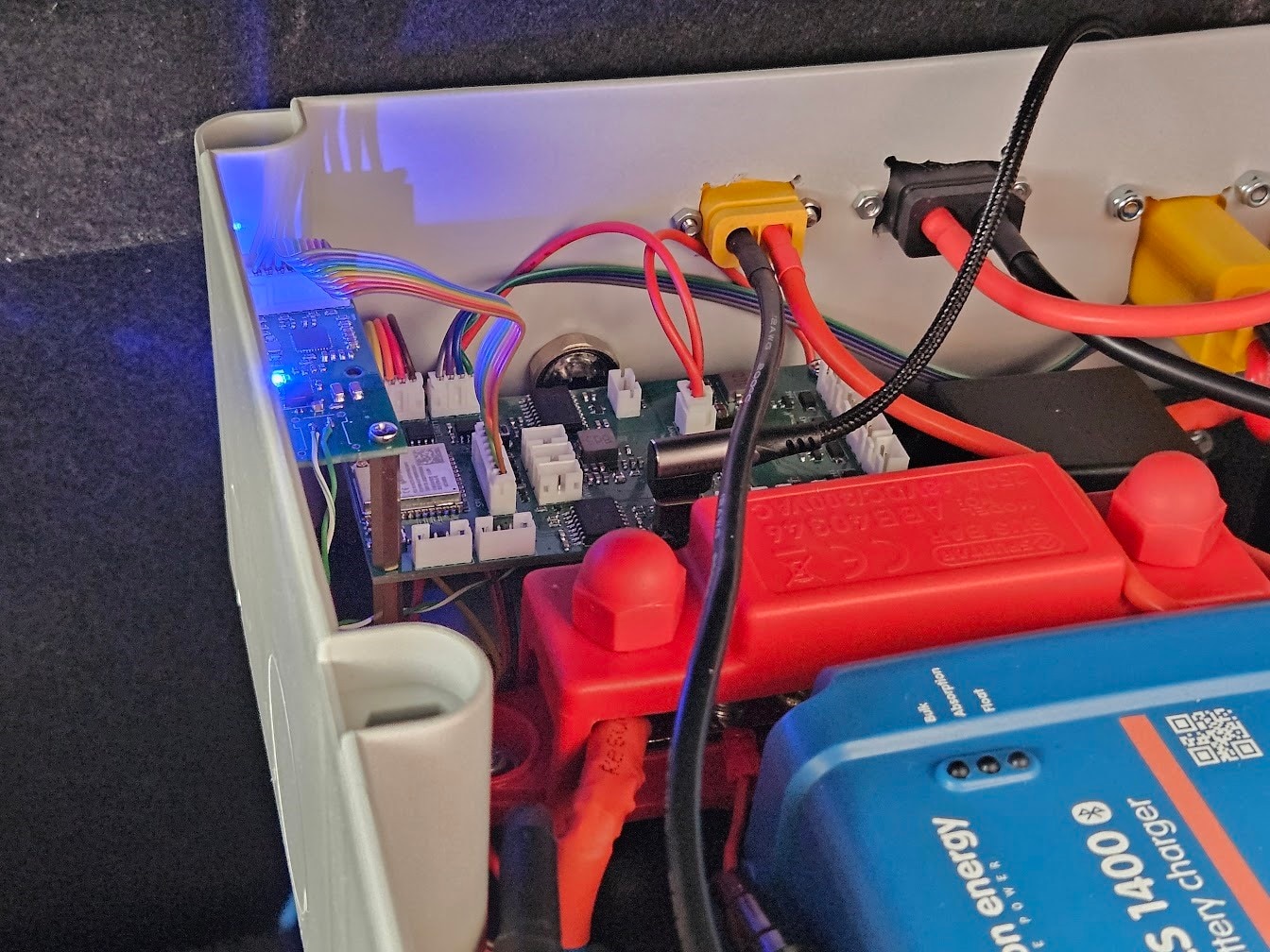
This part was quite straight forward, I just had to make a few JST-PH and JST-XH cables to connect everything, and drill a hole in my box for the Single Pair Ethernet jack.
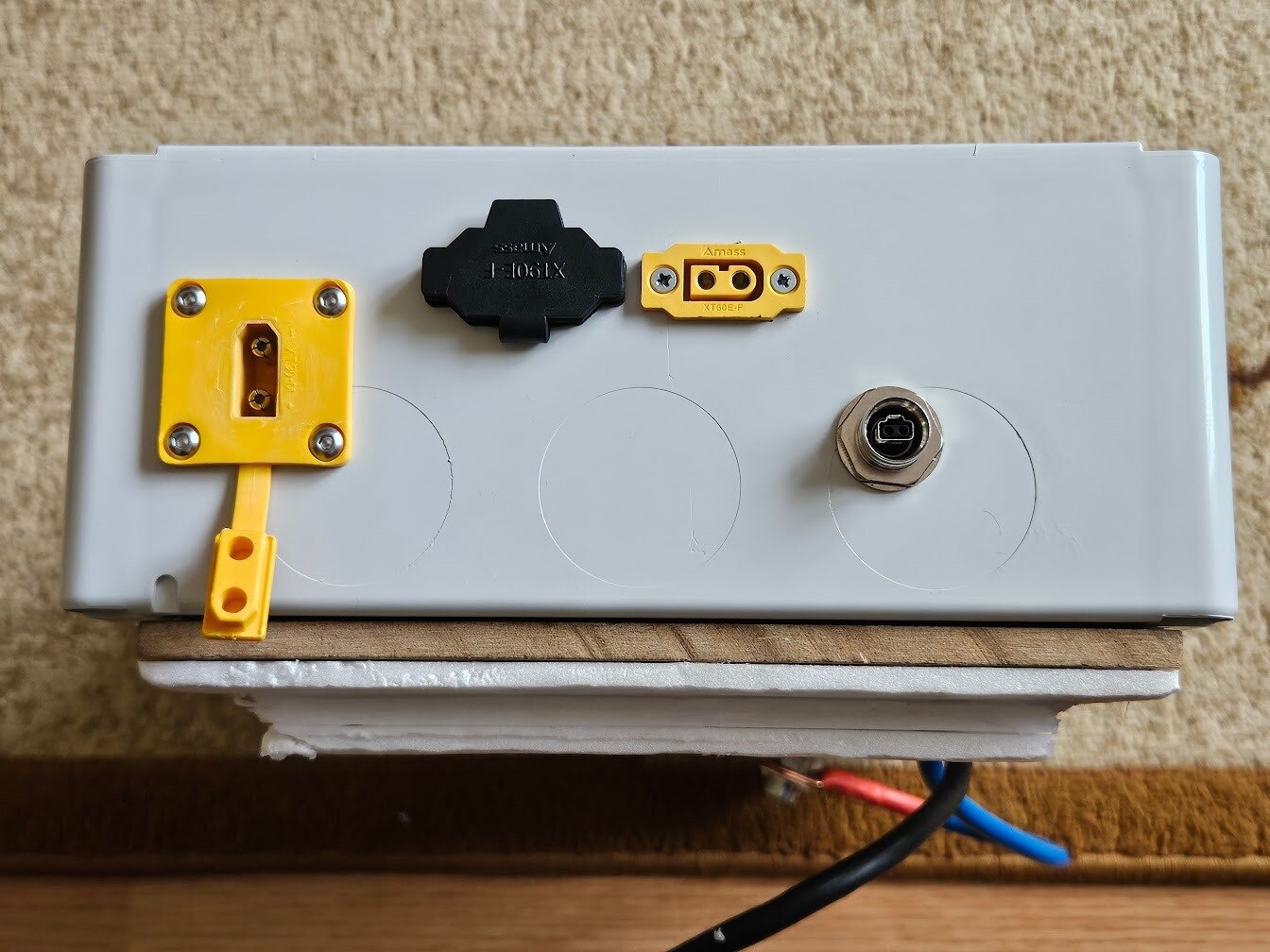
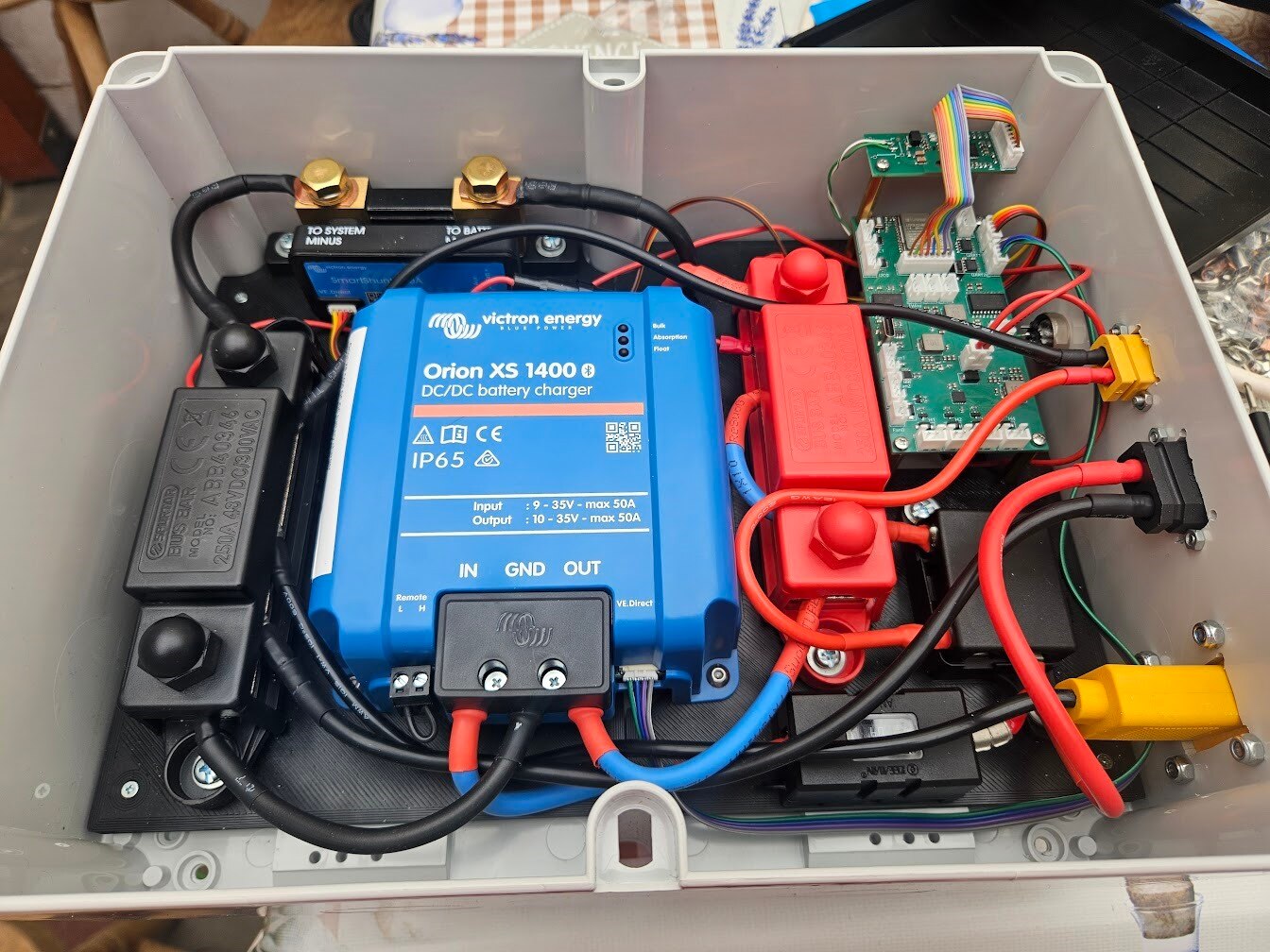
Adding SPE to the Compute Unit
I made a second ADIN1110 board, and printed a top half for the Compute Unit.
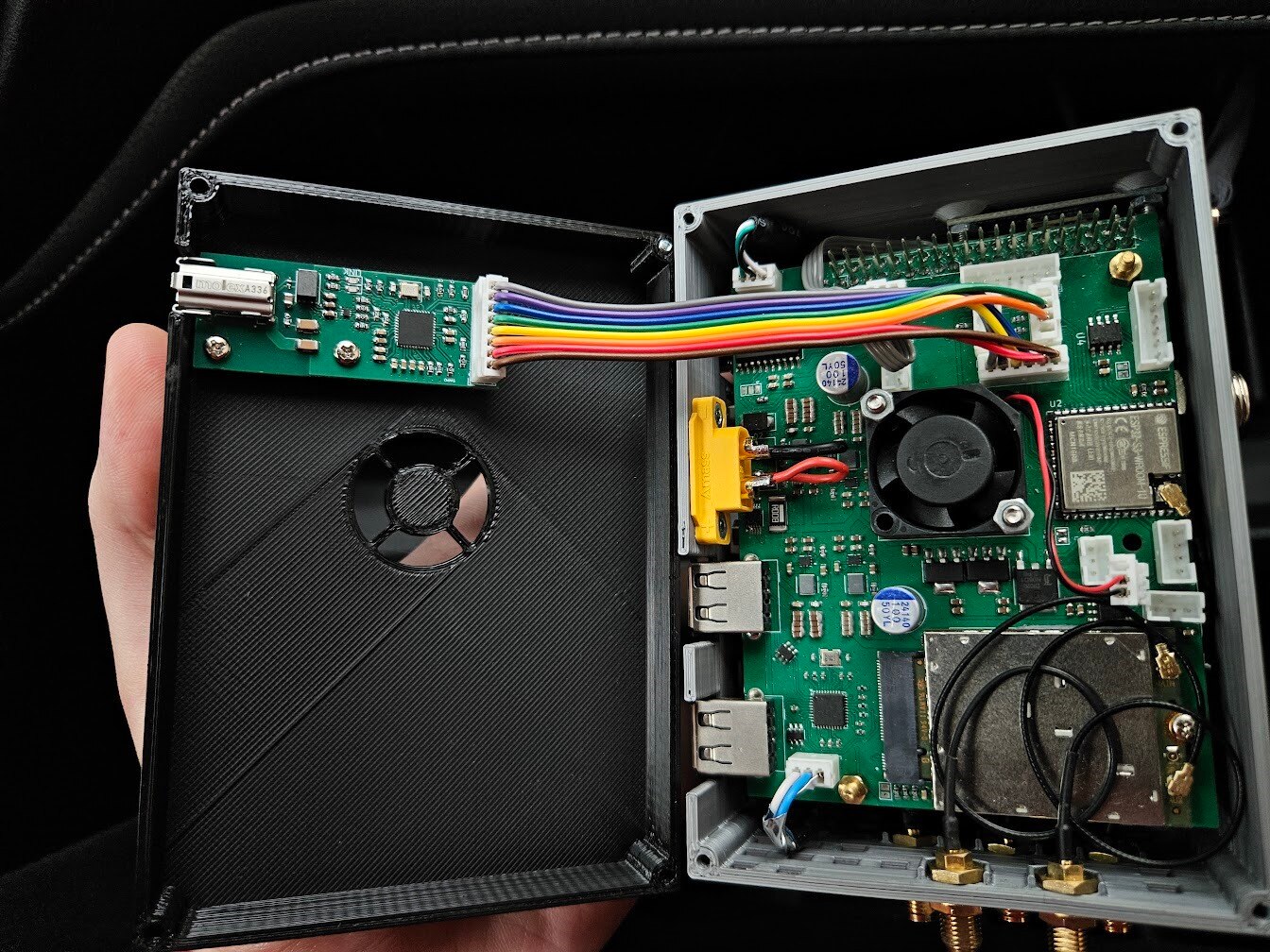
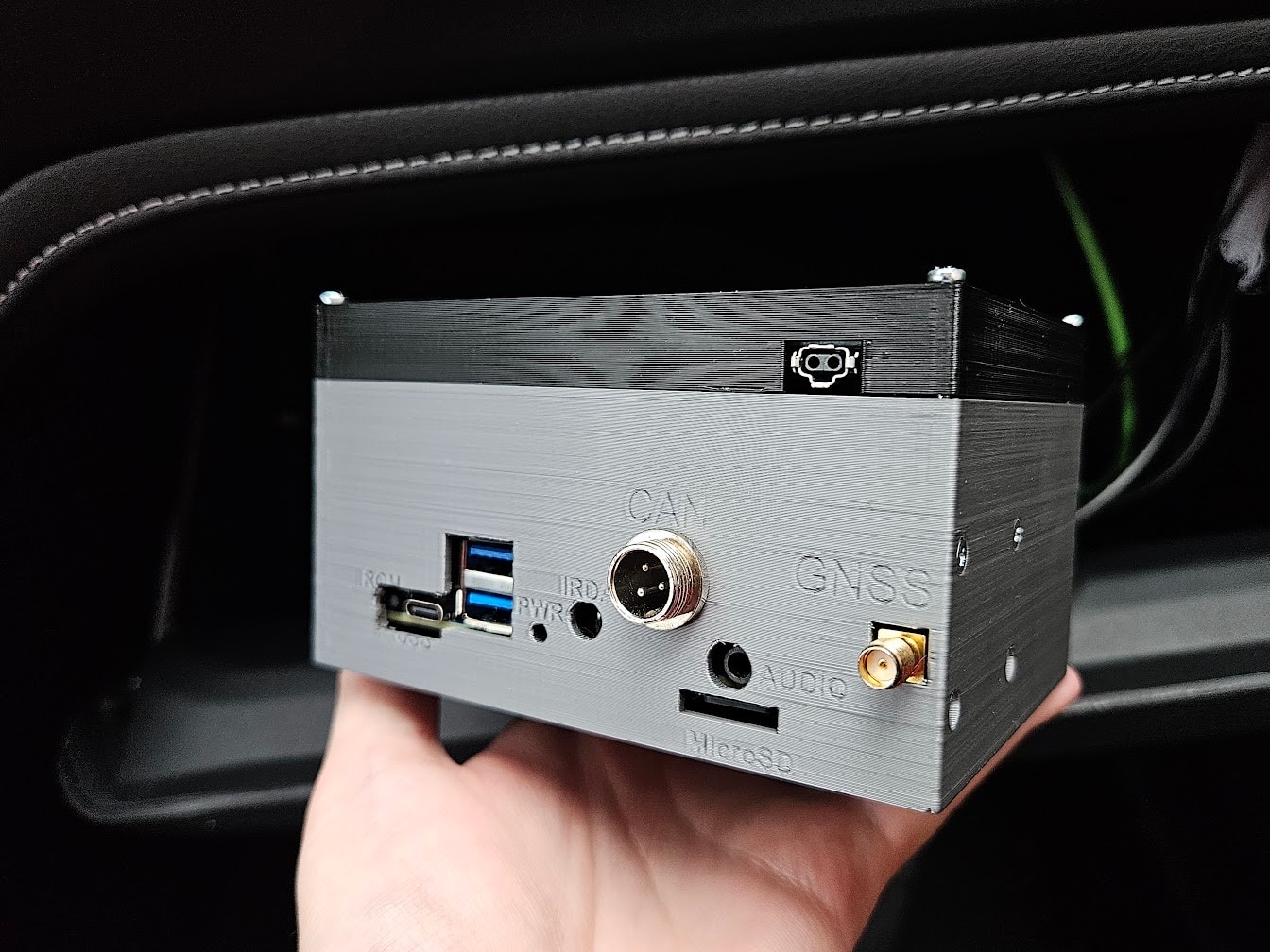
Wiring the car
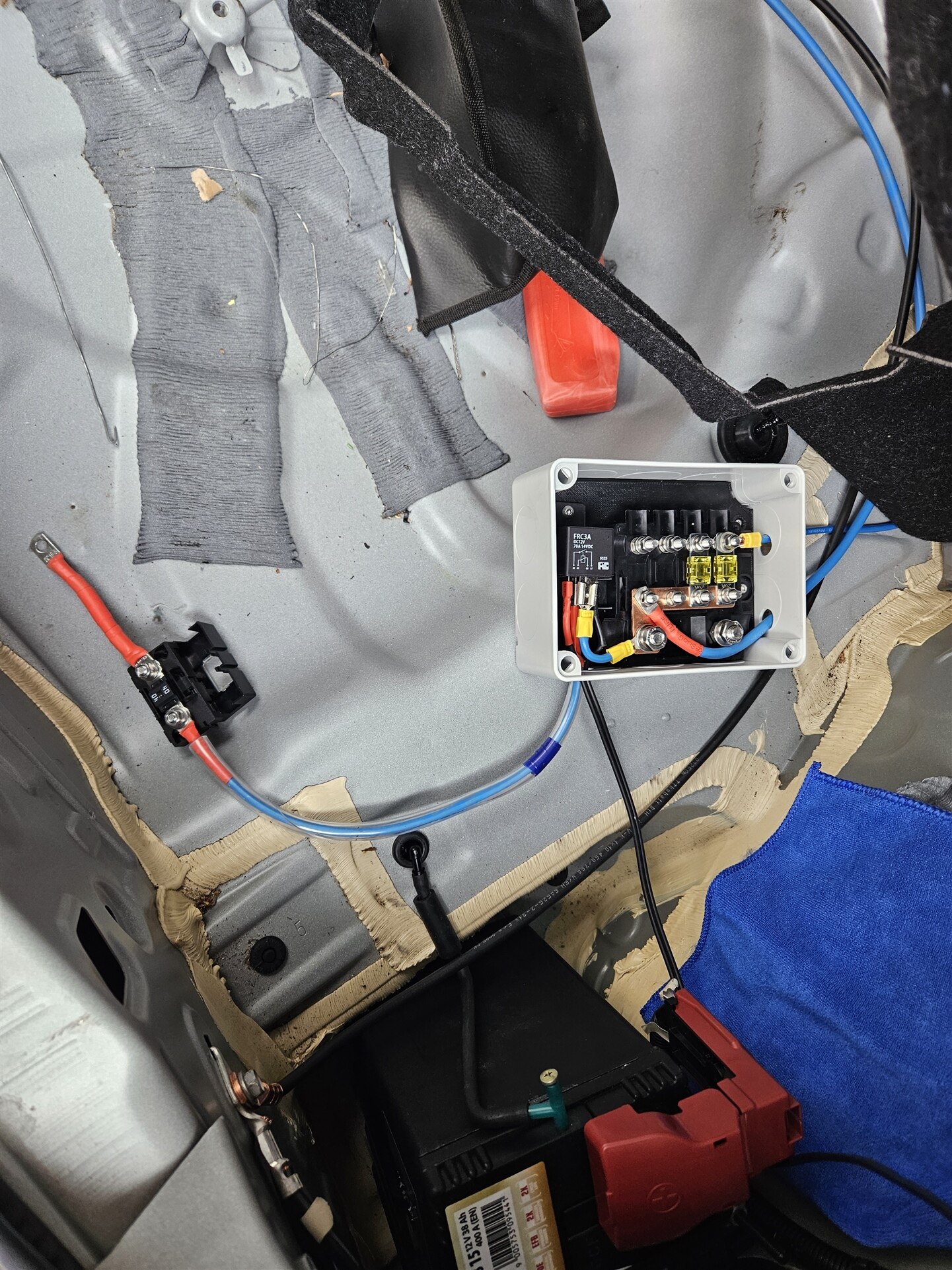
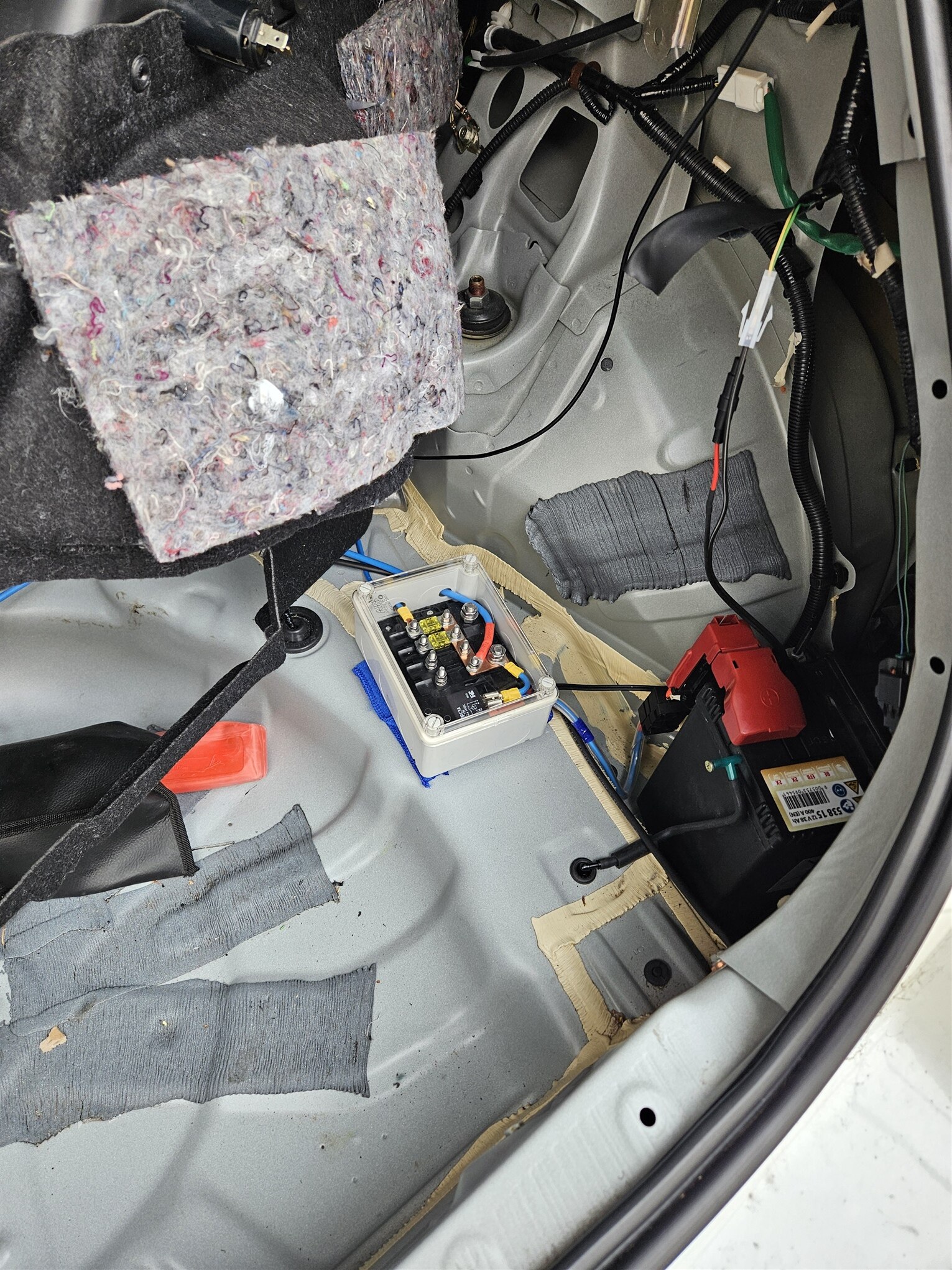
The next step was wiring up everything in the car for the charger. This involved routing the Single Pair Ethernet cable from the trunk to the glovebox in the front, and also installing a robust, 40A capable 12V source for the charger.
To do this properly, I added another grey box, housing a relay, and some fuses. The purpose of the relay is to only supply 12V to the charger when the engine is running. Technically, this is not required, as the Orion XS and our Charging Controller board both implement a low voltage cutoff, but better safe than sorry. This also provides a simple way to hook up other loads later, like a high power laptop charger or cabin heater in the winter, if I ever decide to add one.
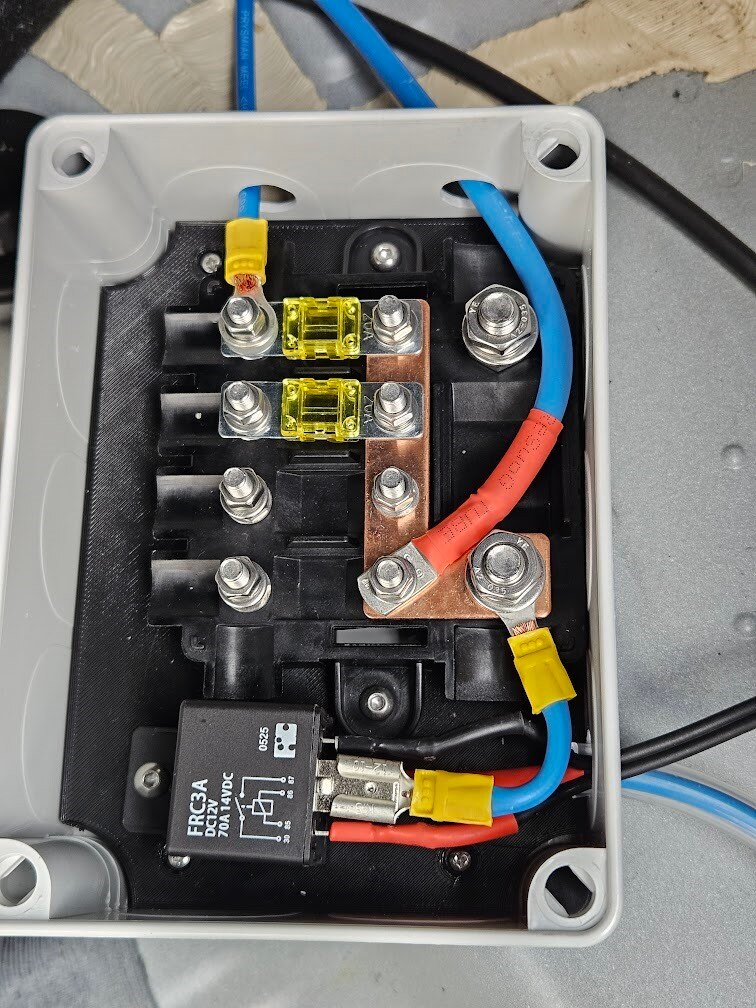
The thick blue cable exiting at the top is the 12V input to the Orion XS. It is not fused in this box, to prevent unnecessary voltage drop. This is safe, because the entire setup got a 40A fuse, right at the battery terminals.
The smaller blue cable exiting at the top is for my subwoofer, which got a second, 20A fuse.
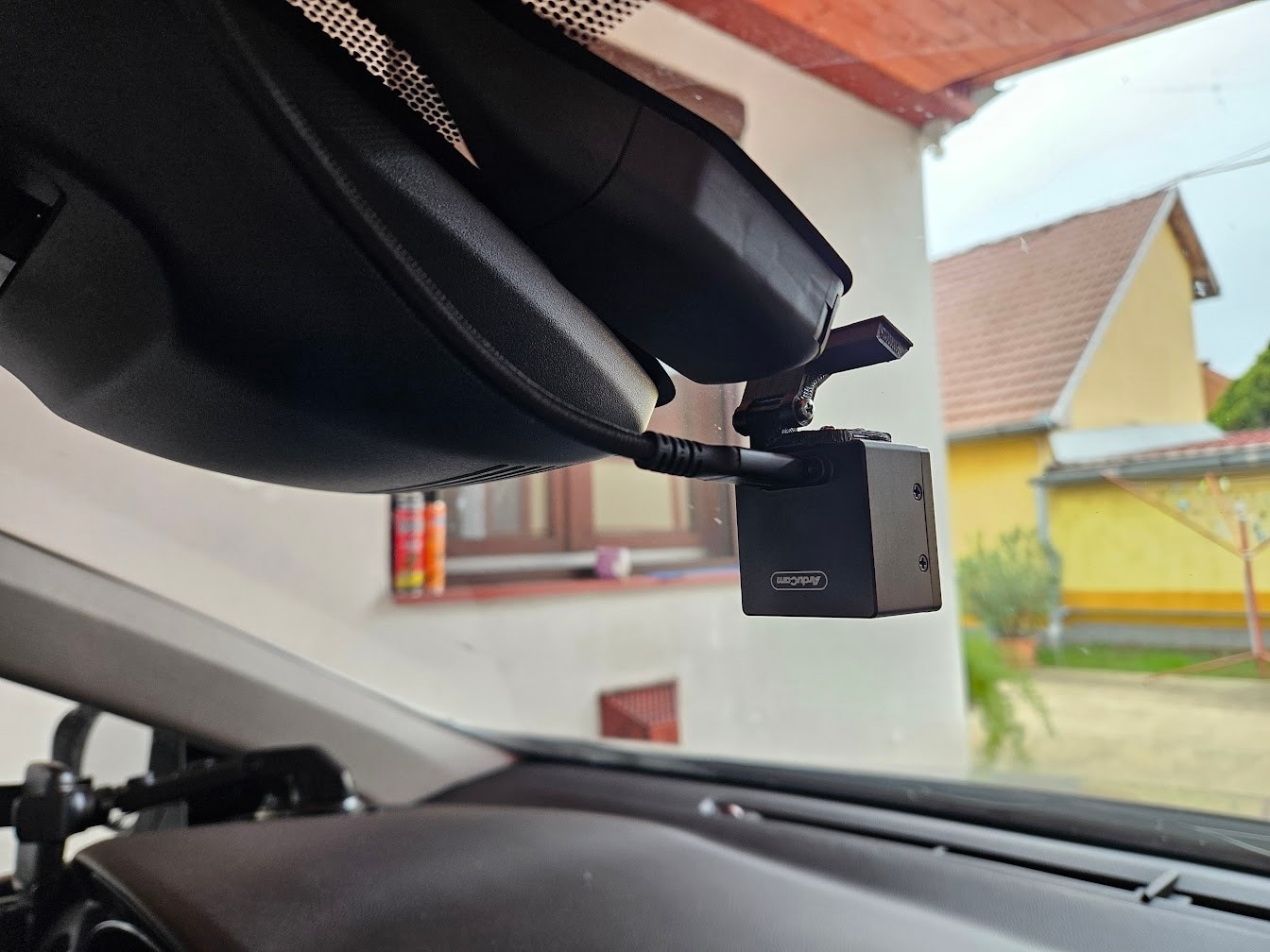
Next up, mounting the cameras. I had quite a lot of trouble with USB3 interference for the front camera, mainly regarding the GPS setup. The solution ended up being a very fancy, USB3.2 Gen2 cable, with USB-C connectors on both ends.
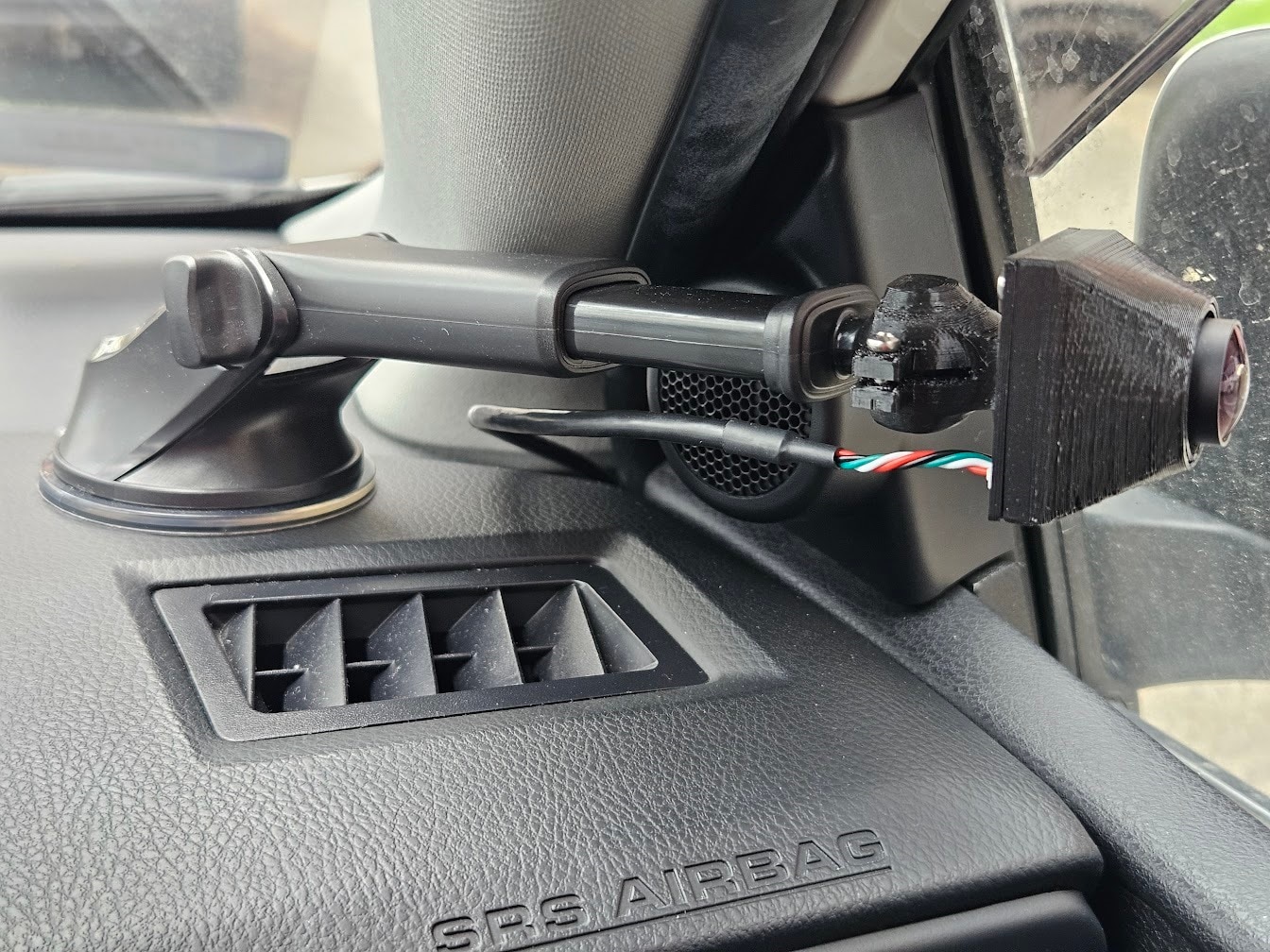
The rear and side cameras are only USB2, so I didn’t have any issues regarding those.
I added a 2J Antennas 2J4950PGF antenna to the windshield, which includes one 4G antenna, one 2.4/5GHz antenna, and an active GNSS antenna.
The cabling for the antennas and front camera were routed down the A pillar, to the glovebox.

With everything wired, this is what I got in the glovebox:
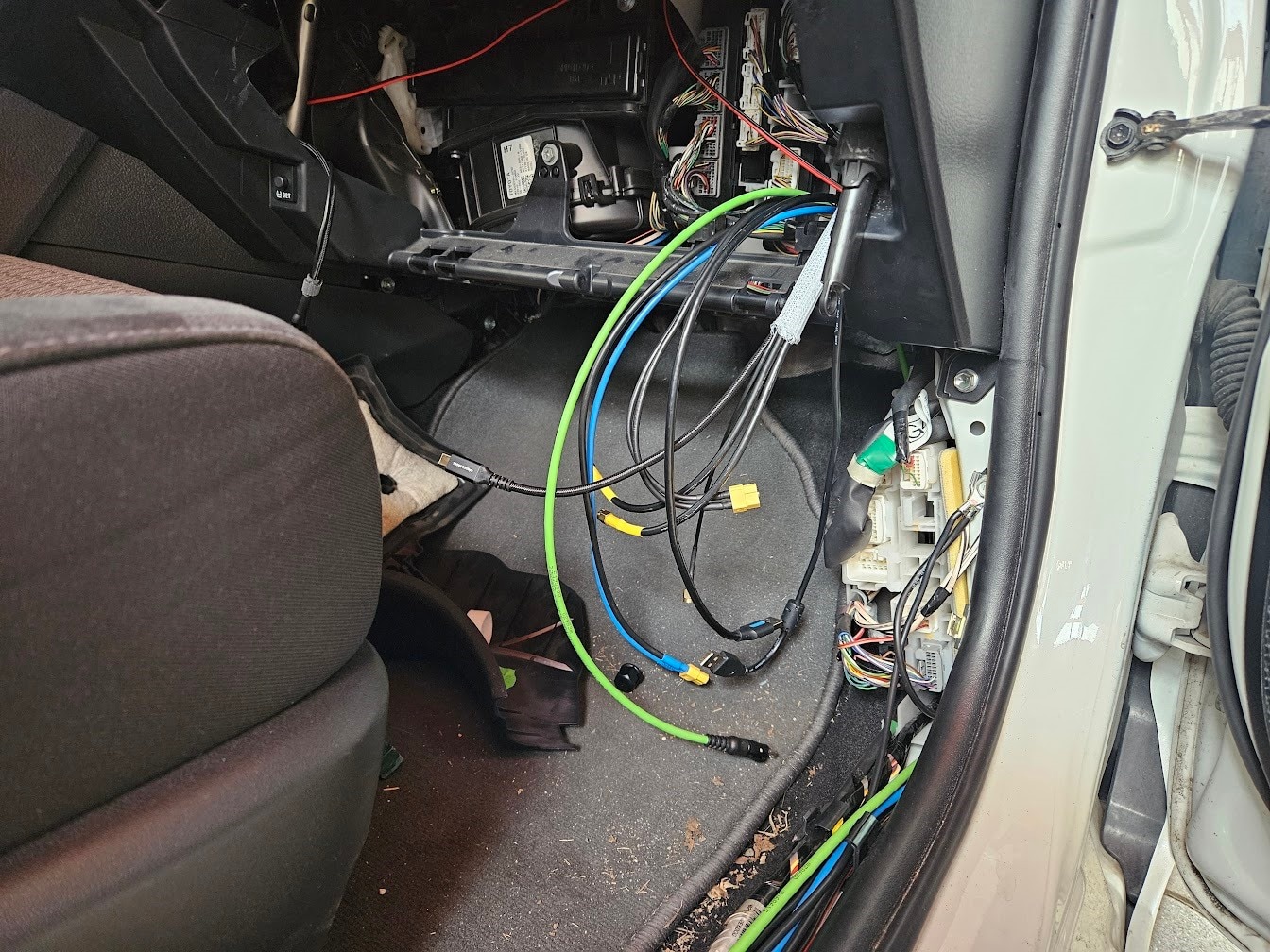
I temporarily added a USB connection to the Charger Control PCB, so I can debug the ESP32. This will be removed once the firmware is up and running, and all communication and firmware flashing will happen over SPE.
Conclusion
After confirming that everything was wired properly, and running some test code for the SPE link, the hardware is essentially finalized. All that’s left is to write a lot of code to make everything work, which will be shown in the next, final blog post, along with a summary of what happened so far.
The TPS543021 performed great in my testing, so it is definitely becoming my go-to buck converter for custom PCBs.