


To get the software part of this project going, I loaded the motor control demo program and KSDK into Kinetis Design Studio.
My first challenge was to wire up the kit button board and to have the software adjust the motor speed using the arrow buttons.
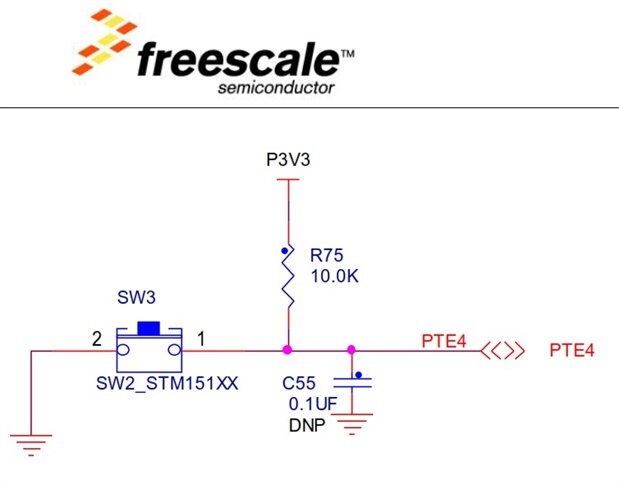
I chose to use PORTC pins PTC8-11, since they were the easiest to connect to from the top of the motor shield. I added a small
breadboard with terminals to plug into the motor shield along with pull-up resistors and decoupling caps as shown in the KV31F User
Manual schematics for the on-board switches.
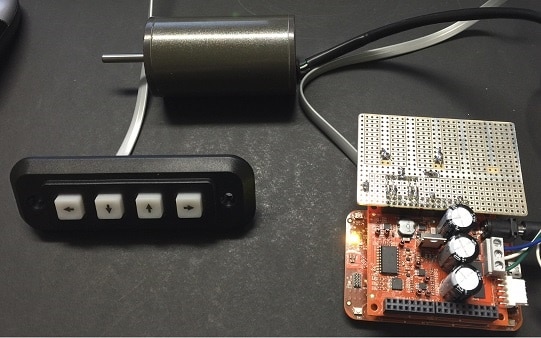
Here's a photo of the system with the arrow buttons wired.
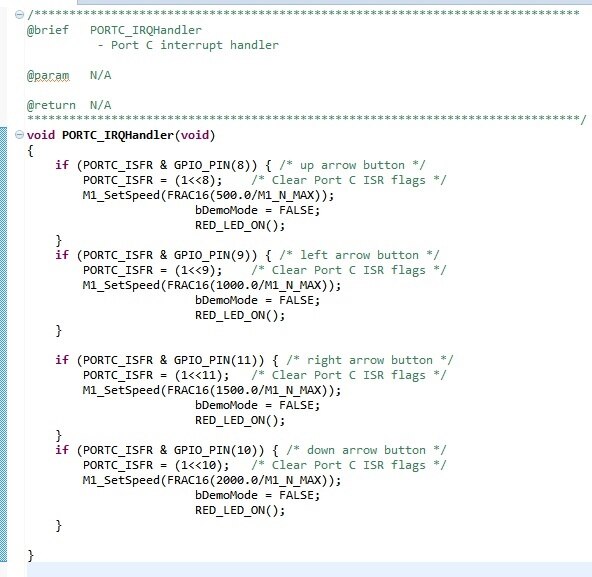
I modified the demo program with a PORTC interrupt routine to decode the buttons and change
the motor speed.
This configuration is working well. Next I will work on connecting the motor to some gears and
see how well it can move the shelf.