


Today I finished up the Hardware series with Lab 09 - TCL Scripting
In this series, we are provided an Ultra96 board and a series of training modules focused around three areas - Hardware (the FPGA side), Software (the microprocessor side), and Petalinux (the OS side).
Lab 09 - TCL Scripting
This is a quick blog post since the lab was very quick. We simply open the project that we had going from Lab 08 and run a script. This script has been highly customized for this training to take the previous design and update it for the next set of lessons. it removes the JTAG to AXI interface, adds a bunch of other AXI interfaces and IPs, and completes with exporting the hardware, running synthesis & implementation, and generating bit stream.
I did run into one (expected) problem since I was running out of the /home/james/ directory instead of the /home/training/ folder as per the instructions in lab 00.
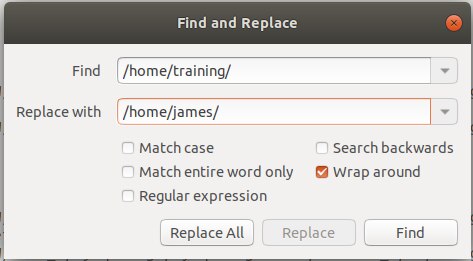
I had some errors with the script then I remembered that I should have checked for this. I did a find/replace in the tcl script, but my project was already too buggered to recover. Thankfully, we are provided with the finished labs for each lesson so that we can easily start from a known good configuration. It is especially useful since there is so much that can go wrong with so many settings and sub-menus. If I missed some timing setting or PLL/clock domain and nothing worked, it would be much faster to start from a known good instead of troubleshooting (although I did try for a little while before throwing in the towel).
And the note below from the student lessons give me the go-ahead (in no uncertain terms) that the best course of action is remove & replace.

I'll skip a video for this blog post since it would just be me mumbling while the script runs, but here is the results based on the block design.

The extra components include an extra PWM controller, two UARTS, and some other things like connections to physical pins.
And with that, I'm off and running with the next section - Software!
- James