


Pi Control Hub is a DIY home automation system which can be extended in the future for more IoT capabilities. The name "Pi Control Hub" , correlates spoke and hub network topology, where Raspberry Pi 3 and the 7'' touch screen are going to act as the HUB aka the command and info center. And the other components as part kit including the EnOcean Sensor kit and some sensor that I already have lying around at home, will act as the SPOKE's, here are the feature -
- DIY Security Camera
- Blinds Automation
- Key-less door entry
- Lights on/off when you enter/leave home
- Inside-Outside Weather Condition monitor using OpenWeatherMap API
- Running Amazon Echo API on the Raspberry Pi - which means you have very own DIY Alexa at home and you can ask her all sorts of questions like what is the Weather Condition, news and more.
- All the features above and the security camera feed will be part of a Web app hosted on the Pi 3 written in Python-Flask , which means you will able to access Pi Control hub using Tablet/Computer and Phone when you are on you home Wifi.
There will be an individual blog post for each of the features aka the spokes of the Hub, so stay tuned!! .In addition, design 3D printed cases/holder for each of the components, I will include the STL files as part of the blog post so that each feature in the project can be replicated separately..
Details Feature to be implemented
Control Hub
The Control Hub flask web app running on boot up which will display the following
-The live feed from the security camera , and the last 3 times something moving was detected
-Display the temperature and humidity inside the house using DHT 11 senosr
-Display the Weather of conditions the outside temperature,humidity and weather condition using OpenWeatherMap current weather and forecast API
-Also display the temperature from outside the house using the EnOcean temperature sensor
- When you enter house/leave the house EnOcean Magentic contact sensor will detect this which will trigger the relay..
-Install the Amazon Echo API python version to activate Alexa, here I am thing of using an Arcade button - to mimic the Amazon Dot functionality .
- And Yes , how can the control hub be complete with out music - will have to install Mopidy ( https://www.mopidy.com/ ) to stream my Spotify playlist
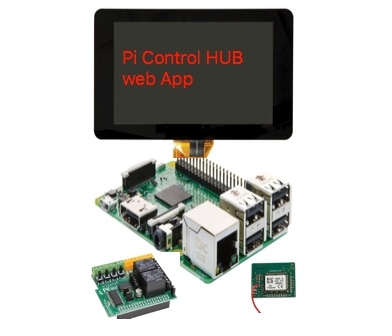
<image above is a mashup of images in the Kit Section of PiIoT design challange>
I am going to have to 3D print a case or may have to laser cut some acrylic at my local makerspace , given that the bed size of my 3D printer is small  ..
..
Spokes of the Hub
- DIY Security camera (Currently Work in Progress using an A+ that I have handy)
Like any other security camera this the DIY security camera you will have basic feature, like Pi camera feed will show up on the Control Hub. You will have two buttons(as part of the web app) below the feed to take a picture and take a 1 min video .
This will use Pi B+ with one of the Pi Cameras which will come as part of the kit
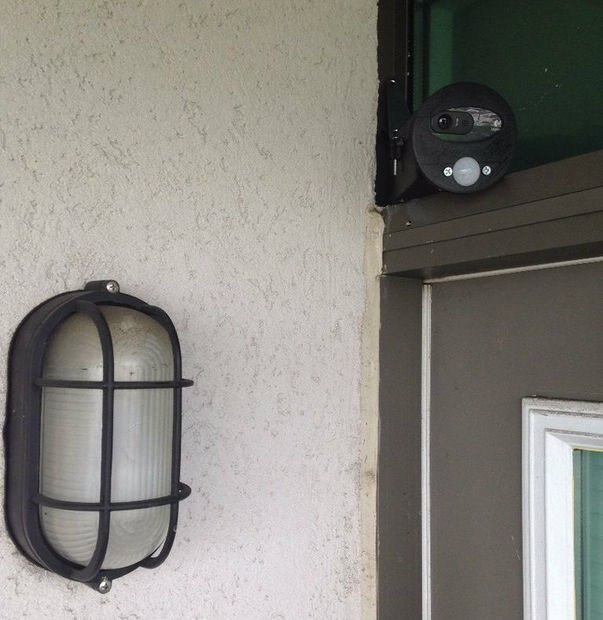
- Blinds Automation
The hardware for this Pi Zero (borrowed from a friend, who has agreed to give me his ,till I find him a replacement with the added bonus of the new pi Zero with Camera connector  )+ Wifi adapter + Continuous rotation servo or gear motor (i will need a motor driver if i am using a gear motor )+Photo cell and capacitor for detecting light(currently have all these components) + 3D printed case
This will need open and close button on the Control Hub screen
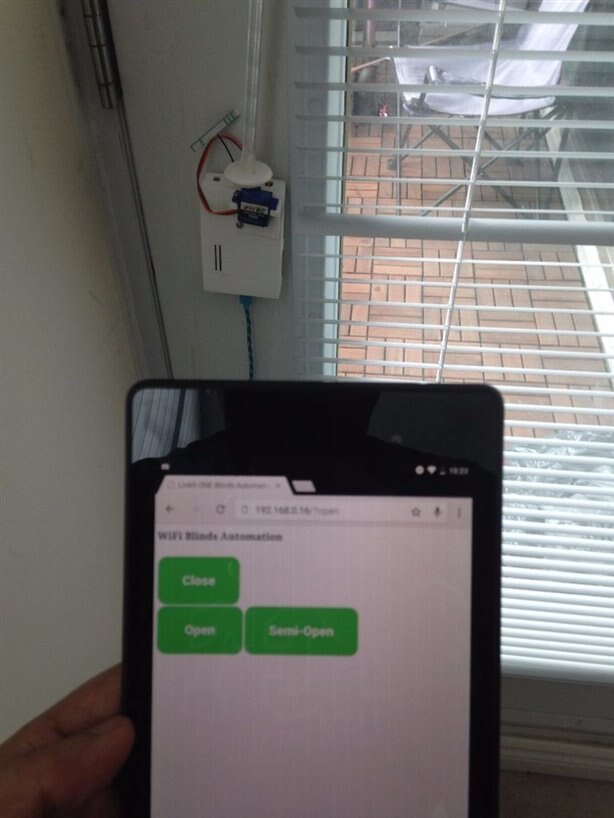
- Keyless door entry
The hardware for this Pi B+ (used in the Security Camera - I will have to figure out the wiring to the door lock  ) + Servo + 3D printed parts
As part of this feature you will be able to unlock the door if your smart phone is connected to the home wifi router and you know the secret password. Here I have the 3D printed part and the servo parts ready from a previous project , will have to figure out how/if I can use the Pi B+ from the security camera
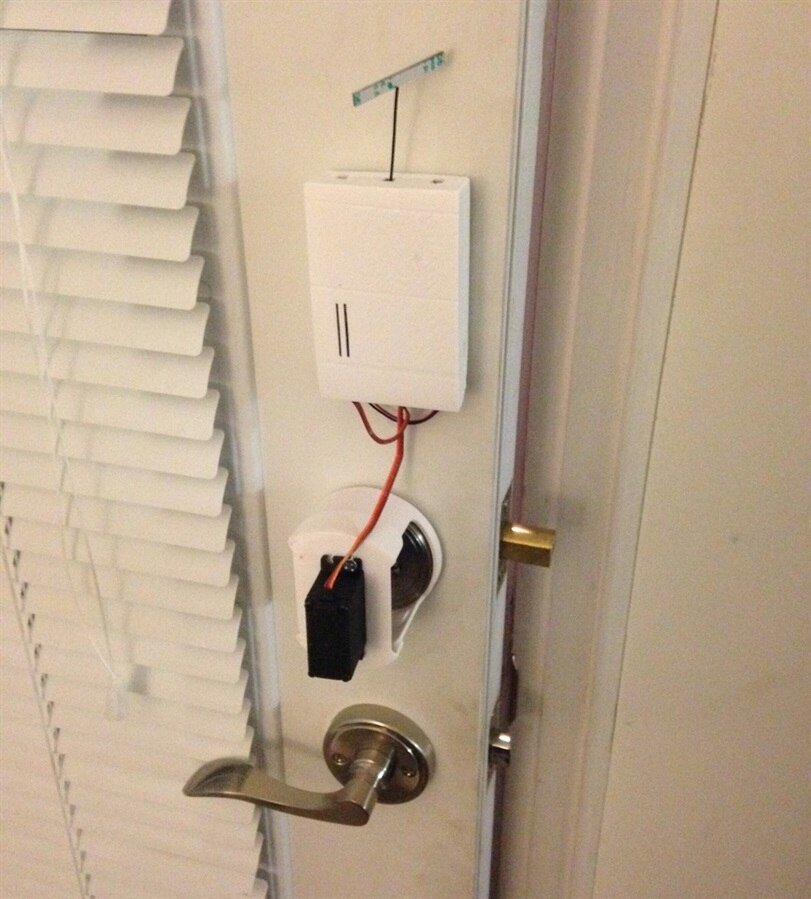
- Light ON/OFF when you enter leave
Here I plan to use the PiFace digital 2 - connected to Contol hub Pi 3 + Lamp + Humidifier during the winter (Connected to the second relay) + EnOcean push switch
As part of this feature the lamp will come on as soon as you enter your home, keeping time in mind. In addition in the winter the humidifier will come on base on the DHT11 humidity reading inside the house once you enter.
The relay can also be triggered using EnOcean push Switch , this will be handy when my mother visit me , as she does not have a fancy smart phone ..
If time permits(Once I completed the Hub and spokes mentioned above)
- My very own Pi Hat base on https://www.element14.com/community/docs/DOC-81810?ICID=hp-pi3cadlibrary-topbanner instead of using the Pi Rack.
- Open CV - with the DIY security camera to check if it is a human or the neighbor's cat
- Simple Android app to check if the mobile is in the vicinity of the Pi Control hub, which means a human is at home which will communicate to the Pi Bluetooth.
Top Comments