


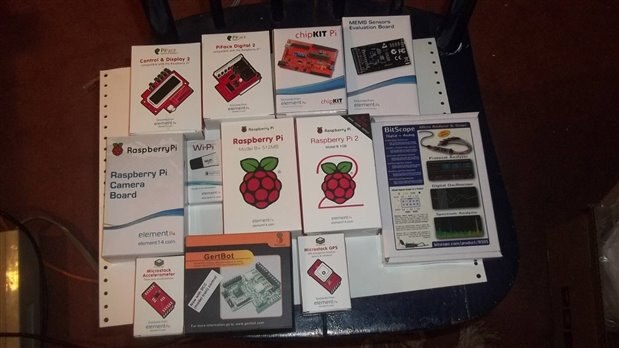
Well I received my kit on Friday and was very excited to begin. The competitors have impressive projects and very creative ideas. When I applied for this design contest it was a challenge to review all the components in the kit and come up with an idea. So I have been building projects with the Raspberry Pi , sensors and the camera. I also built a project with EnOcean Pi and wireless sensors. It just came to me there was enough components to build the Pi Rover Defender. I plan to add a chassis and a proximity sensor to the project. The general consensus of my friend's children is it must have Spider Legs 
My strengths in this contest are programming skills and troubleshooting software errors. I am proficient in Visual Basic, Java, Python, Linux and C. Should I give my Achilles heal to the competitors ? Okay yes ! This will be my first time developing robot movement . I always wanted to do this and will be successful. Oh I have to learn to solder.
I have decided to start with what I am familiar with and build from there. My first step is to set up the navigation system. My second step is to build a stop motion camera that will take pictures or videos when movement is detected. I will blog in more detail on these first two steps. Each additional step will be to add more working components and additional functionality. The challenge is to build a nice electronic sandwich to log the data from all these components and to present the data in a meaningful way.
Navigation System
The kit included the Microstack GPS and XTRINSIC-Sense Board.
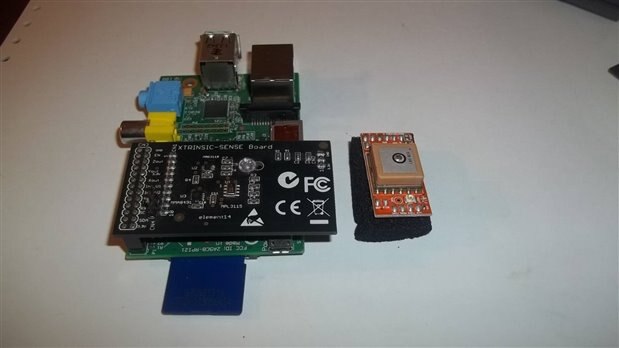
XTRINSIC – Sense Board
Inertial Navigation Systems uses a computer (i.e. Raspberry Pi ) and motion sensors (accelerometers and magnetometer) to calculate position, orientation and velocity without the need for GPS or other external devices. I have already tested the XTRINCIC – Sensor Board and made this short video. I logged the output using Putty but as you can see there was some drift in calculating the next Latitude and Longitude. In other words if the projection is off when the first error is made than the errors seem to accumulate. I walked a straight line and not a diangle line as shown in the video. BUT the distance and time were spot on. I will share my algorithms in future blogs and the detail write up. Perhaps the most exciting moment was calculating distance without GPS. I measured my stride and was able to calculate a step had occurred when the acceleration curve crosses below the dynamic threshold. So taking the average of 50 samples of data from the accelerometer Z axis provided the threshold. Lots of trigonometry involved and promise to go into more detail. To project next Latitude and Longitude I needed that starting position, time , distance and bearing. The bearing was from the magnetometer. I will blog more about the calculation of Yaw, Pitch and Roll from these sensors. The video was a previous idea but serves as my idea for navigation without GPS.
The Micro stack GPS
I will have this up and running for more next blog. Of course GPS is the standard for tracking. If you use GPS and walk inside a building then the device will use dead reckoning to project the next position. This is what I will be testing first. The Inertial Navigation System serves as a backup system when the GPS cannot obtain position.
Raspberry Pi Camera
I will probably go with the Raspberry Pi Cam for stop motion camera. I can't wait to test it on the new Raspberry Pi 2. I will provide more tests in future blogs.


