


The early stages of software development often takes time to produce tangible results, particularly when you are climbing the learning curve of several technologies at once with crampons and ice-axes, but no rope  .
.
However, thanks to the documentation provided for the PiFaceCAD Examples — PiFace Control and Display (CAD) 2.0.7 documentation, and the documentation that comes with Python, plus a small injection of brain power by yours truly, we have a first example of the Hexagram Display Outtput page on the PiFaceCAD screen. It might not look much, but the two Hexagrams are custom bitmaps created using Python lists, and the output algorithm proves the conversion from the original (old) Hexagram as cast by the computing algorithm to the 'New' Hexagram created by the changing Yin and Yang lines.
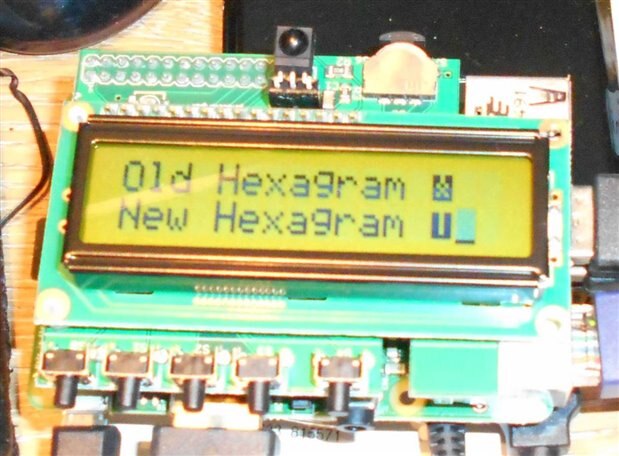
Next task is to sort the Welcome Menu page and the control/parameter parameter passing from the compute engine to the display module, to test the random number generation. It won't be much of an Oracle if it always gives the same answer .
As i have also got the IR module to recognise the remote from my Hauppauge PVR card, i intend to test both IR remote and PiFaceCAD buttons for Menu Navigation. The PiFaceCAD Internet Radio example software should help there.
