element14 Community
element14 Community
    Register Log In
  • Site
  • Search
  • Log In Register
  • Community Hub
    Community Hub
    • What's New on element14
    • Feedback and Support
    • Benefits of Membership
    • Personal Blogs
    • Members Area
    • Achievement Levels
  • Learn
    Learn
    • Ask an Expert
    • eBooks
    • element14 presents
    • Learning Center
    • Tech Spotlight
    • STEM Academy
    • Webinars, Training and Events
    • Learning Groups
  • Technologies
    Technologies
    • 3D Printing
    • FPGA
    • Industrial Automation
    • Internet of Things
    • Power & Energy
    • Sensors
    • Technology Groups
  • Challenges & Projects
    Challenges & Projects
    • Design Challenges
    • element14 presents Projects
    • Project14
    • Arduino Projects
    • Raspberry Pi Projects
    • Project Groups
  • Products
    Products
    • Arduino
    • Avnet & Tria Boards Community
    • Dev Tools
    • Manufacturers
    • Multicomp Pro
    • Product Groups
    • Raspberry Pi
    • RoadTests & Reviews
  • About Us
  • Store
    Store
    • Visit Your Store
    • Choose another store...
      • Europe
      •  Austria (German)
      •  Belgium (Dutch, French)
      •  Bulgaria (Bulgarian)
      •  Czech Republic (Czech)
      •  Denmark (Danish)
      •  Estonia (Estonian)
      •  Finland (Finnish)
      •  France (French)
      •  Germany (German)
      •  Hungary (Hungarian)
      •  Ireland
      •  Israel
      •  Italy (Italian)
      •  Latvia (Latvian)
      •  
      •  Lithuania (Lithuanian)
      •  Netherlands (Dutch)
      •  Norway (Norwegian)
      •  Poland (Polish)
      •  Portugal (Portuguese)
      •  Romania (Romanian)
      •  Russia (Russian)
      •  Slovakia (Slovak)
      •  Slovenia (Slovenian)
      •  Spain (Spanish)
      •  Sweden (Swedish)
      •  Switzerland(German, French)
      •  Turkey (Turkish)
      •  United Kingdom
      • Asia Pacific
      •  Australia
      •  China
      •  Hong Kong
      •  India
      • Japan
      •  Korea (Korean)
      •  Malaysia
      •  New Zealand
      •  Philippines
      •  Singapore
      •  Taiwan
      •  Thailand (Thai)
      • Vietnam
      • Americas
      •  Brazil (Portuguese)
      •  Canada
      •  Mexico (Spanish)
      •  United States
      Can't find the country/region you're looking for? Visit our export site or find a local distributor.
  • Translate
  • Profile
  • Settings
Sci Fi Your Pi
  • Challenges & Projects
  • Design Challenges
  • Sci Fi Your Pi
  • More
  • Cancel
Sci Fi Your Pi
Blog Meditech: Control panel breadboarding circuit preview
  • Blog
  • Forum
  • Documents
  • Files
  • Mentions
  • Sub-Groups
  • Tags
  • More
  • Cancel
  • New
  • Share
  • More
  • Cancel
Group Actions
  • Group RSS
  • More
  • Cancel
Engagement
  • Author Author: balearicdynamics
  • Date Created: 6 Jun 2015 1:40 PM Date Created
  • Views 622 views
  • Likes 2 likes
  • Comments 4 comments
  • meditech_project
  • alphanumeric_lcd
  • microswitch
  • pwm_fan
  • infrared_sensor
  • raspberry_pi
  • contol_panel
  • sci_fi_your_pi
  • temperature_control
Related
Recommended

Meditech: Control panel breadboarding circuit preview

balearicdynamics
balearicdynamics
6 Jun 2015

Introduction

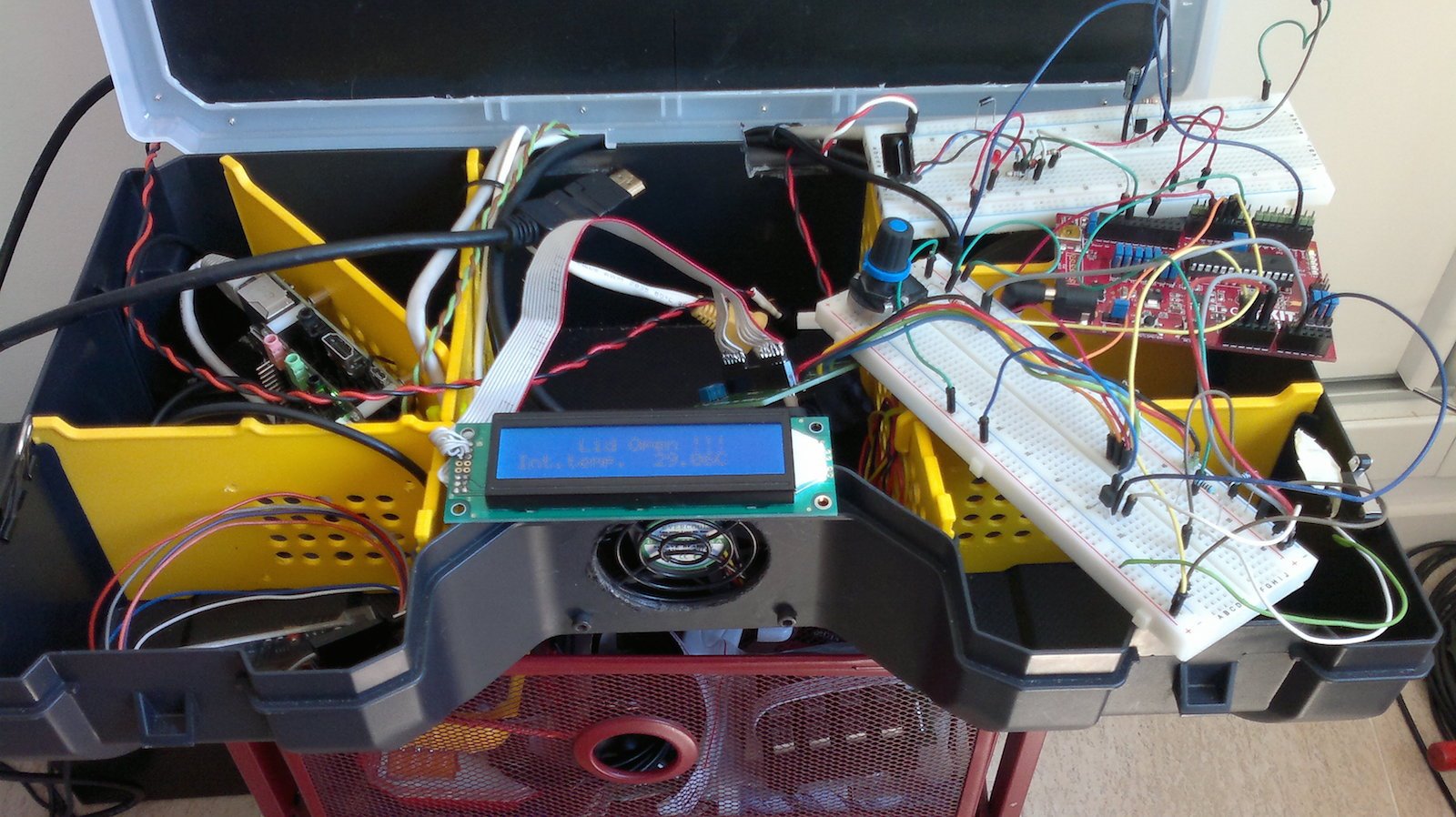
As already explained in the previous posts, the Meditech container includes many components surrounded by a small networks of different and specialized microcomputers and microcontrollers. A ChipKit PI board connected with the RPImaster main device manages a series of independent controls mostly related to the internal Meditech health status; the same micro controller board is also used to set several calibration levels of the probes.


Meditech should be easily controlled and managed by the user, that is expected to be a non high-skilled technical personnel. So the control panel is an internal automated device though to simplify the life of the operator enabling him to manage the different diagnostic systems without too much effort and without the need of a keyboard and mouse that are optional only in some conditions.
 

image


The control panel features

The following are the features supported by the control panel


Temperature control

An integrated heat sensor constantly controls the internal temperature (shown on request on the LCD control panel display). When the level reach about 40C the cooling fan is automatically started and the speed is increased if the heat level grows during the usage.


Parameters calibration

Depending on the user choices, the same analog potentiometer can be used to calibrate different probes, where needed (e.g. the microphonic stethoscope audio gain).


Probes activities

A series of leds shows the probes that are enabled and working.


LCD alphanumeric displayimage

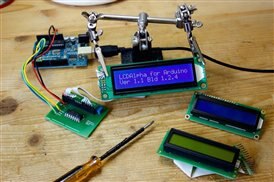
An alphanumeric LCD (based on the LCD Alphanumeric kit for Arduino and the software library adapted to work with the ChipKit board) using the I2C of the ChipKit PI micro controller board shows information, alarms, internal temperature etc.


IR receiver

This is the only tool directly connected to the RPImaster enabling the user to access the control panel features and settings from remote. This is useful as in many cases the probe settings should be managed by the operator while he is nearby the patient.

The micro controllers exchange data with the RPImaster device via the serial connection that has sufficient speed for simple commands exchange.


Fan control

The fan control is an automatic feedback in response to the internal temperature. The fan speed is controlled by a PWM signal managed by the micro controller and is independent by the entire process.


Lid open alarm

Lid open alarm is activated by a microswitch (the mechanical solution in these cases is more reliable then redundant electronic). If the devices components lid is opened while the system is running, it is shown an alarm on the LCD display then after x second (the delay duration should be tested experimentally) the micro controller sends a command to the RPImaster that initiates a total shutwon procedure of all the devices.


The following video shows the experimental preview of the test circuit just before it is converted in schematic and the content of the box organized in a proper way.


You don't have permission to edit metadata of this video.
Edit media
x
image
Upload Preview
image

  • Sign in to reply
  • balearicdynamics
    balearicdynamics over 10 years ago in reply to DAB

    frankly I have considered this aspect, using the included small amp of the cirrus logic with a couple of small speakers. maybe useful also for audio messages and other things.


    not so much for body sounds the should be graphically visualised after proper filtering. anyway it is a good idea.

    • Cancel
    • Vote Up 0 Vote Down
    • Sign in to reply
    • More
    • Cancel
  • DAB
    DAB over 10 years ago in reply to balearicdynamics

    Hi Enrico,


    Since you have a microphone, why not add a small amplifier and listen to what the mic picks up?


    Should be easy to add and would give you some interesting capabilities for you stethoscope beyond just body monitoring.


    DAB

    • Cancel
    • Vote Up 0 Vote Down
    • Sign in to reply
    • More
    • Cancel
  • balearicdynamics
    balearicdynamics over 10 years ago in reply to DAB

    DAB, what do you mean as adding the audio ?


    Enrico

    • Cancel
    • Vote Up 0 Vote Down
    • Sign in to reply
    • More
    • Cancel
  • DAB
    DAB over 10 years ago

    Are you going to add the audio for the stethoscope?


    It would make you kit very useful for demonstrations.


    DAB

    • Cancel
    • Vote Up 0 Vote Down
    • Sign in to reply
    • More
    • Cancel
element14 Community

element14 is the first online community specifically for engineers. Connect with your peers and get expert answers to your questions.

  • Members
  • Learn
  • Technologies
  • Challenges & Projects
  • Products
  • Store
  • About Us
  • Feedback & Support
  • FAQs
  • Terms of Use
  • Privacy Policy
  • Legal and Copyright Notices
  • Sitemap
  • Cookies

An Avnet Company © 2025 Premier Farnell Limited. All Rights Reserved.

Premier Farnell Ltd, registered in England and Wales (no 00876412), registered office: Farnell House, Forge Lane, Leeds LS12 2NE.

ICP 备案号 10220084.

Follow element14

  • X
  • Facebook
  • linkedin
  • YouTube