


Introduction
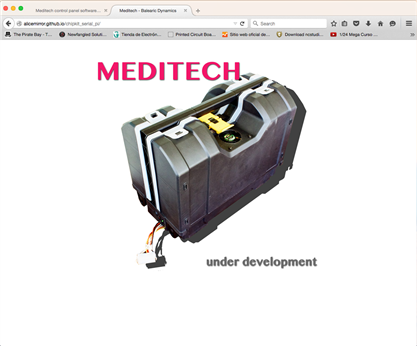
This update affects the ChipKit PI software for the control panel; the development lifecycle is part of the entire project but it is organised in a dedicated repository.
A series of general updates has been done for better reachability of the sources and documentation described in the list below:
- http://meditech.balearicdynamics.com application and user manual, project documentation and technical information. The pages are under construction and only the home page is shown.
- The GitHub repository has been organised in a better way for more readability. The master branch includes the sources updates (v 1.0 build 0023 at the actual date) while the automatically generated documentation (Doxygen) is regularly updated in the gh-pages repository.
- The documentation is accessible also from the GithHub repository documentation pages for the better understandability. The GitHub documentation is only affected by the source code and algorithms.
The same methodology describe above will be adopted for all the software modules of the project.
Cooler fan speed control
The cooler fan speed is controlled on the temperature periodically checked by a LM32 temperature sensor positioned to the bottom of the RPI master board. The internal temperature is also shown with continuous updates on the rightmost top corner of the display. The proportional speed is set by a PWM frequency so that the RPM speed respect the spot temperature is almost continuous, following the rules described below:
- Fan Speed PWM frequency will vary between 35 and 255; lower values than 35 has no effect and the motor is always stopped.
- The temperature range is between 38C and 60C.
- A temperature under 38C keeps the fan stopped and a temperature over 60C generates a overheating error.
Every reading of the temperature maps a proportional updated speed (the corresponding PWM frequency) of the cooler fan. In this way, the entire temperature monitoring and control period is controlled by a single short function
void setFanSpeed(float temp) {

  //! The filtered temperature to control the out-of-range values
  float filteredTemp;

  // Check the temperature range
  if (temp < MIN_TEMP)
    filteredTemp = MIN_TEMP;
  else
    if (temp > MAX_TEMP)
      filteredTemp = MAX_TEMP;
      else
        filteredTemp = temp;

  int pwmSpeed = map(temp, MIN_TEMP, MAX_TEMP, MIN_FANSPEED, MAX_FANSPEED);

  SoftPWMServoPWMWrite(FAN_SPEED, pwmSpeed);
}
Non-invasive and simple debug logging to the serial
Logging events and program flow states as serial messages is probably one of the most efficient ways to implement fast debugging features in the methods. The problem is finding a method to disable it as simple and fast when the logging should be disabled: simple as changing a #define to #undef in a single include header.
So the DebugStrings.h file has been created, to be included in any source that should use it.
The general architecture of the debug/log header file is almost simple:
// #define to enable, #undef to disable
#undef __DEBUG

#ifdef __DEBUG
// Debug - log messages strings

#define DEBG_PREFIX "[DEBUG]"
#define DEBG_LIDOPEN  "LID OPEN"
#define DEBG_LIDCLOSED  "LID CLOSED"
#else
// Empty definitions if disabled
#define DEBG_PREFIX ""
#define DEBG_LIDOPEN  "
#define DEBG_LIDCLOSED  ""
#endif
For every log string defined, the corresponding empty definition should be created in the bottom section of the file. In every source where the debug should be - eventually - used a debug() function should be defined. It's up to you how the serial log should be sent, the following is a very simple example.
void debug(String msg) {
#ifdef __DEBUG
  Serial1 << DEBG_PREFIX << "> " << msg << endl;
#endif
}
The everywhere in the source that it is needed a runtime message sent to the serial, it is sufficient to call the function passing the message as a parameter, e.g.
debug("Test message");
debug(DEBG_LIDOPEN);
As you see above, it is not mandatory to define all the log strings in the DebugStrings.h file. It is a good solution only because when the serial logging is not needed anymore the memory space occupied by the strings is automatically freed, making the application smaller and faster.
Working with interrupts and tasks
There are two ChipKit core features that simplified a lot the management of the program priorities: timers and the tasks. The most important difference is that the scheduled tasks are driven by a general interrupt with an approximated triggering, but can operate on long timing in the order of seconds or more. Timers instead make available to trigger more precise events (milliseconds) along periods not greater than 90 seconds.
The ChipKit control panel application should manage two different class of tasks that in some cases has a reciprocal influence; e.g. if the Meditech panel lid is open all the other functions should stop. So the teperature status and cover lid status are checked with two interrupt Timers while the other low priority events (i.e. the display update) are controlled by tasks.
The other class of tasks that are managed by the micro controller program are the command dialog through the serial, controlled externally by the RPI master. This second groups of events is under the control of the program flow, depending on what action the user has requested to the RPI master interacting with the system so no interrupt is required.
The setup() function starts two timer services:
  // Set and start the timer for lid status
  attachCoreTimerService(isLidStatusChanged);
  // Set and start the timer for fan cooler speed regulation
  attachCoreTimerService(fanSpeedRegulation);
The first timer check for the lid status switch through the callback function isLidStatusChanged() every second while the second task updates the fan speed over the internal temperature every 5 seconds.
The control panel LCD display has some areas showing information depending on the state of the system but there are some reserver areas, i.e. the rightmost top corner that show the internal temperature every second (no matter the precise frequency this should occur). The updateDisplay() function is scheduled as a task in the setup() function on startup as shown in the code below.
  // Create the display update task.
  // This task updates automatically only the reserved display
  // areas, i.e. the temperature monitor and other information.
  updateDispalyTaskID = createTask(updateDisplay, TASK_UPDATEDISPLAY, TASK_ENABLE, NULL);
Applying this strategy the loop() function results very simple and fast:
/**
  \brief Main loop method

  The main application loop is interrupted by the lid open status generating
  a high priority alarm. Also the internal temperature is checked periodically
  to set the fan speed to the correct value.\n
  When serial data are present (a command waiting from the PI main) the data are
  parsed as needed.
  */
void loop(void) {
  // Check if the lid is open
  if(lidStatus == LIDCLOSED) {
    // Test only !!!
    int pValue = analogRead(CALIBRATION_POT);  // Read the pot value
    steth.updateDisplay(map(pValue, 0, ANALOGDIVIDER, MINGAIN, MAXGAIN));
    checkSerial();
  }
  else {
    // Show the error message
    lcd.clear();
    message(_LID_OPEN, 5, LCDTOPROW);
  }
}
The following video shows the startup sequence and the Stethoscope gain setting, while the task updates the internal temperature on the display. As the lid cover is opened the other timer immediately detects the event showing the alert on the display.
Top Comments