


Application Information
http://www.element14.com/community/community/design-challenges/sci-fi-your-pi/blog/2015/04/22/some-information-from-my-application
ChipKit Pi Vs Arduino Pro Mini
http://www.element14.com/community/community/design-challenges/sci-fi-your-pi/blog/2015/05/01/quick-update-on-the-quadcop-and-the-chipkit-pi
Quadcopter Assembled (You call that a Quadcopter?)
http://www.element14.com/community/community/design-challenges/sci-fi-your-pi/blog/2015/05/06/quadcopter-assembled
QuadCop -The Control Switch
http://www.element14.com/community/videos/16202/l/control-switch-explanation
Quad Cop with ChipKit Pi - An "Experience" with Innovation Required
I rigged up my raspberry pi to my quad copter and wrote a quick script so I can push a button to start and stop the camera. The camera has a LED on it so it works great to know it is recording.
I haven't flown anything RC for about 6 months just coming out of winter, so its not the most glamorous flight, but I wanted to see how well the camera works. There was a 30mph gusting wind and its been like that all week, so the wind was a major problem during this flight. It did however make me realize I may need a few adjustments to my control protocol.
There are some skips in the video, I am not sure if that happened during recording or during the conversion processes. I'll figure that out later.
The camera output is in H264 raw format and you can use MP4Box (use apt-get) to convert it to mp4 format for playback on a windows machine and uploading to YouTube. I did the conversion on the Raspberry Pi itself.
Oh BTW, I got the GPS working too without the main board, this will be nice since I will have the Chip Kit Pi installed. I still would like it for the accelerometer though. Pics and vid below!
Edit: For clarification, I am flying this quadcopter manually, it is not auto flying. The autopilot is still under development. I just wanted to tryout the quadcopter and the camera to ensure everything is working.
Here is the script I used to turn on the camera. Right now it is connected to a button, but going forward it will be connected the RPi2 via GPIO. The RPi2 will set a pin to "HIGH" and that will turn the camera on. Then it goes back to low. Setting it to HIGH again will turn the camera off. The output filename is set with the date and time so each capture is in its own file.
import RPi.GPIO as GPIO
import os
import time
GPIO.setwarnings(False)
GPIO.setmode(GPIO.BCM)
GPIO.setup(18, GPIO.IN, pull_up_down = GPIO.PUD_DOWN)
while True:
        GPIO.wait_for_edge(18, GPIO.RISING)
        print("RecordingVideo")
        filename1 = time.strftime("%Y%m%d-%H%M%S") + '.h264'
        os.system('raspivid -t 99999999 -o /home/pi/vids/' + filename1 + '&' )
        time.sleep(1)
        GPIO.wait_for_edge(18, GPIO.RISING)
        print("Stopped")
        os.system('pkill raspivid')
        time.sleep(1)
GPIO.cleanup()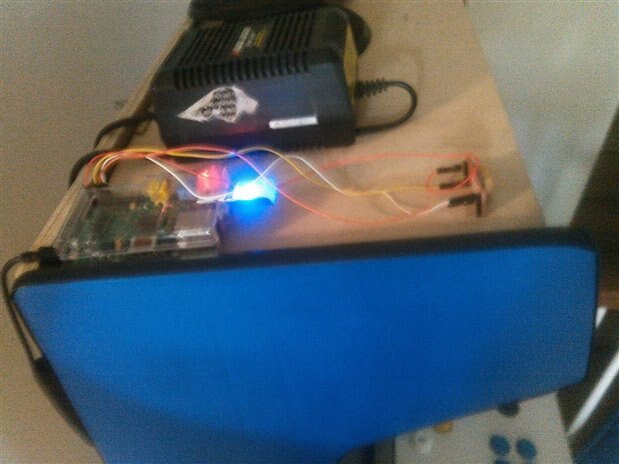
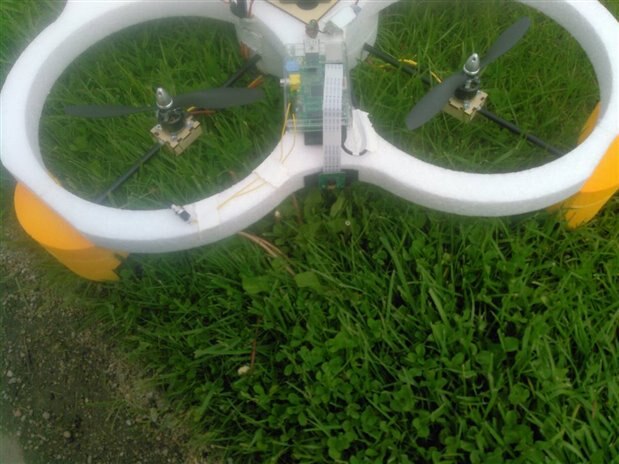
Might want to have a puke bag ready. Flight starts at around :30 seconds into the video.
Top Comments
-

e14 Contributor
-
Cancel
-
Vote Up
+2
Vote Down
-
-
Sign in to reply
-
More
-
Cancel
Comment-

e14 Contributor
-
Cancel
-
Vote Up
+2
Vote Down
-
-
Sign in to reply
-
More
-
Cancel
Children