element14 Community
element14 Community
    Register Log In
  • Site
  • Search
  • Log In Register
  • Community Hub
    Community Hub
    • What's New on element14
    • Feedback and Support
    • Benefits of Membership
    • Personal Blogs
    • Members Area
    • Achievement Levels
  • Learn
    Learn
    • Ask an Expert
    • eBooks
    • element14 presents
    • Learning Center
    • Tech Spotlight
    • STEM Academy
    • Webinars, Training and Events
    • Learning Groups
  • Technologies
    Technologies
    • 3D Printing
    • FPGA
    • Industrial Automation
    • Internet of Things
    • Power & Energy
    • Sensors
    • Technology Groups
  • Challenges & Projects
    Challenges & Projects
    • Design Challenges
    • element14 presents Projects
    • Project14
    • Arduino Projects
    • Raspberry Pi Projects
    • Project Groups
  • Products
    Products
    • Arduino
    • Avnet & Tria Boards Community
    • Dev Tools
    • Manufacturers
    • Multicomp Pro
    • Product Groups
    • Raspberry Pi
    • RoadTests & Reviews
  • About Us
  • Store
    Store
    • Visit Your Store
    • Choose another store...
      • Europe
      •  Austria (German)
      •  Belgium (Dutch, French)
      •  Bulgaria (Bulgarian)
      •  Czech Republic (Czech)
      •  Denmark (Danish)
      •  Estonia (Estonian)
      •  Finland (Finnish)
      •  France (French)
      •  Germany (German)
      •  Hungary (Hungarian)
      •  Ireland
      •  Israel
      •  Italy (Italian)
      •  Latvia (Latvian)
      •  
      •  Lithuania (Lithuanian)
      •  Netherlands (Dutch)
      •  Norway (Norwegian)
      •  Poland (Polish)
      •  Portugal (Portuguese)
      •  Romania (Romanian)
      •  Russia (Russian)
      •  Slovakia (Slovak)
      •  Slovenia (Slovenian)
      •  Spain (Spanish)
      •  Sweden (Swedish)
      •  Switzerland(German, French)
      •  Turkey (Turkish)
      •  United Kingdom
      • Asia Pacific
      •  Australia
      •  China
      •  Hong Kong
      •  India
      •  Korea (Korean)
      •  Malaysia
      •  New Zealand
      •  Philippines
      •  Singapore
      •  Taiwan
      •  Thailand (Thai)
      • Americas
      •  Brazil (Portuguese)
      •  Canada
      •  Mexico (Spanish)
      •  United States
      Can't find the country/region you're looking for? Visit our export site or find a local distributor.
  • Translate
  • Profile
  • Settings
Sci Fi Your Pi
  • Challenges & Projects
  • Design Challenges
  • Sci Fi Your Pi
  • More
  • Cancel
Sci Fi Your Pi
Blog TrainingSphere - 10 - Programming the transmitter
  • Blog
  • Forum
  • Documents
  • Files
  • Mentions
  • Sub-Groups
  • Tags
  • More
  • Cancel
  • New
  • Share
  • More
  • Cancel
Group Actions
  • Group RSS
  • More
  • Cancel
Engagement
  • Author Author: amgalbu
  • Date Created: 25 Aug 2015 4:40 PM Date Created
  • Views 532 views
  • Likes 3 likes
  • Comments 3 comments
  • sci_fi_your_pi
  • training_sphere
Related
Recommended

TrainingSphere - 10 - Programming the transmitter

amgalbu
amgalbu
25 Aug 2015

Programming the Transmitter

Since the hardware is finished, it's time to work on system setups.

First of all, I programmed the transmitter (a Taranis X9D. BTW, if you don't know the Taranis, google it: it's a open-source transmitter, so you can do everything you want with it!)

The first thing to do is... to upgrade the transmitter firmware. This is required not just to have the latest version, but because the European version of the transmitter is shipped with a firmware that does not support D8 modulation, which is the only modulation supported by the receiver I installed on the TrainingSphere.

Upgading the firmware is very easy

  1. Remove the TF card from the card slot of TARANIS Plus battery compartment, and insert into the computer's SD reader
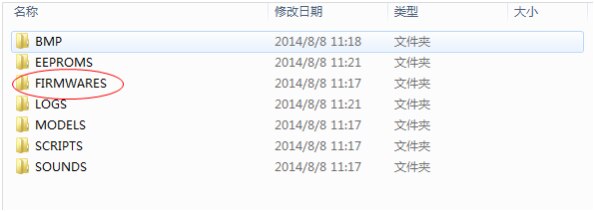
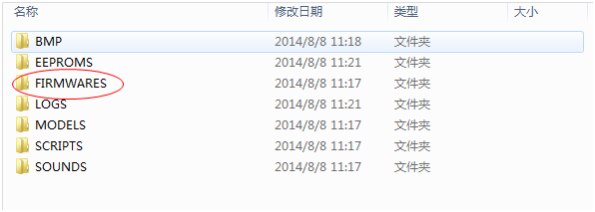
  2. Download the firmware from FrSky website download section and copy the .bin file into the “FIRMWARES” folder on the SD card
    image
  3. Insert the TF card back into the card slot of TARANIS Plus battery compartment.
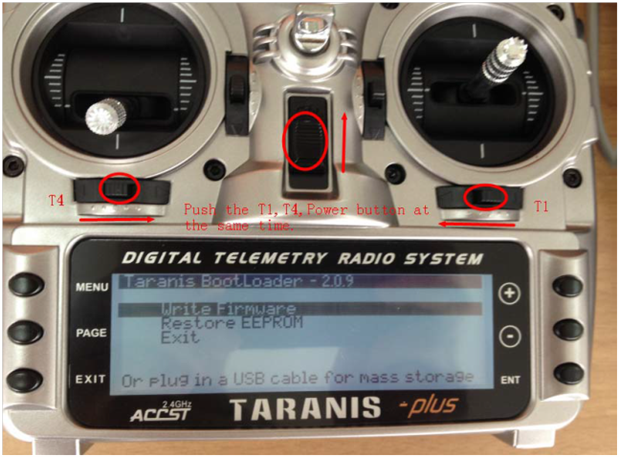
  4. Turn on the transmitter while pushing T1 and T4, the screen will display "Taranis Bootloader". Choose "Write Firmware", and then press the ENT button.
    image
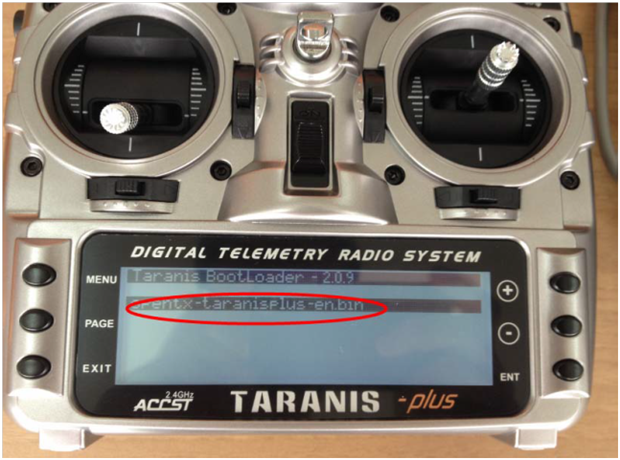
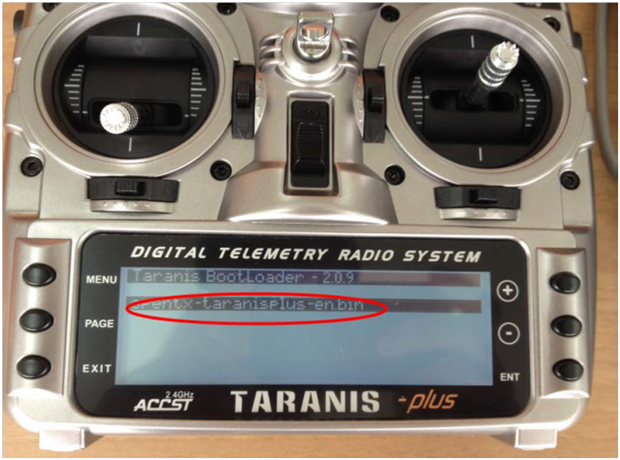
  5. Select the bin file that you’d like to upgrade to and then press the ENT button.

    image
  6. Wait and succeed, turn off the transmitter.
 

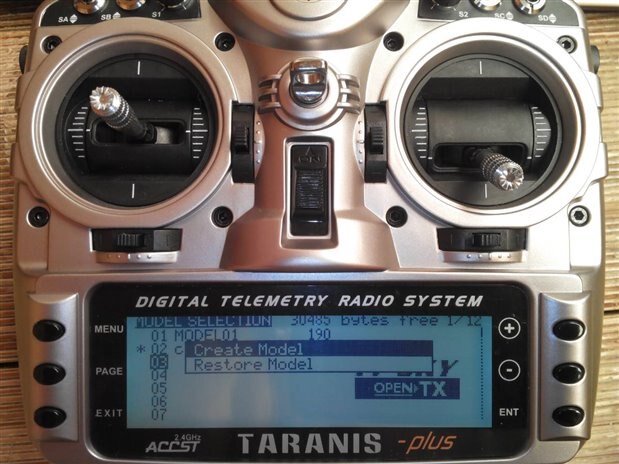
I created a new model for the training sphere
image


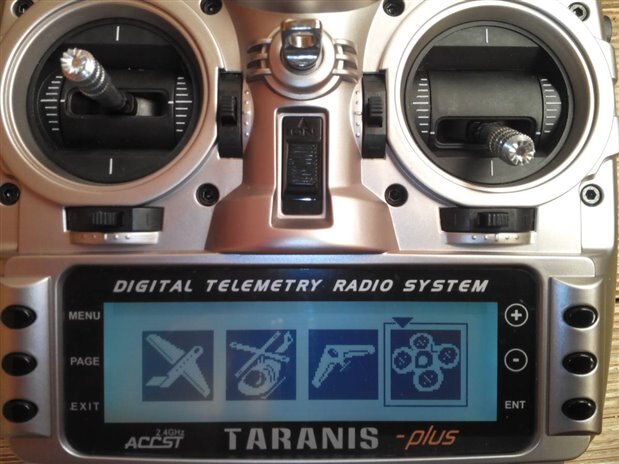
I selected the multirotor option, as this is the most closed to the training sphere. I initially selected the "helicopter" option, but in this case you will be asked to select the channels for cyclical, tail rotor, etc
 

image


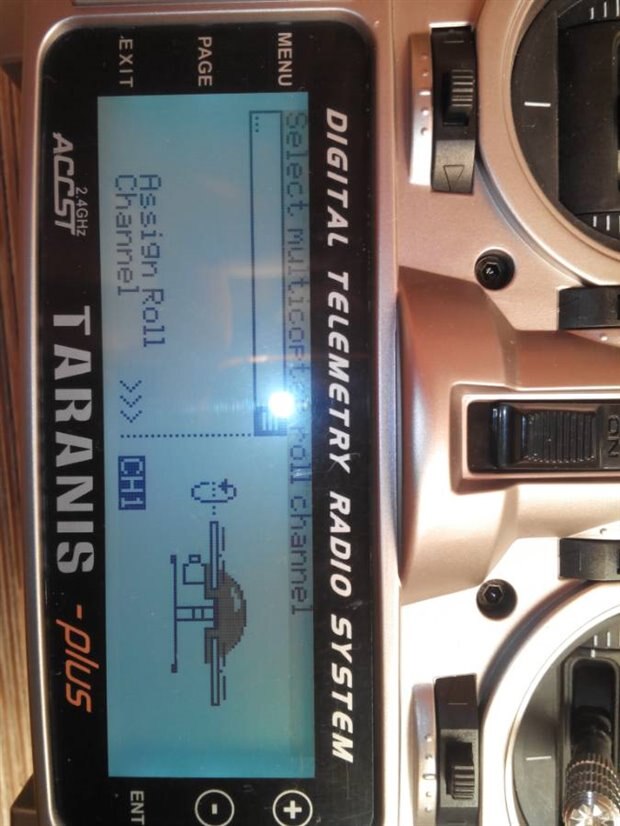
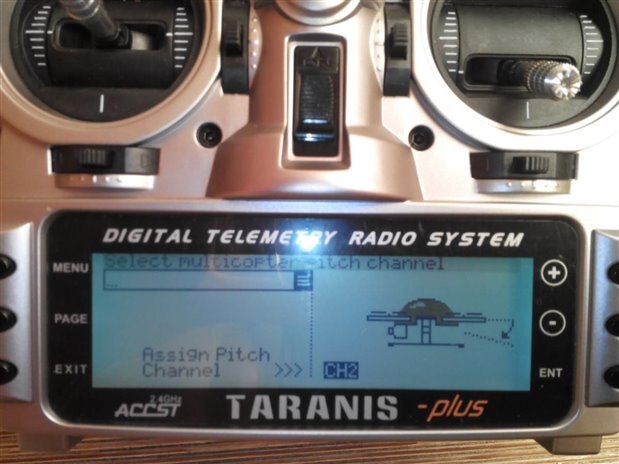
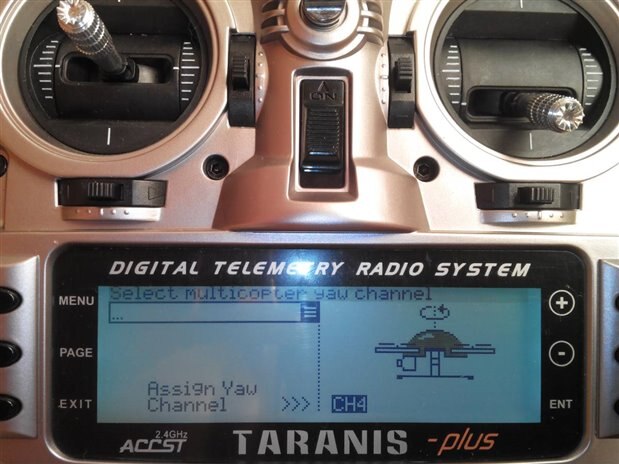
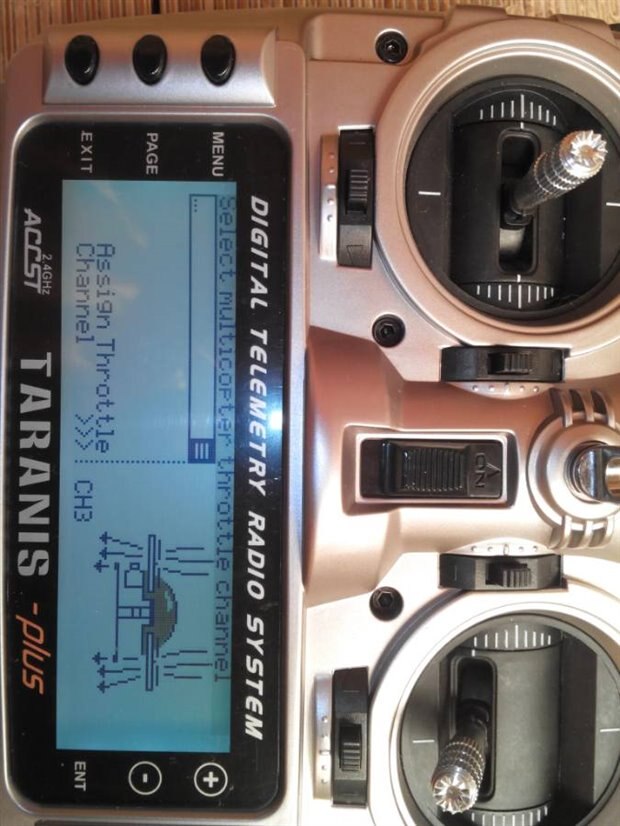
Then I choose the proper channels for each command, namely throttle, pitch, roll and yaw
 

image

image


image


image


After the model wizard has completed, I edited the model to make the following changes:

  1. entered the model name
  2. select the output format to D8
  3. select the channel for selecting the flight mode (channel 5) and for the RTL (Return to Launch) function. The latter is not strictly required since the training sphere is not going to use GPS, but in any case it doesn't harm


That's completes the transmitter setup. Next step is to bind the transmitter to the receiver. This is a very common procedure, and there are a lot of very clear tutorials, like this one . The basic steps are

  1. press the switch button on the receiver and turn it on
  2. switch on the transmitter, select the model and scroll to the [Bind] command. Press the ENT button
  3. the red LED on the receiver will flash. This means that the receiver has been  bound
  4. cycle the power on the receiver
  • Sign in to reply
  • DAB
    DAB over 10 years ago

    It looks like your controller has everything covered.


    Look forward to the test flights.


    DAB

    • Cancel
    • Vote Up 0 Vote Down
    • Sign in to reply
    • More
    • Cancel
  • mcb1
    mcb1 over 10 years ago

    Nice instructions.

    Might have to look at getting one of those transmitters for later ...


    Mark

    • Cancel
    • Vote Up 0 Vote Down
    • Sign in to reply
    • More
    • Cancel
  • balearicdynamics
    balearicdynamics over 10 years ago

    Ambrogio, good image document. Now you are entering in the reign of my ignorance. Look forward for the next explications of this parts.


    Enrico

    • Cancel
    • Vote Up 0 Vote Down
    • Sign in to reply
    • More
    • Cancel
element14 Community

element14 is the first online community specifically for engineers. Connect with your peers and get expert answers to your questions.

  • Members
  • Learn
  • Technologies
  • Challenges & Projects
  • Products
  • Store
  • About Us
  • Feedback & Support
  • FAQs
  • Terms of Use
  • Privacy Policy
  • Legal and Copyright Notices
  • Sitemap
  • Cookies

An Avnet Company © 2025 Premier Farnell Limited. All Rights Reserved.

Premier Farnell Ltd, registered in England and Wales (no 00876412), registered office: Farnell House, Forge Lane, Leeds LS12 2NE.

ICP 备案号 10220084.

Follow element14

  • X
  • Facebook
  • linkedin
  • YouTube