element14 Community
element14 Community
    Register Log In
  • Site
  • Search
  • Log In Register
  • Community Hub
    Community Hub
    • What's New on element14
    • Feedback and Support
    • Benefits of Membership
    • Personal Blogs
    • Members Area
    • Achievement Levels
  • Learn
    Learn
    • Ask an Expert
    • eBooks
    • element14 presents
    • Learning Center
    • Tech Spotlight
    • STEM Academy
    • Webinars, Training and Events
    • Learning Groups
  • Technologies
    Technologies
    • 3D Printing
    • FPGA
    • Industrial Automation
    • Internet of Things
    • Power & Energy
    • Sensors
    • Technology Groups
  • Challenges & Projects
    Challenges & Projects
    • Design Challenges
    • element14 presents Projects
    • Project14
    • Arduino Projects
    • Raspberry Pi Projects
    • Project Groups
  • Products
    Products
    • Arduino
    • Avnet & Tria Boards Community
    • Dev Tools
    • Manufacturers
    • Multicomp Pro
    • Product Groups
    • Raspberry Pi
    • RoadTests & Reviews
  • About Us
  • Store
    Store
    • Visit Your Store
    • Choose another store...
      • Europe
      •  Austria (German)
      •  Belgium (Dutch, French)
      •  Bulgaria (Bulgarian)
      •  Czech Republic (Czech)
      •  Denmark (Danish)
      •  Estonia (Estonian)
      •  Finland (Finnish)
      •  France (French)
      •  Germany (German)
      •  Hungary (Hungarian)
      •  Ireland
      •  Israel
      •  Italy (Italian)
      •  Latvia (Latvian)
      •  
      •  Lithuania (Lithuanian)
      •  Netherlands (Dutch)
      •  Norway (Norwegian)
      •  Poland (Polish)
      •  Portugal (Portuguese)
      •  Romania (Romanian)
      •  Russia (Russian)
      •  Slovakia (Slovak)
      •  Slovenia (Slovenian)
      •  Spain (Spanish)
      •  Sweden (Swedish)
      •  Switzerland(German, French)
      •  Turkey (Turkish)
      •  United Kingdom
      • Asia Pacific
      •  Australia
      •  China
      •  Hong Kong
      •  India
      • Japan
      •  Korea (Korean)
      •  Malaysia
      •  New Zealand
      •  Philippines
      •  Singapore
      •  Taiwan
      •  Thailand (Thai)
      • Vietnam
      • Americas
      •  Brazil (Portuguese)
      •  Canada
      •  Mexico (Spanish)
      •  United States
      Can't find the country/region you're looking for? Visit our export site or find a local distributor.
  • Translate
  • Profile
  • Settings
Sci-Pi Design Challenge
  • Challenges & Projects
  • Design Challenges
  • Sci-Pi Design Challenge
  • More
  • Cancel
Sci-Pi Design Challenge
Blog UI Shenanigans #2
  • Blog
  • Forum
  • Documents
  • Leaderboard
  • Polls
  • Files
  • Members
  • Mentions
  • Sub-Groups
  • Tags
  • More
  • Cancel
  • New
Join Sci-Pi Design Challenge to participate - click to join for free!
  • Share
  • More
  • Cancel
Group Actions
  • Group RSS
  • More
  • Cancel
Engagement
  • Author Author: Lannis
  • Date Created: 16 Jun 2023 2:51 PM Date Created
  • Views 469 views
  • Likes 6 likes
  • Comments 2 comments
Related
Recommended

UI Shenanigans #2

Lannis
Lannis
16 Jun 2023

Hello everyone!

I have implemented some UI elements into my application.

Before I delve into the features, I must first explain on how to run the code. All the code is available at https://github.com/lannisraurus/carbon-tools.

Compilation

First off, you will need to have installed g++, SDL2, SDL2_image and SDL2_ttf.

sudo apt install g++

sudo apt install libsdl2-dev

sudo apt install libsdl2-image-dev

sudo apt install libsdl2-ttf-dev
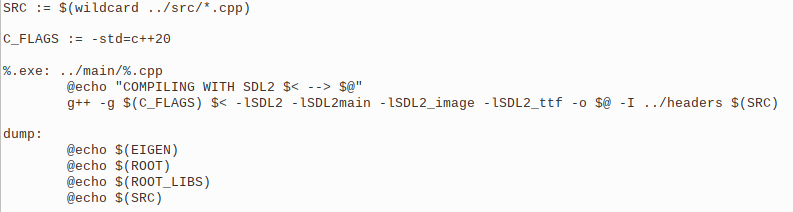
Then, you can either compile the program with the appropriate command, or use the makefile I provided:

image

Program Structure

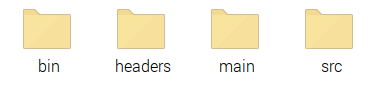
The inner structure of the program looks like this as of now:
image

-> bin stores the application.

-> headers store the header files.

-> main stores the main.cpp.

-> src stores all the cpp files.

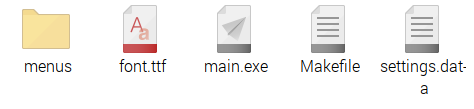
If we look inside bin:
image

-> The menus folder has all the menus (each menu is an application).

-> font.ttf (slkscr.ttf) is the font I'll be using for the program.

-> main.exe is the application (run ./main.exe inside the folder).

-> Makefile is used to compile (run make main.exe inside the folder).

-> settings.data stores base program settings (resolution, looks, etc...)

If we take a peek inside settings.data:

image

So far we have 2 settings - colours and screen dimensions.

Screen dimensions are self explanatory; colours, on the other hand, dictate how we highlight buttons and UI elements:

0: red

1: green

2: blue

3: magenta

4: yellow

5: cyan

6: rainbow (happy pride!)

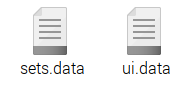
Now let's take a look inside the menus folder:
image

This has a list of data files containing menu information. A menu is defined by an ID and a list of buttons (which will do stuff like travel between menus, be text input, etc).

Looking inside ui.data, the base menu that displays on start we see:

image

ID X defines the menu ID (negative numbers are reserved for utility, such as the settings menu).

So far I have implemented 3 types of buttons:

-> button: does nothing except glow upon mouse hover.

-> menu_button: warps between menus upon clicking.

-> text_display: glowy text with highlight colour.

All buttons are initialized like this:

buttonType WIDTH HEIGHT X Y TEXT_SIZE(0, 1 or 2) N_PARAMTERS <PARAMETERS> [NAME]

WIDTH, X -> [0,1] in relative screen width.

HEIGHT, Y -> [0,1] in relative screen height.

TEXT_SIZE -> how does the text fill the button.

N_PARAMETERS -> how many extra parameters will the button take (for utility buttons like menu buttons).

PARAMETERS -> list of parameters following (int).

[NAME] -> must be between [], the text displayed in the button.

Progress so far

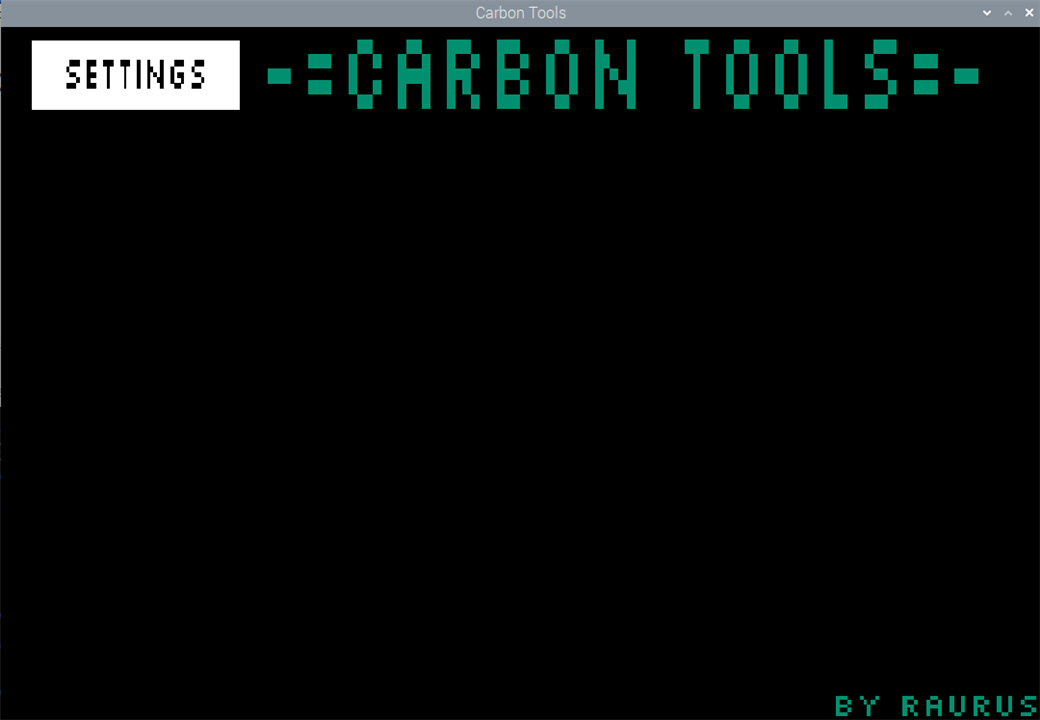
Having said this, let's see how the application looks so far!

NOTE: compiling takes quite a while on the raspberry pi! Do not panic hehe.

image

image

I have decided to coin the name "Carbon Tools", because I thought the element 14 was Carbon (chemistry was a looong time ago...). It has now come to my attention that the element 14 is, indeed, Silicon (thank you genebren)! I am keeping the name carbon though :)

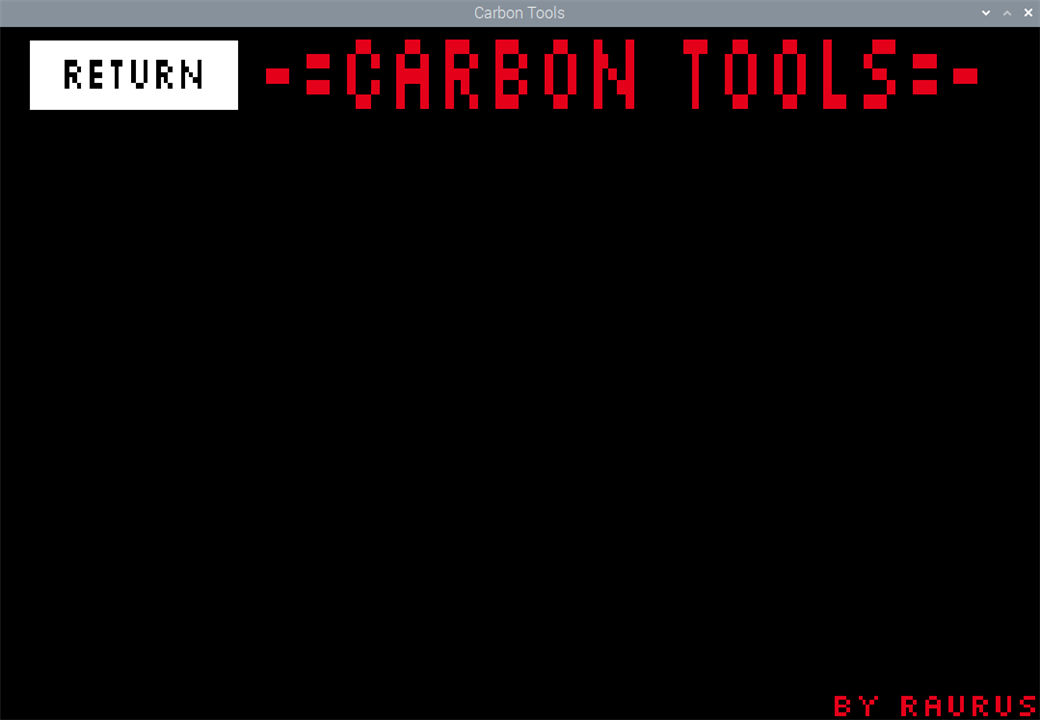
So far we have no application displaying on screen. Just 2 text displays and 1 menu button. clicking it warps us to menu -2, which will be used for the settings (the button on the top left changes, clicking it again goes back to the main menu):
image

Last message

That will be all for today! Cheers!

  • Sign in to reply
  • Lannis
    Lannis over 2 years ago in reply to genebren

    You are absolutely correct. Ooops!

    • Cancel
    • Vote Up 0 Vote Down
    • Sign in to reply
    • More
    • Cancel
  • genebren
    genebren over 2 years ago

    Actually, I think that Silicon is the 14th element.

    • Cancel
    • Vote Up 0 Vote Down
    • Sign in to reply
    • More
    • Cancel
element14 Community

element14 is the first online community specifically for engineers. Connect with your peers and get expert answers to your questions.

  • Members
  • Learn
  • Technologies
  • Challenges & Projects
  • Products
  • Store
  • About Us
  • Feedback & Support
  • FAQs
  • Terms of Use
  • Privacy Policy
  • Legal and Copyright Notices
  • Sitemap
  • Cookies

An Avnet Company © 2025 Premier Farnell Limited. All Rights Reserved.

Premier Farnell Ltd, registered in England and Wales (no 00876412), registered office: Farnell House, Forge Lane, Leeds LS12 2NE.

ICP 备案号 10220084.

Follow element14

  • X
  • Facebook
  • linkedin
  • YouTube