


Guardian Sentinel - Sensor & Motor
<Part 5>
The sensor that i planned to use in this design is the SGP30 and SHT40 sensor.
What is SGP30 sensor?
The SGP30 is a digital multi-pixel gas sensor developed for simple integration into air purifiers, demand-controlled ventilation systems, and IoT-based applications. Sensirion’s CMOSens® technology combines a complete sensor system into a single chip, including a digital I²C interface, a temperature-controlled micro hotplate, and two preprocessed indoor air quality output signals. As one of the first metal-oxide gas sensors with multiple sensing elements integrated on a single chip, the SGP30 can provide more comprehensive information about indoor air quality.
Here is the simple infographic about the sensor
The one which i am using is from Seeedstudio. A grove based sensor

The sensor is connected to the
What is SHT40 sensor?
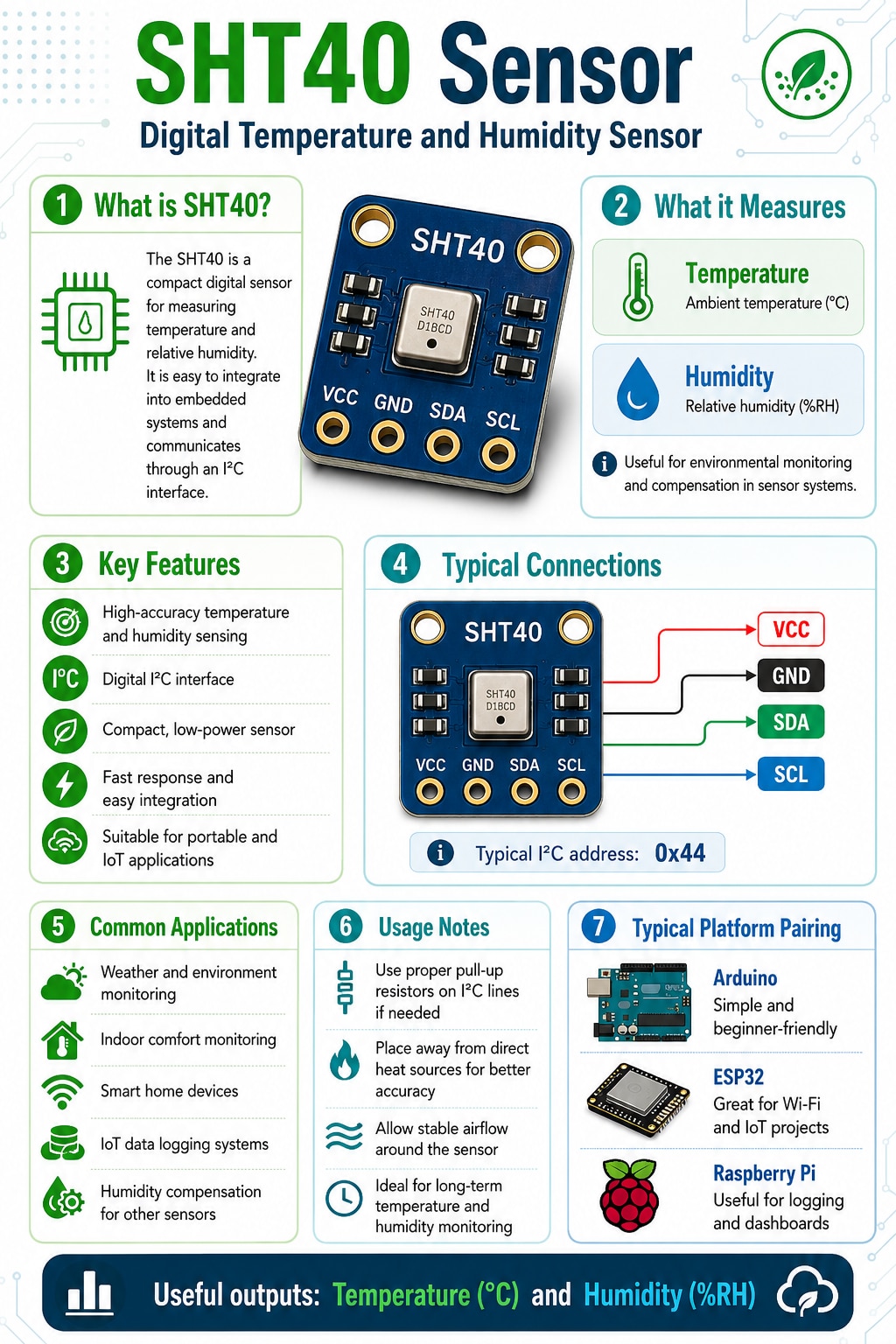
The Grove SHT40 digital sensor is built around Sensirion’s proven humidity and temperature sensing technology. It delivers reliable temperature and humidity measurements across a wide measurement range. With the Grove connector system, the SHT40 sensor can be easily connected and used with a wide range of microcontrollers, making it suitable for quick plug-and-play prototyping.
Here is the simple infographic about the sensor


Both the sensor is interfaced to the FTHR-PMD-INTZ Feather-to-PMOD via i2C. Figure below shows how the pinout for the i2C connection.

At the top we connect the SGP30 sensor and at the bottom we connect the SHT40 sensor as shown in the image below


Once the sensor are connected, we re-run the i2c scanner code to ensure that the sensor are detected by the MAX32630FTHR and also to get respective i2C address.
#include <Wire.h>

void setup() {
  Serial.begin(115200);
  while (!Serial);

  Serial.println("MAX32630FTHR I2C Scanner");
  Wire.begin();
}

void loop() {
  byte error, address;
  int devices = 0;

  Serial.println("Scanning I2C bus...");

  for (address = 1; address < 127; address++) {
    Wire.beginTransmission(address);
    error = Wire.endTransmission();

    if (error == 0) {
      Serial.print("I2C device found at address 0x");
      if (address < 16) Serial.print("0");
      Serial.println(address, HEX);
      devices++;
    }
  }

  if (devices == 0) {
    Serial.println("No I2C devices found.");
  } else {
    Serial.print("Total devices found: ");
    Serial.println(devices);
  }

  Serial.println();
  delay(3000);
}
The serial output shows the sensor are detected and also the i2C address as well

Once we have the i2C address, we can now write the code the read both the sensor values
#include <Wire.h>
#include <Adafruit_SGP30.h>
#include <Adafruit_SHT4x.h>
#include <Adafruit_Sensor.h>

// Sensor objects
Adafruit_SGP30 sgp30;
Adafruit_SHT4x sht40 = Adafruit_SHT4x();

// I2C addresses
#define SGP30_ADDR 0x58
#define SHT40_ADDR 0x44

unsigned long lastReadTime = 0;
const unsigned long readInterval = 2000; // Read every 2 seconds

// Function to calculate absolute humidity for SGP30 compensation
// Input: temperature in Celsius, relative humidity in %
// Output: absolute humidity in mg/m^3
uint32_t getAbsoluteHumidity(float temperature, float humidity) {
  const float absoluteHumidity =
    216.7f *
    ((humidity / 100.0f) * 6.112f *
    exp((17.62f * temperature) / (243.12f + temperature)) /
    (273.15f + temperature));

  return (uint32_t)(absoluteHumidity * 1000.0f);
}

void setup() {
  Serial.begin(115200);
  delay(2000);

  Serial.println();
  Serial.println("SGP30 + SHT40 Sensor Test");
  Serial.println("-------------------------");

  Wire.begin();

  // Start SHT40
  if (!sht40.begin(&Wire)) {
    Serial.println("SHT40 not detected at address 0x44.");
    Serial.println("Check wiring and I2C connection.");
    while (1);
  }

  Serial.println("SHT40 detected at address 0x44.");

  // Optional SHT40 settings
  sht40.setPrecision(SHT4X_HIGH_PRECISION);
  sht40.setHeater(SHT4X_NO_HEATER);

  // Start SGP30
  if (!sgp30.begin(&Wire)) {
    Serial.println("SGP30 not detected at address 0x58.");
    Serial.println("Check wiring and I2C connection.");
    while (1);
  }

  Serial.println("SGP30 detected at address 0x58.");

  Serial.print("SGP30 serial number: ");
  Serial.print(sgp30.serialnumber[0], HEX);
  Serial.print(sgp30.serialnumber[1], HEX);
  Serial.println(sgp30.serialnumber[2], HEX);

  Serial.println();
  Serial.println("Allow the SGP30 to warm up for stable readings.");
  Serial.println();
}

void loop() {
  if (millis() - lastReadTime >= readInterval) {
    lastReadTime = millis();

    sensors_event_t humidityEvent;
    sensors_event_t temperatureEvent;

    // Read SHT40 temperature and humidity
    sht40.getEvent(&humidityEvent, &temperatureEvent);

    float temperature = temperatureEvent.temperature;
    float humidity = humidityEvent.relative_humidity;

    // Calculate absolute humidity for SGP30 compensation
    uint32_t absoluteHumidity = getAbsoluteHumidity(temperature, humidity);

    // Send humidity compensation to SGP30
    sgp30.setHumidity(absoluteHumidity);

    // Read SGP30 air quality values
    if (!sgp30.IAQmeasure()) {
      Serial.println("Failed to read SGP30.");
      return;
    }

    Serial.println("===== Sensor Readings =====");

    Serial.print("SHT40 Temperature : ");
    Serial.print(temperature);
    Serial.println(" °C");

    Serial.print("SHT40 Humidity    : ");
    Serial.print(humidity);
    Serial.println(" %RH");

    Serial.print("SGP30 TVOC        : ");
    Serial.print(sgp30.TVOC);
    Serial.println(" ppb");

    Serial.print("SGP30 eCO2        : ");
    Serial.print(sgp30.eCO2);
    Serial.println(" ppm");

    Serial.print("Abs Humidity      : ");
    Serial.print(absoluteHumidity);
    Serial.println(" mg/m3");

    Serial.println("===========================");
    Serial.println();
  }
}
The output
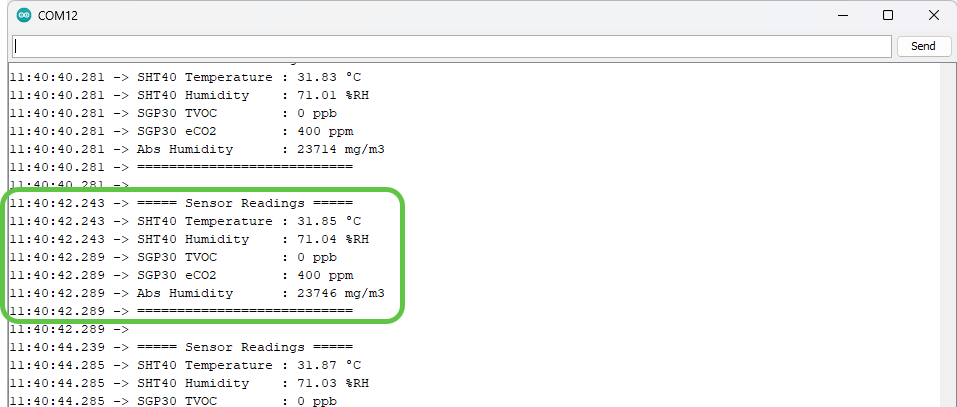
Next we shall see how to interface the stepper motor. Below is the stepper motor i use in this project and the wiring diagram. I am using the stepper motor as shown in image below

The connection between the stepper FeatherWing and the stepper motor is done as shown in the image below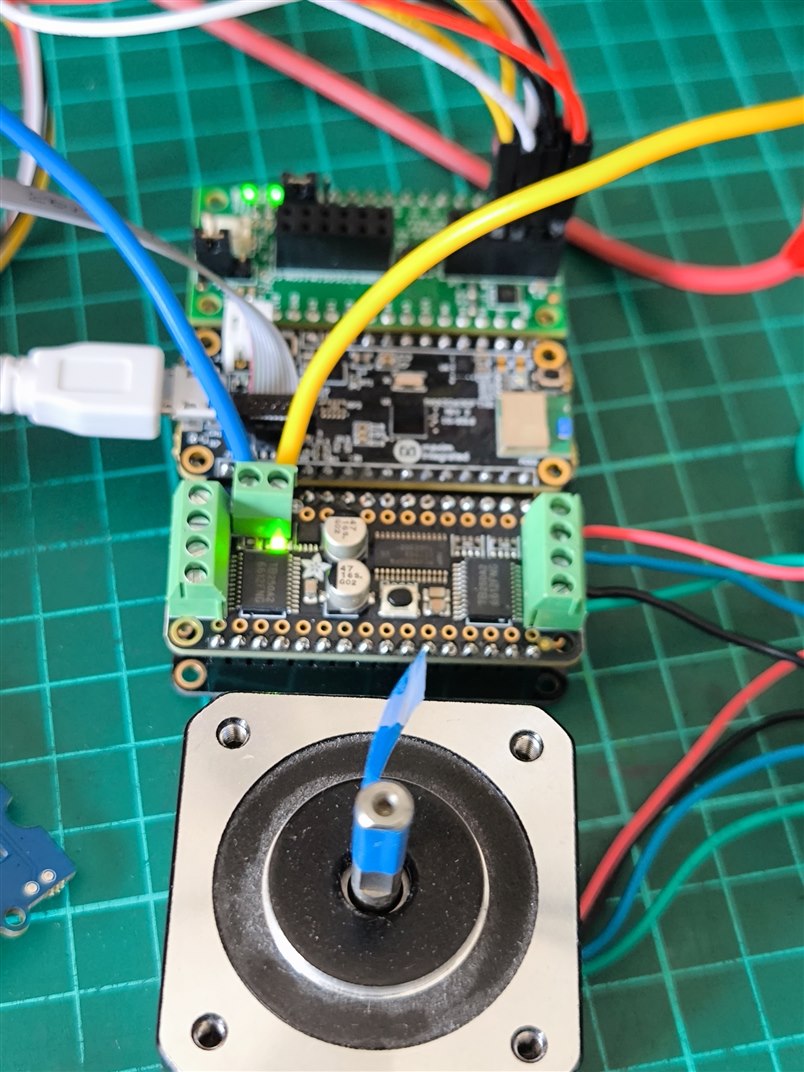

Coil 1 from stepper motor is connected to M3 and coil 2 is connected to M4. Since the FeatherWing has two port, please ensure you are connecting which port. Port 1 is connected with M1 and M2 and Port 2 is connected to M3 and M4. In my case i am using the Port 2. Once the wiring for the motor is complete, connect the external power to power up the stepper motor. And i run the code below to test if everything works fine.
#include <Wire.h>
#include <Adafruit_MotorShield.h>

#define MOTOR_ADDR 0x60
#define STEPPER_PORT 2
#define STEPS_PER_REV 200

Adafruit_MotorShield AFMS = Adafruit_MotorShield(MOTOR_ADDR);
Adafruit_StepperMotor *myMotor = AFMS.getStepper(STEPS_PER_REV, STEPPER_PORT);

void setup() {
  Serial.begin(115200);
  delay(2000);

  Serial.println("Stepper Smooth Test - M3/M4");

  Wire.begin();

  if (!AFMS.begin()) {
    Serial.println("Motor FeatherWing not found at 0x60.");
    while (1);
  }

  Serial.println("Motor FeatherWing found.");
  Serial.println("Using Port 2: M3/M4");

  myMotor->setSpeed(5);  // Try 5, 10, 20
}

void loop() {
  Serial.println("Forward MICROSTEP...");
  myMotor->step(200, FORWARD, MICROSTEP);
  delay(1000);

  Serial.println("Backward MICROSTEP...");
  myMotor->step(200, BACKWARD, MICROSTEP);
  delay(1000);
}
And the video below is the working demo
Now all are working fine. Next is the integration.


