


Another great workshop with Adam Taylor today. Adam went through creating a new Pynq overlay in Vivado. The workshop created an overlay with a VDMA element to interface the TPG (test pattern generator) with the Processing system.
The version of the TPG IP used with the 2019.1 tools is v8.0: https://www.xilinx.com/support/documentation/ip_documentation/v_tpg/v8_0/pg103-v-tpg.pdf
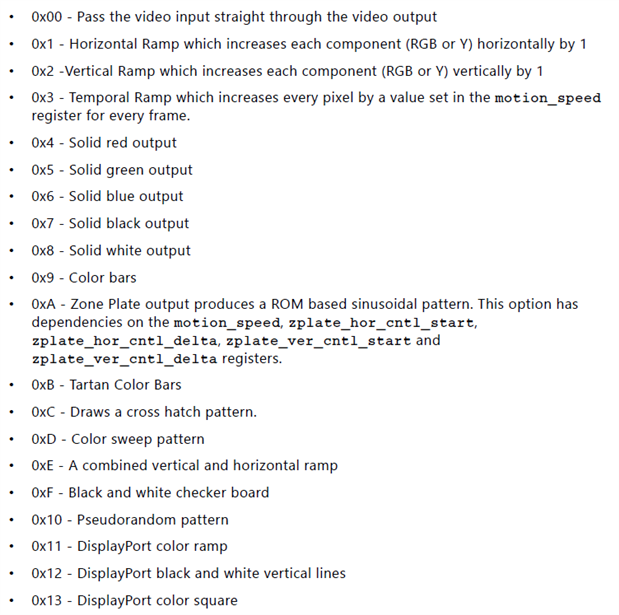
It can generate a number of interesting video patterns:
After the overlay was created it was transferred to the PYNQ-Z2 board and loaded and run via a Jupyter notebook.
In the notebook there is a section to configure the VDMA element;

and to configure the TPG:

and to display it in the notebook:

This is the color sweep pattern (0xD) @ 1280x720:
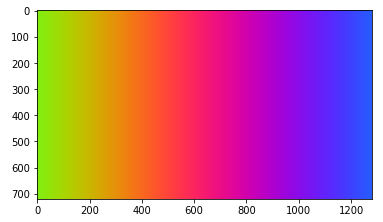
The pattern is reconfigurable using the BACKGROUND_PATTERN_ID (0x0020) Register of the TPG. The pattern size is configurable by programming the VideoMode in the VDMA and the ACTIVE_HEIGHT (0x0010) and ACTIVE_WIDTH (0x0018) Registers in the TPG.
Before you can reconfigure the pattern you need to stop the VDMA and TPG.

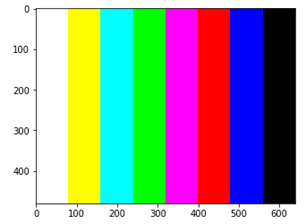
This is the color bars pattern (0x9) @ 640x480:
The homework assignment is to tweak the overlay, so I'll have to give it some thought.
Very fun workshops. I'm enjoying them. Thanks Adam  .
.
Top Comments