


Head Tilt + Eye Blink + Wireless Control
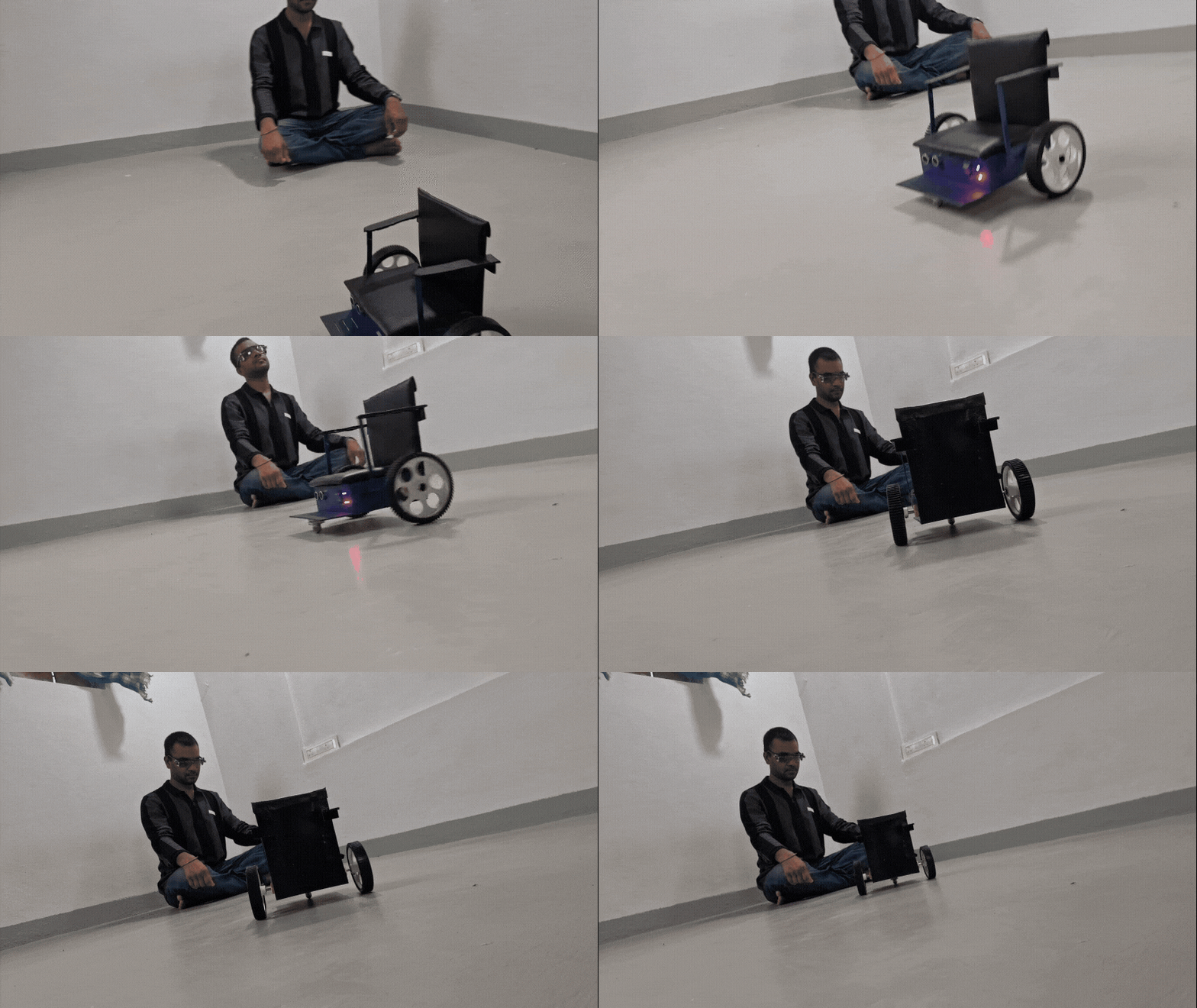
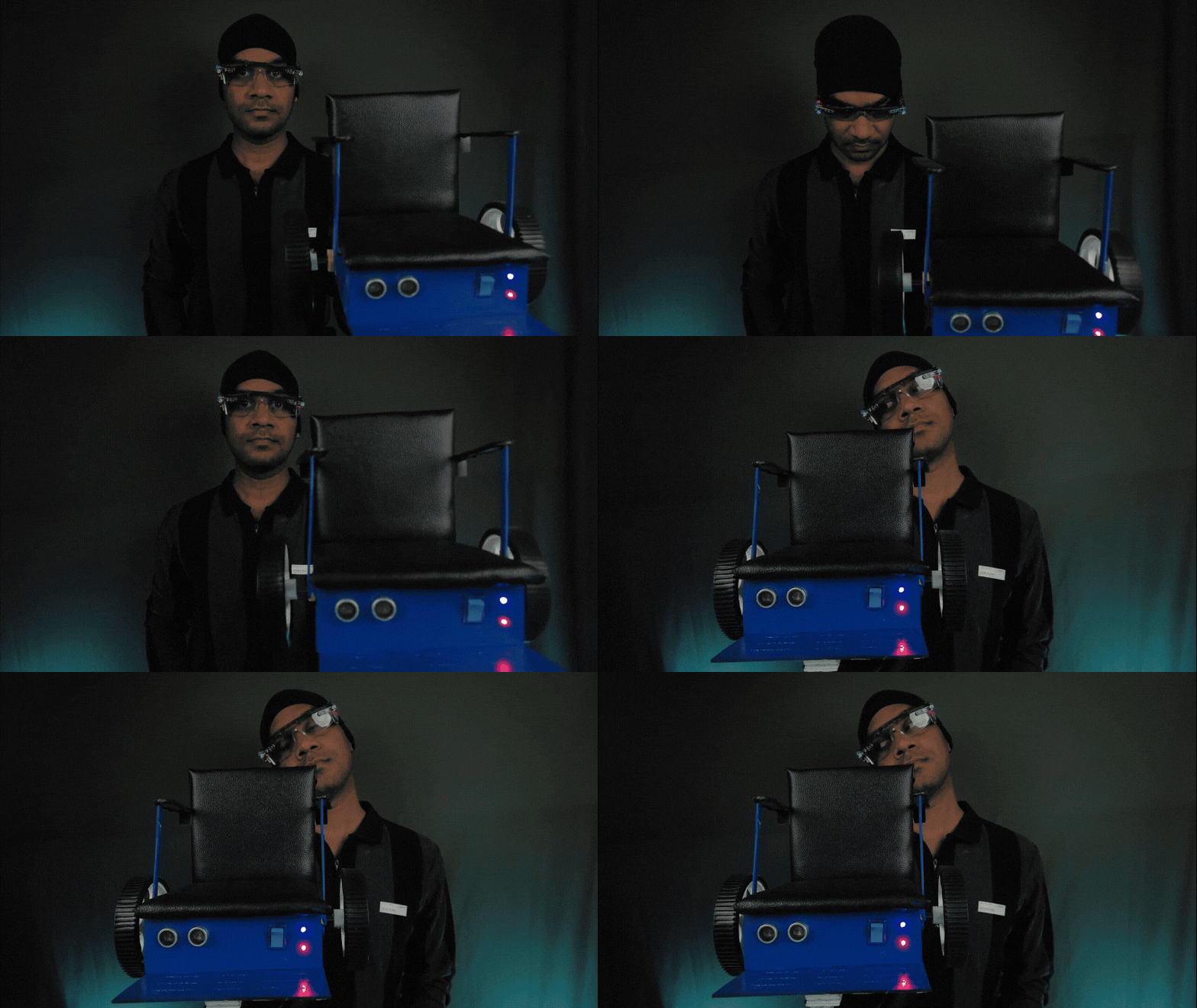
I built EyeLink, a working prototype of a hands-free wheelchair control system that combines head movement and eye-blink confirmation to control a small motorized wheelchair platform.
Instead of using a traditional joystick, the user tilts their head to select a direction and then uses a specific blink pattern to confirm the command.
The important part is that neither input is trusted by itself.
A head movement alone cannot start the wheelchair, and a blink alone cannot start it. The direction must first be selected and then confirmed before a movement command is transmitted.
The wearable controller uses an ESP8266, MPU-6050 and two IR blink sensors. A second ESP8266 mounted on the wheelchair receives the confirmed command through ESP-NOW and controls the motors.
This project is a working prototype and proof of concept, not a certified medical wheelchair.
1. The Idea
The idea came from combining two different types of sensing:
- Eye-blink detection
- Head-tilt detection
I wanted to see whether these two signals could work together as a deliberate control interface.
The basic sequence is:
Head tilt → Direction selected → Blink confirmation → Wireless command → Wheelchair movement
This two-stage approach became the main design principle of EyeLink.
A random blink while the head is centered should do nothing.
An accidental head movement without the required blink confirmation should also do nothing.
2. Hardware
Wearable Transmitter
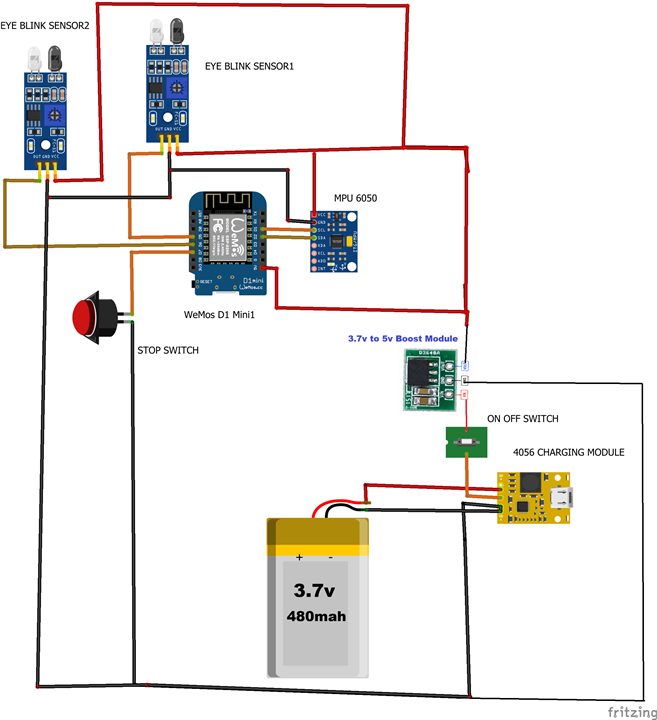
The glasses contain:
- WeMos D1 Mini / ESP8266
- 2 × IR reflective blink sensors
- MPU-6050
- Push button
- LiPo battery
- TP4056 charging module
- 3.7 V → 5 V boost converter
- Safety-glasses frame
The MPU-6050 detects the orientation of the user's head, while the two IR sensors detect deliberate blink patterns.
I kept the electronics compact because the transmitter has to be worn on the user's head.
Wheelchair Receiver
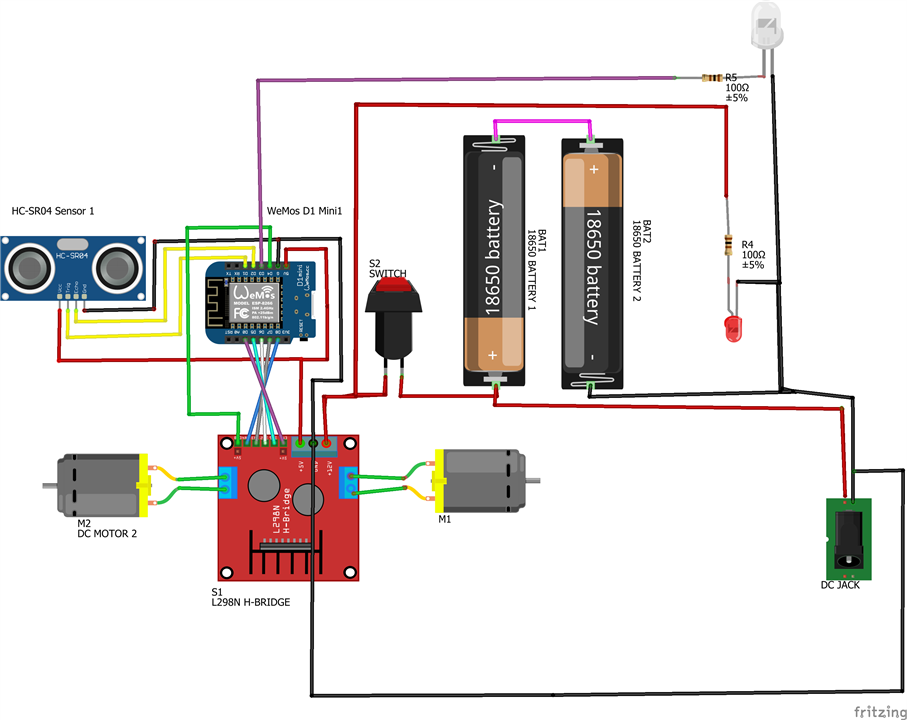
The receiver contains:
- WeMos D1 Mini / ESP8266
- L298N motor driver
- DC geared motors
- HC-SR04 ultrasonic sensor
- 2 × 18650 cells
- Power LED
- Status LED
- Power switch
- Activation button
- PVC foam-board chassis
3. Building the Wearable Controller
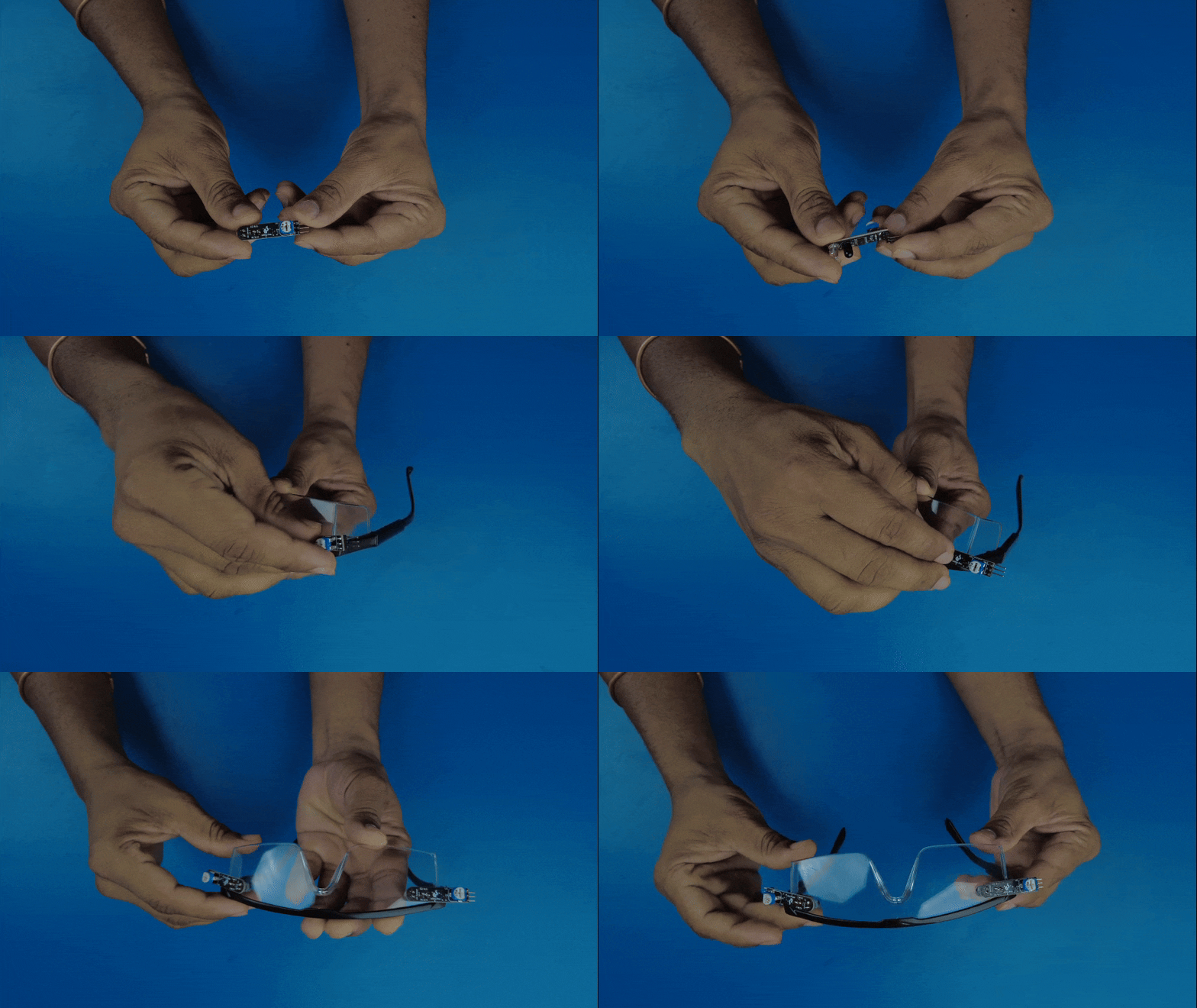
I started with a lightweight pair of safety glasses and mounted two IR blink sensors inside the frame.
The sensor position is important because the distance and angle relative to the eyelids affect the detection response.
During testing, I also found that strong ambient infrared, especially direct sunlight, can affect the sensors. This is one of the limitations I plan to address in a future version.
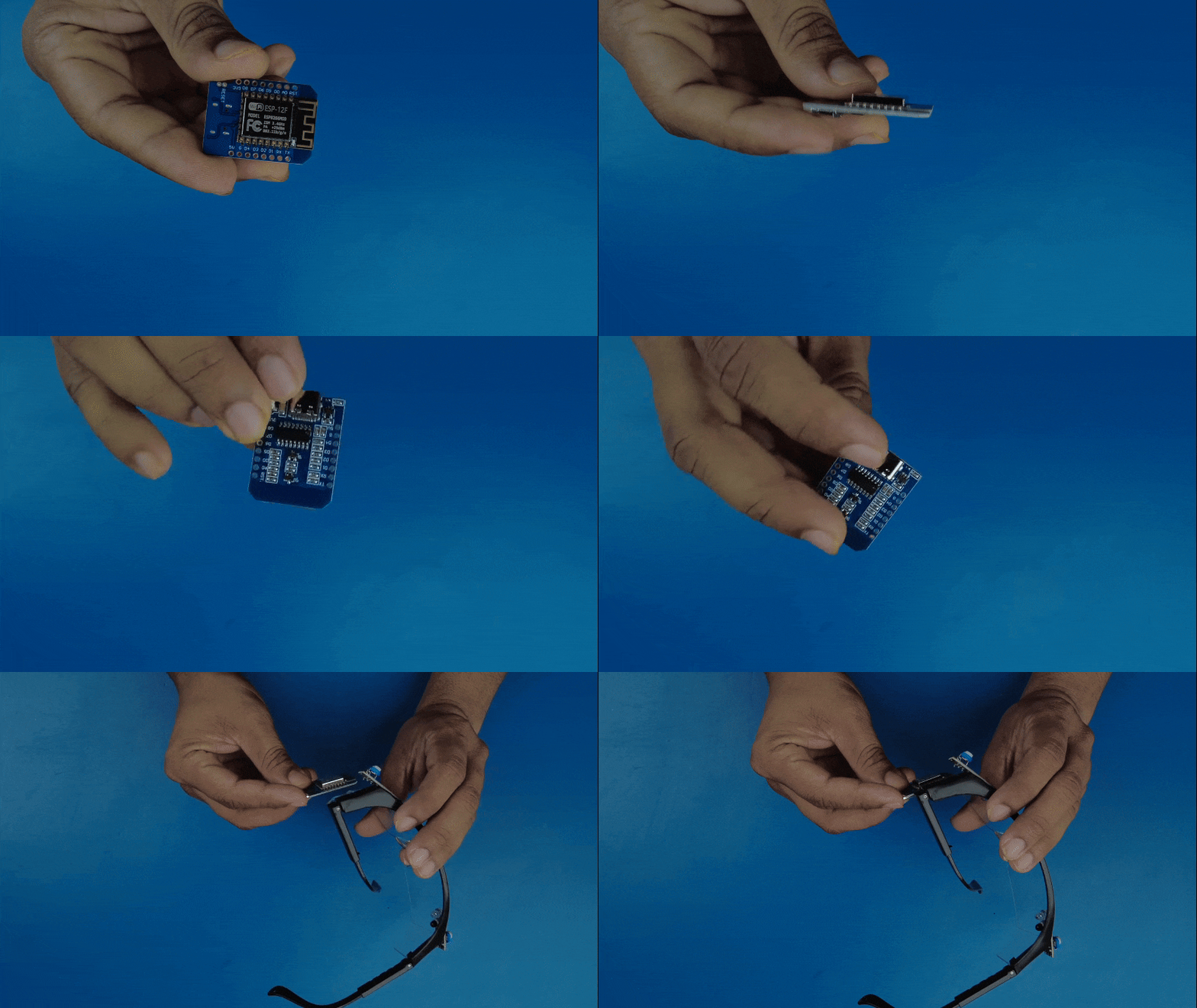
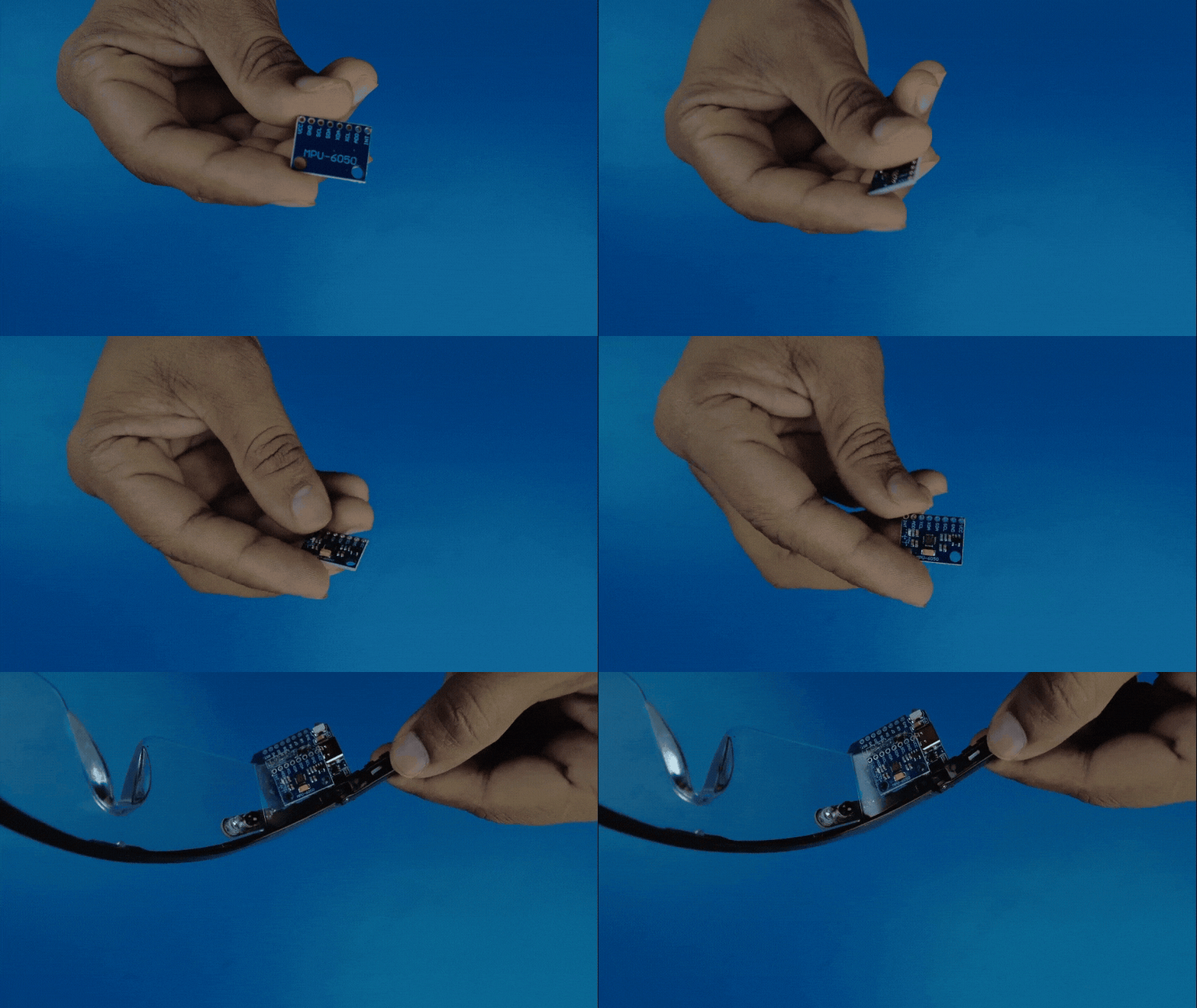
I then added the ESP8266 and MPU-6050.
The MPU-6050 is mounted on the glasses and is used to detect:
- Forward
- Backward
- Left
- Right
4. Improving the Power System
During early testing, the blink sensors and MPU-6050 were not responding as reliably as expected.
After investigating the problem, I found that the available battery voltage was not suitable for stable sensor operation.
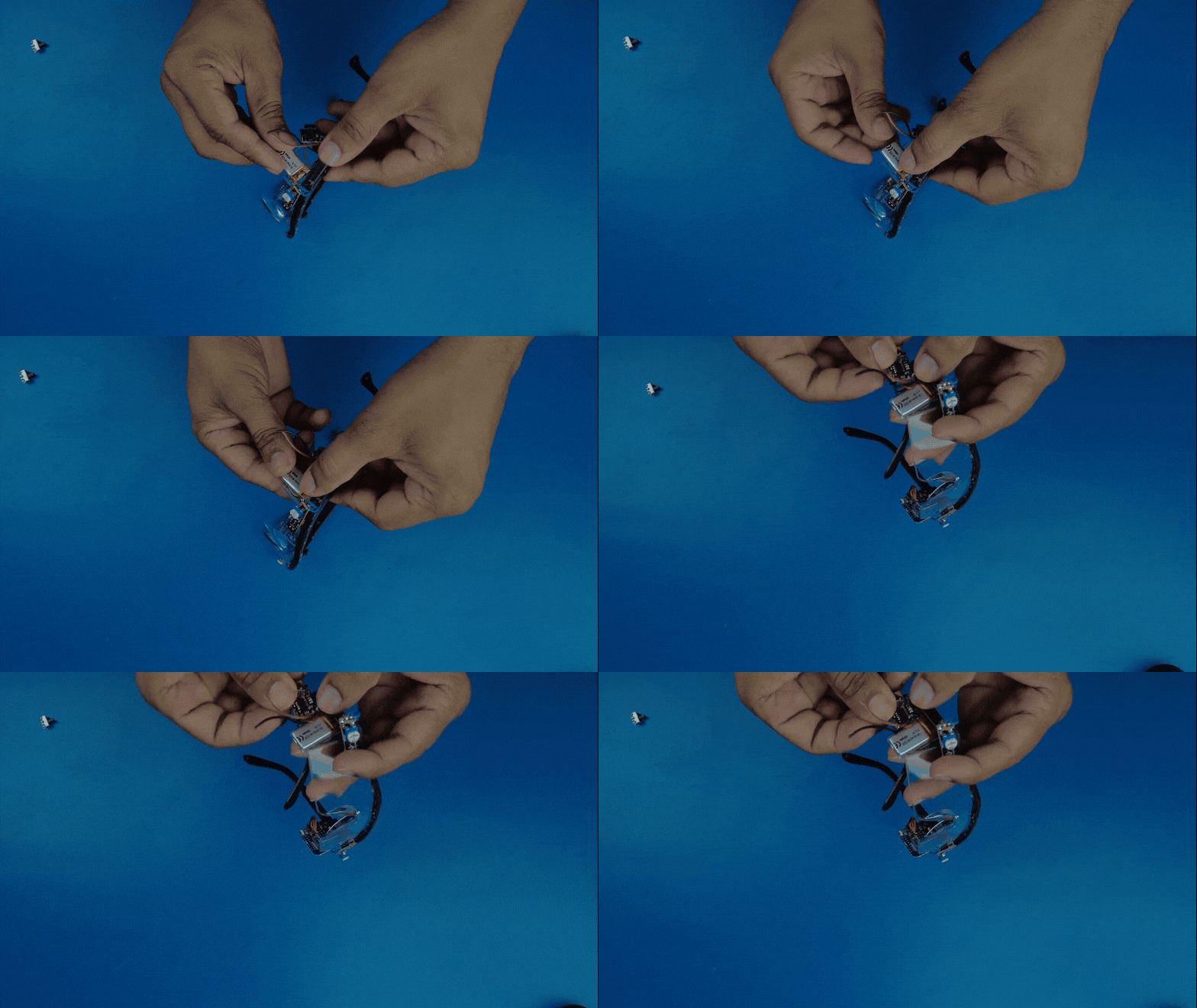
I added a small boost converter to provide approximately 5 V to the sensor/control section.
After this change, the sensor response became much more stable.
This was one of the practical lessons from building the prototype:
theoretical component specifications are not enough — the complete power system has to work reliably together.
5. Building the Wheelchair Platform
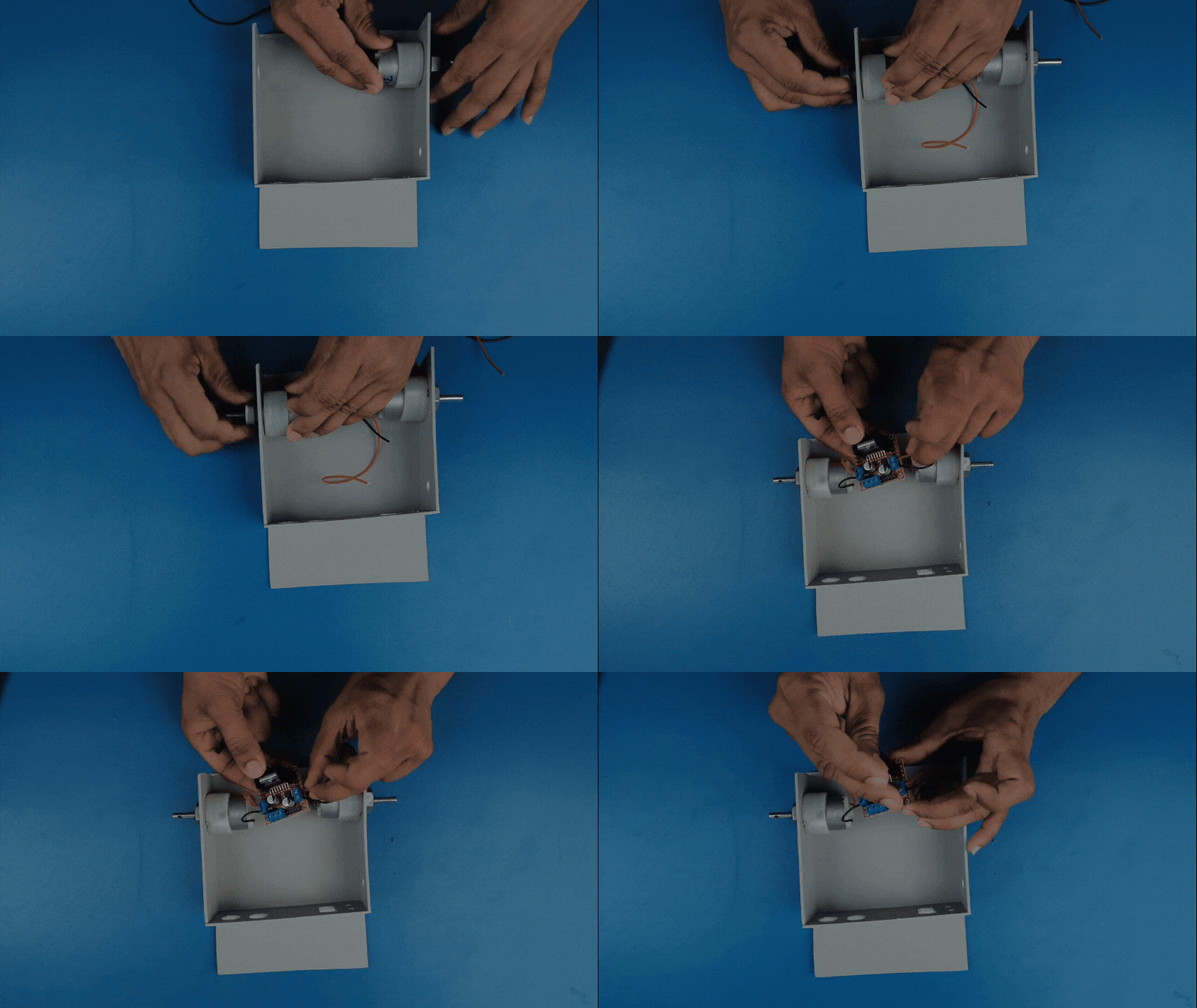
I built the drive base using PVC foam board and installed four geared DC motors.
Initially I tested 300 RPM motors, but they were too fast for the small prototype.
The movement was abrupt and turning/stopping was difficult to control.
I changed to 100 RPM geared motors, which produced much more controllable movement.
This was an important design decision made from actual testing rather than simply choosing motors from their specifications.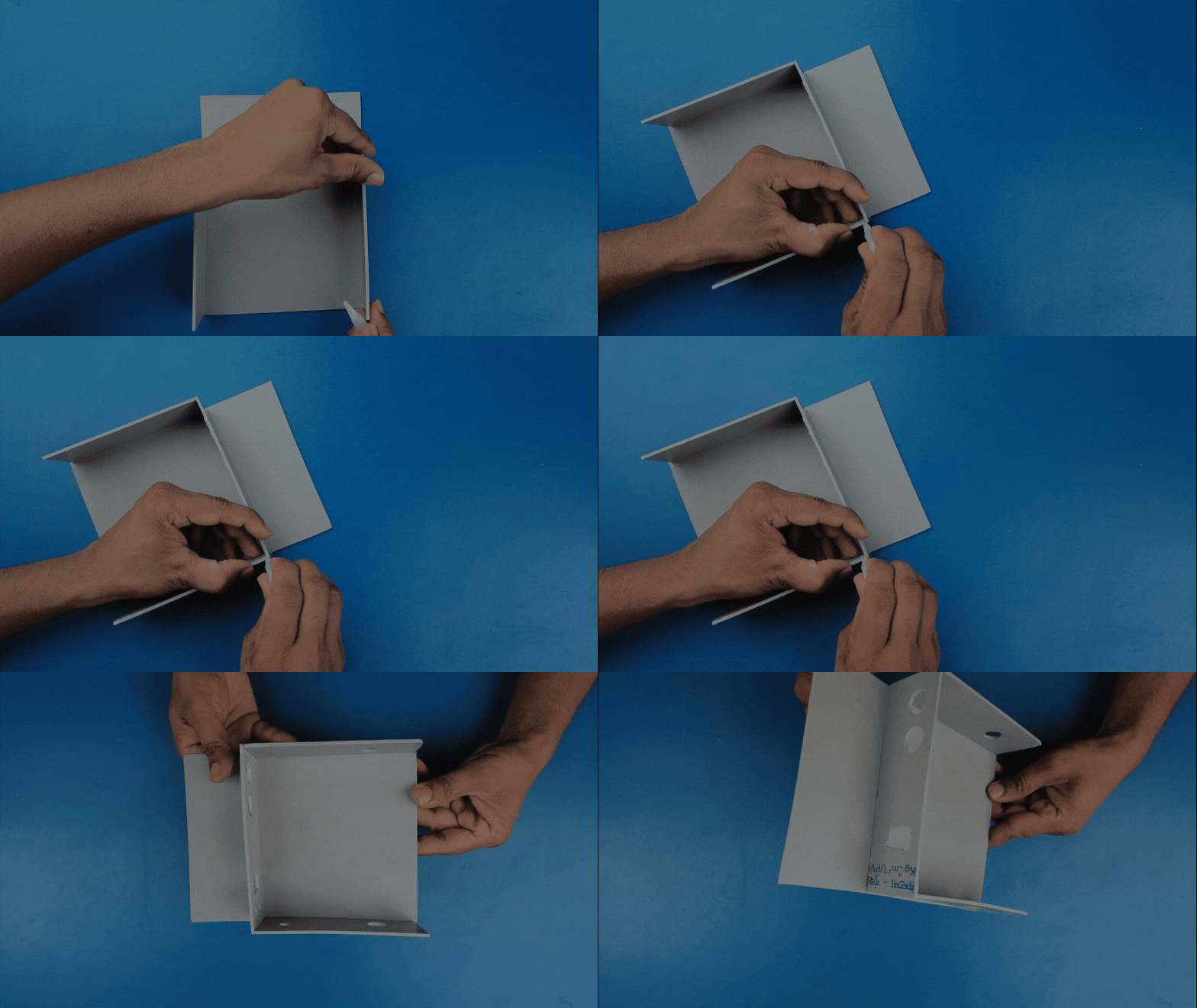
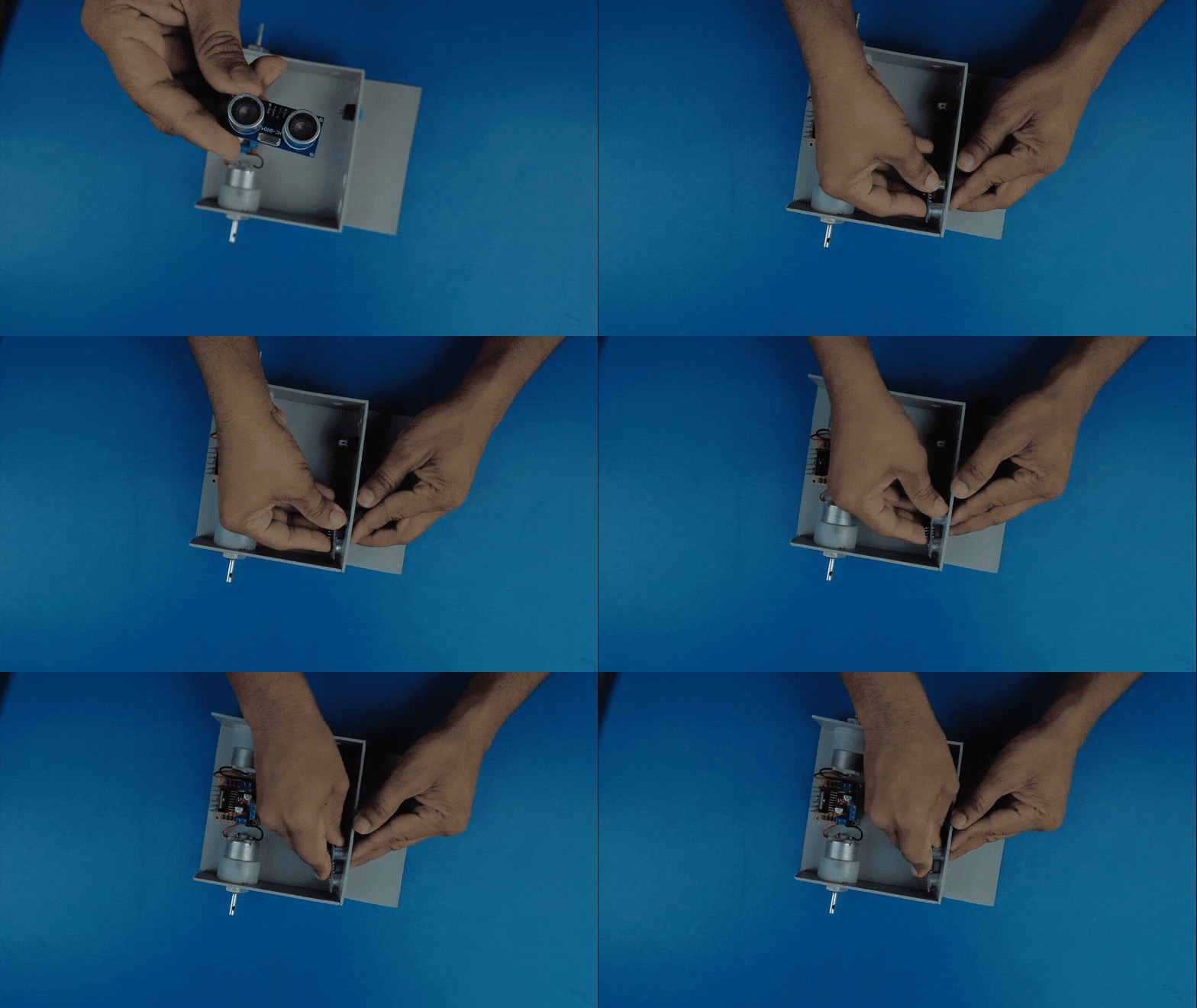
6. Obstacle Detection
The user's head and eye signals tell the system what movement is intended, but they do not tell the wheelchair whether an obstacle is physically in front of it.
So I added an HC-SR04 ultrasonic sensor to the front.
In the current implementation, forward movement is blocked when an obstacle is detected within approximately 20 cm.
The current implementation uses a hard stop rather than gradual speed reduction, so this is an area I want to improve in the next version.
7. Wireless Communication — The “Message” in Make A Connection
This is where EyeLink directly connects with the Make A Connection theme.
The glasses and wheelchair communicate using ESP-NOW.
The communication path is:
Eye/Head Sensors → ESP8266 TX → ESP-NOW → ESP8266 RX → Motor Driver → Motors
ESP-NOW allows the two ESP8266 devices to communicate directly without:
- Wi-Fi router
- Internet connection
- Smartphone application
- Cloud service
The wearable unit creates a command, and that command is transmitted as a wireless signal to the wheelchair receiver.
So the project is not simply detecting a gesture — it is detecting, confirming and transmitting a control message wirelessly
8. Software Setup
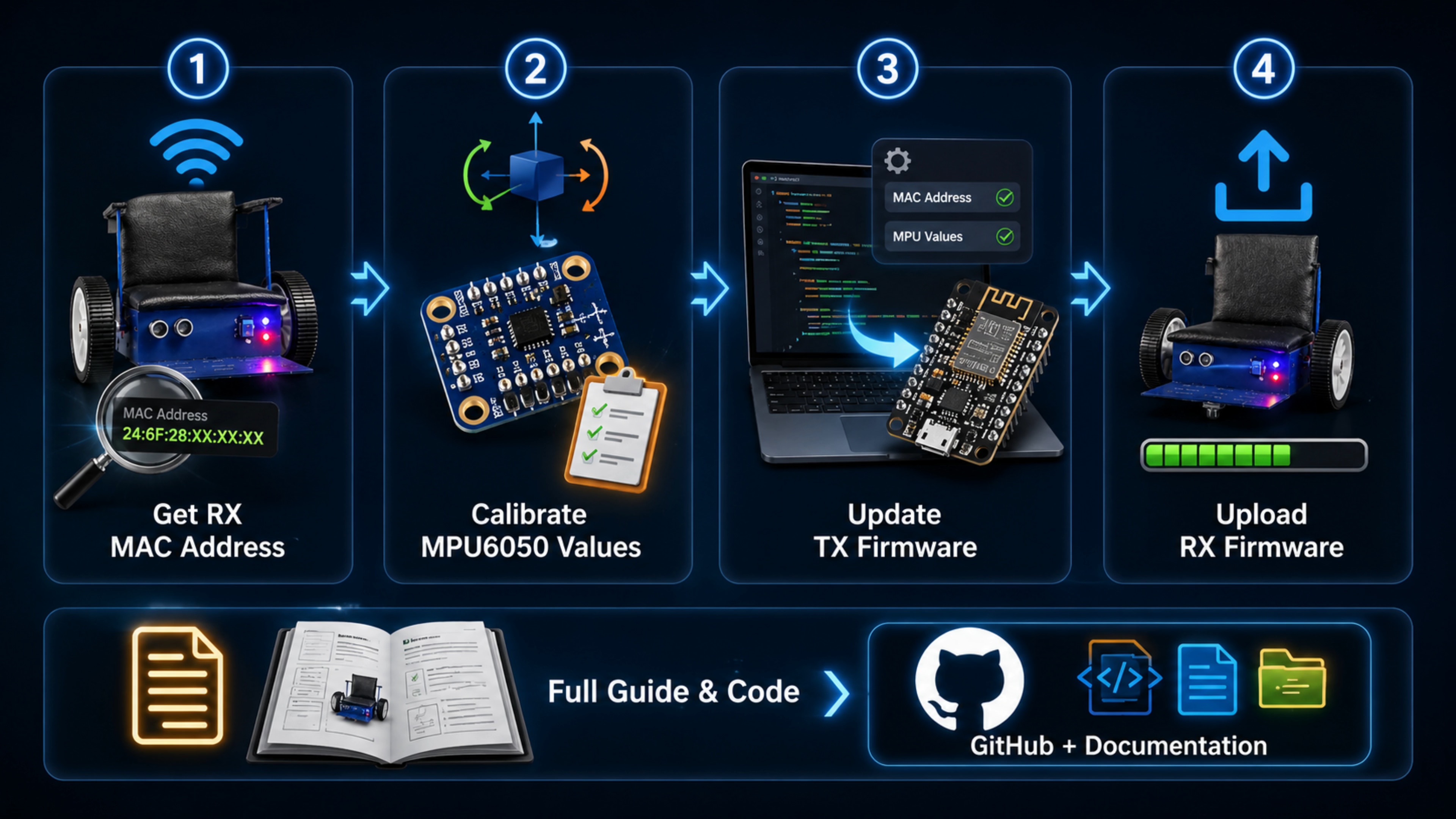
The software setup follows this sequence:
Get RX MAC Address → Calibrate MPU-6050 → Configure TX → Upload RX Firmware
First, I obtain the receiver ESP8266's MAC address.
Then I calibrate the MPU-6050 for the actual physical position of the sensor on the glasses.
The calibration records the normal position and the four directional positions:
- Forward
- Backward
- Left
- Right
The final system uses two main firmware programs:
TX_Glasses_FINAL.ino
and
RX_Wheelchair_FINAL.ino
The complete firmware and supporting files are available with the project documentation.
https://github.com/humanixtechlab/EyeLink-Wheelchair.git
9. The Core Control Logic
This is the most important part of EyeLink.
I did not want one sensor event to directly control the motors.
Instead, the firmware works in two stages.
Stage 1 — Select
The user tilts their head in a particular direction.
The system checks that the movement remains in the required position and locks the selected direction.
Stage 2 — Confirm
Only after the direction has been locked does the system look for the correct blink pattern.
The logic is:
Head Tilt → Direction Lock → Blink Confirmation → Movement Command
Both conditions must agree before the command is accepted.
This is the central control concept behind EyeLink.
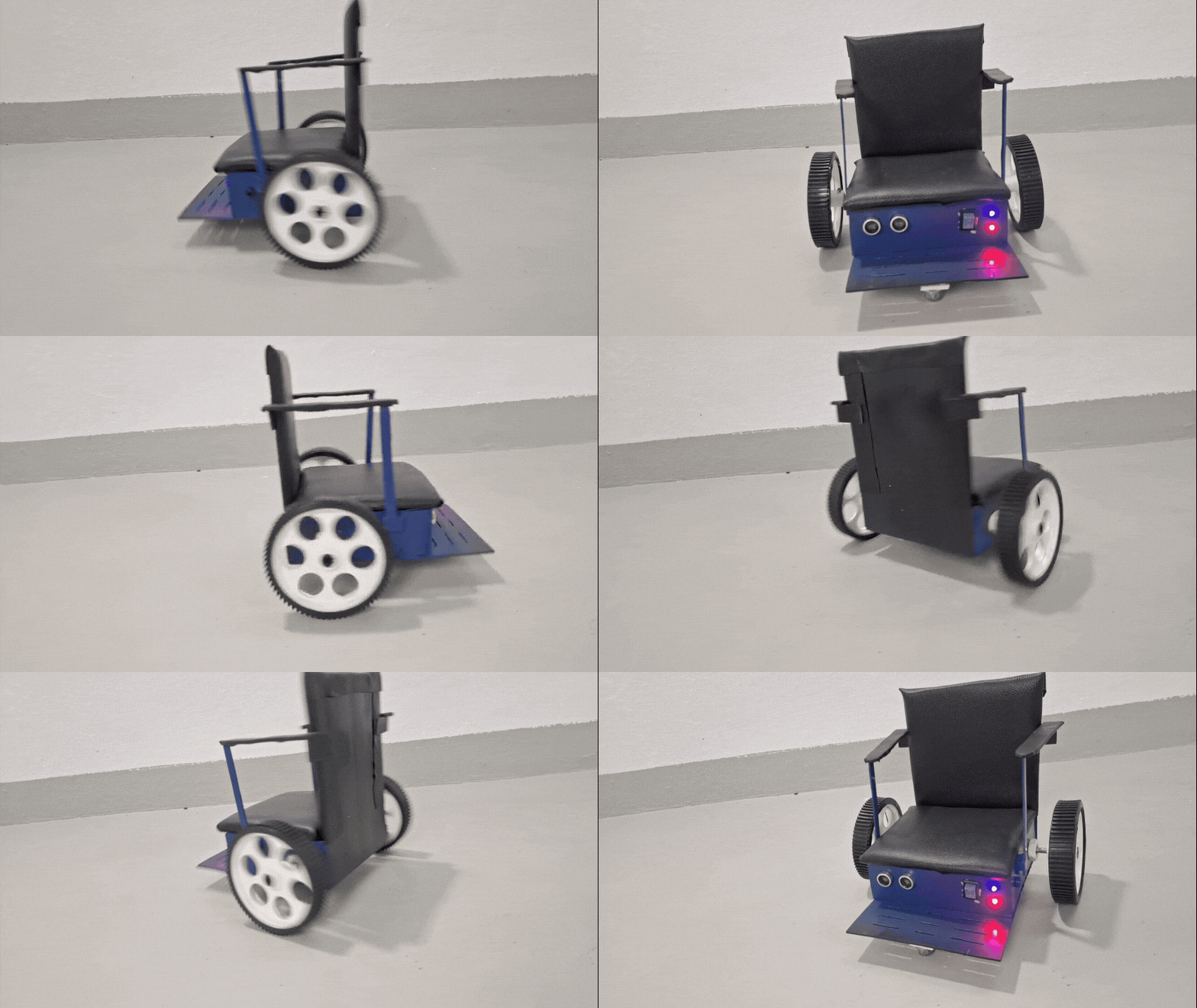
10. Movement Commands
Forward
Tilt head forward + double blink with both eyes
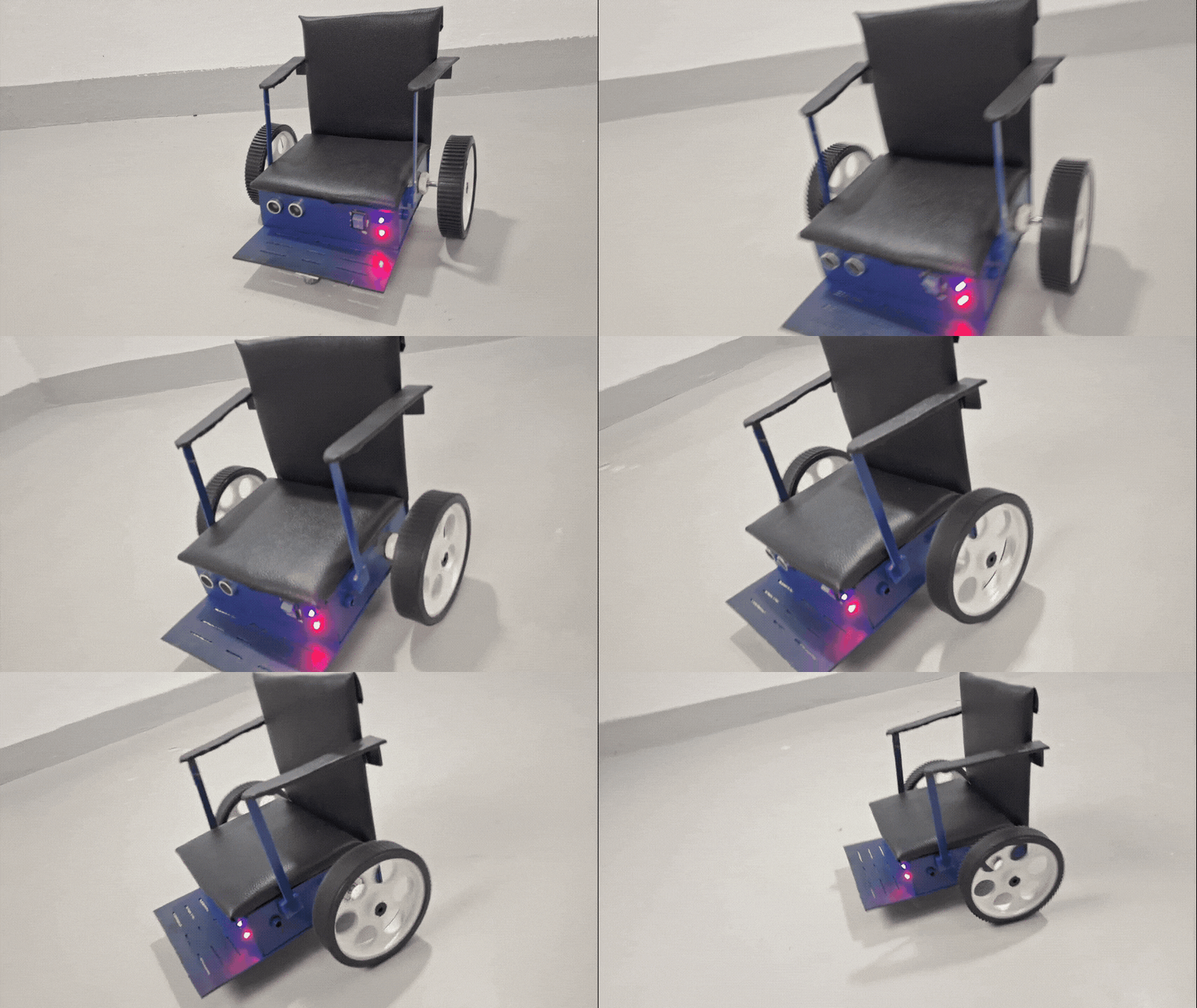
Backward
Tilt head backward + double blink with both eyes
Forward and backward can continue moving after the command has been confirmed, making longer movements more practical.
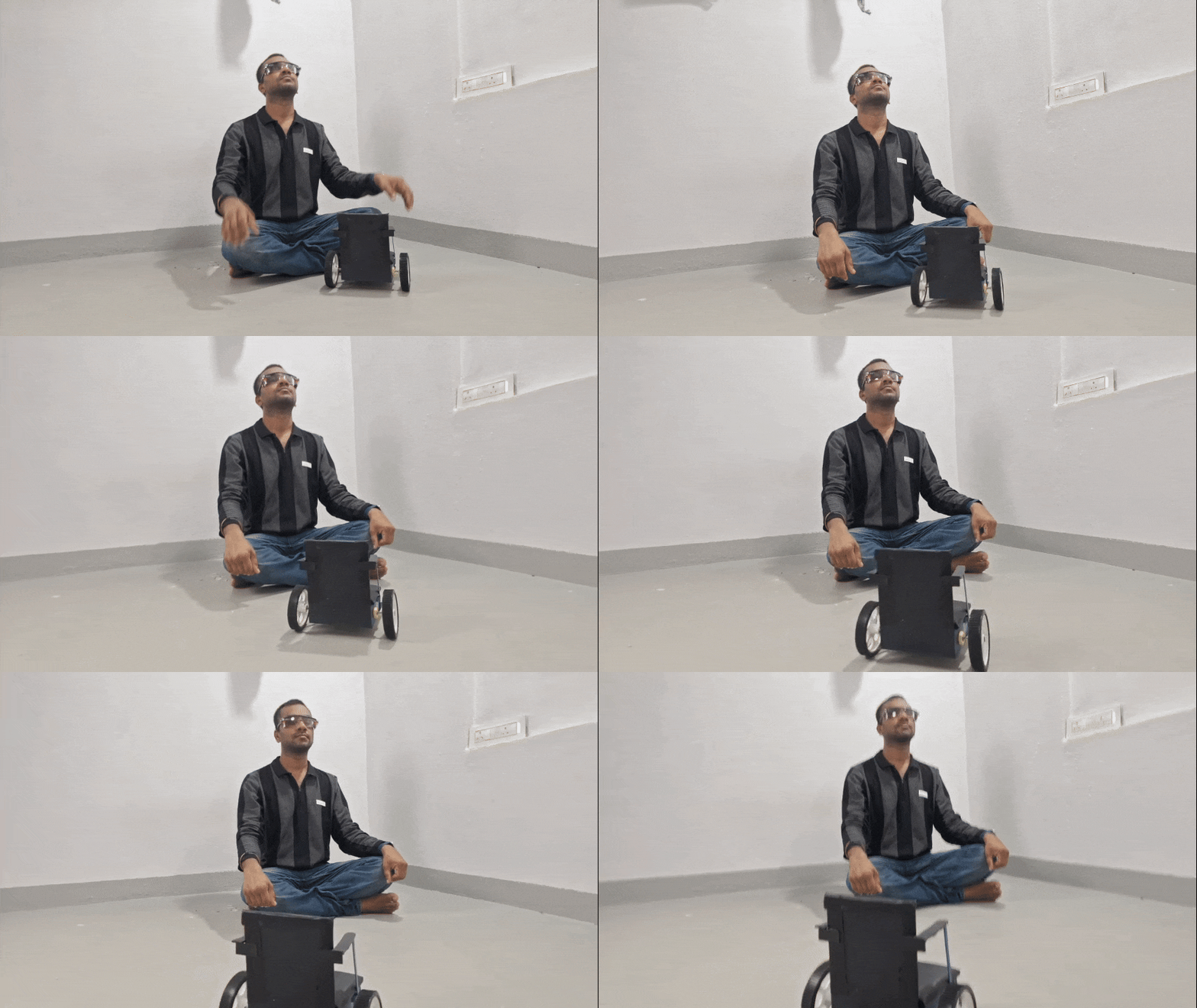
Left
Tilt left + double blink with the left eye
Right
Tilt right + double blink with the right eye
Left and right are handled as shorter movement pulses rather than continuous rotation, giving better control during directional changes.
11. Communication-Loss Protection
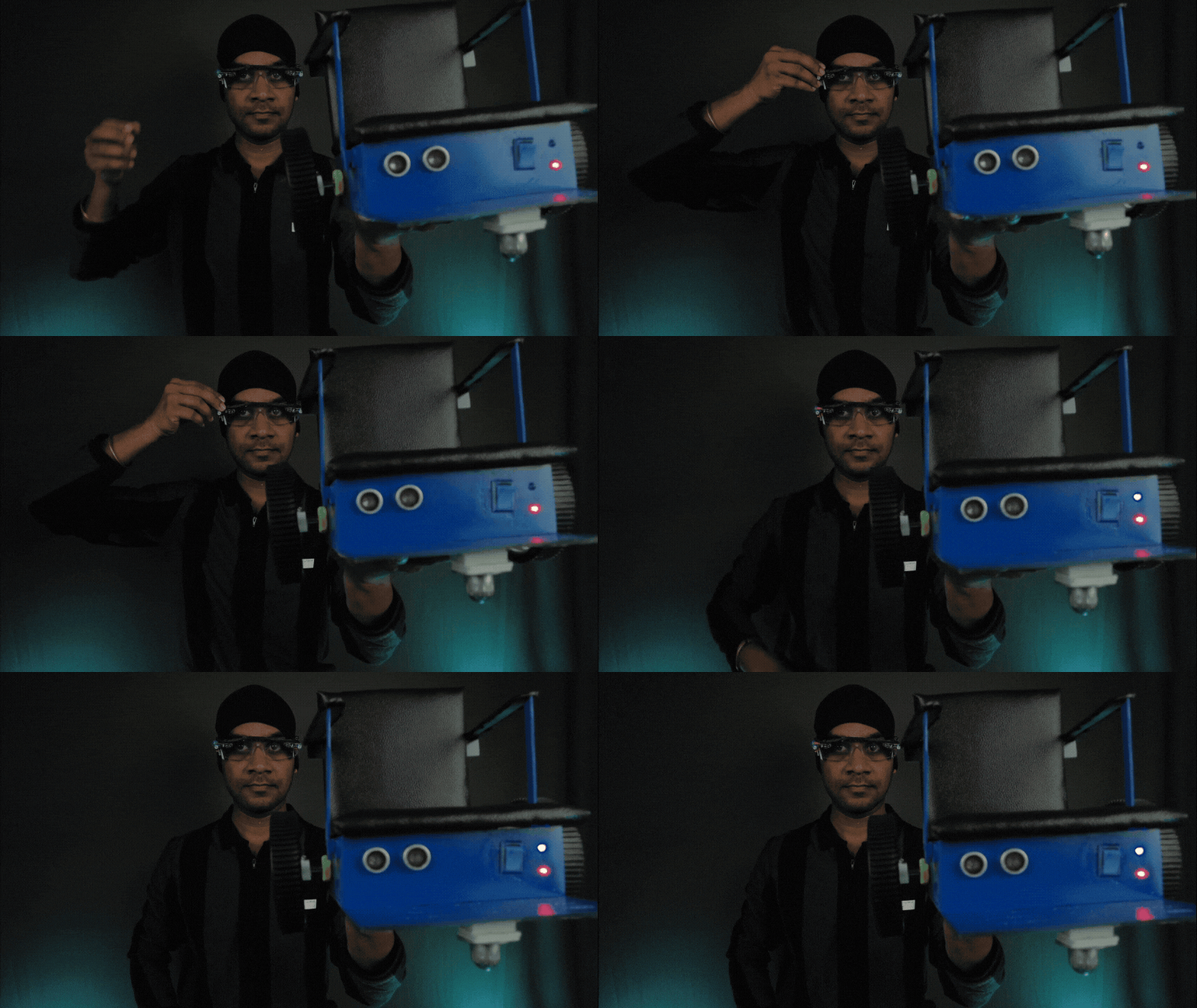
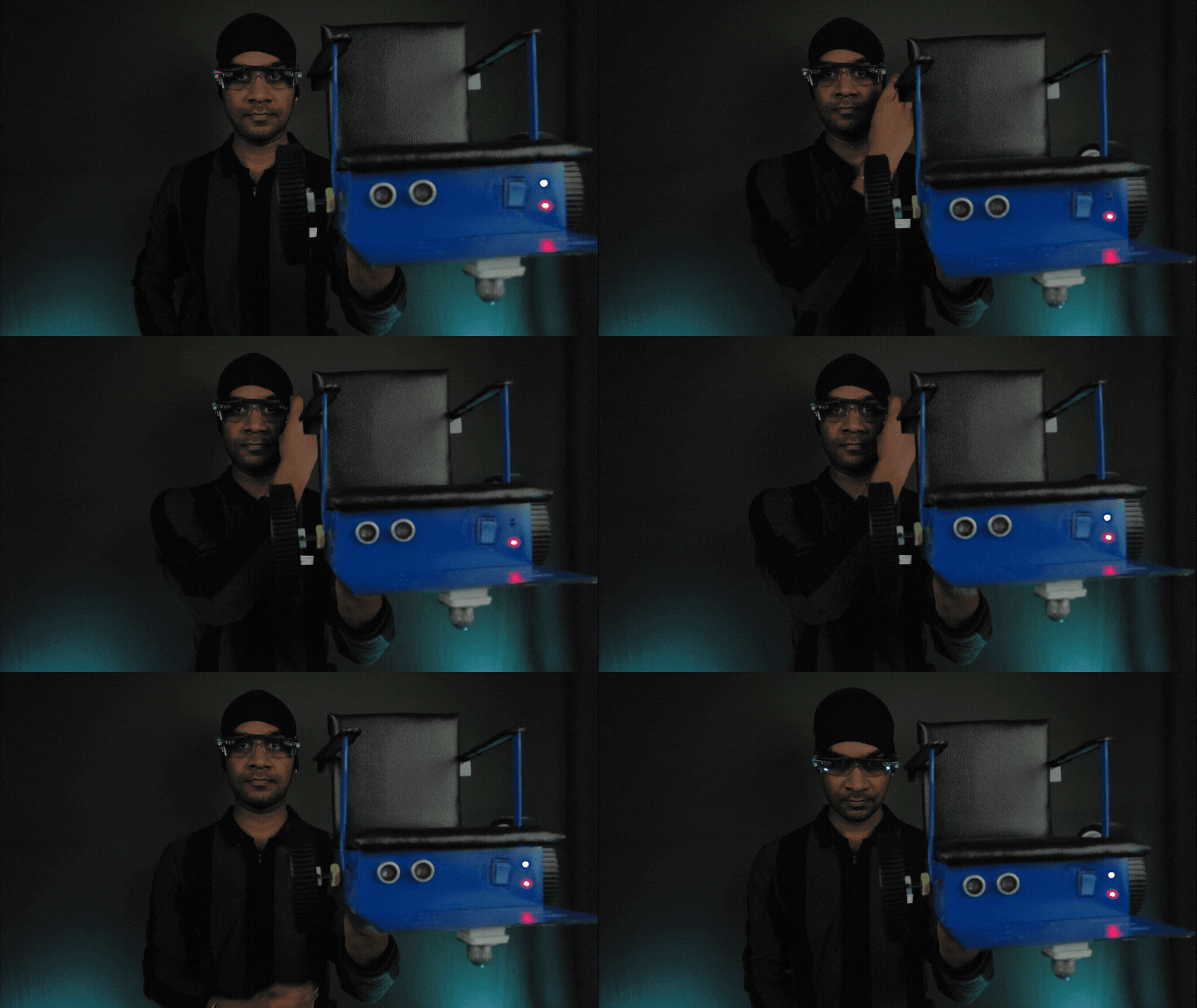
I also wanted the system to stop if communication between the glasses and wheelchair was lost.
The receiver has a communication timeout.
If expected communication from the transmitter stops, the receiver enters the stopped state rather than continuing to drive the motors.
During testing, I discovered an unexpected problem.
When the system was active but the user wasn't giving a movement command, the transmitter wasn't sending packets. The receiver interpreted this silence as a communication failure.
I solved this by adding an active-idle heartbeat.
While active, the transmitter periodically sends a small status packet even when there is no movement command.
The current heartbeat interval is approximately 300 ms.
12. Final Prototype
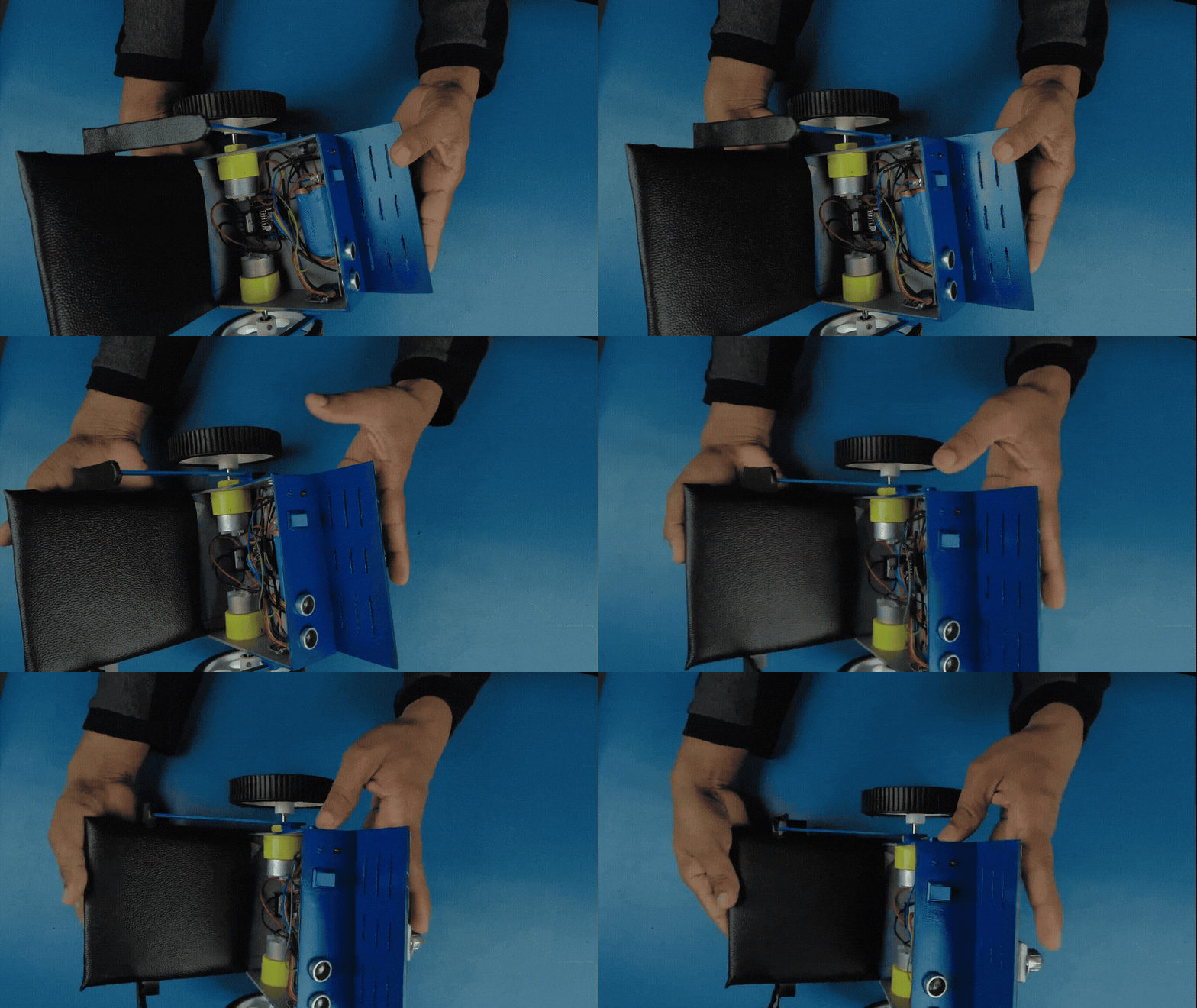
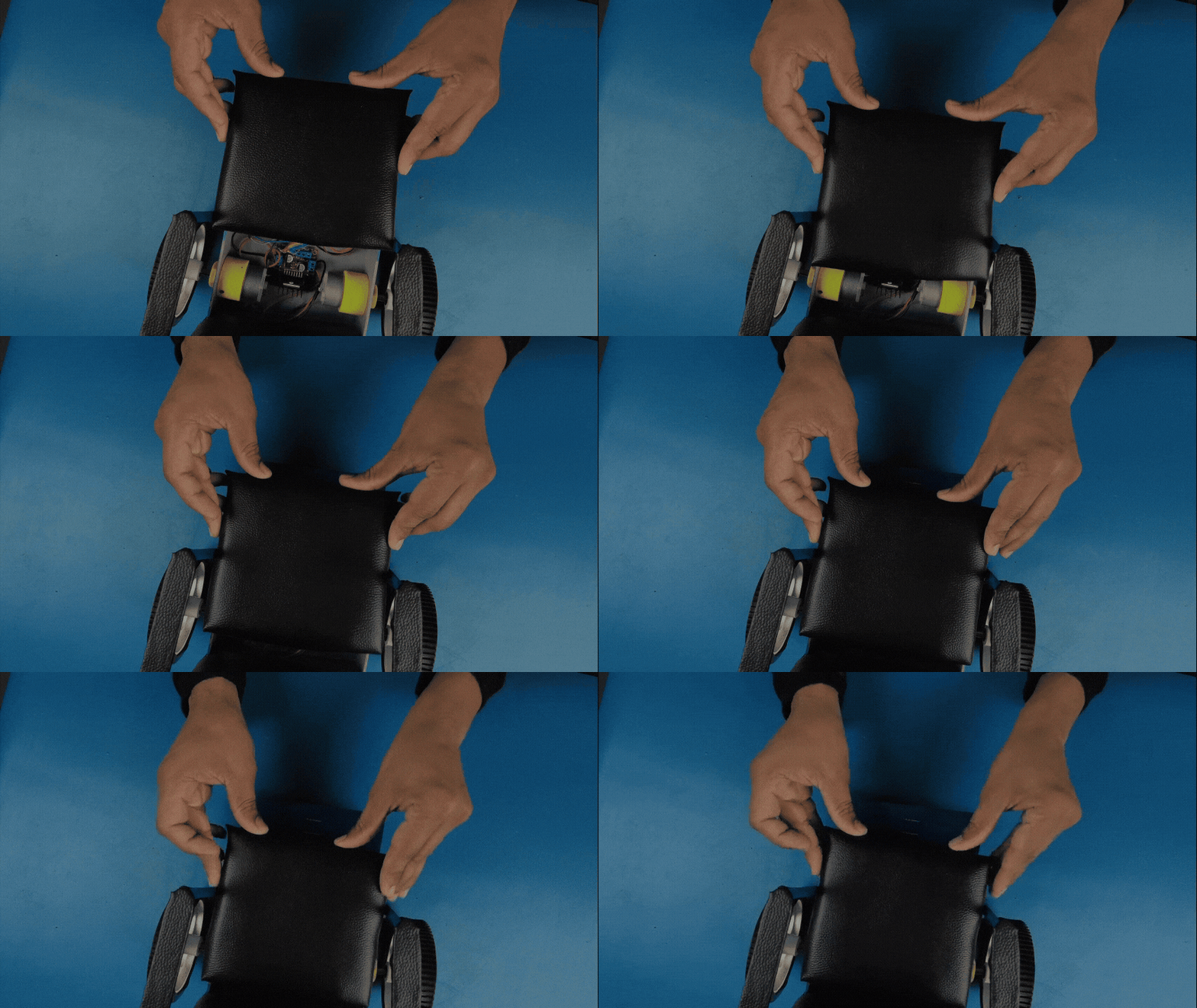
After the electronics and control system were working, I finished the physical appearance of the prototype.
I used:
- PVC foam board
- Sponge/foam
- Bike-seat-cover material
- Spray paint
This doesn't change the electronics, but it makes the prototype much easier to understand visually and gives the final build a more finished appearance
 .
.
13. Testing the System
I deliberately tested incorrect inputs as well as normal commands.
Examples included:
- Blinking while the head was centered
- Using the wrong blink pattern
- A single blink instead of the required pattern
- Moving the head without confirmation
- Communication loss
- Obstacle detection
- Forward movement
- Backward movement
- Left movement
- Right movement
The expected result for an incorrect gesture is that the wheelchair remains stationary.
The basic successful sequence is:
Tilt → Hold → Blink → Command Confirmed → Wheelchair Moves
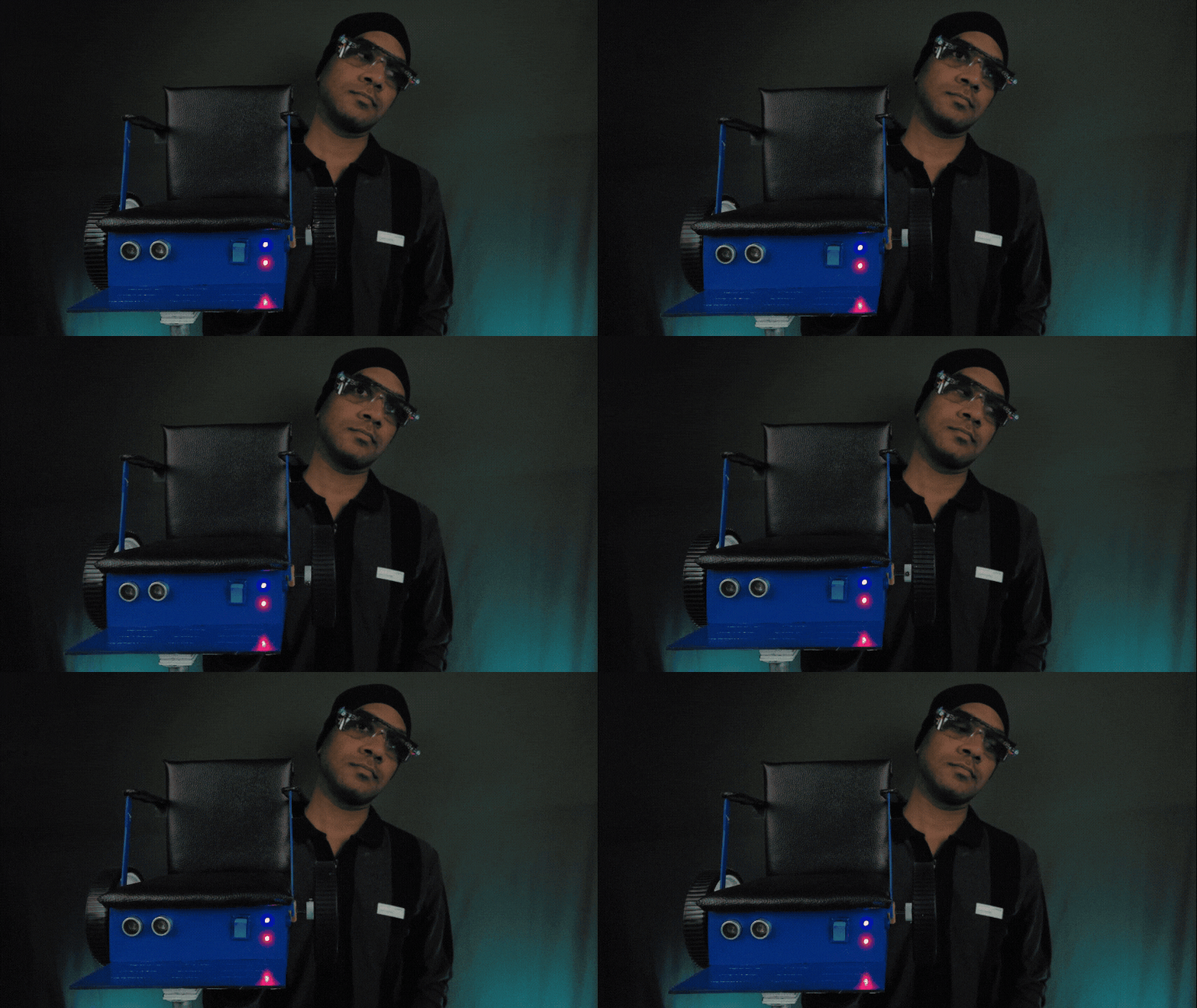
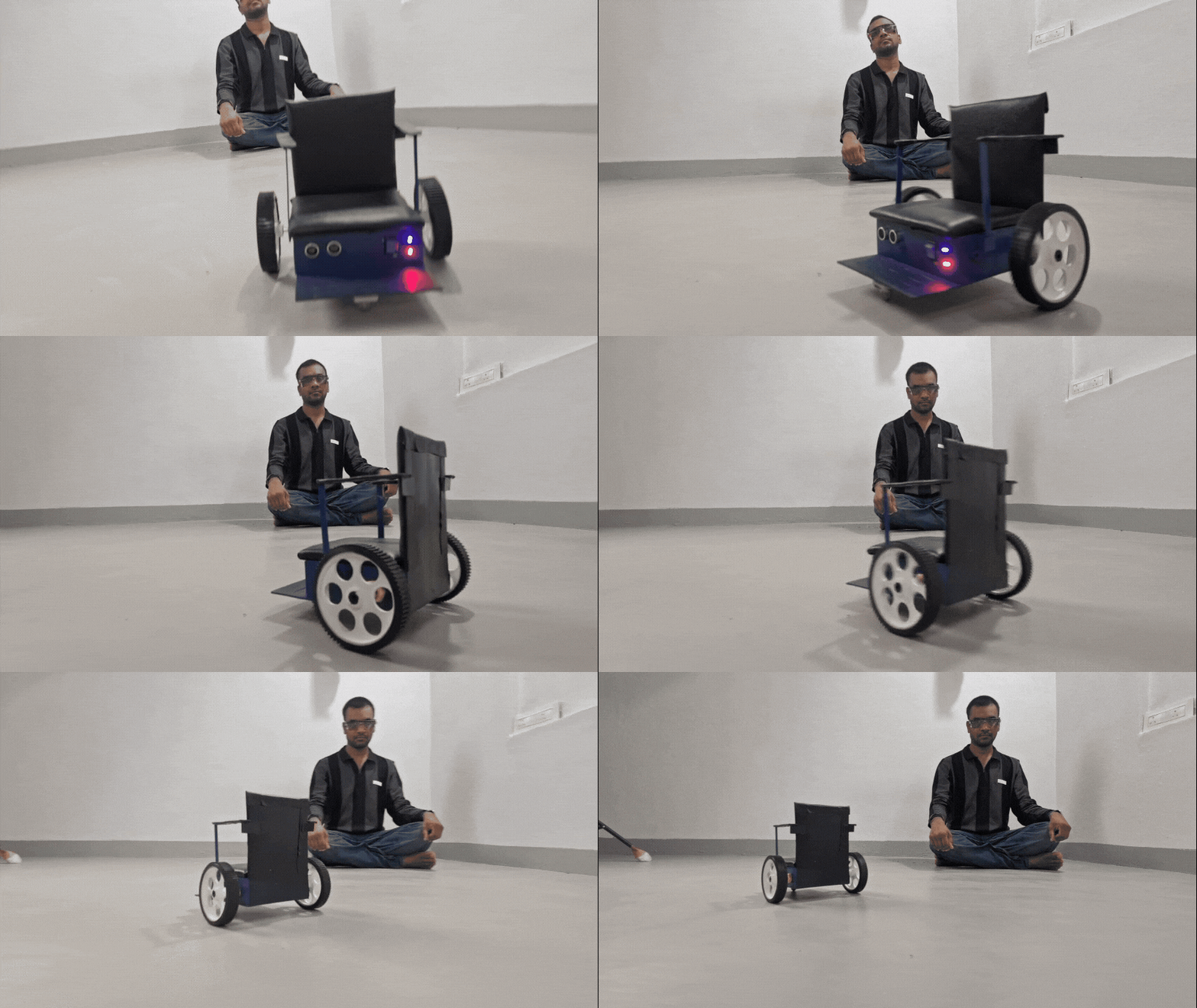
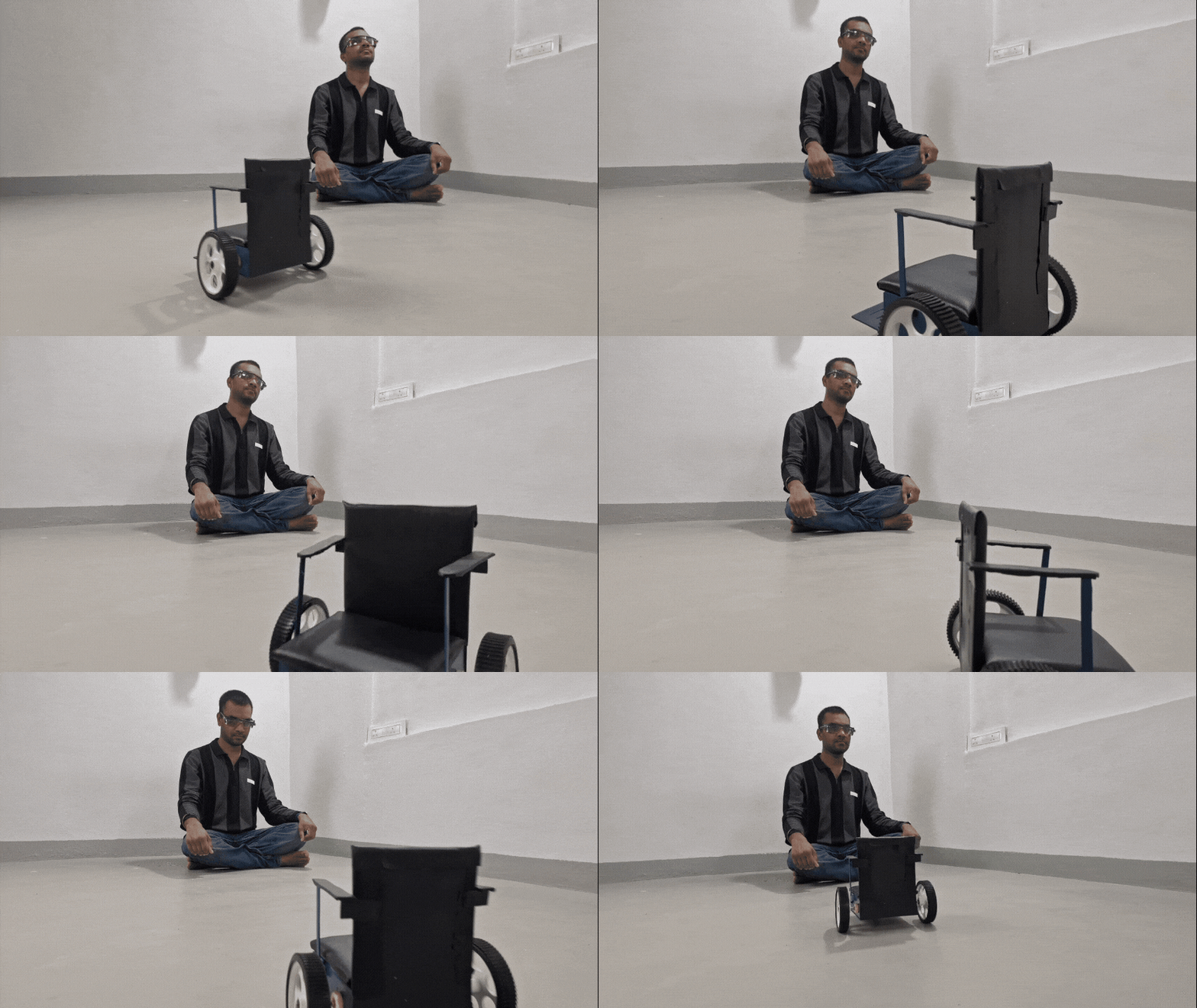
I then tested the complete system with the glasses, wireless communication, motor control and obstacle detection working together.
14. What Makes EyeLink Different?
The main engineering idea isn't simply “control a wheelchair with blinking.”
The interesting part is how the signals are combined.
Two-factor movement confirmation
Head movement selects the intention.
Eye blinking confirms the intention.
Neither input is sufficient by itself.
Another interesting design decision was repurposing inexpensive IR blink-sensing technology for a completely different control application.
I also chose ESP-NOW instead of a router/cloud/app-based system, keeping the communication local and direct.
These design choices came from the actual development and testing process rather than being added only for presentation.
15. Limitations
EyeLink is a working prototype, not a certified medical mobility device.
There are several limitations that I want to be clear about.
IR sensor sensitivity
Strong ambient infrared, especially direct sunlight, can affect blink detection.
Battery protection
The current receiver uses a 2S Li-ion battery pack, but this prototype does not currently have a BMS. A proper 2S BMS is planned for the next revision.
Chassis
The current PVC chassis is a prototype drive platform and is not intended to be the final structural frame of an everyday wheelchair.
Obstacle handling
The current obstacle system uses a hard stop. Smoother speed reduction and more advanced obstacle handling are future improvements.
Wearable design
The glasses enclosure and sensor mounting can still be improved for comfort, reliability and repeatability.
These limitations are important because I want to present EyeLink as what it actually is: a working engineering prototype that can be developed further, rather than claiming that it is already a finished medical product.
16. What I Learned
The project went through several practical changes during development.
I:
- Changed the motors from 300 RPM to 100 RPM
- Added a boost converter after discovering unstable sensor behaviour
- Calibrated the MPU-6050 for the actual glasses
- Developed the two-stage gesture logic
- Added communication-loss protection
- Discovered and fixed the active-idle heartbeat problem
- Added obstacle detection
- Tested incorrect gestures deliberately
For me, these changes were as important as the final working prototype because they showed where the real engineering problems appeared after the first version was built.
17. Future Improvements
The next version could include:
- Better glasses enclosure
- Improved IR sensor shielding
- More robust sensor mounting
- Better gesture calibration
- Proper 2S BMS
- Stronger wheelchair frame
- Smoother obstacle handling
- Further communication and safety testing
- Improved wearable comfort
EyeLink is therefore not the final version of the idea. It is a working prototype and a foundation for further development.
18. Conclusion
EyeLink combines head movement, eye-blink confirmation, and wireless communication into a hands-free wheelchair control concept.
The most important idea is simple:
One signal selects the intention.
Another signal confirms it.
Only then is the command transmitted.
The project demonstrates how relatively low-cost embedded hardware can be combined into a human-machine interface, while a direct ESP-NOW wireless link connects the wearable controller to the wheelchair drive system.
The complete project is open source, including the TX and RX firmware, MPU-6050 calibration firmware, receiver MAC-address finder, wiring/pin information, build documentation, and project images.
 Project Resources
- GitHub — EyeLink-Wheelchair:https://github.com/humanixtechlab/EyeLink-Wheelchair
- Circuit / Wiring
- Firmware: EyeLink Firmware Folder
- Humanix Tech Lab GitHub: Humanix Tech Lab on GitHub
 Humanix Tech Lab Team
Humanix Tech Lab is a maker and engineering team focused on developing practical DIY electronics, embedded systems, robotics, and assistive-technology projects.
Team Members
- Khadri — Co-Founder & Engineering / Hardware
- Nookaraju — Co-Founder & Engineering / Software & Documentation
Humanix Tech Lab — DIY Electronics • Embedded Systems • Robotics • Innovation
The project was built and documented by Humanix Tech Lab.
I built EyeLink as a low-cost proof-of-concept, but I see the larger idea as a reusable control interface: one input to select an intention and another input to confirm it.
There is still plenty of room to improve the hardware, safety systems, wearable design, and real-world reliability. This prototype is intended as a foundation for further development rather than a certified medical device.
Thanks for reading!
— Humanix Tech Lab
