


Introduction
When a major disaster strikes, communication can become as important as food, water, and medical supplies. During cyclones, floods, earthquakes, and other emergencies, cellular networks and Internet connectivity may become unavailable. For someone trapped in a remote location, a simple message saying “I need help” could make a critical difference.
This motivated me to build RescueLink, a compact LoRa-based emergency messenger that can exchange text messages without cellular networks, Wi-Fi or Internet connectivity. Using an ESP32-C3 Super Mini and an RA-01 LoRa module, the device creates a simple independent communication link between users. LoRa is particularly interesting for this purpose because it is designed for long-range, low-power communication. I also designed and 3D-printed a custom enclosure to make the prototype compact and suitable for carrying in the field.
Hardware Components Used
I used the following hardware components to make my low-cost RescueLink device. The main components of the device is ESP32-C3 Super Mini and the LoRa RA-01 based on the SX1278 chipset. For the microcontroller I used ESP32-C3 Super Mini because it is very compact in size, low-cost, and has low power consumption. For an emergency communication device, battery life and portability are particularly important. The ESP32-C3 is based on a 32-bit RISC-V processor and supports low-power operating modes, allowing the device to operate from a small battery for extended periods. Its compact Super Mini form factor also makes it possible to build a small, lightweight handheld device.
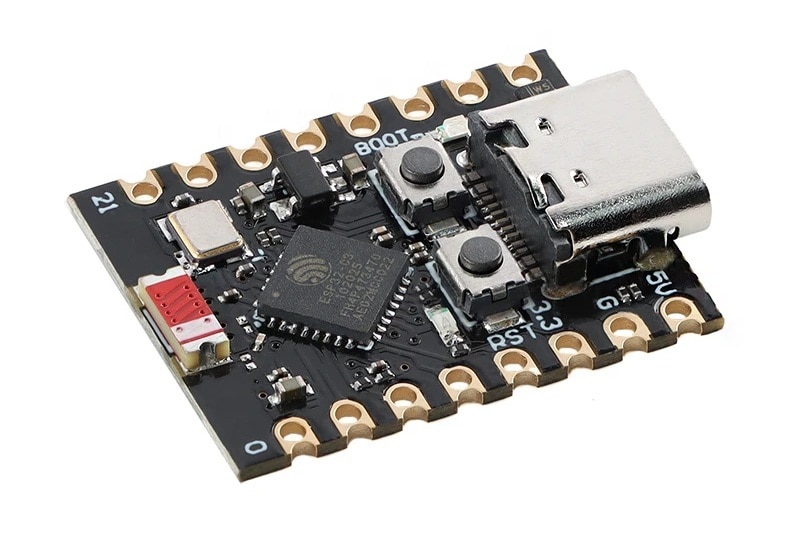
Image: ESP32-C3 Super Mini
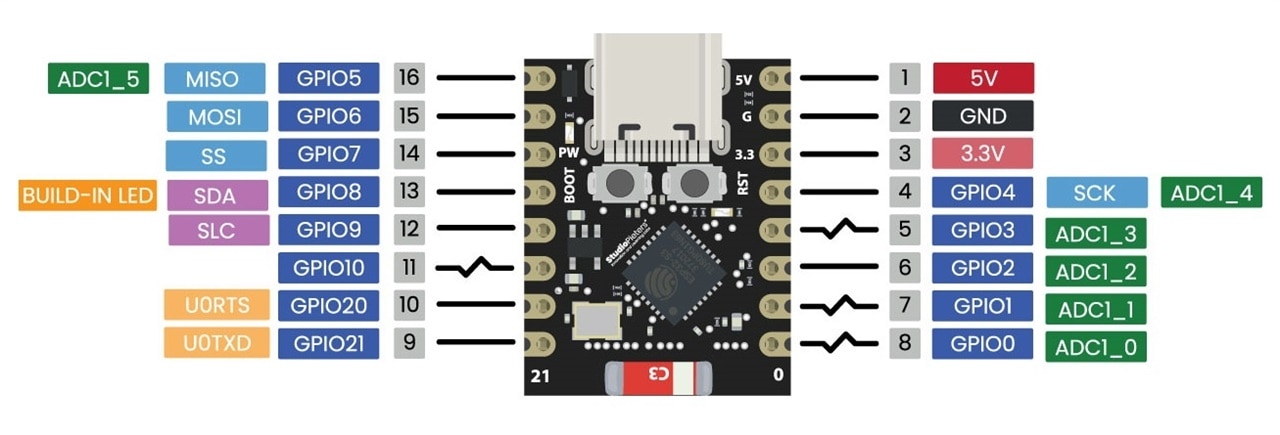
Image: ESP32-C3 Super Mini Pinout
I used the RA-01 LoRa module as a communication link. RA-01 is a compact LoRa wireless communication module based on the Semtech SX1278 transceiver. It is designed for long-range, low-power wireless communication and typically operates in the 433 MHz ISM band. The module uses LoRa modulation, which provides good receiver sensitivity and robust communication over long distances, particularly for small amounts of data. Depending on factors such as antenna quality, transmit power, spreading factor, bandwidth, terrain, obstacles, and interference, it can achieve communication distances ranging from several kilometers in open areas to shorter distances in dense urban environments. It communicates with a microcontroller through an SPI interface and is commonly used in IoT devices, environmental monitoring, remote sensors, telemetry systems, and off-grid communication projects.
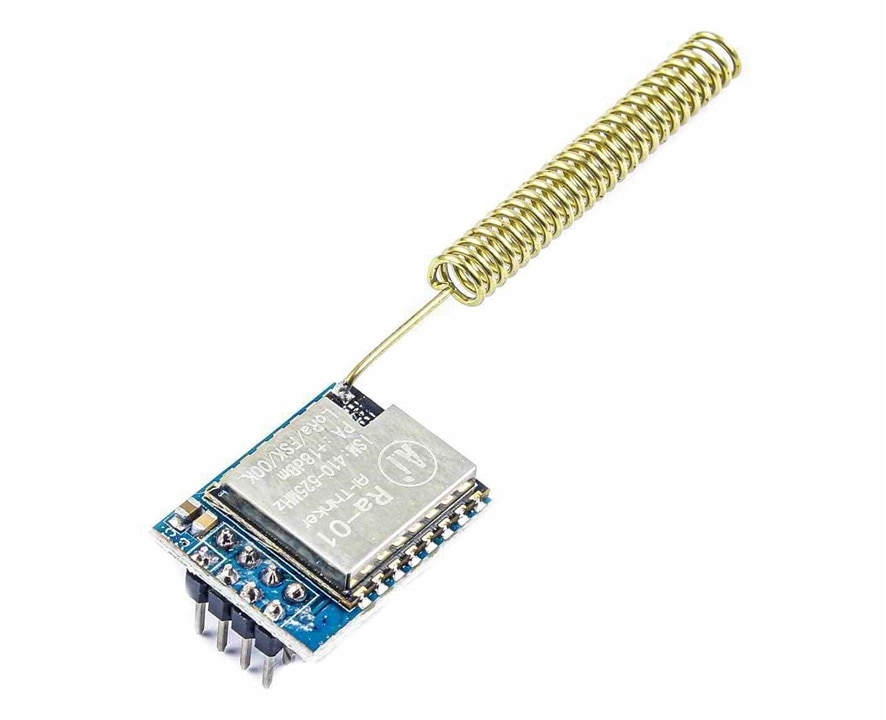
Image: RA-01 LoRa Module
To display the messages, I used a 1.3-inch I2C OLED display for my device. Its compact size keeps the overall device portable while providing clear, high-contrast text with low power consumption. I chose a 1.3-inch OLED instead of a more common 0.96-inch OLED mainly because the slightly larger display provides a more comfortable area for reading text messages. The larger screen allows more characters to be displayed per line and makes messages easier to read, especially during emergency situations when quick and clear communication is important.
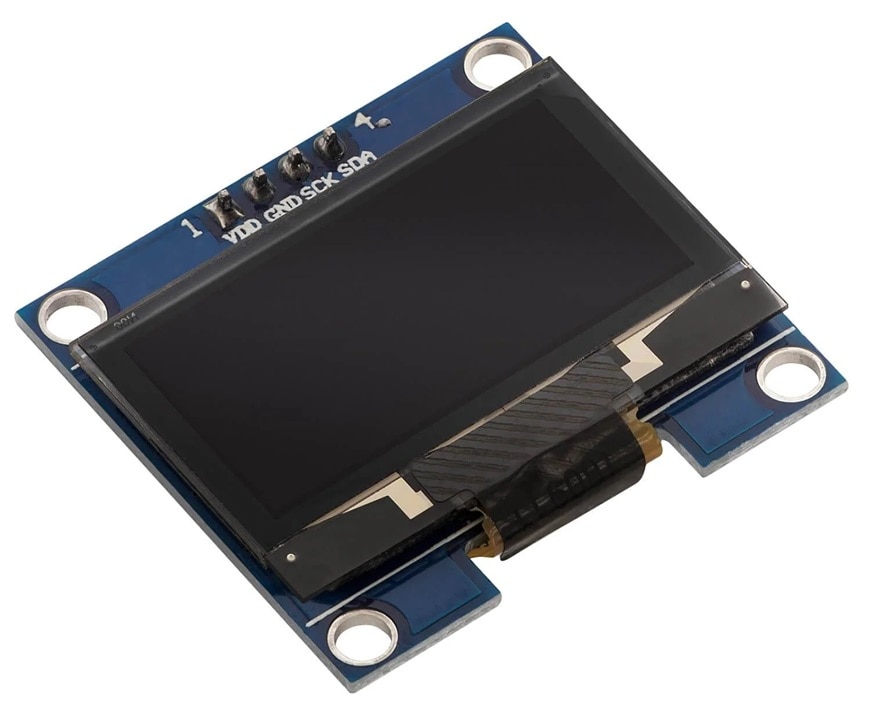
Image: 1.3inch I2C OLED
For writing messages, I used 5-way tactile button instead of a conventional keypad to keep the RescueLink device compact and simple. The five directions: up, down, left, right, and center/OK are sufficient for navigating menus, selecting characters, composing messages, and controlling the device. Compared with a full keypad, it requires fewer components, fewer GPIOs, and less physical space, allowing the device to maintain a small handheld form factor. It also provides a simple and intuitive interface that is suitable for an emergency communication device.
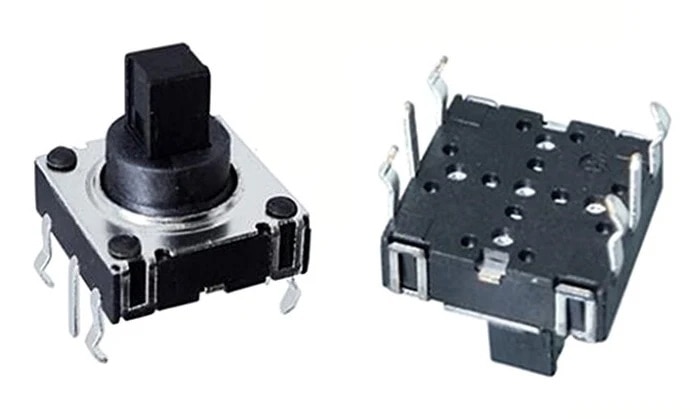
Image: 5-way tactile button
The device is battery-operated and takes power from a Li-ion battery. The output voltage of the Li-ion battery is not directly compatible with the ESP32 chip. So, I need to boost the battery voltage to 5V as the ESP32-C3 board has a built-in 3.3V regulator. At the same time Li-ion battery requires a charging circuit. I used a small power bank circuit module that serves both purposes.
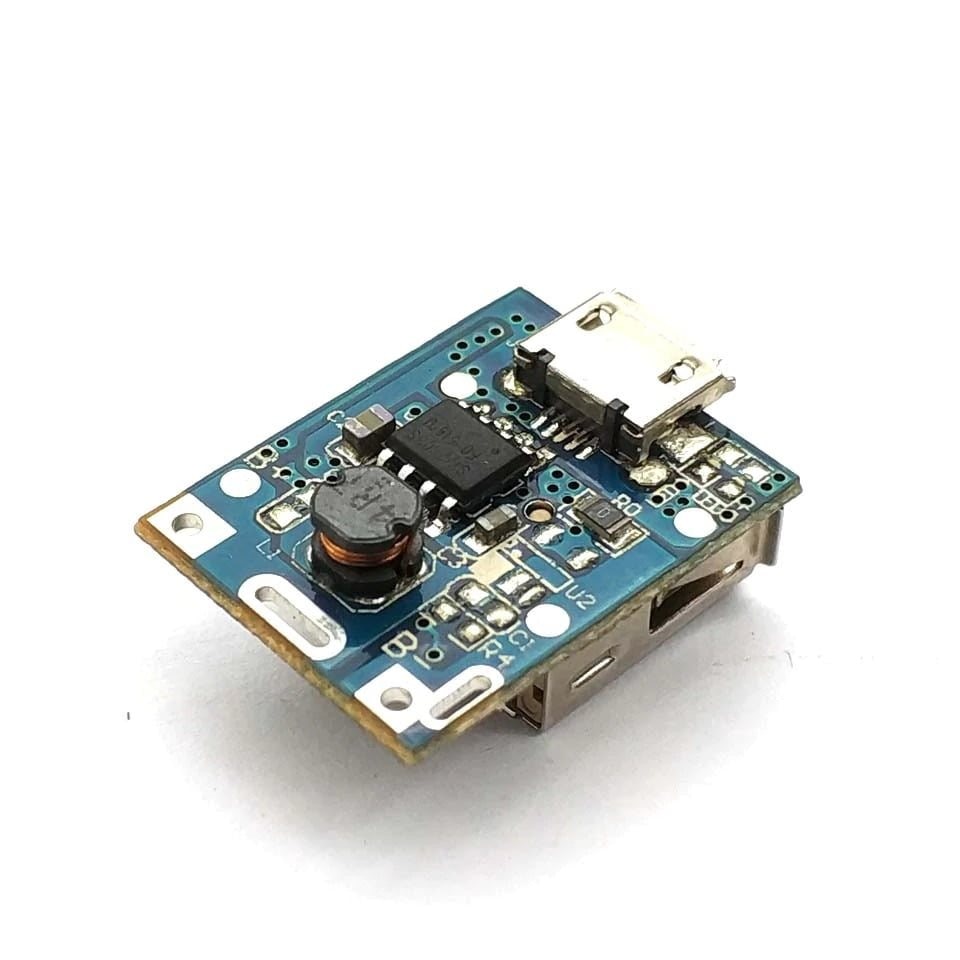
Image: Power bank charger circuit module
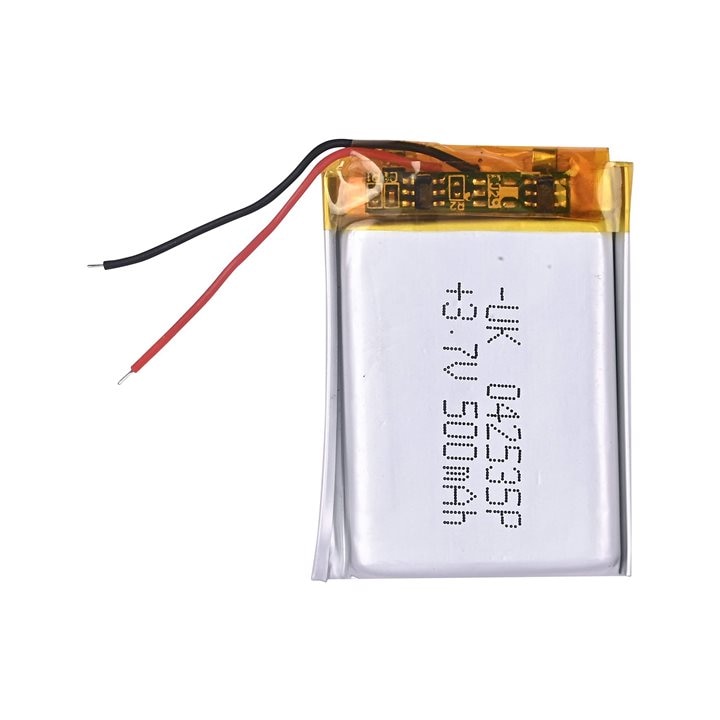
Image: 500mAh Li-ion battery
As On/Off switch, I used a 3-pin slide switch. For charging the battery, I used USB Type-C 3.1 Female Socket with secure screw-fixing plate.
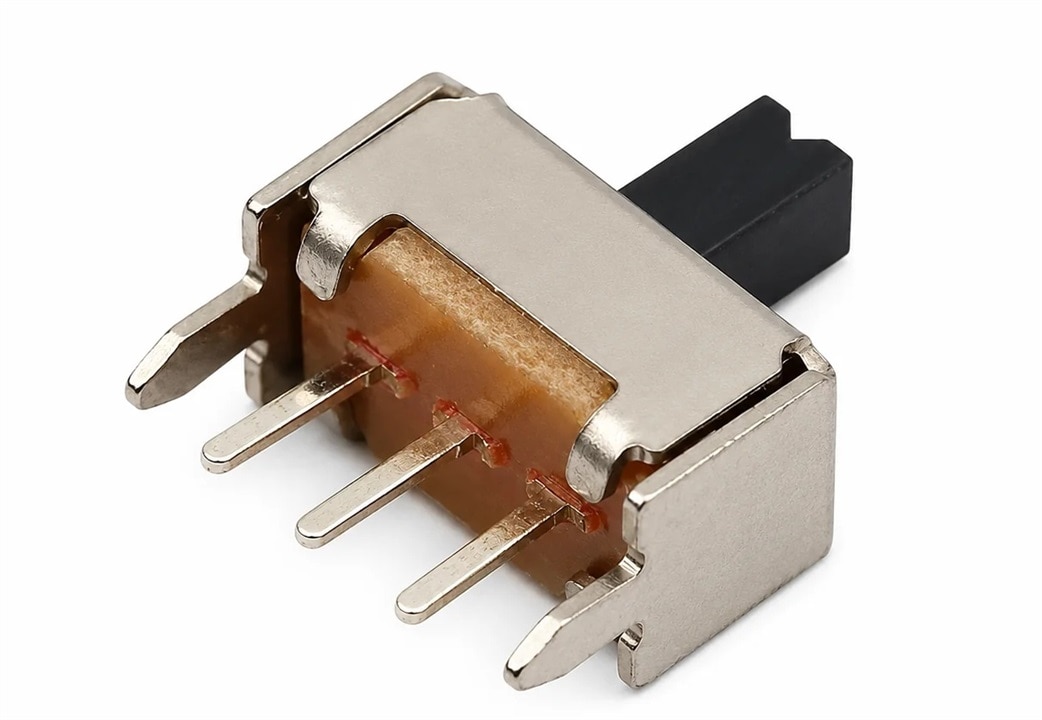
Image: Sliding switch
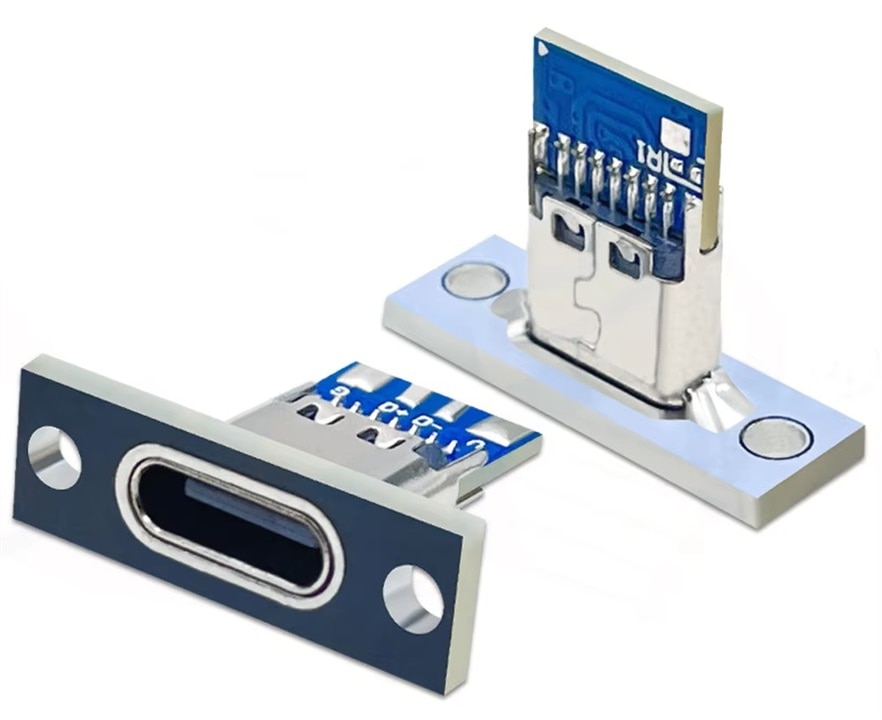
Image: USB-C Charging port
Schematic
The following image shows the schematic diagram of my project. OLED display is connected to the default I2C port of the ESP32-C3. The LoRa module is connected to the default SPI port of the microcontroller board. 5-way button is connected to the rest of the GPIOs of the ESP32 microcontroller board.
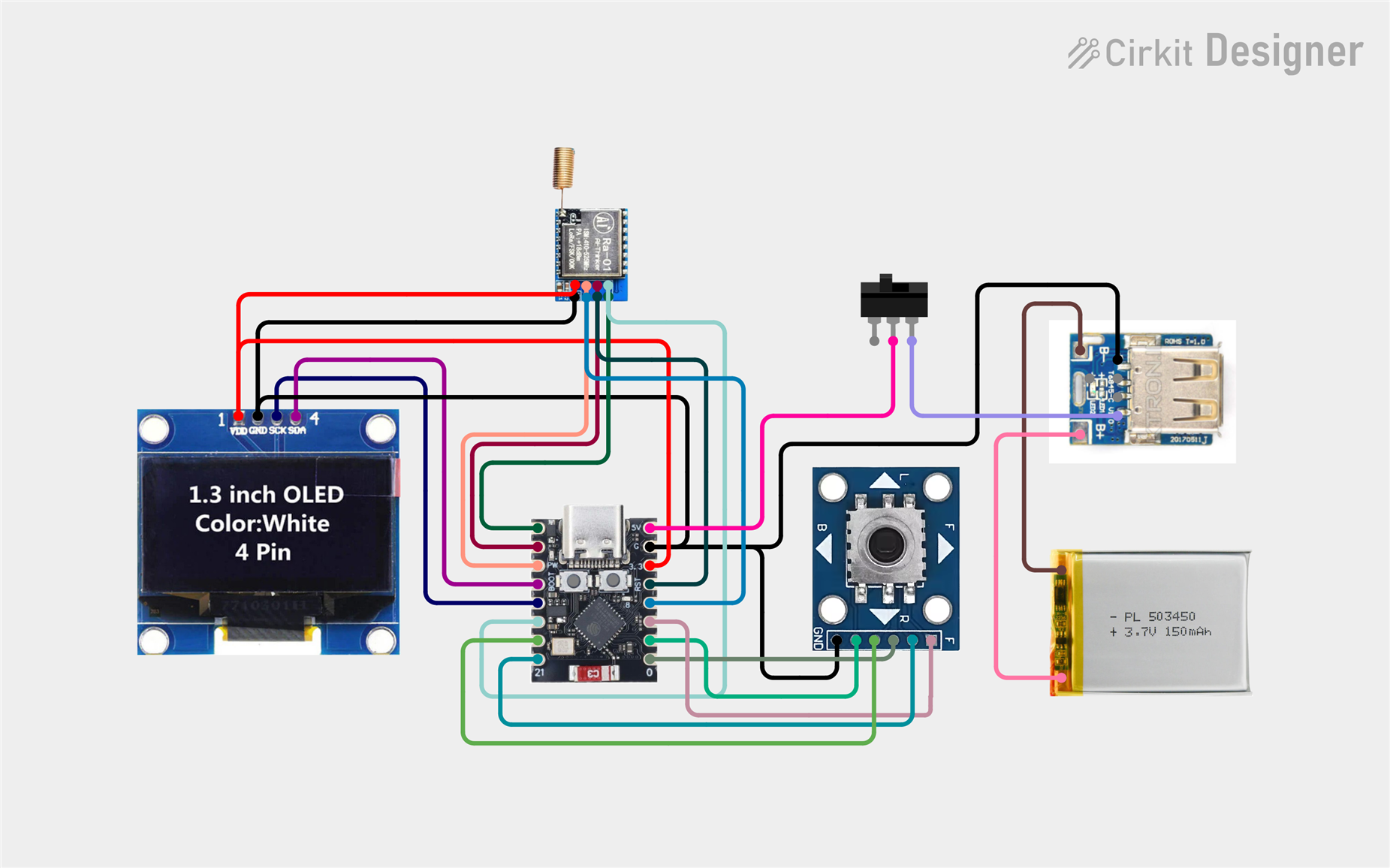
Image: Schematic Diagram
Hardware Connection & Soldering
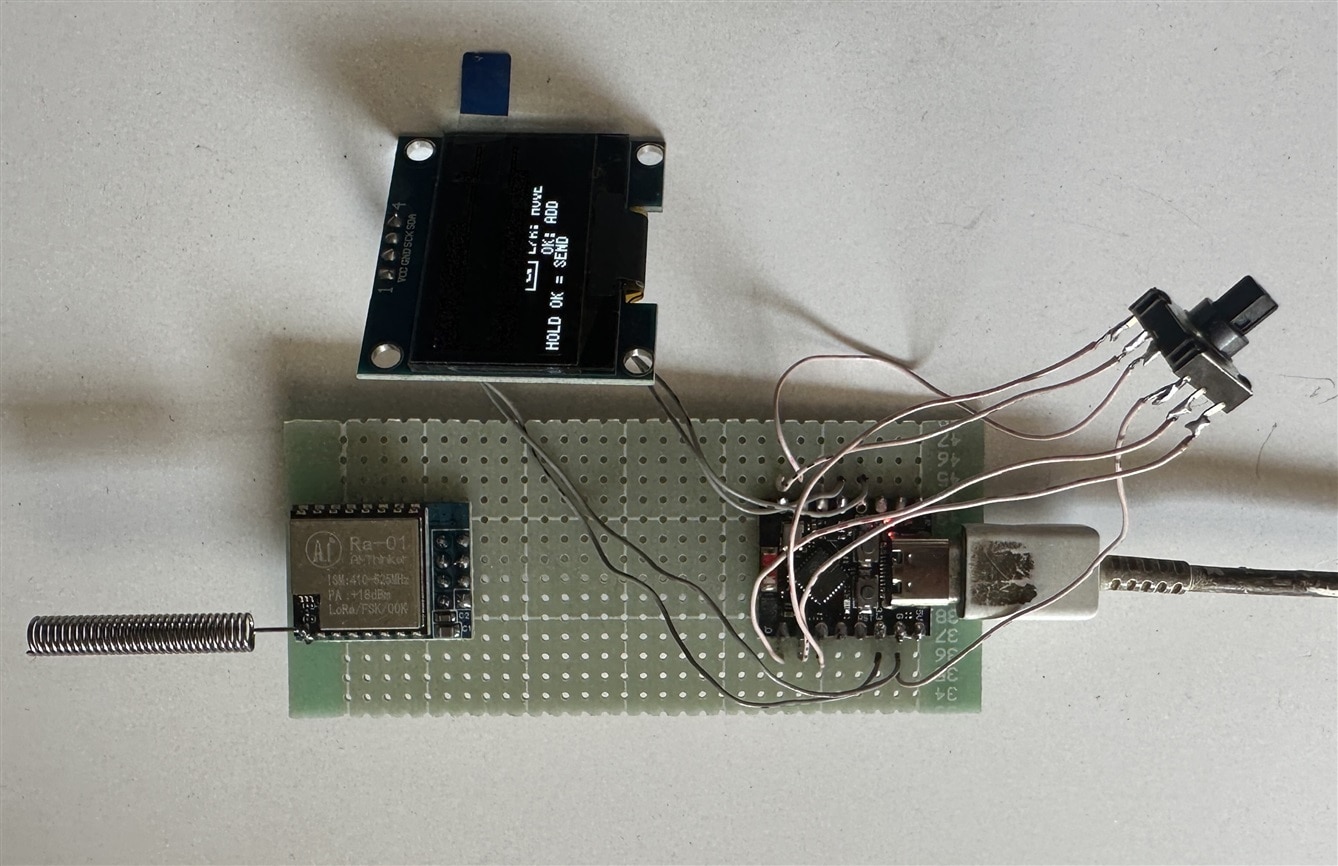
I took a small piece of single-sided perf board to solder the ESP32 module and the LoRa module and soldered both modules as shown in the image below.
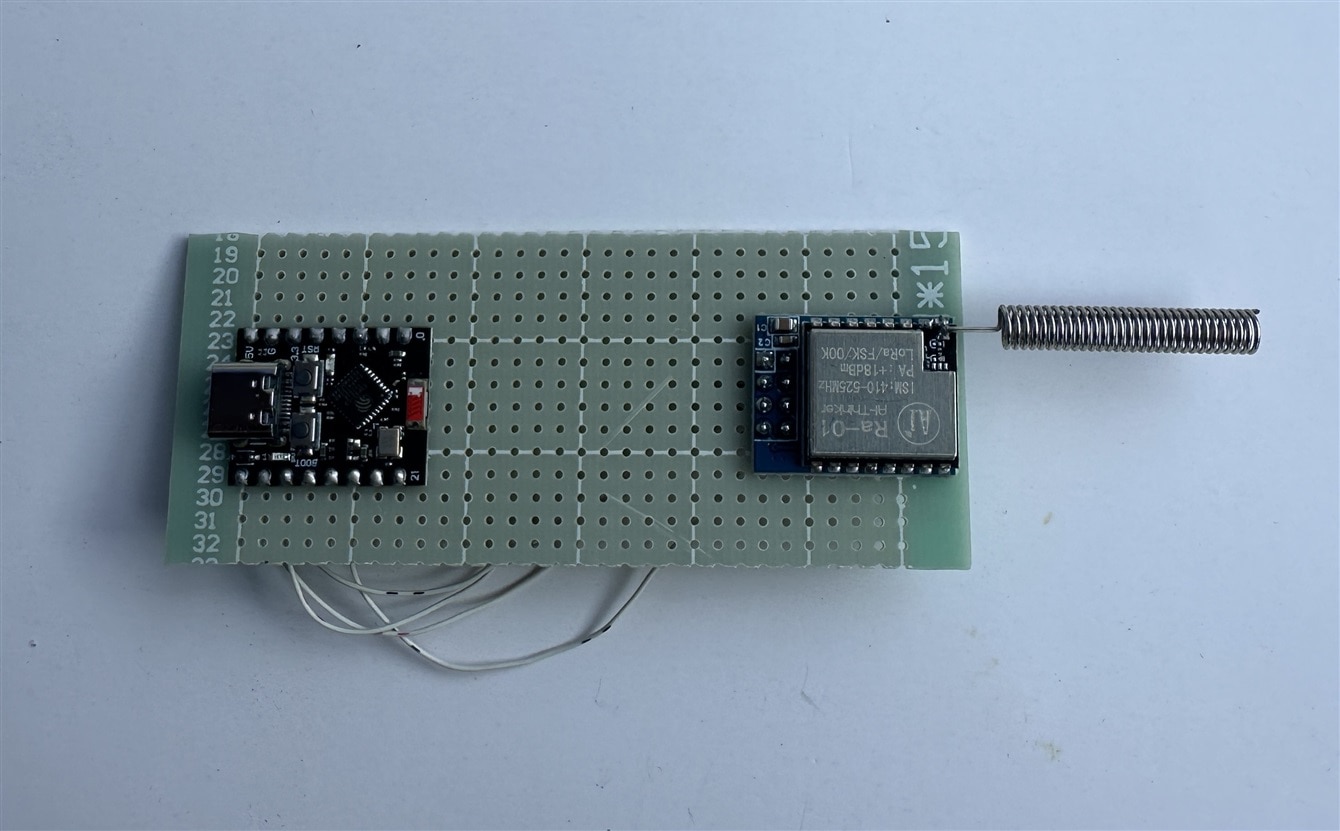
I used thin flexible jumper wires to make connections between different components.
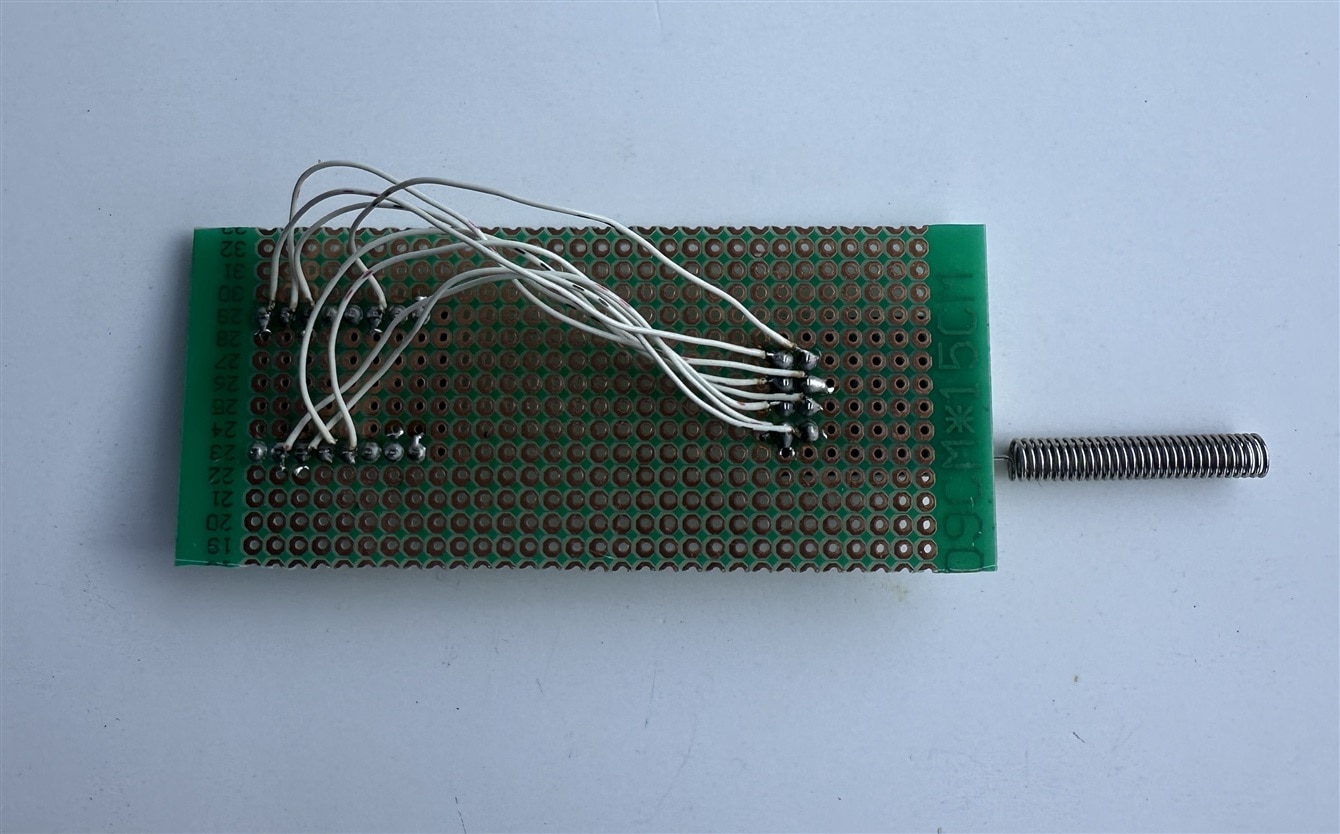
I soldered I2C OLED display to the microcontroller unit using same jumper wires.
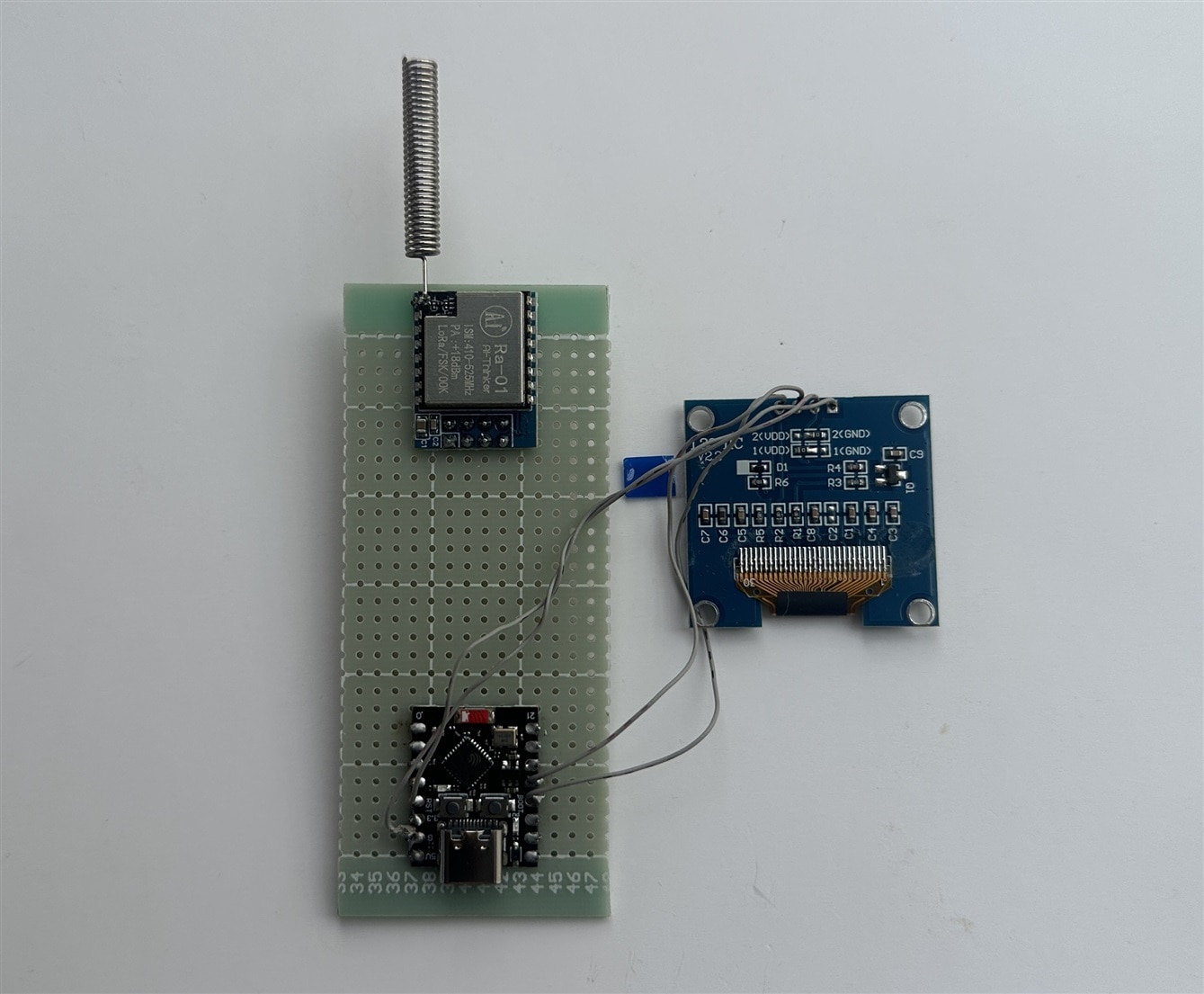
Then I connected 5-way button to the rest of the GPIO pins of the ESP.
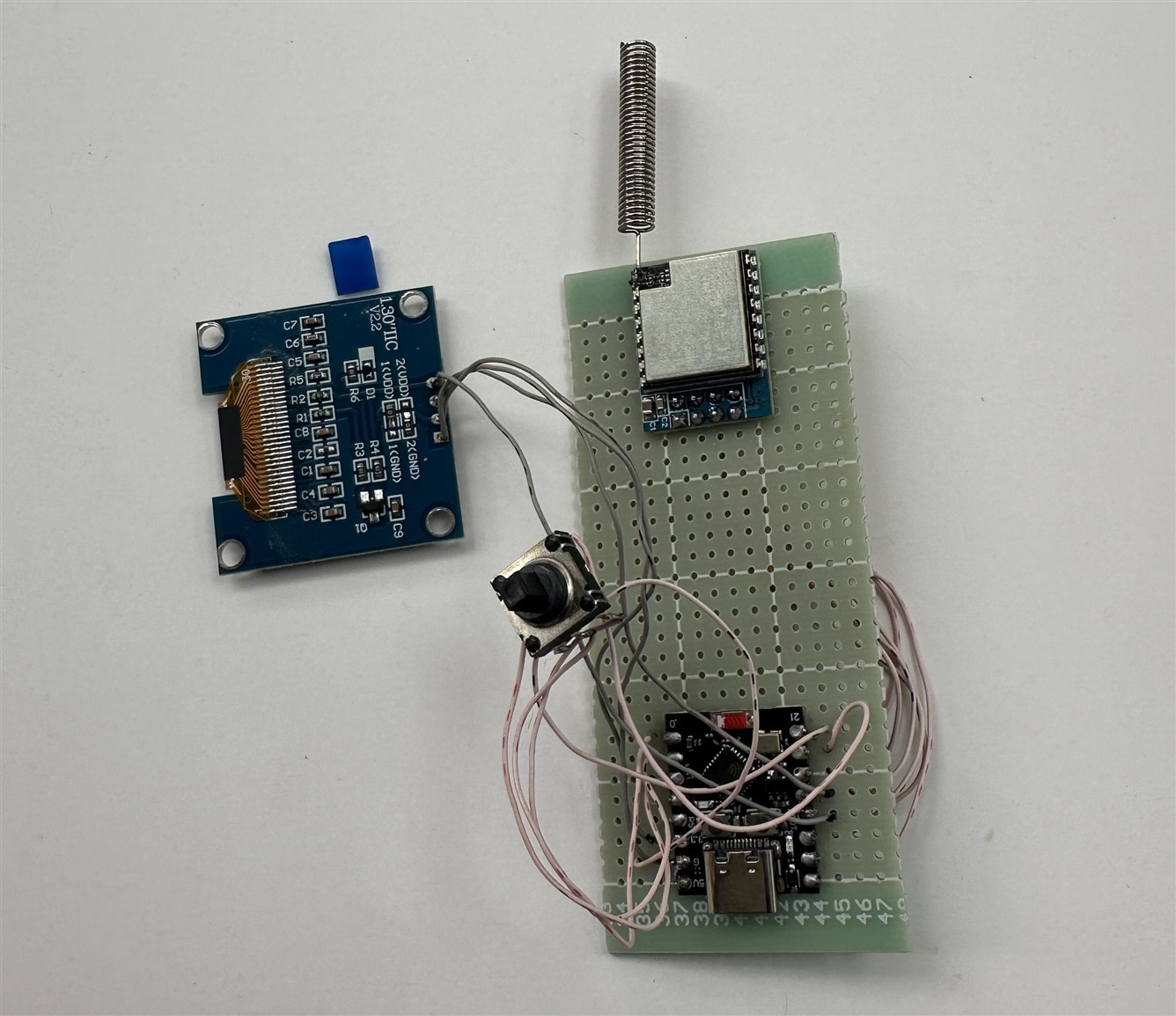
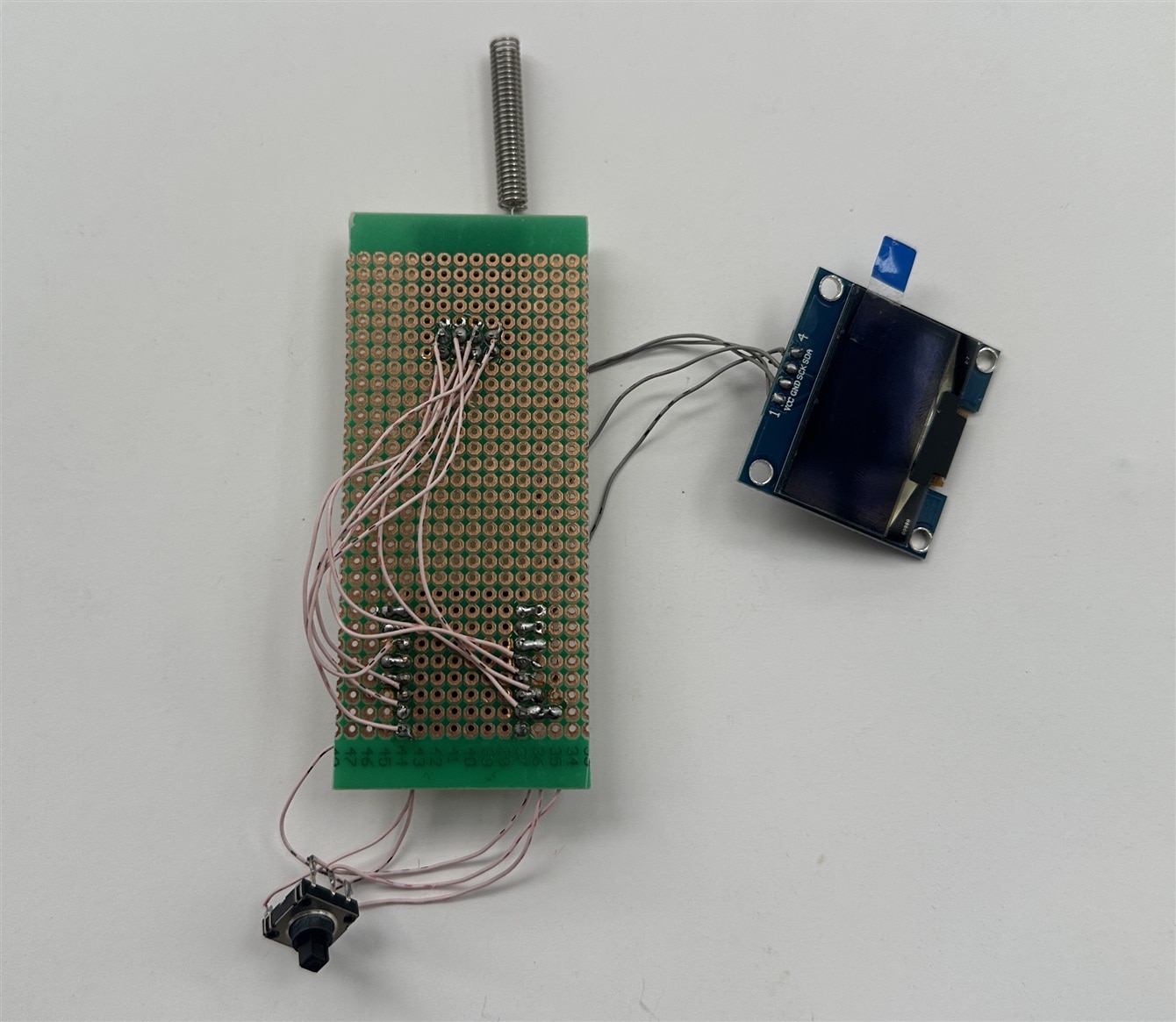
In this stage, I uploaded the code to the ESP board and connected a USB-C cable to power up the device. The was working as expected.
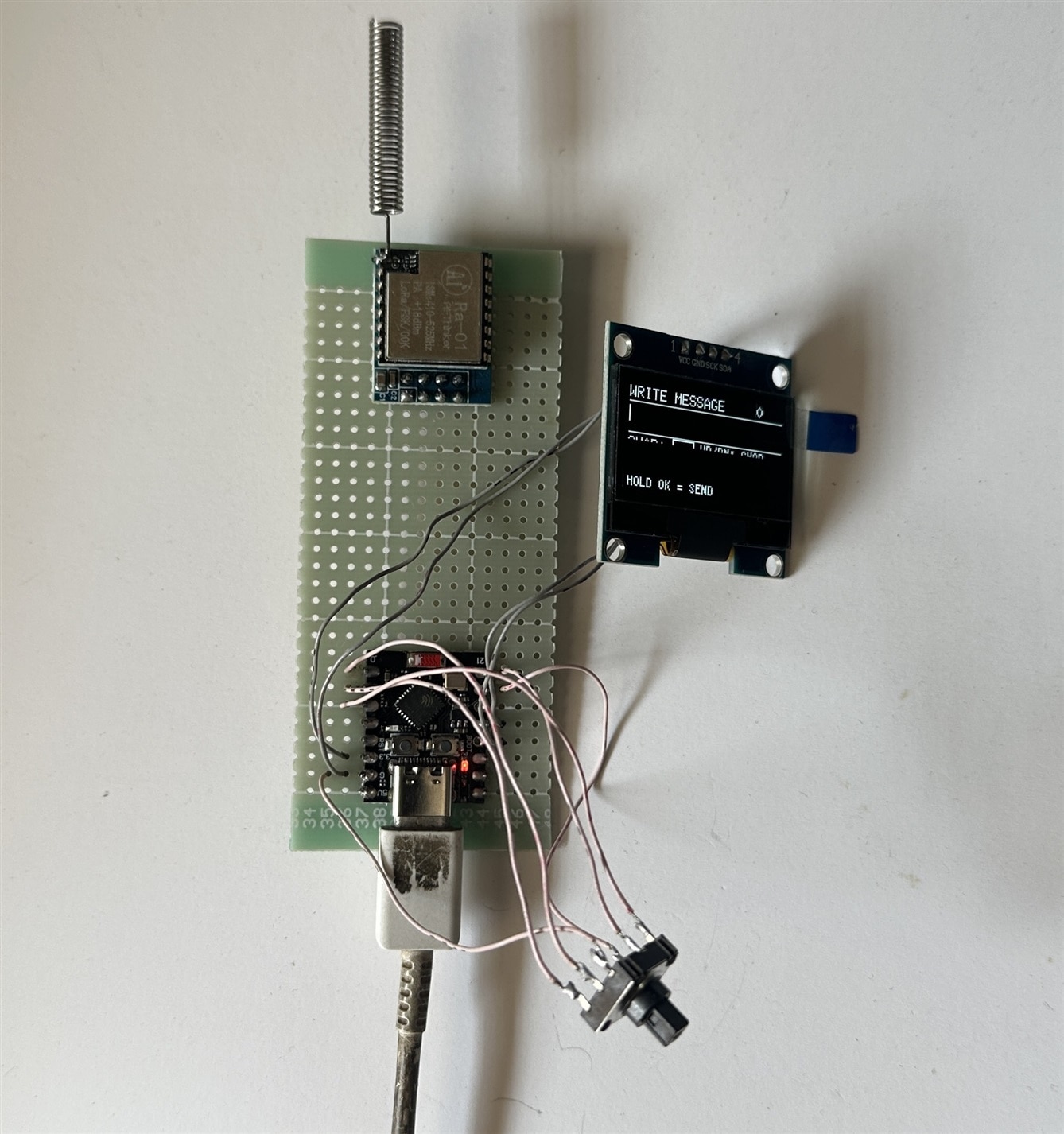
I pressed the button in all directions, and it was working perfectly.
The code is as follows:
#include <Wire.h>
#include <SPI.h>
#include <LoRa.h>
#include <U8g2lib.h>

// =====================================================
// OLED
// =====================================================

#define OLED_SDA 8
#define OLED_SCL 9

U8G2_SH1106_128X64_NONAME_F_HW_I2C oled(
  U8G2_R0,
  U8X8_PIN_NONE
);


// =====================================================
// 5-WAY SWITCH
// Buttons connect GPIO to GND
// =====================================================

#define BTN_LEFT    0
#define BTN_CENTER  1
#define BTN_UP      2
#define BTN_RIGHT  21
#define BTN_DOWN    20


// =====================================================
// LoRa RA-02 / SX1278
// =====================================================

#define LORA_NSS    7
#define LORA_RST    3
#define LORA_DIO0  10

#define LORA_FREQUENCY 433E6


// =====================================================
// CHARACTER SET
// =====================================================

const char characters[] =
  "ABCDEFGHIJKLMNOPQRSTUVWXYZ"
  "abcdefghijklmnopqrstuvwxyz"
  "0123456789"
  " .,!?'-:;@#$%&*()+/=<>_";

const int NUM_CHARACTERS = sizeof(characters) - 1;

#define BACKSPACE_CHAR '_'


// =====================================================
// MESSAGE
// =====================================================

#define MAX_MESSAGE_LENGTH 100

char message[MAX_MESSAGE_LENGTH + 1];

int messageLength = 0;

int cursorPosition = 0;

int selectedCharacter = 0;


// =====================================================
// CENTER BUTTON
// =====================================================

bool centerWasPressed = false;

unsigned long centerPressTime = 0;

bool longPressDetected = false;


// =====================================================
// Button debounce
// =====================================================

unsigned long lastButtonTime = 0;

const unsigned long DEBOUNCE_TIME = 150;


// =====================================================
// Operating modes
// =====================================================

enum ScreenMode
{
  MODE_COMPOSE,
  MODE_RECEIVED
};

ScreenMode currentMode = MODE_COMPOSE;


// =====================================================
// Function declarations
// =====================================================

void drawComposeScreen();
void drawReceivedScreen();

void addCharacter();
void deleteCharacter();

void moveCursorLeft();
void moveCursorRight();

void nextCharacter();
void previousCharacter();

void sendMessage();

void checkLoRa();

bool buttonPressed(int pin);

void handleCenterButton();


// =====================================================
// SETUP
// =====================================================

void setup()
{
  Serial.begin(115200);

  delay(500);

  Serial.println();
  Serial.println("============================");
  Serial.println("ESP32-C3 LoRa Messenger");
  Serial.println("============================");


  // ---------------------------------------------------
  // Buttons
  // ---------------------------------------------------

  pinMode(BTN_LEFT, INPUT_PULLUP);
  pinMode(BTN_CENTER, INPUT_PULLUP);
  pinMode(BTN_UP, INPUT_PULLUP);
  pinMode(BTN_RIGHT, INPUT_PULLUP);
  pinMode(BTN_DOWN, INPUT_PULLUP);


  // ---------------------------------------------------
  // OLED
  // ---------------------------------------------------

  Wire.begin(
    OLED_SDA,
    OLED_SCL
  );

  oled.begin();

  oled.setContrast(180);


  // ---------------------------------------------------
  // Initial OLED screen
  // ---------------------------------------------------

  oled.clearBuffer();

  oled.setFont(
    u8g2_font_6x10_tf
  );

  oled.drawStr(
    0,
    12,
    "LoRa Messenger"
  );

  oled.drawStr(
    0,
    28,
    "Starting LoRa..."
  );

  oled.sendBuffer();


  // ---------------------------------------------------
  // SPI
  // ---------------------------------------------------

  // ESP32-C3 Arduino core uses the board's
  // default SPI pins.
  SPI.begin();


  // ---------------------------------------------------
  // LoRa pins
  // ---------------------------------------------------

  LoRa.setPins(
    LORA_NSS,
    LORA_RST,
    LORA_DIO0
  );


  // ---------------------------------------------------
  // Start LoRa
  // ---------------------------------------------------

  Serial.println("Starting LoRa...");

  if (!LoRa.begin(LORA_FREQUENCY))
  {
    Serial.println("LoRa initialization FAILED!");

    oled.clearBuffer();

    oled.setFont(
      u8g2_font_6x10_tf
    );

    oled.drawStr(
      0,
      15,
      "LoRa ERROR!"
    );

    oled.drawStr(
      0,
      30,
      "Check wiring"
    );

    oled.drawStr(
      0,
      45,
      "and power"
    );

    oled.sendBuffer();

    while (1)
    {
      delay(1000);
    }
  }


  // ---------------------------------------------------
  // LoRa configuration
  // ---------------------------------------------------

  LoRa.setTxPower(17);

  LoRa.setSpreadingFactor(7);

  LoRa.setSignalBandwidth(125E3);

  LoRa.setCodingRate4(5);

  LoRa.enableCrc();


  Serial.println("LoRa initialized!");
  Serial.println("Frequency: 433 MHz");
  Serial.println("SF: 7");
  Serial.println("Bandwidth: 125 kHz");


  delay(1000);


  // ---------------------------------------------------
  // Start receiver
  // ---------------------------------------------------

  LoRa.receive();


  // ---------------------------------------------------
  // Clear message
  // ---------------------------------------------------

  message[0] = '\0';


  drawComposeScreen();
}


// =====================================================
// LOOP
// =====================================================

void loop()
{
  // ===================================================
  // RECEIVED SCREEN
  // ===================================================

  if (currentMode == MODE_RECEIVED)
  {
    // Center button returns to compose screen
    if (buttonPressed(BTN_CENTER))
    {
      currentMode = MODE_COMPOSE;

      messageLength = 0;

      cursorPosition = 0;

      message[0] = '\0';

      drawComposeScreen();
    }

    return;
  }


  // ===================================================
  // COMPOSE SCREEN
  // ===================================================

  // ---------------------------------------------------
  // UP
  // ---------------------------------------------------

  if (buttonPressed(BTN_UP))
  {
    nextCharacter();

    drawComposeScreen();
  }


  // ---------------------------------------------------
  // DOWN
  // ---------------------------------------------------

  if (buttonPressed(BTN_DOWN))
  {
    previousCharacter();

    drawComposeScreen();
  }


  // ---------------------------------------------------
  // LEFT
  // ---------------------------------------------------

  if (buttonPressed(BTN_LEFT))
  {
    moveCursorLeft();

    drawComposeScreen();
  }


  // ---------------------------------------------------
  // RIGHT
  // ---------------------------------------------------

  if (buttonPressed(BTN_RIGHT))
  {
    moveCursorRight();

    drawComposeScreen();
  }


  // ---------------------------------------------------
  // CENTER
  // Short press = character
  // Long press  = send
  // ---------------------------------------------------

  handleCenterButton();


  // ---------------------------------------------------
  // Check LoRa
  // ---------------------------------------------------

  checkLoRa();


  delay(5);
}


// =====================================================
// BUTTON PRESS
// =====================================================

bool buttonPressed(int pin)
{
  if (digitalRead(pin) == LOW)
  {
    unsigned long now = millis();

    if (now - lastButtonTime >
        DEBOUNCE_TIME)
    {
      lastButtonTime = now;

      while (digitalRead(pin) == LOW)
      {
        delay(5);
      }

      return true;
    }
  }

  return false;
}


// =====================================================
// CENTER BUTTON
// =====================================================

void handleCenterButton()
{
  bool pressed =
    digitalRead(BTN_CENTER) == LOW;


  // Button pressed
  if (pressed && !centerWasPressed)
  {
    centerPressTime = millis();

    longPressDetected = false;

    centerWasPressed = true;
  }


  // Button being held
  if (pressed && centerWasPressed)
  {
    if (!longPressDetected &&
        millis() - centerPressTime >= 1000)
    {
      longPressDetected = true;

      if (messageLength > 0)
      {
        sendMessage();
      }
    }
  }


  // Button released
  if (!pressed && centerWasPressed)
  {
    unsigned long duration =
      millis() - centerPressTime;


    // Short press
    if (duration < 1000 &&
        !longPressDetected)
    {
      addCharacter();

      drawComposeScreen();
    }


    centerWasPressed = false;
  }
}


// =====================================================
// NEXT CHARACTER
// =====================================================

void nextCharacter()
{
  selectedCharacter++;

  if (selectedCharacter >=
      NUM_CHARACTERS)
  {
    selectedCharacter = 0;
  }
}


// =====================================================
// PREVIOUS CHARACTER
// =====================================================

void previousCharacter()
{
  selectedCharacter--;

  if (selectedCharacter < 0)
  {
    selectedCharacter =
      NUM_CHARACTERS - 1;
  }
}


// =====================================================
// ADD CHARACTER
// =====================================================

void addCharacter()
{
  if (messageLength >=
      MAX_MESSAGE_LENGTH)
  {
    return;
  }


  char newChar =
    characters[selectedCharacter];


  // Underscore = backspace
  if (newChar == BACKSPACE_CHAR)
  {
    deleteCharacter();

    return;
  }


  // Insert character at cursor
  for (int i = messageLength;
       i > cursorPosition;
       i--)
  {
    message[i] =
      message[i - 1];
  }


  message[cursorPosition] =
    newChar;

  messageLength++;

  message[messageLength] =
    '\0';

  cursorPosition++;
}


// =====================================================
// DELETE CHARACTER
// =====================================================

void deleteCharacter()
{
  if (messageLength == 0)
  {
    return;
  }


  if (cursorPosition == 0)
  {
    return;
  }


  for (int i = cursorPosition - 1;
       i < messageLength - 1;
       i++)
  {
    message[i] =
      message[i + 1];
  }


  messageLength--;

  message[messageLength] =
    '\0';

  cursorPosition--;
}


// =====================================================
// MOVE CURSOR LEFT
// =====================================================

void moveCursorLeft()
{
  if (cursorPosition > 0)
  {
    cursorPosition--;
  }
}


// =====================================================
// MOVE CURSOR RIGHT
// =====================================================

void moveCursorRight()
{
  if (cursorPosition < messageLength)
  {
    cursorPosition++;
  }
}


// =====================================================
// DRAW COMPOSE SCREEN
// =====================================================

void drawComposeScreen()
{
  oled.clearBuffer();


  // ---------------------------------------------------
  // Header
  // ---------------------------------------------------

  oled.setFont(
    u8g2_font_6x10_tf
  );

  oled.drawStr(
    0,
    9,
    "WRITE MESSAGE"
  );


  oled.setCursor(105, 9);

  oled.print(messageLength);


  // ---------------------------------------------------
  // Separator
  // ---------------------------------------------------

  oled.drawHLine(
    0,
    11,
    128
  );


  // ---------------------------------------------------
  // Message scrolling
  // ---------------------------------------------------

  const int visibleChars = 21;

  int startPosition = 0;


  if (messageLength >
      visibleChars)
  {
    startPosition =
      cursorPosition -
      visibleChars + 1;


    if (startPosition < 0)
      startPosition = 0;


    if (startPosition >
        messageLength -
        visibleChars)
    {
      startPosition =
        messageLength -
        visibleChars;
    }
  }


  char displayMessage[22];

  int displayLength = 0;


  for (int i = startPosition;
       i < messageLength &&
       displayLength < visibleChars;
       i++)
  {
    displayMessage[
      displayLength++
    ] = message[i];
  }


  displayMessage[
    displayLength
  ] = '\0';


  oled.drawStr(
    0,
    23,
    displayMessage
  );


  // ---------------------------------------------------
  // Cursor
  // ---------------------------------------------------

  int cursorX =
    (cursorPosition -
     startPosition) * 6;


  if (cursorX > 126)
    cursorX = 126;


  oled.drawVLine(
    cursorX,
    14,
    10
  );


  // ---------------------------------------------------
  // Separator
  // ---------------------------------------------------

  oled.drawHLine(
    0,
    30,
    128
  );


  // ---------------------------------------------------
  // Selected character
  // ---------------------------------------------------

  oled.setFont(
    u8g2_font_6x10_tf
  );

  oled.drawStr(
    0,
    40,
    "CHAR:"
  );


  oled.drawFrame(
    35,
    31,
    18,
    18
  );


  char selected =
    characters[selectedCharacter];


  if (selected ==
      BACKSPACE_CHAR)
  {
    oled.setFont(
      u8g2_font_5x8_tf
    );

    oled.drawStr(
      37,
      43,
      "BS"
    );
  }
  else if (selected == ' ')
  {
    oled.setFont(
      u8g2_font_5x8_tf
    );

    oled.drawStr(
      37,
      43,
      "SP"
    );
  }
  else
  {
    oled.setFont(
      u8g2_font_9x15B_tf
    );

    char temp[2];

    temp[0] = selected;

    temp[1] = '\0';

    oled.drawStr(
      40,
      46,
      temp
    );
  }


  // ---------------------------------------------------
  // Instructions
  // ---------------------------------------------------

  oled.setFont(
    u8g2_font_5x8_tf
  );

  oled.drawStr(
    58,
    38,
    "UP/DN: CHAR"
  );

  oled.drawStr(
    58,
    47,
    "L/R: MOVE"
  );

  oled.drawStr(
    58,
    56,
    "OK: ADD"
  );

  oled.drawStr(
    0,
    63,
    "HOLD OK = SEND"
  );


  oled.sendBuffer();
}


// =====================================================
// SEND MESSAGE
// =====================================================

void sendMessage()
{
  Serial.println();
  Serial.println("----------------------------");
  Serial.println("TRANSMITTING");
  Serial.print("Message: ");
  Serial.println(message);
  Serial.println("----------------------------");


  // ---------------------------------------------------
  // Stop receive mode while transmitting
  // ---------------------------------------------------

  LoRa.idle();


  // ---------------------------------------------------
  // Display sending screen
  // ---------------------------------------------------

  oled.clearBuffer();

  oled.setFont(
    u8g2_font_6x10_tf
  );

  oled.drawStr(
    0,
    12,
    "SENDING..."
  );

  oled.drawHLine(
    0,
    15,
    128
  );


  // Display first part of message
  oled.drawStr(
    0,
    30,
    message
  );


  oled.drawStr(
    0,
    50,
    "Please wait..."
  );

  oled.sendBuffer();


  // ---------------------------------------------------
  // Send packet
  // ---------------------------------------------------

  LoRa.beginPacket();

  LoRa.print(message);

  int result =
    LoRa.endPacket();


  // ---------------------------------------------------
  // Transmission result
  // ---------------------------------------------------

  if (result)
  {
    Serial.println(
      "Transmission complete."
    );


    oled.clearBuffer();

    oled.setFont(
      u8g2_font_6x10_tf
    );

    oled.drawStr(
      0,
      15,
      "MESSAGE SENT"
    );

    oled.drawHLine(
      0,
      18,
      128
    );

    oled.drawStr(
      0,
      35,
      message
    );

    oled.drawStr(
      0,
      55,
      "Waiting for messages"
    );

    oled.sendBuffer();
  }
  else
  {
    Serial.println(
      "Transmission failed."
    );


    oled.clearBuffer();

    oled.setFont(
      u8g2_font_6x10_tf
    );

    oled.drawStr(
      0,
      20,
      "SEND FAILED!"
    );

    oled.sendBuffer();
  }


  delay(1500);


  // ---------------------------------------------------
  // Clear message
  // ---------------------------------------------------

  messageLength = 0;

  cursorPosition = 0;

  message[0] = '\0';


  // ---------------------------------------------------
  // Return to receive mode
  // ---------------------------------------------------

  LoRa.receive();


  drawComposeScreen();
}


// =====================================================
// CHECK FOR RECEIVED LoRa PACKET
// =====================================================

void checkLoRa()
{
  int packetSize =
    LoRa.parsePacket();


  if (packetSize <= 0)
  {
    return;
  }


  Serial.println();
  Serial.println("============================");
  Serial.println("MESSAGE RECEIVED");
  Serial.println("============================");


  String receivedMessage = "";


  while (LoRa.available())
  {
    receivedMessage +=
      (char)LoRa.read();
  }


  Serial.print("Message: ");

  Serial.println(
    receivedMessage
  );


  // ---------------------------------------------------
  // Display received message
  // ---------------------------------------------------

  oled.clearBuffer();

  oled.setFont(
    u8g2_font_6x10_tf
  );

  oled.drawStr(
    0,
    10,
    "NEW MESSAGE"
  );


  oled.drawHLine(
    0,
    13,
    128
  );


  // Display message
  // across multiple lines
  int len =
    receivedMessage.length();


  int start = 0;

  int line = 0;


  while (start < len &&
         line < 4)
  {
    String part =
      receivedMessage.substring(
        start,
        start + 21
      );


    oled.drawStr(
      0,
      25 + line * 10,
      part.c_str()
    );


    start += 21;

    line++;
  }


  oled.drawStr(
    0,
    63,
    "CENTER = OK"
  );


  oled.sendBuffer();


  // ---------------------------------------------------
  // Return to receive mode
  // ---------------------------------------------------

  LoRa.receive();


  currentMode =
    MODE_RECEIVED;
}
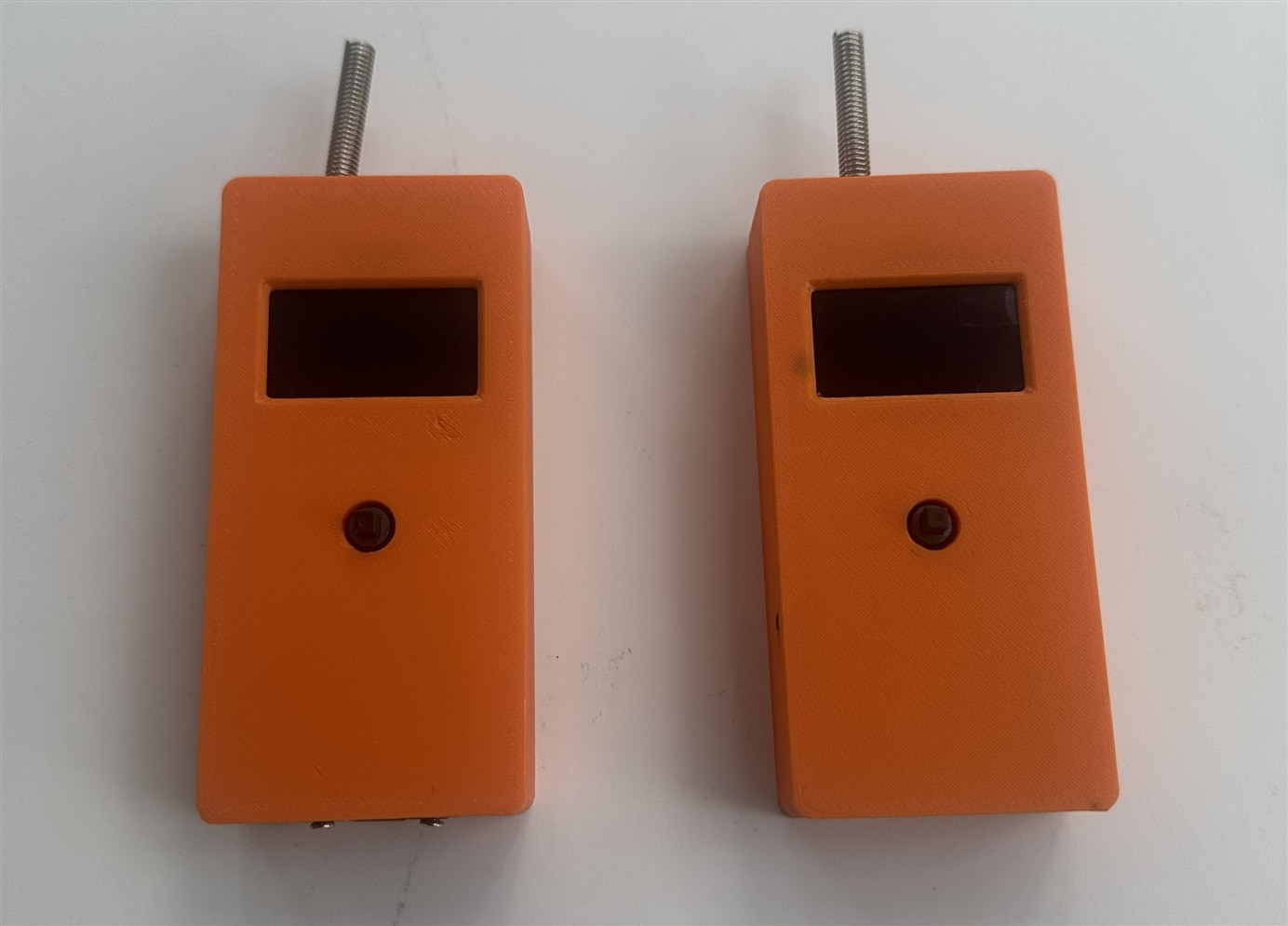
I designed a 3D case using Tinkercad and printed it using PETG material.
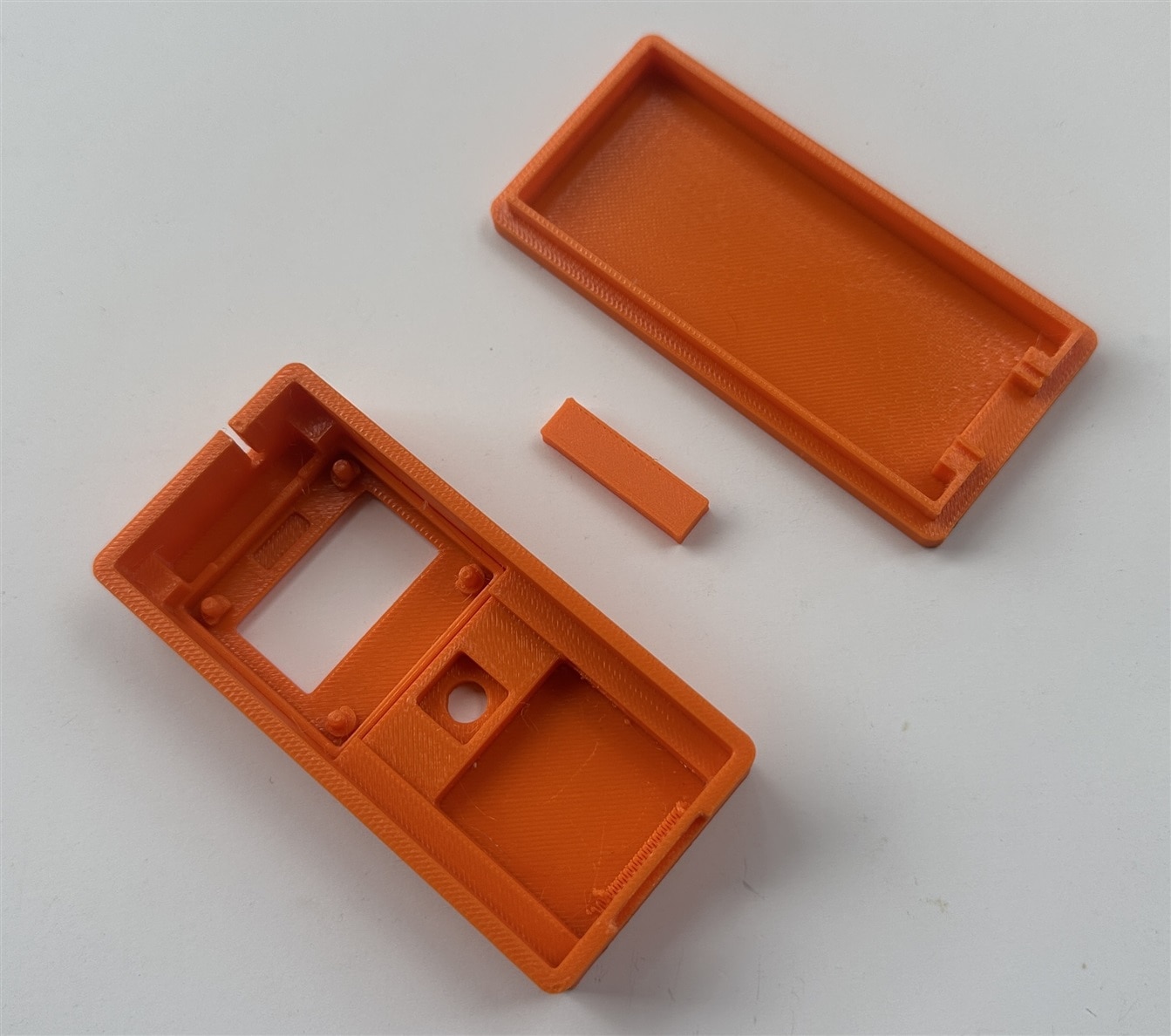
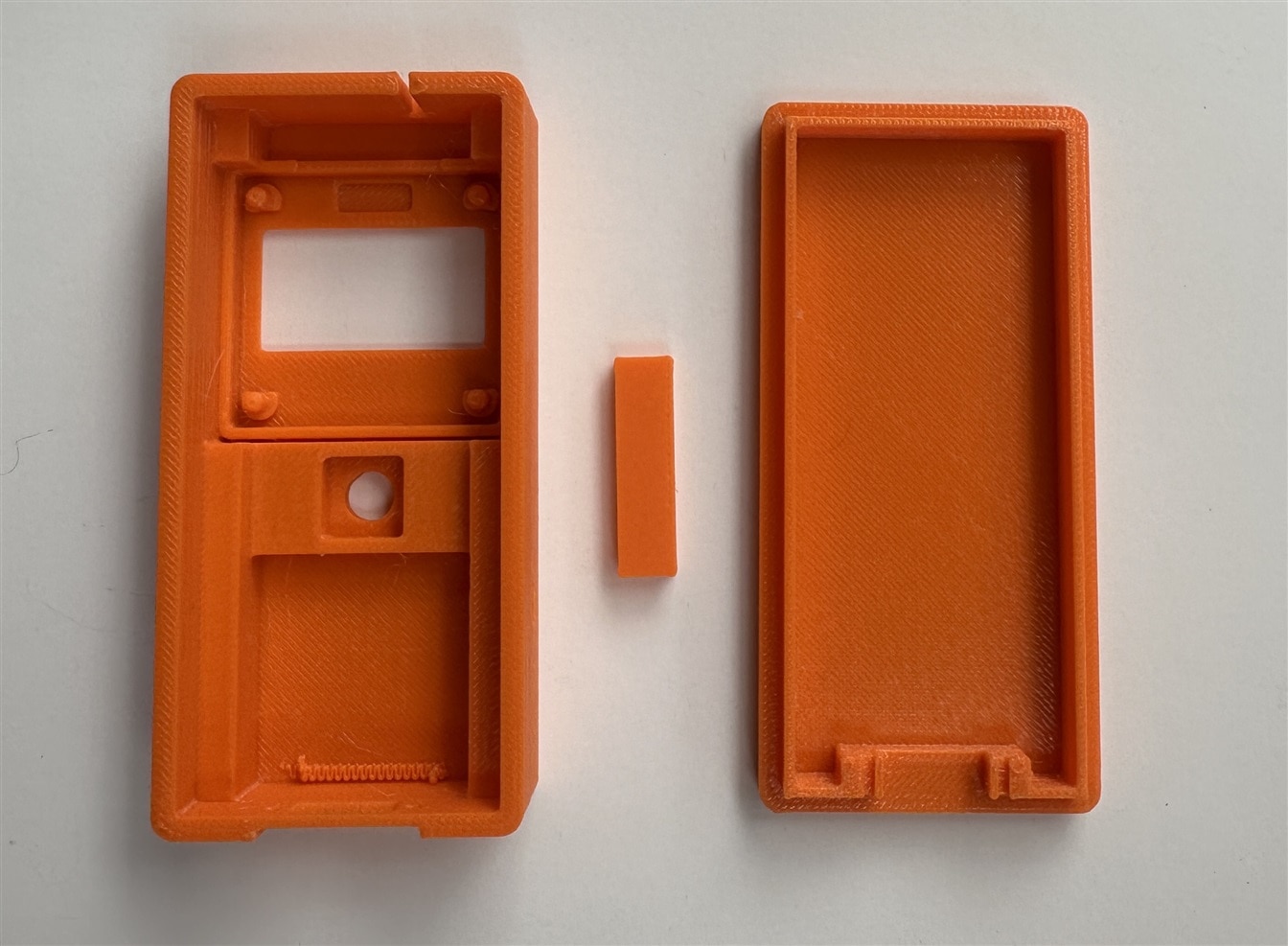
0702.LoRa_Messenger_bottom.stl
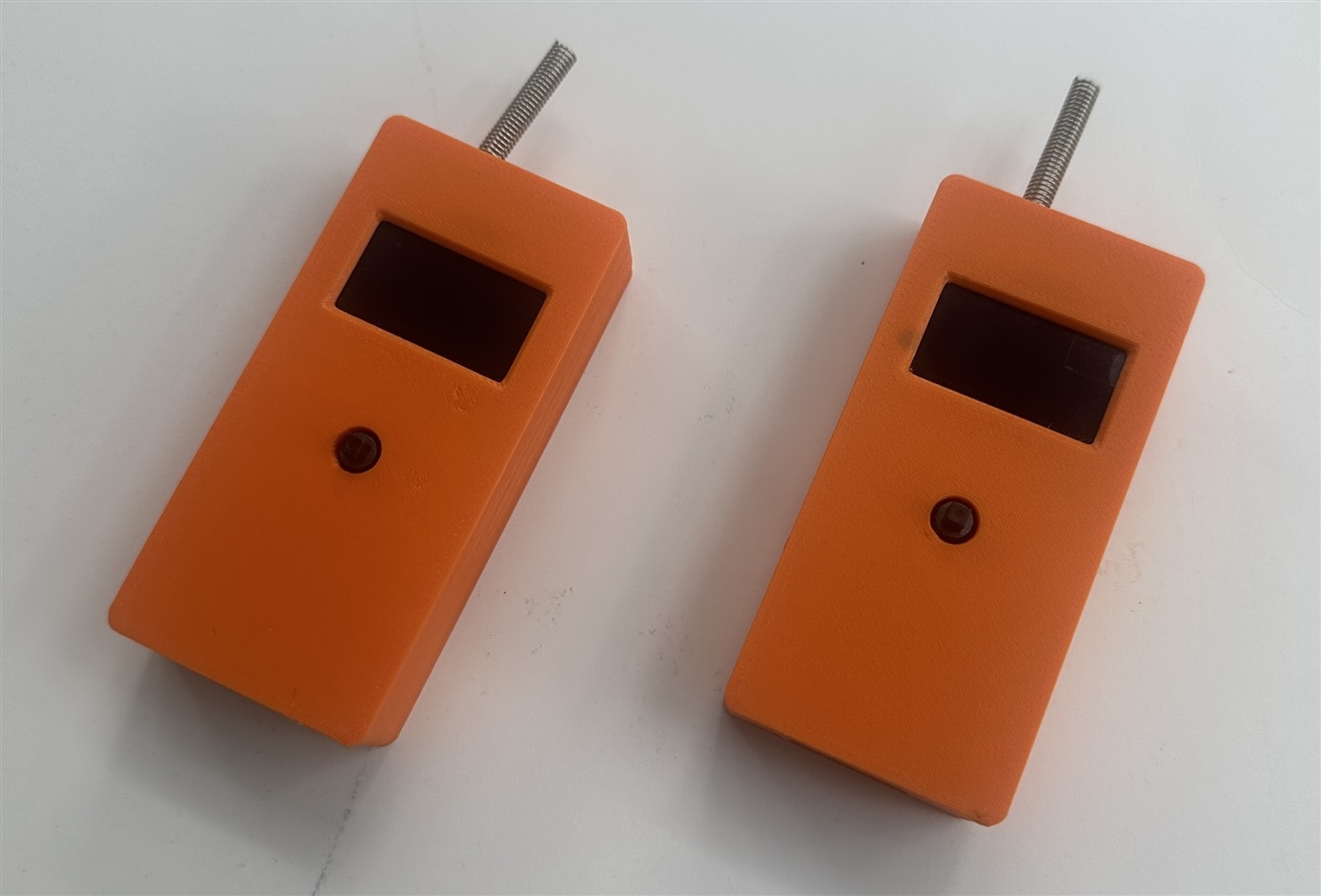
Device Is Ready:
Watch the following assembly video:
Messenger In Action


