


Introduction
The project I wish to propose stems from my curiosity about the LoRa protocol, which has always fascinated me due to its ultra-low power consumption and long-range capabilities. I built a communication system consisting of several components working together to enable communication between two stations located several kilometers apart.
I used two different boards, both operating at 868 MHz with identical configuration parameters. The first board—which we will call Station0—acts as a receiver for telemetry data sent by the second station (Station1).
My original intention was to build a complete system to manage the irrigation of plants located a few kilometers away. Summers here in Sicily have become extremely hot, making frequent watering necessary—especially for fruit trees planted within the last year or two.
Work commitments made it impossible to complete the full project. Therefore, I will present only the communication aspect between the two boards: how I configured them, the issues I encountered, and the solutions I found—since I was ultimately able to verify the system's operation over a distance of several kilometers.
Station1
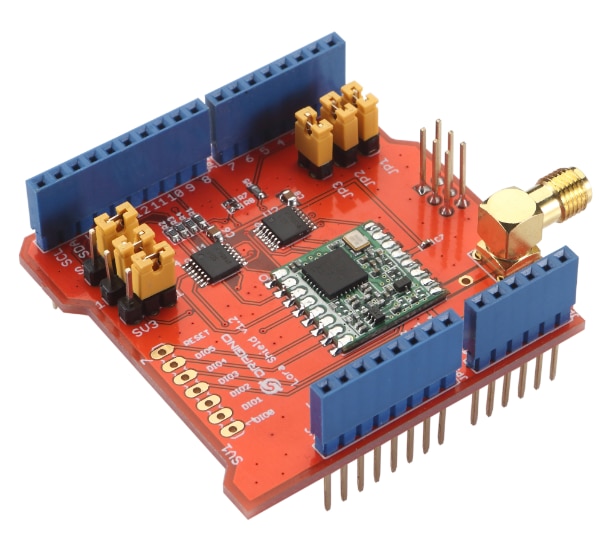
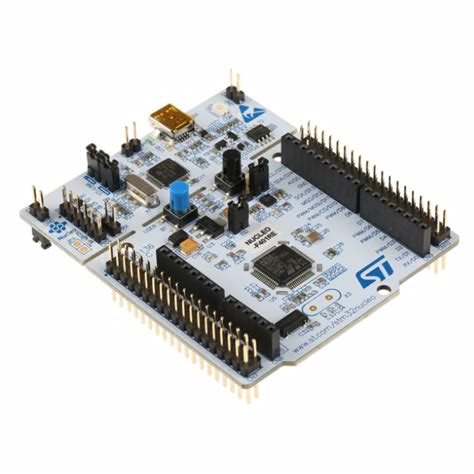
The transmission system consists of an STM Nucleo-F401RE board and a LoRa shield; I have also included a tank level monitoring setup using an ultrasonic sensor, though I have not yet calibrated or tested it.
STM Nucleo-F401RE Buy Now
Dragino Long Range Shield
Ultrasonic distance sensor: Buy Now
The two boards are located a few kilometers apart and there is optical visibility between Station0 and Station1.
The aim of the project is to receive data from Station1, located on agricultural land, and decide whether to open irrigation water and for how long. This project was born from a real need that I have, given that, in recent years, the temperature in summer has increased and the rains are very rare, I wanted to create a system that uses a tank to irrigate, when necessary, the younger plants which, in the absence of an extensive root system, would suffer too much from drought.
The tank has a fill valve, used to fill it with water, and a drain valve that activates when I want to water plants. At the moment I am only dealing with the remote control of the pumps, without evaluating the soil humidity, but, once the project is completed, adding such a functionality and making it absolutely automatic is a very trivial thing.
The two stations will exchange messages in the form of strings which, appropriately formatted, will allow me to send simple information from one device to the other.
Station1, at moment, is powered by a powerbank that is kept charged by a solar panel and a simple charge controller.
Station1 detects and sends the following data:
- packet number
- status of the tank loading valve;
- status of the tank drain valve;
- tank water level
The code is:
#include <SPI.h>
#include <LoRa.h>

// ---------------- PIN DRAGINO -------------------------
const int LORA_SS    = 10;
const int LORA_RST   = 9;
const int LORA_DIO0  = 2;

// ---------------- PARAMETRI LORA ----------------------
const long LORA_FREQ = 868E6;

// ---------------- BUFFER ------------------------------
char rxBuf[64];   // buffer dove scrivo il messaggio ricevuto

// ---------------- VARIABILI E PARAMETRI ----------------------------
String currentTx;
String nameTx = "Station1";     // nome della stazione remota
unsigned long packetNumber = 0;
unsigned long ACKNumber = 0;
int caricoH2O = 0; // 0 acqua chiusa  1 acqua aperta
int scaricoH2O = 0; // 0 acqua chiusa  1 acqua aperta
int livello = 0; // livello % dell'acqua nella vasca

unsigned long lastSend = 0;
const unsigned long sendInterval = 10000; // 10 secondi
unsigned long ledTxTime = 0;
unsigned long ledRxTime = 0;
const unsigned long ledDuration = 200;   // durata del LED acceso

// ---------------- PARAMETRI SERBATOIO ----------------------------
#define TRIG_PIN 4
#define ECHO_PIN 5
const float SERBATOIO_ALTEZZA = 150.0;  // cm
#define LEDTX 6   // LED sul pin 6 PING ricevuto
#define LEDRX 8   // LED sul pin 8 PONG ricevuto

// =======================================================
// MisuraLivello
// =======================================================
float misuraLivello() {

  digitalWrite(TRIG_PIN, LOW);
  delayMicroseconds(2);

  digitalWrite(TRIG_PIN, HIGH);
  delayMicroseconds(10);
  digitalWrite(TRIG_PIN, LOW);

  long durata = pulseIn(ECHO_PIN, HIGH, 30000);

  if (durata == 0) {
    return -1;   // nessuna misura
  }

  // velocità del suono: circa 0,0343 cm/us
  float distanza = durata * 0.0343 / 2.0;

  // livello acqua
  float livello = SERBATOIO_ALTEZZA - distanza;

  // limiti
  if (livello < 0) {
    livello = 0;
  }
  if (livello > SERBATOIO_ALTEZZA) {
    livello = SERBATOIO_ALTEZZA;
  }
  return livello;
}

// =======================================================
// SETUP
// =======================================================
void setup() {
  Serial.begin(115200);

  pinMode(LEDTX, OUTPUT);
  pinMode(LEDRX, OUTPUT);
  pinMode(TRIG_PIN, OUTPUT);
  pinMode(ECHO_PIN, INPUT);

  Serial.println();
  Serial.println("================================");
  Serial.println("AVVIO PROGRAMMA");
  Serial.println("================================");

  LoRa.setPins(LORA_SS, LORA_RST, LORA_DIO0);

  Serial.println("Pin LoRa impostati");

  LoRa.setTxPower(20);
  LoRa.setSpreadingFactor(12);

  Serial.println("Parametri LoRa impostati");

  if (!LoRa.begin(LORA_FREQ)) {
    Serial.println("ERRORE LoRa");
    while (1) {
      digitalWrite(LEDTX, HIGH);
      delay(200);
      digitalWrite(LEDTX, LOW);
      delay(200);
    }
  }

  Serial.println("LoRa OK");
  Serial.println("Programma avviato");

}
// =======================================================
// LOOP
// =======================================================
void loop() {

  // =====================================================
  // SPEGNIMENTO LED DOPO 200 ms
  // =====================================================

  if (digitalRead(LEDTX) == HIGH && millis() - ledTxTime >= ledDuration) {
    digitalWrite(LEDTX, LOW);
  }

  if (digitalRead(LEDRX) == HIGH && millis() - ledRxTime >= ledDuration) {
    digitalWrite(LEDRX, LOW);
  }

  // =====================================================
  // TRASMISSIONE OGNI 10 SECONDI
  // =====================================================

  if (millis() - lastSend > sendInterval) {

    lastSend = millis();

    currentTx = nameTx + "," +
                String(packetNumber) + "," +
                String(misuraLivello()) + "," +
                String(caricoH2O)) + "," +;
                String(scaricoH2O));

    Serial.print("[TX] Invio: ");
    Serial.println(currentTx);

    LoRa.beginPacket();
    LoRa.print(currentTx);
    LoRa.endPacket();

    // LED TX acceso per 200 ms
    digitalWrite(LEDTX, HIGH);
    ledTxTime = millis();

    packetNumber++;
  }


  // =====================================================
  // RICEZIONE
  // =====================================================

  int packetSize = LoRa.parsePacket();

  if (packetSize) {

    // LED RX acceso per 200 ms
    digitalWrite(LEDRX, HIGH);
    ledRxTime = millis();
    int len = 0;
    while (LoRa.available() && len < sizeof(rxBuf) - 1) {
      rxBuf[len++] = (char)LoRa.read();
    }
    rxBuf[len] = '\0';
    Serial.print("[TX] Ricevuto: ");
    Serial.println(rxBuf);

    // =================================================
    // PARSING DEL MESSAGGIO
    // =================================================

    char *token = strtok(rxBuf, ",");

    if (token != NULL) {
      String nome = String(token);

      // Secondo token
      token = strtok(NULL, ",");

      if (token != NULL) {
        ACKNumber = atoi(token);
      }

      // Terzo token
      token = strtok(NULL, ",");

      if (token != NULL) {
        action = atoi(token);
      }

      // Stampa i risultati
      Serial.print("Source: ");
      Serial.println(nome);

      Serial.print("ACK Number: ");
      Serial.println(ACKNumber);

      Serial.print("Action: ");
      Serial.println(action);
    }
  }
}
Station0
Station0 is the base station that collects remote data and allows the user to send commands to Station1 (tank filling and tank emptying).
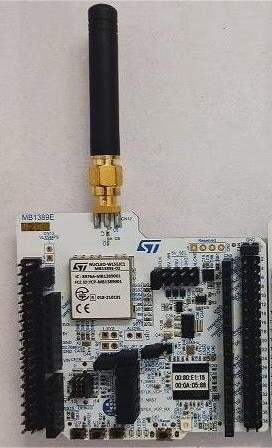
Station0 receives packets from Station1, allowing the user to decide on the appropriate action.
Commands sent from Station0 to Station1 are handled via a packet formatted as a string with comma-separated fields. These fields are:
- ACKNumber, matching the PacketNumber of the recently received packet;
- OpenFillValve to fill the tank with water;
- OpenDrainValve to empty the tank—and thus irrigate.
By using a PacketNumber and an ACK, we can ensure that the packets have reached their destination.
The code itself is derived directly from an example application in STM32CubeIDE. You can fin it here: LoRa_Communication Code
Conclusion
Essentially, I am presenting a draft of the project I intended to build; there is still a great deal of work to be done—particularly regarding the field deployment of a stable, reliable, solar-powered unit. I plan to implement several improvements in the future:
- enhancing the sensor suite on Station1 to enable automated irrigation decisions based on soil moisture levels;
- managing power supply via photovoltaic panels and charge controllers to make Station1 energy-independent;
- connecting Station2 to the Internet, enabling remote irrigation control or operation via other devices (such as smartphones) and from everywhere;
- adding an address field to each transmitted packet to allow a single control station to manage multiple irrigation stations.
After countless attempts tweaking the parameters and configurations of the two boards I own, I realized that using high-quality antennas is crucial. While the small antennas mounted on the boards work fine for indoor testing, moving the boards even a few hundred meters apart causes the signal to degrade so much that communication becomes impossible. For anyone looking to build a real-world system covering several kilometers, I recommend choosing good antennas—either omnidirectional or directional, depending on the specific application. High-quality antennas and cables are essential for the system to function properly. Finally, it is important to ensure a clear line of sight between the two stations; buildings or other obstacles could attenuate the signal too much.
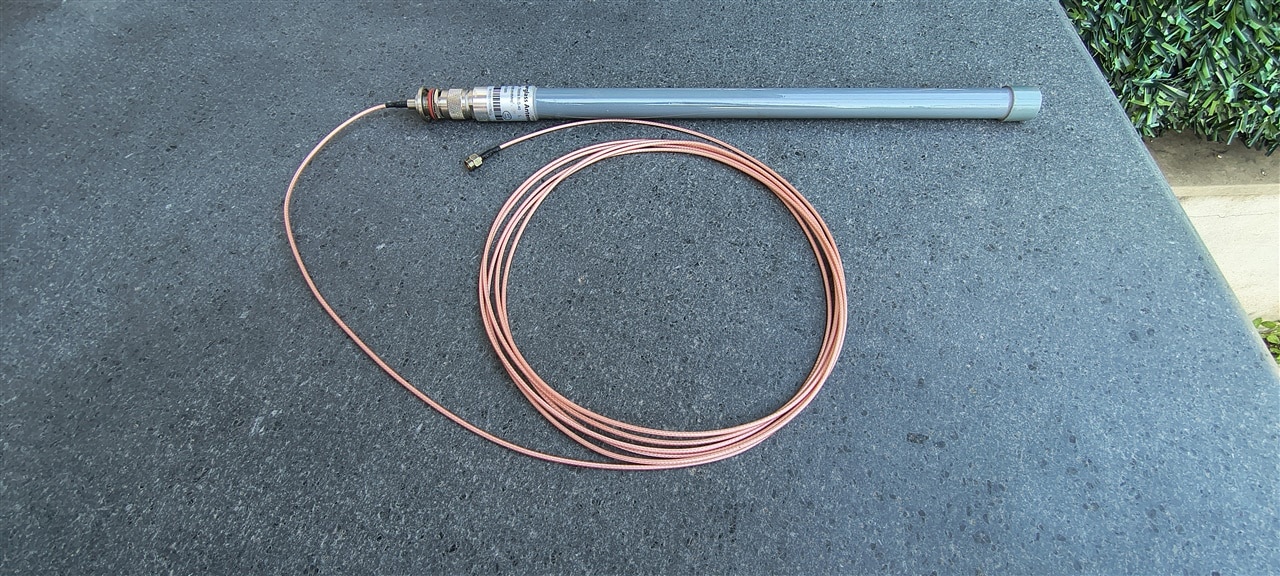
Omnidirectional Antenna
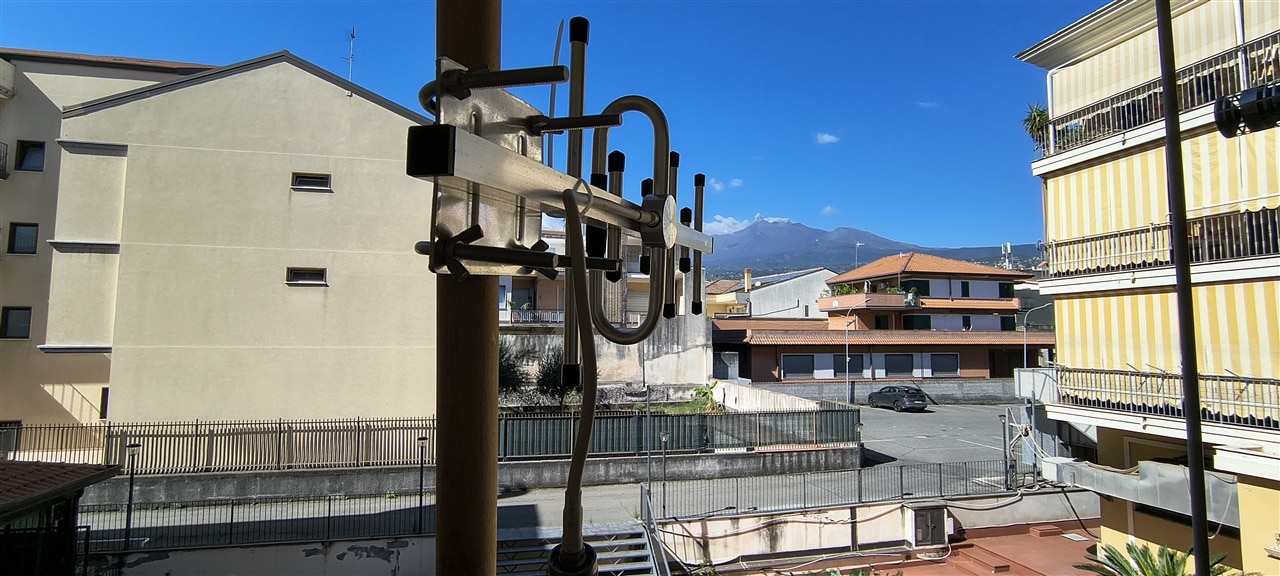
Directional Antenna (Mount Etna in the background)
I will write a new post as soon as I have completed the project.