


I would like to proudly present my battery-powered, RP2040-based handheld with a color screen and four reconfigurable test probes that measures voltage, resistance, frequency, and logic signals — and can just as easily generate PWM, drive servos, sniff UART, or push out NeoPixel data, all from one device with a live PC companion app.
Why I Built It
I was originally building an 8-bit computer from scratch much like Ben Eater did but once I got past the first few chips I ran into a wall: there was no tool I could find that would let me bit-probe an entire bus at once. A multimeter gives you one node at a time. A logic probe gives you one line. But a homebrew CPU lives and dies on its buses — address, data, control — and debugging one signal at a time when the thing you actually need to see is "what is the whole 8-bit data bus doing on this clock edge" just doesn't work. I needed something that could watch a full bus in one shot, alongside the usual voltage/frequency/logic checks, and nothing on the market or in the hobbyist space did that in a handheld form. So I built it.
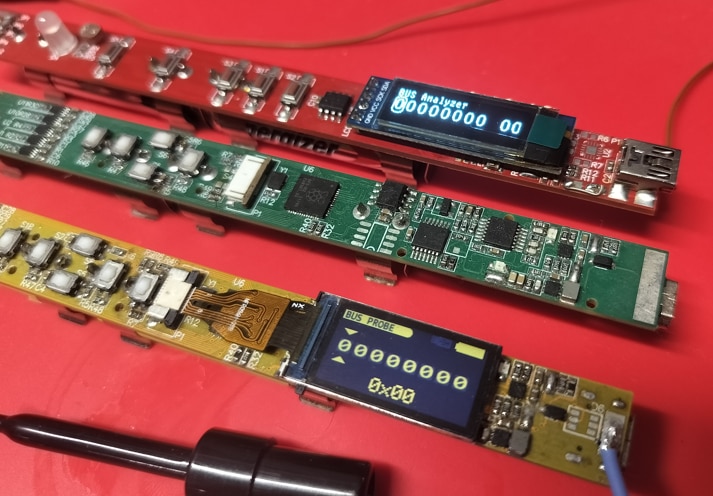
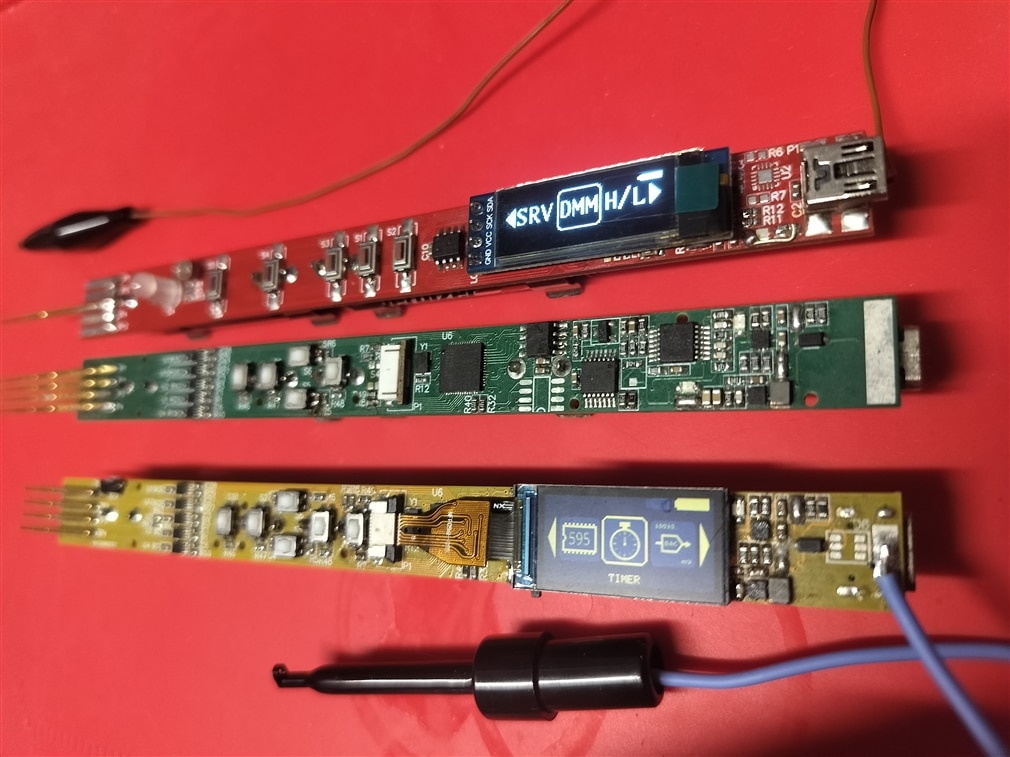
Diagno actually started as a much simpler idea before the bus-probe requirement pushed it further: one probe, one dumb little box. The first prototype — Red — ran on an AVR chip in the Arduino IDE with a single test needle multiplexed between input and output depending on the mode: H/L logic read, bus read, square-wave measurement, PWM, servo signal, DC voltage, battery level. It worked, but it made the limits obvious fast: one shared probe meant constantly rewiring what you were probing, and a single needle could never really watch or drive a whole bus at once.
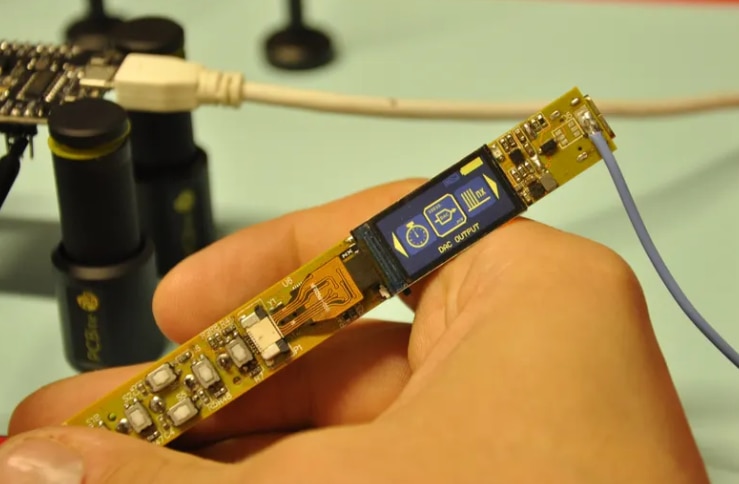
That pushed the redesign: Green swapped the AVR for an RP2040, added a color TFT, and — the actual point of the whole project — four independent test needles routed through an analog switch matrix, so firmware can reassign any needle to whatever the active tool needs: analog in, digital in, digital out, or PWM. That's what makes bit-probing a whole bus at once possible. Green's display just came out mirrored on the board, so Yellow is the fix for that: same RP2040/four-probe hardware, corrected display orientation, and a switch to USB-C. Yellow is the main character of this post — hardware's done, firmware is most of the way through the full feature set, and it's about to come back from fab as a real assembled board instead of another hand-soldered prototype.
The Real Cost of Prototyping
Getting Yellow from a hand-soldered prototype to a proper fabbed-and-assembled board isn't free. Red, Green, and now Yellow have each meant another full PCB-and-assembly spend — on a project like this, that's the actual bottleneck, not the firmware, not the feature list, just the cost of turning a working design into physical boards. PCBWay jumped in to help with the liftoff by sponsoring the bare PCBs for this revision — the BOM, the actual components, is still out of pocket. I've worked with PCBWay before, and — as usual — the boards were electrically flawless: they sent me the PCBs, I hand-soldered everything together myself, and got to work on the software.
What Diagno Does

Diagno organizes everything around a simple idea: every tool is a self-contained "feature" module that registers itself with the firmware core and can be reset independently, so adding a new instrument mode doesn't mean touching the rest of the codebase. That modularity is what let the feature list grow this wide:
- Measure
- DC voltage (DMM mode)
- Resistance
- Diode test
- Frequency counter (signal in)
- PWM measurement — duty cycle and frequency
- Pulse counting
- Servo / RC signal read
- Single-line logic probe (H/L)
- Multi-bit parallel bus probe
- Ultrasonic distance sensor test (HC-SR04)
- Passive UART sniffing
- Generate
- Square wave / frequency output
- PWM output
- Configurable pulse generator
- Servo / RC signal output
- Stepper motor drive
- DAC analog output
- Digital bit-bang output
- Shift register drive
- Addressable LED (NeoPixel) drive
- Software SPI
- UART transmit / two-way comms
- Talk to a PC app created for faster configuration, this is a NodeJS based app that communicates over UART
Talk to a PC — Diagno Sidekick
Diagno also ships with a companion app called Sidekick — a NodeJS app built for faster configuration that talks to the device over UART. Open it while Diagno is plugged in and it becomes a live bench-side extension of the device instead of a separate tool, without needing any Diagno-specific desktop software beyond the app itself.
Hardware Notes (Diagno V1 - Yellow)
- RP2040 microcontroller (Raspberry Pi Pico family), built with the Pico SDK in VS Code
- Color ST7735 TFT display for on-device menus, icons, and live readings — FPC connector orientation corrected from Green's mirrored panel
- Five-button pad (up / down / select / back, plus a side button) for one-handed menu navigation
- Four test-needle probes, muxed through analog switches so each one can become whatever the active feature needs
- USB-C for charging and the Sidekick serial link, running off 2x NiMH cells with charge-status sensing, so it's untethered on the bench
What's Next — Purple

Yellow's actual job starts now: it's the tool I'll be using to bring up and debug the 8-bit computer build, bus probe and all. I'll be documenting that build extensively so expect to see Diagno on screen catching timing issues on the address/data bus as the computer comes together.
The next revision, Purple, is already designed:
- an upgrade to the RP2350B
- variable voltage on the I/O so it can talk to more than one logic family
- a bigger display
- ESD-protected probe tips
- a more compact form factor
- a LiPo pouch cell in place of the current NiMH pack.
It's a real step up — and like every revision before it, it doesn't exist until it's an actual PCB run. The plan is that whatever comes out of Yellow goes straight toward making Purple real. Quotes for this Purple revision came back around $804 from NextPCB and roughly $900 from PCBWay — that's for one run, before whatever the first batch reveals needs a second pass.
That's Diagno so far — from one dumb needle that had to be rewired for every measurement, to a four-probe handheld that can finally watch a whole bus at once, with Yellow about to land as a real assembled board and Purple already on the drawing board behind it. If you've hit the same "how do I even see this bus" wall on your own builds, or there's a feature you'd want in a pocket test tool like this, I'd genuinely like to hear about it in the comments. And if you want to watch Yellow actually earn its keep, the 8-bit computer build it was made for is rebooting soon on www.grgelectric.com - my website.


