


Introdution
Transforming a Raspberry Pi Pico into an 8-bit Tetris arcade system is a fantastic hands-on project for learning MicroPython and embedded electronics. Using standard components like Raspberry Pi Pico, OLED display, an analog joystick and a buzzer, you can build a fully functional game complete with graphics, fluid controls, and retro audio.
Key Game Features & Enhancements
-
Non-Blocking Audio System: Uses MicroPython's
time.ticks_ms()to play the classic Korobeiniki melody in the background without causing input lag. -
Ghost Piece & Hold Function: Renders a shadow projection showing where the tetromino will land, enabling precise placement.
-
Persistent High Score: Utilizes the onboard Flash memory via JSON serialization to store the top score across power reboots.
-
Dynamic Speed Scaling: Automatically increases the fall velocity (
drop_speed) every 5 cleared lines to ramp up difficulty. -
Hardware Status Monitoring: Illuminates the status LED when block stack heights reach critical levels.
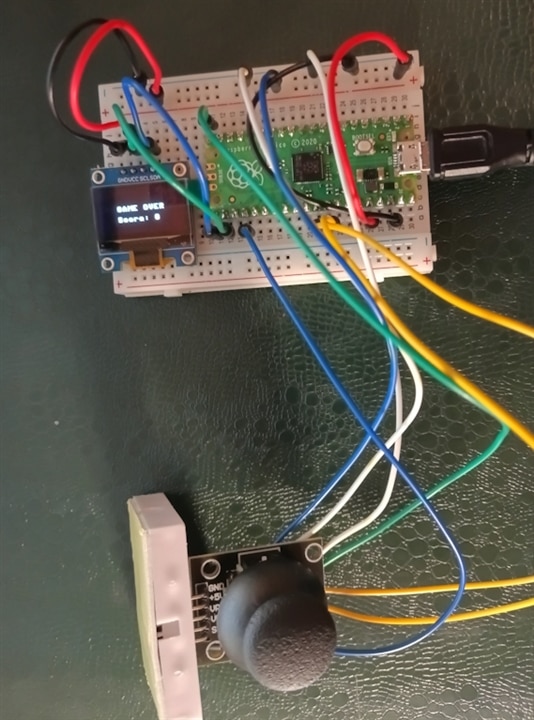
Components
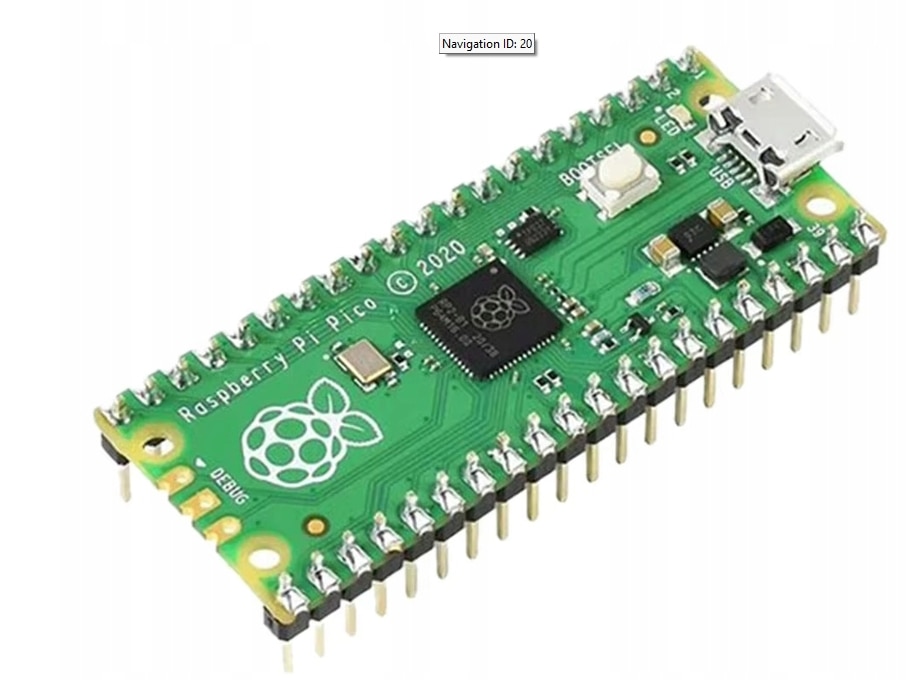
Raspberry Pi Pico
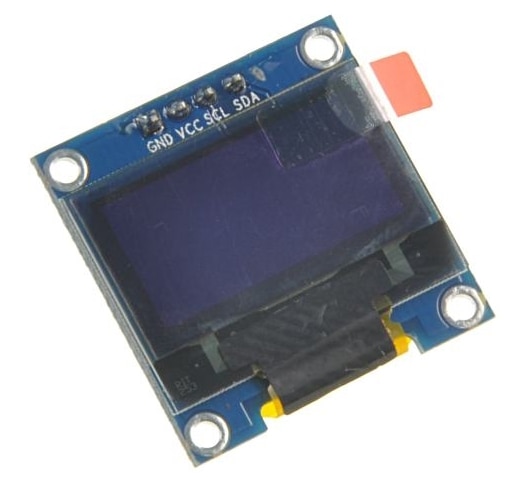
OLED Display
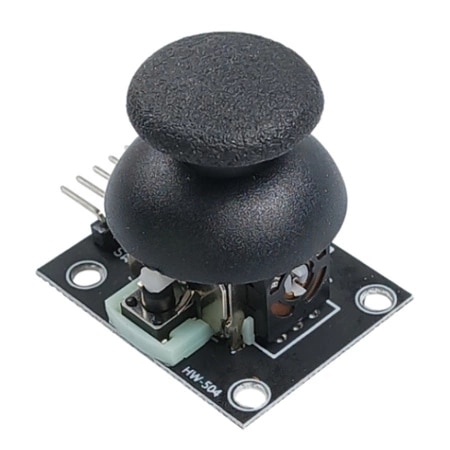
Analog Joystick
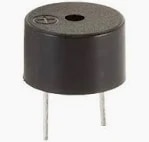
Buzzer
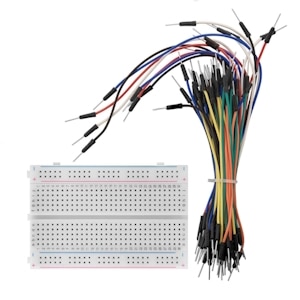
Breadboard and jumper wires
Hardware Requirements & Pinout
To assemble the hardware, connect the components to the Raspberry Pi Pico according to the following pinout configuration:
| Component | Component Pin | Raspberry Pi Pico Pin | Notes |
| 0.96" OLED Display | VCC | 3V3 (Pin 36) | 3.3V Power Supply |
| GND | GND (e.g., Pin 38) | Ground | |
| SCL | GPIO 17 (Pin 22) | I2C0 Clock | |
| SDA | GPIO 16 (Pin 21) | I2C0 Data | |
| Analog Joystick | VCC | 3V3 (Pin 36) | Analog Power Supply |
| GND | GND | Ground / AGND (Pin 33) | |
| VRx (X-Axis) | GPIO 26 / ADC0 (Pin 31) | Left/Right Movement | |
| VRy (Y-Axis) | GPIO 27 / ADC1 (Pin 32) | Soft & Hard Drop | |
| SW (Button) | GPIO 15 (Pin 20) | Piece Rotation (Pull-Up) | |
| Buzzer | Signal (+) | GPIO 18 (Pin 24) | PWM Audio Signal |
| GND (-) | GND (e.g., Pin 23) | Ground | |
| LED Indicator (optional) | Anode (+) | GPIO 14 (Pin 19) | Warning Light via 220Ω resistor |
| Cathode (-) | GND | Ground |
Software Setup Guide
-
Flash MicroPython: Hold the BOOTSEL button on the Pico while plugging in the USB cable. Open Thonny IDE, select the MicroPython (Raspberry Pi Pico) interpreter, and install the latest firmware.
-
Install Display Driver: Create a file named
ssd1306.pyon the Pico device and paste the official SSD1306 MicroPython I2C driver code into it. -
Upload Main Application: Paste the main game logic script into a file named
main.pyand save it directly to the root of the Raspberry Pi Pico.
Note: Naming the file
main.pyallows the Raspberry Pi Pico to execute the game automatically upon receiving power from any USB port or battery pack.
The code development was divided into several stages, starting with a basic version that provides peripheral support—an OLED display and analog joystick—and implements the core game mechanics. The second stage adds a preview of the next block, while the third stage introduces the traditional "Korobeiniki" melody (Tetris Theme) played in the background on the buzzer without blocking the game loop (using a timer/non-blocking countdown). The final stage is the most extensive, incorporating key improvements such as a level and acceleration mechanism (Speed Up), a Hard Drop function (quickly pushing the joystick up), a block holding system (Hold Piece), LED status indicator support, high score saving, and a Menu/Pause screen.
First stage - basic functions
This script combines hardware interaction—reading analog joysticks, driving a piezoelectric buzzer, and updating an OLED display—with core game logic.
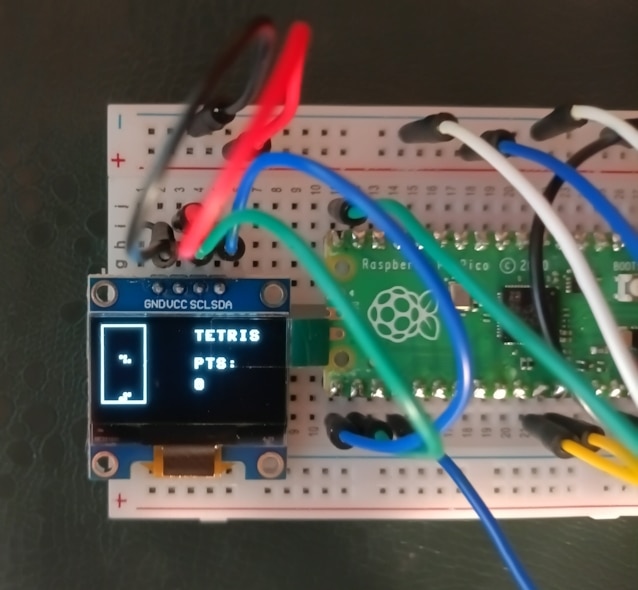
1.1. Hardware Initialization and Setup
The program starts by importing essential modules: random for spawning random tetraminos, time for managing frame rates and block drop intervals, and hardware drivers from the machine library.
-
I2C and OLED: An SSD1306 OLED display (128x64 pixels) is initialized over the I2C protocol using specific GPIO pins (SCL on pin 17, SDA on pin 16). This serves as the visual canvas for the game.
# --- I2C and OLED Initialization ---
i2c = I2C(0, scl=Pin(17), sda=Pin(16), freq=400000)
oled = SSD1306_I2C(128, 64, i2c)
-
Controls and Audio: Two analog-to-digital converter (ADC) pins read the joystick's X and Y axes, while a digital pin configured with an internal pull-up resistor handles the joystick button clicks. A PWM-enabled pin drives a buzzer to provide sound feedback for movements, rotations, line clears, and game-over events.
# Reading control inputs

from machine import ADC, Pin
import time

vx = ADC(Pin(26))
vy = ADC(Pin(27))

while True:
    x_val = vx.read_u16()
    y_val = vy.read_u16()
    print(f"Joystick X: {x_val}, Y: {y_val}")
    time.sleep(0.2)
1.2. Game Data Structures and Representation
Tetris requires modeling a grid and the geometric shapes that fall through it.
-
The Grid: The playfield is represented as a 2D list (
board) consisting of 18 rows and 10 columns (GRID_HandGRID_W). A value of0represents an empty cell, while1indicates a locked block. -
Tetromino Shapes: The standard seven Tetris shapes (I, O, T, S, Z, J, L) are defined as nested lists containing binary matrices.
1.3. Core Mechanics: Collision, Rotation, and Merging
Managing how pieces interact with the board boundaries and each other is handled by several dedicated functions:
-
Rotation: The
rotatefunction transposes and reverses rows of the active shape matrix to perform a 90-degree clockwise turn using matrix manipulation:
# Matrix rotation by 90 degrees clockwise (transposition and row reversal)
def rotate(shape):
    return [
        [shape[y][x] for y in range(len(shape) - 1, -1, -1)]
        for x in range(len(shape[0]))
    ]
-
Collision Detection:
check_collisionverifies whether moving or rotating a shape will push it outside the grid boundaries or overlap with already locked blocks on the board:
# Checking for collisions with board boundaries or locked blocks
def check_collision(shape, px, py):
    for y, row in enumerate(shape):
        for x, val in enumerate(row):
            if val:
                nx, ny = px + x, py + y
                if nx < 0 or nx >= GRID_W or ny >= GRID_H:
                    return True
                if ny >= 0 and board[ny][nx]:
                    return True
    return False
-
Merging and Clearing: When a piece can no longer fall,
merge_shapewrites its coordinates permanently into the mainboardmatrix. Afterward,clear_linesscans for fully populated rows, deletes them, shifts the remaining board downward, awards points, and plays a chime:
# Merging the locked piece into the main board grid
def merge_shape(shape, px, py):
    for y, row in enumerate(shape):
        for x, val in enumerate(row):
            if val and py + y >= 0:
                board[py + y][px + x] = 1

# Scanning for full lines, clearing them, updating score, and playing sound
def clear_lines():
    global score
    full_lines = [i for i, row in enumerate(board) if all(row)]
    for index in full_lines:
        del board[index]
        board.insert(0, [0] * GRID_W)
        score += 100
        sound(880, 0.1)
1.4. Rendering on the OLED Display
The draw function handles the graphics pipeline on every frame iteration. It clears the screen, draws a bounding rectangle for the playfield based on BLOCK_SIZE coordinates, loops through the 2D board array to render locked blocks, draws the active falling piece, and outputs the current score on the right side of the screen using oled.text().
1.5. The Main Game Loop
The while True loop drives the real-time execution of the game:
-
Input Polling: It checks the analog values of the joystick axes (
val_x,val_y) to shift the piece horizontally or accelerate its descent. It also polls the button state to trigger rotations. -
Timing and Gravity: Using
time.ticks_ms(), the code implements a non-blocking drop timer (drop_interval). Pieces fall automatically at a regular interval (500 ms), which speeds up if the player holds the joystick down (100 ms). -
Game Over Condition: If a new piece spawns and immediately triggers a collision (
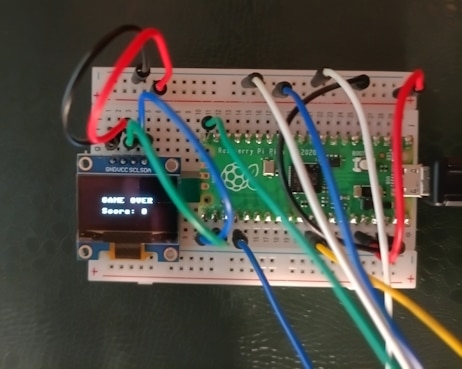
check_collision), the game terminates, plays a low buzzer tone, displays a "GAME OVER" message along with the final score, and breaks out of the loop.
The full code for stage one looks like this
import random
import time
from machine import ADC, Pin, PWM, I2C
from ssd1306 import SSD1306_I2C

# --- I2C and OLED Initialization ---
i2c = I2C(0, scl=Pin(17), sda=Pin(16), freq=400000)
oled = SSD1306_I2C(128, 64, i2c)

# --- Joystick and Buzzer Initialization ---
vx = ADC(Pin(26))
vy = ADC(Pin(27))
btn = Pin(15, Pin.IN, Pin.PULL_UP)
buzzer = PWM(Pin(18))
buzzer.duty_u16(0)


def sound(freq, duration=0.05):
  buzzer.freq(freq)
  buzzer.duty_u16(32768)
  time.sleep(duration)
  buzzer.duty_u16(0)


# --- Board and Block Configuration ---
GRID_W, GRID_H = 10, 18
BLOCK_SIZE = 3
OFFSET_X, OFFSET_Y = 2, 2

SHAPES = [
    [[1, 1, 1, 1]],  # I
    [[1, 1], [1, 1]],  # O
    [[0, 1, 0], [1, 1, 1]],  # T
    [[0, 1, 1], [1, 1, 0]],  # S
    [[1, 1, 0], [0, 1, 1]],  # Z
    [[1, 0, 0], [1, 1, 1]],  # J
    [[0, 0, 1], [1, 1, 1]],  # L
]

board = [[0] * GRID_W for _ in range(GRID_H)]
score = 0


def rotate(shape):
  return [
      [shape[y][x] for y in range(len(shape) - 1, -1, -1)]
      for x in range(len(shape[0]))
  ]


def check_collision(shape, px, py):
  for y, row in enumerate(shape):
    for x, val in enumerate(row):
      if val:
        nx, ny = px + x, py + y
        if nx < 0 or nx >= GRID_W or ny >= GRID_H:
          return True
        if ny >= 0 and board[ny][nx]:
          return True
  return False


def merge_shape(shape, px, py):
  for y, row in enumerate(shape):
    for x, val in enumerate(row):
      if val and py + y >= 0:
        board[py + y][px + x] = 1


def clear_lines():
  global score
  full_lines = [i for i, row in enumerate(board) if all(row)]
  for index in full_lines:
    del board[index]
    board.insert(0, [0] * GRID_W)
  score += 100
  sound(880, 0.1)


def draw():
  oled.fill(0)
  # Drawing the game frame
  oled.rect(
      OFFSET_X - 1,
      OFFSET_Y - 1,
      GRID_W * BLOCK_SIZE + 2,
      GRID_H * BLOCK_SIZE + 2,
      1,
  )

  # Drawing locked blocks
  for y in range(GRID_H):
    for x in range(GRID_W):
      if board[y][x]:
        oled.fill_rect(
            OFFSET_X + x * BLOCK_SIZE,
            OFFSET_Y + y * BLOCK_SIZE,
            BLOCK_SIZE - 1,
            BLOCK_SIZE - 1,
            1,
        )

# Drawing the current active block
  for y, row in enumerate(cur_shape):
    for x, val in enumerate(row):
      if val and cur_y + y >= 0:
        oled.fill_rect(
            OFFSET_X + (cur_x + x) * BLOCK_SIZE,
            OFFSET_Y + (cur_y + y) * BLOCK_SIZE,
            BLOCK_SIZE - 1,
            BLOCK_SIZE - 1,
            1,
        )

  # Score information display
  oled.text("TETRIS", 68, 5)
  oled.text("PTS:", 68, 25)
  oled.text(str(score), 68, 40)
  oled.show()


# --- Main Game Loop ---
cur_shape = random.choice(SHAPES)
cur_x = GRID_W // 2 - len(cur_shape[0]) // 2
cur_y = 0
last_drop = time.ticks_ms()

while True:
  now = time.ticks_ms()

  # Reading control inputs
  val_x = vx.read_u16()
  val_y = vy.read_u16()

  if val_x < 15000:  # Left movement
    if not check_collision(cur_shape, cur_x - 1, cur_y):
      cur_x -= 1
      sound(400, 0.02)
      time.sleep(0.1)
  elif val_x > 50000:  # Right movement
    if not check_collision(cur_shape, cur_x + 1, cur_y):
      cur_x += 1
      sound(400, 0.02)
      time.sleep(0.1)

  if btn.value() == 0:  # Rotation button
    rotated = rotate(cur_shape)
    if not check_collision(rotated, cur_x, cur_y):
      cur_shape = rotated
      sound(600, 0.03)
      time.sleep(0.2)

  drop_interval = 100 if val_y > 50000 else 500  # Faster drop when moving down

  # Automatic falling mechanism
  if time.ticks_diff(now, last_drop) > drop_interval:
    if not check_collision(cur_shape, cur_x, cur_y + 1):
      cur_y += 1
    else:
      merge_shape(cur_shape, cur_x, cur_y)
      clear_lines()
      cur_shape = random.choice(SHAPES)
      cur_x = GRID_W // 2 - len(cur_shape[0]) // 2
      cur_y = 0
      if check_collision(cur_shape, cur_x, cur_y):
        sound(150, 0.5)
        oled.fill(0)
        oled.text("GAME OVER", 28, 25)
        oled.text(f"Score: {score}", 28, 40)
        oled.show()
        break
    last_drop = now

  draw()
Second stage - Next Block Preview
Here is the modified Tetris game code. I added support for the next_shape variable and a function that draws a preview of the upcoming block on the right side of the screen under the "NEXT:" label.
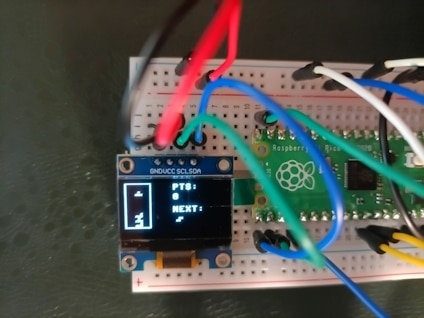
The most important changes implemented in the updated Tetris script include:
-
Next_shape variable: This is drawn randomly at the beginning and each time a tile is locked at the bottom of the board.
-
Tile queuing: Before generating a new tile,
cur_shapetakes the value fromnext_shape, and fornext_shape, the next object from theSHAPESlist is drawn randomly. -
Preview section in
draw(): A mini-loop has been added to the screen at coordinates (65, 44) to draw the tile layout from the preview under theNEXT:text.
import random
import time
from machine import ADC, Pin, PWM, I2C
from ssd1306 import SSD1306_I2C

# --- I2C and OLED Initialization ---
i2c = I2C(0, scl=Pin(17), sda=Pin(16), freq=400000)
oled = SSD1306_I2C(128, 64, i2c)

# --- Joystick and Buzzer Initialization ---
vx = ADC(Pin(26))
vy = ADC(Pin(27))
btn = Pin(15, Pin.IN, Pin.PULL_UP)
buzzer = PWM(Pin(18))
buzzer.duty_u16(0)


def sound(freq, duration=0.05):
  buzzer.freq(freq)
  buzzer.duty_u16(32768)
  time.sleep(duration)
  buzzer.duty_u16(0)


# --- Board and Block Configuration ---
GRID_W, GRID_H = 10, 18
BLOCK_SIZE = 3
OFFSET_X, OFFSET_Y = 2, 2

SHAPES = [
    [[1, 1, 1, 1]],  # I
    [[1, 1], [1, 1]],  # O
    [[0, 1, 0], [1, 1, 1]],  # T
    [[0, 1, 1], [1, 1, 0]],  # S
    [[1, 1, 0], [0, 1, 1]],  # Z
    [[1, 0, 0], [1, 1, 1]],  # J
    [[0, 0, 1], [1, 1, 1]],  # L
]

board = [[0] * GRID_W for _ in range(GRID_H)]
score = 0


def rotate(shape):
  return [
      [shape[y][x] for y in range(len(shape) - 1, -1, -1)]
      for x in range(len(shape[0]))
  ]


def check_collision(shape, px, py):
  for y, row in enumerate(shape):
    for x, val in enumerate(row):
      if val:
        nx, ny = px + x, py + y
        if nx < 0 or nx >= GRID_W or ny >= GRID_H:
          return True
        if ny >= 0 and board[ny][nx]:
          return True
  return False


def merge_shape(shape, px, py):
  for y, row in enumerate(shape):
    for x, val in enumerate(row):
      if val and py + y >= 0:
        board[py + y][px + x] = 1


def clear_lines():
  global score
  full_lines = [i for i, row in enumerate(board) if all(row)]
  for index in full_lines:
    del board[index]
    board.insert(0, [0] * GRID_W)
    score += 100
    sound(880, 0.1)


def draw():
  oled.fill(0)

  # Drawing the main board frame
  oled.rect(
      OFFSET_X - 1,
      OFFSET_Y - 1,
      GRID_W * BLOCK_SIZE + 2,
      GRID_H * BLOCK_SIZE + 2,
      1,
  )

  # Drawing locked blocks
  for y in range(GRID_H):
    for x in range(GRID_W):
      if board[y][x]:
        oled.fill_rect(
            OFFSET_X + x * BLOCK_SIZE,
            OFFSET_Y + y * BLOCK_SIZE,
            BLOCK_SIZE - 1,
            BLOCK_SIZE - 1,
            1,
        )

  # Drawing the current active block
  for y, row in enumerate(cur_shape):
    for x, val in enumerate(row):
      if val and cur_y + y >= 0:
        oled.fill_rect(
            OFFSET_X + (cur_x + x) * BLOCK_SIZE,
            OFFSET_Y + (cur_y + y) * BLOCK_SIZE,
            BLOCK_SIZE - 1,
            BLOCK_SIZE - 1,
            1,
        )

  # UI on the right side
  oled.text("PTS:", 60, 2)
  oled.text(str(score), 60, 14)

  oled.text("NEXT:", 60, 30)

  # Drawing the next block preview
  preview_x = 65
  preview_y = 44
  for y, row in enumerate(next_shape):
    for x, val in enumerate(row):
      if val:
        oled.fill_rect(
            preview_x + x * BLOCK_SIZE,
            preview_y + y * BLOCK_SIZE,
            BLOCK_SIZE - 1,
            BLOCK_SIZE - 1,
            1,
        )

  oled.show()


# --- Main Game Loop ---
cur_shape = random.choice(SHAPES)
next_shape = random.choice(SHAPES)

cur_x = GRID_W // 2 - len(cur_shape[0]) // 2
cur_y = 0
last_drop = time.ticks_ms()

while True:
  now = time.ticks_ms()

  # Reading control inputs
  val_x = vx.read_u16()
  val_y = vy.read_u16()

  if val_x < 15000:  # Left
    if not check_collision(cur_shape, cur_x - 1, cur_y):
      cur_x -= 1
      sound(400, 0.02)
      time.sleep(0.1)
  elif val_x > 50000:  # Right
    if not check_collision(cur_shape, cur_x + 1, cur_y):
      cur_x += 1
      sound(400, 0.02)
      time.sleep(0.1)

  if btn.value() == 0:  # Rotation button
    rotated = rotate(cur_shape)
    if not check_collision(rotated, cur_x, cur_y):
      cur_shape = rotated
      sound(600, 0.03)
      time.sleep(0.2)

  drop_interval = 100 if val_y > 50000 else 500  # Faster drop downwards

  # Automatic falling mechanism
  if time.ticks_diff(now, last_drop) > drop_interval:
    if not check_collision(cur_shape, cur_x, cur_y + 1):
      cur_y += 1
    else:
      merge_shape(cur_shape, cur_x, cur_y)
      clear_lines()

      # Retrieving the next block from the queue
      cur_shape = next_shape
      next_shape = random.choice(SHAPES)

      cur_x = GRID_W // 2 - len(cur_shape[0]) // 2
      cur_y = 0

      if check_collision(cur_shape, cur_x, cur_y):
        sound(150, 0.5)
        oled.fill(0)
        oled.text("GAME OVER", 28, 25)
        oled.text(f"Score: {score}", 28, 40)
        oled.show()
        break
    last_drop = now

  draw()
The recent updates introduce a next-piece preview feature to the Tetris game, expanding the user interface and logic to display the upcoming tetromino.
Key Changes
-
Next Shape Queue: A
next_shapevariable is initialized alongsidecur_shapeto track the upcoming block. -
UI and Rendering Expansion: The
draw()function now renders a"NEXT:"label and loops through thenext_shapematrix to draw a visual preview in the bottom-right corner of the OLED screen. -
Queue Rotation in the Loop: When the active piece locks into place, the current block is replaced by the queued one (
cur_shape = next_shape), and a new random shape is generated fornext_shape.
Code Examples of the New Additions
2.1. Initializing the Next Shape Queue:
# --- Main Game Loop ---
cur_shape = random.choice(SHAPES)
next_shape = random.choice(SHAPES)  # Added: Generation of the next shape preview
2.2. Rendering the Next Shape Preview in draw():
    # UI on the right side
    oled.text("PTS:", 60, 2)
    oled.text(str(score), 60, 14)

    oled.text("NEXT:", 60, 30)

    # Drawing the next block preview
    preview_x = 65
    preview_y = 44
    for y, row in enumerate(next_shape):
        for x, val in enumerate(row):
            if val:
                oled.fill_rect(
                    preview_x + x * BLOCK_SIZE,
                    preview_y + y * BLOCK_SIZE,
                    BLOCK_SIZE - 1,
                    BLOCK_SIZE - 1,
                    1,
                )
2.3. Updating the Queue in the Main Loop:
        else:
            merge_shape(cur_shape, cur_x, cur_y)
            clear_lines()

            # Retrieving the next block from the queue
            cur_shape = next_shape
            next_shape = random.choice(SHAPES)

            cur_x = GRID_W // 2 - len(cur_shape[0]) // 2
            cur_y = 0
Third stage - Background Music Integration
The third major evolution of the Tetris project introduces background audio support, playing the classic Korobeiniki theme song natively on the microcontroller without interrupting the game's responsiveness.
Key Changes
-
Note Frequencies and Melody Array: Specific audio frequencies are mapped to note constants (e.g.,
NOTE_E5,NOTE_B4), and aMELODYarray sequences the tune by pairing notes with duration units. -
Non-Blocking Background Audio (
update_music()): Using millisecond tracking viatime.ticks_ms(), a dedicated function steps through the melody in the main loop without using blocking delays liketime.sleep(). -
Separation of Effects and Soundtrack: The audio system is split into
update_music()for continuous, quieter background playback (lower PWM duty cycle) andplay_effect()for high-priority sound cues.
3.1. Note Definitions and Melody Sequence:
# --- Note Definitions for Melody (Frequencies in Hz) ---
NOTE_E5 = 659
NOTE_B4 = 494
NOTE_C5 = 523
NOTE_D5 = 587
NOTE_A4 = 440

# Tetris Melody (Korobeiniki): (note, length in time units)
MELODY = [
    (NOTE_E5, 4),
    (NOTE_B4, 2),
    (NOTE_C5, 2),
    (NOTE_D5, 4),
    (NOTE_C5, 2),
    (NOTE_B4, 2),
    (NOTE_A4, 4),
]

current_note_idx = 0
note_start_time = time.ticks_ms()
TEMPO_UNIT = 110  # Duration of the base note unit in ms
3.2. Non-Blocking Audio Update Function:
def update_music():
    """Handles background melody playback without blocking the game"""
    global current_note_idx, note_start_time
    now = time.ticks_ms()

    freq, duration_units = MELODY[current_note_idx]
    duration_ms = duration_units * TEMPO_UNIT

    if time.ticks_diff(now, note_start_time) >= duration_ms:
        current_note_idx = (current_note_idx + 1) % len(MELODY)
        note_start_time = now

        freq, _ = MELODY[current_note_idx]
        if freq > 0:
            buzzer.freq(freq)
            buzzer.duty_u16(8192)  # Quieter background sound
        else:
            buzzer.duty_u16(0)
3.3. Integration into the Main Game Loop:
while True:
    now = time.ticks_ms()

    # Background melody playback
    update_music()

    # Controls, falling mechanism, and rendering...
    # ...
    draw()
The full code to be loaded into the Raspberry Pi Pico looks like this:
import random
import time
from machine import ADC, Pin, PWM, I2C
from ssd1306 import SSD1306_I2C

# --- I2C and OLED Initialization ---
i2c = I2C(0, scl=Pin(17), sda=Pin(16), freq=400000)
oled = SSD1306_I2C(128, 64, i2c)

# --- Joystick and Buzzer Initialization ---
vx = ADC(Pin(26))
vy = ADC(Pin(27))
btn = Pin(15, Pin.IN, Pin.PULL_UP)
buzzer = PWM(Pin(18))
buzzer.duty_u16(0)

# --- Note Definitions for Melody (Frequencies in Hz) ---
NOTE_E5 = 659
NOTE_B4 = 494
NOTE_C5 = 523
NOTE_D5 = 587
NOTE_A4 = 440
NOTE_G4 = 392
NOTE_F4 = 349
NOTE_E4 = 330
NOTE_GS4 = 415

# Tetris Melody (Korobeiniki): (note, length in time units)
MELODY = [
    (NOTE_E5, 4),
    (NOTE_B4, 2),
    (NOTE_C5, 2),
    (NOTE_D5, 4),
    (NOTE_C5, 2),
    (NOTE_B4, 2),
    (NOTE_A4, 4),
    (NOTE_A4, 2),
    (NOTE_C5, 2),
    (NOTE_E5, 4),
    (NOTE_D5, 2),
    (NOTE_C5, 2),
    (NOTE_B4, 6),
    (NOTE_C5, 2),
    (NOTE_D5, 4),
    (NOTE_E5, 4),
    (NOTE_C5, 4),
    (NOTE_A4, 4),
    (NOTE_A4, 4),
    (0, 2),  # pause
    (NOTE_D5, 4),
    (NOTE_F4, 2),
    (NOTE_A4, 2),
    (NOTE_C5, 4),
    (NOTE_B4, 2),
    (NOTE_A4, 2),
    (NOTE_G4, 4),
    (NOTE_C5, 2),
    (NOTE_E4, 2),
    (NOTE_E5, 4),
    (NOTE_D5, 2),
    (NOTE_C5, 2),
    (NOTE_B4, 6),
    (NOTE_C5, 2),
    (NOTE_D5, 4),
    (NOTE_E5, 4),
    (NOTE_C5, 4),
    (NOTE_A4, 4),
    (NOTE_A4, 4),
    (0, 4),  # pause
]

current_note_idx = 0
note_start_time = time.ticks_ms()
TEMPO_UNIT = 110  # Duration of the base note unit in ms


def update_music():
    """Handles background melody playback without blocking the game"""
    global current_note_idx, note_start_time
    now = time.ticks_ms()

    freq, duration_units = MELODY[current_note_idx]
    duration_ms = duration_units * TEMPO_UNIT

    if time.ticks_diff(now, note_start_time) >= duration_ms:
        current_note_idx = (current_note_idx + 1) % len(MELODY)
        note_start_time = now

        freq, _ = MELODY[current_note_idx]
        if freq > 0:
            buzzer.freq(freq)
            buzzer.duty_u16(8192)  # Quieter background sound
        else:
            buzzer.duty_u16(0)


def play_effect(freq, duration=0.05):
    """Short sound effect for movements/points"""
    buzzer.freq(freq)
    buzzer.duty_u16(32768)
    time.sleep(duration)
    buzzer.duty_u16(0)


# --- Board and Block Configuration ---
GRID_W, GRID_H = 10, 18
BLOCK_SIZE = 3
OFFSET_X, OFFSET_Y = 2, 2

SHAPES = [
    [[1, 1, 1, 1]],  # I
    [[1, 1], [1, 1]],  # O
    [[0, 1, 0], [1, 1, 1]],  # T
    [[0, 1, 1], [1, 1, 0]],  # S
    [[1, 1, 0], [0, 1, 1]],  # Z
    [[1, 0, 0], [1, 1, 1]],  # J
    [[0, 0, 1], [1, 1, 1]],  # L
]

board = [[0] * GRID_W for _ in range(GRID_H)]
score = 0


def rotate(shape):
    return [
        [shape[y][x] for y in range(len(shape) - 1, -1, -1)]
        for x in range(len(shape[0]))
    ]


def check_collision(shape, px, py):
    for y, row in enumerate(shape):
        for x, val in enumerate(row):
            if val:
                nx, ny = px + x, py + y
                if nx < 0 or nx >= GRID_W or ny >= GRID_H:
                    return True
                if ny >= 0 and board[ny][nx]:
                    return True
    return False


def merge_shape(shape, px, py):
    for y, row in enumerate(shape):
        for x, val in enumerate(row):
            if val and py + y >= 0:
                board[py + y][px + x] = 1


def clear_lines():
    global score
    full_lines = [i for i, row in enumerate(board) if all(row)]
    for index in full_lines:
        del board[index]
        board.insert(0, [0] * GRID_W)
        score += 100
        play_effect(1000, 0.1)


def draw():
    oled.fill(0)

    # Board grid
    oled.rect(
        OFFSET_X - 1,
        OFFSET_Y - 1,
        GRID_W * BLOCK_SIZE + 2,
        GRID_H * BLOCK_SIZE + 2,
        1,
    )

    # Locked blocks
    for y in range(GRID_H):
        for x in range(GRID_W):
            if board[y][x]:
                oled.fill_rect(
                    OFFSET_X + x * BLOCK_SIZE,
                    OFFSET_Y + y * BLOCK_SIZE,
                    BLOCK_SIZE - 1,
                    BLOCK_SIZE - 1,
                    1,
                )

    # Current active block
    for y, row in enumerate(cur_shape):
        for x, val in enumerate(row):
            if val and cur_y + y >= 0:
                oled.fill_rect(
                    OFFSET_X + (cur_x + x) * BLOCK_SIZE,
                    OFFSET_Y + (cur_y + y) * BLOCK_SIZE,
                    BLOCK_SIZE - 1,
                    BLOCK_SIZE - 1,
                    1,
                )

    # Right-side interface
    oled.text("PTS:", 60, 2)
    oled.text(str(score), 60, 14)

    oled.text("NEXT:", 60, 30)
    preview_x, preview_y = 65, 44
    for y, row in enumerate(next_shape):
        for x, val in enumerate(row):
            if val:
                oled.fill_rect(
                    preview_x + x * BLOCK_SIZE,
                    preview_y + y * BLOCK_SIZE,
                    BLOCK_SIZE - 1,
                    BLOCK_SIZE - 1,
                    1,
                )

    oled.show()


# --- Main Game Loop ---
cur_shape = random.choice(SHAPES)
next_shape = random.choice(SHAPES)
cur_x = GRID_W // 2 - len(cur_shape[0]) // 2
cur_y = 0
last_drop = time.ticks_ms()

while True:
    now = time.ticks_ms()

    # Background melody playback
    update_music()

    # Controls
    val_x = vx.read_u16()
    val_y = vy.read_u16()

    if val_x < 15000:  # Left
        if not check_collision(cur_shape, cur_x - 1, cur_y):
            cur_x -= 1
            time.sleep(0.08)
    elif val_x > 50000:  # Right
        if not check_collision(cur_shape, cur_x + 1, cur_y):
            cur_x += 1
            time.sleep(0.08)

    if btn.value() == 0:  # Rotate
        rotated = rotate(cur_shape)
        if not check_collision(rotated, cur_x, cur_y):
            cur_shape = rotated
            time.sleep(0.15)

    drop_interval = 100 if val_y > 50000 else 500

    # Block dropping
    if time.ticks_diff(now, last_drop) > drop_interval:
        if not check_collision(cur_shape, cur_x, cur_y + 1):
            cur_y += 1
        else:
            merge_shape(cur_shape, cur_x, cur_y)
            clear_lines()
            cur_shape = next_shape
            next_shape = random.choice(SHAPES)
            cur_x = GRID_W // 2 - len(cur_shape[0]) // 2
            cur_y = 0

            if check_collision(cur_shape, cur_x, cur_y):
                buzzer.duty_u16(0)
                play_effect(150, 0.5)
                oled.fill(0)
                oled.text("GAME OVER", 28, 25)
                oled.text(f"Score: {score}", 28, 40)
                oled.show()
                break
        last_drop = now

    draw()
Final stage
To further expand your game, it's worth considering adding some improvements. In terms of gameplay mechanics, these could include:
- Dynamic difficulty level increase (Level & Speed UP): Every 5-10 cleared lines, the rate at which blocks drop can increase (drop_interval decreases by 10-15%).
- "Hard Drop" function: Pushing the joystick rapidly up (or down) instantly drops a block to the bottom of the board.
- Ghost Piece: Draws an outline/outline on the board where the block will land. This is a key improvement that facilitates precise placement.
- "Hold Piece" system: Adds the ability to "hide" the current block for later and retrieve it at a convenient time (e.g., under the second button).
- LED as a Status Indicator: Using the standard LED from the kit – the LED can flash when clearing a line or pulse when a block is dangerously close to the top edge (warning).
- High Score Saving: Using the Pi Pico's Flash memory (non-volatile storage) to save and retrieve the high score even after power is removed.
- Main Menu and Pause Screen: Adding a "Press Button to Start" screen, a pause option when clicking the joystick, and a post-loss summary screen with a smooth board reset animation.
- Debouncing: Adding improved button handling and a deadzone for the analog joystick to prevent accidental block movement.
- level and acceleration mechanism (Speed UP),
- Hard Drop function (quickly dropping the joystick upwards),
- Hold Piece system,
- status LED support,
- saving the best score (High Score) and Menu / Pause screen.
import json
import random
import time
from machine import ADC, Pin, PWM, I2C
from ssd1306 import SSD1306_I2C

# --- I2C and OLED Initialization ---
i2c = I2C(0, scl=Pin(17), sda=Pin(16), freq=400000)
oled = SSD1306_I2C(128, 64, i2c)

# --- Peripherals Initialization ---
vx = ADC(Pin(26))
vy = ADC(Pin(27))
btn = Pin(15, Pin.IN, Pin.PULL_UP)
led = Pin(14, Pin.OUT)
buzzer = PWM(Pin(18))
buzzer.duty_u16(0)

# --- High Score Persistence ---
HIGH_SCORE_FILE = "highscore.json"


def load_high_score():
    try:
        with open(HIGH_SCORE_FILE, "r") as f:
            return json.load(f).get("high_score", 0)
    except:
        return 0


def save_high_score(new_score):
    try:
        with open(HIGH_SCORE_FILE, "w") as f:
            json.dump({"high_score": new_score}, f)
    except:
        pass


high_score = load_high_score()

# --- Audio & Music Setup ---
MELODY = [(659, 4), (494, 2), (523, 2), (587, 4), (523, 2), (494, 2), (440, 4)]
current_note_idx = 0
note_start_time = time.ticks_ms()


def update_music():
    global current_note_idx, note_start_time
    now = time.ticks_ms()
    freq, duration_units = MELODY[current_note_idx]
    if time.ticks_diff(now, note_start_time) >= duration_units * 100:
        current_note_idx = (current_note_idx + 1) % len(MELODY)
        note_start_time = now
        if freq > 0:
            buzzer.freq(freq)
            buzzer.duty_u16(4000)
        else:
            buzzer.duty_u16(0)


def sound(freq, duration=0.04):
    buzzer.freq(freq)
    buzzer.duty_u16(20000)
    time.sleep(duration)
    buzzer.duty_u16(0)


# --- Game Settings & Shapes ---
GRID_W, GRID_H = 10, 18
BLOCK_SIZE = 3
OFFSET_X, OFFSET_Y = 2, 2

SHAPES = [
    [[1, 1, 1, 1]],  # I
    [[1, 1], [1, 1]],  # O
    [[0, 1, 0], [1, 1, 1]],  # T
    [[0, 1, 1], [1, 1, 0]],  # S
    [[1, 1, 0], [0, 1, 1]],  # Z
    [[1, 0, 0], [1, 1, 1]],  # J
    [[0, 0, 1], [1, 1, 1]],  # L
]


def rotate(shape):
    return [
        [shape[y][x] for y in range(len(shape) - 1, -1, -1)]
        for x in range(len(shape[0]))
    ]


def check_collision(shape, px, py, board):
    for y, row in enumerate(shape):
        for x, val in enumerate(row):
            if val:
                nx, ny = px + x, py + y
                if nx < 0 or nx >= GRID_W or ny >= GRID_H:
                    return True
                if ny >= 0 and board[ny][nx]:
                    return True
    return False


def get_ghost_y(shape, px, py, board):
    ghost_y = py
    while not check_collision(shape, px, ghost_y + 1, board):
        ghost_y += 1
    return ghost_y


# --- Start Menu ---
def show_menu():
    while btn.value() == 1:
        oled.fill(0)
        oled.text("TETRIS PICO", 20, 10)
        oled.text(f"HI-SCORE:{high_score}", 15, 30)
        oled.text("Press Joystick", 8, 50)
        oled.show()
        time.sleep(0.1)


show_menu()

# --- Main Game Loop ---
board = [[0] * GRID_W for _ in range(GRID_H)]
score = 0
level = 1
lines_cleared = 0
drop_speed = 500

cur_shape = random.choice(SHAPES)
next_shape = random.choice(SHAPES)

cur_x = GRID_W // 2 - len(cur_shape[0]) // 2
cur_y = 0
last_drop = time.ticks_ms()

while True:
    now = time.ticks_ms()
    update_music()

    # LED warning indicator (turns on when stack height reaches row 4)
    led.value(1 if any(board[4]) else 0)

    # Read Joystick analog inputs
    val_x = vx.read_u16()
    val_y = vy.read_u16()

    # Horizontal movement (Left / Right)
    if val_x < 15000 and not check_collision(
        cur_shape, cur_x - 1, cur_y, board
    ):
        cur_x -= 1
        sound(400)
        time.sleep(0.08)
    elif val_x > 50000 and not check_collision(
        cur_shape, cur_x + 1, cur_y, board
    ):
        cur_x += 1
        sound(400)
        time.sleep(0.08)

    # Hard Drop (Joystick pushed up)
    if val_y < 10000:
        cur_y = get_ghost_y(cur_shape, cur_x, cur_y, board)
        sound(800, 0.05)
        last_drop = 0

    # Rotation (Joystick button pressed)
    if btn.value() == 0:
        rotated = rotate(cur_shape)
        if not check_collision(rotated, cur_x, cur_y, board):
            cur_shape = rotated
            sound(600)
            time.sleep(0.15)

    # Automatic fall rate (Soft drop if joystick is pushed down)
    current_interval = 50 if val_y > 50000 else drop_speed

    if time.ticks_diff(now, last_drop) > current_interval:
        if not check_collision(cur_shape, cur_x, cur_y + 1, board):
            cur_y += 1
        else:
            # Lock the current piece into the board array
            for y, row in enumerate(cur_shape):
                for x, val in enumerate(row):
                    if val and cur_y + y >= 0:
                        board[cur_y + y][cur_x + x] = 1

            # Clear completed lines and calculate points
            full = [i for i, r in enumerate(board) if all(r)]
            if full:
                for i in full:
                    del board[i]
                    board.insert(0, [0] * GRID_W)
                lines_cleared += len(full)
                score += (len(full) ** 2) * 100
                level = (lines_cleared // 5) + 1
                drop_speed = max(100, 500 - (level - 1) * 40)
                sound(1200, 0.15)

            # Spawn next piece
            cur_shape = next_shape
            next_shape = random.choice(SHAPES)
            cur_x = GRID_W // 2 - len(cur_shape[0]) // 2
            cur_y = 0

            # Check for Game Over condition
            if check_collision(cur_shape, cur_x, cur_y, board):
                buzzer.duty_u16(0)
                led.value(0)
                if score > high_score:
                    save_high_score(score)

                oled.fill(0)
                oled.text("GAME OVER", 28, 20)
                oled.text(f"Score: {score}", 28, 35)
                oled.text(f"Level: {level}", 28, 48)
                oled.show()
                sound(150, 0.6)
                break
        last_drop = now

    # --- Render Screen Frame ---
    oled.fill(0)

    # Draw game grid border
    oled.rect(
        OFFSET_X - 1,
        OFFSET_Y - 1,
        GRID_W * BLOCK_SIZE + 2,
        GRID_H * BLOCK_SIZE + 2,
        1,
    )

    # Draw landed blocks
    for y in range(GRID_H):
        for x in range(GRID_W):
            if board[y][x]:
                oled.fill_rect(
                    OFFSET_X + x * BLOCK_SIZE,
                    OFFSET_Y + y * BLOCK_SIZE,
                    BLOCK_SIZE - 1,
                    BLOCK_SIZE - 1,
                    1,
                )

    # Draw Ghost Piece shadow
    ghost_y = get_ghost_y(cur_shape, cur_x, cur_y, board)
    for y, row in enumerate(cur_shape):
        for x, val in enumerate(row):
            if val and ghost_y + y >= 0:
                oled.pixel(
                    OFFSET_X + (cur_x + x) * BLOCK_SIZE,
                    OFFSET_Y + (ghost_y + y) * BLOCK_SIZE,
                    1,
                )

    # Draw active falling piece
    for y, row in enumerate(cur_shape):
        for x, val in enumerate(row):
            if val and cur_y + y >= 0:
                oled.fill_rect(
                    OFFSET_X + (cur_x + x) * BLOCK_SIZE,
                    OFFSET_Y + (cur_y + y) * BLOCK_SIZE,
                    BLOCK_SIZE - 1,
                    BLOCK_SIZE - 1,
                    1,
                )

    # Draw HUD / Interface side panel
    oled.text(f"PTS:{score}", 40, 2)
    oled.text(f"LVL:{level}", 40, 14)
    oled.text("NXT:", 40, 30)
    for y, row in enumerate(next_shape):
        for x, val in enumerate(row):
            if val:
                oled.fill_rect(
                    75 + x * BLOCK_SIZE,
                    30 + y * BLOCK_SIZE,
                    BLOCK_SIZE - 1,
                    BLOCK_SIZE - 1,
                    1,
                )

    oled.show()
4.1. High Score Saving System
Support for the highscore.json file has been added, allowing the player's best score to be permanently stored in the device's memory so it doesn't disappear when the power is turned off.
HIGH_SCORE_FILE = "highscore.json"

def load_high_score():
    try:
        with open(HIGH_SCORE_FILE, "r") as f:
            return json.load(f).get("high_score", 0)
    except:
        return 0

def save_high_score(new_score):
    try:
        with open(HIGH_SCORE_FILE, "w") as f:
            json.dump({"high_score": new_score}, f)
    except:
        pass

high_score = load_high_score()
4.2. Start Menu
The show_menu() function was introduced, which runs at the very beginning of the program and waits for the joystick button to be pressed, simultaneously displaying the current record (HI-SCORE).
def show_menu():
    while btn.value() == 1:
        oled.fill(0)
        oled.text("TETRIS PICO", 20, 10)
        oled.text(f"HI-SCORE:{high_score}", 15, 30)
        oled.text("Press Joystick", 8, 50)
        oled.show()
        time.sleep(0.1)

show_menu()
4.3 Ghost Piece and Hard Drop
A function calculating the landing position of the block at the bottom of the board (get_ghost_y) was added. This allows for displaying the "shadow" of the falling element and instantly dropping the block (Hard Drop) when pushing the joystick upward.
def get_ghost_y(shape, px, py, board):
    ghost_y = py
    while not check_collision(shape, px, ghost_y + 1, board):
        ghost_y += 1
    return ghost_y

# In the main loop (Hard Drop):
if val_y < 10000:
    cur_y = get_ghost_y(cur_shape, cur_x, cur_y, board)
    sound(800, 0.05)
    last_drop = 0
4.4 Level System and Progressive Difficulty
Variables responsible for levels (level), cleared lines (lines_cleared), and dynamically accelerating block drop speed (drop_speed) were introduced.
level = 1
lines_cleared = 0
drop_speed = 500

# After clearing lines:
lines_cleared += len(full)
score += (len(full) ** 2) * 100
level = (lines_cleared // 5) + 1
drop_speed = max(100, 500 - (level - 1) * 40)
4.5. LED Warning
An additional LED pin (Pin 14) was initialized, which turns on as a warning when the stacked blocks get too close to the top edge of the board (row number 4).
led = Pin(14, Pin.OUT)

# In the main loop:
led.value(1 if any(board[4]) else 0)
4.6. New UI Panel Layout
The user interface rendering section on the OLED screen was updated to display the current level (LVL) next to the points (PTS) and relocate the preview of the next block (NXT).
oled.text(f"PTS:{score}", 40, 2)
oled.text(f"LVL:{level}", 40, 14)
oled.text("NXT:", 40, 30)
for y, row in enumerate(next_shape):
    for x, val in enumerate(row):
        if val:
            oled.fill_rect(
                75 + x * BLOCK_SIZE,
                30 + y * BLOCK_SIZE,
                BLOCK_SIZE - 1,
                BLOCK_SIZE - 1,
                1,
            )
Conclusion
This project successfully demonstrates how the Raspberry Pi Pico and a few standard components can be used to build a fully featured retro arcade console. By combining hardware peripherals like an OLED display, analog joystick, and PWM buzzer with efficient MicroPython code, we achieved smooth gameplay. Key takeaways include mastering I2C communication, non-blocking time management for background music, and direct hardware interfacing without complex external components.