


What is the Sydney Rail Network Live Map?
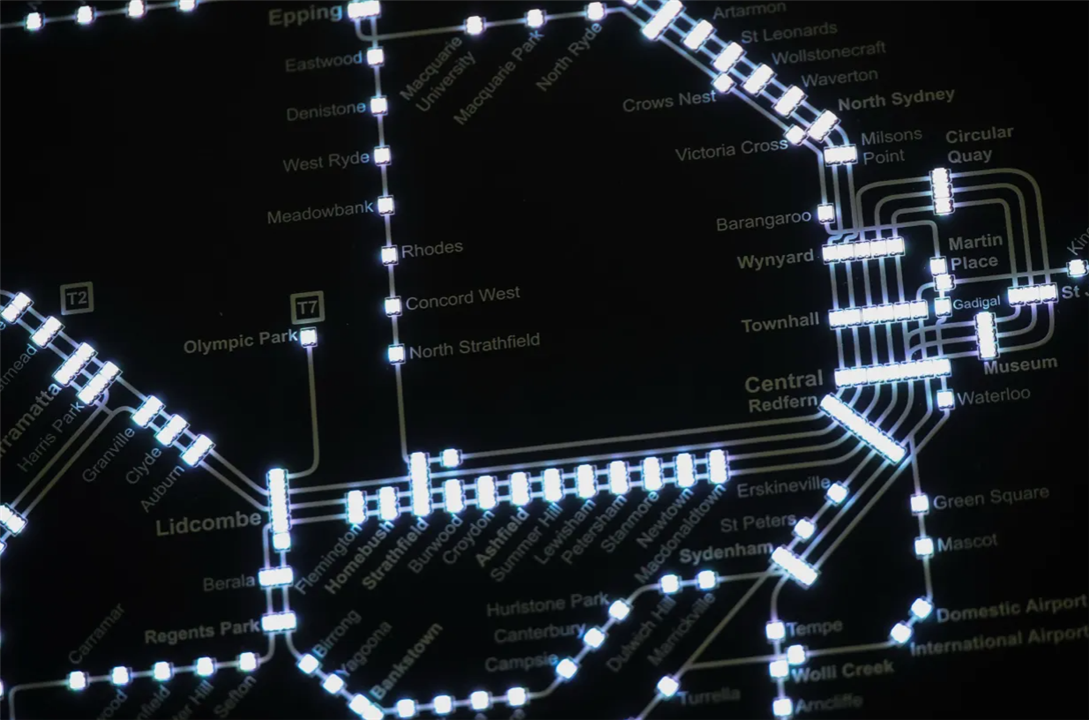
The 30x30cm PCB takes live, public data from NSW transport's GTFS, it then beautifully displays it on the PCB via RGB LEDs over WiFi. The idea of the project was to build something mostly static that sits on a wall or desk that gives an overview of the suburban Sydney rail network.
Design Goals
The main goal of the project, was to bring electronics to more people. Having done many electronics projects in the past, it's only the ones where people can relate to, regardless of technical expertise, that resonate with people the most. Fun fact: according to Transport for NSW, the sydney train network handles around 1.2 million trips per weekday! I also wanted to explore aesthetic electronics, and use PCB layout and silkscreen prints to put together something that could genuinely be something I could see in an art museum. On top of this, I wanted to develop software skills by converting the online data to LEDs.
Spring Cleaning Motivation
Metroboard had been sitting unfinished and almost a pipe dream because the PCB routing needed to be finished and the firmware needed proper testing. Prior to this, I had only managed to get 5 stations lit up with an ESP32 development board. Only a prototype had been tested, a full scale project was in order.
Hardware
The project uses:
- ESP32-WROOM-E
- 291 WS2812B-2020 LEDs
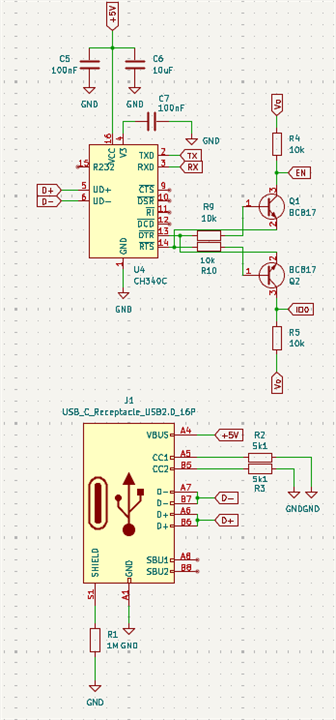
- CH340 + BC817 USB to UART programmer
- AMS1117 5V to 3.3V Linear Regulator
- MC14504BDR2G 3.3V to 5V Level Shifters
- USB-C Power Input (also used for programming)
The electronics is fairly simple, the layout and firmware is what I found the most difficult.
Design Process
The first step was the electronics design. I used the CH340 to program the ESP32 by converting the differential D+ and D- signals from USB-C. I also used BC817 NPN transistors to put the ESP32 into bootloader mode by pulling EN and IO0 pins high and low.
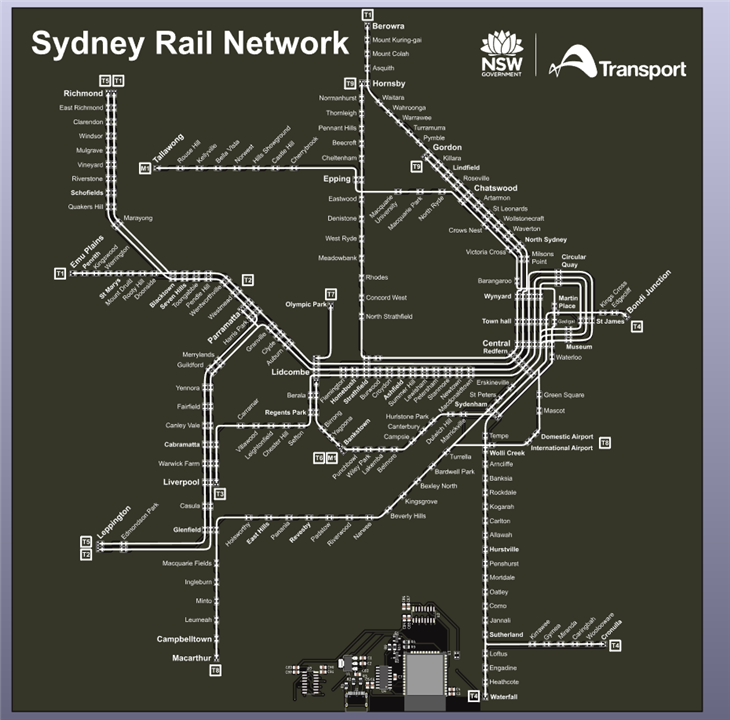
The next step was the LEDs and their connection to the ESP32. I discovered that the LEDs reshape each oncoming signal and require a 5V input signal, thus it was necessary to include a 3.3V to 5V level shifter before going into the first LED. The Sydney rail network is split up into train lines and metro lines as shown by the published rail network map.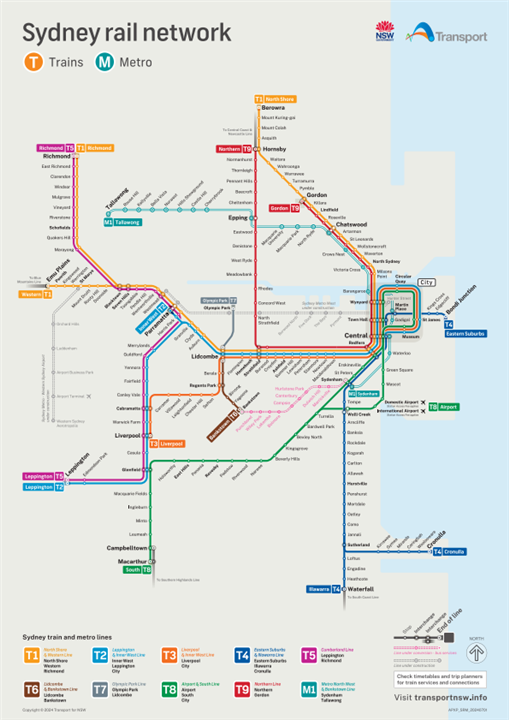
I then decided it would be best to split up the LEDs by train line, since if there were any issues (hopefully not), they would be localised to each line. Thus, the lines were made from T1-T9 and M1. The LEDs can easily be connected to each other and were chained together very simply.
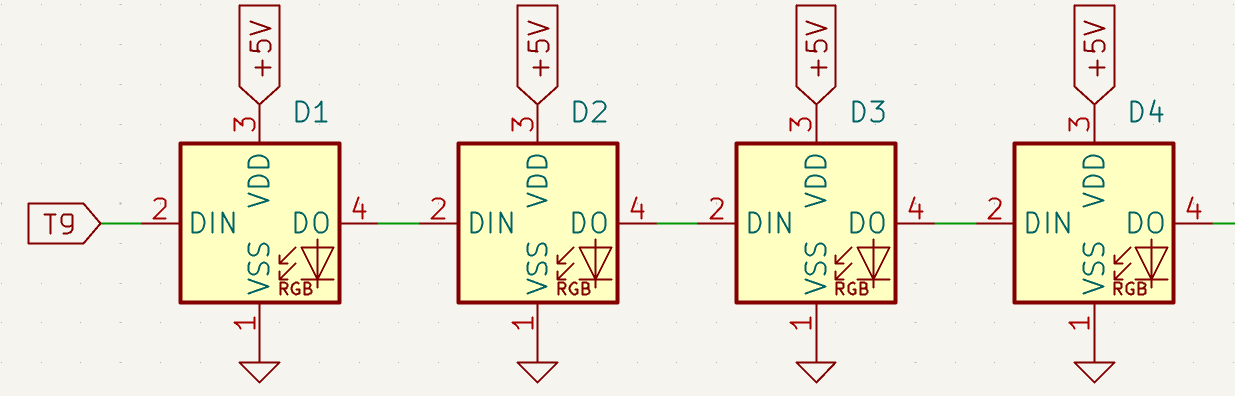
I then had to count how many LEDs belonged on each line, a tedious process... I then decided to also add a status LED which I could control the colour of to help me debug, if serial wasn't helpful. This would allow me to test things like WiFi connection or server connectivity. After this was done, it was time to route.
I began by overlaping the transport map in KiCAD 9.0, and began placing the LEDs. over the dots, this then allowed me to determine the size. After this, I began tracing over the coloured lines with silkscreen lines and writing the train station lines, little did I know how many train stations exist in suburban NSW!

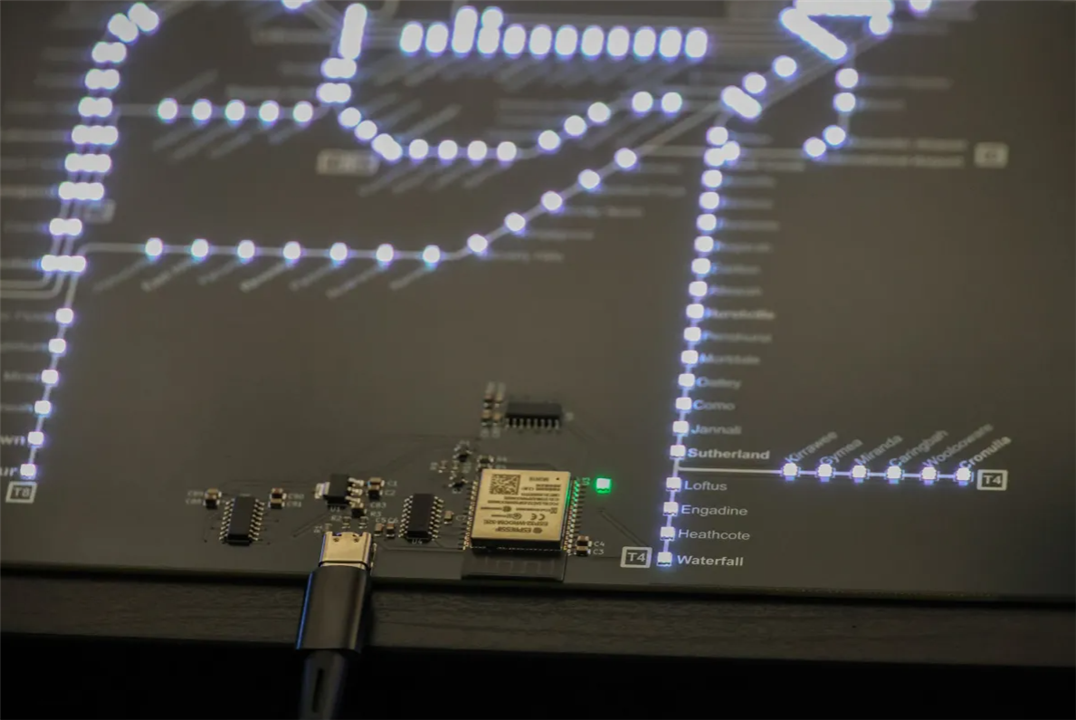
I then created the top layer as a power plane (5V) and made the bottom layer as the ground plane. I then started routing. Since I had chosen to have sequential LEDs, the wiring between each LED was fairly straight forward since the next connection was always fairly close. I used vias to connect the ground of the LED to the ground plane and I tried to be clever and either put it on the LED pad or underneath the LED itself so it couldn't be seen in the final product. I tried to limit it since I had seen that there can sometimes be issues with vias on pads where solder can seep through and result in a poor connection. I also tried to make the electronics centered on the board with the USB-C receptacle in the center, and make the electronics aesthetically pleasing.
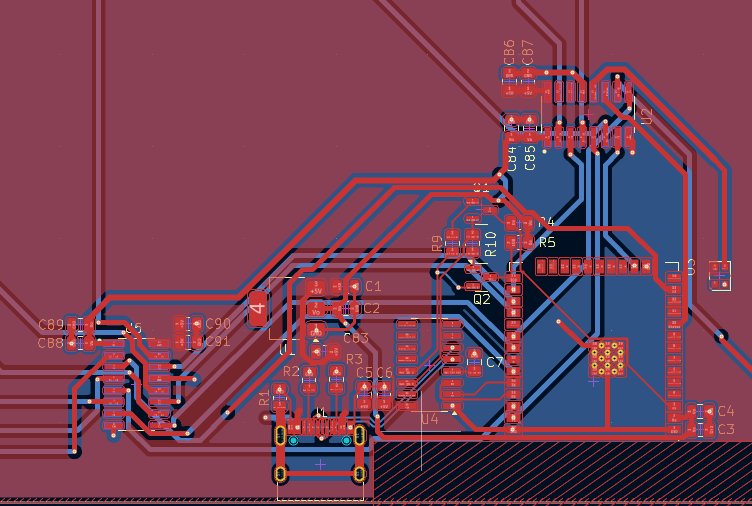
Finally, I was able to obtain the prototype in the 3D visualiser. The brownish F.Cu layer scared me since I thought the board could turn out brownish instead of black becaus the copper might bleed through the soldermask. I have since learnt that this is more a graphical visualisation issue.
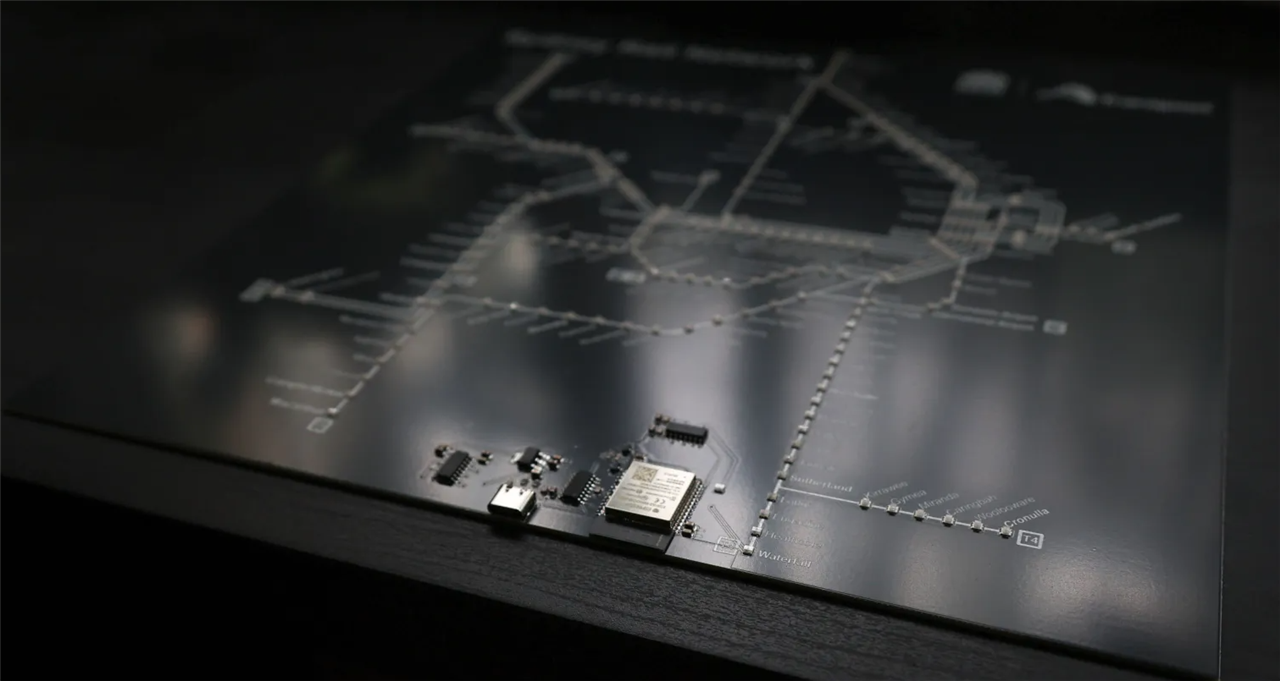
I then ordered the board and this is what arrived...
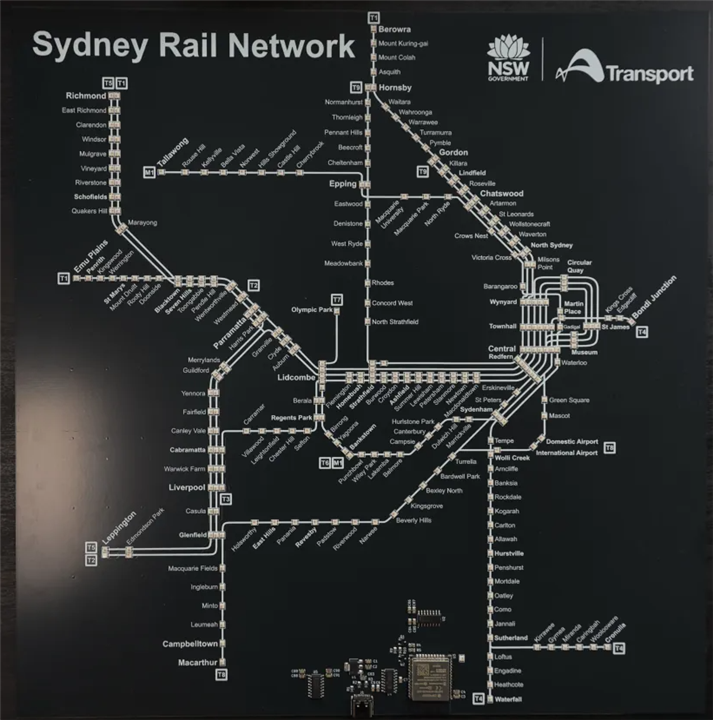
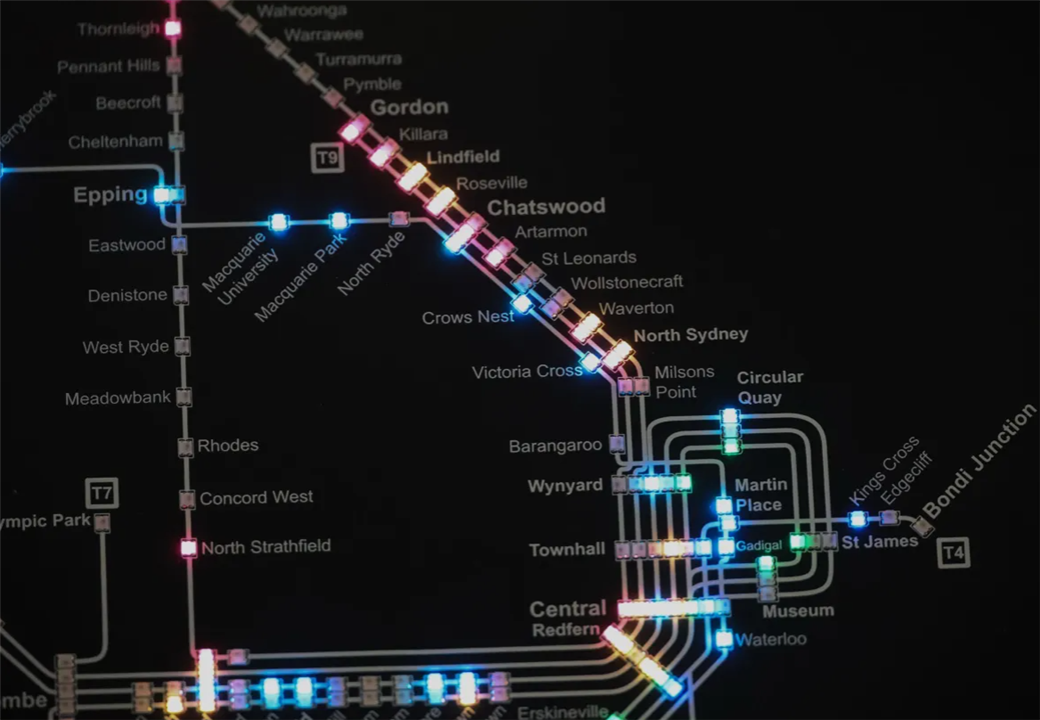
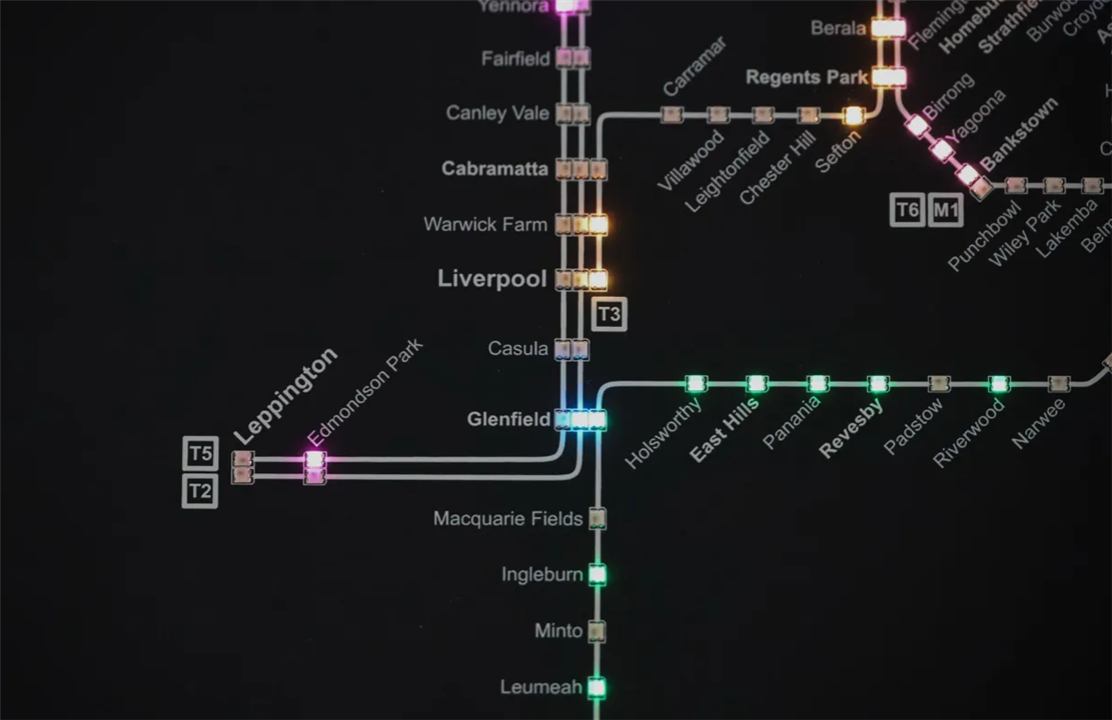
Exactly how I designed it! I powered it on, with the longest cable I could find so I could power it from far away just in case something went wrong and when I first powered it on... nothing.... GOOD! The board didn't blow up, so I hastily wrote some code to test all the LEDs and lo and behold it worked! I then worked connectivity to WiFi and pulling data from the live feed and after hours of testing and late nights, I was able to successfully get it to work. I had some small design choices to make, I decided that if a train was within 200 meters of a train station, it would light up, I also visually mapped the train line colours to the actual colours used in the real life network, for example:
const uint32_t LINE_COLOR_HEX[LINE_COUNT] = {
  0xE53935, // T9 red
  0xD81B60, // T5 magenta
  0x00ACC1, // T2 teal/cyan
  0xA0522D, // T6 brown
  0xFB8C00, // T3 orange
  0x0D47A1, // T4 dark blue
  0x9E9E9E, // T7 grey
  0x006400, // T8 dark green
  0x26C6DA, // M1 light teal
  0xF39C12  // T1 yellow/orange
};
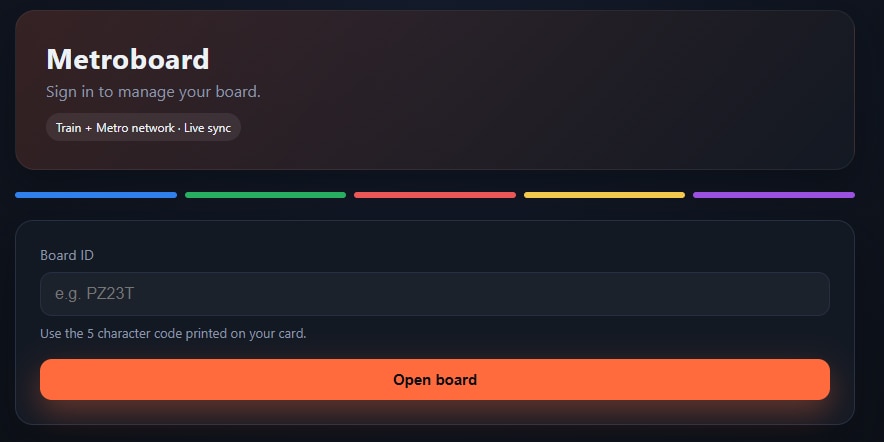
I also used the <Adafruit_NeoPixel.h> library to control the LEDs. On the server, I used a combination of static GTFS and GTFS-RT from TfNSW to determine train and metro positions. I also created a backend for a user to access and configure thier board over WiFi.
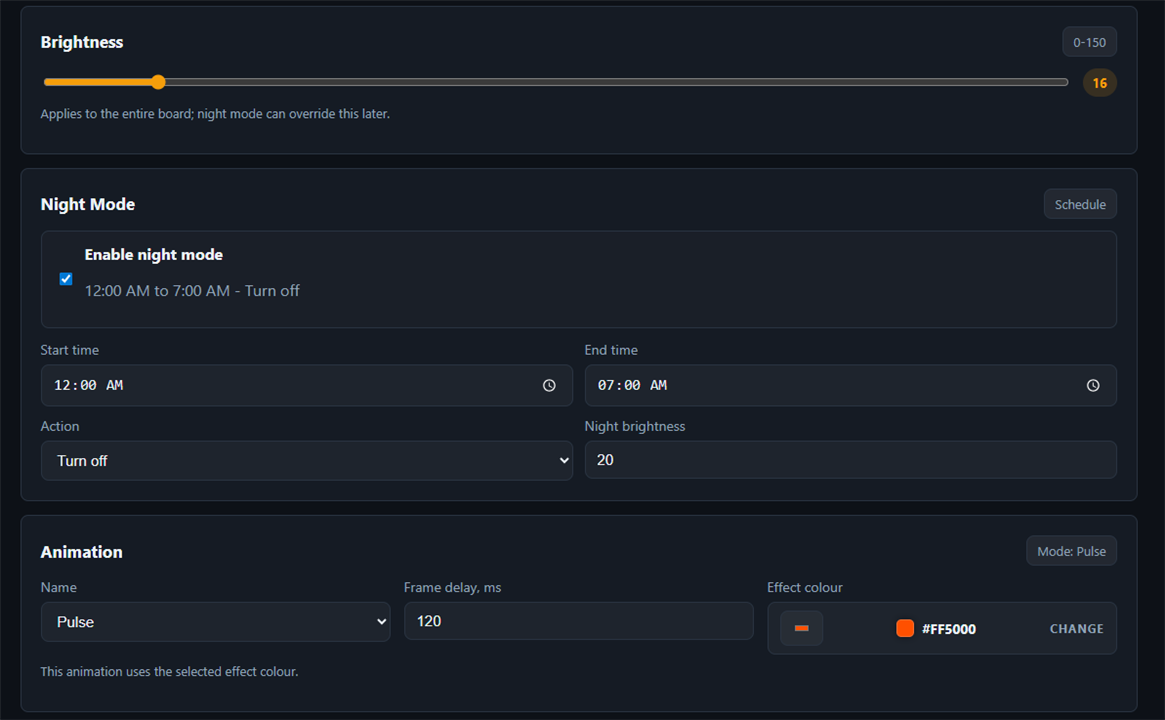
I also added options to adjust brightness, display mode, from live trains to custom animations and colours and night mode in case you want to dim/ turn the board off during night time.
Below are some of the project photos I was able to take, currently the board is hung on my wall and during peak hour, I can see how busy the network is, and just around midnight, the last remaining trains of the night are very obvious.
Conclusion
This spring clean was a fantastic excuse to finish something that turned out exactly how I had initially visualised it. Throughout this project I was able to learn how to use WiFi on the ESP32, how to pull live data, how to route components effectively and I got better with silkscreen tools.
The Sydney Rail Network Live Map started out as a half finished idea and became a working physical display. The project combines electronics, design and firmware into one finished project. I hope this inspires others to complete thier own projects!


