


After I showed my software design in this post, my hardware design in this post, and that I got some output in this post.
I started to test my robot on actual tasks, that's when I figured out some bugs in my code, also I had to change some parameters in my Simulink model and code to deal with some practical problems.
First, changes to my function code:
1- I have decreased the window size of my median filter from 5x5 to 3x3 to decrease the delay time.
2- I used the parallel for loop "parfor" instead of the normal for loop to do the color detection section of my script.
these changes are shown in the image below.

Second for the Simulink model I have changed the sampling time of my V4L2 block from [1/10] to [-1] (inherited sampling time).
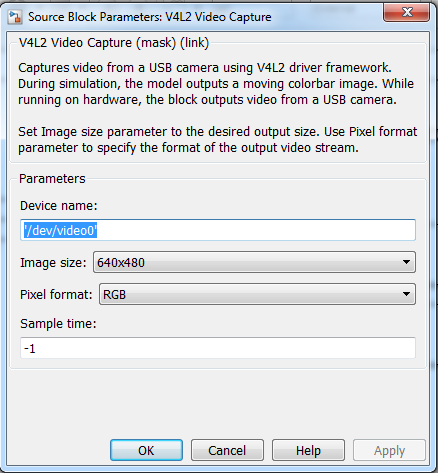
So after that I normally run the Simulink model to check whether it's working before I deploy to Raspberry PI.
after deployment to Raspberry PI, I use the Raspberry PI shell to run the executable file deployed by the Simulink following these steps from the PC (these steps can also done using Putty software without needing MATLAB):
1- Start MATLAB
2- Run the command "rpi=raspi()" to connect to the Raspberry PI
3- Run the command "openShell(rpi)" to open the Raspberry PI shell
4- after entering the username and password (default is: username: pi , and password: raspberry) you can enter the commands shown in the image (replace "show_progress" with your model name)

However, I faced some errors and I will explain their solution:
1- Camera not detected as USB device (for details on how and why should we do that, please refer to this post); this can be solved just by waiting for some time before retrying again.

2- you find this error in the image below when trying to run the executable file:

for my case this meant that the last time I ran the model on Simulink I only used "Run" command not "deploy to hardware", so I had to open Simulink and deploy to hardware.
I have attached my modified model and made a separate file to show my function code.
Top Comments