


Hi,
It is me again.
Today, was the first time I lost so much time doing such a sraight forward thing.
I just needed to record this f****g screen on video, and the raspberry spent literally 1h14 to encode a video that finally turned out to be completely screwed up on the color, it was all red(ish) what a lost of time.
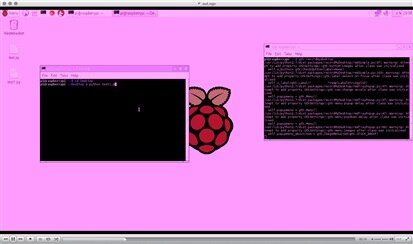
I used the package called recordmydesktop, it has good reviews but didn't quite work out for me.
Anyway on the good things now.
I changed my mind on the sheet detection system... I decided not to detect the color of a blob on the sheet but the number of dots present on it.
For the dot color, I asked myself: What do I cary all day long with me at school ?
And my mind settled on this kind of hi-lighter,

Then I wrote a piece of code, with bits from the last blog post and some found online and some from my own making (yeah I do write some lines now and then  ).
).
And so far I have got this:
# import the necessary packages
from picamera.array import PiRGBArray
from picamera import PiCamera
import time
import cv2
import numpy as np


# initialize the camera and grab a reference to the raw camera capture
camera = PiCamera()
camera.resolution = (640, 480)
camera.framerate = 32
rawCapture = PiRGBArray(camera, size=(640, 480))


# allow the camera to warmup
time.sleep(0.1)


# capture frames from the camera
for frame in camera.capture_continuous(rawCapture, format="bgr", use_video_port=True):


    # grab the raw NumPy array representing the image, then initialize the timestamp
    # and occupied/unoccupied text
    image = frame.array


    # smooth it
    image = cv2.blur(image, (3, 3))


    # convert to hsv and find range of colors
    hsv = cv2.cvtColor(image, cv2.COLOR_BGR2HSV)
    thresh = cv2.inRange(hsv, np.array((0, 80, 80)), np.array((20, 255, 255)))
    thresh2 = thresh.copy()


    # find contours in the threshold image
    contours, hierarchy = cv2.findContours(thresh, cv2.RETR_LIST, cv2.CHAIN_APPROX_SIMPLE)


    # finding contour with maximum area and store it as best_cnt
    max_area = 1000
    best_cnt = 0
    found_item = 0


    for cnt in contours:
        area = cv2.contourArea(cnt)


        if area > max_area:
            found_item += 1
            # finding centroids of best_cnt and draw a circle there
            M = cv2.moments(cnt)
            cx,cy = int(M['m10']/M['m00']), int(M['m01']/M['m00'])
            cv2.circle(image,(cx,cy),5,255,-1)


    if found_item == 1 :
        cv2.putText(image,"docum_type_1", (20,25), cv2.FONT_HERSHEY_SIMPLEX, 1, 255, 2)


    elif found_item == 2 :
        cv2.putText(image,"docum_type_2", (20,25), cv2.FONT_HERSHEY_SIMPLEX, 1, 255, 2)


    elif found_item == 3 :
        cv2.putText(image,"docum_type_3", (20,25), cv2.FONT_HERSHEY_SIMPLEX, 1, 255, 2)


    else :
        cv2.putText(image,"type_not_found", (20,20), cv2.FONT_HERSHEY_SIMPLEX, 1, 255, 2)


    # Show it, if key pressed is 'Esc', exit the loop
    cv2.imshow('frame', image)
    cv2.imshow('thresh', thresh2)


    key = cv2.waitKey(1) & 0xFF


    # clear the stream in preparation for the next frame
    rawCapture.truncate(0)


    # if the `q` key was pressed, break from the loop
    if key == ord("q"):
        break
For the demo I had to get a vnc server running in order to record a screen capture stream from my laptop, which does it flawlessly (and the encoding took 24 sec, this raspberry is really limited on video encoding power.
But anyway here is the video of the document detection in action.
Sorry for the quality, I had to compress it quite a bit since my bandwidth at home is not that great 
Overall I am pretty thrilled with how this thing turned out so far... I will now try to integrate some sort of switch to stop the feed system when a paper sheet get below the camera to analyse it when it is still and the restart the feed system to get the following sheet.... and so on
Then the only thing left is to mount the servo motor and the mechanical assembly that will guide the sheets into their belonging receptacle.
I hope, that you learn something or at least enjoyed reading/watching through my post.
And I would love to see you on the next one.
Bye.
Top Comments