


Thank you for selecting me to take part in the Raspberry Pi Educators Road test whilst I wait for the kit to arrive I thought I would get started with the blog posts introducing myself and my plan for the road test
About Me
I am currently splitting my week between teaching Computing at a secondary School in Sheffield, Home Educating my son. I also work as an Educationalist for an Educational ICT solutions provider (advising schools on how best to deliver the computing curriculum and best utilise ICT kit to deliver inspiring lessons). I started my Teaching Career as a Science teacher before spending a number of years in industry as an ICT Consultant and Project Manager. When I returned to teaching my background with computer systems meant that I have ended up teaching Computing rather Science.
I am a Raspberry Pi Certified Educator (if you would like to be one too see the information about Free Computing CPD from the Raspbery Pi Foundation - Picademy) and I have been using the Raspberry Pi on my classroom to engage students in computing. I am particularly interested in using the Raspberry Pi to allow students to create personally meaningful projects that inspire them to learn programming and engineering skills.
I use Twitter for inspiration and to share ideas, I also try to find time to blog about my teaching experiences and ideas on my blog Raspberry Why.
The Plan
When I read about the Road test I wanted to submit a proposal that would make full use of the Raspberry Pi and Camera kit in a way that I could use to engage students. I was also keen to try and create something cross curricular that would involve Science as well as Computing. I have been trying to find an experiment to use the Raspberry Pi with my STEM club students for some time and this seemed to be a good opportunity to spend time developing an idea..
Recently I have been doing an experiment at home with my son making some salt crystals. We set up a salt solution in a glass and added some string to see what happened. The experiment fairly quickly produces basic results and shows the crystals forming on the string and onto the glass. He enjoyed this so the crystals were then added to another solution and another until it has now become a bit of a permanent feature around the house.
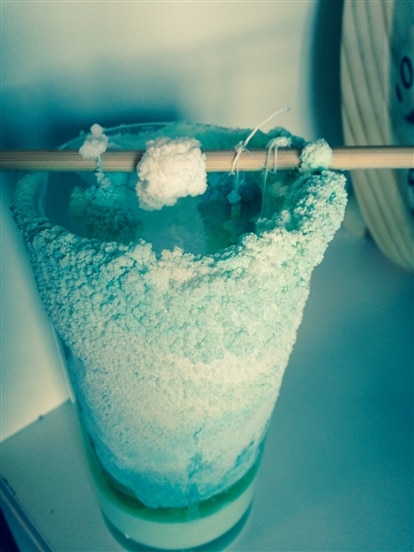
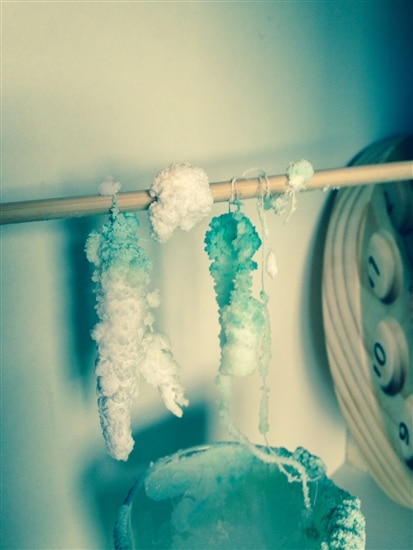
The latest incarnation of this involved adding a small amount of food colouring to see what happened. The crystals started forming white and then the food colouring started to colour the crystals at the top of the string gradually moving down the crystal.
I have also done crystal growing as a practical experiment with students when I was a Science Teacher. This was mainly with copper sulphate in petri dishes left on window sills to evaporate and look at the next lesson (quite often a week later). However we only really ever saw the finished results of these experiments rather than seeing the crystals forming.
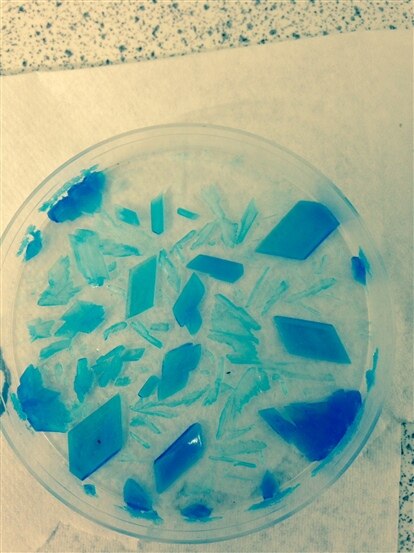
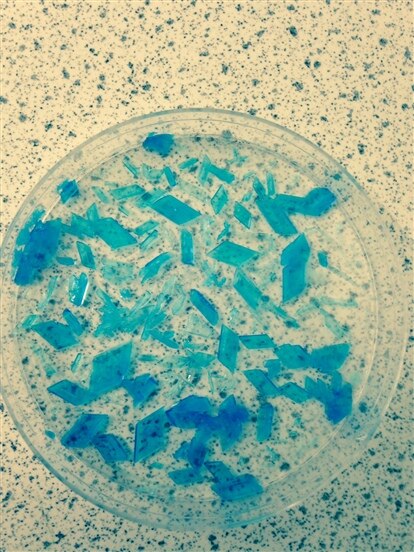
This lead me to think about how to monitor the results over time to see what was happening. It could also provide an opportunity to change variables in the experiment and see how it affected the crystal formation over time. This was when I thought about time-lapse photography using the Raspberry Pi and Pi Camera Module. This would provide a compact (especially with the case designed to hold the camera in the kit on test here) and controllable way of recording what was happening.
I could set this up with students and then create a time lapse movie to view the results the following lesson. This would mean they would be able to see the full process and not just the final results.
With the KS3 (grade 7/8) school students I am intending to use copper sulphate in petri dishes and have the students create the code to control the camera in python. This will be set up in the Science Lab and left to combine the photographs taken into videos the following week. We will try to do this again using code and /or the command line on the Raspberry Pi, but we may resort to using video editing software if the size of the files makes it impractical to process during the time available.
With the home educated children I will do some experimentation with different crystals created from solutions easily made in the home. The children I work with are fairly young (age 4 - 7) and have limited coding experience (a little scratch and some changing variables in python to make things explode in Minecraft Pi) so I will create a python program for the time-lapse photography possibly with prompts to change variables (for time between pictures etc) or have them set the process off using the command line with simple instructions. If Scratch fully worked controlling the Pi Camera I would consider having the children create a program in scratch, but this is not yet possible. We will then work with video editing software to combine the pictures to create the videos.
So back to waiting for the kit to arrive so I can get started with the experiments.
By coincidence mikedavis has started blogging about his own Science Images with Time Lapse Raspberry Pi using Lettuce leaves taking up food colouring so I will be interested to see his results. This is another great experiment for using time-lapse as it will show a really clear change over time.
Top Comments