


Teachers Pet ... Robotics Challenge
http://www.element14.com/community/roadTests/1417
| Teachers Pet Challengers | Teacher's Pet Students' Robotics Challenge Finalists |
| Introduction | Teachers Pet Students Robotics Challenge .. Introduction |
| 2nd post | |
| previous post | BOE Robot |
Motor Basics
In the last post I talked about servos, and how to operate them.
We touched on the internals, and I showed that they contained a motor and some gears.
The servo motor is a DC motor, and when a voltage is applied, it rotates.
The higher the voltage, the faster the motor shaft turns, until there is a point when it just doesn't really get faster.
Since the motor is designed to operate at a certain speed, operating past that makes them get hotter, which increases friction, etc.
The end result is shortened life.

source Permanent magnet DC (PMDC) motors | electricaleasy.com
Better motors might have fancy bearings, and use techniques to reduce the friction and improve their performance, but for our standard servo it is very unlikely.
No two motors are the same, even with the same voltage applied, and no external load, the speed will be different.
As we start to load the motor, the speed will decrease and the difference between two motors might remain the same or increase.
Because our servo contains gears and hopefully some lubrication, there will be mechanical losses that differ between servos.
We should always plan for this difference.
Reverse
Motors will tend to operate better in one direction than the other.
This means while motor A is faster than motor B, in reverse it could be the other way.
As you will see later I will show how we can correct for speed differences, but we need to do it forwards and backwards.
Motor Current
The amount of current a motor draws when stopped, is called the Stall Current.
For small motors this might 0.5 -1 amp, but for some of the RC car motors this can 10's of Amps.
Obviously when the motor is not spinning, and just one set of windings is taking all the punishment, something will give.
So where possible try to avoid a stall .....
When motors first start they are not rotating, and hence draw more current than when running.
Unless your controller and the power supply is capable of delivering the amount of current needed, you might find it's like hooking a large caravan onto your car, and then trying to go up a steep hill.
https://www.youtube.com/watch?v=lAfZ1N56qjY
I did some searching for some additional information. (ie pretty pictures)
There was a lot out there, and some that involved very complex looking maths.
I found this that explained it in simple terms.


source www.me.umn.edu/courses/me2011/arduino/technotes/dcmotors/motor-tutorial/
So it's important to match your controller and battery to the motor you intend to use.
We often have posts where someone has hooked a servo onto an Arduino and they find it resets when the motor tries to start.
The problem is usually traced to the lack of external power for the servo, and the poor arduino 5v regulator being asked to do something it wasn't designed for.
Since our BOE Bot is using the supplied servos, and the shield is designed for these, we can assume we won't have that problem.
Motor Theory
There are lots of resources on the internet.
Since this post is about our bot rather than the detailed internal workings, I've provided some links to background information.
http://www.electrical4u.com/working-or-operating-principle-of-dc-motor/
Whilst a good idea of the principles, you can see that if the motor was stopped at Step 3, then it would never start rotating.
DC Motors -- principles of operation
This correctly shows that even cheap motors have three windings, just to ensure they will start.
http://pcbheaven.com/wikipages/How_DC_Motors_Work/
This is also a very good representation. It gives the theory then real life.
Driving Straight
In our BOE Bot the construction means that one motor will be driving forward, while the other is reversed.
It is rare for a motor to have the same forward and reverse characteristics, so one side will be faster.
SO it is unlikely that our Bot will drive straight.
What can we do to fix it.?
There are several options that we should discuss, and some will be practical, while others are impossible.
- Change the wheel diameter ...this might be feasible if the tyres could be pumped up, but ours are solid. ( About now someone is having that moment when it makes sense why their car was pulling to one side when the tyre pressure was low .... well yes plus the increased friction between the tyre and road surface tended to make it pull to one side.)
- Steer using the rear roller .... It is not possible as it doesn't steer and would have little effect if it could.
- Speed up the slow motor ... If it's going as fast as it can, then it won't go faster....
- Slow down the side that is faster ...
The last option is the only one that we can apply.

Rear roller source Mount the Wheels | learn.parallax.com
Why can't the Bot do it automatically?
That is possible ... BUT it would need to know exactly what line it should be following.
Imaginery points in space don't count, as it has no vision or guidance system.
If you following a wall then you could use the distance detectors and apply some intelligence to make corrections.
Line following robots tend to do something similar, but because of the rather coarse detection, it always looks rather jerky, and is not a smooth speed.
If they were able to measure the distance off the line, rather than a Yes/No type detector, then they might be smoother and faster.
Whenever you do make an adjustment, you need to ensure that the routine doesn't result in it slowing down (or stopping), since the change in speed might add extra differences.
ie one motor might speed up faster than the other, which then throws it off course.
What method are you going to use?
In my bots I've tended to run some tests and adjust the speed until it runs straight.
(page 84 of the tutorial http://learn.parallax.com/sites/default/files/content/shield/robo-block/Shield-Bot-2013-12-01.zip does just that)
I've then taken that correction factor and entered it as part of the setup.
I'm sure you could measure the radius it was taking, and then apply some maths based on the different radious of each motor ... but I tend to do it emperically.
So for the examples I present here, we do a calibration run and make slight adjustments until we are happy it drives straight.
The entries will be used as a multiplier with 1 being 100% ... just remember we slow down the faster motor which is the opposite to the way it is moving.
ie you find the bot tends to head right, so you slow down the LEFT motor.
Right_Forward_cal = 1;
Right_Reverse_cal = 1;
Left_Forward_cal = 1;
Left_Reverse_cal = 1;
Calibration Pot.
I've thought about introducing a calibration control pot, and allowing adjustments to be made while it's moving.
This method can work, but in the last post I calculated the maximum theoretical speed was :-
A bit of maths will tell us the maximum speed is Speed = (RPM (diameter * PI) / 60)
speed =( 50(66 * 3.141)/60) = 172.75 mm/sec at full speed.
At that speed it's going to travel 1m (or 1.09 yards ) in 5.7 seconds.
This means trying to grab the knob or adjuster and making a change is difficult.
It's more likely to result in the magic smoke escaping. 
If the bot was slower?
If you had a slower bot and wanted to do this method, I would add two controls, one for each side.
Once adjusted you could then connect it to your computer and have the code output the figures of each pot reading.
You would then apply the ratio between the two to come up with a correction, or simply leave them in circuit.
Turning
At some point we do want to make the Bot turn.
Since we discovered that the rear roller doesn't do any steering (and would be ineffective if it did), we need to do something else.
I found this really good resource (which also had nice pictures that I've used below)
http://rossum.sourceforge.net/papers/DiffSteer/
With just two wheels, we have some options not available to multi wheeled vehicles.
Option 1
Turn slowly with both wheels moving.

It will scribe an arc, which depends on the speed difference between the two wheels to determine the radius.
Option 2
Turn by pivoting around one wheel.

This will turn tightly and the distance between the wheels will determine the radius of the arc.
Option 3
Turn about the centre by reversing one wheel while driving forward on the other.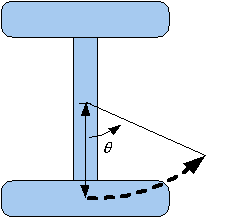
As you can see this will rotate about a centre lying between the wheels.
During the next few posts I will be using combinations of these moves in order to negotiate around obstacles.
It could be that you might need to use a combination of them to get out of a difficult situation.
One of the worst situations I discovered was heading into a corner at 45 degs, and only having bump detection.
On the first touch, the bot detected a wall on the right side, reversed and applied some correction to the left.
It then detected a wall on the left side, reversed and applied some correction to the right.
The bot detected a wall on the right side, reversed and applied some correction to the left.
You can see where this is going ...
To overcome this, I used a counter that detected if it was 'oscillating' and applied more correction to one cycle.
This made the bot turn even further and it was able to drive its way out.
While the solution is simple, the trick is "How does the Bot know" and then apply the right corrective action.
Mark
Top Comments
-

shabaz
-
Cancel
-
Vote Up
+1
Vote Down
-
-
Sign in to reply
-
More
-
Cancel
Comment-

shabaz
-
Cancel
-
Vote Up
+1
Vote Down
-
-
Sign in to reply
-
More
-
Cancel
Children