element14 Community
element14 Community
    Register Log In
  • Site
  • Search
  • Log In Register
  • Community Hub
    Community Hub
    • What's New on element14
    • Feedback and Support
    • Benefits of Membership
    • Personal Blogs
    • Members Area
    • Achievement Levels
  • Learn
    Learn
    • Ask an Expert
    • eBooks
    • element14 presents
    • Learning Center
    • Tech Spotlight
    • STEM Academy
    • Webinars, Training and Events
    • Learning Groups
  • Technologies
    Technologies
    • 3D Printing
    • FPGA
    • Industrial Automation
    • Internet of Things
    • Power & Energy
    • Sensors
    • Technology Groups
  • Challenges & Projects
    Challenges & Projects
    • Design Challenges
    • element14 presents Projects
    • Project14
    • Arduino Projects
    • Raspberry Pi Projects
    • Project Groups
  • Products
    Products
    • Arduino
    • Avnet & Tria Boards Community
    • Dev Tools
    • Manufacturers
    • Multicomp Pro
    • Product Groups
    • Raspberry Pi
    • RoadTests & Reviews
  • About Us
  • Store
    Store
    • Visit Your Store
    • Choose another store...
      • Europe
      •  Austria (German)
      •  Belgium (Dutch, French)
      •  Bulgaria (Bulgarian)
      •  Czech Republic (Czech)
      •  Denmark (Danish)
      •  Estonia (Estonian)
      •  Finland (Finnish)
      •  France (French)
      •  Germany (German)
      •  Hungary (Hungarian)
      •  Ireland
      •  Israel
      •  Italy (Italian)
      •  Latvia (Latvian)
      •  
      •  Lithuania (Lithuanian)
      •  Netherlands (Dutch)
      •  Norway (Norwegian)
      •  Poland (Polish)
      •  Portugal (Portuguese)
      •  Romania (Romanian)
      •  Russia (Russian)
      •  Slovakia (Slovak)
      •  Slovenia (Slovenian)
      •  Spain (Spanish)
      •  Sweden (Swedish)
      •  Switzerland(German, French)
      •  Turkey (Turkish)
      •  United Kingdom
      • Asia Pacific
      •  Australia
      •  China
      •  Hong Kong
      •  India
      • Japan
      •  Korea (Korean)
      •  Malaysia
      •  New Zealand
      •  Philippines
      •  Singapore
      •  Taiwan
      •  Thailand (Thai)
      • Vietnam
      • Americas
      •  Brazil (Portuguese)
      •  Canada
      •  Mexico (Spanish)
      •  United States
      Can't find the country/region you're looking for? Visit our export site or find a local distributor.
  • Translate
  • Profile
  • Settings
STEM Projects
  • Learn
  • Learning Center
  • STEM Academy
  • STEM Projects
  • More
  • Cancel
STEM Projects
Blog Teacher's Pet Students' Robotics Challenge:  Attendance Automator—Blog Entry 7:  Cameras
  • Blog
  • Forum
  • Documents
  • Events
  • Polls
  • Files
  • Members
  • Mentions
  • Sub-Groups
  • Tags
  • More
  • Cancel
  • New
Join STEM Projects to participate - click to join for free!
  • Share
  • More
  • Cancel
Group Actions
  • Group RSS
  • More
  • Cancel
Engagement
  • Author Author: spencerjames
  • Date Created: 23 Sep 2015 5:15 AM Date Created
  • Views 412 views
  • Likes 1 like
  • Comments 0 comments
  • attendance_automator
  • teachers_pet
  • raspberry_pi
  • mathworks
  • matlab
  • teachers pet robotics design challenge
  • noir
  • adafruit
Related
Recommended

Teacher's Pet Students' Robotics Challenge:  Attendance Automator—Blog Entry 7:  Cameras

spencerjames
spencerjames
23 Sep 2015

TL;DR:  This is a summary of my progress so far (to be continued) on getting the Raspberry Pi NoIR camera to work for thermography.


For this initial setup, I’m following the directions from Raspberry Pi Org:  https://www.raspberrypi.org/help/camera-module-setup/


The first step here was to install the camera board itself.  The board ribbon will gone into the Raspberry Pi’s “CSI Port.”
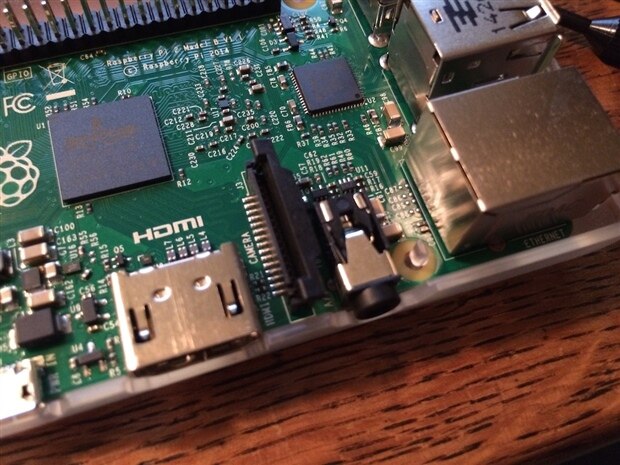
image


There. It’s inserted into the CSI Port.
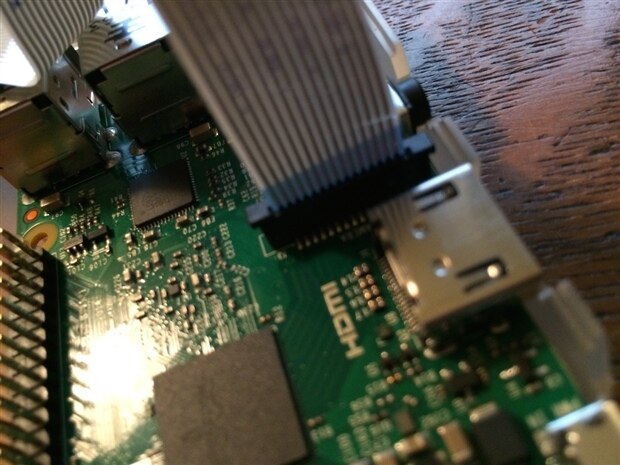
image


And now it’s been gently doubled over to fit within the Raspberry Pi Project Kit Case.
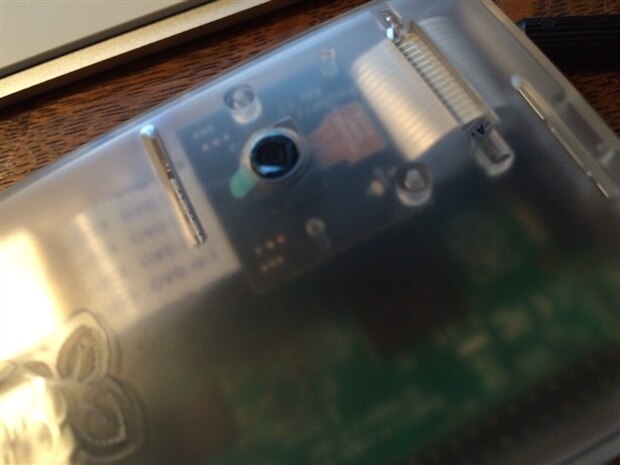
image

Yes, I’ve left the lens cover on because I am very afraid of damaging it just yet.


Here, on Raspberry Pi .Org, is an answer to my previous query over the NoIR aspect of the kit.  The NoIR is an acryonym for “No Infrared [Filter],” which is to say this camera takes photos in visible light as well as infrared.  This *might* not be the best solution for thermography, but let’s keep going.


Referring again to RaspberryPi.org, let’s follow these directions for connecting the camera in software (https://www.raspberrypi.org/documentation/usage/camera/README.md). 
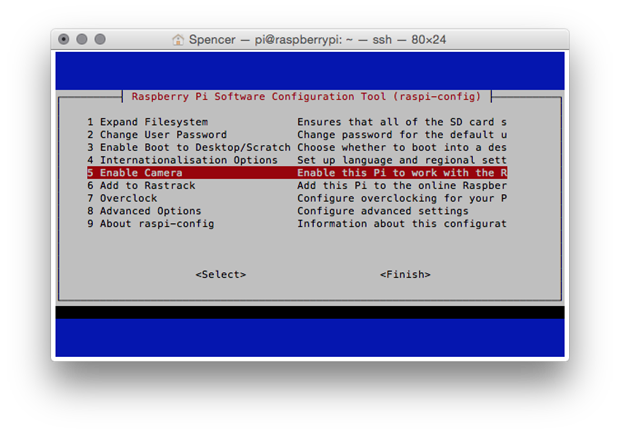
 

image

Here, from Terminal, I am able to access the ‘rasps-config’ command to enable the camera.  [Notice how this screen exists in Terminal, but the GUI "x" does not. Type 'startx' and get an error.]


Next, I would like to try taking an image with the camera, just to see how it looks.  RaspberyPi.org has a short list of terminal commands for the camera (https://www.raspberrypi.org/documentation/usage/camera/raspicam/README.md).

 

image


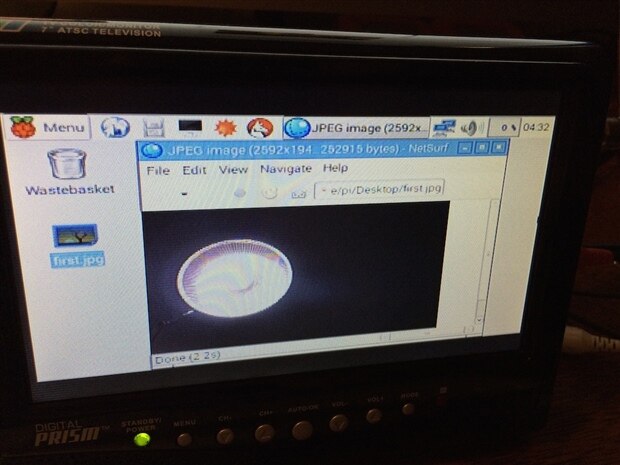
Here’s the first photo taken with ‘raspistill’!
image


And there we go!  A beautiful angle on my desk lamp.  In full inferior color!


That, according to documentation, is a 5MP picture being viewed in the Raspberry Pi’s web browser with extreme zoom, on a 7” screen.  Marvelous.


Next steps for this thread:  Take the picture off the Raspberry and into MATLAB!


Thank you for reading and following.  Any tips, suggestions, or resources are welcome, please comment or message me.


Thank you, Adafruit, Mathworks, and element14 for your sponsorship.


Previously:

Blog Entry 1:  Hello!  Teacher's Pet Students' Robotics Challenge: Attendance Automator — Blog Entry 1: Hello!

Blog Entry 2:  Design Constraints   Teacher's Pet Students' Robotics Challenge: Attendance Automator — Blog Entry 2: Design Constraints

Blog Entry 3:  Background  Teacher’s Pet Students’ Robotics Challenge:  Attendance Automator — Blog Entry 3:  Background

Blog Entry 4:  Unboxing  Teacher's Pet Students' Robotics Challenge:  Attendance Automator—Blog Entry 4:  Unboxing!

Blog Entry 5:  Design Concept  Teacher's Pet Students' Robotics Challenge:  Attendance Automator—Blog Entry 5:  Design Concept

Blog Entry 6:  Startup  Teacher's Pet Students' Robotics Challenge:  Attendance Automator—Blog Entry 6:  Startup


Tags:  “teachers_pet” “attendance_automator” “raspbery_pi” “adafruit” "mathworks" "MATLAB" "NoIR"

  • Sign in to reply
element14 Community

element14 is the first online community specifically for engineers. Connect with your peers and get expert answers to your questions.

  • Members
  • Learn
  • Technologies
  • Challenges & Projects
  • Products
  • Store
  • About Us
  • Feedback & Support
  • FAQs
  • Terms of Use
  • Privacy Policy
  • Legal and Copyright Notices
  • Sitemap
  • Cookies

An Avnet Company © 2026 Premier Farnell Limited. All Rights Reserved.

Premier Farnell Ltd, registered in England and Wales (no 00876412), registered office: Farnell House, Forge Lane, Leeds LS12 2NE.

ICP 备案号 10220084.

Follow element14

  • X
  • Facebook
  • linkedin
  • YouTube