


Background
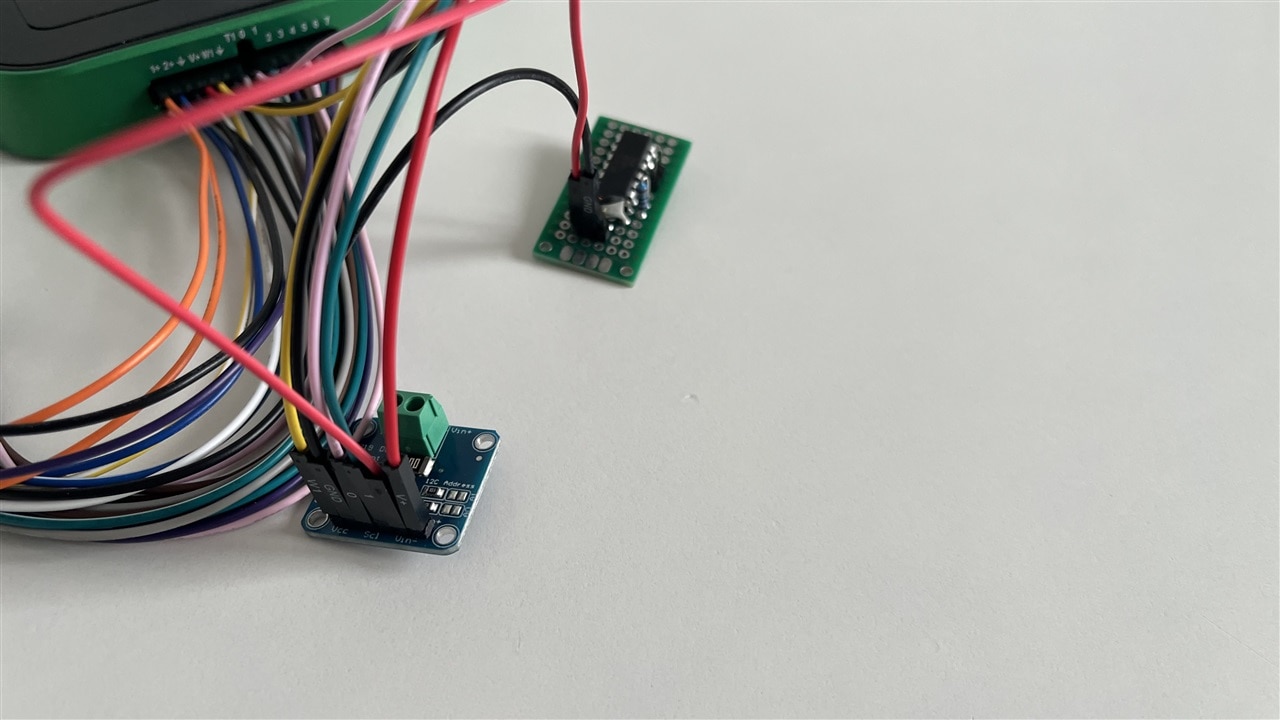
The Analog Discovery 3 has support for two programmable power supplies with a voltage range 0.5V to 5V and -0.5V to -5V. These power supplies have support for voltage readback, but there is no information about current usage. Even though these power supplies are limited, but they are very useful in the case of testing of low voltage devices. To measure current, we can use a shunt resistor and oscilloscope/voltmeter channel, but this causes this channel to not be available for other purposes. Thus, I have decided to use a separate module with INA219 to measure of current and power of a given used power line of power supply.
Implementation
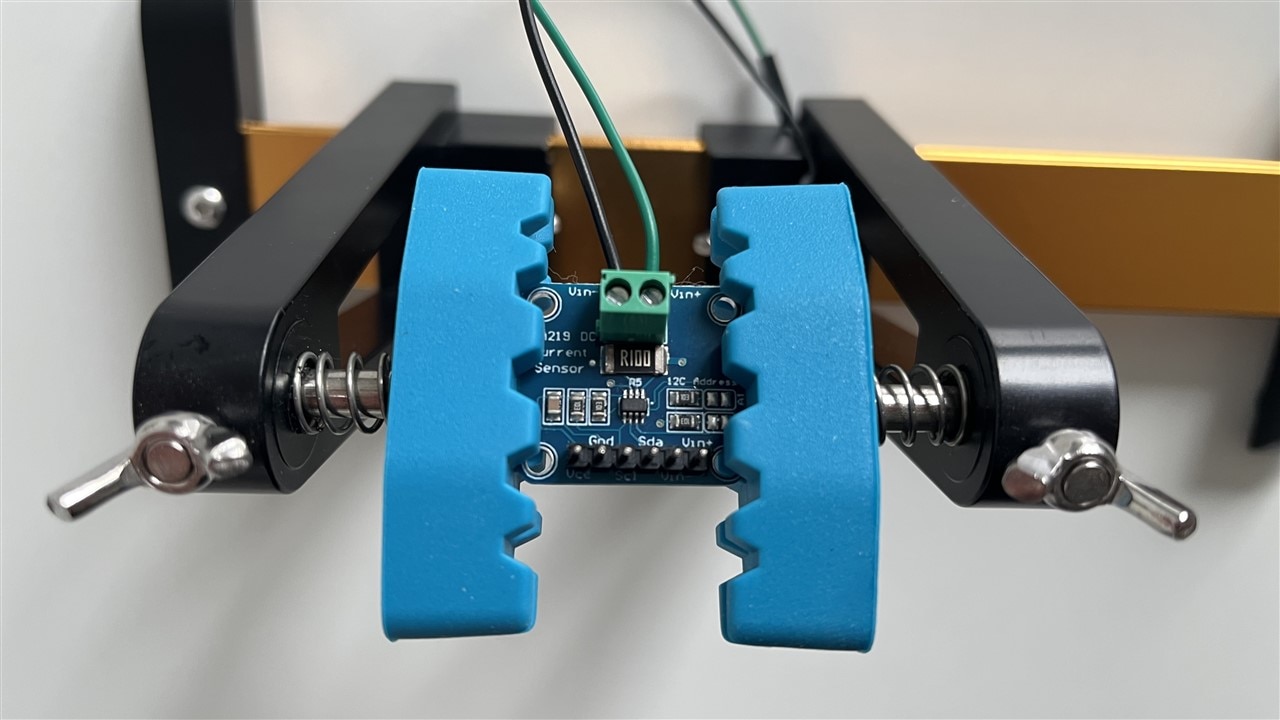
The INA219 is a high-precision current sensor integrated circuit developed by Texas Instruments. It allow to measure current, voltage, and power in electronic circuits through an I2C communication interface. The INA219 can measure bus voltages from 0-26V and currents up to +/-3.2A using a shunt resistor. It includes a 12-bit ADC and provides accurate digital readings. The INA219 requires configuration and calibration before accurate measurements can be obtained. The configuration register is used to set parameters such as voltage range, ADC resolution, and operating mode, while the calibration register defines the scaling for current and power measurements. After initialization, the device allows reading voltage, current, and power values directly from dedicated registers through the I2C interface. I have set the configuration register to value 0x019F, which sets bus voltage to range 16V, programmable gain amplifier to range +/- 40mV, usage of 12 bit ADC and continuous shunt and bust measurements. The calibration register was set to value 0xA000, which corresponds to 10uA/bit and 200uW/bit register resolutions for current and power. In the INA219 datasheets there are equations that allow us to calculate the calibration value based on the expected maximum current. In my case, it was around 327,68mA.
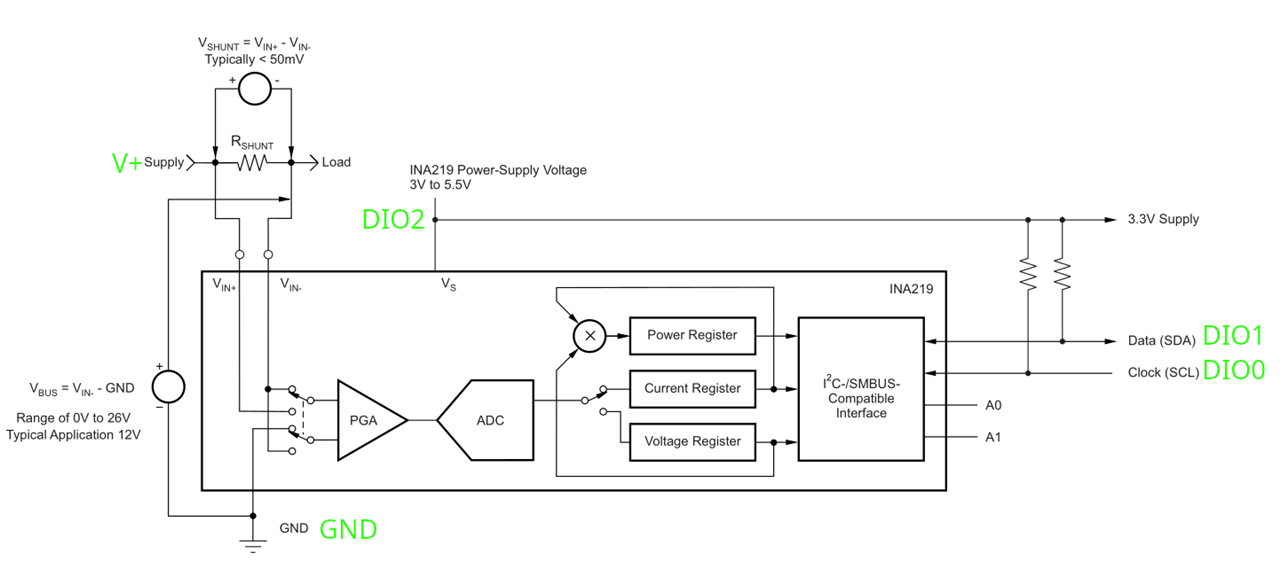
I have decided to power supply the INA219 device via a DIO2 pin. Other connections are standard. In my test circuit, I used V+ line to measure and power the load. The connections to the Analog Discovery 3 are on the above diagram, marked by green labels.
In WaveForms, I have used the Script instrument to do my main job. This Script instrument executes a script which uses StaticIO to drive a DIO2 pin, which provides power supply for INA219. The Protocol instrument was used to provide communication via I2C. After setting the power supply for the INA219 and initializing the I2C protocol, the script configures calibration and configuration for INA219. Then the main loop which reads voltage, current and power starts. The results are presented in the console output. There is an option to enable a plot, which starts displaying the trend of the current. Below is the source code of the script:
clear()

if(!('StaticIO' in this)) throw "Please open the StaticIO instrument";
if(!('Protocol' in this)) throw "Please open the Protocol instrument";

print("Enable INA219 power supply");
StaticIO.Channel0.DIO2.Mode.text = "Switch";
StaticIO.Channel0.DIO2.Switch.text = "PP";
StaticIO.Channel0.DIO2.text = "1";

wait(0.1);

print("Configure I2C settings");
Protocol.I2C.SCL.DIO = 0;
Protocol.I2C.SDA.DIO = 1;
Protocol.I2C.Rate = 100000;

// INA219 I2C address
var addr = 0x40;

// ---------- Registers ----------
var REG_CONFIG = 0x00;
var REG_BUS     = 0x02;
var REG_POWER   = 0x03;
var REG_CURRENT = 0x04;
var REG_CALIB   = 0x05;

function readRegister(reg){
    Protocol.I2C.Write(addr, [reg]);
    var data = Protocol.I2C.Read(addr, 2);
    return (data[0] << 8) | data[1];
}

function readBusVoltage(){
    var raw = readRegister(REG_BUS);
    // remove CNVR + OVF flags
    raw = raw >> 3;
    // 4mV per bit
    return raw * 0.004;
}

function readCurrent(){
    var raw = readRegister(REG_CURRENT);
    // signed conversion
    if(raw > 32767)
        raw -= 65536;
    // 10uA per bit
    return raw * 0.01;
}

function readPower(){
    var raw = readRegister(REG_POWER);
    // 200uW per bit = 0.2mW
    return raw * 0.2;
}

// ============================================
// INA219 configuration
// ============================================
//
// Config      = 0x019F
// Calibration = 0xA000
//
// Current_LSB = 10uA/bit
// Power_LSB   = 200uW/bit
// ============================================

// ---------- Write Calibration ----------
Protocol.I2C.Write(addr, [
    REG_CALIB,
    0xA0,
    0x00
]);

// ---------- Write Configuration ----------
Protocol.I2C.Write(addr, [
    REG_CONFIG,
    0x01,
    0x9F
]);

print("INA219 configured");
wait(0.1);

if(typeof plot1 !== "undefined" && plot1) {
    plot_values = [];
    plot1.Y1.Units.text = "mA";
    plot1.X.Units.text = "s";
    plot1.X.Range.text = '0.5s/div';
    plot1.Y1.AutoScale.checked = true;
}

while(wait(0.5)) {
    var voltage   = readBusVoltage();
    var current_mA = readCurrent();
    var power_mW   = readPower();

    if(typeof plot1 !== "undefined" && plot1) {
        plot_values.push(current_mA);
        plot1.Y1.data = plot_values;
    }

    print(
        "Voltage: " + voltage.toFixed(3) + " V" +
        " | Current: " + current_mA.toFixed(3) + " mA" +
        " | Power: " + power_mW.toFixed(3) + " mW"
    );
}

print("Disable INA219 power supply");
StaticIO.Channel0.DIO2.Mode.text = "Switch";
StaticIO.Channel0.DIO2.Switch.text = "PP";
StaticIO.Channel0.DIO2.text = "0";
Results
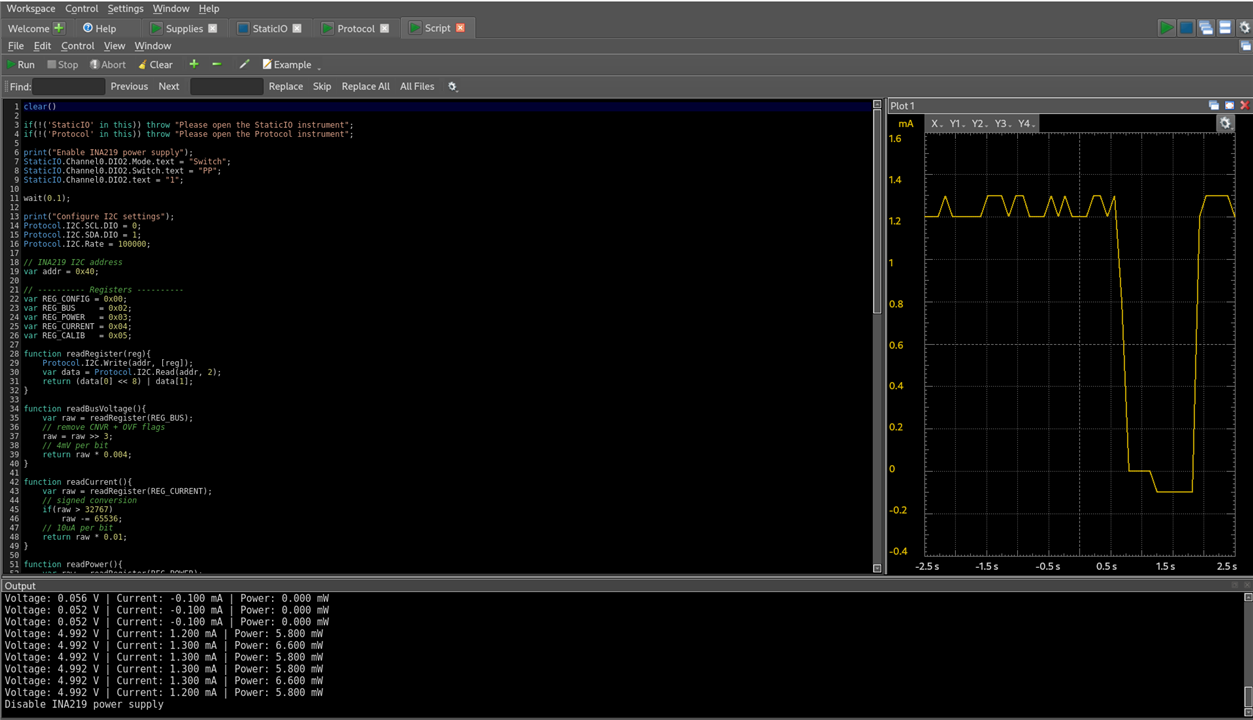
The module with INA219 is really useful and with a simple script allowing to track current and power usage of the load device. At the same time, we are still able to use both channels of the oscilloscope for other purposes. Additionally, with the usage of only the Protocol instrument and I2C/Sensor mode, we could create a setup that will perform logging, e.g. to file this information about power/current usage of load under test. This is really useful in the case of long-term measurements or low-power modes of the tested device.


