


ESP32 Bit Pirate is open-source firmware that turns your device into a multi-protocol development and analysis tool, inspired by the legendary Bus Pirate.
When I started working on ESP32 Bit Pirate, the idea was simple: take the spirit of the original Bus Pirate and bring it to modern ESP32 boards.
The Bus Pirate concept has always been useful because it gives you a quick way to talk to hardware without building a custom setup every time. Need to scan an I2C bus, poke a SPI flash chip, bridge a UART, or test a sensor? You connect a small tool, open a terminal, and start experimenting.
The firmware follows that same idea, but with newer hardware, more protocols, and a bigger focus on browser-based workflows.
The project is now more than just firmware. It is becoming an ecosystem for hardware debugging: firmware flashing, practical recipes, web tools, and companion hardware ideas, all built around affordable ESP32 devices.
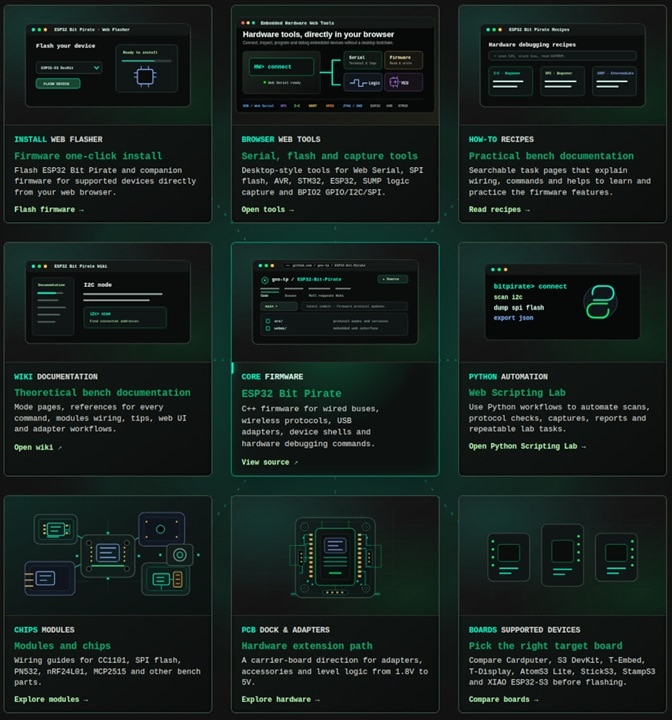
A firmware for everyday hardware exploration
At its core, ESP32 Bit Pirate is an open-source firmware for compatible ESP32 boards. Once flashed, the board becomes a multi-protocol debugging tool that can be controlled from a serial terminal, a web-based CLI, scripts, or dedicated browser tools.
The firmware supports common bench workflows such as I2C scanning, SPI flash access, UART bridging, GPIO control, 1-Wire devices, CAN, JTAG/SWD, infrared, Sub-GHz radio, RFID, RF24, BLE, Wi-Fi, Ethernet, USB adapter modes and more.
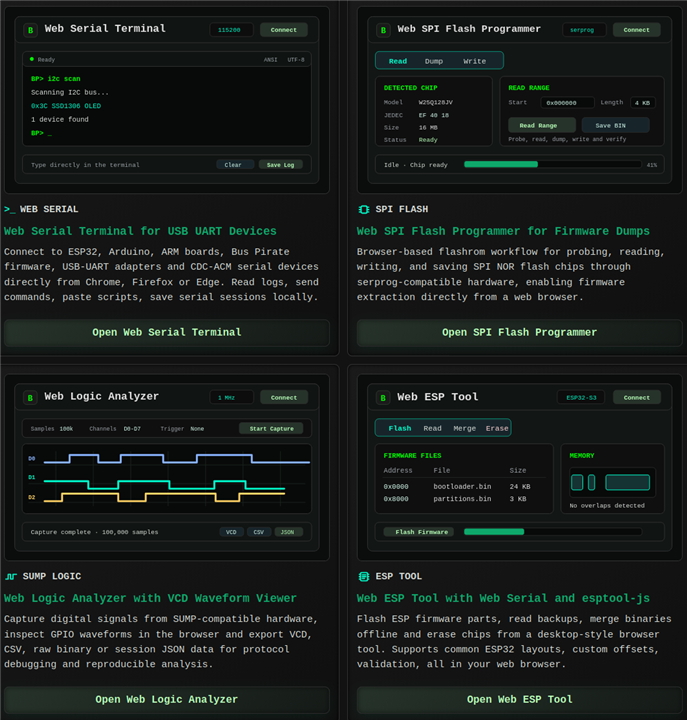
Why put hardware tools in the browser?
A lot of hardware debugging still starts with installing drivers, vendor tools, Python scripts, command-line utilities, or a complete development environment. That can be fine on your main machine, but it is not always ideal when you just want to quickly test something.
This is where the browser side of ESP32 Bit Pirate becomes interesting.
The project includes web tools that run as static pages and talk to local hardware through browser APIs such as Web Serial or WebUSB. That means many common tasks can be done directly from the browser: opening a serial terminal, flashing an ESP32, reading a SPI flash chip, capturing logic signals, programming an AVR, working with an STM32, or controlling GPIO/I2C/SPI through a bit-bang interface.
ESP32 Bit Pirate Scripting Lab
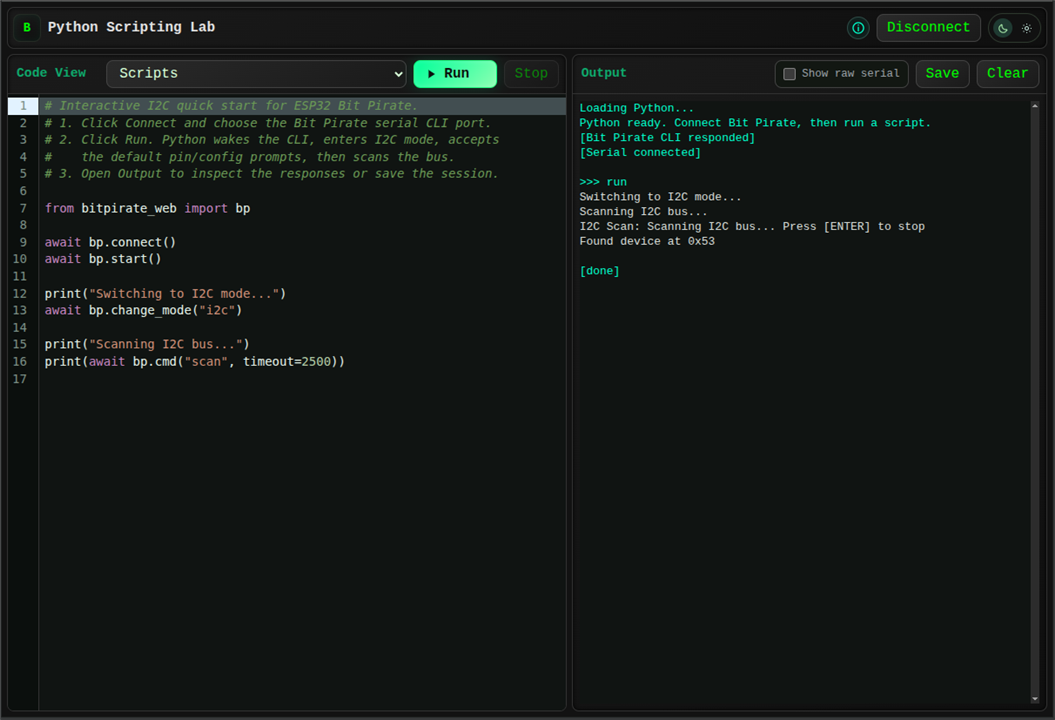
A site built around real workflows
The website was built to make the project easier to discover and easier to use.
There is a web flasher for getting started, a web terminal for talking to the firmware, protocol pages for understanding what each mode can do, module pages for common hardware, and recipes for practical tasks.
The recipes are especially important. Instead of only documenting commands one by one, they focus on real situations: scanning an unknown I2C device, dumping a SPI flash chip, sniffing UART traffic, wiring a CC1101 module, using a logic analyzer, or programming hardware from the browser.
One device, several roles
One of the things I like about this approach is that the same ESP32 board can play several roles depending on the task.
It can be a terminal-controlled protocol tool. It can expose USB adapter modes. It can become part of a browser workflow. It can be used from scripts. On portable boards, it can even become a small standalone debugging device.
That flexibility is useful on a workbench because hardware debugging is rarely a single clean workflow. Sometimes you need to scan a bus. Sometimes you need to dump a flash chip. Sometimes you need to bridge serial logs. Sometimes you just need to toggle a pin, capture a signal, or test whether a module is alive.
Project links
Main site:
https://geo-tp.github.io/ESP32-Bit-Pirate/
GitHub repository:
https://github.com/geo-tp/ESP32-Bit-Pirate
Web Flasher:
https://geo-tp.github.io/ESP32-Bit-Pirate/webflasher/
Web Tools:
https://geo-tp.github.io/ESP32-Bit-Pirate/web-tools/
Recipes:
https://geo-tp.github.io/ESP32-Bit-Pirate/recipes/
Wiki / documentation:
https://github.com/geo-tp/ESP32-Bit-Pirate/wiki
ESP32 Bit Pirate Dock:
https://github.com/AndreiVladescu/ESP32-Bit-Pirate-Dock

