


The main concept was to build a clock generator that supported at least a 50 MHz frequency. I have decided to use a module with Si5351. This module supports the three simultaneous outputs for which it is possible to set individual output frequencies. I have decided to use only one output for now. This module is controlled via I2C. As a control module, I have used a XIAO board with ESP32-C6. As a control interface, I have decided to use software Wi-Fi AP and a simple webpage which allows control parameters like: frequency and turning on/off the clock output. Below there is a diagram of the connections between these two modules: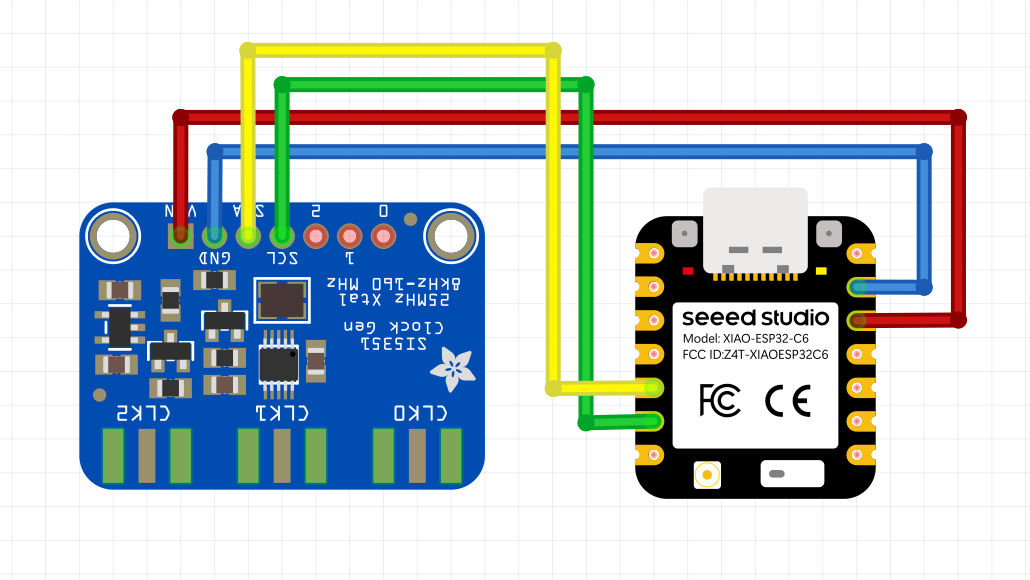
The connections were made on double-sided universal board with dimensions 30x70mm. Below is the result of soldering: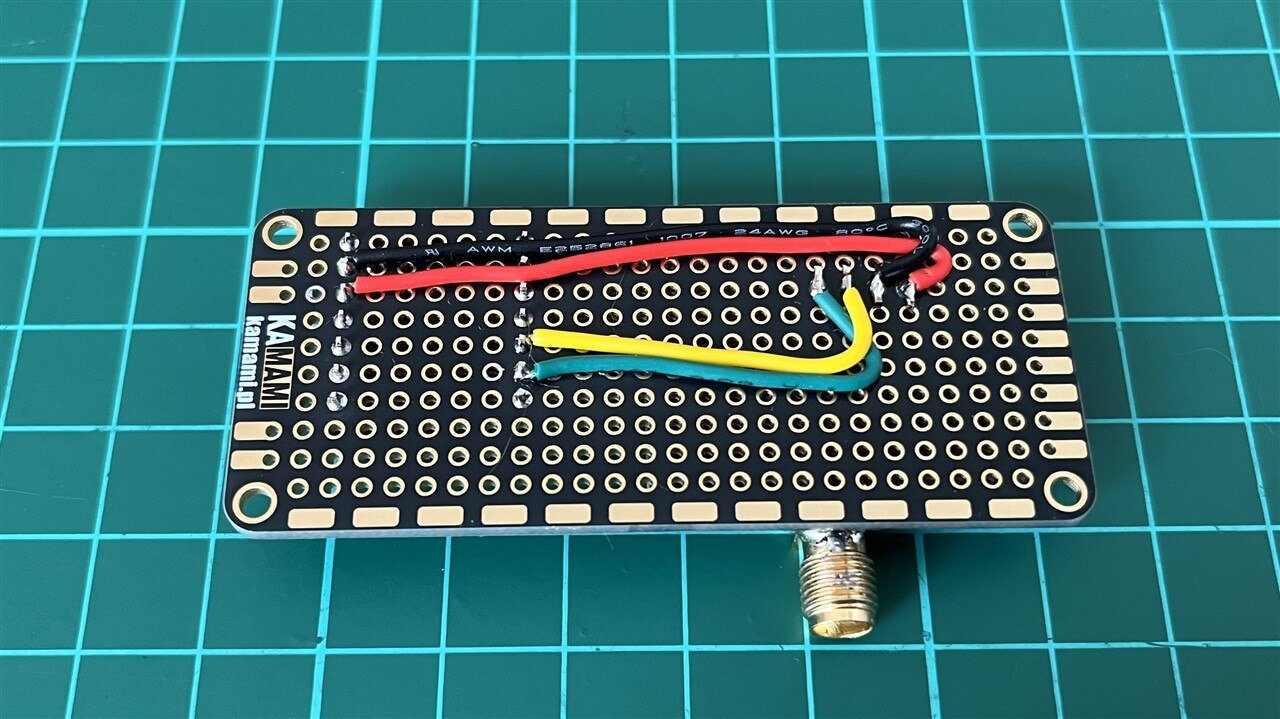
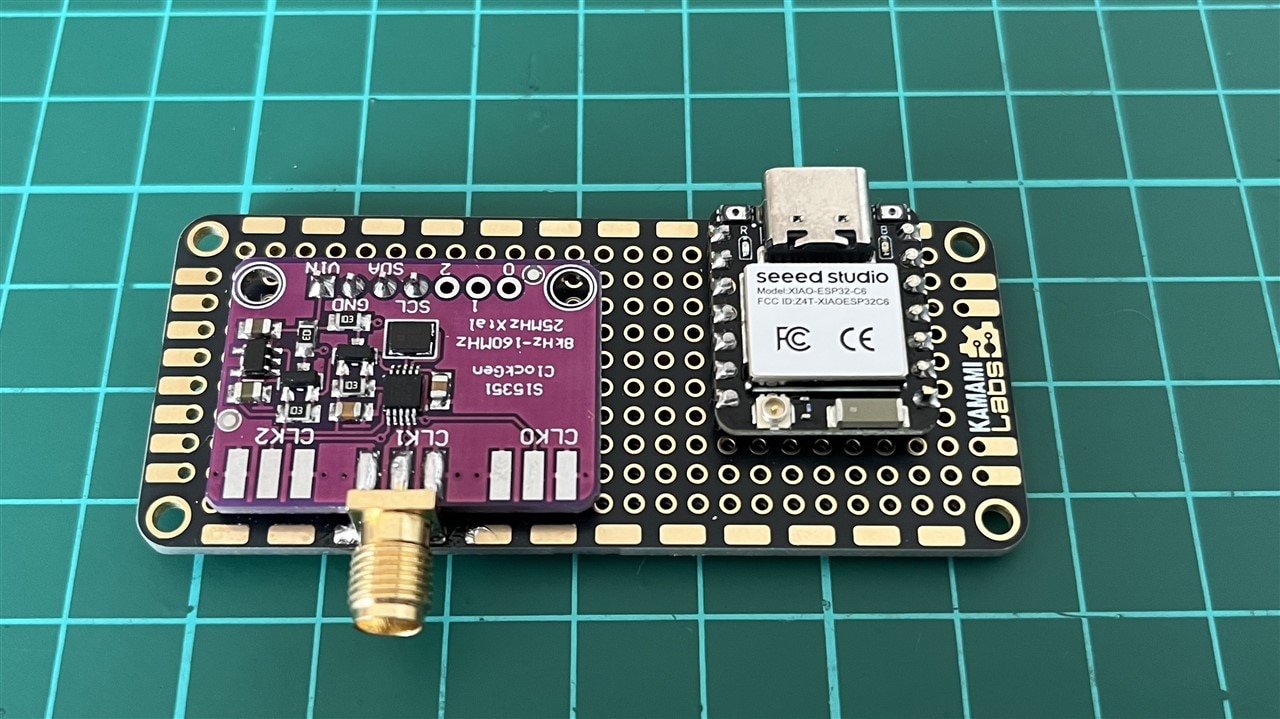
The code uses the etherkit si5351 library to drive a clock generator board, and software Wi-Fi Access Point for serving webpage, and handling actions like setting frequency and toggling output. Below there is the source code:
#include <WiFi.h>
#include <WebServer.h>
#include <Wire.h>
#include <si5351.h>

const char *ssid = "SiClockGen";
const char *password = "12345678";

WebServer server(80);
Si5351 si5351;

const uint32_t MIN_FREQ = 8000;
const uint32_t MAX_FREQ = 160000000;

uint32_t frequency = 10000000;
bool outputEnabled = true;

const char webpage[] PROGMEM = R"====(
<!DOCTYPE html>
<html>
<head>
<meta name="viewport" content="width=device-width,initial-scale=1">

<style>

body{
    font-family:Arial;
    background:#f0f0f0;
    text-align:center;
}

#display{
    font-family:Consolas,monospace;
    font-size:60px;
    font-weight:bold;
    color:#0040ff;
    background:white;
    border:3px solid black;
    border-radius:10px;
    display:inline-block;
    padding:15px 25px;
    margin:20px;
}

#status{
    font-size:28px;
    font-weight:bold;
    width:220px;
    margin:auto;
    border-radius:8px;
    padding:10px;
}

.on{
    color:white;
    background:green;
}

.off{
    color:white;
    background:red;
}

input{
    width:240px;
    font-size:24px;
    text-align:center;
}

button{
    font-size:22px;
    padding:10px 20px;
    margin:8px;
}

</style>

</head>

<body>

<h2>Si5351 RF Generator</h2>

<div id="display">10.000.000</div>

<div id="status" class="on">
OUTPUT ON
</div>

<br><br>

<input
id="freq"
type="number"
min="8000"
max="160000000"
step="1"
value="10000000">

<br><br>

<button onclick="setFreq()">Set Frequency</button>

<button id="toggleBtn"
onclick="toggleOutput()">
Turn OFF
</button>

<script>

function formatFreq(f)
{
    return Number(f).toLocaleString('en-US').replace(/,/g,'.');
}

function setFreq()
{
    let f=document.getElementById("freq").value;

    fetch("/set?f="+f)
    .then(r=>r.json())
    .then(data=>{

        document.getElementById("display").innerHTML=
            formatFreq(data.freq);

        document.getElementById("freq").value=
            data.freq;

    });
}

function toggleOutput()
{
    fetch("/toggle")
    .then(r=>r.json())
    .then(data=>{

        let status=document.getElementById("status");
        let button=document.getElementById("toggleBtn");

        if(data.output)
        {
            status.innerHTML="OUTPUT ON";
            status.className="on";
            button.innerHTML="Turn OFF";
        }
        else
        {
            status.innerHTML="OUTPUT OFF";
            status.className="off";
            button.innerHTML="Turn ON";
        }

    });
}

</script>

</body>
</html>
)====";

void handleRoot()
{
    server.send_P(200,"text/html",webpage);
}

void handleSet()
{
    if(!server.hasArg("f"))
    {
        server.send(400,"text/plain","Missing frequency");
        return;
    }

    uint32_t f=server.arg("f").toInt();

    if(f<MIN_FREQ)
        f=MIN_FREQ;

    if(f>MAX_FREQ)
        f=MAX_FREQ;

    frequency=f;

    si5351.set_freq((uint64_t)frequency*100ULL,
                    SI5351_CLK1);

    String json="{\"freq\":";
    json+=String(frequency);
    json+="}";

    server.send(200,"application/json",json);
}

void handleToggle()
{
    outputEnabled=!outputEnabled;

    si5351.output_enable(SI5351_CLK1,
                         outputEnabled);

    String json="{\"output\":";

    json+=outputEnabled?"true":"false";

    json+="}";

    server.send(200,"application/json",json);
}

void setup()
{
    Wire.begin();

    if(!si5351.init(SI5351_CRYSTAL_LOAD_8PF,0,0))
    {
        while(1);
    }

    si5351.set_freq((uint64_t)frequency*100ULL,
                    SI5351_CLK1);
    si5351.drive_strength(SI5351_CLK1, SI5351_DRIVE_8MA);
    si5351.output_enable(SI5351_CLK1,true);

    WiFi.softAP(ssid,password);

    server.on("/",handleRoot);
    server.on("/set",handleSet);
    server.on("/toggle",handleToggle);

    server.begin();
}

void loop()
{
    server.handleClient();
}
The code was compiled and programmed to the ESP32C6 with usage of the Arduino. After initial testing, I found that it was required to set a higher output current by setting: SI5351_DRIVE_8MA, to get better results on higher frequencies.The webpage with control panel is available at address: http://192.168.4.1 after connecting to the SiClockGen Wi-Fi access point: Below there is what the page looks like:
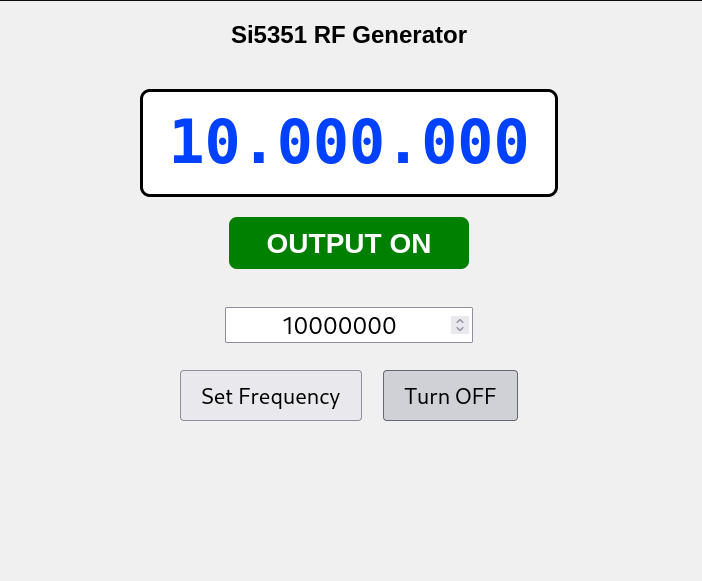
The testing was done using direct probing via a passive probe as on the following picture:
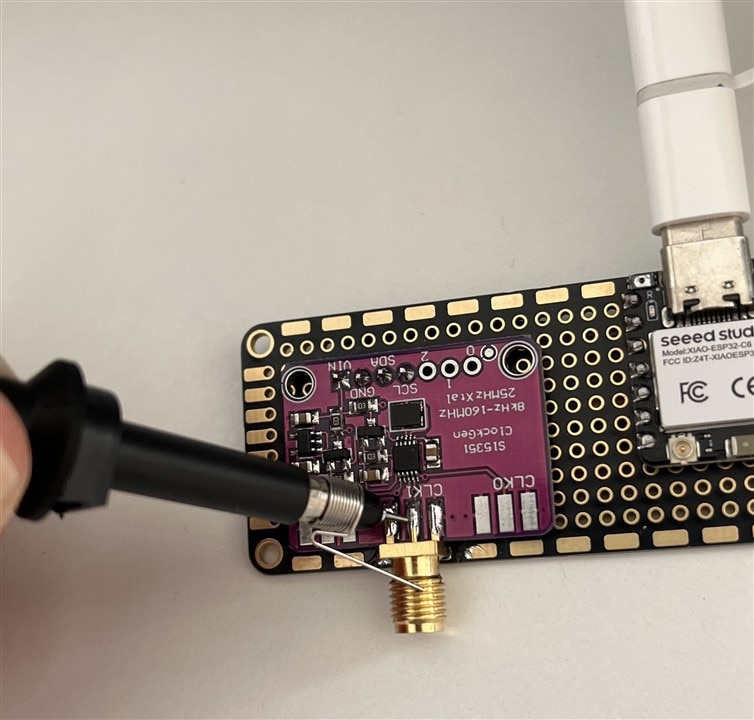
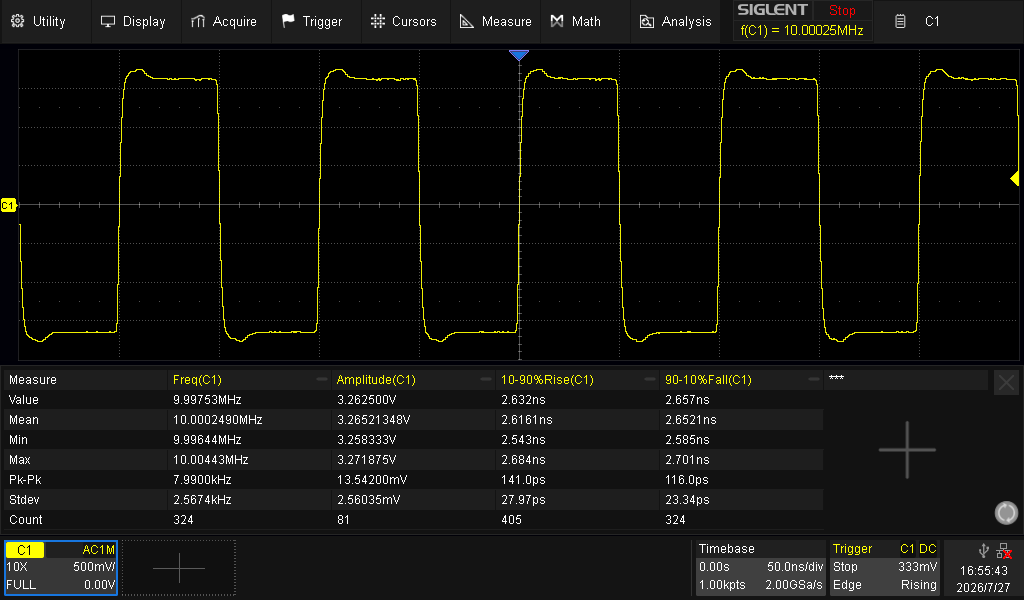
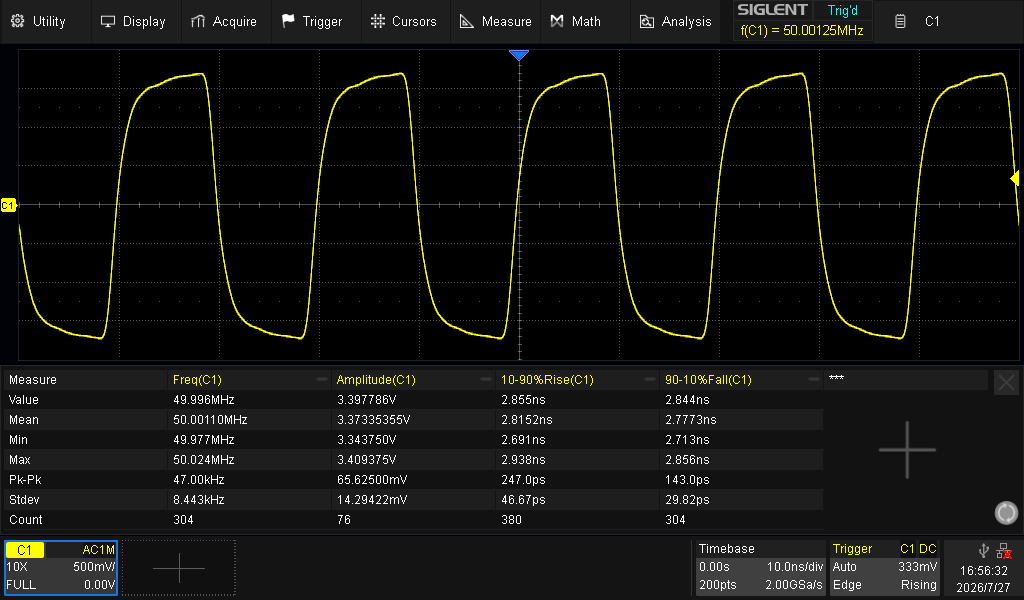
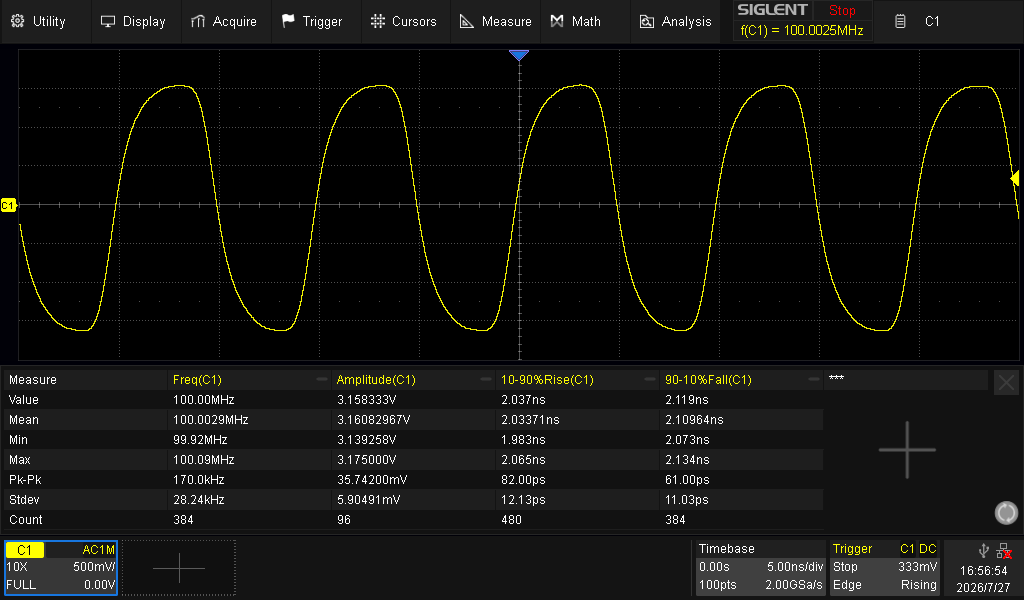
Below there are results of measurements for clock frequencies of 1 MHz, 10 MHz, 25 MHz, 50 MHz, 100 MHz and 150 MHz:
| {gallery}Output clock measurement |
|---|
|
1 MHz clock |
|
10 MHz clock |
|
25 MHz clock |
|
50 MHz clock |
|
100 MHz clock |
|
150 MHz clock |



Below there are measurements with FFT included:
| {gallery}Output clock measurement with FFT |
|---|
|
1 MHz clock |
|
10 MHz clock |
|
25 MHz clock |
|
50 MHz clock |
|
100 MHz clock |
|
150 MHz clock |
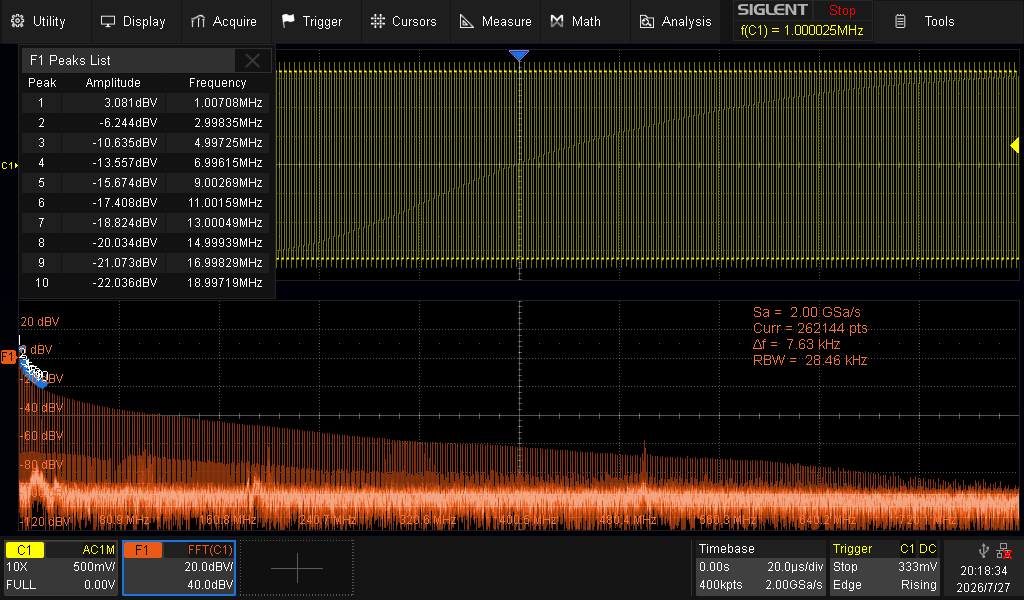
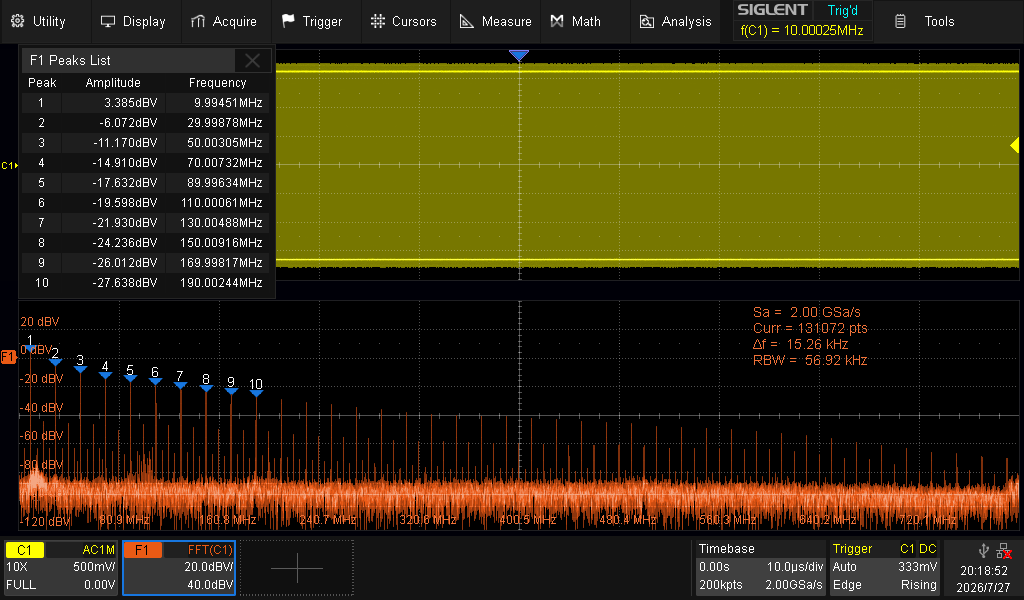
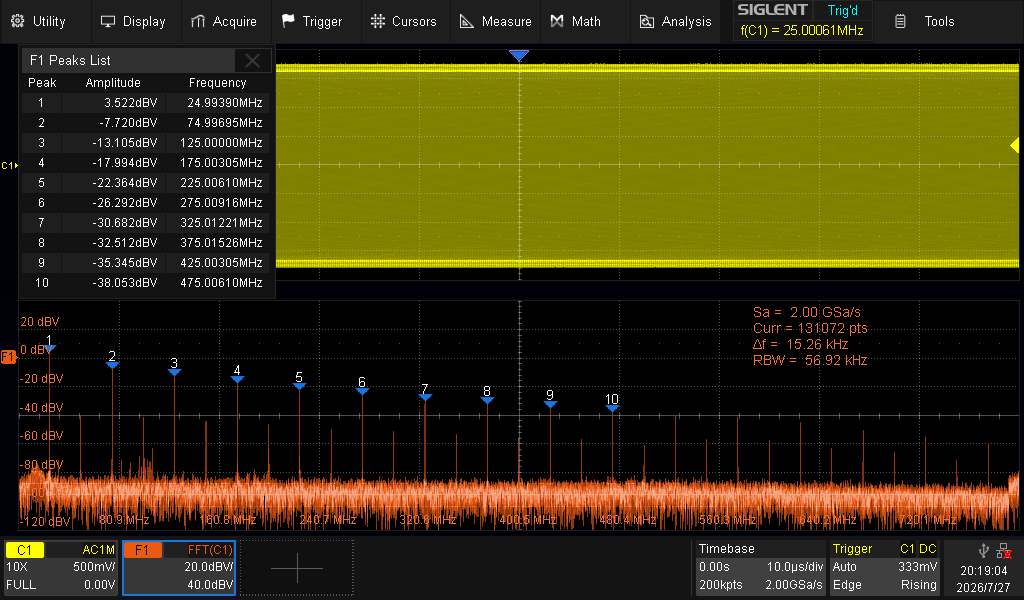
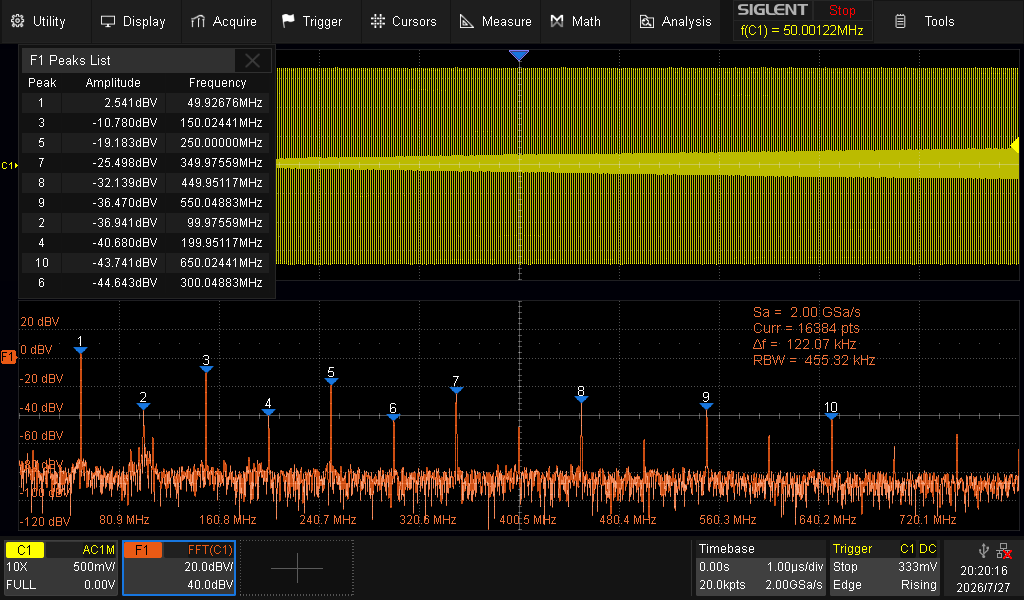
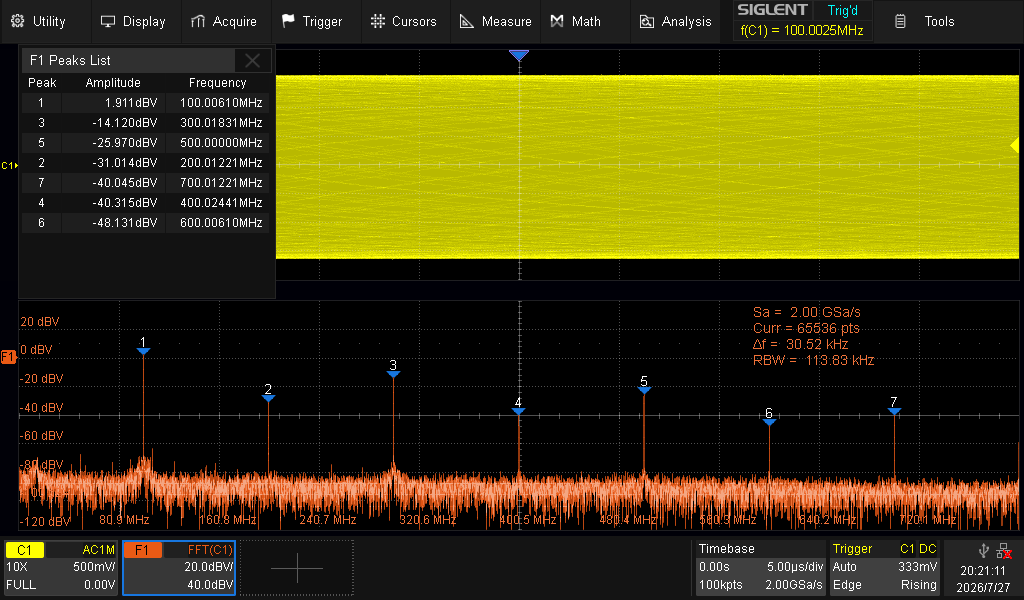
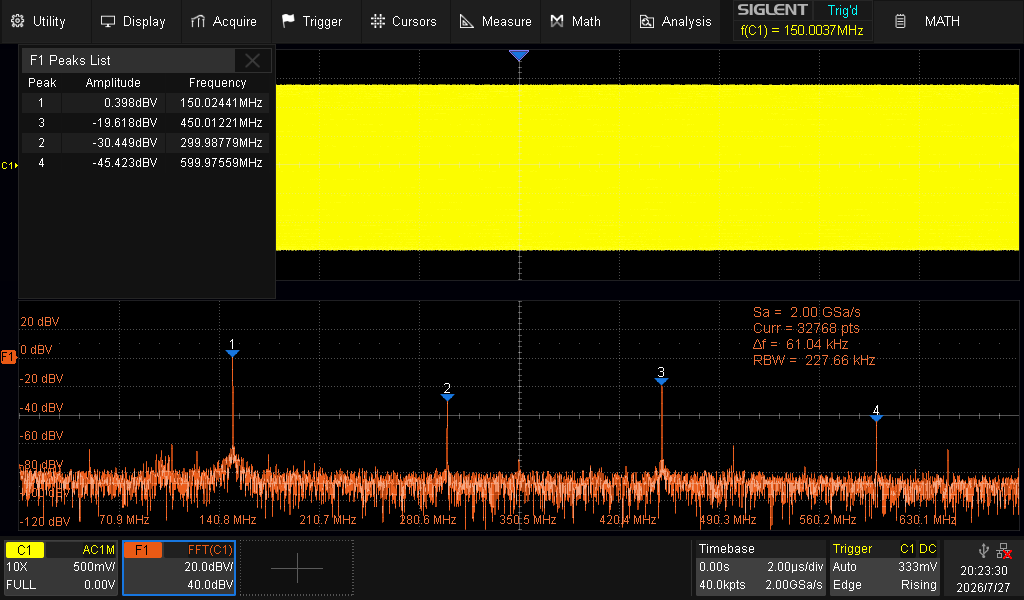
These measurements were done with a SP5050A passive probe and SDS2000X HD. It will be worth checking with usage a 50 Ohm input and direct connection via coaxial cable. I am waiting for the adapter from SMA to BNC to check it.


