


The timing of these blog posts is a bit irregular because of previous engagements with medical appointments, my PhD, other RoadTests and my personal blog. It's not easy to find the time to write the posts sometimes - but I'm sure somebody would appreciate them, so lets keep this show rolling  . Before anyone asks - no I didn't receive the items, prepare them, and get something working all in a day.
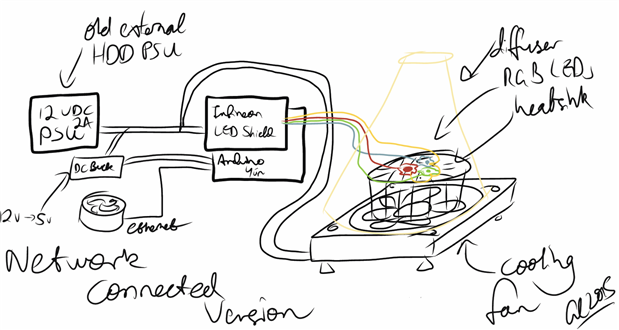
The parts themselves arrived on 19th January 2015, right after I got back from my international conference, and I took photos of them right away. The first thing I needed was a concept - how to utilize the items. I'm not really one for originality, but a colour changing browser-controlled LED desk lamp came to mind. It's probably the most basic thing one can envision. In order to get this show on the road, I would build something simple, illustrated in the following sketch, using the Uno first to confirm that the Infineon LED Shield and LEDs are working.
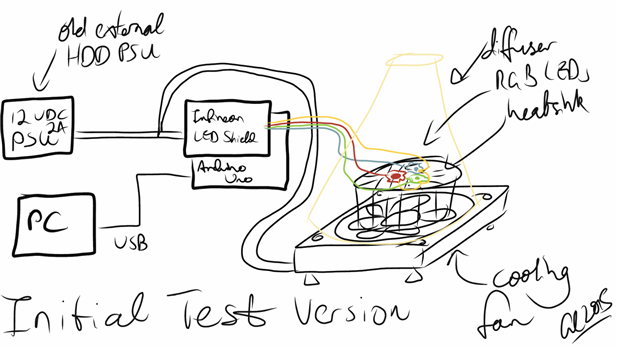
Several key points needed to be kept in mind:
- The Infineon shield natively supports up to 700mA per channel. In reality, this means you should use LEDs with 700mA or greater forward current ratings to ensure that even when the maximum brightness is mis-configured, there is no way the LEDs would be blown. I suppose, with appropriate care, you could use lower current rating LEDs if you ensure that your dimming values are set correctly.
- With 700mA of drive current available, it doesn't really make sense to run low-current 20mA 5mm LEDs. You would need at least 35 of them in parallel to sink the 700mA current, and then you have issues of ensuring current balance (e.g. via feedback resistor) to ensure that you don't get one LED taking the majority of the current.
- The voltage, however, is more flexible with the shield being able to run off 6 to 48V DC. Because of the buck DC-DC architecture, your input voltage must be at least 2V greater than your output voltage. Having more input voltage than is strictly required isn't much of a problem as it is "transformed" into output current. The outputs are strictly current-driven. As a result, in order to get your 100W (33W/channel) output, you would have to series-up enough LEDs to equate to 46V voltage drop, all of them rated at 700mA, with 48V into the shield.
- If you don't care about getting the most from the shield itself (and believe me, 100W of LEDs is expensive and a heat problem), then you can choose to drive less LEDs. In my case, I settled on one LED per channel, 700mA current rated or higher. Commercially, these would often be marketed as 3W LEDs, so I'd have a total of ~9W of LEDs. Because the voltage drop of a single LED is not very great, you can probably get away with running at 6V input, but since I had a 12V 2A power supply left over from an old external drive, I decided to use that. As the PSU's capacity is 24W, that's plenty more than the LED consumption, meaning that we have some room to run the Arduino Yun and a cooling fan as well from the same PSU.
- LEDs get hot - at 700mA, you can expect your "average" 3W LED to put out about 1.5-2W of that in heat. If you don't get them some sort of heatsink, they will overheat and damage themselves. As a result, I decided to grab a heatsink as well - but you will need to think about size, shape and customizing it too.
- Using a 2W per LED figure, the array is likely to put out about 6W of heat. As LEDs run best below 85 degrees C, with an ambient of 25 degrees C gives a thermal rise of 60C. As a quick back of the envelope, your heatsink needs to have a thermal resistance of 10C/W (or 10K/W) or less to ensure the LEDs don't overheat. That normally means it's not going to be some thin metal stamped unit. In reality, it will need to have a thermal resistance slightly less, because the junction to case, case to MCPCB, MCPCB to heatsink junctions all contribute additional thermal resistance which you need to account for.
- You can significantly improve the thermal resistance to ambient if you use a fan with your heatsink - while I might not need it, I decided to go with one for additional safety margin. Running LEDs cooler will result in a higher lifetime.
- Buying LEDs on bases or with easy to mount packages is generally advisable, otherwise you will have to devise ways to do surface mounting of the LEDs with the additional challenge of thermal management of the LEDs. Many of them cannot be sensibly mounted to regular PCBs and need specialized aluminium core MCPCBs to ensure the heat can be dissipated fast enough.
- Staring at these bright LEDs directly is potentially going to cause you eye damage - so something to diffuse the light, and combine the light to create a homogenous colour is necessary. For now, I've just settled on a sheet of paper, wrapped around into a "cone" shape.
With those considerations in mind, I had to purchase my additional parts to make the design come to life.
Shopping List
None of these items came with the Off-RoadTest, but I deemed them necessary to create my concept, so I spent about AU$63 or thereabouts (with GST and free shipping) getting parts from element14 Australia to make it happen.
- 1178396 Elkay-1276-18-Terminal Block, Barrier, 12 Pos AU$0.84 - this is used to make some wire-to-wire connections when necessary
- 1850074 Fischer Elektronik SK 570 25 SA LED Heatsink, Standard Extruded AU$7.73 - 1.75C/W heatsink - should be more than necessary to keep the LEDs happy
- 1973700 LEDEngin LZ1-10B200 High Brightness LED Blue 5W AU$19.37 - Blue LED for blue channel, 1.2A maximum continuous rating, star base
- 1901495 LEDEngin LZ1-10R200 LED Medium Red AU$10.74 - Red LED for red channel, 1A maximum continuous rating, star base
- 1716760 Multicomp OSW-4334 LED 3W High Power Leaded True Green AU$18.68 - Green LED for green channel, 700mA continuous rating, TO-220 package
I would have really liked to have matched the green channel with an LEDEngin product, but element14 Australia doesn't have the LZ1-10G100 in their catalogue, so I settled for an alternative part with enough current rating and a package which can easily be handled/mounted.
The remaining things I managed to scrape out of my spares box, or I had spare on hand:
- M3.5 screws to secure the star base/TO-220 packages to the heatsink
- M3 HSS Drill Bit to drill into the heatsink
- Cordless drill to make the holes
- Screwdriver to drive the screws into the heatsink
- Arctic Ceramique thermal paste to improve the thermal contact of the LEDs to the heatsink
- Hook-up wires of various colours taken from old ATX power supplies to make the connections
- 12V 2A DC power supply from an old external hard drive
- USB A to B cable to connect the Arduino to the PC
- Straight header pins to connect the Infineon LED Shield onto the Uno
- Solder to solder the pins on
- A soldering iron to make the joints
- An old spare 80mm computer fan and screws to provide some extra cooling
- A buck module to reduce 12v to 5v to power the Arduino (for the Yun which has no internal regulator)
Getting the necessary parts was a great cause of delay, with a little more than one week spent waiting for backordered parts from element14 to arrive. But since they all arrived just this week, I could finally prepare the hardware and get it to a stage where I can confirm the hardware actually works.
Preparing the Hardware
The Infineon shield comes "naked" and the first thing that you will need to do is solder on some header pins to make the connection to the Arduino. In general, I would recommend tall stackable header pins, but since I didn't have any on hand, and I was pretty eager to get going, I decided to grab some spare standard header pins I had spare.
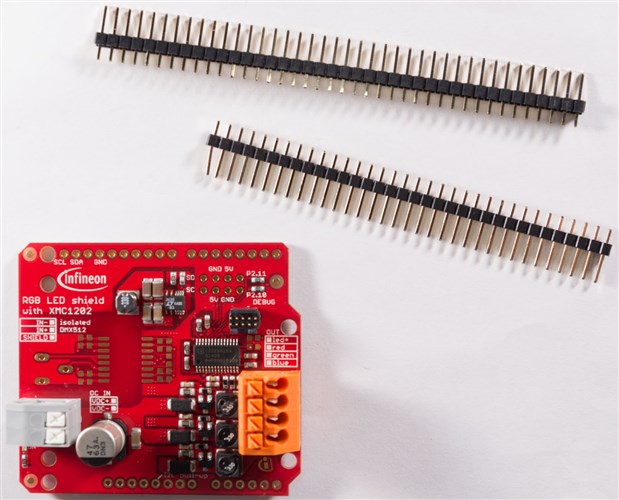
With the header pins, it's pretty simple to snap them to the right lengths in preparation for soldering.
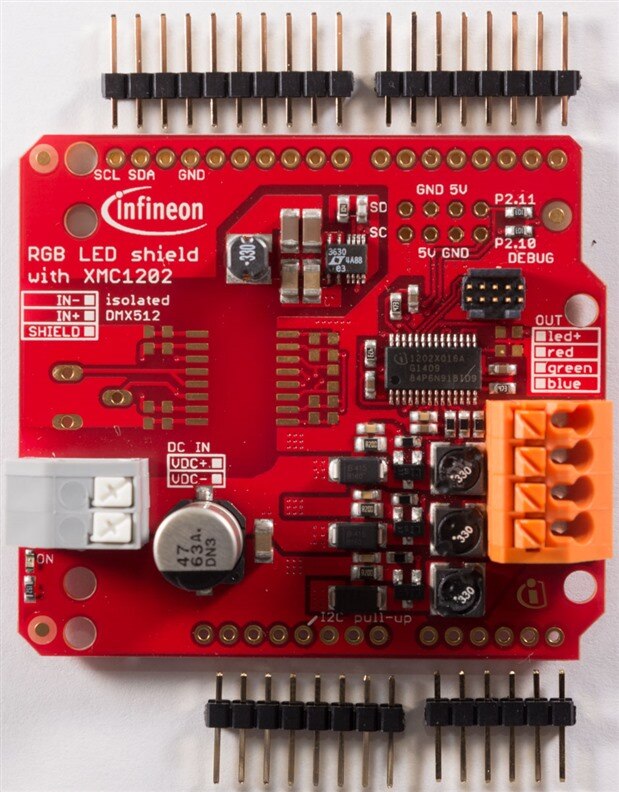
It's at this point that many novices make a mistake - they try to solder the pins on with the board standing free and then find that their pins are skewed at strange angles and don't want to plug into the board. As a result, here's a tip that I've heard - you should just plug the pins into the Arduino itself, using it as a holder, then you put the board onto the pins.
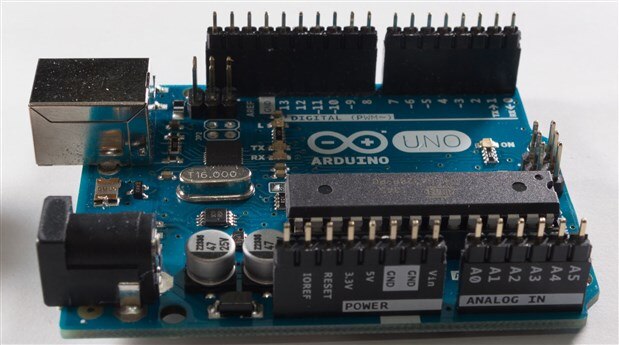
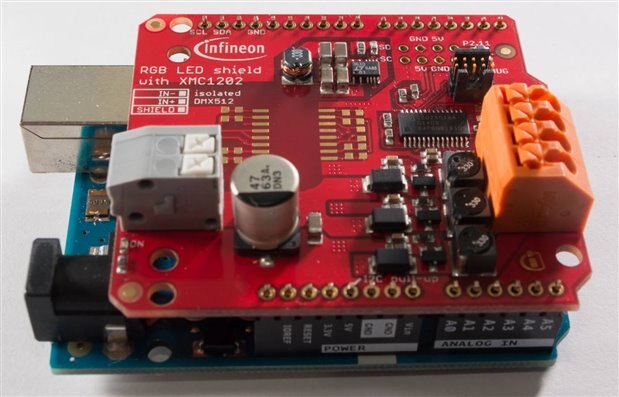
People with more advanced soldering skills can go on and solder all the pins in sequence, but more novice people should just solder the end pins on each header segment, remove it from the Arduino and then solder the rest of the joints to avoid overheating the header sockets on the Uno and damaging it.
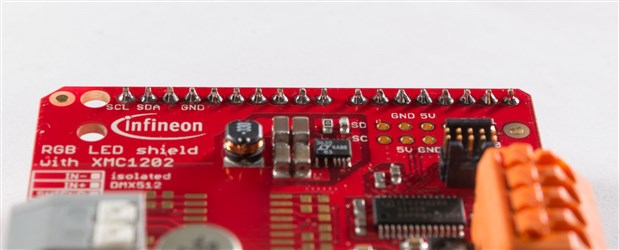
Because of the nice ENIG finish on the PCB, and the red solder resist, the board is very easy to solder to. The joints look pretty good for hand-done .
Now, the more difficult task of preparing the LEDs. The LEDs have very intricate internal grid structures and wire-bonds - it's quite nice to look at.
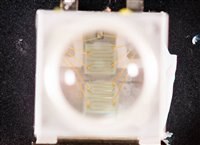
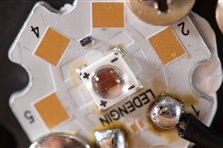
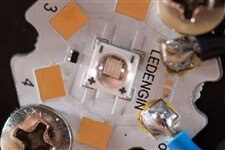
I didn't take pictures of the initial stages, but suffice it to say, it's necessary to solder leads to each LED unit first. If mounted to the heatsink, the heat from the iron will be drawn away and it's not possible to make good joints. Once leads are soldered, the heatsink has to be marked out for drill holes, the holes drilled, thermal paste applied, and the screws tightened to secure the LEDs on the heatsink. Then the wire connections can be made - for something that looks something like this ...
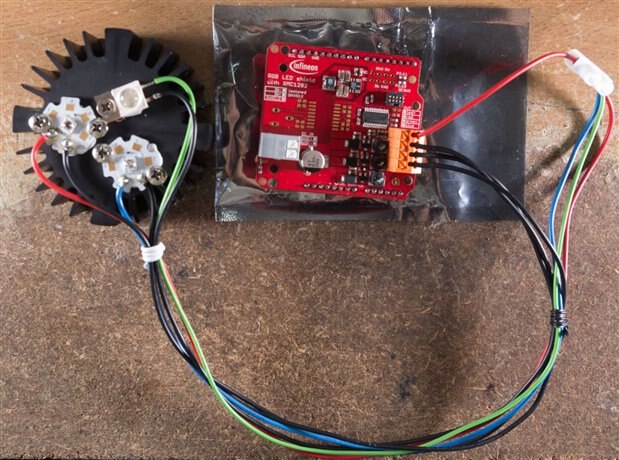
I didn't pay attention to my own diagrams, so I totally forgot this connection scheme is common anode. I colour coded the anodes nicely, but for no good reason! I used a terminal connector block to common-up all the anode leads. The connection blocks on the Infineon Shield are of a type I haven't ever encountered before, and using them is a bit of an unusual experience. Provided you strip the end of the wire, insert it in far enough and push down on it, a connection is made. Unfortunately, I'm not sure if the connections can be undone afterwards - so consider these "one shot" punch-down blocks. If worst comes to worst, I suppose the connectors can be de-soldered.
The final step is to prepare the power supply leads, and fan leads - another terminal connector block is used to make the wire connections for additional flexibility in reconfiguration later.
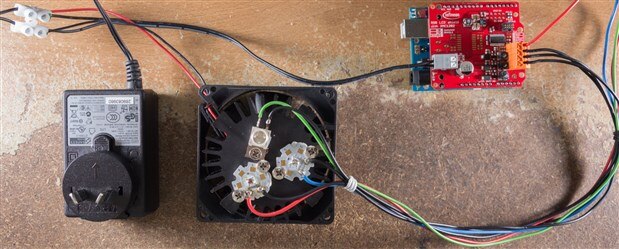
Add a USB lead, and now we're ready to prepare the PC-side of things.
Preparing the IDE and Arduino Uno for First Light
I hadn't updated my Arduino IDE for a while, so I downloaded the latest version and unzipped it. It's necessary if one is to have any chance of programming the new Yun later on. The IDE still cosmetically looks the same as before. I then downloaded Robert Peter Oakes library from here and unzipped the files to a new folder called Infineon under the Library folder.

I ensured the board was powered - the Uno via USB, and the LED Shield via the 12v DC PSU. Opening the IDE, copying the code in the RGBLED.ino demo file into a new sketch, allows you to compile and load it onto the board for a test to see whether it works.
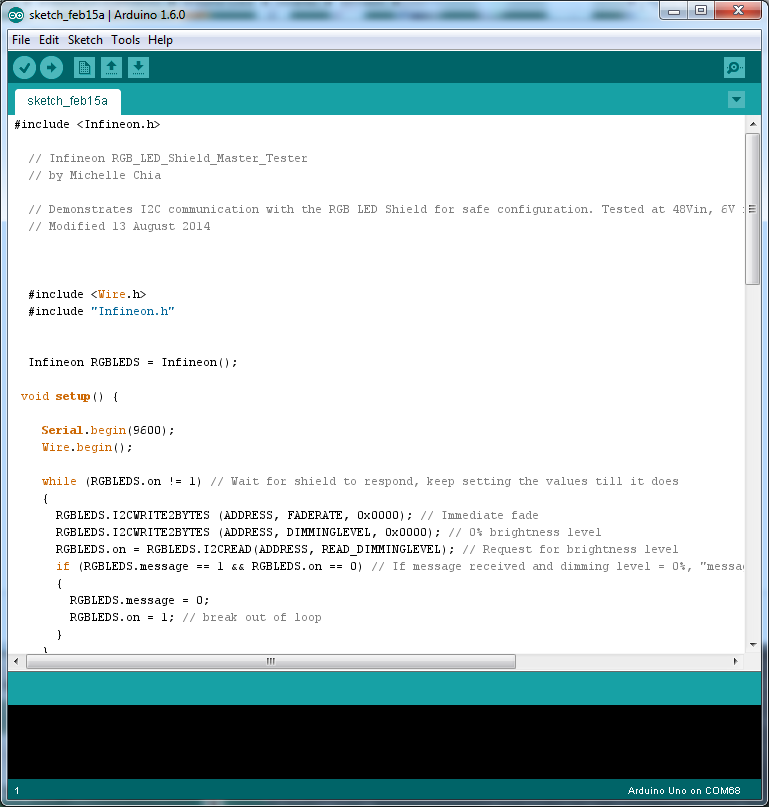
The sketch begins running immediately upon upload - success! It works! We see first light from the LEDs.
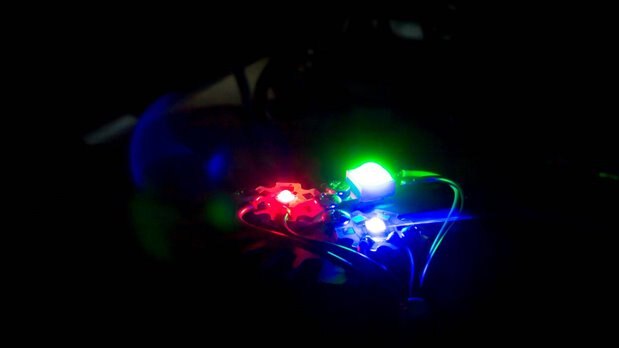
Here's a quick (not so very nice) video of the endless loop running with a sheet of paper as a crude diffuser.
(I tried uploading to element14 as a video, but it kept erroring out despite multiple retries with Unexpected error occurred, so it's on Youtube instead)
Conclusion
Thanks to the efforts of the previous RoadTesters, particularly Robert Peter Oakes, it wasn't that much of a hassle to get to the stage of first light. The demo sketch and library provided worked a treat, and the LEDs lit up as expected. The shield does make a little acoustic noise, which is expected to some degree (as many switching converters will produce such sounds due to magnetostriction in the inductors), but the light appears steady to the eye, with smooth fade transitions between the colour values.
The next step will be to code up something which drives the LED colours based on some input which I provide, which I can then use to expand the system under direct PC control, and then control through the Yun. I figured out getting acquainted with the Yun would take a while, so don't expect to see an update for a while - but this is how I envisage the sketch would look like with the Yun in the picture.
Thanks for reading! Thanks to mcb1 and ipv1 for their support on my previous posting !
---
Feel free to visit me at my personal blog at http://goughlui.com
Top Comments