


I frequently have the need or desire to do some measurement logging when developing my projects. In most cases this is a temporary requirement and involves measuring voltage, current, or temperature. The ideal instrument for this would be a wireless DMM that could communicate with a remote computer or tablet. I recently completed the Path II Programmable training program and was looking forward to using one of the graduation awards - a Fluke FLK-3000FC DMM with wireless capability using Fluke Connect: FLK-3000FC . Unfortunately it seems that this meter was not available and I received a Fluke 233 instead which has remote display capability but does not have Fluke Connect: FLUKE-233.
The Fluke 233 uses Bluetooth to transmit data from the meter base to the remote display but I haven't figured out how to capture that data for logging purposes. In searching for a solution I came across a number of low cost DMMs that use Bluetooth for remote data collection and display. Apparently this capability has been available on entry level DMMs for a few years now. All the meters that I found use a mobile app to display the data on a cellphone or tablet using Bluetooth connectivity but I really wanted a way to capture the data on a desktop PC. I also found a blog post by Tom Igoe where he created an HTML interface for a General Tools TS04 DMM using Web Bluetooth: https://www.tigoe.com/pcomp/code/javascript/1309/ . This looked like it would do what I wanted so I purchased one of these low cost meters on Amazon for under $25: General Tools TS04 .
General Tools TS04 ToolSmart Bluetooth Connected Digital Multimeter
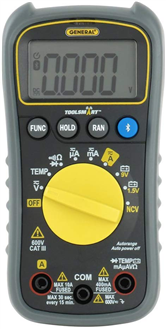
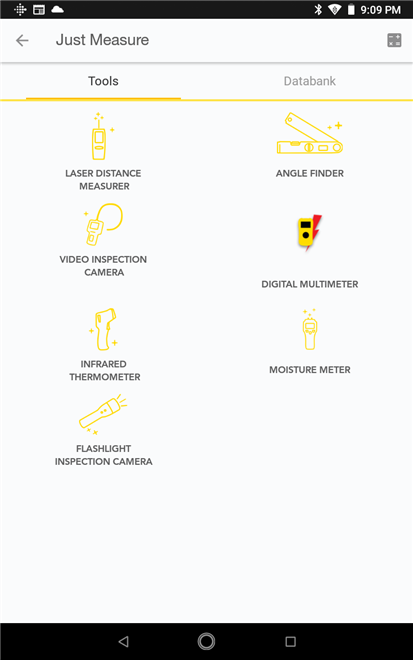
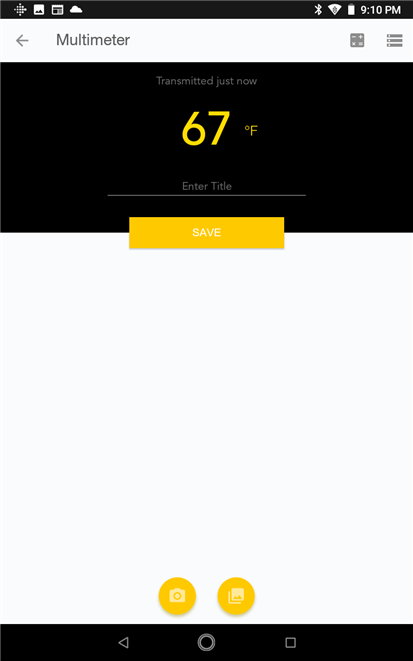
The DMM normally connects using an Android or iOS app so I tried that out first using the ToolSmart app on my Android tablet. The DMM is one of a family of Bluetooth connected tools from General and the app allows connection and data collection from any of these tools. Connecting is extremely straightforward - basically just push the Bluetooth button on the DMM and open the app and click on the tool icon and the app handles the pairing. The DMM came with a thermocouple for measuring temperature and the app identified the measurement mode and displayed the data. One anomaly that I discovered is that the app requires that you set the units to either Fahrenheit or Celsius and if you change the units on the meter they will not change in the app although the measurement value will change. Here are a couple of screenshots of the app.
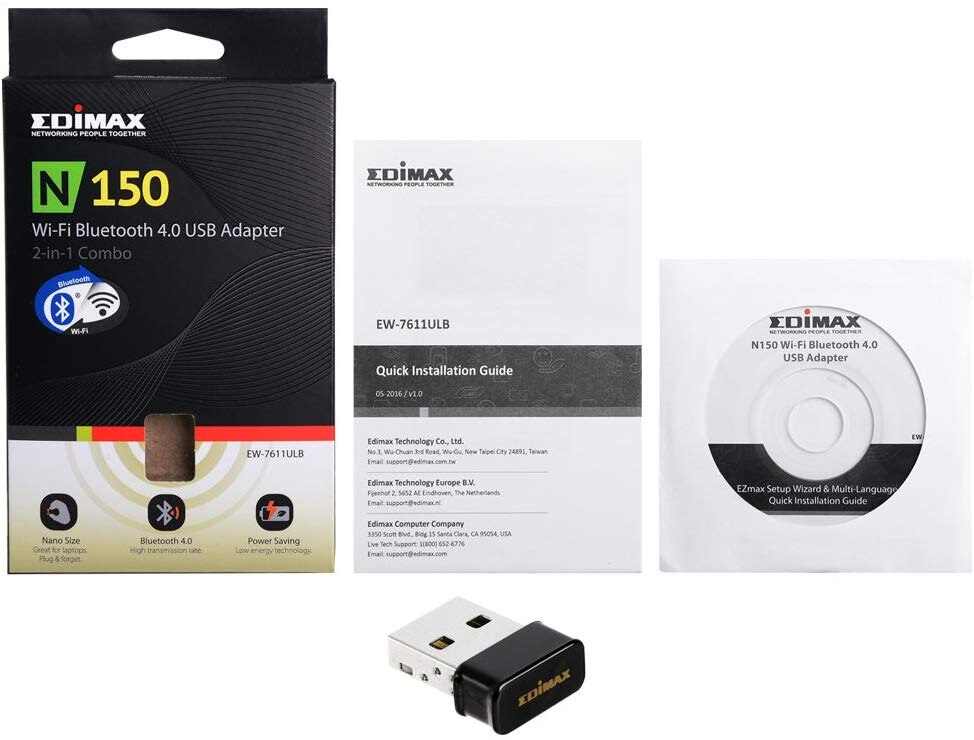
Next step was to try running the browser code on my PC to see if that would work. The desktop PC that I wanted to use did not have Bluetooth or WiFi but I had a combination USB adapter from Edimax that I installed. Windows 10 automatically installed the drivers but for some reason only the WiFi was working. I tried installing the Bluetooth drivers from the mini CD and that worked although it also could have been the reboot that fixed it.
Edimax-EW-7611ULB-Wi-Fi-Bluetooth-Adapter
The browser interface that Tom Igoe created a couple of years ago uses HTML, JavaScript, and the Web Bluetooth API. I've never used Web Bluetooth before but it apparently integrates Bluetooth capability within the browser itself. The Chrome browser is supported and that's what I normally use. The great part of what he did was to figure out how to interpret the DMM data that was being transmitted. You can find a good description of the interface at the blog link and also find useful links to Web Bluetooth and his code on GitHub.
The interface is pretty basic. Here's a short video of it operating with the meter and thermocouple. Basically just need to hit the Connect button and pair the meter and the data is displayed. With this interface the units and value will correctly update when I change the settings at the meter from Fahrenheit to Celsius.
Here is the JavaScript code that implements the Bluetooth interface:
/*
This script connects to a TS-04 multimeter using web-bluetooth
and parses the meter's data protocol. It then calls functions from display.js
to populate an HTML page.


created 6 Aug 2018
by Tom Igoe
*/


var myDevice;                         // web-bluetooth peripheral device
var serviceUuid = 0xffb0;             //UUID of the primary service
var readingCharacteristic = 0xffb2;   // UUID of the relevant characteristic


// set up a JSON object for the result:
var meter;


// ------------------ Bluetooth Connection functions
function connect() {
  // TODO: implement navigator.bluetooth.setBluetoothManualChooser()
  // to replace scanning chooser with something more accessible.


  // search for Bluetooth devices: opens the BLE search window:
  navigator.bluetooth.requestDevice({
    filters: [{ services: [serviceUuid] }]
  })
  .then(function(device) {
    // save the device returned so you can disconnect later:
    myDevice = device;
    // connect to the device once you find it:
    return device.gatt.connect();
  })
  .then(function(server) {
    // get the primary service:
    return server.getPrimaryService(serviceUuid);
  })
  .then(function(service) {
    // Step 4: get the meter reading characteristic:
    return service.getCharacteristic(readingCharacteristic);
  })
  .then(function(characteristic) {
    // subscribe to the characteristic:
    characteristic.startNotifications()
    .then(subscribeToChanges);
  })
  .catch(function(error) {
    // catch any errors:
    console.error('Connection failed!', error);
  });
}


// subscribe to changes from the meter:
function subscribeToChanges(characteristic) {
  characteristic.oncharacteristicvaluechanged = handleData;
}


// handle incoming data:
function handleData(event) {
  // get the data buffer from the meter:
  var buf = new Uint8Array(event.target.value.buffer);
  // decode the results if this is the correct characteristic:
  if (buf.length == 9) {
    // decode the binary string:
    decode(buf);
    // from display.js, fill the HTML page:
    fillDisplay(meter);
  }
}


// disconnect function:
function disconnect() {
  if (myDevice) {
    // from display.js, clear the HTML page:
    clearDisplay(meter);
    // disconnect:
    myDevice.gatt.disconnect();
  }
}


// ------------------ Meter protocol parsing functions
function decode(data) {
  meter = {
    value: '',            // number value
    negativePolarity: '', // DC negative polarity
    units: '',            // what you are measuring: V, A, Ω, etc.
    magnitude: '',        // kilo-, milli-, mega-, micro- ,etc.
    acDc: '',             // AC or DC, for V and A readings
    setting: null,        // what setting (function) you're on
    hold: null,           // hold current reading onscreen
    autoRange: null,      // autoranging feature
    ncv: false,           // non-contact AC voltage beep
    status: null          // device status
  }
  //  debugging the raw data:
  // let reading ='0x'
  // for (let i=0; i< data.length; i++) {
  //   reading += data[i].toString(16);
  // }
  //  console.log(reading);


  /*
  get the numeric vslues. Each seven-segment LCD numeral is split across
  two bytes. See https://www.tigoe.com/pcomp/code/javascript/1309/ for more details
  */


  //  byte 1 bits 0-1 are AC/DC:
  if ((data[1] & 0b10) > 0) {
    meter.acDc = 'DC';
  } else if ((data[1] & 0b1) > 0) {
    meter.acDc = 'AC';
  } else {
    meter.acDc = '';
  }
  // byte 1 but 2 is autoranging:
  meter.autoRange = ((data[1] & 0b100) > 0);


  // byte 1 bit 4 is the negative sign:
  if ((data[1] & 0b10000) > 0) {
    meter.negativePolarity = '-';
  }


  let readout = '';
  // iterate over bytes 2-5 to get the values:
  for (let x=2; x<6; x++) {
    // the digit value is split across each byte and the one before it:
    readout += makeDigit(data[x], data[x-1]);
    // the decimal point for each numeral is in bit 4:
    if ((x<5) && (data[x] & 0b10000) > 0) {  // decimal point
      readout += '.';
    }
  }
  // add polarity:
  if (meter.negativePolarity == false) {
    meter.value = '-' + meter.value;
  };
  meter.value = readout;


  // get units of measurement:
  // bit 6 in data[7] is always on, so mask it out:
  let masked =  data[7] - 0b01000000;
  if (( masked & 0b1) > 0) {
    meter.units  = 'amps'; // amps
    meter.setting = 'Amperage';
  }
  if ((data[7] & 0b1000000) === 0) {
    console.log(' bit 6 is off');
  }
  if ((masked & 0b10) > 0) {
    meter.units = 'volts';  // volts
    meter.setting = 'Voltage';
  }
  if ((masked & 0b10000) > 0) {
    meter.units = 'degrees Fahrenheit'; // degrees Fahrenheit
    meter.setting = 'Temperature';
  }
  if ((masked & 0b100000) > 0) {
    meter.units = 'degrees Celsius'; // degrees Centigrade
    meter.setting = 'Temperature';
  }
  if ((masked & 0b10000000) > 0) {
    meter.units = 'NCV';// non-contact AC voltage check
    meter.setting = 'Non-Contact AC Voltage Check';
  }


  if ((masked & 0b00001000) > 0) {
    meter.status = "low battery";
  }
  if ((data[6] & 0b00100000) > 0) {
    meter.units = 'ohms';
    meter.setting = 'Resistance';
  }


  // get modifiers from data byte 6:
  // bit 0: milli:
  if ((data[6] & 0b1) > 0) {
    meter.magnitude = 'milli';
  }
  // bit 2: mega
  if ((data[6] & 0b100) > 0) {
    meter.magnitude = 'mega';
  }
  // bit 3: continuity:
  if ((data[6] & 0b1000) > 0) {
    meter.setting = 'Continuity';
    // if the display is 000.0, you've got continuity:
    if (meter.value === '000.0') {
      meter.value = 'continuous';
    }
  }
  // Byte 5 bit 6: kilo
  if ((data[5] & 0b1000000) > 0) {
    meter.magnitude = 'kilo';
  }
  // bit 7: hold
  meter.hold = ((data[6] & 0b10000000) > 0);


  // Byte 5 bit 4: micro
  if ((data[5] & 0b10000) > 0){
    meter.magnitude = 'micro';
  }
  // Byte 5 bit 7: diodeCheck
  if ((data[5] & 0b10000000) > 0) {
    meter.setting = 'Diode Check';
  }
  // Byte 5 bit 2: NCV beep
  if (((data[5] & 0b100) > 0) && (meter.setting ==='Non-Contact AC Voltage Check')) {
    meter.ncv = true;
  }
}


// parse the value of a digit from the bits in bytes 1-4
function makeDigit(byteValue, prevValue) {
  let digit = '';
  // combine the upper three bits of the first byte
  // with the lower four bits of the second byte.
  // bit 4 is always the decimal point, so it's ignored here:
  let numberValue = (byteValue & 0b1111) | (prevValue & 0b11100000);
  switch (numberValue) {
    case 0:
    digit = ' ';
    break;
    case 0b11101011:
    digit = '0';
    break;
    case 0b1010:
    digit = '1';
    break;
    case 0b10101101:
    digit = '2';
    break;
    case 0b10001111:
    digit = '3';
    break;
    case 0b01001110:
    digit = '4';
    break;
    case 0b011000111:
    digit = '5';
    break;
    case 0b11100111:
    digit = '6';
    break;
    case 0b10001010:
    digit = '7';
    break;
    case 0b11101111:
    digit = '8';
    break;
    case 0b11001111:
    digit = '9';
    break;
    case 0b01100001:
    digit = 'L';
    break;
    case 0b11100101:
    digit = 'E';
    break;
    case 0b11100100:
    digit = 'F';
    break;
  }
  return digit;
}
Next step is to add plotting and data storage capability to the web application. Hopefully, I'll get that done for the next blog. Web Bluetooth looks to be pretty useful. I'll probably give it a try with my other Bluetooth sensors and microcontrollers. One negative point to mention about the TS-04 DMM - it does not have a backlight so it can be difficult to read in low light situations - good thing I plan to use it remotely. And the battery that came with the meter did not hold up well with continuous Bluetooth usage. Hope that's just a bad battery.
One parting thought - it would be great if I could figure out how to get this to work with the Fluke 233 but I doubt that I have the patience for that.
Top Comments