


The project that I'm working on with the Rapid IoT requires reading information from an external NFC tag. The Rapid IoT has the capability of reading and writing an internal NT3H2211 NFC tag, but it does not have the capability to read or write an external tag. The simplest way to implement that is to use a Mikroelektronika Click card, but that requires adding a Click interface for the Rapid IoT. Mikroelektronica has 3 Click expansion units in the Hexiwear product line that also supports the Rapid IoT. There is a Docking Station with 3 Click sockets, a Workstation with 4 Click sockets, and a Battery Pack which has a single Click socket. The Docking Station and Workstation also have debugger hardware, but since I am targeting a portable application I chose to use the Battery Pack. The Battery Pack uses 4 AAA batteries and 3.3V and 5V regulators to provide power for both the Rapid IoT and Click board.
The following pictures show the front and back of the Battery Pack and the NFC Click card (pictures are not to scale). The Battery Pack is 2.5" x 5.0" and the NFC Click is 1.0" x 2.5".
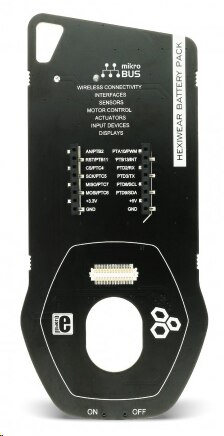
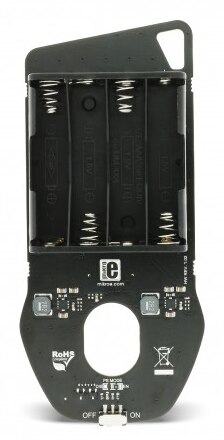

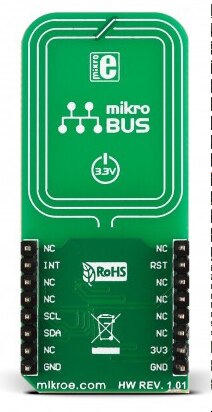
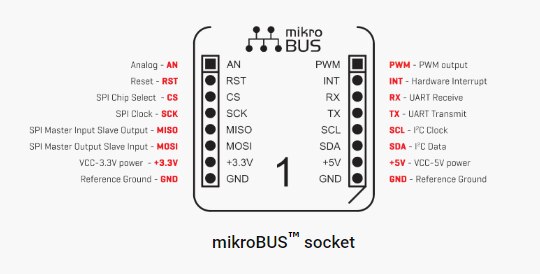
Click boards plug into a standardized microBUS socket which provides SPI, I2C, UART, and power connections. This socket definition will make it easy to add my own custom circuitry to the Rapid IoT in the future.
The Rapid IoT has 2 extension connectors on the backside that allow for debugging and extended capabilities.
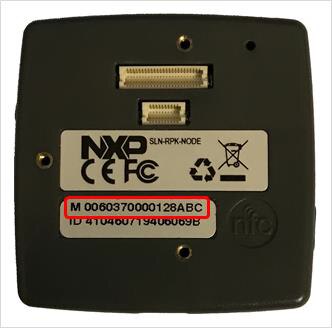
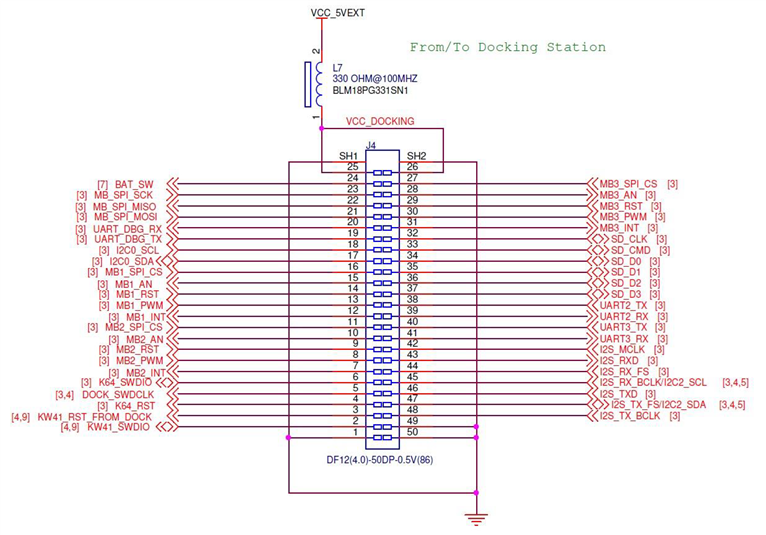
The upper 50 pin connector is compatible with the Hexiware docking connector and has connections for programming, debugging and interfacing Click boards.
The lower 20 pin connector is to enable a future upgrade to WiFi/Cellular and CAN connectivity.

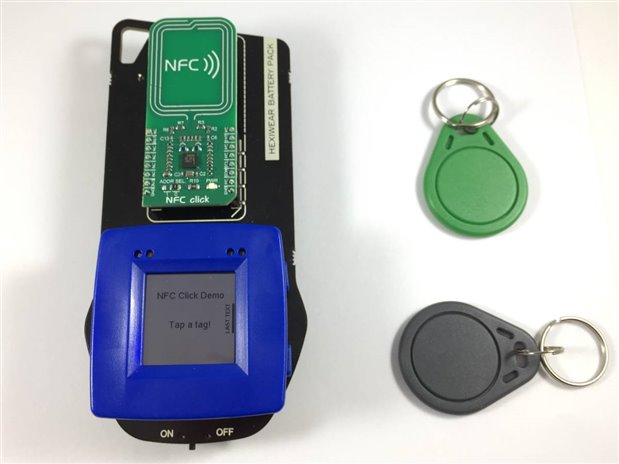
I compiled and flashed the NFC Click Demo onto the Rapid IoT and wrote a couple of NTAG 215 key tags using my Nexus7 tablet.
The assembled unit is shown with the application running.
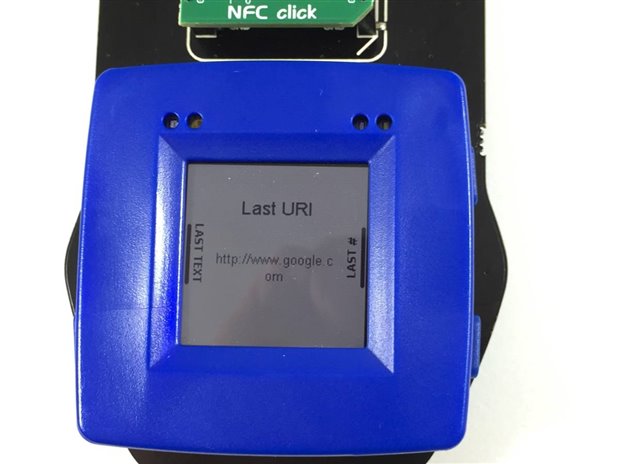
And a successful read of URI data that I had programmed on the tag.
So, I'm another step closer to developing my application. The demo program did not have the capability to write tags, so I need to figure out how to add that.
Good news is that the Battery Pack will extend the runtime (Rapid IoT has a small 280mAH battery). Just have to remember to charge the Rapid IoT first so I don't deplete the AAAs unnecessarily.