element14 Community
element14 Community
    Register Log In
  • Site
  • Search
  • Log In Register
  • Community Hub
    Community Hub
    • What's New on element14
    • Feedback and Support
    • Benefits of Membership
    • Personal Blogs
    • Members Area
    • Achievement Levels
  • Learn
    Learn
    • Ask an Expert
    • eBooks
    • element14 presents
    • Learning Center
    • Tech Spotlight
    • STEM Academy
    • Webinars, Training and Events
    • Learning Groups
  • Technologies
    Technologies
    • 3D Printing
    • FPGA
    • Industrial Automation
    • Internet of Things
    • Power & Energy
    • Sensors
    • Technology Groups
  • Challenges & Projects
    Challenges & Projects
    • Design Challenges
    • element14 presents Projects
    • Project14
    • Arduino Projects
    • Raspberry Pi Projects
    • Project Groups
  • Products & Partners
    Products & Partners
    • Arduino
    • Avnet & Tria Boards Community
    • Dev Tools
    • Manufacturers
    • Multicomp Pro
    • Product Groups
    • Raspberry Pi
    • RoadTests & Reviews
  • About Us
    About the element14 Community
  • Store
    Store
    • Visit Your Store
    • Choose another store...
      • Europe
      •  Austria (German)
      •  Belgium (Dutch, French)
      •  Bulgaria (Bulgarian)
      •  Czech Republic (Czech)
      •  Denmark (Danish)
      •  Estonia (Estonian)
      •  Finland (Finnish)
      •  France (French)
      •  Germany (German)
      •  Hungary (Hungarian)
      •  Ireland
      •  Israel
      •  Italy (Italian)
      •  Latvia (Latvian)
      •  
      •  Lithuania (Lithuanian)
      •  Netherlands (Dutch)
      •  Norway (Norwegian)
      •  Poland (Polish)
      •  Portugal (Portuguese)
      •  Romania (Romanian)
      •  Russia (Russian)
      •  Slovakia (Slovak)
      •  Slovenia (Slovenian)
      •  Spain (Spanish)
      •  Sweden (Swedish)
      •  Switzerland(German, French)
      •  Turkey (Turkish)
      •  United Kingdom
      • Asia Pacific
      •  Australia
      •  China
      •  Hong Kong
      •  India
      •  Japan
      •  Korea (Korean)
      •  Malaysia
      •  New Zealand
      •  Philippines
      •  Singapore
      •  Taiwan
      •  Thailand (Thai)
      •  Vietnam
      • Americas
      •  Brazil (Portuguese)
      •  Canada
      •  Mexico (Spanish)
      •  United States
      Can't find the country/region you're looking for? Visit our export site or find a local distributor.
  • Translate
  • Profile
  • Settings
Arduino
  • Products & Partners
  • More
Arduino
Blog CSI Camera on Uno Q Media Carrier
  • Blog
  • Forum
  • Documents
  • Quiz
  • Events
  • Polls
  • Files
  • Members
  • Mentions
  • Sub-Groups
  • Tags
  • More
  • Cancel
  • New
Join Arduino to participate - click to join for free!
  • Share
  • More
  • Cancel
Group Actions
  • Group RSS
  • More
  • Cancel
Engagement
  • Author Author: ralphjy
  • Date Created: 9 Nov 2026 5:46 AM Date Created
  • Views 74 views
  • Likes 5 likes
  • Comments 4 comments
  • csi camera
  • arduino uno q
  • arduino uno q media carrier
Related
Recommended

CSI Camera on Uno Q Media Carrier

ralphjy
ralphjy
9 Nov 2026

I recently purchased an Arduino Media Carrier board for the Uno Q and decided to try it out with the Uno Q that I won in the Show & Tell Contest.  I'd like to try out some facial recognition and audio IO applications before receiving my Ventuno Q RoadTest kit.

I'll have to admit that I'm really disappointed with the current Arduino support for CSI cameras for the Uno Q (through 2 connectors on the Media Carrier) and Ventuno Q (through 3 onboard connectors).  The Uno Q currently only supports the RPi Camera Module 2 IMX219.  I read on the forum that there have been issues using a Waveshare IMX219 board.  The Ventuno Q only supports an Arducam IMX577 4- lane board.  As geralds  and others have discovered an Arducam IMX577 2-lane board will not work.  The RoadTest kit includes a RPi Noir Camera board.  If that is a Module 2 with an IMX219, I have read that there is a community based solution that should work with the Ventuno Q, but there is no official support.

I have a few RPi 1.3 and 3 cameras, but I had to take apart a project to free up a Module 2 with the IMX219.  I also have a DFRobot IMX219 board, but decided to try something that is supposed to work first.

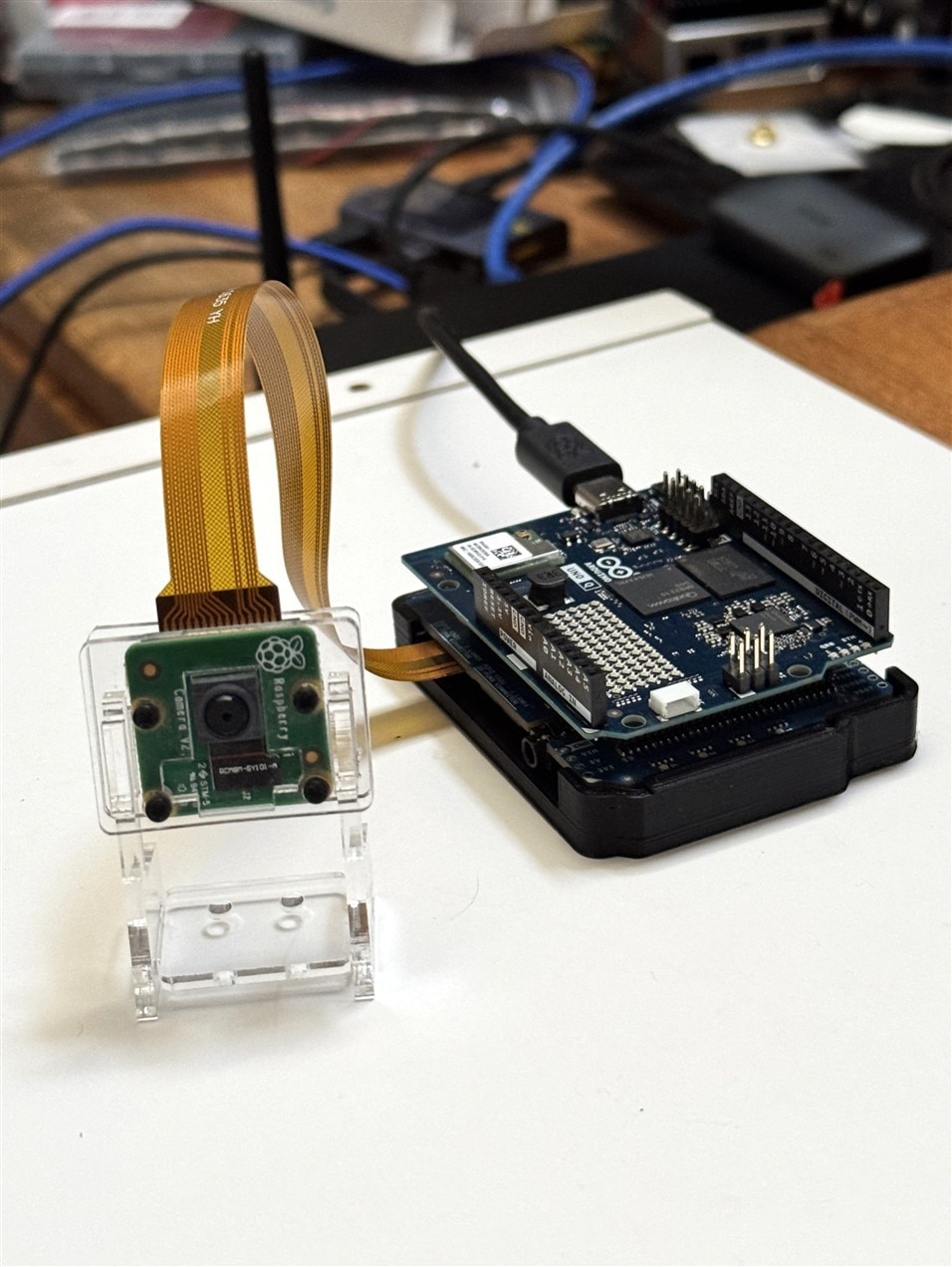
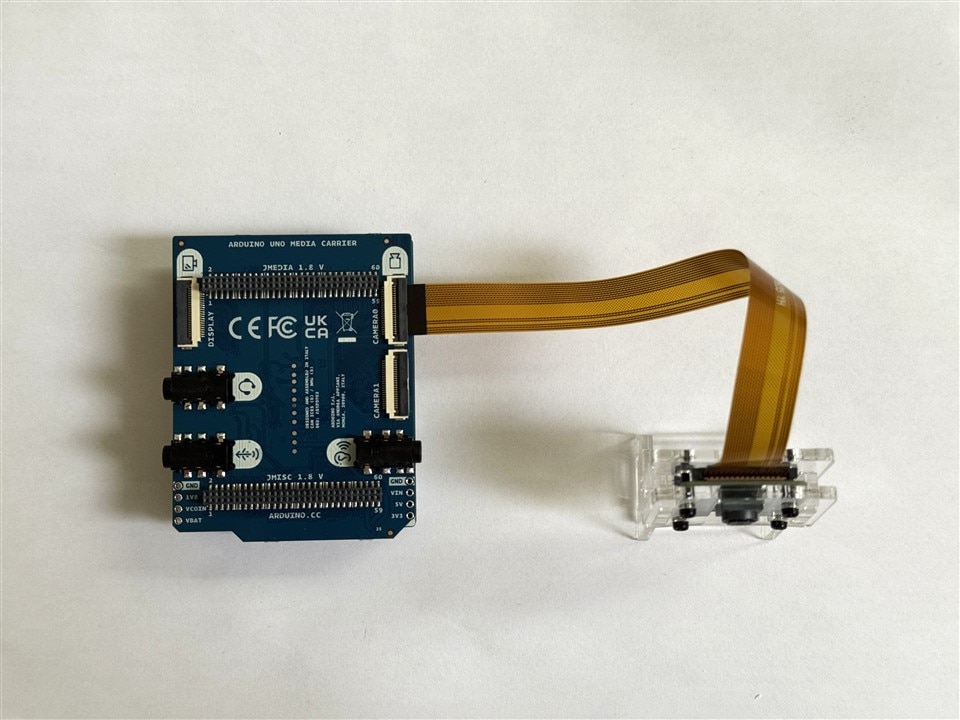
Here's my setup with the IMX219 and the Media Carrier -  plugged into the camera0 connector.
image

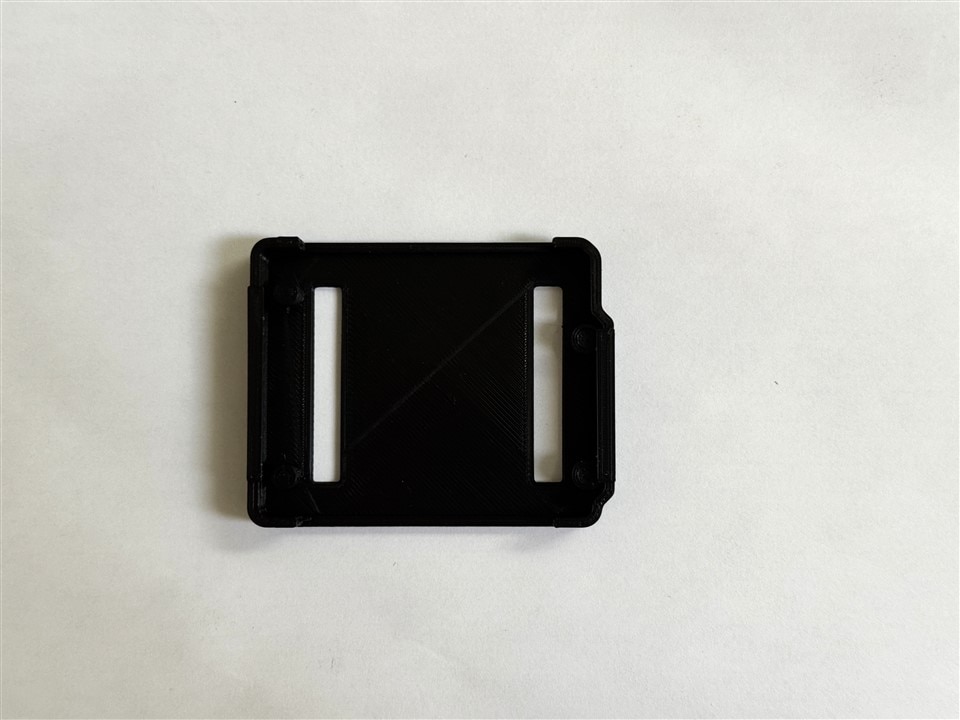
I printed a simple snap on baseplate to hold the Uno Q + Media Carrier assembly..  It turns out that the Media Carrier is the same dimensions as the Uno Q board and it has no mounting holes - so there's nothing to attach to when it is plugged on the bottom of the Uno Q.  Not sure how it was intended to mount in a case.
image

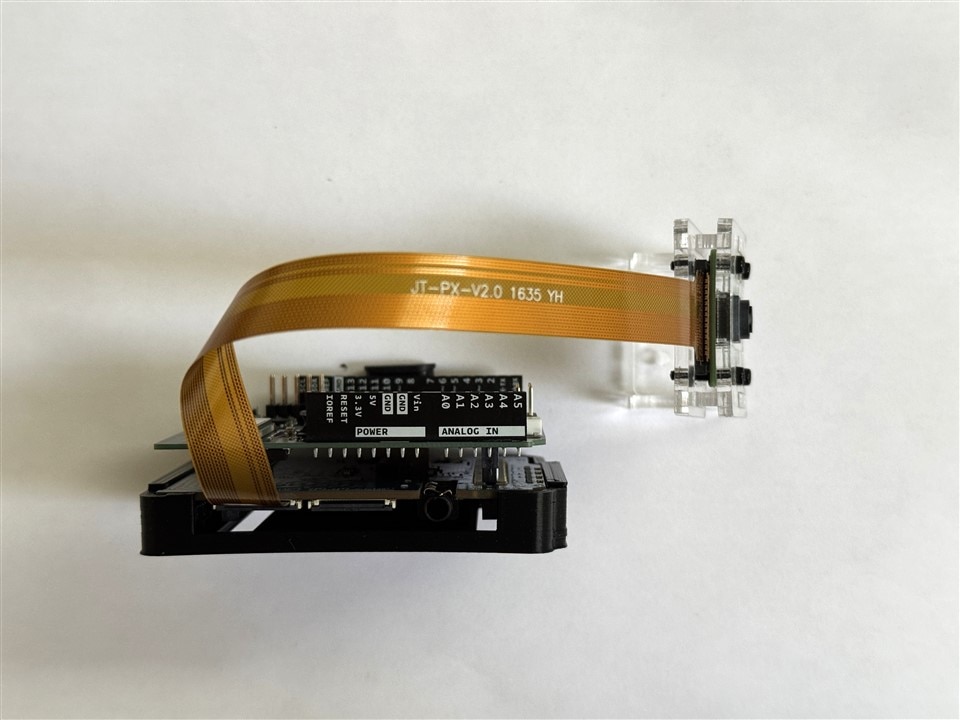
Here is a side view.  The sides are cut out for access to the audio, CSI, and DSI connectors.  I decided not to print a complete enclosure.
image

And a view in my work area.

image

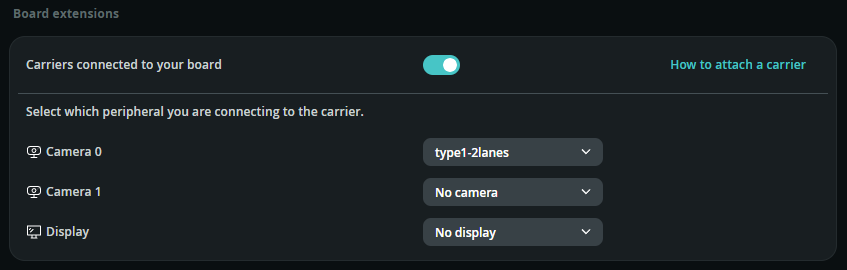
I decided to do a quick proof of life before I started to try creating any new Apps.  Here is a quick test using the Detect Objects on Camera example.

The only thing I had to configure is to enable the Carrier in Board extensions and set camera 0 to type1-2lanes.  I did not have to modify the example at all.
image

And a quick video showing it working.

You don't have permission to edit metadata of this video.
Edit media
x
image
Upload Preview
image

It looks like I'll need to adjust some of the camera settings for exposure, brightness, and contrast.  I'll do that within the new app.

Hopefully, the next post will have Facial Recognition and audio.

  • Sign in to reply
  • geralds
    geralds 7 hours ago in reply to ralphjy

    Yes, you need to be careful with the fine pins.
    I’m buying a second one so that I don’t have to keep switching back and forth. The pins can only be pulled out a limited number of times.

    Another major drawback is that taking measurements with a test instrument is quite difficult, because everything is mounted in such a small, tightly packed space. You have to prepare very carefully before taking any measurements.

    • Cancel
    • Vote Up 0 Vote Down
    • Sign in to reply
    • More
    • Cancel
  • ralphjy
    ralphjy 7 hours ago in reply to embeddedguy

    I bought this one to use with the Uno Q.  I’ll need the one in the kit for the Ventuno, although at this point it only works for audio.  The way these boards mount makes them inconvenient to swap.

    • Cancel
    • Vote Up 0 Vote Down
    • Sign in to reply
    • More
    • Cancel
  • geralds
    geralds 10 hours ago

    Hi  ralphjy ,

    Thank you very much for the information. It is a great help for programming my "-Q" boards.

    Yesterday, I tested the audio code—provided by someone (https://forum.arduino.cc/u/ptillisch) on the Arduino forum—using the VentunoQ and the Media Carrier Board.
    It works! That’s fantastic; it provides a solid foundation for further exploration.

    aplay --device="plughw:CARD=monacogertrude,DEV=0" "/usr/share/sounds/alsa/Front_Center.wav"

    If I understand correctly, this means the audio interface (the card) is named "monacogertrude." The Ubuntu operating system includes several pre-existing WAV files in the `/usr/share/sounds/alsa/` directory.
    The command above plays the "Front_Center.wav" file.

    The Media Board features a 3.5mm 4-pole jack for a headset.
    The output is routed there; I assume `DEV=0` refers to the endpoint.

    I was also given a command for recording audio:
    arecord --device="plughw:CARD=monacogertrude,DEV=1" --duration=5 --format S32_LE --rate=48000 recording.wav

    However, this doesn't work yet, as the command doesn't specify where the `recording.wav` file should be saved. It seems I need to create a folder and the file first and then include that path in the command.
    I believe these two commands are a good starting point—along with digging out the appropriate driver from the system.
    Now I have to find in a manual DEV=0, DEV=1.

    In short: The Media Carrier Board and the VentunoQ are capable of communicating with each other.
    This also means that the drivers from Arduino are not yet complete and are in urgent need of an update.

    If I’ve understood correctly—and I don’t want to state anything inaccurate—there is also a mention on the Arduino forum that a dedicated "Media Carrier Board" is being developed specifically for the Ventuno-Q.
    However, this would mean that "compatibility" is effectively a thing of the past.
    Having one board for the UNO-Q and another for the Ventuno-Q doesn't make sense to me, especially since all the schematics and plans show the same connections—unless, of course, there is some additional circuitry required on the board for the Ventuno-Q.
    Granted, the real difference lies in the codecs on the respective "-Q" boards, but the amplifiers on the Media Board would be identical.

    This is the CODEC on the VentunuQ: MAX98091
    https://www.analog.com/en/products/max98091.html#documentation 

    Here is the correspondence:

    https://forum.arduino.cc/t/ventuno-q-media-carrier-waveshare-8-dsi-touch-a-display-overlay-needed/1460252

    --

    Update:

    The App Lab is actually 0.12.0 - I installed it yesterday.

    There is also a new Ubuntu operating system image available that can be flashed onto the board—applicable to
    both the UNO-Q, 20260528-558, and the Ventuno-Q, 20260729-248. I have the older versions.

    https://www.arduino.cc/en/software/linux-images/

    How to flash the image:

    https://docs.arduino.cc/tutorials/ventuno-q/flash-image/ 

    However, I still have some concerns regarding whether the flashing process will go smoothly.

    I am unable to install the "adb" command on my Ventuno-Q.
    https://docs.arduino.cc/tutorials/ventuno-q/user-manual/#access-via-adb 

    When I attempt to install it, I encounter an error: "a module cannot be installed; it cannot be found."
    The flashing process involves, among other things, the vendor ID (05c6); if this is lost during the flash, it must be entered manually.
    https://docs.arduino.cc/software/app-lab/setup/linux/#step-2-configure-udev-rules 

    And after that we must install the App Lab manuell too.

    ...it is growing up to a hard work...

    I've purchased two of the supported MIPI/CSI ArduCam, I'm waiting for the flashing until I received and testet this both cameras.
    https://www.arducam.com/arducam-imx577-mini-camera-module-for-qualcomm-rb3g2.html 

    Well, this was my last few days.

    Best Regards

    Gerald
    --

    • Cancel
    • Vote Up 0 Vote Down
    • Sign in to reply
    • More
    • Cancel
  • embeddedguy
    embeddedguy 15 hours ago

    Great to see new board. But I think media carrier board you will get it in the road test. 

    • Cancel
    • Vote Up 0 Vote Down
    • Sign in to reply
    • More
    • Cancel
element14 Community

element14 is the first online community specifically for engineers. Connect with your peers and get expert answers to your questions.

  • Members
  • Learn
  • Technologies
  • Challenges & Projects
  • Products
  • Store
  • About Us
  • Feedback & Support
  • FAQs
  • Terms of Use
  • Privacy Policy
  • Legal and Copyright Notices
  • Sitemap
  • Cookies

An Avnet Company © 2026 Premier Farnell Limited. All Rights Reserved.

Premier Farnell Ltd, registered in England and Wales (no 00876412), registered office: Farnell House, Forge Lane, Leeds LS12 2NE.

Follow element14

  • X
  • Facebook
  • linkedin
  • YouTube