


I'm still working on a Face Recognition App using the IMX219 with the Media Carrier Board, but since that has a lot of moving parts - it's going to take me a bit longer. I thought I would take a break and try using the audio interfaces on the Media Carrier. I thought that was going to be reasonably straightforward, but as always - the Devil is in the details...
Arduino implemented 3 different audio interfaces on the Media Carrier. The Line Out and Earphones Out use TRS jacks and the Mic/Headphones uses a TRRS jack.
|
Jack on Media Carrier |
Signal Type |
Intended Hardware |
|
Line Out |
Differential (Balanced) Mono (TRS) |
Differential Class-D amp boards, PA mixers, balanced studio monitors. |
|
Earphones Out |
Differential Class-AB Earpiece (TRS) |
Raw 10.67–32 Ω mini speakers, telephone handsets, or intercom earpieces (no external amp needed). |
|
Mic / Headphones |
Unbalanced Stereo + Mic (TRRS) |
Standard consumer headphones, powered desktop stereo speakers (TRS), and TRRS headsets. |
My initial thought was that I would just plug a battery powered speaker that I have into the Line Out TRS jack until I realized that it was a differential (balanced) mono output instead of the typical unbalanced stereo output. I don't have anything with a differential interface, but I guess I could build an adapter with an isolation transformer.. I thought of using the Earpiece output, but I only have small 8 ohm speakers around and also don't have a TRS pigtail, so I would have to sacrifice one of my TRS cables. I could fix the impedance problem with a small resistor, but decided that I would buy a pigtail with a TRS plug and try that later. Not sure why Arduino chose to make things so difficult. If I didn't want to use an external microphone, I could just plug the TRS plug of the powered speaker into the Mic/Headphones TRRS jack since that would just ground the microphone input. But, of course, I want to use an external microphone and had already bought a splitter to convert the TRRS jack into two TRS jacks for the speaker and microphone.
I did try out using headphones with the TRRS jack and that almost worked as expected. I have Apple earphones with an inline microphone and I gave that a try. The earphones worked fine, but when I tried to record with the inline mic - that just ended up recording an awful squeal - probably from a feedback problem. I fiddled with gain settings, but couldn't get it to work. This particular headset works fine with an old iPad and an iPhone 6, but I've never tried it with other devices. I tried using a cheap electret mike that I got from Amazon with the TRS input on the splitter, but that had very low volume and lots of noise. I suspect that the 1.8V bias voltage provided by the Uno Q is too low for this particular microphone (wasn't specified on Amazon).
I did find that a Klipsch headset with an inline mic that does work, so I have been able to test recording using the TRRS interface. Not sure what the issue is with the Apple headset. I am still having a problem increasing the record volume without picking up a lot of noise.
So, that gets me to my current configuration - the powered speaker on the TRS splitter (green) plugged into the TRRS jack. That is shown below. I'll still have to see if I can find electret mic that will work on the mic side (pink) of the splitter.
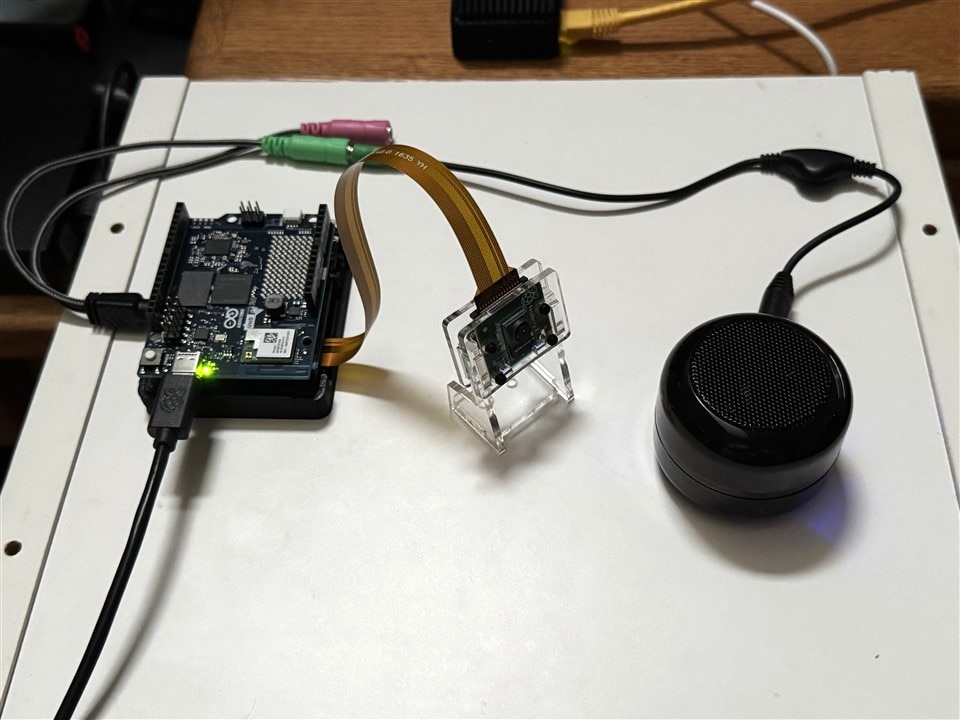
The documentation for the Media Carrier Audio interface is here: https://docs.arduino.cc/tutorials/uno-media-carrier/user-manual/#audio.
Audio playback and capture are handled by the ALSA (Advanced Linux Sound Architecture) framework available in the UNO Q's Debian OS.
I did all the interface testing using an SSH terminal and using the audio examples in the documentation.
E.G. to play a WAV file through the speaker on the TRRS jack:
Configure the interface:
amixer -c0 cset iface=MIXER,name='RX_CODEC_DMA_RX_0 Audio Mixer MultiMedia1' 1
amixer -c0 cset iface=MIXER,name='RX_MACRO RX0 MUX' 'AIF1_PB'
amixer -c0 cset iface=MIXER,name='RX_MACRO RX1 MUX' 'AIF1_PB'
amixer -c0 cset iface=MIXER,name='RX INT0_1 MIX1 INP0' 'RX0'
amixer -c0 cset iface=MIXER,name='RX INT1_1 MIX1 INP0' 'RX1'
amixer -c0 cset iface=MIXER,name='RX INT0 DEM MUX' 'CLSH_DSM_OUT'
amixer -c0 cset iface=MIXER,name='RX INT1 DEM MUX' 'CLSH_DSM_OUT'
amixer -c0 cset iface=MIXER,name='RX_COMP1 Switch' 1
amixer -c0 cset iface=MIXER,name='RX_COMP2 Switch' 1
amixer -c0 cset iface=MIXER,name='HPHL_RDAC Switch' 1
amixer -c0 cset iface=MIXER,name='HPHR_RDAC Switch' 1
amixer -c0 cset iface=MIXER,name='HPHL_COMP Switch' 1
amixer -c0 cset iface=MIXER,name='HPHR_COMP Switch' 1
amixer -c0 cset iface=MIXER,name='HPHR Switch' 1
amixer -c0 cset iface=MIXER,name='HPHL Switch' 1
amixer -c0 cset iface=MIXER,name='RX_RX0 Digital Volume' 80
amixer -c0 cset iface=MIXER,name='RX_RX1 Digital Volume' 80
Then play the file:
aplay -D plughw:0,0 /usr/share/sounds/alsa/Front_Center.wav
And that worked, but I had to adjust the RX_RX volumes down to 40 because it was too loud.
Next step is to try the interface using AppLab.
I decided that I would just use the Sound Generator "Play a Wav file" example.
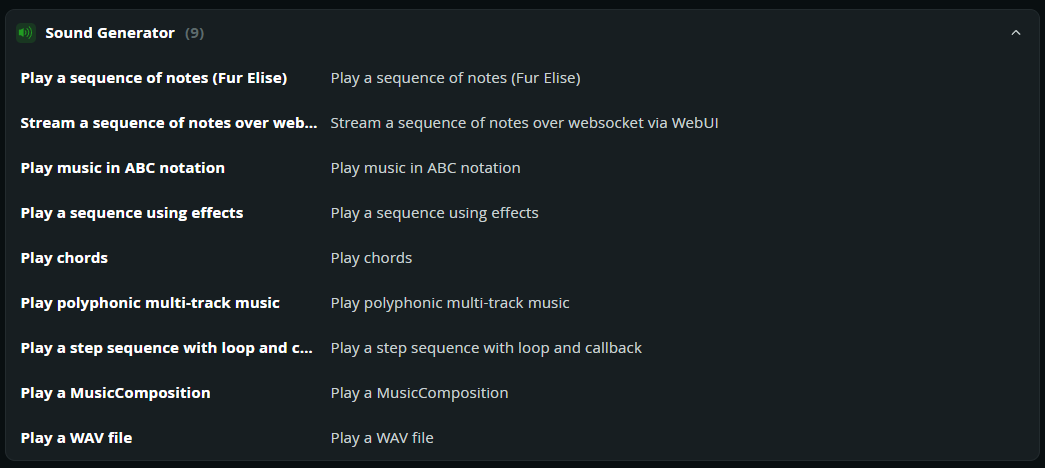
Very simple program that looked easy to use.
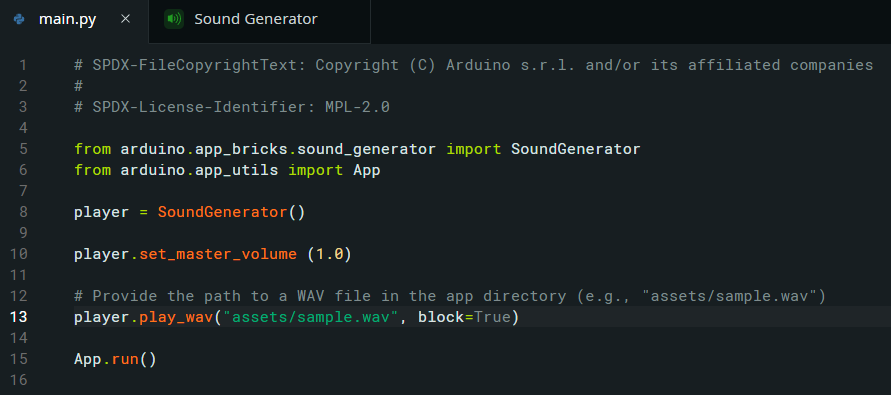
And it ran successfully, but had an issue with low volume even the master_volume is set to 100%.
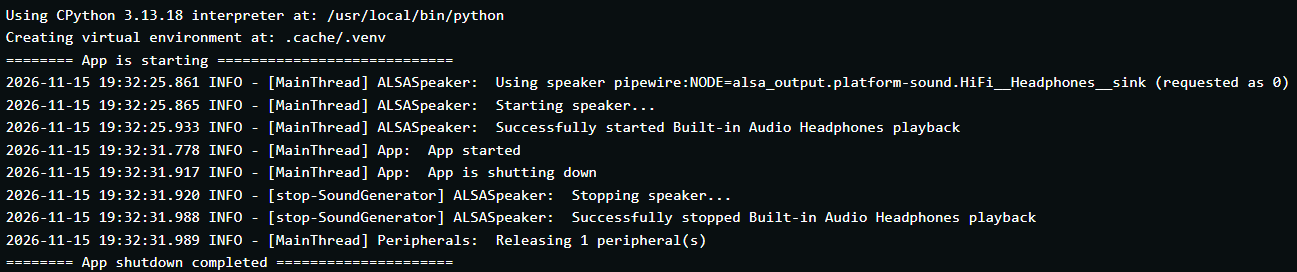
ALSA has lots of volume settings and the AppLab apps run with the host settings unless you explicitly change them. So, the settings that I used with the command line testing didn't work with Sound Generator. It turns out there are some bugs with the Sound Generator play_wave code.
When I tried to play a different WAV file other than the sample provided, I encountered failures due to format issues.
======== App failed to start ========================
Unexpected error in main.py, line 13:
  ValueError: Error converting WAV to audio: WAV channels (2) do not match speaker channels (1)
Trace:
Traceback (most recent call last):
  File "/usr/local/lib/python3.13/site-packages/arduino/app_peripherals/speaker/base_speaker.py", line 291, in _wav_to_pcm
    raise ValueError(f"WAV channels ({wav_channels}) do not match speaker channels ({self.channels})")
ValueError: WAV channels (2) do not match speaker channels (1)
During handling of the above exception, another exception occurred:
Traceback (most recent call last):
  File "/app/python/main.py", line 13, in <module>
    player.play_wav("assets/techmusic.wav", block=True)
    ~~~~~~~~~~~~~~~^^^^^^^^^^^^^^^^^^^^^^^^^^^^^^^^^^^^
  File "/usr/local/lib/python3.13/site-packages/arduino/app_bricks/sound_generator/__init__.py", line 920, in play_wav
    self._output_device.play_wav(wav_audio)
    ~~~~~~~~~~~~~~~~~~~~~~~~~~~~^^^^^^^^^^^
  File "/usr/local/lib/python3.13/site-packages/arduino/app_peripherals/speaker/base_speaker.py", line 253, in play_wav
    pcm_audio = self._wav_to_pcm(wav_audio)
  File "/usr/local/lib/python3.13/site-packages/arduino/app_peripherals/speaker/base_speaker.py", line 380, in _wav_to_pcm
    raise ValueError(f"Error converting WAV to audio: {e}")
ValueError: Error converting WAV to audio: WAV channels (2) do not match speaker channels (1)
=====================================================
2026-11-15 19:53:27.252 INFO - [MainThread] Peripherals:  Releasing 1 peripheral(s)
2026-11-15 19:53:27.254 INFO - [stop-ALSASpeaker] ALSASpeaker:  Stopping speaker...
2026-11-15 19:53:27.314 INFO - [stop-ALSASpeaker] ALSASpeaker:  Successfully stopped Built-in Audio Headphones playback
exited with code 1
It turns out there are bugs in the Sound Generator play_wav code that only make it work with mono 32-bit 48kHz formatted files and the file I tried was a stereo 16-bit 44.1 kHz file. ALSA at the command line uses the plughw PCM device plugin that automatically converts sample rates, formats, and channel counts to match your sound hardware's native capabilities. The bug in play_wav prevents this plugin from being used and defaults to a single format. It appears that the volume problem is also a bug.
With some AI help I created an app the doesn't use Sound Generator, but uses the Speaker module instead.
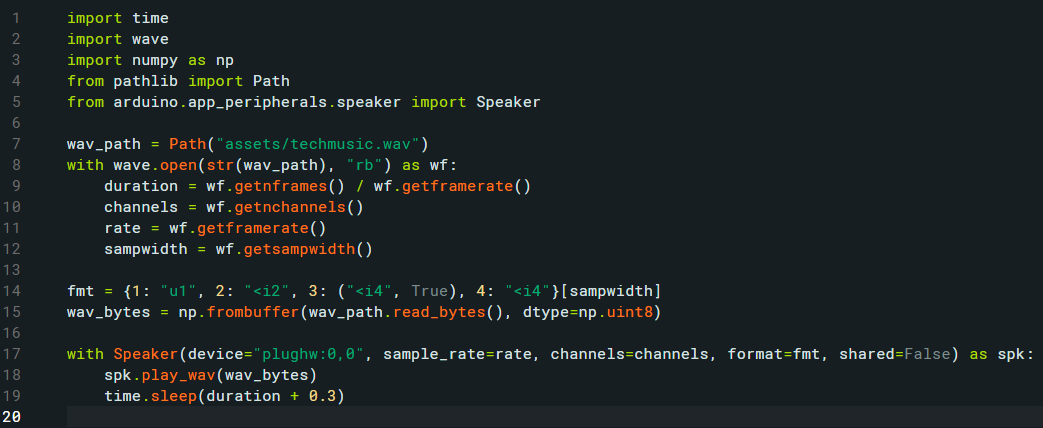
This app works great and handles multiple formats using plughw. A quick demo below (not sure how to play an audio fie in this editor, so this is a video).
Have to make myself an Audio brick that allows me to configure ALSA settings.