Hi: I just bought a Zedboard and I am following the Getting Started instructions of loading a simple linux image from the SD card.
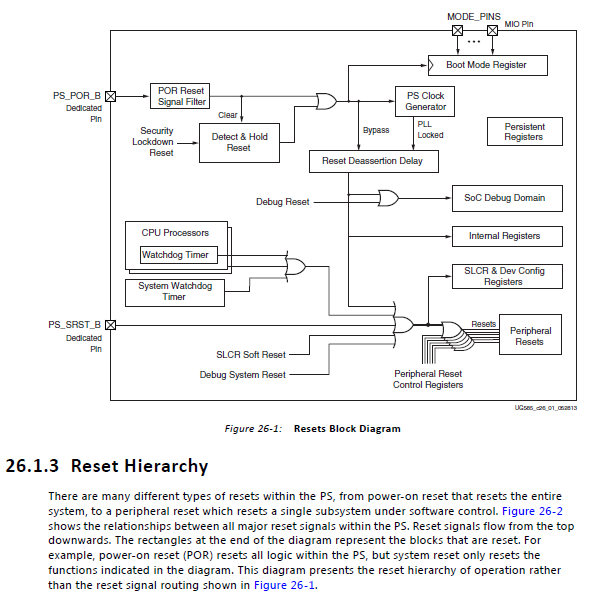
Everything works as described, but I cannot find an external board reset button. I see two red-colored buttons named PS-RST and PROG. When I pressed the PS-RST button (which resets the ARM), the COM port displayed an autoboot message, and the ARM tried to reload the linux image from the SD card. However, it always stopped at xgpiops. I then tried to press both PROG and PS-RST buttons, but the outcome remained the same (linux boot stuck at xgpiops).
Based on the HW User Guide, the power-on reset signal is called PS_POR_B, but this signal is not connected to any push button. Does this mean the Zedboard can only be reset by toggling the power switch?
Thanks!