element14 Community
element14 Community
    Register Log In
  • Site
  • Search
  • Log In Register
  • Community Hub
    Community Hub
    • What's New on element14
    • Feedback and Support
    • Benefits of Membership
    • Personal Blogs
    • Members Area
    • Achievement Levels
  • Learn
    Learn
    • Ask an Expert
    • eBooks
    • element14 presents
    • Learning Center
    • Tech Spotlight
    • STEM Academy
    • Webinars, Training and Events
    • Learning Groups
  • Technologies
    Technologies
    • 3D Printing
    • FPGA
    • Industrial Automation
    • Internet of Things
    • Power & Energy
    • Sensors
    • Technology Groups
  • Challenges & Projects
    Challenges & Projects
    • Design Challenges
    • element14 presents Projects
    • Project14
    • Arduino Projects
    • Raspberry Pi Projects
    • Project Groups
  • Products
    Products
    • Arduino
    • Avnet & Tria Boards Community
    • Dev Tools
    • Manufacturers
    • Multicomp Pro
    • Product Groups
    • Raspberry Pi
    • RoadTests & Reviews
  • About Us
  • Store
    Store
    • Visit Your Store
    • Choose another store...
      • Europe
      •  Austria (German)
      •  Belgium (Dutch, French)
      •  Bulgaria (Bulgarian)
      •  Czech Republic (Czech)
      •  Denmark (Danish)
      •  Estonia (Estonian)
      •  Finland (Finnish)
      •  France (French)
      •  Germany (German)
      •  Hungary (Hungarian)
      •  Ireland
      •  Israel
      •  Italy (Italian)
      •  Latvia (Latvian)
      •  
      •  Lithuania (Lithuanian)
      •  Netherlands (Dutch)
      •  Norway (Norwegian)
      •  Poland (Polish)
      •  Portugal (Portuguese)
      •  Romania (Romanian)
      •  Russia (Russian)
      •  Slovakia (Slovak)
      •  Slovenia (Slovenian)
      •  Spain (Spanish)
      •  Sweden (Swedish)
      •  Switzerland(German, French)
      •  Turkey (Turkish)
      •  United Kingdom
      • Asia Pacific
      •  Australia
      •  China
      •  Hong Kong
      •  India
      • Japan
      •  Korea (Korean)
      •  Malaysia
      •  New Zealand
      •  Philippines
      •  Singapore
      •  Taiwan
      •  Thailand (Thai)
      • Vietnam
      • Americas
      •  Brazil (Portuguese)
      •  Canada
      •  Mexico (Spanish)
      •  United States
      Can't find the country/region you're looking for? Visit our export site or find a local distributor.
  • Translate
  • Profile
  • Settings
Altium CircuitStudio
  • Products
  • Manufacturers
  • Altium CircuitStudio
  • More
  • Cancel
Altium CircuitStudio
Altium CircuitStudio Forum Is there a fix for rotating components yet?
  • Blog
  • Forum
  • Documents
  • Events
  • Polls
  • Members
  • Mentions
  • Sub-Groups
  • Tags
  • More
  • Cancel
  • New
Join Altium CircuitStudio to participate - click to join for free!
Actions
  • Share
  • More
  • Cancel
Forum Thread Details
  • State Not Answered
  • Locked Locked
  • Replies 13 replies
  • Subscribers 90 subscribers
  • Views 3138 views
  • Users 0 members are here
Related
This discussion has been locked.
You can no longer post new replies to this discussion. If you have a question you can start a new discussion

Is there a fix for rotating components yet?

adamwebber
adamwebber over 8 years ago

Quite Frankly, I'm disgusted at this whole debacle.  As a developer, I would put this on the priority list.  At the very least, allow users to downgrade to v1.30.

  • Cancel
  • e14softwareuk
    0 e14softwareuk over 8 years ago

    You may not be aware but it is possible to 'downgrade' and run v1.3 alongside v1.4, just email our support desk for details. However that isn't really necessary, a fix will most likely be in the next hotfix release (no official date announced yet) but in the meantime just rotate in the opposite direction (SHIFT SPACE) which does work correctly and much easier than switching versions.

    • Cancel
    • Vote Up 0 Vote Down
    • Cancel
  • johnmosborneuk
    0 johnmosborneuk over 8 years ago in reply to e14softwareuk

    Is <Shift>+<Space> a shortcut that needs to be defined or enabled? pressing <Shift>+<Space> on my machine does nothing at all.

    • Cancel
    • Vote Up 0 Vote Down
    • Cancel
  • e14softwareuk
    0 e14softwareuk over 8 years ago in reply to johnmosborneuk

    With reference to the earlier thread on this subject https://www.element14.com/community/thread/60122/l/rotate-component-in-14-is-terrible-help when moving a part (or having it selected) the SPACEBAR shortcut will rotate the item, using SHIFT SPACEBAR rotates the opposite direction. This is a standard shortcut and you don't need to do anything to enable it.

    • Cancel
    • Vote Up 0 Vote Down
    • Cancel
  • johnmosborneuk
    0 johnmosborneuk over 8 years ago in reply to e14softwareuk

    It looks like that might be another bug then, <SHIFT>+<SPACE> works in Schematic editor but not in PCB Editor.

    • Cancel
    • Vote Up 0 Vote Down
    • Cancel
  • e14softwareuk
    0 e14softwareuk over 8 years ago in reply to johnmosborneuk

    How are you trying to use in the PCB editor, it seems to be working fine and will rotate 90 degrees at a time.

    • Cancel
    • Vote Up 0 Vote Down
    • Cancel
  • adamwebber
    0 adamwebber over 8 years ago

    Ok.  If I have multiple components on the PCB editor, I cannot... Absolutely CANNOT rotate them all at once without errors.  If there are traces attached, it's even worse as they randomly get placed somewhere else in the design space.  Yesterday I laid out about 30 components and routed the traces before I realized that I had placed them 90 degrees off.  I knew about the trace misplace problem so I selected all of the traces, copied them to the clipboard using a known hotspot, then deleted them.  Next I selected all of the components and pressed 'M' to move them then attempted to rotate them using SHIFT+SPACE.  They were moved someplace else in the workspace so before I released the mouse button, I pressed escape.  BUT THEN, the hotspot snap did not work on those components.  I attempted to move one of them to get the hotspot snap back but to no avail.  Yes I was on the correct layer.  All other components that hadn't moved had hotspot snap enabled.  I got frustrated and closed the program.  This morning I ended up moving each component individually and re-routed all of the traces.  What a waste of my time.


    FYI, I have my rotate set up to 45 degrees.

    • Cancel
    • Vote Up 0 Vote Down
    • Cancel
  • tarribred61
    0 tarribred61 over 8 years ago in reply to adamwebber

    In PCB editor, using SHIFT+SPACE doesn't work for me either.  There is a difference if I use CTRL-SPACE.  It then seems to rotate the group around the cursor.


    Also, the message bar says something about Dynamic Reconnector mode and pressing N to change mode from Dynamic to Hidden.


    I notice that undo on the rotate doesn't seem to work.  Best to save the design before rotating things more simple than a single part.

    • Cancel
    • Vote Up 0 Vote Down
    • Cancel
  • tarribred61
    0 tarribred61 over 8 years ago in reply to tarribred61

    I tested this a bit more using 45 deg rotation steps.

    I don't know what hitting space bar does but if I do it 8 times then the component group seems to be back full circle.  It seems to be rotating and translating but I don't know what the center of rotation is.

    Some observations:


    Using CTRL+SPACE seems to work fine for me and rotates anti-clockwise.

    Using CTRL+SHIFT+SPACE rotates clockwise.

    Using SHIFT+SPACE does seem to work now.


    When I press SPACE once the parts rotate anti-clockwise and then I have to press SHIFT+SPACE 3 times to rotate clockwise back to the original position.


    My conclusion is that using CTRL+SPACE and SHIFT+SPACE seem to work and using SPACE alone either has a bug or does something that is not intuitive to me.

    • Cancel
    • Vote Up 0 Vote Down
    • Cancel
  • tarribred61
    0 tarribred61 over 8 years ago in reply to tarribred61

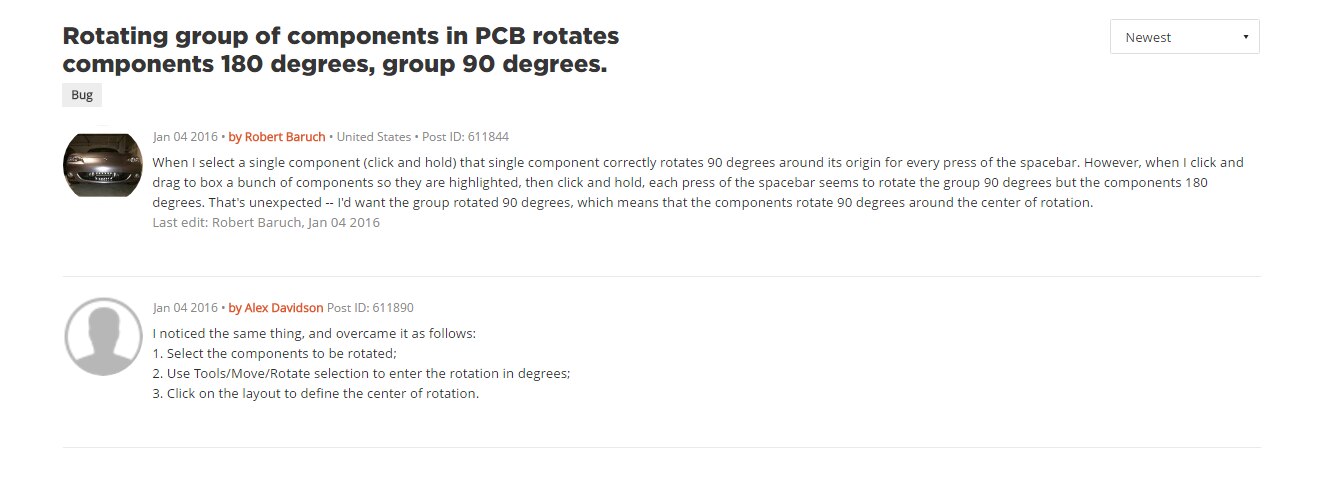
    There is another older posting about this in the circuitmaker forum..  It perhaps explains somethings. 


    https://circuitmaker.com/forum/posts/214678


    image

    • Cancel
    • Vote Up 0 Vote Down
    • Cancel
  • johnmosborneuk
    0 johnmosborneuk over 8 years ago in reply to e14softwareuk

    In the PCB editor, If I left click to highlight a component then tap SPACE, the part goes outside the working area.  If I hold SHIFT and tap SPACE, nothing happens

    If I hold the left mouse button on a component and tap SPACE, the part goes outside the working area.  However if I hold SHIFT and tap SPACE while holding down the left mouse button, the part rotates clockwise.


    Have I just been using it wrong and need to hold the mouse button down?

    • Cancel
    • Vote Up 0 Vote Down
    • Cancel
>
element14 Community

element14 is the first online community specifically for engineers. Connect with your peers and get expert answers to your questions.

  • Members
  • Learn
  • Technologies
  • Challenges & Projects
  • Products
  • Store
  • About Us
  • Feedback & Support
  • FAQs
  • Terms of Use
  • Privacy Policy
  • Legal and Copyright Notices
  • Sitemap
  • Cookies

An Avnet Company © 2026 Premier Farnell Limited. All Rights Reserved.

Premier Farnell Ltd, registered in England and Wales (no 00876412), registered office: Farnell House, Forge Lane, Leeds LS12 2NE.

ICP 备案号 10220084.

Follow element14

  • X
  • Facebook
  • linkedin
  • YouTube