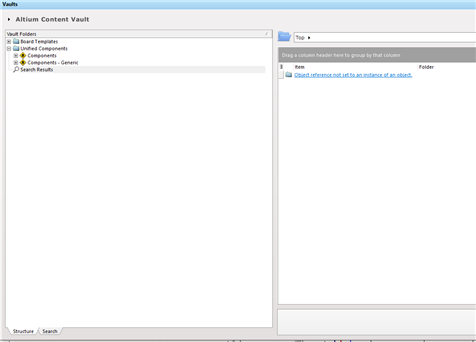
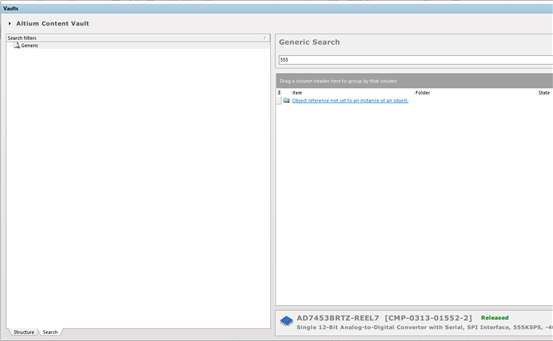
When searching for parts in the vault explorer I am receiving the following result:
"Object reference not set to an instance of an object"
I am using Circuit Studio 1.5.2
When searching for parts in the vault explorer I am receiving the following result:
"Object reference not set to an instance of an object"
I am using Circuit Studio 1.5.2
Hi all,
I'm hoping this helps. I found that I can get searching to work for me by doing some steps. I'll outline what works for me here.
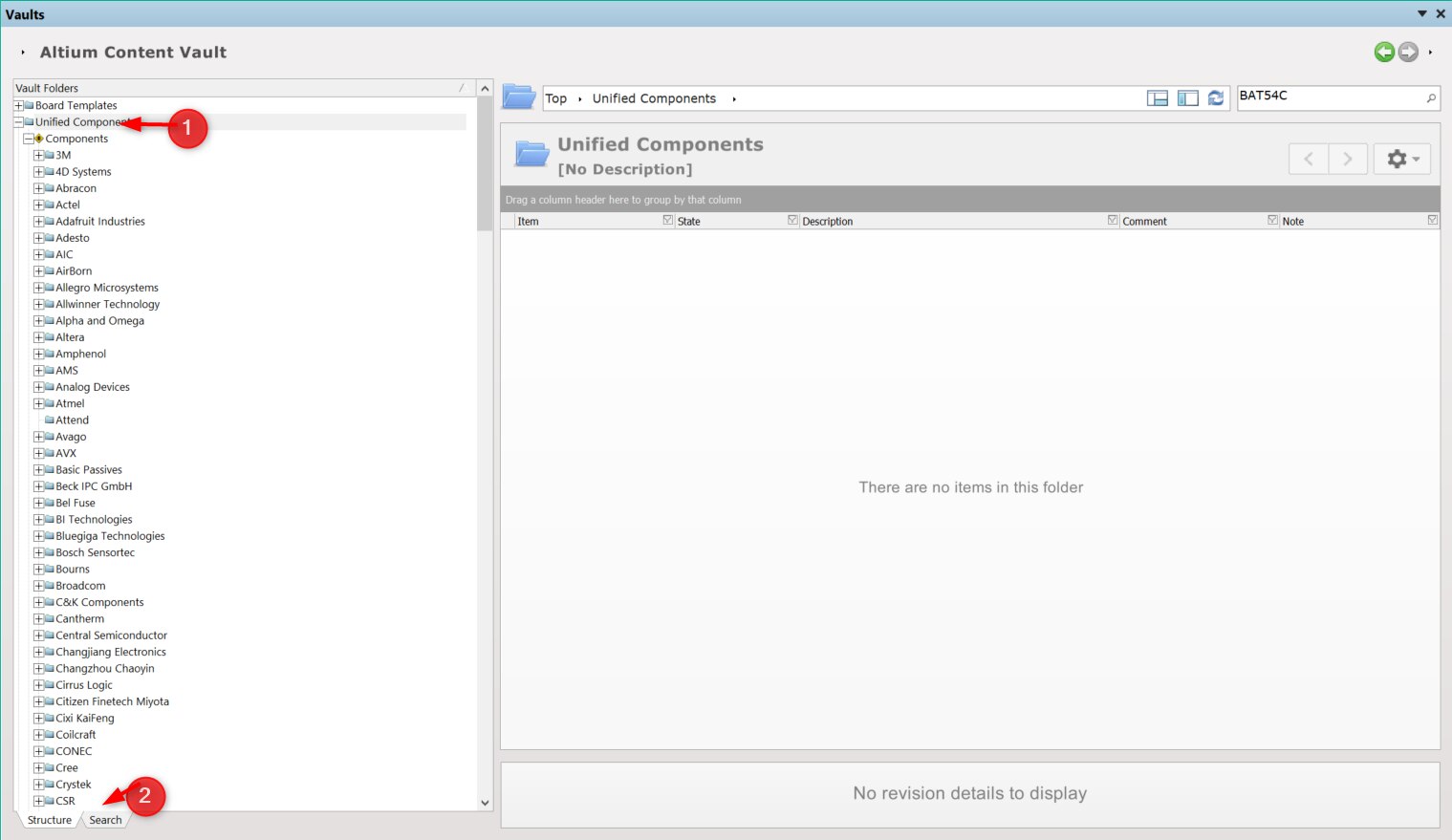
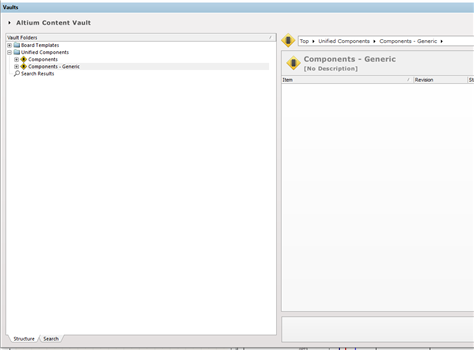
First start in the Vault page; here it is at the Structure tab. If you do a failed search it goes to a search results view on the right-hand side with the offending message. For example; I search on BAT54C and get the error.
To get back to the previous view, in the left side, scroll back up to the Unified Components line. Then pick the Search tab at the bottom.
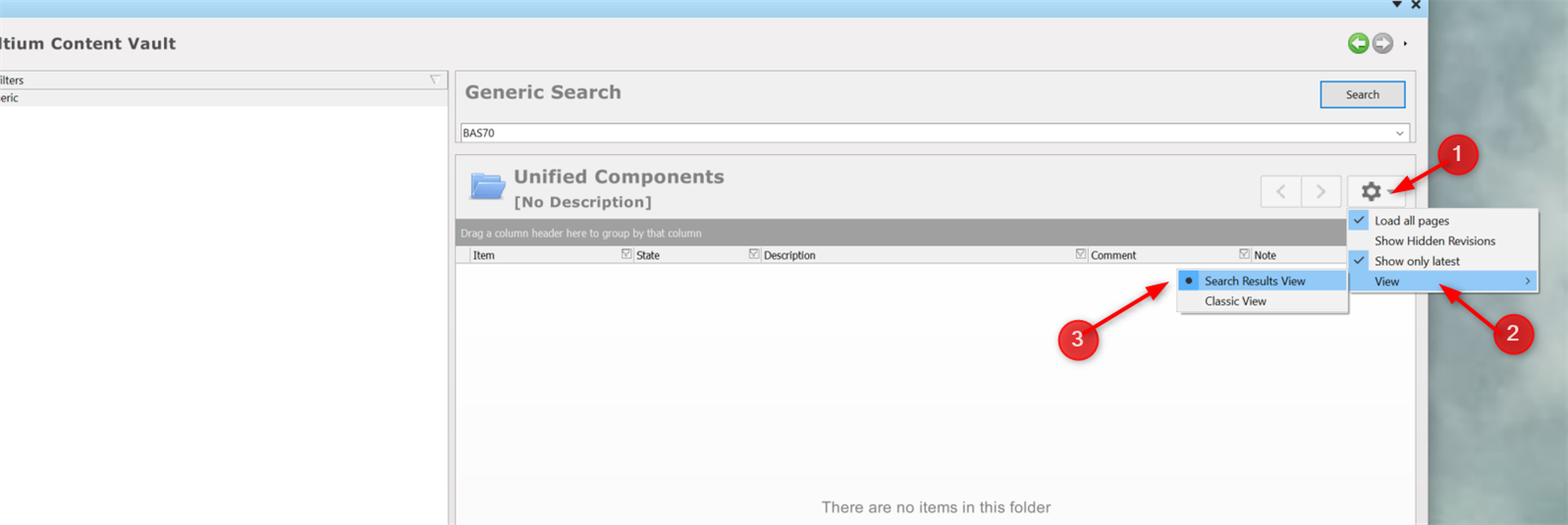
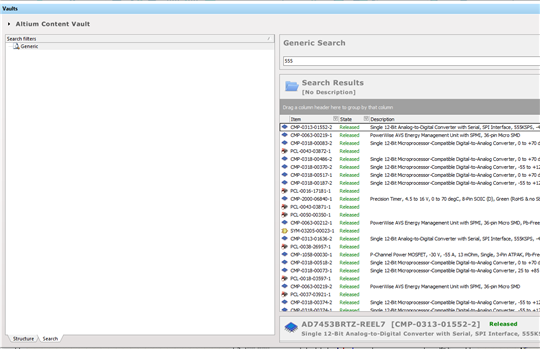
After this, change your view from Classic to Search Mode View.
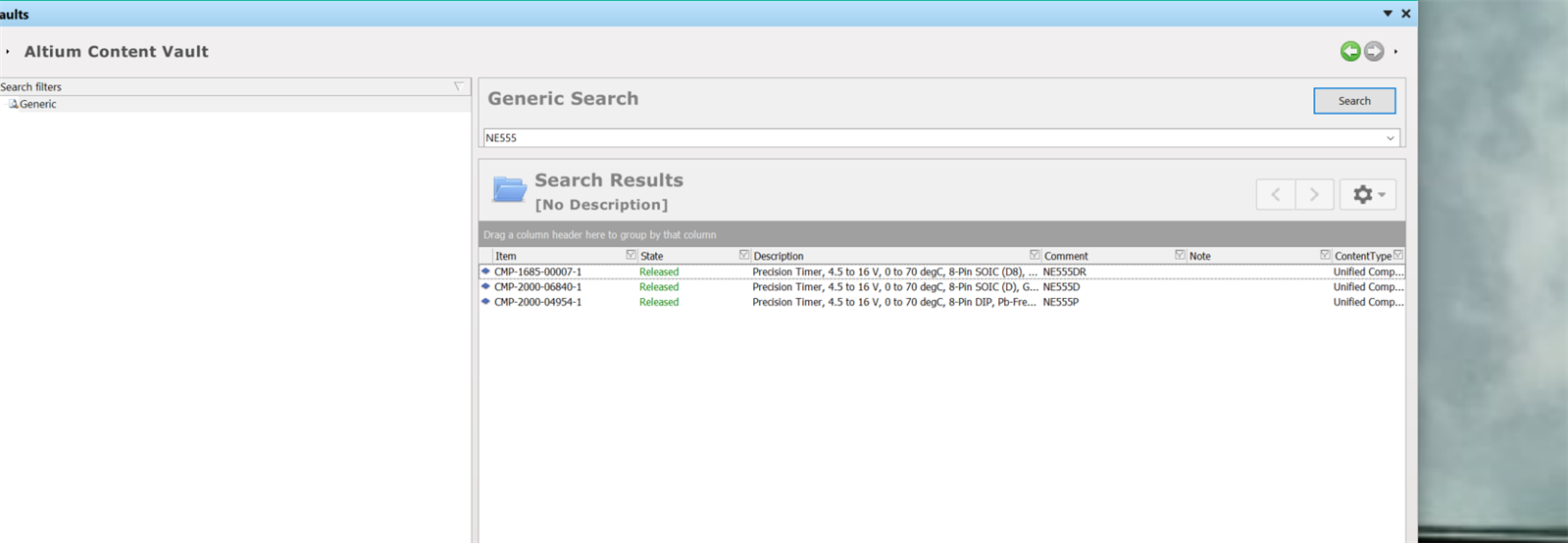
After I do this the Vault search seems to retrieve the items properly.
At least this works for me.
Thanks Thomas,
It did not help in my case. I did notice that you started with a diode in your search but in the end searched for a timer chip instead.
Steve
That is too bad. I did switch parts so as not to possibly pull back up the same results. I did searches on other parts such as BAS70, PIC18F and LM7322 with success. Maybe it will help others or they will find some other setting that is blocking the retrieval.
Thomas,
You maybe onto something, Jack you may want to try this also.
I went into systems preferences and disconnected the vault. It gave me an error, which I click OK to send to Altium.
I then Re - added Altium Content Vault. The regular vault search still has the Object reference error.
But I tried your steps again and the search as you described was able to find the components.
Thank you Thomas!!
Just to let everyone know that Altium are investigating and have it logged on their internal bug system (not just the one we (Farnell/Element14) raise tickets on). They are saying the search tab workaround should work but if you have already generated the failure searching a different way then it will most likely be necessary to restart CircuitStudio to get the search working again.
Thanks Peter,
Just an FYI the search tab workaround did not work for me at first with just starting and restarting the program, I performed turning on and off the program and my whole machine on and off multiple times with no change.
What worked - I had to disconnect and reconnect the Altium Content Vault for the search tab to finally start working.
And this is a Rhetorical question with a bit of sarcasm - "Why is it that a user had to deliver a temporary solution for this while Altium remained silent?"
Hi Steve and Peter,
That's a good point Steve. I will try what you have suggested. Just to let you know, I did speak to a tech at Newerk yesterday and she is personally taking this to Altium to get to the bottom of it. Hopefully, we will hear some good news soon and finally get some results. It's really a shame that it had to come to this because of the ack of support on the part of Altium. And I agree with you Peter when you said, "Why is it that a user had to deliver a temporary solution for this while Altium remained silent?"
Ok, just to let everyone know who has been following this post. For some unknown reason the search tape in the Altium Vault is working for me again. Don't ask me how or why because I don't know - it just started working. So at least I can search for parts using the "Search-Tab" feature, for the time being. I'm not holding my breath. But still know luck searching for parts using the "Structure" Tab.
Hey Jack,
FYI - If I do a vault search in the Structure tab, I get the blue ORNSTIAO (Object reference not set to an instance of an object) error. I will get same error when I switch to the Search tab if I do not click on anything else in the structure tab before changing tabs.
However while I'm in the Structure tab, if i click on any of the folders (which clears the ORNSTIAO error ) and switch to the search tab, the search tab works OK.
I hope this helps in case you start having problems.
Hey Jack,
FYI - If I do a vault search in the Structure tab, I get the blue ORNSTIAO (Object reference not set to an instance of an object) error. I will get same error when I switch to the Search tab if I do not click on anything else in the structure tab before changing tabs.
However while I'm in the Structure tab, if i click on any of the folders (which clears the ORNSTIAO error ) and switch to the search tab, the search tab works OK.
I hope this helps in case you start having problems.
Hi Steve,
Man, that really helps a lot! Thank you for the info. The Structure tab still doesn't work, but now I can at least search for parts using the Search tab. You should post this and let everyone know. I'm sure they would appreciate it just as much as I did. As I mentioned in one of my replies, I am in touch with a Tech at Newerk/Element 14 and she is trying to get to the bottom of this search issue. I am still waiting to hear from her. Hopefully, Altium will get on the ball and we will hear some good news soon. As soon as I do I will post it. Thanks again for the information about the Search tab.
Jack,
Glad it is working, at least the search tab. I'm not really a blogger and not sure where else this would get posted. Hopefully anyone with this issue will find it by looking up the "Object reference not set to an instance of an object" error.
I also changed my system preference, general settings, automatic updates to check every time I turn on Circuit Studio. To make sure I get the fix as soon as it is out.
Steve
That's a good idea, Steve. I'm going to do the same thing.
I have another question. I'm trying to search for a Neutrik 1/4" stereo PCB mount jack that I use. I am still fairly new to CS, so I don't know my way around the program that well yet. I'm not having any luck in searching for it at all. Here is a link to the part. I really need to PCB footprint for the part, so that I can size it right on the PCB board. Do you know how I can find it using any part search available in CS? https://www.pedalpartsplus.com/product-p/6013.htm
Jack,
A lot of vendors renumber the parts to make it hard to source. You should try getting the actual part number from Neutrik and then see if you can locate a footprint. https://www.neutrik.com/en/neutrik/products/plugs-jacks/jacks/m-series
FYI some vendors list cross referenced parts. So if you might try looking from an alternate part footprint.
Steve