Hi,
When i try to import place an image in one of the schematic sheets it will come.But when i close the project and open it again it will not come or when i try to open it in another system it is not coming.
Hi,
When i try to import place an image in one of the schematic sheets it will come.But when i close the project and open it again it will not come or when i try to open it in another system it is not coming.
Hi. Are you able to share this image so that I can test on my copy of CircuitStudio? If so please email to be directly.
Hi,
I had sent the mail to pbarnard@premierfarnell.com. I had attached the image.
I had one more issue about sheet symbol actions.
is there any option to go to the sheet when we click on the sheet symbol.It would be nice if it was like that.
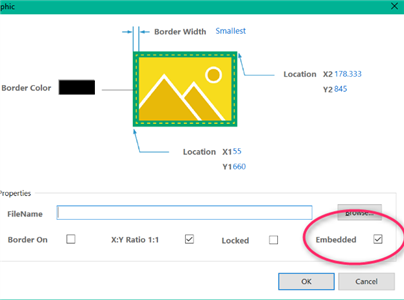
Thanks for the image. I saved locally and it does work without problem using the Home > Image option to add the image to a schematic, also you can drag the local image onto the schematic if you prefer. Thomas is correct in that selecting the Embedded option is safest otherwise just a reference to the file is stored and thus the image can go missing if the original file moves or is renamed.
Hi
I ticked the embedded option
Now its working..thanks
What about the sheet symbol option ?
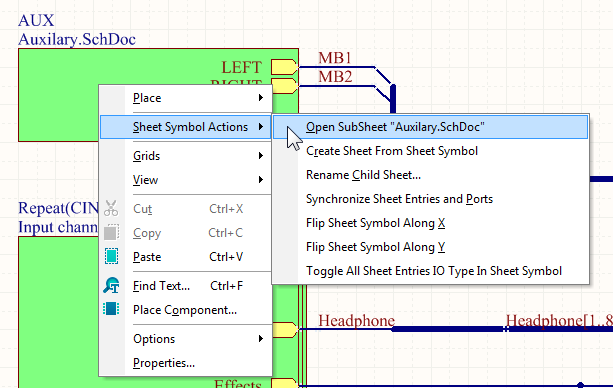
I am aware of this option.
But it would be nice if it goes to the sheet when we simply clicks on it.
I don't think using a single click to jump sheets would work. A single click on items selects the item, this is standard in CircuitStudio and most windows programs. Having it jump directly to another sheet from a single click would cause lots of confusion for users and be unexpected behaviour to those learning the product.