


Introduction
The MAX32630FTHR chip comes with a very handy feature. You can set the logic level for any GPIO in software. You can define your logic level either at 3V3 level (default) or at 1V8 logic level with the following commands: useVDDIOH(pin_no) for 3V3 and useVDDIO(pin_no) for 1v8.
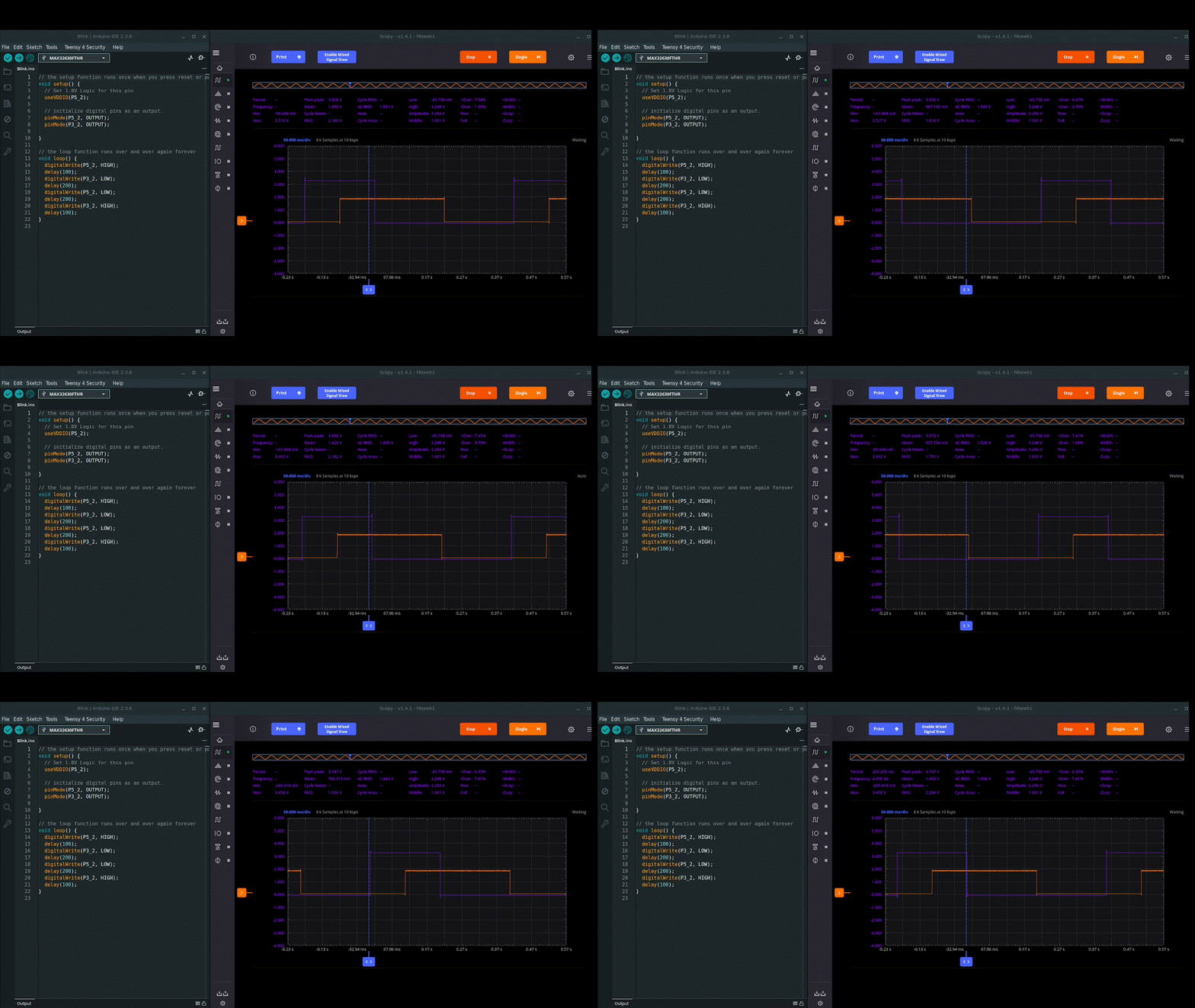
Little did I realise that I would find a useful application for this feature so soon.
Arduino Q debug port
Over the weekend I decided to set up my Arduino Q board. This did not go smoothly. I found that my board would not always boot up correctly (see video). So, when I did get access to the board I decided to do a full system upgrade. This then locked me out the board, so to speak, on reboot as the HDMI stopped working. A quick SSH into the board confirmed that all was fine but it did prompt me to look at whether you get access to a debug UART port, like with a Rasberry Pi board for example.

The official Arduino Q users manual webpage confirmed that you do have access to a debug UART via the JCTL header pins. The gotcha is that this is 1V8 logic. Of course you can simply use a logic level shifter to handle this, as the JCTL connector includes a handy +1V8 VOUT pin. But this is all rather messy, in my opinion.
To solve this, I simply grabbed my MAX32630FTHR feather board and flashed it with the standard Arduino passthrough example with a couple of code amendments.
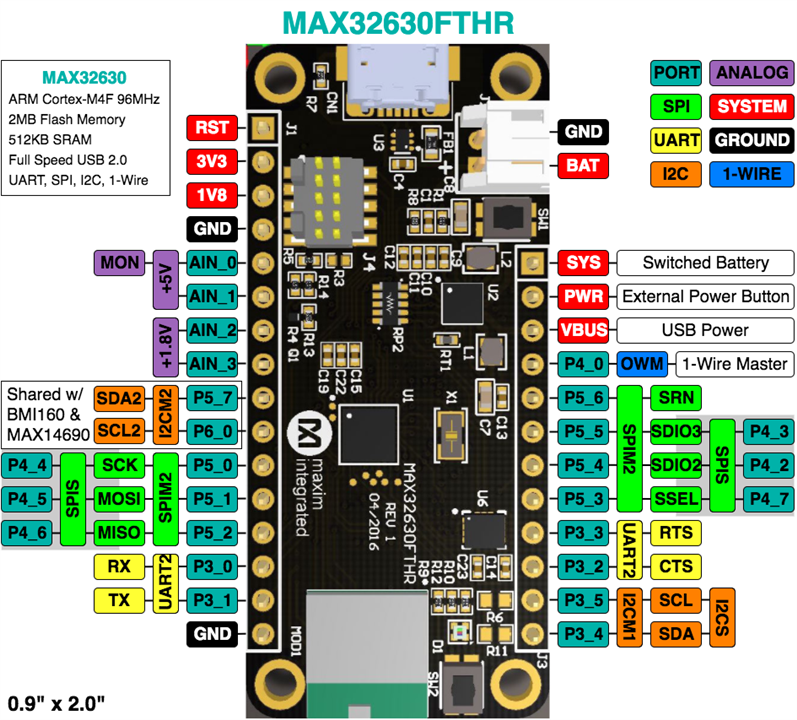
I needed to use "Serial2" at 1V8 logic, which is provided on pins P3_0 and P3_1. I decided to also start with 115200 baud rate, but as I'm not constrained by the speed of the logic level shifter, I could go push this higher if needs be.
/*
  SerialPassthrough sketch

   created 23 May 2016
  by Erik Nyquist

  https://docs.arduino.cc/built-in-examples/communication/SerialPassthrough/
*/

void setup() {
  Serial.begin(115200);

  // set the 1v8 logic for P3_0 and P3_1
  useVDDIO(P3_0);
  useVDDIO(P3_1);

  Serial2.begin(115200);
}

void loop() {
  if (Serial.available()) {        // If anything comes in Serial (USB),
    Serial2.write(Serial.read());  // read it and send it out Serial1 (pins 0 & 1)
  }

  if (Serial2.available()) {       // If anything comes in Serial1 (pins 0 & 1)
    Serial.write(Serial2.read());  // read it and send it out Serial (USB)
  }
}
And that's it. You then connect the two boards with 3 wires (for RXD, TXD, and GND):

And here's the result. It works a charm.
What makes this really handy is that I can now search in real time for keywords etc. The MAX32630FTHR ARM Cortex M4 is well suited for this.
