


The Bridgetek FT813 is part of the FT81x Embedded Video Engine (EVE) family.
 ️ Hardware Setup
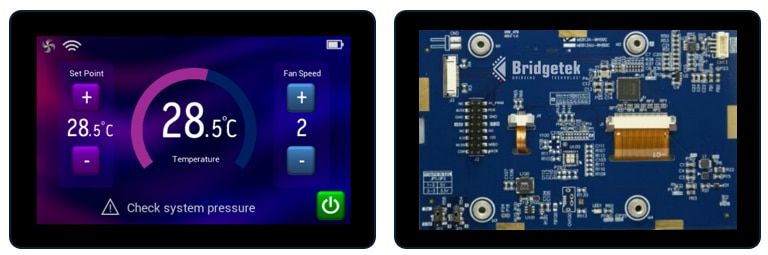
- Hardware: Evaluation boards like the The final design can use the FT813 Chip or the ME813A-WH50C module.
- Connections: The FT813 communicates with your MCU over SPI or QSPI. It can also connect to a PC MM4222-QSPI module which acts as a USB‑to‑QSPI bridge.
- Display: Supports resolutions up to 800×600 with 24‑bit RGB output. Bridgetek have a range of TFT Display Panels which can be used for development and final products.
- Touch Panel: The FT813 features built-in touch controller supporting Capacitive multi‑touch (up to 5 points) over I2C.
- Audio: The built-in audio engine supports built‑in sound effects and playback of custom audio.
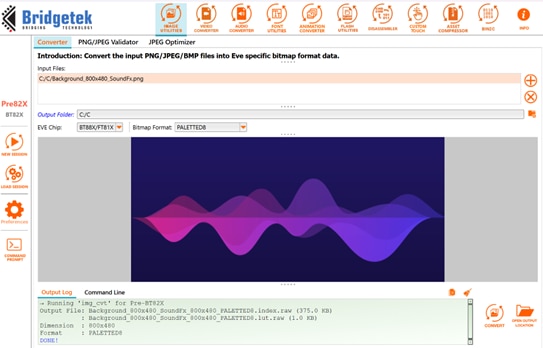
- EVE Asset Builder: Utility to convert assets such as images, fonts, and sounds etc. for use in EVE. It also includes a custom touch compiler allowing engineers to add support for a wide range of additional touch controllers to the FT813.
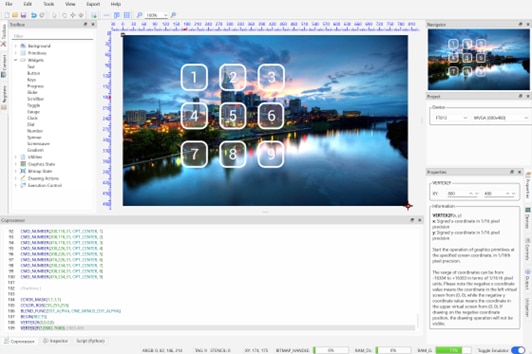
- EVE Screen Editor: Developers can quickly design and preview interactive display layouts without complex coding via a drag-and-drop interface. It is also ideal for learning about the FT813’s versatile and powerful graphics capabilities with effect such as stencilling, rotating, scaling and alpha blending.
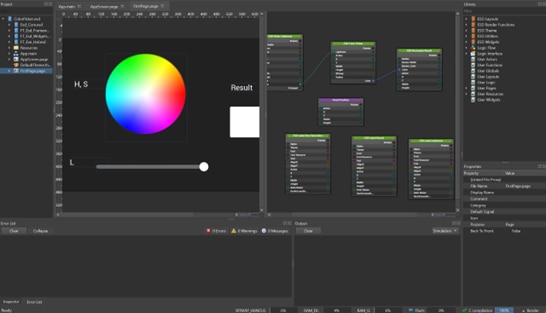
- EVE Screen Designer: Developers can create, customize, and preview interactive display layouts as well as designing the logic flow between pages. They can then export the code to various MCU platforms.
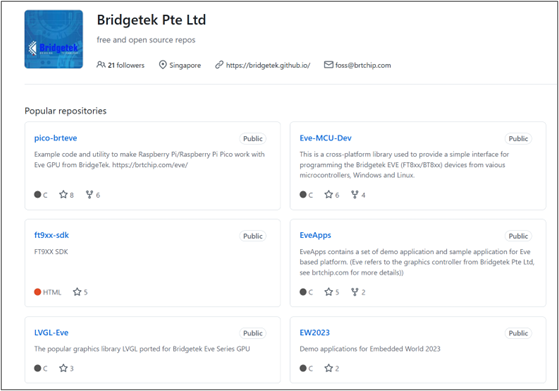
- Drivers & Libraries: Example code is available for popular MCUs (STM32, ESP32, Arduino and more) on the Bridgetek Github page.
- Programming Guides: Bridgetek provides detailed documentation for EVE devices, including the FT813. The programming guides detail the commands used to render the display, the registers used to configure EVE, initialization and touch / audio features.
- Application Notes: Bridgetek application notes provide useful advice on topics such as hardware design and selecting displays, the use of EVE features such as touch, and graphics techniques to help you to create professional user interfaces quickly and easily.
 Key Features
- Graphics: Rich object-oriented graphics rendering with minimal MCU workload. Use built-in widgets (such as buttons, sliders, gauges) and create your own custom widgets.
- Touch: Detecting touch events is simple with EVE’s clever touch engine. It handles communication with the touch panel and allows controls such as buttons, icons, sliders and rotary dials to be implemented with ease.
- Audio: Play a range of sound effects to enhance the user experience. Simple register writes select the sound and the volume and then play the sound. Or convert and play custom sounds for your application.
- Image Handling: Immersive full-screen backgrounds and eye-catching icons. The FT813 supports PNG/JPEG decoding and a range of raw image formats including RGB565, Paletted8, ARGB1555 and greyscale formats. The powerful graphics engine takes care of scaling, rotation, blending and stencilling without adding workload to the MCU.
- Fonts: Built‑in fonts in a range of sizes plus custom fonts for user interface themes and multi‑language support.
 Sample Code
The EVE family of devices use a command-driven object-oriented graphics engine which allows fully featured user interfaces to be created with minimal MCU resources and workload. Here’s a simplified snippet illustrating how developers can initialize and draw a button the FT813. The button is drawn with one command which tells EVE the x and y position, the width and height, the font for the text, options such as 3D effect or flat (pressed-in) and the text to be shown within the button.
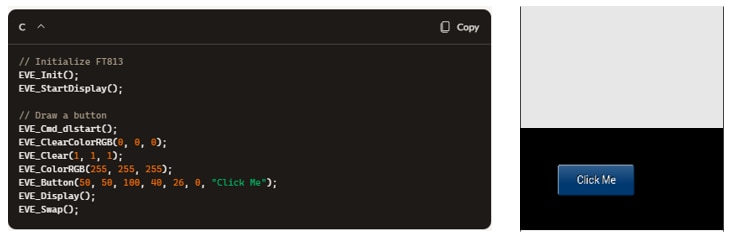
The FT813 does the rest of the work to render the button, avoiding any complex graphics processing on the host MCU and freeing it to focus on the main application tasks. This allows the FT813 to be used with cost-effective MCUs which have no graphics capability and have limited resources. It also makes the FT813 ideal for adding graphical touch-enabled user interfaces to existing applications with minimal impact on the workload of the host MCU.
 Where to Learn More
Find out more about the FT813 and about Getting Started with EVE. You can also find more details on the FT813 features and command set in Bridgetek’s official FT813 datasheet and FT81x/BT88x Programming Guide.