


Up to this point in my data collection posts for the kit, I've recorded little success. Knowing this device has both an oscilloscope and waveform generator I thought maybe I might find some wins in sampling those. Get the pun, sample, oscilloscope and waveform generator. Really bad when you have to explain what you mean.
My application pitched building an FM radio using SDR capabilities on the Red Pitaya. I'm critical of RoadTest Reviews that stray from their application objectives. Now I am becoming one of them. Obones had posted in POST 4 I'm done beating a dead horse...Red Pitaya STEMlab 125-14 PRO Gen 2 Starter Kit some challenges faced with SDR. I didn't want to face another up hill climb working with SDR on this device without some positives. I thought, why not sample the two tools before starting SDR, looking for a win.
When I attempted to connect to my Red Pitaya STEMlab 125-14 PRO Gen 2 it had moved IP's. Not uncommon when IP's are assigned using DHCP and the device is not on the network for an extended period of time. This being a piece of test equipment I figured a static IP would be appropriate. I dabbled in changing the IP in the version of OS that was shipped with the device but the static assignment didn't work. If I recall correctly there was no subnet mask field. Now that I have the latest OS let assign an IP.
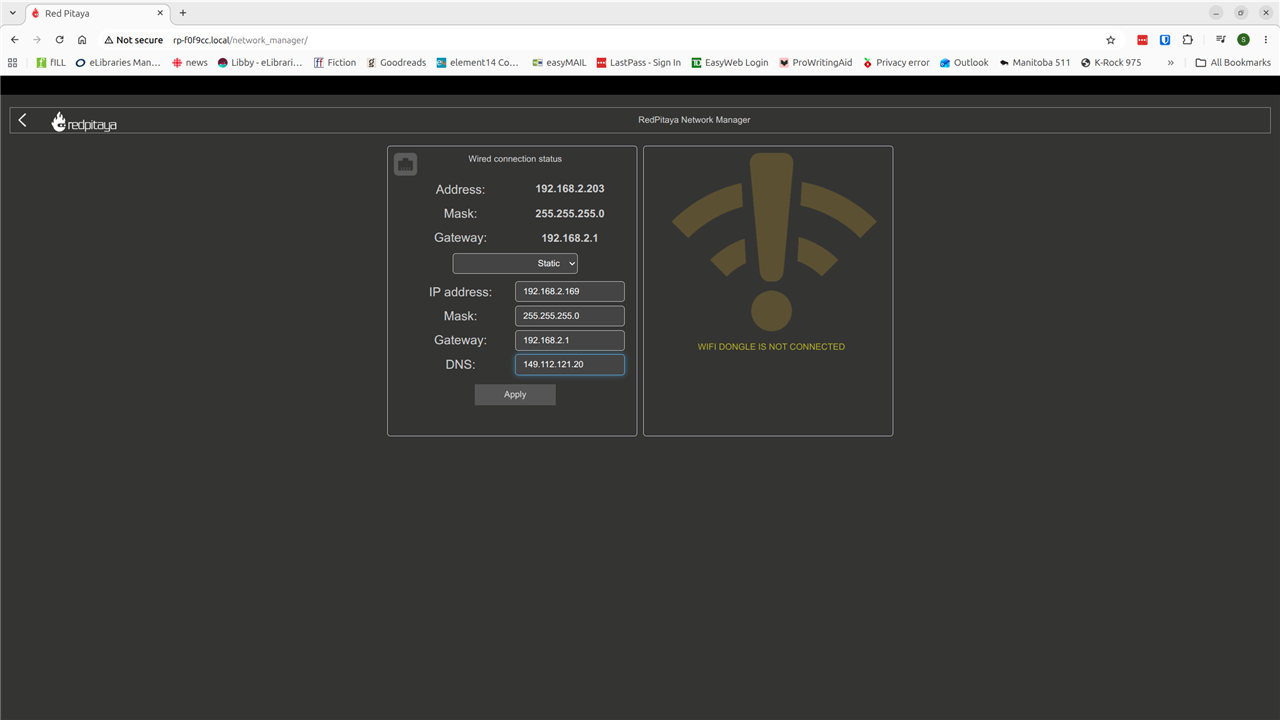
The apply button didn't react the way I would expect on making a change. I soon discovered, I could no longer connect to the device. The web interface didn't come up with an assigned IP or the .local and I could not ssh to the device. The old IP didn't work either. An nmap of my network and both the old and the new IP didn't exist. CRAP!
Recall in an earlier post a serial connection was needed to work on the firmware. I fired up minicom and yes, I could connect! [Using the serial port as the solution was not uncovered without some tribulations. My first attempts at fixing this was a reload of the OS on the SD card. The PITA factor on that fix was high given that the OS needs a sudo apt update and upgrade also.] Having the serial working from delving into firmware allowed me an alternate fix than reloading.
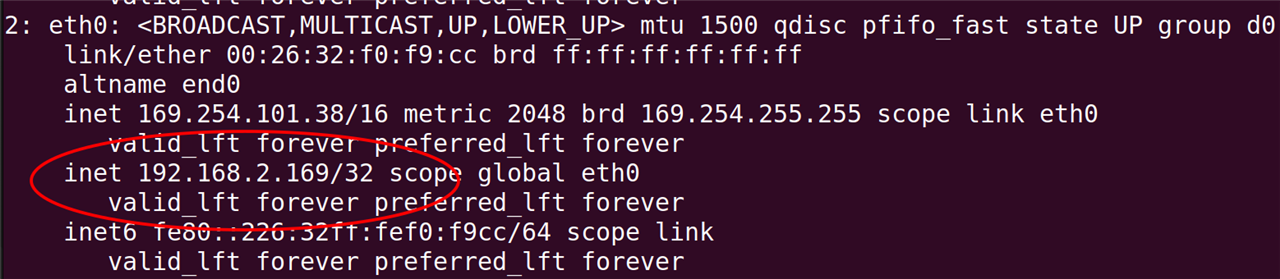
The screen capture circles the problem. I provided a subnet mask of /24 and the interface was configured with a subnet mask of /32. In addition the default route was also missing (not shown). Hummm makes some sense. Initial OS didn't have a subnet mask entry field. Updated OS has the field but didn't apply it correctly. This is pure conjecture on my part.
I won't drag out the details of how I found the fix. I confess my research assistant AI did the heavy lifting by analyzing the output from a collection of bash commands that pointed me to the correct file. One of the challenges with Linux OS is network configuration tools. It seems each OS and even each version of an OS might have tools that are different for configuring the network. Finding where the network data is stored becomes hard.

I take pride in pointing out my editor of choice is vi:) Once the change was made I could connect. No reboot was required but did one just to make sure the fix lasted.
I never got to those tools in this post. I used up my spare time cycles getting the device connected to the network and then documenting for this post. Well at least I moved the yard stick by discovering I don't have to rely on the SD card OS installs for a fix. Note to self: Recommendation in review, establish serial connection to device during initial setup.
I pondered the problems I have encountered so far and thought maybe its my expectation. I've made an assumption this hardware was a production ready kit. What if the box was labeled development kit. That would change my expectations.
The next time we meet I hope to report on the scope and signal generator.
