element14 Community
element14 Community
    Register Log In
  • Site
  • Search
  • Log In Register
  • Community Hub
    Community Hub
    • What's New on element14
    • Feedback and Support
    • Benefits of Membership
    • Personal Blogs
    • Members Area
    • Achievement Levels
  • Learn
    Learn
    • Ask an Expert
    • eBooks
    • element14 presents
    • Learning Center
    • Tech Spotlight
    • STEM Academy
    • Webinars, Training and Events
    • Learning Groups
  • Technologies
    Technologies
    • 3D Printing
    • FPGA
    • Industrial Automation
    • Internet of Things
    • Power & Energy
    • Sensors
    • Technology Groups
  • Challenges & Projects
    Challenges & Projects
    • Design Challenges
    • element14 presents Projects
    • Project14
    • Arduino Projects
    • Raspberry Pi Projects
    • Project Groups
  • Products & Partners
    Products & Partners
    • Arduino
    • Avnet & Tria Boards Community
    • Dev Tools
    • Manufacturers
    • Multicomp Pro
    • Product Groups
    • Raspberry Pi
    • RoadTests & Reviews
  • About Us
    About the element14 Community
  • Store
    Store
    • Visit Your Store
    • Choose another store...
      • Europe
      •  Austria (German)
      •  Belgium (Dutch, French)
      •  Bulgaria (Bulgarian)
      •  Czech Republic (Czech)
      •  Denmark (Danish)
      •  Estonia (Estonian)
      •  Finland (Finnish)
      •  France (French)
      •  Germany (German)
      •  Hungary (Hungarian)
      •  Ireland
      •  Israel
      •  Italy (Italian)
      •  Latvia (Latvian)
      •  
      •  Lithuania (Lithuanian)
      •  Netherlands (Dutch)
      •  Norway (Norwegian)
      •  Poland (Polish)
      •  Portugal (Portuguese)
      •  Romania (Romanian)
      •  Russia (Russian)
      •  Slovakia (Slovak)
      •  Slovenia (Slovenian)
      •  Spain (Spanish)
      •  Sweden (Swedish)
      •  Switzerland(German, French)
      •  Turkey (Turkish)
      •  United Kingdom
      • Asia Pacific
      •  Australia
      •  China
      •  Hong Kong
      •  India
      •  Japan
      •  Korea (Korean)
      •  Malaysia
      •  New Zealand
      •  Philippines
      •  Singapore
      •  Taiwan
      •  Thailand (Thai)
      •  Vietnam
      • Americas
      •  Brazil (Portuguese)
      •  Canada
      •  Mexico (Spanish)
      •  United States
      Can't find the country/region you're looking for? Visit our export site or find a local distributor.
  • Translate
  • Profile
  • Settings
RoadTests & Reviews
  • Products & Partners
  • More
RoadTests & Reviews
RoadTest Forum RPI IMX219 V2 NoIR cameras connected on the MIPI/CSI Ports
  • Blogs
  • Forum
  • Documents
  • RoadTests
  • Reviews
  • Polls
  • Files
  • Members
  • Sub-Groups
  • More
  • Cancel
  • New
Join RoadTests & Reviews to participate - click to join for free!
Actions
  • Share
  • More
  • Cancel
Forum Thread Details
  • Replies 0 replies
  • Subscribers 2745 subscribers
  • Views 42 views
  • Users 0 members are here
  • Ventuno-Q
  • arduino
Related

RPI IMX219 V2 NoIR cameras connected on the MIPI/CSI Ports

geralds
geralds 3 hours ago

Hello Ventuno_Q road testers, Hi  cstanton , Hi  OwainM , Hi  ralphjy , 

The three MIPI-CSI ports on the Ventuno_Q board are now functional.
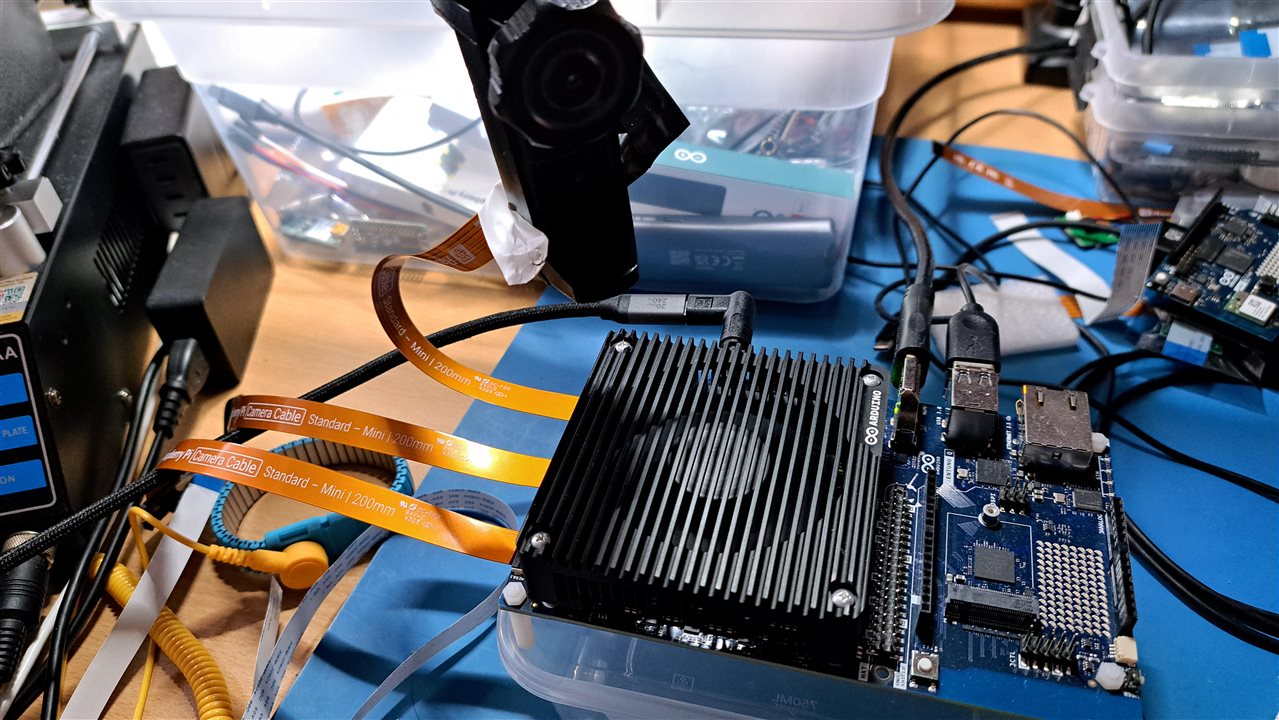
image

The RPI IMX219 V2 NoIR cameras are compatible. Qualcomm and Arduino have updated the firmware and drivers.

As a preliminary note: I flashed the Ubuntu OS onto the board with the latest operating system over the weekend.
This proved to be helpful.

https://docs.arduino.cc/tutorials/ventuno-q/flash-image/ 

Flashing the Ventuno_Q (not on UNO_Q) wipes ALL installed files and settings, as it resets everything to factory defaults. Afterward, you have an up-to-date Ubuntu OS and AppLab version 0.9.0.
The system then automatically checks online for updates (for both AppLab and the OS) and prompts you to install them.
In the interest of a controlled test, I chose to update only AppLab first—this allowed for better oversight, as an OS update would have required downloading approximately 1 GB of data.
My goal was to quickly verify that the ports were working.

Testing the MIPI/CSI ports:
The process was remarkably straightforward.
Connect the cameras while the board is powered off, then plug in the power and boot up the system.

Next, install the streamer by following the instructions provided on the Arduino documentation page for MIPI/CSI cameras.

https://docs.arduino.cc/tutorials/ventuno-q/mipi-csi-camera/ 

1 sudo apt update
2 sudo apt upgrade -y
3 sudo apt install gstreamer1.0-plugins-qcom -y // (here is the version 1.0 of the gstreamer; actual is version 1.24.2
4 reboot
After reboot...
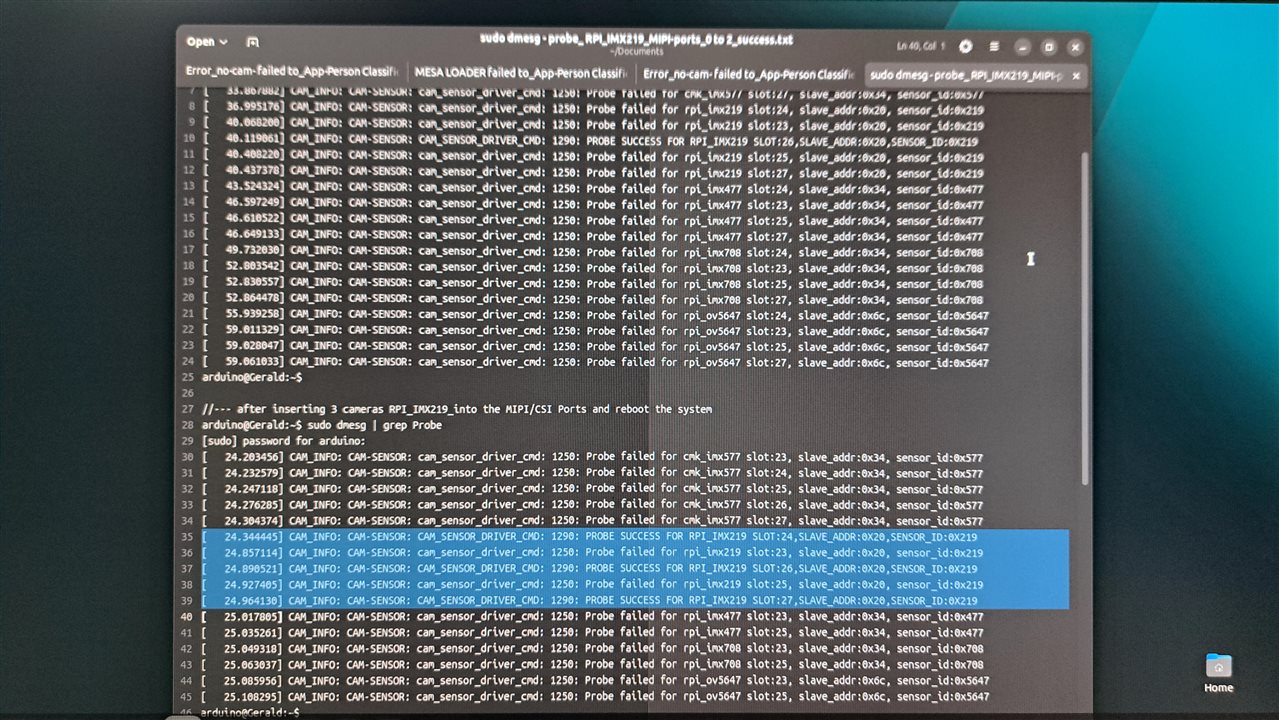
5 sudo dmesg | grep Probe
Then the list of the possible installed camera drivers will be shown.
Look for the Probe success line.
This means the camera is identified and is working.
image
Ventuno_Q, AppLab: Person Classifier on Camera, this app uses the camera0

You don't have permission to edit metadata of this video.
Edit media
x
image
Upload Preview
image
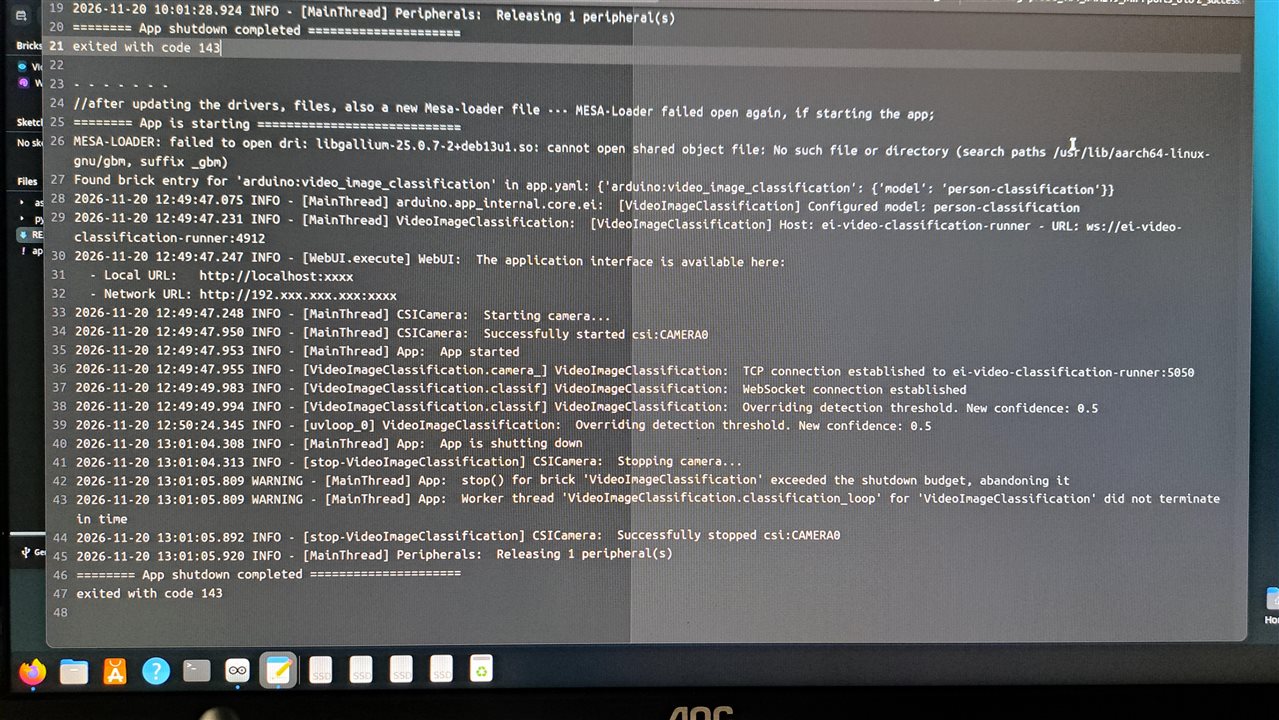
Log file of the app - one Error: Mesa-Loader failed to start - but the app works (-> video) / if I have time, I look for that, but the hardware comes before
image
Well, the next step is solved.
Best regards
Gerald
---
  • Sign in to reply
  • Cancel
element14 Community

element14 is the first online community specifically for engineers. Connect with your peers and get expert answers to your questions.

  • Members
  • Learn
  • Technologies
  • Challenges & Projects
  • Products
  • Store
  • About Us
  • Feedback & Support
  • FAQs
  • Terms of Use
  • Privacy Policy
  • Legal and Copyright Notices
  • Sitemap
  • Cookies

An Avnet Company © 2026 Premier Farnell Limited. All Rights Reserved.

Premier Farnell Ltd, registered in England and Wales (no 00876412), registered office: Farnell House, Forge Lane, Leeds LS12 2NE.

Follow element14

  • X
  • Facebook
  • linkedin
  • YouTube