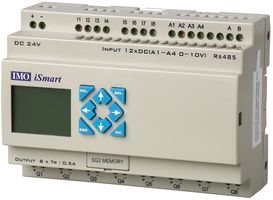
Okay, Mr. J, here is a question for you: How do I wire up the iSmart to be the temperature contoller for my 60 watt solder iron?
I am thinking a Thermocouple K sensor for Temperature Control
and a Mini Relay SPDT 5 Pins 24VDC 10A 120V Contact
with a life expectancy of 750,000 switching operations @ 120Vac 0.5A.
The iSmart Data Sheet says that Analogue Input Impedance is 45KΩ. I guestimate the thermocouple will generate 20mV @ 400C. The current required is tiny: 10V / 45KΩ = 0.222 mA for full on and I am pretty sure that a transistor or op amp will be needed to condition the signal to enable driving the analog input of the iSmart PLC. I say that because 20mV / 45KΩ = 0.444 microV. This tells me I will be looking for a Voltage gain factor of 500.
I don't really understand why the iSmart's Analogue Input Range
is limited to 0.00 to 9.99V, but that is what the data sheet says.
Excited in anticipation of my own copy of Activities (as in chapter quizzes) Manual to accompany Programmable Logic Controllers 3th Edition by Frank Petruzella arriving today or tomorrow.
The 4th Ed. of Frank Petruzella's PLC Book will also come soon - borrowed using Interlibrary Loan.
Thanking Andrew Carnagie and Никола Тесла for advancing the World.
I'm still playing with this. I'm trying out a specific example where I want 3 counters. (They don't all have to be actual counters and thought I could acheive it using addition blocks but somehow fail to do so.
I want a batch counter with a preset that can be entered via the screen.
a Job counter which is a total for the job being run, and a grand total counter that shows the result of all the runs. (Ideal if this was non volatile!)
Any ideas. I'm using FBD rather than ladder for my example.
Hi there have been some problems with the ups as there I haven't been able to receive the controller and after I finally managed to track down the package, I've found out it have been shipped to some place in Milan while I'm based in Turin.
I see, unfortunately I do not have access to the iSmart's Loader-port pin configuration. However if you ordered the cable, during its delivery, and if you have the screen and key version of the iSmart - you are able to program much of the functions as you would with the software onto the screen - it would take some getting use to, and I would always prefer programming with the software, however at least until your cable arrives, you can explore some of the functionality. Let me know if I can help. Regards - Jason
I was wondering if I cold get away with using a USB converter as I have TTL and RS232 level versions that I use here and could patch in and play with the PC software without having to order and wait for the serial cable.
The one end of the plug - going into the iSmart is proprietary and I do not have this information available. The other side is a standard 9-pin RS232 serial wiring setup. I assume you are looking at going into a USB to Serial converter?
Hi Dan, Thank you for your comment with respect to the iSmart. The built-in analogue inputs are definitely a plus - as well with the new version 3 model we can add an additional analogue or RTD input. As for an HMI, we recently added a new graphic-text based HMI for the iSmart that you use the programming cable to network between the screen and iSmart. Please see the following link for more information,
Hello Shenry - this sounds like a great application - in fact in Canada we do have iSmarts in some of the Micro-Breweries that take advantage of the Real-time clock functions. With the new Version 3, you are able to add an expansion module that will accept a thermocouple (PT100 type) - to which you are able to do a simple comparision in the program for a temperature controller. Please let me know if you have any questions. Jason Hannah - IMO Precision Controls
Hello - if I can be of any assistance, please let me know. I just set up my contact details and profile - so please excuse me as I am orienting myself on the uses of this site - looks good. Regards; Jason Hannah, IMO Precision Controls.